



Intent: research
Executive summary (3 findings)
- Governance beats design: donor recognition fails when updates are slow or approvals are unclear.
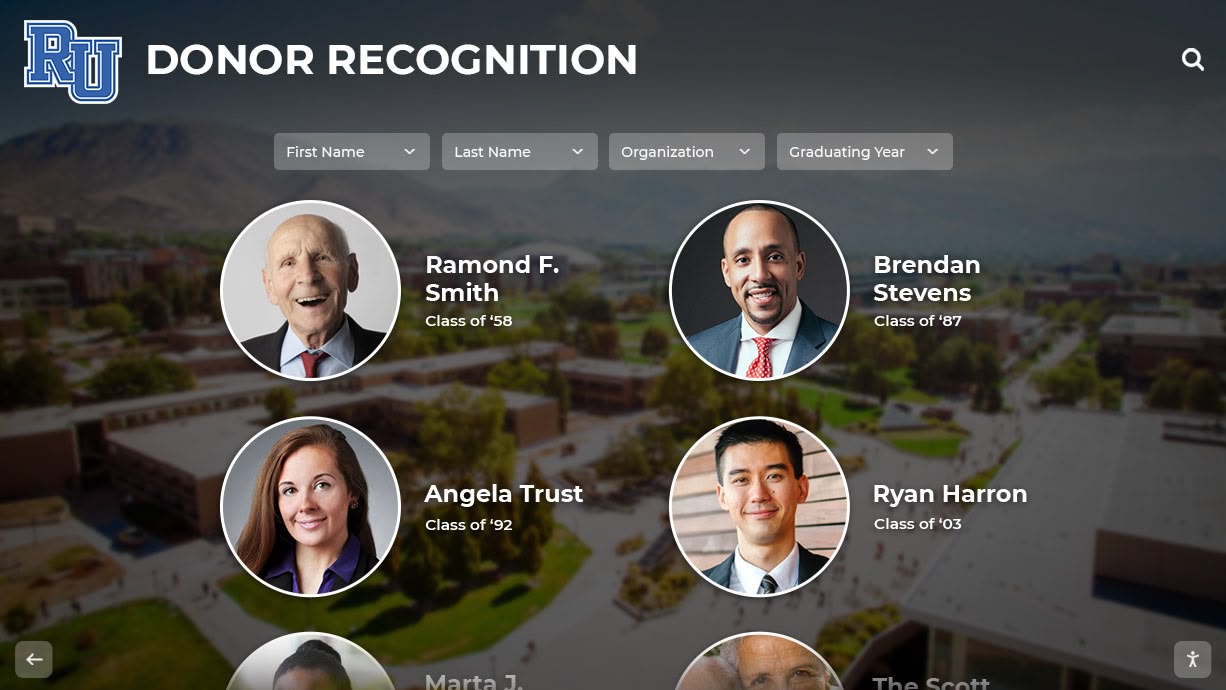
- Searchability is the differentiator: visitors expect name search, giving level filters, and campaign browsing.
- Accessibility is non-negotiable: treat the donor wall like a public-facing interface, not “digital signage.”
Methodology (what this page is based on)
This use-case brief synthesizes common patterns from donor-wall programs and the highest-performing donor-recognition content on HallOfFameWall, including:
- Digital donor walls: complete guide
- Donor recognition screen: complete guide
- Digital recognition wall for school renovation donors
Key findings
- Insight: Donor recognition projects stall at “who owns updates?”
- Evidence: The most common stakeholder friction is approvals (advancement vs. president’s office vs. communications).
- Implication: Define a publish workflow before you choose layouts.
- Insight: “Donor wall” is really multiple experiences.
- Evidence: Prospects want campaign views; families want name search; board members want totals and impact stories.
- Implication: Plan multiple entry points (search, campaigns, levels, impact stories).
Data visualization: donor-wall experience map
| Visitor type | Primary question | Interface entry point | Must-have UI element |
|---|---|---|---|
| Major donor | “Am I listed correctly?” | Name search | Fast search + exact-match support |
| Family/guest | “Who gave at this level?” | Giving level browse | Filter chips + level definitions |
| Board member | “What did this campaign fund?” | Campaign view | Impact tiles + totals section |
| Advancement staff | “What needs updating?” | Admin dashboard | Audit log + bulk updates |
Content model (what you need to collect)
| Field | Required? | Notes |
|---|---|---|
| Donor display name | Yes | Standardize (first/last, suffix rules) |
| Recognition level | Yes | Use consistent tier names and thresholds |
| Campaign / fund | Recommended | Enables campaign navigation |
| Gift year / range | Recommended | Helps avoid “stale wall” perception |
| Impact statement | Optional | Keep short; tie to outcomes (not adjectives) |
| Media | Optional | Use sparingly; don’t block accessibility |
Requirements checklist (what buyers should demand)
- Recognition accuracy
- Name normalization (e.g., “Robert” vs “Bob”) and alias support
- Deduplication rules (couples, family names, foundations)
- Wayfinding
- Search-first UX plus browse by level and campaign
- Clear definitions for recognition tiers
- Accessibility & compliance
- WCAG-aligned contrast, keyboard/assistive tech compatibility, readable type scale
- Touch targets sized for real-world visitors (including older users)
- Operations
- Approval workflow and audit history
- Bulk import/export for annual updates
What this means for schools
If you want donors to cite and share your wall:
- Treat it like a “living directory”, not a one-time install.
- Publish an update cadence (e.g., monthly updates + quarterly campaign refresh).
- Create a donor corrections process (intake → verification → publish).
Recommended next reads (internal links)
- Donor recognition mosaic ideas
- President’s office donor recognition guide
- Alumni & donors wall of honor
CTA
- Primary: Request a research briefing.
- Secondary: See the platform behind the data.
- Relevant Rocket PDP: Digital Hall of Fame platform overview






























