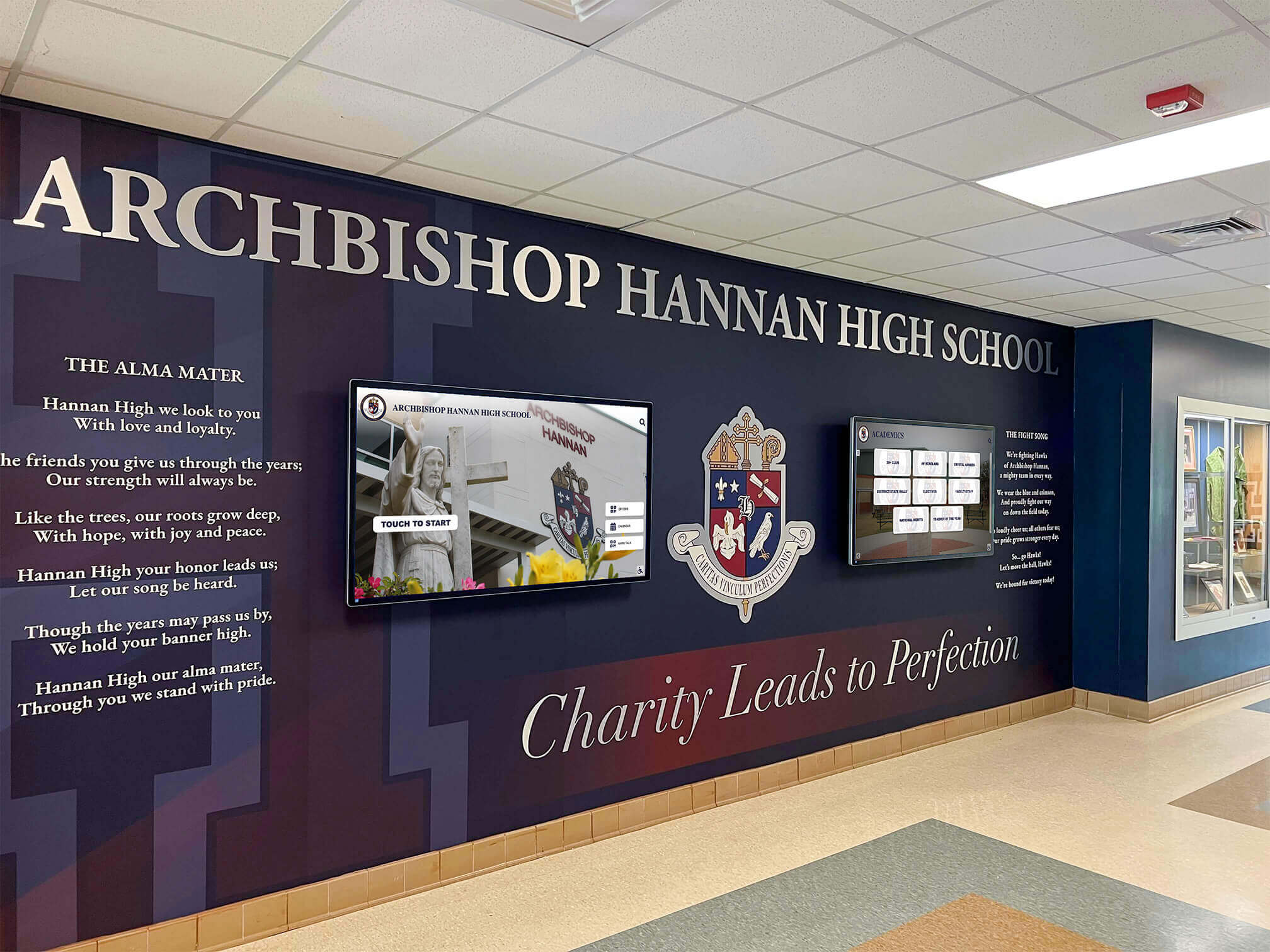




Schools implementing digital hall of fame displays face a complex technical challenge requiring specialized installation expertise. Unlike traditional trophy cases that maintenance staff can hang with basic tools, interactive touchscreen systems demand professional mounting, electrical integration, network configuration, and software setup—work that exceeds typical facilities department capabilities.
The question of who installs these displays depends largely on which vendor supplies the system and what level of installation support they provide. Some companies offer turnkey professional installation handling every technical aspect, while others ship equipment requiring schools to coordinate mounting, power, and networking through local contractors. Understanding installation options, technical requirements, and service models helps schools select providers matching their capabilities and avoid unexpected complications.
This guide examines installation approaches across the digital recognition industry, technical requirements for proper setup, why front office placement matters, who performs each installation task, and what schools should expect when implementing touchscreen displays.
Key Installation Questions to Ask Vendors
Before selecting a digital hall of fame provider, clarify installation services included:
- Who physically mounts the display? Professional installers, school maintenance, or local contractors?
- Who handles electrical work? Licensed electricians provided by vendor, or school responsibility?
- Who configures network access? IT support from vendor, or entirely school-managed?
- What mounting hardware is included? Wall mounts, floor stands, custom enclosures?
- Does installation include content setup? Just hardware, or complete system commissioning?
- What is the installation timeline? Days, weeks, or months from order to operation?
- Is training provided? On-site training for administrators managing content?
- What ongoing support exists? Remote assistance, on-site service, or self-service only?
Installation Service Models Across Digital Hall of Fame Providers
Digital recognition vendors offer three primary installation approaches, each with distinct advantages and challenges:
Full-Service Professional Installation
Companies like Rocket Alumni Solutions, TouchPros, and Vital Signs provide comprehensive installation services handling every aspect from initial site assessment through final commissioning. This turnkey approach proves most common for educational institutions lacking internal technical expertise for complex AV installations.
What full-service installation includes:
Site Assessment and Planning Professional installers visit the school weeks before installation to evaluate mounting surfaces, measure dimensions, assess electrical access, verify network availability, and identify potential obstacles. This advance planning prevents installation day surprises that could delay completion or require expensive modifications.
Physical Mounting and Hardware Setup Installation teams bring all necessary equipment including commercial-grade wall mounts rated for display weight, specialized mounting hardware for concrete, brick, or drywall surfaces, cable management systems keeping wires concealed, and floor stands or kiosks for freestanding installations. Professional installers ensure displays mount securely at appropriate heights for accessibility and user comfort, typically positioning touchscreens at 48-52 inches from floor to center screen.

Electrical Integration Licensed electricians coordinate with school facilities to run dedicated circuits if needed, install appropriate outlets near display locations, ensure proper grounding and surge protection, and verify electrical specifications match display power requirements. Commercial displays typically draw 200-400 watts, requiring adequate electrical capacity and protection.
Network Configuration and Connectivity IT specialists establish network connections enabling remote content management and system updates. This includes running ethernet cables from network closets to display locations, configuring WiFi if wired connections prove impractical, setting up appropriate network security and firewall rules, assigning static IP addresses for reliable connectivity, and testing upload/download speeds supporting content delivery.
Software Installation and Configuration Technical teams install content management systems, configure display settings and schedules, upload initial content provided by schools, establish administrator accounts and permissions, and test all interactive functionality before handoff.
Administrator Training On-site training sessions teach school staff how to log into content management systems, upload and organize new recognition content, edit existing information and correct errors, schedule content updates and rotations, and troubleshoot common issues independently.
Advantages of Full-Service Installation
Schools benefit from single-point accountability with one company responsible for all aspects, predictable timelines with installation completed within defined schedules, professional results with expertise ensuring proper technical implementation, reduced administrative burden eliminating need to coordinate multiple contractors, and warranty coverage typically including both equipment and installation workmanship.
Research from the Education Technology Buyer’s Guide indicates 73% of schools installing digital displays prefer turnkey professional installation over coordinating their own contractors, citing time savings and reduced risk as primary motivations.
Limitations and Considerations
Full-service installation increases upfront costs, typically adding $2,000-$8,000 depending on project complexity, display size, and site-specific challenges. Schools pay premiums for convenience, though many administrators report that coordinating separate contractors themselves would ultimately cost similar amounts while consuming far more time and creating greater stress.
Installation schedules depend on vendor availability, potentially delaying projects during busy seasons. Summer months see highest demand as schools prefer installations during breaks, sometimes creating 8-12 week lead times between order and installation completion.
Partial Installation Support
Some vendors provide equipment and basic installation guidance while expecting schools to handle certain aspects independently. This hybrid model suits institutions with capable facilities or IT departments willing to perform some work to reduce costs.
Typical partial installation arrangements:
Vendors ship displays with mounting hardware and detailed installation instructions. Schools arrange their own electricians for power, maintenance staff or contractors for physical mounting, and IT departments for network configuration. Vendors provide remote technical support during setup and may offer phone or video consultation helping school personnel complete installation correctly.
When partial installation works well:
Schools with experienced facilities directors familiar with AV equipment mounting, maintenance staff comfortable with basic electrical work within code limitations, capable IT departments routinely configuring network devices, and budgets prioritizing cost reduction over convenience find partial installation viable. This approach can save $2,000-$5,000 versus full professional installation.
Risks and challenges:
Installation responsibility splits across multiple school departments and contractors, creating coordination complexity. If problems arise—mounting surfaces prove inadequate, electrical capacity insufficient, or network configuration fails—determining accountability becomes difficult. Vendors may decline troubleshooting issues potentially caused by improper installation they didn’t control.
Schools attempting partial installation sometimes discover unexpected complications requiring professional intervention anyway, ultimately paying more than turnkey installation while experiencing delays and frustration.
Self-Installation with Equipment Only
Budget-conscious schools or those implementing simple slideshow displays using consumer hardware sometimes choose self-installation, purchasing equipment separately and handling all setup internally. This approach works only for basic systems without complex touchscreen functionality or content management requirements.
Self-installation typically involves:
Schools purchase commercial displays or large TVs from electronics retailers, buy separate mounting brackets and necessary cables, engage local handymen or maintenance staff for physical installation, and create content using presentation software like Google Slides, PowerPoint, or Canva.
Severe limitations:
Self-installation produces rudimentary slideshow displays rather than professional interactive recognition systems. Schools sacrifice searchable databases, touch interactivity, professional design templates, remote content management, and specialized recognition features. The approach suits only temporary solutions or proof-of-concept demonstrations, not permanent comprehensive digital halls of fame.
Even with free software, total costs often reach $1,500-$3,000 for decent commercial displays, mounting hardware, cables, and labor—substantial investment for extremely limited functionality compared to purpose-built recognition platforms.
Technical Installation Requirements for Digital Hall of Fame Displays
Understanding installation complexity helps schools appreciate why professional services prove valuable and what technical specifications matter:
Mounting Surface Assessment
Wall Composition Installation teams evaluate mounting surface structural integrity. Concrete and cinder block walls provide excellent support for heavy displays without special reinforcement. Drywall over metal studs requires locating studs and using appropriate anchors rated for display weight plus safety margin. Older buildings with brick or plaster may need specialized mounting solutions or surface reinforcement.
Commercial touchscreen displays with enclosures weigh 75-200 pounds depending on screen size and frame construction. Wall mounts must support this weight safely while allowing proper ventilation and access for service.
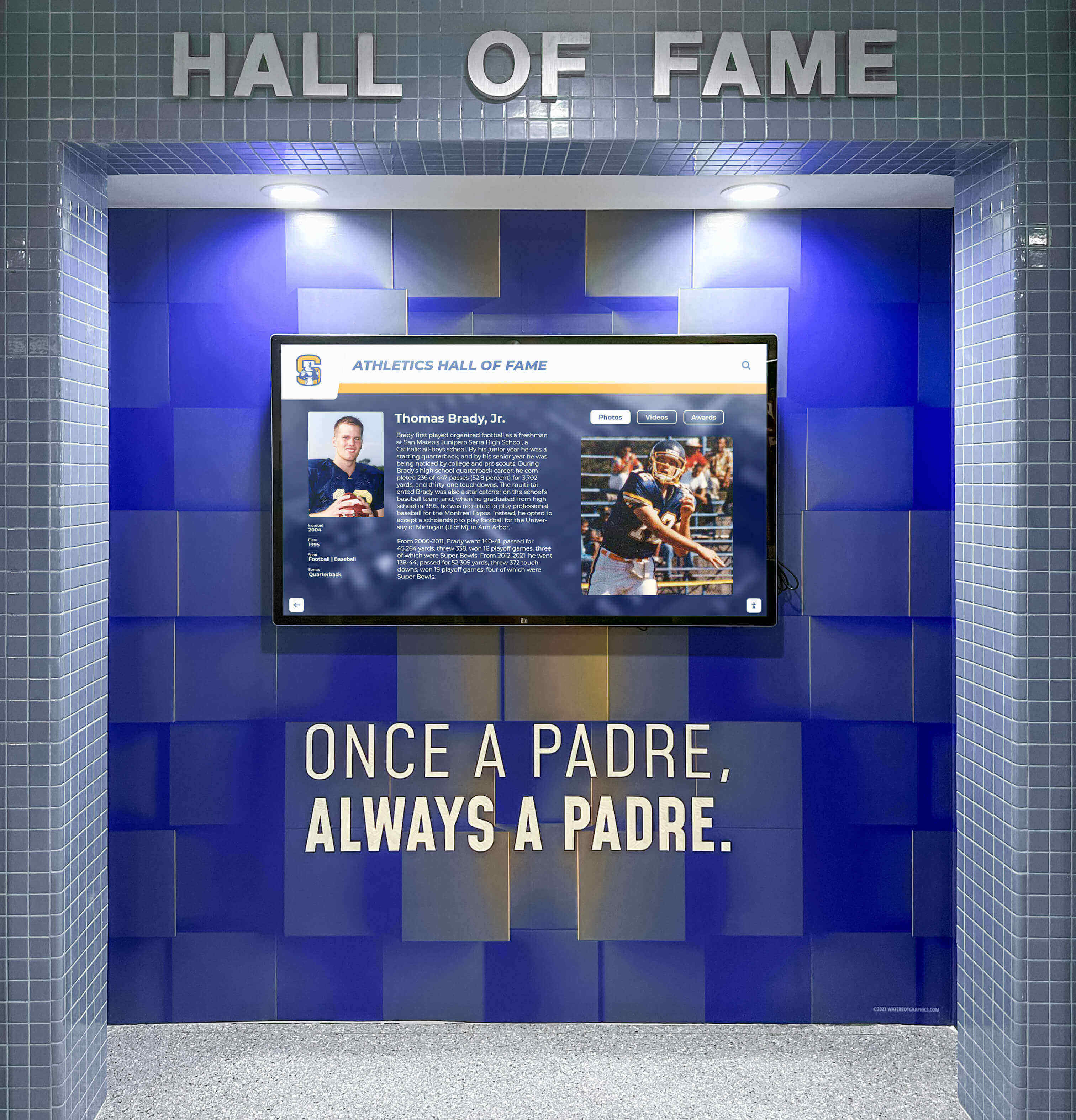
Height and Viewing Angles Professional installers position displays at heights optimizing usability for diverse visitors. The Americans with Disabilities Act recommends interactive touchscreen center points at 48 inches maximum from finished floor, ensuring wheelchair users can comfortably reach and view content. Displays mounted too high create neck strain and awkward touch interaction; too low makes viewing difficult for standing adults.
Proper positioning also considers typical traffic patterns and viewing distances in school hallways or lobby spaces. Displays near busy intersections mount at angles preventing glare from windows while remaining visible from primary approach directions.
Clearance and Accessibility Installation requires adequate clearance around displays for maintenance access, user interaction space, and ADA-compliant approach zones. Industry best practice specifies 36-inch minimum clearance in front of interactive displays and 18-inch side clearances allowing comfortable use without crowding hallways.
Electrical Requirements and Power Management
Dedicated Circuits and Electrical Capacity Commercial displays typically require 110-120V standard outlets but benefit from dedicated circuits preventing power fluctuations from other devices. Large installations with multiple displays or video walls may need 20-amp circuits rather than standard 15-amp service.
Professional installers verify school electrical systems provide adequate capacity, check circuit breaker panels for available circuits, and ensure proper grounding and surge protection exist. Older school buildings sometimes require electrical system upgrades before supporting modern AV equipment, adding complexity and cost to installation projects.
Surge Protection and Battery Backup Quality installations include commercial-grade surge protectors preventing display damage from power spikes common in educational facilities with heavy HVAC and equipment loads. Some schools add uninterruptible power supply (UPS) units providing battery backup for graceful shutdowns during power failures, though this adds $300-$800 per display.
Cable Management and Concealment Professional installations route power cables through walls or conduits rather than exposed runs creating trip hazards and aesthetic issues. In-wall installation typically requires removing sections of drywall or accessing wall cavities from adjacent rooms or above drop ceilings—work requiring skilled technicians familiar with building codes and safety requirements.
Schools preferring surface-mounted cable raceways accept slightly less polished appearance in exchange for easier installation and future modification flexibility. Quality raceways in colors matching walls provide acceptable appearance for many educational settings.
Network Connectivity and IT Integration
Wired vs. Wireless Network Access Wired ethernet connections provide most reliable performance for digital displays requiring regular content updates. Professional installers run Category 6 ethernet cables from network distribution points to display locations, terminating connections in wall-mounted jacks or discrete cable management boxes.
Wireless connectivity works when running ethernet proves impractical due to building construction or distance from network closets, though schools must verify WiFi signal strength at display locations supports reliable operation. Displays positioned in hallway dead zones or areas with heavy wireless traffic may experience connectivity issues affecting content updates.
Network Security and Segmentation IT departments require displays integrate with school networks securely without creating vulnerabilities. Best practice places digital signage on separate VLANs (virtual local area networks) isolating them from sensitive administrative systems and student networks. This segmentation protects both display systems from unauthorized access and school networks from potential vulnerabilities in display hardware or software.
Network administrators configure firewall rules allowing displays to access internet content management servers while blocking unnecessary protocols. Static IP addresses rather than dynamic DHCP assignment ensure displays remain accessible for remote administration.
Bandwidth and Content Delivery Displays showing high-resolution photos, videos, or frequently updated content require adequate bandwidth. While basic operation needs minimal throughput, initial content loading or large updates may temporarily consume significant bandwidth. Schools with constrained internet connections should verify capacity supports recognition displays alongside other technology needs.
Software Configuration and Content Management Setup
Initial System Configuration Installation teams configure display settings including screen resolution and orientation, brightness and contrast for ambient lighting, sleep schedules conserving power overnight, and automatic restart settings recovering from temporary failures. These settings tune display performance for specific school environments and usage patterns.
Content Management System Deployment Software installation includes setting up content management platforms, creating administrator accounts with appropriate permissions, configuring organizational structure matching school departments, and establishing content approval workflows if required. Schools managing displays across multiple buildings or departments benefit from role-based access controlling which staff can modify different content sections.
Initial Content Loading Many schools request installation teams upload initial content during setup, eliminating technical hurdles for administrators unfamiliar with new systems. This includes transferring existing recognition data from spreadsheets or databases, uploading photos and biographical information, organizing content into appropriate categories and sections, and testing search and navigation functionality with real data.
Professional content loading services typically cost $500-$2,000 depending on data volume and organization requirements, though schools with well-organized existing databases and technically capable staff often handle this themselves post-installation.
Why Front Office Placement Matters for Digital Hall of Fame Displays
Schools consistently prefer installing digital recognition displays near main entrances, front offices, or primary traffic areas for several compelling reasons:
Visibility and Engagement
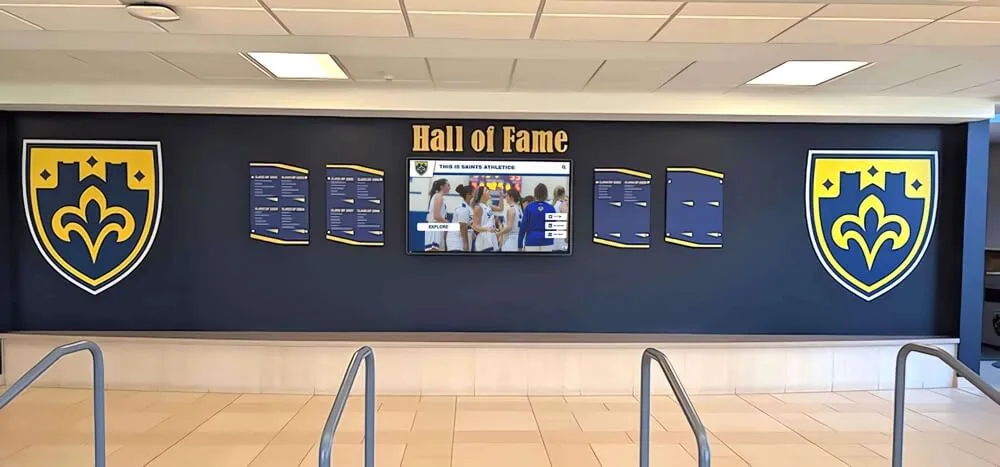
Maximum Visitor Exposure Front entrances see highest traffic from students, families, staff, and community members. Positioning recognition displays where visitors naturally pass ensures consistent engagement rather than installations in remote hallways few people traverse. Athletic directors report significantly higher content engagement when displays occupy prominent lobby positions versus secondary hallway locations.
First Impression Impact Digital halls of fame near entrances communicate institutional values immediately. Visitors entering schools see evidence of achievement celebration, academic and athletic excellence, and tradition honoring—creating positive first impressions before reaching offices or classrooms. This recognition prominence signals that the school genuinely values accomplishment rather than relegating it to afterthought status.
Security and Monitoring
Staff Oversight Front office staff naturally monitor nearby areas throughout the day. Displays near administrative offices receive informal supervision discouraging vandalism or misuse. This passive security proves especially valuable for interactive touchscreens where concerned schools want to ensure appropriate use without dedicated monitoring systems.
Camera Coverage Most schools concentrate security cameras near main entrances and offices. Digital displays in these areas benefit from existing surveillance infrastructure without requiring additional security installations.
Technical Convenience
Network Infrastructure Proximity School network closets and primary IT infrastructure typically locate near administrative areas. Installing displays close to these network distribution points simplifies ethernet runs, reduces cabling costs, and improves connectivity reliability. Some schools report choosing front office locations primarily for network proximity after discovering the cost of running ethernet to distant hallway locations.
Electrical Access Administrative areas generally have robust electrical service and available circuits. Main offices, lobbies, and entrance hallways typically include ample outlets and electrical capacity without requiring expensive panel upgrades or new circuit installations common in older classroom wings.
Maintenance Accessibility Front office locations provide easy access for installation teams during initial setup and technicians during future maintenance. Parking, equipment carts, and ladder access work more easily in lobbies and administrative areas than cramped interior hallways or areas requiring navigating through classrooms.
Practical Considerations for Front Office Installation
Space Limitations While front offices offer many advantages, they sometimes lack adequate wall space due to windows, doors, bulletin boards, and signage competing for limited area. Schools must balance visibility benefits against practical space constraints, occasionally choosing lobby areas adjacent to rather than immediately within administrative offices.
Traffic Flow Impact Interactive displays attract users who stop to explore content. Schools must ensure displays don’t obstruct hallway traffic during passing periods or create bottlenecks in entrance areas during arrival/dismissal times. Professional installers assess traffic patterns and recommend positions allowing comfortable display interaction without impeding flow.
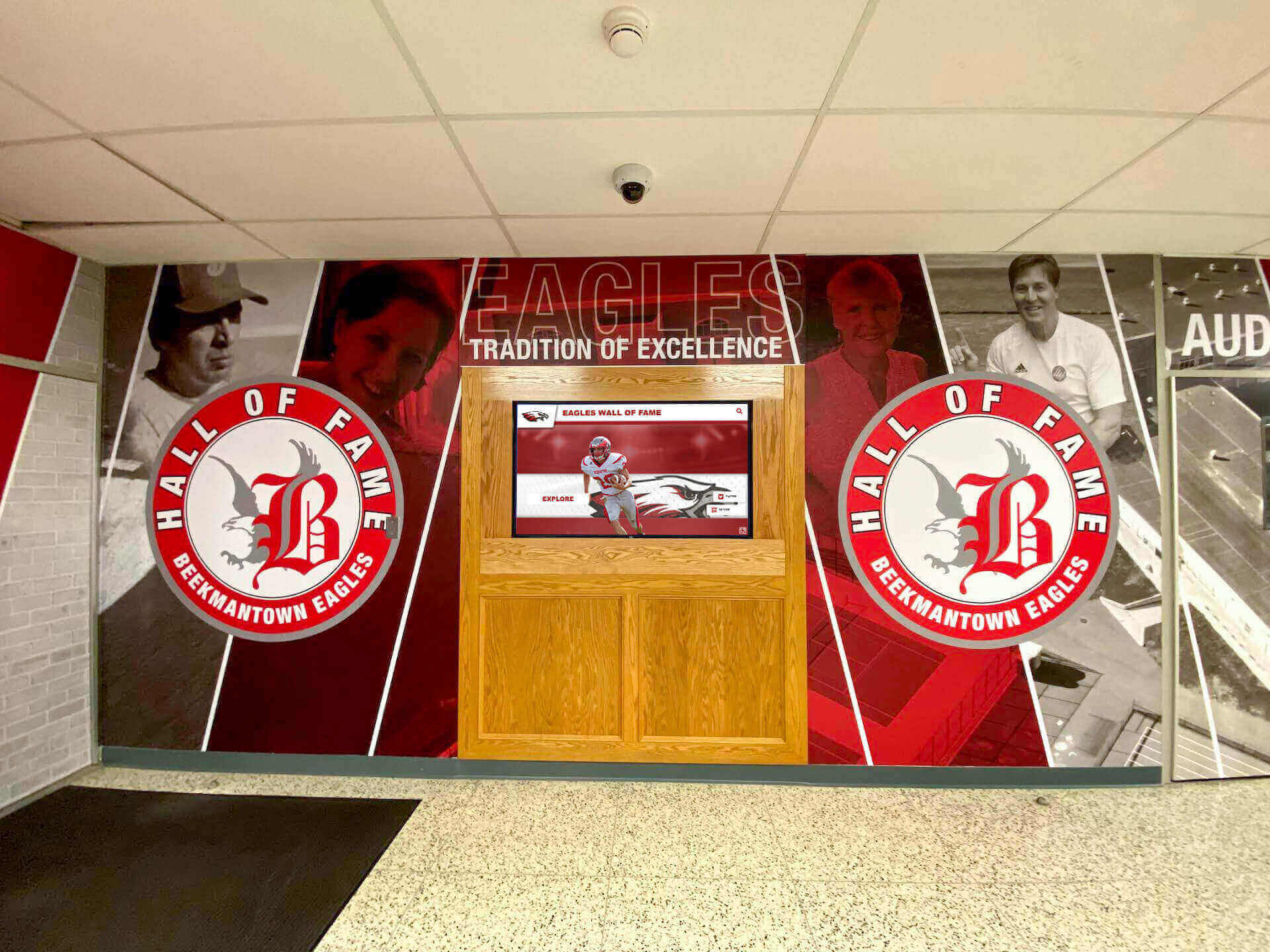
Aesthetic Integration Front areas receive highest scrutiny from visitors and often feature the school’s most polished decor and branding. Digital displays must integrate aesthetically rather than appearing as technical afterthoughts. Many schools coordinate displays with entrance design improvements, wall murals, or lobby renovations creating cohesive, impressive environments.
Who Performs Each Installation Task: Typical Responsibility Breakdown
Complex installations involve multiple specialists, each handling specific aspects:
Project Management and Coordination
Vendor Project Managers Full-service providers assign project managers coordinating all installation activities, scheduling site visits and installation dates, communicating with school administrators throughout, managing installation teams and subcontractors, and troubleshooting issues arising during setup.
School Administrative Contacts Athletic directors, technology coordinators, or facilities managers typically serve as school liaisons providing building access, coordinating with other school departments, obtaining necessary approvals from principals or superintendents, and communicating with teachers and staff about installation schedules.
Physical Mounting and Construction
Professional AV Installers Commercial AV installation companies or vendor installation teams mount displays using specialized equipment, secure mounting hardware rated for commercial applications, ensure level, plumb, and properly positioned installations, and coordinate with electricians and network technicians for integrated setup.
Some vendors maintain internal installation teams while others contract with regional AV installation companies they partner with in different geographic areas. Quality vendors carefully vet contractor partners ensuring consistent installation standards.
School Maintenance Staff Schools attempting partial self-installation may assign maintenance personnel to handle mounting if they possess appropriate experience and equipment. This works for straightforward installations on solid walls but risks problems with complex mounting situations requiring specialized expertise.
Electrical Work
Licensed Electricians Professional installations include licensed electricians who run new circuits if needed, install outlets at appropriate locations, ensure proper grounding and code compliance, verify electrical capacity and protection, and complete any in-wall cable routing requiring electrical code knowledge.
Electrical code requirements vary by jurisdiction, but most areas require licensed electricians for any work involving building electrical systems. Schools attempting to use maintenance staff for electrical work risk code violations and insurance claim denials if issues arise.
Network Configuration
School IT Staff Even with full-service installation, school IT departments typically handle network integration, providing network ports or WiFi access, configuring VLANs and firewall rules, assigning IP addresses and network credentials, and establishing remote access for display administration.
Vendor Technical Support Installation teams configure displays for network connectivity but coordinate closely with school IT staff who control network infrastructure and security policies. Successful installations require cooperation between vendor technicians and school network administrators.
Software Setup and Training
Vendor Implementation Specialists Technical support staff install content management software, configure initial system settings, upload starting content if requested, and conduct administrator training sessions teaching content management.
School Administrators Athletic directors, communications coordinators, or designated staff receive training and assume ongoing content management responsibilities. The best installations provide thorough training ensuring school personnel feel confident managing systems independently.
Installation Timeline: What Schools Should Expect
Understanding typical project timelines helps schools plan appropriately:
Pre-Installation Phase (4-8 Weeks)
Weeks 1-2: Vendor Selection and Contract Schools evaluate vendors, request proposals, review demonstrations, negotiate contracts and finalize purchase orders.
Weeks 3-4: Site Assessment Vendors schedule site visits, evaluate mounting locations and technical requirements, photograph installation areas, and identify potential challenges requiring special attention.
Weeks 5-8: Planning and Scheduling Teams finalize installation designs and approaches, order equipment and coordinate delivery, schedule installation dates with school calendars, and prepare necessary materials and personnel.
Installation Phase (1-3 Days)
Day 1: Physical Installation Teams deliver equipment and stage materials, mount displays and enclosures, run electrical and network cables, and complete physical construction.
Day 2: Technical Configuration Staff make electrical connections and verify power, establish network connectivity, install and configure software, and begin testing system operation.
Day 3: Finalization and Training Teams upload initial content if included, conduct administrator training sessions, demonstrate all system features and capabilities, and complete final quality checks before handoff.
Simple single-display installations often complete in one day, while complex multi-display systems with custom enclosures may require a week or more.
Post-Installation Phase (Ongoing)
Weeks 1-2: Content Development Schools begin populating systems with comprehensive content, learning content management workflows, and identifying any additional training needs.
Months 1-3: Optimization Administrators refine content organization, adjust display settings based on real-world use, and establish ongoing maintenance procedures.
Ongoing: Normal Operation Schools update content regularly, monitor system performance, and contact vendor support for assistance when needed.
Questions Schools Should Ask About Installation Services
Before selecting a digital hall of fame provider, clarify installation details:
Is professional installation included in pricing or quoted separately? Understand total project costs including all installation services.
Who performs the actual installation work? Internal vendor teams or contracted local companies?
What installation services are included? Mounting, electrical, networking, software, training?
What must the school provide or arrange? Network access, electrical circuits, building access?
What is the installation timeline from order to completion? Lead times, duration, and scheduling flexibility?
Does installation include initial content setup? How much content loading assistance is provided?
What training is provided and for how many staff? On-site training sessions, online resources, documentation?
What warranty covers installation workmanship? Protection if mounting fails or electrical issues arise?
What ongoing technical support exists after installation? Remote assistance, on-site service, response times?
Are there circumstances requiring additional installation charges? Complex mounting situations, electrical upgrades, extended cabling?
Understanding answers to these questions before committing prevents surprises and ensures schools select providers matching their capabilities and expectations.
Professional Installation Success Stories
Schools consistently report better experiences with comprehensive professional installation versus coordinated self-installation attempts:
Case Example: Mid-Sized High School Athletic Recognition
A 900-student high school initially attempted to save money by purchasing displays separately and coordinating installation through maintenance staff and local contractors. After three months of delays, mounting challenges, and network configuration problems, they ultimately paid a digital recognition vendor to complete installation professionally. Total costs exceeded what professional installation would have cost originally, while the project consumed enormous administrative time and caused staff frustration.
Case Example: Small School Capital Project
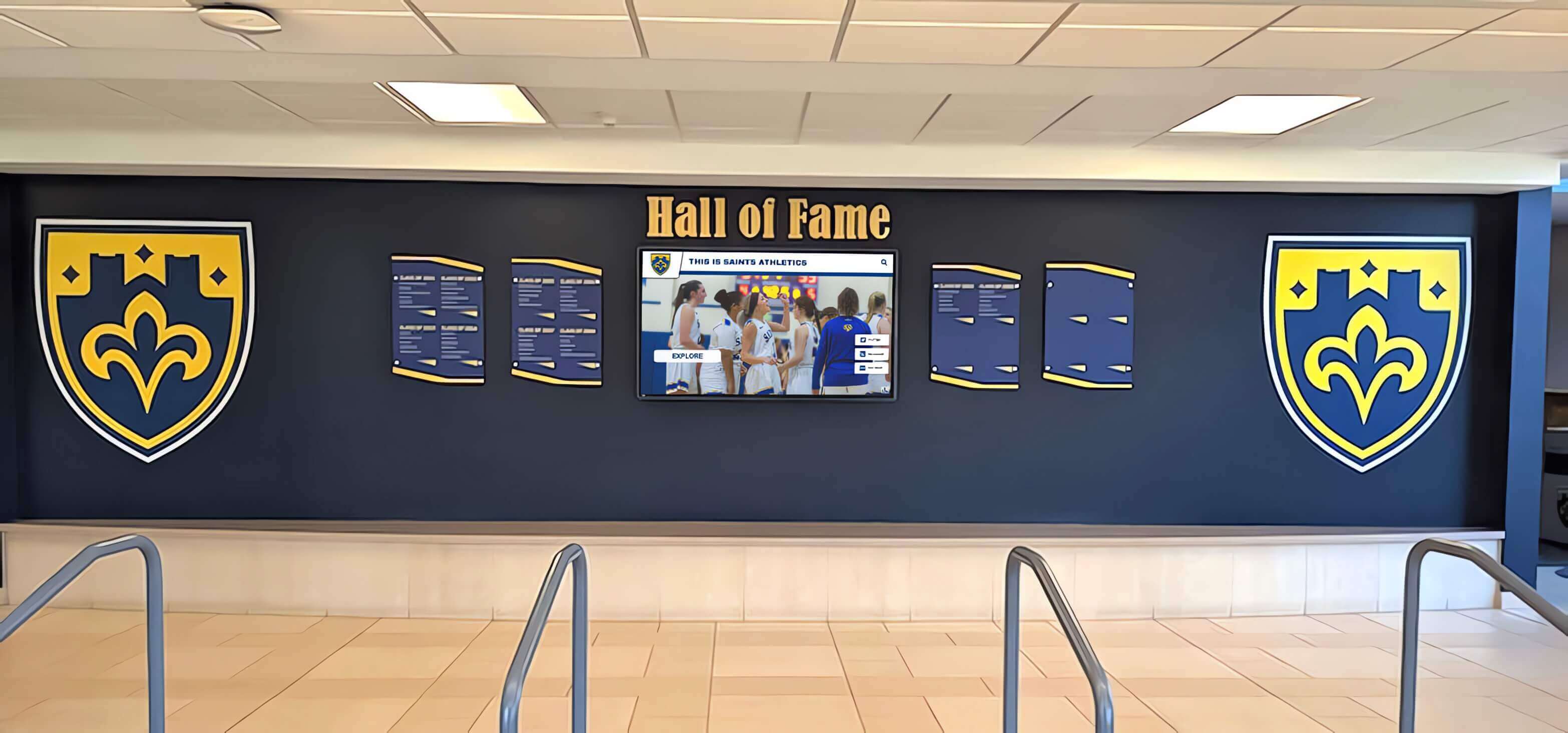
A 400-student school included digital hall of fame displays in a front entrance renovation funded through a capital bond. The general contractor coordinated all aspects including display installation through specialized subcontractors. Integrated project management ensured displays were ready when the entrance reopened, with professional results that met architectural standards for the high-profile renovation.
Case Example: District-Wide Implementation
A school district implementing recognition displays across six buildings negotiated comprehensive professional installation as part of the district-wide contract. Vendor installation teams completed all six schools during one summer, ensuring consistent quality and avoiding the complexity of coordinating separate contractors at multiple locations. Centralized project management provided efficiency gains impossible with building-by-building approaches.
Specialized Installation Considerations
Certain installation scenarios require additional expertise:
Historic Buildings
Schools in older or historically designated buildings face restrictions on wall penetrations, electrical work, and aesthetic modifications. Professional installers experienced with historic properties understand preservation requirements, necessary approvals, and techniques minimizing building impact while achieving proper installation.
Outdoor or Semi-Outdoor Locations
Some schools install displays in covered outdoor areas like entrance porticos or semi-enclosed lobbies exposed to temperature variations and weather. These installations require weatherproof rated equipment, environmental enclosures protecting displays from moisture and temperature extremes, and specialized mounting resisting expansion/contraction from temperature changes.
Multi-Display Video Walls
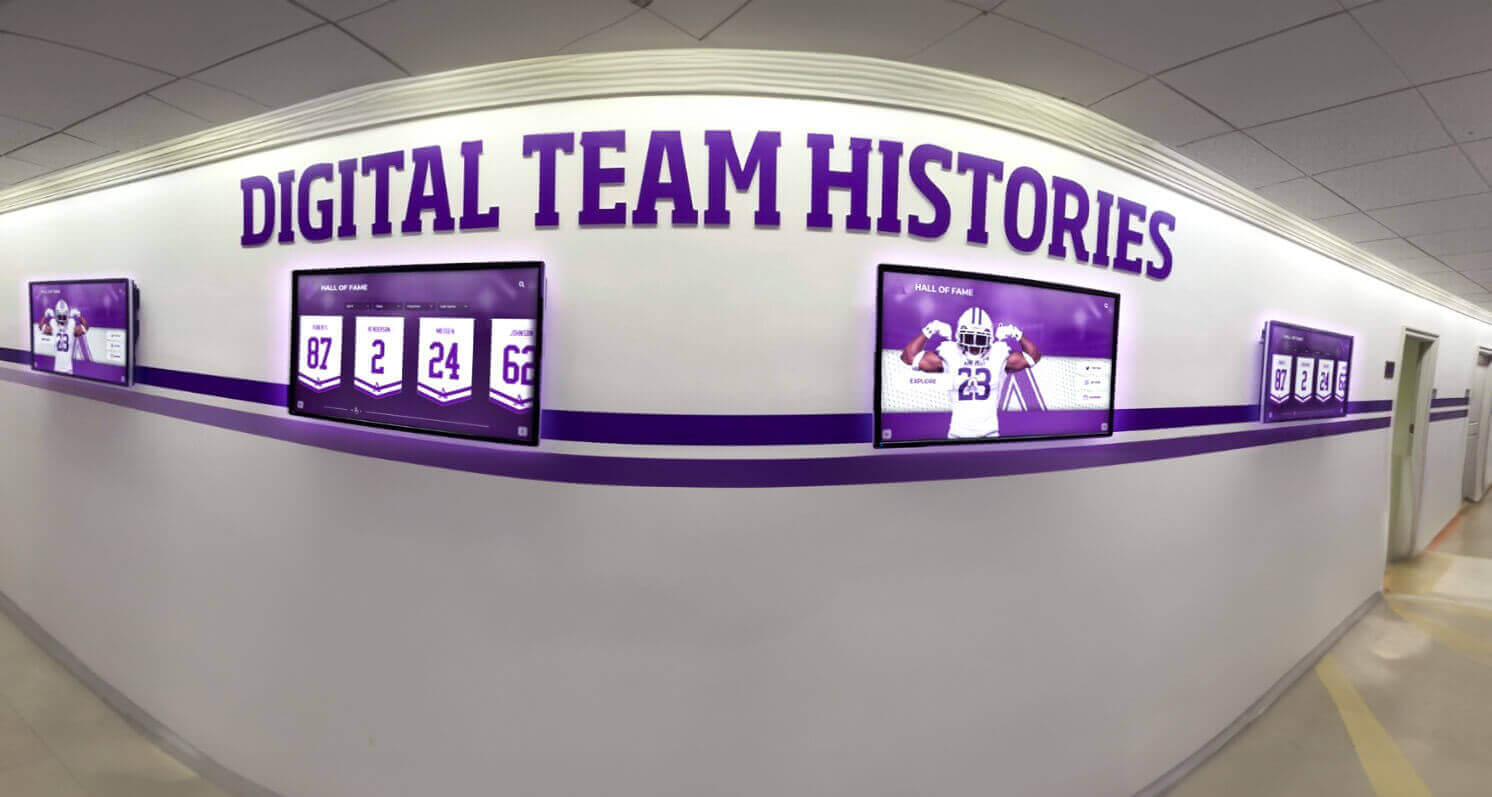
Large recognition installations using multiple displays tiled together as video walls demand precision mounting and configuration. Displays must align perfectly with minimal bezels between screens, requiring specialized mounting systems and careful calibration. Content must synchronize across all displays, requiring more sophisticated media players and configuration than single displays.
Interactive Floor Kiosks vs. Wall Mounts
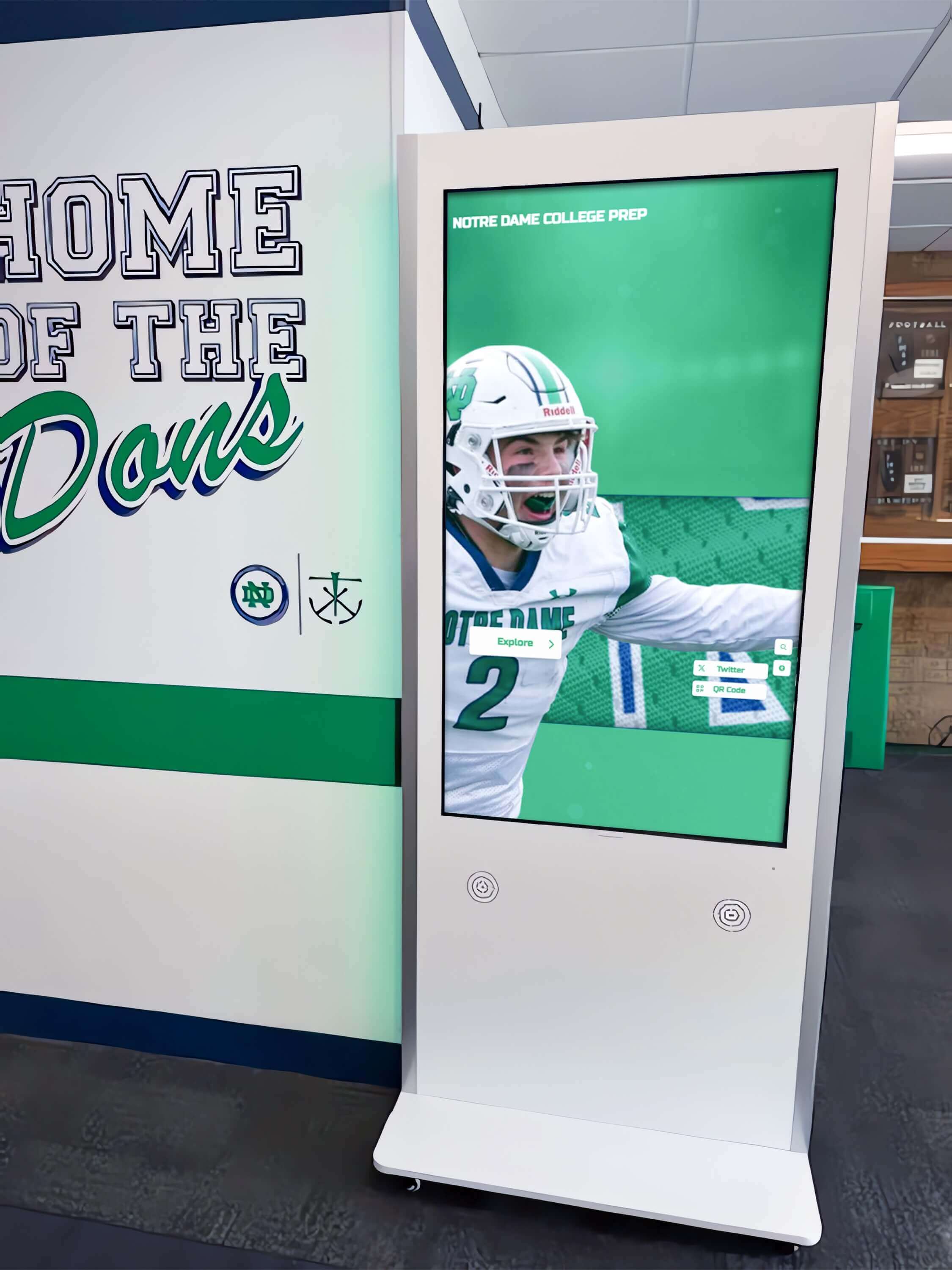
Freestanding kiosk installations require different mounting approaches than wall-mounted displays. Professional-grade kiosks need secure anchoring preventing tipping, internal cable management hiding connections, and potentially tamper-resistant hardware for high-traffic areas. Some schools prefer kiosks in areas where wall mounting proves impractical or for temporary installations before permanent placement decisions.
Maintenance and Support After Installation
Installation represents only the beginning of long-term digital recognition programs:
Ongoing Technical Support
Remote Assistance Quality vendors provide phone or email support helping administrators troubleshoot issues, answer content management questions, and resolve technical problems remotely. Response times and support hours vary widely across vendors—critical considerations when evaluating providers.
Software Updates Cloud-based systems receive automatic updates adding features, improving performance, and maintaining security. Schools should verify vendors actively develop platforms and provide regular improvements rather than leaving products technologically stagnant.
On-Site Service Hardware failures or problems that remote support can’t resolve sometimes require on-site technician visits. Understanding vendor service response times, coverage areas, and potential service charges helps schools plan appropriately. Some vendors include on-site service in annual subscriptions while others charge per incident.
Proactive Maintenance
Display Cleaning Touchscreen displays accumulate fingerprints and smudges requiring regular cleaning. Maintenance staff should use appropriate screen cleaning solutions and microfiber cloths—never harsh chemicals or abrasive materials that could damage anti-glare coatings or touch sensors.
Content Freshness Recognition displays require ongoing content updates adding new inductees, correcting outdated information, and refreshing featured content maintaining visitor interest. Schools should establish regular update workflows and assign clear content management responsibilities.
Usage Monitoring Administrators should periodically review display operation ensuring systems function properly, check content renders correctly, verify touchscreen responsiveness, and monitor engagement through analytics if available. Proactive monitoring catches problems before visitors report issues.
How Rocket Alumni Solutions Handles Installation
Solutions like Rocket Alumni Solutions offer comprehensive professional installation services removing technical burden from schools. Their approach includes complete site assessment and installation planning, professional mounting by experienced AV installers, licensed electrical work meeting all codes, network configuration coordinated with school IT, software installation and customization, initial content loading assistance, on-site administrator training, and ongoing remote and on-site technical support.
This turnkey model proves popular with schools prioritizing professional results, predictable timelines, and single-source accountability over cost minimization. The investment in quality installation pays dividends through reliable long-term operation and improved recognition program outcomes.
Alternative Installation Approaches
Beyond vendor-provided installation, schools sometimes explore alternative arrangements:
General AV Contractors
Schools with relationships with commercial AV installation companies that handle auditorium systems, classroom technology, and other equipment sometimes request these contractors install digital recognition displays. This works when schools separately purchase software and coordinate installation, though it splits responsibility between equipment vendors and installation contractors.
General Contractors During Renovations
Schools incorporating digital displays into larger renovation projects include installation in general contractor scope. This integrated approach works well for lobby remodeling projects or new construction including recognition displays from design phases. General contractors coordinate specialized subcontractors and integrate displays with other construction activities.
District Technology Departments
Large school districts with substantial technology infrastructure teams sometimes perform installations using internal staff supplemented by contracted specialists for specific tasks. This approach suits districts implementing displays across multiple buildings simultaneously and wanting centralized management.
Making Installation Decisions: Recommendations for Schools
After examining installation approaches, technical requirements, and service models, schools should consider:
For most K-12 schools: Professional turnkey installation from specialized vendors proves most practical. The investment typically costs less than coordinating separate contractors while eliminating complexity and risk.
For schools with excellent IT and facilities departments: Partial installation approaches can work with proper planning, though schools should carefully assess internal capabilities and hidden costs before declining professional services.
For temporary or proof-of-concept installations: Simple self-installation using basic equipment and free software allows experimenting with digital recognition concepts before committing to comprehensive implementations.
For new construction or major renovations: Integrate digital hall of fame installations into overall construction planning, allowing coordination with general contractors and incorporation into project budgets and timelines.
Regardless of approach, schools succeed by thoroughly understanding installation requirements before committing, clarifying exactly what vendors provide versus school responsibilities, establishing realistic timelines accounting for coordination complexity, and budgeting adequately for professional installation rather than underestimating technical requirements.
Quality digital recognition displays properly installed near front offices become centerpiece facilities celebrating achievement and building school pride for decades. The investment in professional installation ensures these important systems function reliably, look professional, and serve schools effectively throughout their operational lives.
Ready to explore digital hall of fame solutions with professional installation services? Contact Rocket Alumni Solutions to discuss your school’s needs and learn how turnkey installation simplifies implementation while delivering professional results.
For additional guidance on digital recognition planning, explore resources on selecting the right display technology, creating welcoming entrance environments, and implementing comprehensive recognition programs.






























