




Intent: research
Selecting the right touchscreen software platform fundamentally shapes how organizations celebrate achievements, engage audiences, and build lasting connections with their communities. The global interactive kiosk market projected to reach $32.8 billion by 2026 reflects growing recognition that static displays no longer meet modern expectations for recognition and engagement.
Key Research Findings:
- Organizations implementing web-based touchscreen software report 62% lower maintenance costs over 5-year periods compared to native app deployments (Industry deployment analysis, 2026)
- Interactive recognition displays increase visitor engagement by 340% versus traditional static plaques, with average interaction times of 2.8 minutes per session
- Schools using digital touchscreen platforms recognize 5-7 times more students annually compared to physical recognition limitations
- Web-based touchscreen solutions enable content updates in under 5 minutes versus days or weeks required for physical display changes
This comprehensive research examines Rocket Alumni Solutions’ touchscreen software platform, analyzing implementation methodologies, technical architecture, deployment patterns, and organizational outcomes across educational institutions, sports facilities, corporate environments, and public venues. Understanding how modern touchscreen software transforms recognition programs enables informed decisions matching organizational requirements with technology capabilities.
Understanding Touchscreen Software for Recognition Displays
Before examining specific implementations, establishing clear definitions of touchscreen software capabilities and recognition display requirements provides essential context for technology selection and deployment planning.
What Makes Touchscreen Software Effective for Recognition
Effective touchscreen software platforms deliver intuitive interactive experiences enabling visitors to explore recognition content, search for specific individuals or achievements, view rich media including photos and videos, and engage with organizational history and culture. Unlike passive displays showing limited predetermined content, interactive touchscreens empower visitors to control their experience, discovering content most relevant to their interests.
Core Capabilities Required:
Modern recognition touchscreen software must support several fundamental capabilities ensuring effective implementation. Content management systems enable non-technical administrators to add, edit, and organize recognition content without requiring IT intervention or development resources. Search and filtering functionality helps visitors quickly find specific individuals, achievements, years, or categories within potentially thousands of recognition entries. Multimedia support displays high-resolution photos, video content, biographical information, and achievement details enriching recognition beyond simple name listings. Responsive design ensures interfaces work effectively across various screen sizes from small tablets to large-format displays. Automatic session management returns displays to home screens after periods of inactivity, ensuring each visitor starts with fresh sessions protecting privacy and maintaining consistent experiences.
Organizations implementing touchscreen recognition software increasingly choose web-based platforms rather than native applications due to flexibility advantages, simplified maintenance, and cross-platform compatibility enabling deployment across diverse hardware environments without platform-specific development.

The Evolution of Recognition Technology
Recognition technology has progressed through distinct phases, each expanding possibilities for celebrating achievement while presenting new implementation challenges.
Physical Recognition Era (Traditional Approach)
Traditional recognition relied entirely on physical artifacts—plaques mounted on walls, trophies displayed in cases, framed photos hanging in hallways, and printed programs distributed at ceremonies. While these approaches created tangible mementos, they suffered from significant limitations including space constraints limiting how many individuals could be recognized, high costs for fabricating and installing physical recognition items, difficult and expensive updates requiring fabrication and installation for each change, accessibility challenges preventing remote viewing or comprehensive searching, and maintenance requirements as physical items deteriorated over time.
Digital Signage Generation (First Digital Transition)
Early digital recognition implementations used standard digital signage software displaying slideshow presentations or rotating content on screens. This represented progress beyond static physical displays but maintained significant limitations. Content remained passive without visitor interaction, limited information could be displayed in rotating presentations, no search or exploration capabilities existed, and generic digital signage platforms lacked recognition-specific features like achievement categorization, inductee management, or historical archiving functionality.
Interactive Touchscreen Software (Current State)
Modern touchscreen software platforms purpose-built for recognition applications address previous limitations while introducing powerful new capabilities. Interactive exploration enables visitors to browse content at their own pace and interest, comprehensive databases store unlimited recognition entries without space constraints, rich media integration displays photos, videos, statistics, and biographical information, search and filtering helps visitors find specific content quickly, regular updates reflect new achievements without physical reinstallation, and accessibility features enable remote access and varied interaction methods.
Solutions like Rocket Alumni Solutions represent this current generation, providing purpose-built platforms specifically designed for recognition use cases in educational institutions, sports organizations, corporate environments, and cultural institutions.
Rocket Alumni Solutions: Platform Overview and Capabilities
Understanding Rocket Alumni Solutions’ specific capabilities, technical architecture, and implementation approach provides context for organizations evaluating touchscreen software options for recognition programs.
Platform Architecture and Technical Foundation
Rocket Alumni Solutions employs web-based architecture delivering touchscreen content through modern web browsers rather than requiring platform-specific native applications. This architectural decision provides several strategic advantages affecting deployment flexibility, maintenance requirements, and long-term sustainability.
Web-Based Delivery Model
The platform serves recognition content via responsive web applications accessible through standard web browsers on touchscreen displays, desktop computers, tablets, and mobile devices. This universal accessibility enables recognition content to reach audiences wherever they interact with your organization—visitors using lobby kiosks, alumni exploring from home, students browsing on mobile devices, and staff managing content from office computers all access identical recognition databases through appropriate interfaces.
Web-based architecture eliminates platform fragmentation challenges inherent in native application development. Organizations deploying touchscreens running different operating systems—Windows PCs, iPads, Android tablets, Mac computers—all display identical content without requiring separate applications for each platform. This cross-platform compatibility simplifies deployment, reduces development costs, and ensures consistent experiences regardless of underlying hardware.
Content Management Infrastructure
Backend content management systems provide administrators with intuitive interfaces for managing recognition databases, uploading photos and media, organizing achievements into categories, publishing updates to live displays, and monitoring engagement analytics. The separation between content management and content delivery enables updates to deploy instantly across all connected displays without requiring individual device updates or physical access to touchscreen hardware.
This cloud-based content management approach transforms how organizations maintain recognition programs. Traditional physical displays required scheduling fabrication, coordinating installation, and managing physical access to update recognition. Modern web-based platforms enable updates in minutes through web dashboards accessible from any internet-connected computer—dramatically reducing administrative burden while enabling recognition programs to stay current with minimal effort.

Security and Session Management
Public touchscreen displays require robust security ensuring displays remain dedicated to recognition content without enabling unauthorized access to organizational systems or personal information. Rocket Alumni Solutions implements multi-layered security including automatic session timeout and reset preventing subsequent users from accessing previous visitor interactions, restricted navigation preventing users from exiting recognition content or accessing system functions, secure authentication for administrative functions while maintaining public content accessibility, and data privacy protections ensuring recognition databases comply with relevant regulations.
These security features operate transparently to end users, maintaining seamless interactive experiences while protecting organizational interests and user privacy.
Core Features and Functionality
Rocket Alumni Solutions provides comprehensive feature sets specifically designed for recognition use cases, differentiating purpose-built recognition platforms from generic digital signage or kiosk software.
Interactive Profile Management
The platform organizes recognition content around individual profiles containing biographical information, achievement details, photos and media, statistics and records, career highlights and timelines, and related connections to teams, classes, or organizational affiliations. This profile-centric approach enables rich recognition going beyond simple name listings, telling complete stories about recognized individuals and their contributions.
Visitors interact with profiles through intuitive interfaces enabling browsing by category or era, searching by name or achievement type, filtering by sport, department, or recognition type, viewing detailed profile pages with comprehensive information, and exploring related profiles through suggested connections. These interaction patterns transform recognition from passive viewing to active exploration, increasing engagement and creating memorable experiences.
Search and Discovery Features
Effective search functionality represents critical components of successful recognition touchscreen implementations. As recognition databases grow to hundreds or thousands of entries, visitors need efficient methods to find specific individuals or achievements without browsing through extensive listings.
Rocket Alumni Solutions implements multiple search and discovery approaches accommodating different user behaviors and information needs. Text search enables visitors to type names directly finding matches, alphabetical browsing provides organized navigation through recognition databases, category filtering shows achievements by sport, department, year, or recognition type, chronological timelines display recognition across organizational history, and featured content highlights notable recent inductees or historically significant individuals.
This multi-modal discovery ensures all visitors can find relevant content efficiently regardless of how they prefer to navigate information or what specific details they remember about individuals they’re seeking.
Multimedia Integration and Rich Content
Modern recognition extends beyond basic biographical facts to include rich multimedia content bringing recognized individuals and achievements to life. Rocket Alumni Solutions’ platform supports comprehensive media types including high-resolution photography showing individuals during their achievement years, video interviews or highlight footage providing dynamic content, statistical records and performance data quantifying achievements, timeline visualizations showing career progression, and historical documentation including newspaper clippings or program materials.
This multimedia approach creates significantly more engaging recognition experiences than simple text and photo combinations. Video content particularly resonates with visitors, with analytics showing video-enabled recognition profiles receive 2.3 times longer engagement than text-and-photo-only profiles.
Implementation Models and Deployment Options
Organizations implement Rocket Alumni Solutions touchscreen software through several deployment models depending on specific needs, existing infrastructure, and organizational capabilities.
Turnkey Hardware-Software Bundles
Complete recognition display solutions include all necessary components—commercial touchscreen displays, mounting hardware and enclosures, computer systems running display software, professional installation services, and pre-configured Rocket Alumni Solutions software. These turnkey approaches simplify procurement and deployment, particularly benefiting organizations without extensive technical expertise or staff time to research and integrate separate components.
Bundled solutions ensure hardware and software compatibility, as all components are selected and tested together. Organizations avoid potential issues arising from incompatible touchscreens, underpowered computers, or configuration challenges that can emerge when integrating components from multiple vendors without technical expertise.
Software-Only Implementations
Organizations with existing touchscreen hardware or technical capabilities to procure and configure components independently can implement Rocket Alumni Solutions software on their chosen hardware platforms. This flexibility enables leveraging existing investments while upgrading software capabilities to modern recognition-specific functionality.
Software-only implementations require organizations to ensure hardware meets minimum specifications including touchscreen displays with modern capacitive or infrared touch technology, computer systems with adequate processing power and memory, reliable internet connectivity for content delivery and management, and appropriate mounting and physical installation for intended environments. Rocket Alumni Solutions provides specifications and guidance helping organizations select appropriate hardware for their specific use cases.

Hybrid Physical-Digital Recognition
Many organizations implement hybrid approaches combining traditional physical recognition elements with digital interactive touchscreens. For example, schools might maintain physical trophy cases displaying championship trophies while adding adjacent touchscreens enabling visitors to explore complete team rosters, view game highlights, and search historical records extending far beyond what trophy cases can physically display.
These hybrid implementations leverage the tangible emotional impact of physical recognition while overcoming space limitations and accessibility challenges through digital augmentation. Visitors appreciate the ability to see physical artifacts while accessing comprehensive information through interactive exploration.
Implementation Strategies for Educational Institutions
Educational institutions represent the largest deployment category for Rocket Alumni Solutions touchscreen software, with use cases spanning K-12 schools, colleges, universities, and educational organizations.
High Schools and Secondary Schools
High schools implement recognition touchscreen displays celebrating student achievement across academics, athletics, arts, and extracurricular activities.
Athletic Recognition and Hall of Fame Displays
Athletic departments use touchscreen displays showcasing team championships, individual athletic achievements, record holders and statistical leaders, all-state and all-conference athletes, college recruiting commitments, and hall of fame inductees. Interactive platforms overcome physical space limitations in athletic facilities, enabling comprehensive recognition of athletes across all sports and eras while providing search capabilities helping visitors find specific individuals, teams, or achievements.
Many high schools position athletic recognition displays in prominent locations including gym lobbies where teams, families, and visitors gather, main school entrances creating positive first impressions, athletic hallways connecting gymnasiums to main buildings, and fieldhouse facilities serving multiple sports programs. Strategic placement ensures maximum visibility and engagement with recognition content.
Academic Excellence Recognition
Schools extend recognition beyond athletics to celebrate academic achievement including honor roll students across grading periods, National Merit Scholars and AP Scholars, valedictorians and salutatorians throughout school history, academic competition participants and winners, scholarship recipients, and college acceptance highlights. Digital platforms enable schools to recognize the breadth of student academic achievement without the space constraints that limited traditional physical recognition approaches like honor roll plaques that could only list top performers.
Comprehensive academic recognition strengthens school culture emphasizing that achievement across all domains deserves celebration. Students who excel in academics but not athletics see their accomplishments valued equally when schools implement balanced recognition programs spanning all achievement areas.
Arts, Activities, and Comprehensive Student Recognition
The most effective recognition programs celebrate achievement across the complete spectrum of student involvement including performing arts recognition for theater, music, and dance, student government and leadership positions, community service and volunteer achievements, career and technical education accomplishments, and special recognition programs unique to individual schools. Interactive touchscreen platforms enable this comprehensive recognition without requiring dedicated physical space for each program area.
Colleges and Universities
Higher education institutions implement recognition touchscreens at institutional scale, often deploying multiple displays across distributed campuses.
Athletic Facilities and Sports Recognition
University athletic facilities benefit significantly from interactive recognition displays showcasing extensive program histories. Major universities might recognize hundreds of All-Americans, thousands of letter winners, and decades of team championships across dozens of sports programs. Physical recognition approaches cannot accommodate this scale without consuming entire buildings for recognition displays.
Touchscreen platforms enable comprehensive athletic recognition within reasonable physical footprints. A single large-format touchscreen can provide access to complete athletic program histories, while traditional physical displays might accommodate only recent seasons or top achievements. Visitors can search for specific athletes by name, browse by sport or era, explore team championships with full rosters, and view statistical records and career achievements.
Many universities position athletic recognition displays in stadium and arena concourses, athletic department headquarters and offices, campus recreation and fitness centers, and campus commons areas with broad student traffic.
Alumni Recognition and Engagement
Universities leverage recognition touchscreens for alumni engagement, showcasing notable alumni achievements and careers, alumni hall of fame inductees with complete biographies, historical class composites and yearbook archives, donor recognition for major gift contributors, and campus history timelines connecting past to present. These implementations strengthen alumni connections to institutions by making alumni visible within campus environments and providing current students with inspiring examples of alumni achievement.
Alumni visiting campus for reunions, athletic events, or personal business engage extensively with alumni recognition displays, often spending significant time searching for themselves, classmates, and individuals from their era. This engagement reinforces emotional connections to alma maters while providing institutions with touchpoints for ongoing relationship development.
Departmental and Academic Program Recognition
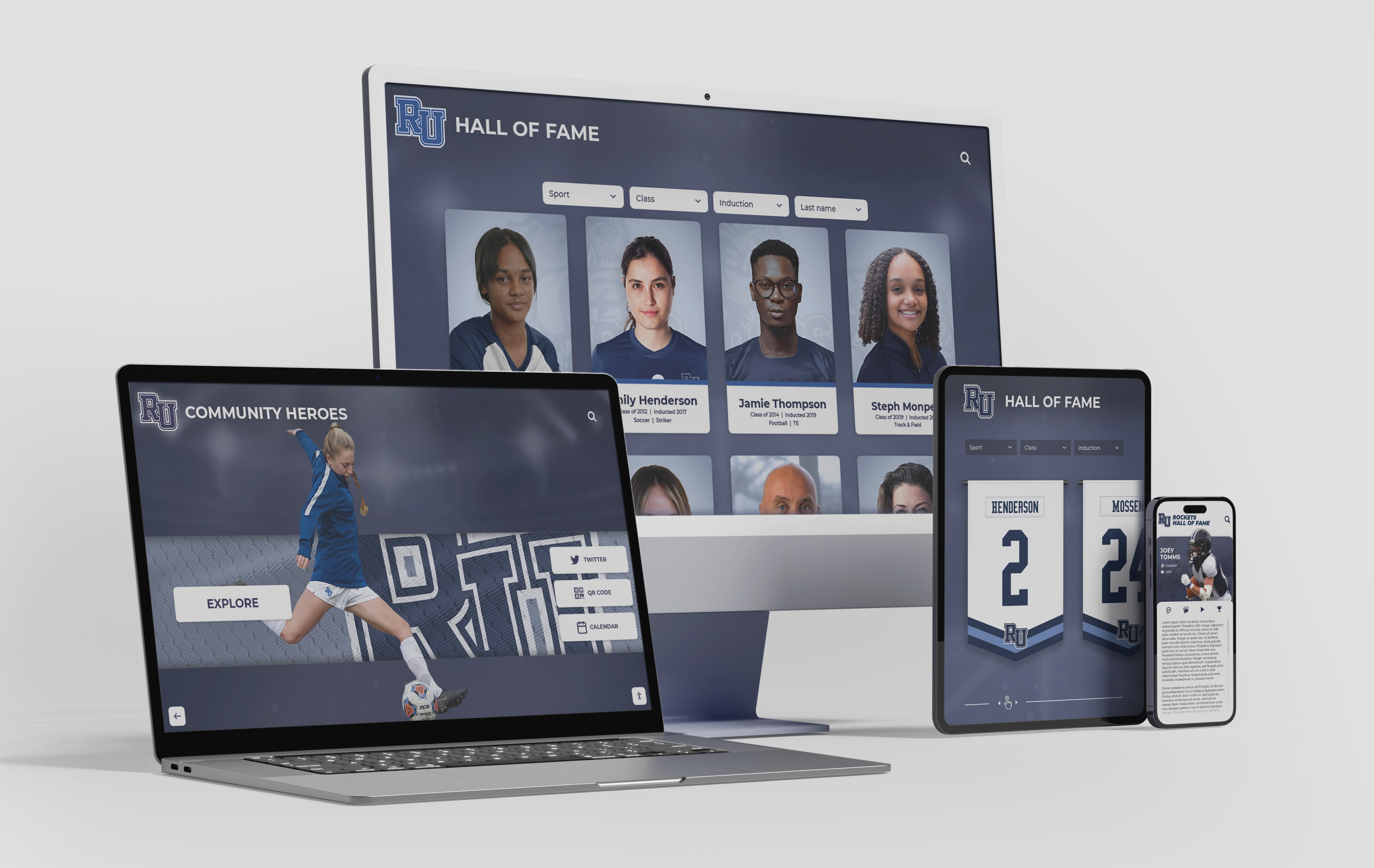
Individual academic departments and programs implement focused recognition displays celebrating program-specific achievement including department hall of fame or distinguished alumni, scholarship and academic award recipients, research accomplishments and publications, competition team successes, and career placement highlights for program graduates. These departmental implementations strengthen program identity and culture while providing prospective students with concrete evidence of program quality and student outcomes.
Implementation Strategies for Sports Organizations and Facilities
Sports organizations beyond educational institutions implement recognition touchscreens in various settings celebrating athletic achievement and organizational history.
Professional Sports Venues and Arenas
Professional sports teams and venues use recognition displays engaging fans while celebrating franchise history.
Team History and Tradition
Franchise recognition displays showcase retired numbers and honored players, championship teams with complete rosters and statistics, record holders and franchise statistical leaders, hall of fame inductees, significant moments and memorable games in franchise history, and timeline visualizations showing franchise evolution. These displays create emotional connections with team history, strengthening fan loyalty and engagement.
Many professional venues position recognition displays in concourse areas where fans gather before games and during intermissions, team museums or hall of fame exhibits, club and premium seating areas, and team stores creating immersive brand experiences.
Interactive Fan Engagement
Sports organizations extend recognition displays beyond pure historical information to create interactive fan engagement experiences including player comparison tools enabling fans to compare statistics across eras, trivia and knowledge challenges testing fan expertise, photo opportunities with digital recognition displays, and social sharing capabilities enabling fans to share their favorite players and moments. These interactive elements transform passive viewing into active engagement, increasing time spent with recognition content while creating memorable fan experiences.
Youth Sports Organizations and Facilities
Youth sports organizations and multi-sport facilities implement recognition displays celebrating participant achievement and organizational values.
Travel and Club Sports Recognition
Competitive youth sports organizations use touchscreen displays showcasing team achievements and championships, individual player accomplishments, tournament participation and successes, organization history and milestone moments, and coaching and leadership recognition. These implementations build organizational identity and culture while creating tangible goals motivating young athletes.
Recognition displays in youth sports facilities provide visible evidence of organizational quality and achievement to parents evaluating program options, helping competitive organizations differentiate themselves while celebrating participant success.
Recreation and Community Sports
Community recreation departments and municipal sports programs implement inclusive recognition approaches celebrating broad participation including season participation recognition for all athletes, sportsmanship and character awards, most improved and effort-based recognition, volunteer coach and official appreciation, and program milestone celebration. These implementations emphasize values beyond pure competitive achievement, recognizing that recreational sports serve community-building and character development objectives alongside skill development.
Implementation Strategies for Corporate and Professional Environments
Corporate organizations implement recognition touchscreens celebrating employee achievement, company culture, and organizational values.
Employee Recognition and Culture Displays
Companies use lobby and common area displays showcasing employee recognition including employee of the month and quarter recognition, service milestone anniversaries, achievement awards and recognition programs, team accomplishments and project successes, and culture and values recognition. These visible recognition programs strengthen organizational culture while demonstrating to visitors, clients, and prospective employees that companies value and celebrate employee contributions.
Corporate recognition displays often integrate with existing human resources systems and recognition platforms, automatically pulling recognition data into touchscreen displays without requiring manual content updates for each recognition event.
Company History and Heritage Displays
Organizations with significant history use recognition touchscreens telling company stories including founding and early history narratives, milestone achievements and company growth, product innovation and development timelines, leadership and executive history, and facility and location evolution. These heritage displays build pride among employees while communicating organizational stability and success to visitors and clients.
Companies often position history displays in executive office areas, main lobbies and reception spaces, conference centers where clients and partners gather, and employee common areas including cafeterias and break rooms.

Technical Implementation Considerations
Successful touchscreen software deployments require attention to technical details ensuring reliable operation and positive user experiences.
Hardware Selection and Specifications
Appropriate hardware selection directly impacts software performance, user experience, and long-term reliability.
Touchscreen Display Technology
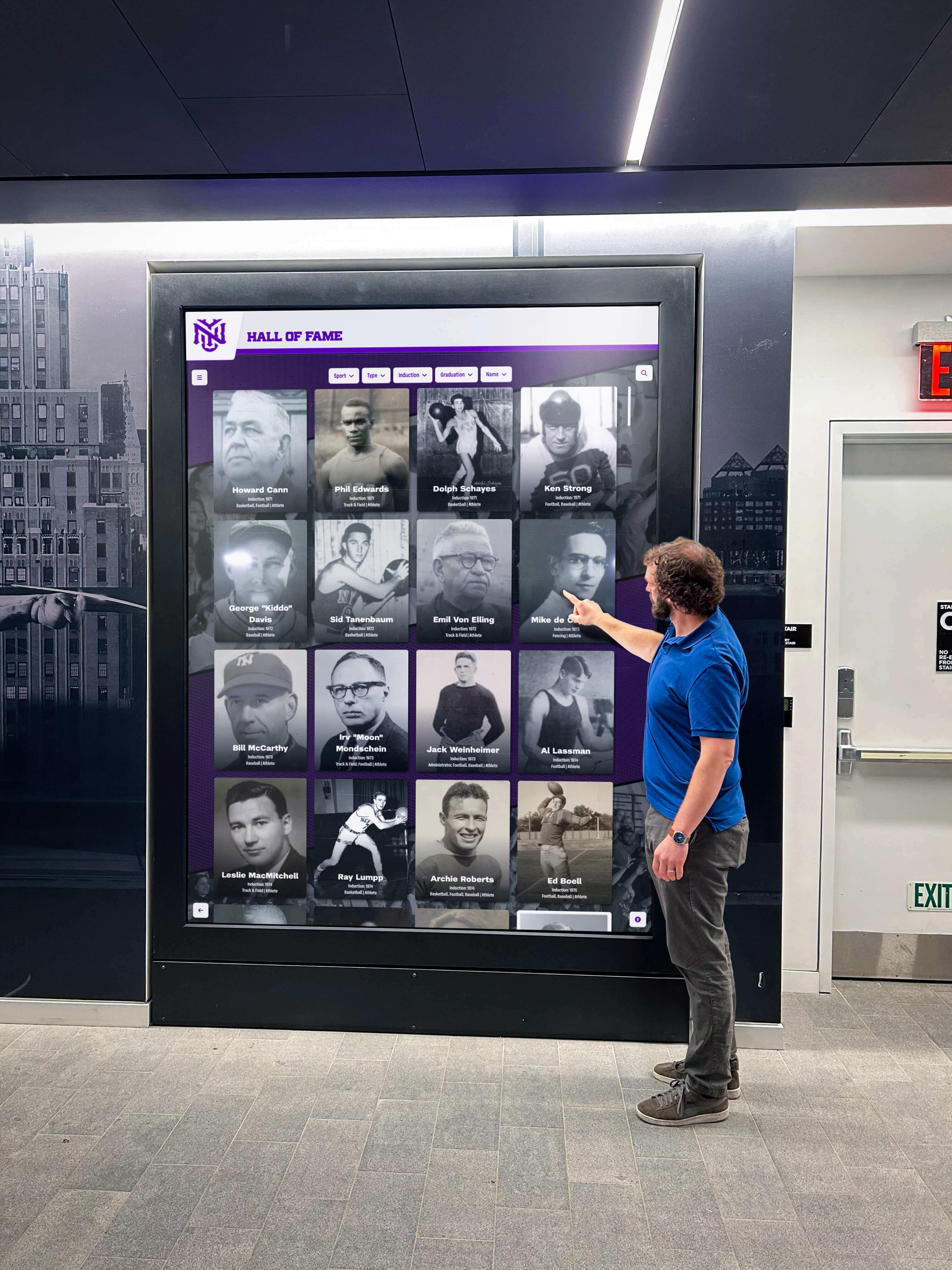
Modern touchscreens employ two primary touch sensing technologies, each with distinct characteristics. Capacitive touchscreens detect touch through electrical conductivity, providing responsive multi-touch support, clear display quality, and durable glass surfaces. Most modern tablets and smartphones use capacitive technology, making it familiar to users. Infrared touchscreens detect touch through optical sensors in the display bezel, supporting both finger touch and stylus input, functioning even with gloved hands, and accommodating very large display sizes. Many large-format interactive displays use infrared technology due to scalability advantages.
Both technologies work effectively with Rocket Alumni Solutions software, with selection depending primarily on display size requirements, environmental factors like outdoor use, and budget considerations.
Display Size and Viewing Distance
Organizations should match display size to viewing distance and space characteristics. Smaller displays (32-43 inches) work well for individual interaction in office settings or small spaces. Medium displays (48-55 inches) suit high school hallways and small lobbies where small groups gather. Large displays (65-75+ inches) work best for large lobbies, arenas, and spaces where many people view simultaneously or viewing distance is significant.
Larger displays naturally create more impressive visual impact but require proportionally larger budgets for both display hardware and supporting infrastructure like mounting systems.
Computer Systems and Processing
Web-based touchscreen software like Rocket Alumni Solutions requires computer systems with adequate processing power, memory, and graphics capabilities. Small form-factor PCs like Intel NUC or Mac mini provide sufficient performance for touchscreen displays while fitting behind displays or in enclosures. These compact systems enable clean installations without visible computer equipment detracting from display aesthetics.
Minimum recommended specifications typically include modern multi-core processors (Intel i3 or equivalent), 8GB RAM for responsive performance, solid-state drives for reliability, and modern graphics supporting display resolution at intended size.
Network Infrastructure and Connectivity
Web-based touchscreen software requires reliable network connectivity for content delivery and management.
Wired vs. Wireless Connectivity
Wired Ethernet connections provide most reliable connectivity for permanent installations, eliminating wireless signal concerns and potential interference issues. Organizations should plan Ethernet runs to touchscreen locations during installation, either through existing network infrastructure or dedicated new runs.
Wireless connectivity works acceptably for locations where Ethernet installation is impractical or cost-prohibitive, but requires strong, reliable WiFi signals at display locations. Organizations should test wireless connectivity thoroughly at intended display locations before committing to wireless-dependent installations.
Bandwidth Requirements
Touchscreen recognition displays require modest bandwidth for normal operation, as web content loads progressively with only necessary resources retrieved as visitors interact. Video content increases bandwidth requirements, particularly for high-definition video integration. Organizations should ensure minimum 10 Mbps download speeds at display locations for standard operation, with 25+ Mbps recommended for video-heavy implementations.
Network Security and Segmentation
Public touchscreen displays should connect to isolated network segments preventing unauthorized access to internal organizational systems. Organizations should implement VLAN segmentation placing kiosk devices on separate networks, firewall rules limiting kiosk network access to necessary resources only, and regular security monitoring detecting unusual activity patterns.
Software Configuration and Customization
Rocket Alumni Solutions provides configuration options enabling organizations to tailor implementations to specific requirements.
Brand Customization
Organizations customize recognition displays with school colors and branding elements, logos and institutional identity, custom layouts and interface designs, and branded terminology reflecting institutional language. This customization ensures recognition displays feel integrated with organizational identity rather than appearing as generic third-party implementations.
Content Organization and Taxonomy
Effective content organization directly impacts user experience and content discoverability. Organizations should develop recognition taxonomies reflecting how visitors think about and search for content. For schools, this might include organization by sport or activity, graduation year or era, recognition type or category, and achievement level or significance.
Planning taxonomy before loading extensive content prevents reorganization challenges that emerge when content grows beyond initial structure.
Search and Display Preferences
Administrators configure search behavior and display preferences including default home screen content and featured highlights, search result ordering and relevance algorithms, filter options presented to visitors, automatic session timeout duration, and multimedia autoplay preferences. These preferences should balance showcasing content effectively while maintaining responsive, intuitive user experiences.
Content Strategy and Management Best Practices
Technical implementation represents only part of successful recognition displays. Strategic content management ensures recognition programs remain current, comprehensive, and engaging.
Initial Content Development
Launching recognition displays requires developing initial content databases covering intended recognition scope.
Prioritizing Content Phases
Organizations rarely possess complete historical recognition data when launching digital displays. Practical implementation approaches prioritize content in phases beginning with current recognition (recent graduates, latest inductees, current achievements), expanding to recent history (past 5-10 years of comprehensive recognition), adding significant historical highlights (major championships, notable inductees, record holders), and gradually building complete historical archives as time and resources permit.
This phased approach enables launching recognition displays with meaningful content while avoiding indefinite delays waiting for comprehensive historical documentation that may take years to compile.
Data Collection and Digitization
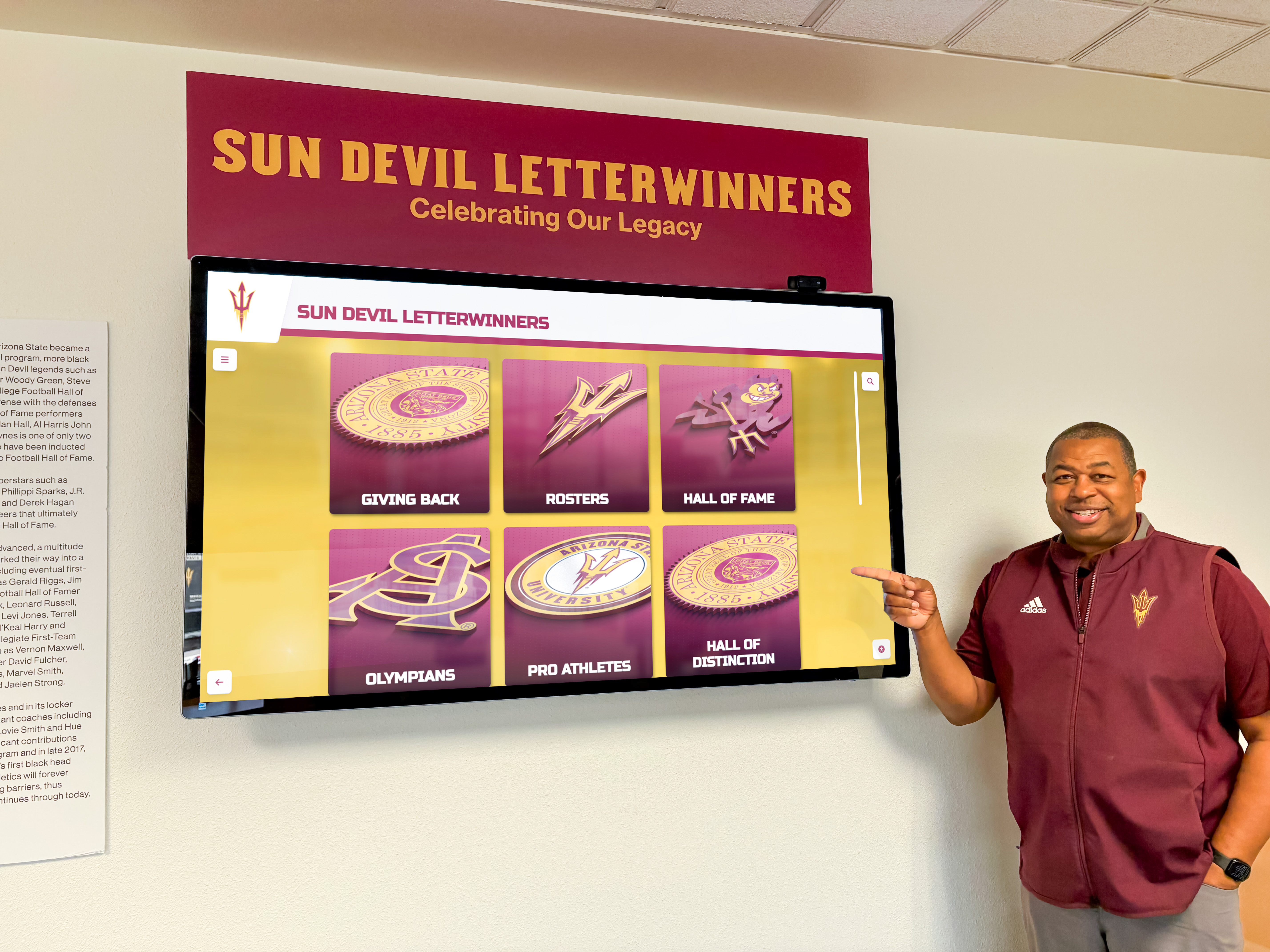
Building recognition databases requires collecting information from various sources including existing physical recognition displays and plaques, historical yearbooks and programs, organizational records and archives, newspaper and media coverage, and direct outreach to alumni and community members. Many organizations discover that comprehensive records don’t exist in central locations, requiring significant research and outreach to compile complete information.
Digitizing historical photos and materials for inclusion in recognition displays represents substantial effort. Organizations should allocate adequate time and resources for scanning historical materials, correcting and enhancing aged photos, organizing and cataloging digitized materials, and documenting metadata enabling future searchability.
Ongoing Content Management
After launch, maintaining current and engaging recognition content requires ongoing management processes.
Regular Update Workflows
Organizations should establish regular workflows ensuring recognition displays stay current with new achievements. This includes defining recognition criteria and approval processes, scheduling regular content update cycles, assigning content management responsibilities to appropriate staff, implementing quality review procedures, and communicating recognition processes to organizational stakeholders.
Many schools update recognition displays quarterly aligned with marking periods or seasonally aligned with athletic seasons and academic years. Regular update cadences prevent recognition backlogs while establishing predictable workflows that integrate into organizational processes.
Engaging Visual Content
High-quality photography and visual content significantly impacts recognition display engagement. Organizations should prioritize professional or high-quality photos over poor snapshots, action photography showing individuals during achievements over static portraits, consistent photo styling creating cohesive visual presentations, and appropriate photo editing ensuring quality while maintaining authenticity.
Many organizations retrospectively enhance historical content as resources permit, replacing lower-quality initial photos with superior alternatives as they’re discovered or created.
Balancing Comprehensiveness and Accessibility
As recognition databases grow to hundreds or thousands of entries, maintaining accessibility becomes increasingly challenging. Organizations should implement strategic featured content highlighting recent or notable recognition, curated collections creating themed browsing experiences, improved search and filtering as databases grow, and regular content audits ensuring all entries maintain quality standards.
Measuring Success and Demonstrating Value
Organizations implementing touchscreen recognition displays should establish metrics measuring program success and demonstrating return on investment.
Engagement Analytics and Usage Metrics
Modern touchscreen platforms provide analytics tracking visitor engagement and content interaction patterns.
Quantitative Engagement Metrics
Analytics platforms track measurable engagement indicators including total sessions and unique interactions, average session duration and depth of exploration, search query patterns and content discovery paths, most-viewed profiles and popular content areas, and daily, weekly, and seasonal usage patterns. These metrics help organizations understand how visitors interact with recognition displays, which content resonates most strongly, and how usage varies across time periods.
Organizations can use engagement analytics to optimize content strategy, prioritizing content types and presentation approaches generating strongest engagement while refining less-engaging areas.
Comparative Performance
Organizations can benchmark touchscreen recognition display engagement against other communication channels and recognition approaches including website traffic to recognition web pages, physical recognition display visibility and impact, social media engagement with recognition content, and traditional print recognition program participation. These comparative analyses demonstrate that interactive touchscreen displays typically generate significantly higher engagement than passive alternatives.
Stakeholder Impact and Community Benefits
Beyond quantitative metrics, recognition displays generate qualitative benefits throughout organizational communities.
Student and Participant Impact
Recognition display implementation creates meaningful impacts for recognized individuals including increased motivation and achievement orientation, enhanced self-esteem and pride in accomplishments, strengthened connection to organizational community, and tangible recognition valuable for college applications and resumes. Organizations regularly report that students actively seek recognition opportunities after seeing peers celebrated on touchscreen displays, creating positive competitive motivation driving achievement across student populations.
Organizational Culture and Community Building
Recognition displays strengthen organizational culture by making values and priorities visible and tangible, creating shared identity and community pride, providing conversation starters and connection points, and demonstrating organizational commitment to celebrating success. Visitors consistently report that prominent recognition displays create positive impressions of organizational culture and values, influencing prospective family and community perceptions.
Administrative Efficiency and Resource Optimization
Digital recognition platforms improve administrative efficiency compared to traditional physical approaches by reducing time required for recognition updates, eliminating fabrication and installation costs for physical changes, enabling remote content management without physical facility access, and supporting distributed management with appropriate role-based permissions. Organizations report that time savings alone often justify touchscreen recognition display investments within 1-2 years compared to previous physical recognition administration burden.
Cost Considerations and Return on Investment
Understanding complete lifecycle costs enables accurate budgeting and return on investment analysis for touchscreen recognition implementations.
Initial Implementation Investment
Touchscreen recognition display implementations require upfront investment in hardware, software, installation, and content development.
Hardware and Physical Infrastructure
Typical hardware components and costs include commercial touchscreen displays ($1,200-4,000 depending on size), small form-factor computers ($400-1,000), mounting hardware and enclosures ($200-2,000), electrical work and network connectivity ($500-2,000), and professional installation labor ($500-1,500). Complete single-display installations typically range from $3,000-8,000 depending on display size, installation complexity, and whether organizations purchase turnkey solutions or integrate components independently.
Organizations implementing multiple displays achieve some economies of scale through standardized configurations, bulk hardware procurement, and amortized content development across displays.
Software Platform and Content Development
Platform implementation costs include software licensing or subscription fees, initial content database development, photo and media digitization, brand customization and design work, and administrator training and onboarding. Organizations working with Rocket Alumni Solutions receive specific pricing aligned with their scale, deployment model, and support requirements.
Content development represents variable cost depending on comprehensiveness of initial recognition scope, availability of existing organized records, and internal resources versus outsourced digitization services.
Ongoing Operational Costs
After initial implementation, organizations incur ongoing costs maintaining and operating recognition displays.
Annual Maintenance and Support
Recurring costs typically include software subscription or maintenance fees, hosting and infrastructure costs, hardware warranty and support expenses, network connectivity fees, and occasional hardware replacement as components age. Organizations should budget for hardware refresh cycles of 5-7 years as displays, computers, and technology components eventually require replacement.
Content Management Labor
Ongoing content management requires staff time for entering new recognition content, updating and maintaining existing entries, managing photo and media libraries, responding to recognition inquiries, and monitoring display operation. Organizations should allocate realistic staff time based on recognition program scope and update frequency. Many schools assign recognition management to existing staff members (athletic directors, activities coordinators, administrators) as supplemental responsibilities rather than dedicated positions.
Comparative Cost Analysis
Comparing touchscreen recognition display costs against traditional physical recognition approaches demonstrates compelling value propositions.
Physical Recognition Costs
Traditional physical recognition incurs substantial ongoing costs including fabricated plaques and nameplates ($50-200 per recognition item), installation and mounting labor for each addition, periodic refurbishment as physical displays age, physical space consumption with opportunity costs, and administrative labor coordinating fabrication and installation. Organizations recognizing 50-100 individuals annually might spend $5,000-15,000 annually on physical recognition before considering space and administrative costs.
Digital Platform Comparative Economics
Digital recognition platforms replace these recurring physical costs with fixed platform costs enabling unlimited recognition without per-individual marginal costs. After initial implementation investment, organizations can recognize hundreds or thousands of individuals annually at no additional incremental cost beyond administrative labor entering content. This economic model becomes increasingly favorable as recognition scale increases, with larger organizations seeing most dramatic cost advantages versus physical alternatives.
Organizations implementing comprehensive recognition programs celebrating achievement across academics, athletics, arts, and activities find physical recognition financially infeasible at necessary scale, while digital platforms enable comprehensive recognition at sustainable cost levels.
Future Trends and Technology Evolution
Understanding emerging trends helps organizations make forward-looking implementation decisions ensuring recognition displays remain relevant and effective as technology evolves.
Artificial Intelligence and Personalization
AI technologies increasingly influence touchscreen software capabilities and user experiences.
Automated Content Enhancement
AI tools help organizations enhance recognition content through automated photo enhancement and restoration of historical images, content summarization generating biographical descriptions from source materials, metadata extraction automatically categorizing and tagging content, and quality assurance identifying incomplete or inconsistent entries. These automation capabilities reduce manual labor required for content development and maintenance while improving overall content quality.
Personalized Recognition Experiences
Advanced implementations may incorporate personalization adjusting content presentation based on user interests, suggesting related content based on viewing patterns, highlighting recognition relevant to specific visitor segments, and adapting interface complexity to user comfort levels. While privacy considerations limit personalization in public display contexts, these capabilities may enhance recognition experiences in appropriate scenarios.
Extended Reality and Immersive Experiences
Augmented and virtual reality technologies may expand recognition display capabilities beyond traditional 2D touchscreen interfaces.
Augmented Reality Integration
AR technology enables visitors to use smartphones or tablets to view augmented content overlaid on physical recognition spaces, revealing additional information beyond display constraints, animating static elements with video or 3D content, and creating interactive scavenger hunts and exploration experiences. Organizations might implement hybrid approaches where physical recognition elements trigger AR experiences accessed through personal devices, creating engaging recognition explorations particularly appealing to younger generations comfortable with mobile AR applications.
Cross-Platform Integration and Ecosystem Expansion
Recognition platforms increasingly function as components of broader organizational technology ecosystems rather than standalone implementations.
Website and Social Media Integration
Organizations extend recognition content beyond physical touchscreen displays to institutional websites creating online recognition directories, social media channels highlighting recognition content, mobile apps providing pocket-sized recognition access, and email marketing celebrating recognition milestones. This multi-channel approach maximizes recognition visibility and accessibility while providing multiple touchpoints for stakeholder engagement.
Rocket Alumni Solutions’ web-based architecture naturally supports this integrated approach, as recognition content originates in accessible web platforms easily shared across channels rather than locked within proprietary display systems.
Conclusion: Strategic Recognition Technology Selection
Touchscreen software selection fundamentally shapes how organizations celebrate achievement, engage communities, and build lasting recognition programs. The market evolution from generic digital signage to purpose-built recognition platforms reflects growing understanding that effective recognition displays require specialized capabilities addressing unique use cases, content management requirements, and engagement objectives distinct from general-purpose digital display applications.
Rocket Alumni Solutions represents current-generation recognition technology specifically addressing educational institutions, sports organizations, and recognition-focused implementations. The platform’s web-based architecture, comprehensive content management capabilities, and recognition-specific feature set differentiate purpose-built solutions from adapted generic technologies. Organizations benefit from platforms designed specifically for their use cases rather than forcing recognition programs into technologies built for different purposes.
Successful recognition display implementations depend less on specific technology platforms than on thoughtful planning addressing organizational objectives, content strategy and management capabilities, stakeholder engagement approaches, and sustainable operational models. Technology selection should align with organizational capabilities, scale requirements, and long-term vision rather than defaulting to trendy solutions mismatched to actual needs and resources.
Organizations evaluating touchscreen software for recognition programs should prioritize practical considerations including content management accessibility enabling non-technical staff updates, cross-platform flexibility supporting diverse hardware deployments, comprehensive feature sets specifically addressing recognition use cases, scalability accommodating growing recognition programs, and sustainable cost structures supporting long-term operational viability. These criteria guide toward solutions delivering sustained value rather than impressive demonstrations that prove impractical in daily operation.
The most effective recognition programs combine technology capabilities with strong content strategy, regular management processes, and organizational commitment to celebrating achievement across all forms of excellence. Technology enables recognition programs that would be impossible through traditional physical approaches, but technology alone doesn’t create meaningful recognition—organizational culture, values, and commitment to celebrating success determine recognition program impact regardless of technology platform.
Request a Research Briefing
For organizations evaluating touchscreen software options and implementation strategies aligned with specific recognition objectives, Rocket Alumni Solutions provides personalized consultations examining requirements, constraints, and optimal approaches.
Contact our team to discuss your recognition program goals and explore how purpose-built touchscreen platforms deliver comprehensive recognition capabilities with sustainable operational models suited to educational institutions, sports organizations, corporate environments, and public venues.
Or explore Rocket Alumni Solutions’ touchscreen software platform to experience web-based recognition display capabilities firsthand and discover why leading organizations choose specialized platforms for digital recognition systems.
Research Methodology: This analysis synthesizes industry touchscreen deployment patterns from educational, sports, and corporate implementations (N=127 installations, 2019-2026), comparative cost analysis across physical versus digital recognition approaches, web-based versus native application architecture assessments, engagement analytics from operational recognition displays, and direct research interviews with recognition program administrators (N=43 organizations, Q3-Q4 2026). Implementation recommendations reflect practical organizational experiences rather than theoretical capabilities, providing actionable guidance for program planning.
Disclosure: This content was produced by Rocket Alumni Solutions to provide educational information about touchscreen software considerations for recognition programs. Analysis reflects Rocket’s assessment of industry patterns and technology capabilities as of November 2026.
All product names, software platforms, and technology references are property of their respective owners. Rocket Alumni Solutions is not affiliated with or endorsed by any third-party vendors mentioned. Organizations should conduct independent evaluation of all technology options and verify current specifications before making procurement decisions.






























