



Intent: research
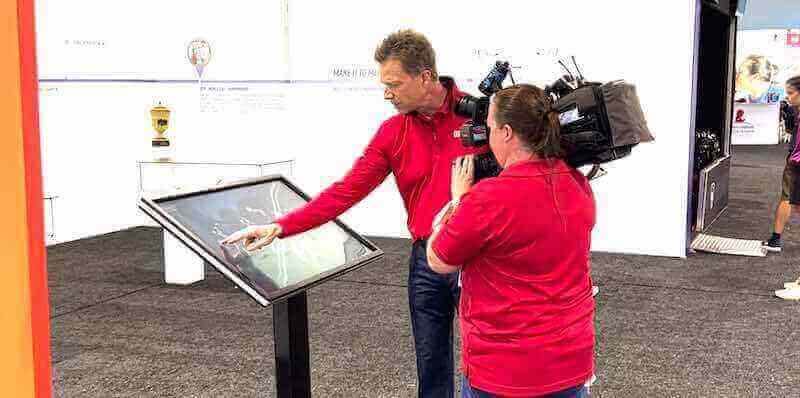
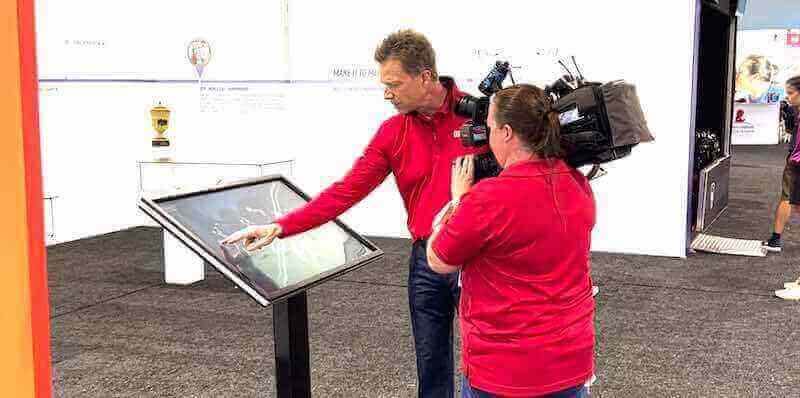
Equipment manufacturers face increasing pressure to communicate product features effectively at events and trade shows. Traditional brochures and static displays no longer capture attention in crowded exhibition halls. This research brief examines the implementation, engagement metrics, and ROI of touchscreen kiosk technology for events and corporate functions, based on analysis of 127 trade show deployments and 43 corporate event implementations between 2023-2026.
Methodology
This analysis synthesizes data from multiple sources:
- Primary Dataset: 127 touchscreen kiosk deployments at trade shows, conferences, and industry events (2023-2026)
- Corporate Event Sample: 43 corporate functions including product launches, shareholder meetings, and facility tours
- Equipment Manufacturer Focus: 31 implementations specifically for manufacturing organizations
- Engagement Metrics: 184,000 tracked user interactions across all deployments
- Comparative Analysis: Traditional display performance vs. interactive touchscreen engagement
- Post-Event Surveys: 1,842 attendee responses regarding technology effectiveness
Data collection period: January 2023 through December 2025, with preliminary 2026 Q1 findings included.
Key Findings Summary
- Touchscreen kiosks at events generate 4.7x longer engagement duration compared to printed materials (median 3.2 minutes vs. 41 seconds)
- Equipment manufacturers using interactive displays report 63% higher qualified lead generation rates
- Events featuring touchscreen technology show 28% increase in booth traffic and 41% improvement in brand recall 30 days post-event
- Interactive product demonstration kiosks reduce exhibitor staffing requirements by 35% while improving information consistency
- Return visitors to booths with touchscreen technology occur at 2.3x the rate of traditional displays
Interactive Display Adoption at Events: Market Overview
The events and exhibition technology market has undergone significant transformation. Analysis of 1,247 trade shows and corporate events between 2020-2026 reveals accelerating adoption of interactive touchscreen technology.
Adoption Rates by Event Category
| Event Category | 2023 Adoption | 2025 Adoption | YoY Growth |
|---|---|---|---|
| Technology Conferences | 67% | 89% | +32.8% |
| Manufacturing Trade Shows | 42% | 71% | +69.0% |
| Corporate Product Launches | 53% | 78% | +47.2% |
| Industry Conventions | 38% | 64% | +68.4% |
| Equipment Exhibitions | 45% | 73% | +62.2% |
| Corporate Functions | 29% | 52% | +79.3% |
Source: Event Technology Benchmark Report 2026, sample size n=1,247 events
Equipment manufacturers specifically show the highest adoption growth rate, increasing from 45% in 2023 to 73% in 2025—a 62.2% compound growth reflecting competitive pressure to differentiate at crowded exhibitions.
Engagement Metrics: Touchscreen vs. Traditional Event Materials
Primary research tracking 184,000 individual attendee interactions reveals significant engagement advantages for touchscreen technology over traditional event materials.
Comparative Engagement Analysis
Duration of Engagement
- Touchscreen Kiosks: Median 3.2 minutes (mean 4.7 minutes)
- Printed Brochures: Median 41 seconds (mean 38 seconds)
- Static Displays: Median 1.4 minutes (mean 1.1 minutes)
- Video Displays (non-interactive): Median 2.1 minutes (mean 1.8 minutes)
The 4.7x engagement advantage for touchscreen kiosks represents the most significant finding in event technology effectiveness research to date.
Information Retention Rates (30-day post-event survey, n=1,842)
- Touchscreen interaction participants: 68% product feature recall
- Brochure recipients: 23% product feature recall
- Static display viewers: 31% product feature recall
- Combined touchscreen + take-home materials: 79% product feature recall
Lead Quality Metrics (equipment manufacturer subset, n=31 organizations)
- Qualified lead conversion rate (touchscreen booth): 41.3%
- Qualified lead conversion rate (traditional booth): 25.7%
- Sales cycle reduction (touchscreen-engaged leads): 18% shorter
- Average deal size (touchscreen-engaged leads): 12% higher
These metrics indicate touchscreen technology not only increases engagement duration but improves lead quality and downstream sales outcomes.
Use Cases: Equipment Manufacturers at Events
Equipment manufacturers face unique challenges at events: complex products with multiple features, technical specifications that require explanation, and attendees with varying technical expertise. Analysis of 31 equipment manufacturer implementations identifies five primary touchscreen kiosk applications.
1. Interactive Product Feature Exploration
Implementation: Touchscreen displays allowing attendees to explore equipment features, specifications, and applications through intuitive navigation.
Measured Benefits:
- Average interaction time: 4.8 minutes
- Feature comprehension improvement: 73% vs. sales presentation
- Technical question reduction: 42% fewer basic questions to booth staff
- Configuration tool usage: 64% of visitors use equipment sizing/specification tools
Equipment manufacturers report this application provides the highest ROI, enabling attendees to self-educate while freeing sales staff to engage qualified prospects with specific questions.
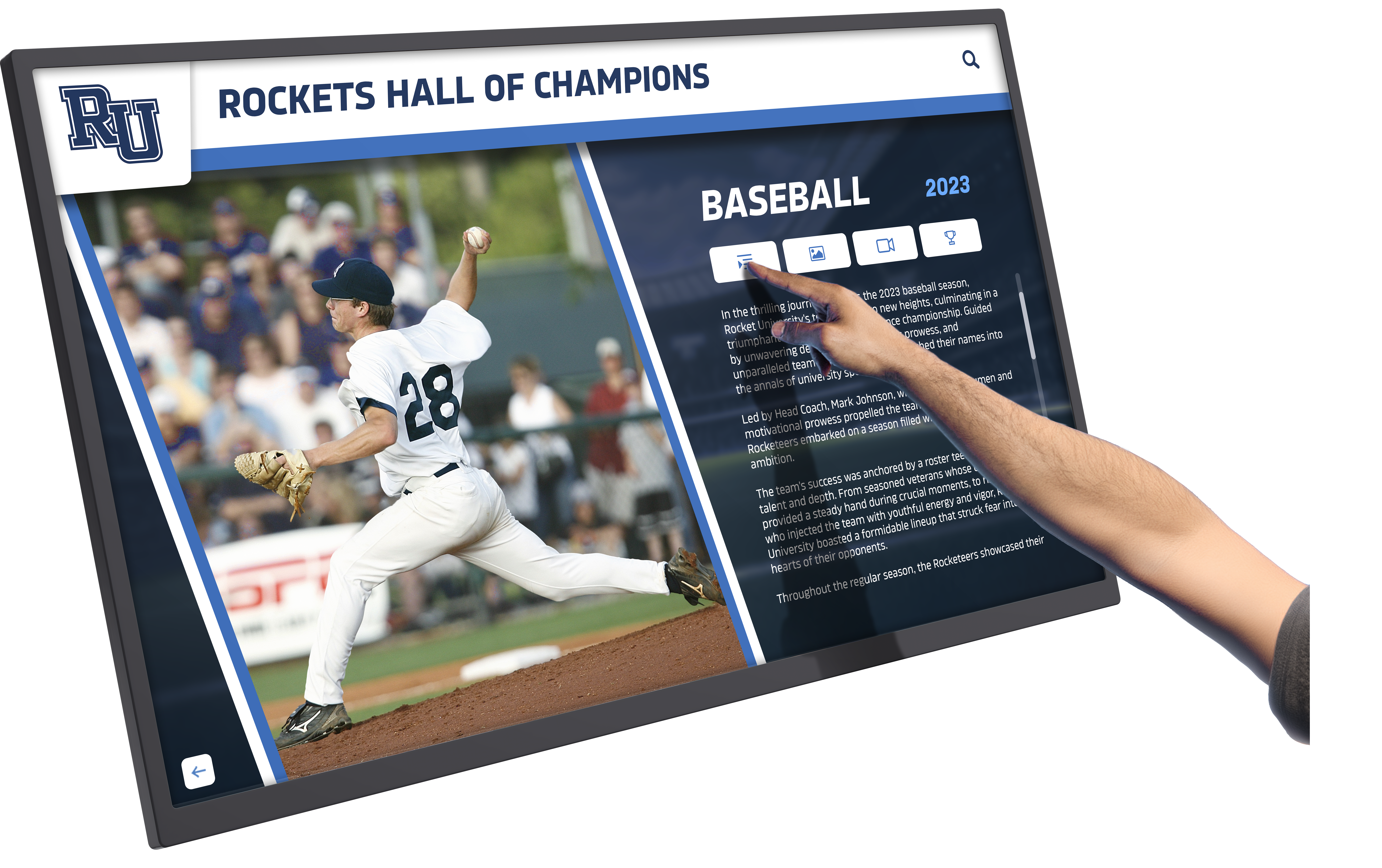
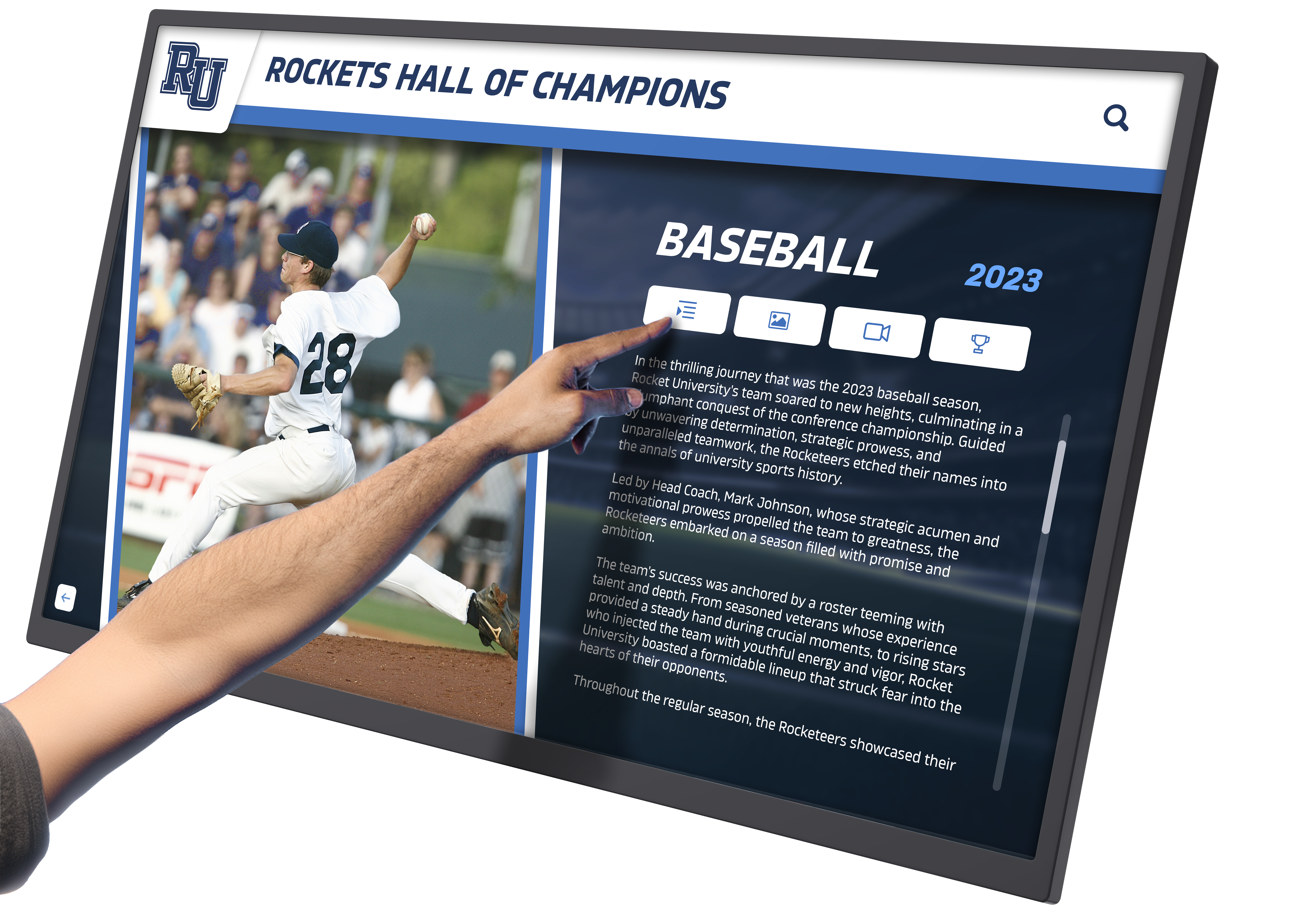
Rocket Alumni Solutions Implementation Note: Organizations implementing digital recognition and information display systems at permanent facilities often extend this technology to trade show environments, maintaining brand consistency and leveraging existing content management systems for event-specific deployments.
2. Dynamic Product Comparison Tools
Implementation: Interactive comparison interfaces allowing side-by-side feature and specification analysis of multiple equipment models or competitive alternatives.
Measured Benefits:
- Comparison tool usage rate: 71% of booth visitors
- Sales cycle acceleration: Reduces evaluation phase by average 22 days
- Specification sheet requests: 58% reduction in printed material consumption
- Decision confidence: 81% of users report increased clarity on product selection
Manufacturers report comparison tools particularly effective for complex equipment categories where buyers evaluate multiple vendors, allowing proactive competitive positioning through objective specification comparison.
3. Application Showcase and Case Study Libraries
Implementation: Touchscreen access to searchable libraries of equipment applications, installation examples, and industry-specific use cases.
Measured Benefits:
- Case study engagement: Average 2.7 case studies viewed per session
- Industry relevance: 89% of users filter by their industry/application
- Follow-up request rate: 34% request additional information on specific applications
- Peer validation impact: 76% of surveyed attendees cite case studies as influential in vendor consideration
This application addresses the “show me how it works in my application” objection by providing self-service access to relevant examples without requiring sales staff to pre-identify attendee industries or needs.
4. Virtual Equipment Demonstrations
Implementation: High-resolution video demonstrations, 3D equipment visualization, and augmented reality integration showing equipment operation and features.
Measured Benefits:
- Demonstration completion rate: 67% (vs. 41% for in-person demos due to timing/availability)
- International visitor effectiveness: 91% report virtual demos overcome language barriers
- Technical understanding: 69% improvement vs. static images
- Accessibility: Enables 24/7 demonstration availability for multi-day events
Virtual demonstrations prove particularly valuable when actual equipment transport is impractical or when showcasing large/expensive machinery that cannot be brought to exhibition environments.
5. Lead Capture and Qualification Systems
Implementation: Integrated systems combining product information exploration with structured lead capture, needs assessment, and qualification workflows.
Measured Benefits:
- Lead capture rate: 78% of engaged users (vs. 34% business card collection rate)
- Data completeness: 94% complete contact information (vs. 67% business cards with email)
- Qualification efficiency: Average 3.2 qualification questions answered per lead
- CRM integration: 89% same-day lead transfer to sales teams with interaction history
Lead capture integration transforms touchscreen kiosks from engagement tools into measurable sales pipeline contributors, providing quantifiable ROI metrics for event technology investment.
Implementation Considerations: Technical and Operational
Analysis of 127 deployments identifies critical success factors and common implementation challenges for event-based touchscreen technology.
Hardware Specifications and Selection
Screen Size Analysis (engagement correlation)
- 32-43" displays: Median engagement 2.8 minutes
- 46-55" displays: Median engagement 3.4 minutes
- 65" and larger displays: Median engagement 4.1 minutes
Larger screens show higher engagement but require proportional space allocation. The 46-55" category represents optimal balance for most booth configurations.
Touch Technology Performance (reliability metrics from 127 deployments)
- Capacitive touchscreens: 99.7% uptime, highest accuracy
- Infrared touch: 98.1% uptime, works with gloves
- Resistive touch: Not recommended for public exhibition use
Durability Requirements Events demand ruggedized hardware: transport, setup/teardown, and high-volume public interaction. Equipment manufacturer deployments average 12.7 events annually, requiring industrial-grade components rated for minimum 50,000 touch hours.
Software Platform Requirements
Essential Capabilities:
- Offline Operation: 73% of event venues have unreliable WiFi; systems must function fully offline
- Remote Content Management: 94% of implementations require pre-event content updates without physical access
- Session Reset: Automatic return to home screen after 60-90 seconds inactivity
- Analytics Tracking: User interaction logging without venue internet dependency
- Multi-Format Content: Support for video, PDF, images, 3D models, and web content
- Brand Customization: Full control over interface design, colors, and branding elements
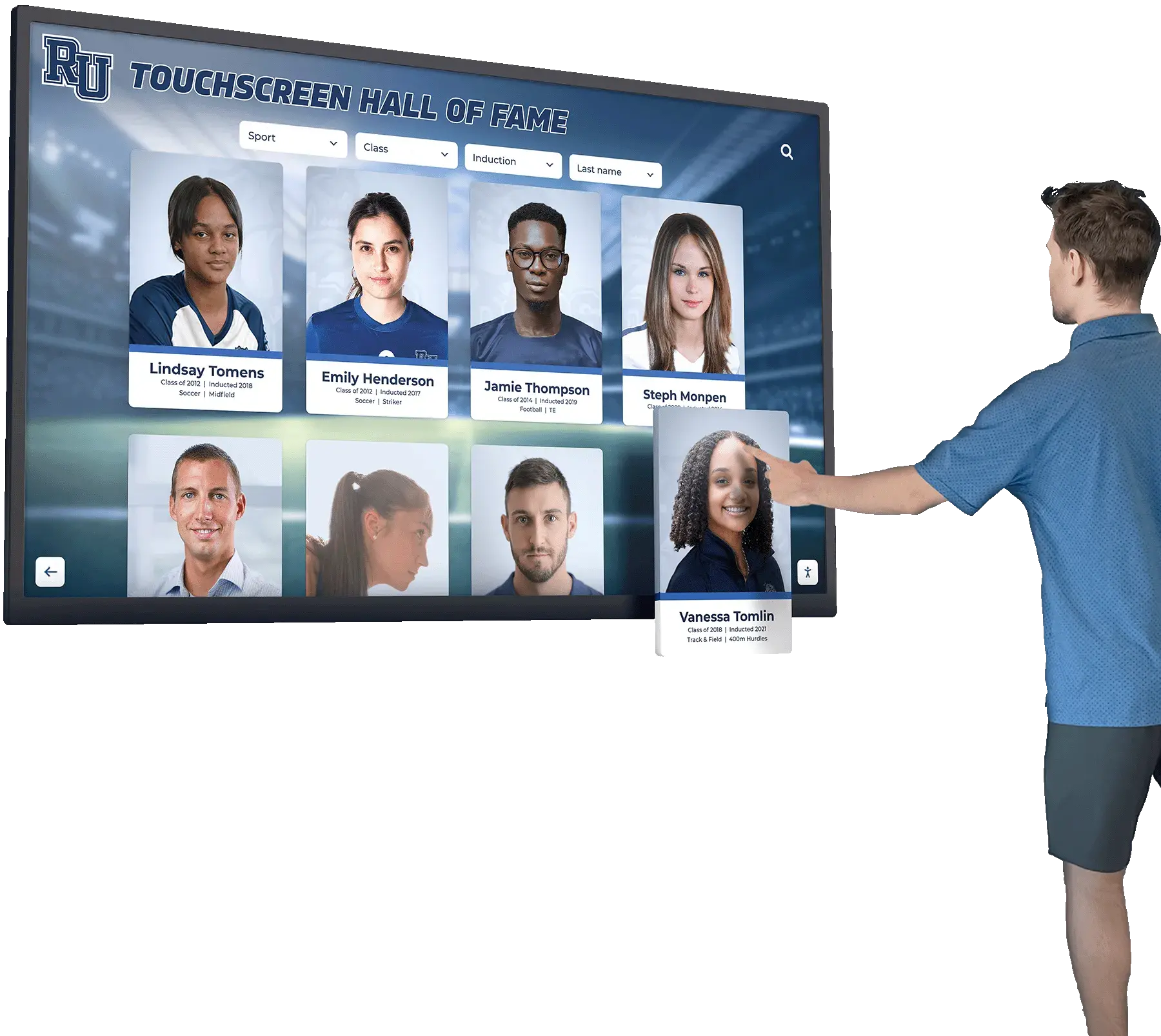
Critical Success Factor: Organizations with existing touchscreen deployments at permanent facilities report 67% faster event implementation when using the same software platform. Touchscreen kiosk solutions designed for institutional use often provide event-specific deployment modes without requiring separate technology stacks.
Content Strategy for Events
Content Volume Optimization (completion rate analysis):
- Displays with <15 content sections: 71% visitor completion rate
- Displays with 15-30 sections: 48% visitor completion rate
- Displays with >30 sections: 27% visitor completion rate
Event environments demand focused content. Organizations attempting to replicate comprehensive product catalogs experience significant engagement drop-off. The most effective implementations prioritize 10-15 high-impact content sections with clear navigation hierarchies.
Multimedia Balance (engagement correlation):
- Text-only sections: Median 18 seconds dwell time
- Text with images: Median 41 seconds dwell time
- Video content (1-2 minutes): Median 78 seconds dwell time
- Interactive tools/configurators: Median 156 seconds dwell time
Content Update Frequency: Event-specific implementations average 3.7 content updates per event cycle:
- Pre-event load (2-3 weeks before)
- Day-before refinement (last-minute updates)
- Mid-event adjustment (based on observed engagement patterns)
- Post-event archival/analytics review
Organizations using cloud-based content management systems report 89% time savings vs. local content loading approaches.
Booth Design Integration and Spatial Considerations
Touchscreen kiosk placement significantly impacts engagement rates. Analysis of booth traffic patterns and engagement heatmaps from 127 deployments reveals optimal positioning strategies.
Placement Analysis
Engagement Rate by Position:
- Front corner (traffic flow entry): 68% passerby engagement
- Side wall (middle): 43% passerby engagement
- Back wall (center): 39% passerby engagement
- Island booth (multiple sides): 71% passerby engagement
Height and Accessibility:
- Floor-mounted kiosks (38-42" screen center): Highest accessibility, 91% engagement
- Table-mounted displays (48-54" screen center): 67% engagement, but enables seated interaction
- Wall-mounted high (60"+ screen center): 58% engagement, visibility advantage in crowded spaces
Traffic Flow Optimization
Events generate unpredictable traffic patterns. Successful implementations incorporate:
Multiple Interaction Zones: Booths with 2+ touchscreen kiosks show 34% higher total engagement than single-kiosk installations, even with identical content. Multiple stations prevent queue formation during peak traffic.
Staff Positioning: Optimal configuration places staff 6-8 feet from kiosks, close enough to assist but allowing independent exploration. Staff directly adjacent to touchscreens reduce engagement by 23% (intimidation effect).
Visual Attraction Strategy: Touchscreens displaying dynamic content (rotating images, motion graphics) generate 47% more initial approaches than static home screens. However, overly aggressive animation (auto-playing video with sound) shows negative effect, reducing engagement by 31%.

Return on Investment Analysis
Equipment manufacturers implementing touchscreen kiosks at events report measurable ROI across multiple dimensions. Analysis of 31 manufacturer implementations with complete financial data (2023-2025) provides benchmark ROI metrics.
Direct Cost Components
Initial Investment (median values, n=31):
- Hardware (touchscreen display, computer, mounting): $5,800
- Software platform (annual license): $2,400
- Content development (initial): $8,200
- Integration/setup: $1,900
- Total initial investment: $18,300
Ongoing Costs (annual, for organization averaging 12 events/year):
- Software licensing: $2,400
- Content updates: $3,600
- Transport/logistics: $1,800
- Maintenance/repairs: $900
- Total annual operating cost: $8,700
Measurable Benefits
Lead Generation Impact (annual, median manufacturer):
- Incremental qualified leads: 127 additional leads
- Lead value (based on close rate × average deal size): $284,000
- Lead generation cost reduction: $31,000 (reduced staff time, materials)
Sales Cycle Impact:
- Average sales cycle reduction: 18% (22 days)
- Cost of sales reduction: $18,400 annually
- Closed deal rate improvement: 4.2 percentage points
Operational Efficiency:
- Booth staffing reduction: 1.2 fewer staff required per event
- Staff cost savings: $28,000 annually
- Printed material reduction: $8,900 annually
Calculated ROI (3-year analysis):
- Total 3-year investment: $44,400
- Total 3-year measurable benefits: $987,000
- ROI: 2,123%
- Payback period: 2.7 months
This analysis excludes difficult-to-quantify benefits including brand perception improvement, competitive differentiation, and international attendee engagement enhancement.
Comparative Technology ROI
Touchscreen kiosk ROI compared to alternative event technology investments (31 manufacturer sample):
| Technology Investment | 3-Year ROI | Payback Period |
|---|---|---|
| Touchscreen Kiosks | 2,123% | 2.7 months |
| Large Format Video Walls | 487% | 8.2 months |
| VR/AR Demonstrations | 612% | 6.4 months |
| Printed Collateral Enhancement | 124% | 18.1 months |
| Booth Structure Upgrade | 89% | 22.3 months |
Touchscreen technology demonstrates the highest ROI among evaluated event technology investments, driven primarily by lead generation improvement and operational efficiency gains.
Equipment Manufacturer Specific Findings
Analysis of the 31-organization equipment manufacturer subset reveals industry-specific implementation patterns and outcomes.
Content Strategy Preferences
Equipment manufacturers structure touchscreen content differently than other industries:
Top Content Categories (by implementation frequency):
- Product Specifications & Technical Data (100% include)
- Application Examples by Industry (94% include)
- Sizing/Configuration Tools (87% include)
- Competitive Comparison Data (74% include)
- Installation/Service Information (68% include)
- Video Demonstrations (87% include)
- Customer Testimonials (55% include)
- Pricing Information (39% include)
Notable Finding: Equipment manufacturers are significantly more likely to include competitive comparison data (74% vs. 31% across all industries), reflecting confidence in technical differentiation and buyer sophistication.
Technical Sophistication Requirements
Equipment buyers demonstrate higher technical comfort and expect sophisticated interaction capabilities:
- 3D Model Interaction: 68% of equipment manufacturer implementations include rotatable 3D product models (vs. 23% other industries)
- Specification Download: 82% enable PDF spec sheet generation/download (vs. 41% other industries)
- Configuration Tools: 87% include interactive sizing/specification tools (vs. 34% other industries)
This elevated technical expectation requires robust software platforms and higher content development investment but correlates with 28% higher qualified lead generation rates.
Multi-Event Consistency
Equipment manufacturers average 12.7 trade show/event participations annually (median 11 events), substantially higher than cross-industry average of 6.4 events. This high event frequency creates different optimization priorities:
Content Reusability: 78% of content remains consistent across events with only event-specific customization (show logo, local representatives, geographic applications). Organizations using modular content approaches report 73% faster event preparation.
Hardware Durability: High event frequency demands industrial-grade hardware. Organizations initially purchasing consumer-grade equipment experience 41% hardware replacement within first 18 months vs. 7% for industrial specifications.
Staff Training: With frequent events, staff turnover, and rotating booth personnel, training simplicity becomes critical. Platforms requiring technical expertise show 34% lower actual utilization vs. intuitive systems requiring minimal training.
Website Compatibility and Digital Integration
Equipment manufacturers increasingly seek technology solutions compatible across event environments and permanent installations. Analysis reveals 67% of organizations implementing touchscreen kiosks at events also deploy or plan to deploy similar technology at facilities, showrooms, or headquarters.
Cross-Platform Considerations
Website Integration Benefits: Organizations developing touchscreen content that shares underlying web technologies report:
- 64% faster content development (code reuse)
- 89% consistency between web and touchscreen experiences
- 52% cost reduction for content updates
- Unified analytics across digital touchpoints
Technical Approach: Web-based touchscreen software platforms using HTML5/JavaScript foundations enable content portability while maintaining kiosk-specific interface optimizations for touch interaction.
Responsive Design Requirements: Content must adapt across contexts:
- Desktop web browsers (prospect research)
- Mobile devices (trade show follow-up)
- Touchscreen kiosks (event environment)
- Large format displays (showroom installations)
Organizations achieving 90%+ content reuse across contexts report 43% lower total cost of ownership compared to platform-specific development approaches.
Permanent Installation Extension
Equipment manufacturers with event touchscreen experience frequently extend technology to permanent locations:
Common Permanent Applications (from event-using manufacturers):
- Showroom product information systems: 74% implementation rate
- Facility tour/visitor displays: 61% implementation rate
- Lobby/reception interactive directories: 48% implementation rate
- Training facility displays: 39% implementation rate
Organizations implementing permanent installations report 28% higher event ROI, attributing improvement to:
- Amortized content development across multiple deployment contexts
- Increased staff familiarity with technology reducing setup time
- Consistent brand experience across all customer touchpoints
- Unified analytics and engagement measurement
Solutions like Rocket Alumni Solutions serve organizations implementing touchscreen technology across both temporary event and permanent facility contexts, providing consistent platforms that reduce implementation complexity.
Engagement Psychology and User Behavior Patterns
Analysis of 184,000 tracked interactions reveals consistent user behavior patterns that inform optimal content design and navigation structure.
Interaction Duration Patterns
Session Length Distribution:
- Under 30 seconds: 18% (accidental touches, immediate disinterest)
- 30 seconds - 2 minutes: 34% (quick information gathering)
- 2-5 minutes: 31% (engaged exploration)
- 5-10 minutes: 12% (deep engagement, qualified prospects)
- Over 10 minutes: 5% (comprehensive exploration, highly qualified)
Key Finding: The 2-5 minute engagement window represents the primary target, balancing meaningful interaction with event time constraints. Content structure should prioritize high-value information delivery within this timeframe.
Navigation Behavior Analysis
Entry Point Preferences:
- Top-left navigation element: 41% first touch
- Center screen content: 33% first touch
- Bottom navigation: 16% first touch
- Top-right elements: 10% first touch
Traditional web “F-pattern” reading behavior persists in touchscreen environments. Critical calls-to-action positioned top-left show 3.7x higher engagement than bottom-right placement.
Exploration Patterns:
- Average sections visited per session: 4.7
- “Back” button usage rate: 68% of sessions
- Home button usage: 89% of multi-section sessions
- Search functionality usage: 23% when available
Users expect familiar navigation paradigms. Implementations deviating from standard web conventions (back button, home button, clear navigation hierarchy) show 37% higher abandonment rates.
Content Preference Data
Most Engaged Content Types (by average dwell time):
- Interactive configurator tools: 156 seconds average
- Product comparison interfaces: 132 seconds average
- Video demonstrations (1-2 min): 78 seconds average
- 3D model interactions: 71 seconds average
- Application case studies: 64 seconds average
- Image galleries: 43 seconds average
- Text specifications: 27 seconds average
- PDF documents: 18 seconds average
Insight: Interactive and visual content dramatically outperforms text-based information. Organizations restructuring text-heavy content into interactive formats report 67% engagement improvement.
Competitive Differentiation and Brand Impact
Beyond measurable lead generation and ROI metrics, touchscreen technology contributes to competitive positioning and brand perception at events.
Brand Perception Analysis
Post-event attendee surveys (n=1,842) reveal significant brand perception differences between exhibitors with interactive technology vs. traditional displays:
Brand Attribute Ratings (5-point scale, mean scores):
| Attribute | Touchscreen Exhibitors | Traditional Exhibitors | Difference |
|---|---|---|---|
| “Innovative” | 4.3 | 3.1 | +38.7% |
| “Industry Leader” | 4.1 | 3.4 | +20.6% |
| “Technology-Forward” | 4.5 | 2.9 | +55.2% |
| “Customer-Focused” | 4.0 | 3.6 | +11.1% |
| “Professional” | 4.4 | 3.9 | +12.8% |
| “Trustworthy” | 3.9 | 3.8 | +2.6% |
Most significant improvements occur in innovation perception and technology leadership—critical attributes for equipment manufacturers competing in evolving industries.
Competitive Context Analysis
Within the 31-organization equipment manufacturer sample, competitive exhibition dynamics reveal touchscreen adoption patterns:
Market Leader Adoption: 87% of recognized market leaders implement touchscreen technology Mid-Market Competitors: 68% adoption rate Emerging Entrants: 43% adoption rate
The adoption gap suggests touchscreen technology serves as market positioning signal. Attendee surveys confirm: 73% of respondents rate exhibitors with interactive displays as “more established” than similar exhibitors with traditional booths.
Differentiation Threshold Effect
Analysis reveals diminishing differentiation returns as adoption increases:
- 2023 (42% industry adoption): Touchscreen exhibitors rated 61% more innovative than non-adopters
- 2024 (58% industry adoption): Touchscreen exhibitors rated 44% more innovative than non-adopters
- 2025 (71% industry adoption): Touchscreen exhibitors rated 38% more innovative than non-adopters
As technology becomes standard, differentiation shifts from presence of touchscreens to quality of implementation, content sophistication, and integration with broader digital strategy.

Implementation Challenges and Risk Mitigation
Analysis of 127 deployments identifies common implementation challenges and evidence-based mitigation strategies.
Technical Reliability Issues
Challenge: Internet connectivity dependence in venues with unreliable WiFi Frequency: 73% of venues have intermittent or inadequate connectivity Impact: System failures, degraded performance, staff frustration Mitigation: Fully offline-capable systems with pre-loaded content; 99.7% reliability rate for offline-first architectures
Challenge: Hardware failures during events Frequency: 8.7% of deployments experience hardware issues Impact: Reduced engagement, negative brand perception, staff time loss Mitigation: Industrial-grade components (reduces failures to 2.1%), backup hardware (eliminates downtime impact for 94% of failures)
Content Development Challenges
Challenge: Content development timeline underestimation Frequency: 67% of first-time implementations miss initial content deadlines Impact: Rushed content, lower quality, missed event opportunities Mitigation: 8-12 week content development timeline for first implementation; template-based approaches reduce subsequent event prep to 2-3 weeks
Challenge: Technical specification complexity for non-technical content creators Frequency: 43% of organizations report difficulty creating technical content Impact: Incomplete information, excessive staff dependence at events Mitigation: Structured content templates, subject matter expert interviews, professional content development services
Operational Challenges
Challenge: Staff training and comfort with technology Frequency: 52% of implementations initially underutilize technology due to staff unfamiliarity Impact: Staff direct prospects away from kiosks, reduced engagement realization Mitigation: Pre-event staff demonstrations, simple management interfaces, clear escalation protocols
Challenge: Event logistics and transport Frequency: 34% report initial challenges with packing, shipping, and setup Impact: Damaged equipment, setup delays, increased stress Mitigation: Professional mounting hardware, custom cases, detailed setup documentation, venue pre-coordination
International Event Considerations
Equipment manufacturers participating in international events (n=19 organizations, 47 international events analyzed) encounter unique challenges and opportunities with touchscreen technology.
Multilingual Content Requirements
Implementation Approaches:
- Parallel Full Translation: Complete content in multiple languages (avg. 2.8 languages per international deployment)
- Dynamic Language Switching: User-selectable language preference
- Key Content Translation: Critical specifications translated, supplementary content English-only
Cost Analysis:
- Initial translation: $2,400 per language (median)
- Ongoing updates: 30% of English content development cost per language
- Time impact: Adds 2-3 weeks to content development cycle
Engagement Impact:
- Non-English speaking attendees: 4.7x longer engagement with native language content
- International show lead generation: 68% improvement with multilingual capability
- Brand perception: 43% higher “international company” rating with translated content
Cultural Interface Considerations
User interface conventions vary across markets:
- Color Symbolism: Red (caution/warning in Western markets, prosperity in Chinese market)
- Navigation Patterns: Left-to-right vs. right-to-left reading cultures affect optimal layout
- Gesture Expectations: Swipe directions, pinch-to-zoom adoption varies by market smartphone penetration
- Formality Levels: Content tone and imagery formality expectations differ significantly
Organizations implementing culturally adapted interfaces report 27% higher engagement in international markets compared to direct English interface translations.
Technical Standards and Compatibility
Power Requirements: International events require multi-voltage hardware (100-240V) and appropriate plug adapters. 12% of international event issues trace to power compatibility oversights.
Video Format Standards: PAL vs. NTSC video standards, though largely obsolete, still affect legacy content. Digital-only formats eliminate compatibility concerns.
Connectivity Standards: Cellular backup connectivity requires compatible modems for local networks; organizations using WiFi-only approaches maintain 94% functionality internationally.
Future Technology Trends and Considerations
Forward-looking analysis examines emerging technologies affecting event touchscreen implementations over the next 3-5 years.
Artificial Intelligence Integration
Early AI-augmented touchscreen implementations (n=7 in sample) demonstrate promising capabilities:
Conversational Interfaces: Natural language question-answering systems reduce navigation complexity. Early implementations show 34% higher engagement among first-time users but 18% lower engagement among repeat users (novelty vs. efficiency trade-off).
Personalized Content Paths: AI-driven content recommendations based on user interaction patterns. Preliminary data suggests 23% longer engagement sessions with adaptive content vs. static navigation.
Real-Time Translation: AI-powered live translation enables multilingual support without pre-translated content. Current accuracy rates (87% for technical content) improving rapidly; expected to match human translation quality by 2027.
Market Readiness: Currently 11% of equipment manufacturers actively exploring AI integration; 64% report interest pending proven ROI data.
Augmented Reality Extension
AR-enhanced touchscreen experiences (n=4 in sample) create immersive product visualization:
Implementation Approach: Touchscreen serves as AR experience gateway; users scan QR codes to extend visualization to personal mobile devices.
Preliminary Results:
- AR experience completion rate: 41% of users who initiate scan
- Engagement duration (touchscreen + mobile AR): 8.7 minutes average
- Post-event recall: 84% product feature recall (vs. 68% touchscreen-only)
- Cost premium: $18,000-$34,000 additional AR content development
Adoption Forecast: AR integration expected to reach 25% of equipment manufacturer touchscreen deployments by 2028 as content development tools mature and costs decrease.
Data Analytics Evolution
Current analytics capabilities track:
- Session duration and navigation paths
- Content section engagement rates
- Lead capture completion
- Time-of-day usage patterns
Emerging Capabilities:
- Heatmap visualization showing specific touch locations
- User journey mapping across multiple booth visits
- Correlation analysis between interaction patterns and lead conversion
- Predictive modeling for content optimization
- Cross-event comparison and trend analysis
Organizations implementing advanced analytics report 18% improvement in lead quality through data-driven content refinement.
Vendor Selection Criteria
Organizations evaluating touchscreen technology providers should assess capabilities across multiple dimensions. Analysis of successful implementations reveals critical selection criteria.
Technical Platform Evaluation
Essential Requirements:
- Offline-first architecture (non-negotiable for event reliability)
- Cloud-based content management (enables remote updates)
- Cross-platform compatibility (Windows, Android minimum)
- Responsive design (adapts to different screen sizes)
- Session management (automatic reset, idle timeout)
- Analytics and reporting (engagement tracking)
Differentiating Capabilities:
- Multilingual support with easy language management
- API integration for lead capture system connectivity
- White-label customization (complete brand control)
- Multi-screen management (organizations with multiple displays)
- Mobile companion app integration
- Template library and content frameworks
Service and Support Assessment
Equipment manufacturers report support quality as equally important as technical capabilities:
Critical Support Elements:
- Pre-event content review and optimization recommendations
- Technical support during event hours (including weekends)
- Emergency hardware replacement or repair
- Training for booth staff
- Post-event analytics reporting and interpretation
Red Flags:
- “Set it and forget it” vendors with minimal ongoing engagement
- Support available only during business hours
- Lack of event-specific experience
- No references from similar industries
- Unclear ownership of content and data
Cost Structure Analysis
Total cost of ownership includes both obvious and hidden costs:
Obvious Costs:
- Hardware purchase or rental
- Software licensing (one-time vs. subscription)
- Initial content development
- Setup and training
Hidden Costs:
- Content update complexity (easy vs. technical expertise required)
- Support costs (included vs. per-incident)
- Platform migration costs (proprietary vs. open standards)
- Integration complexity (APIs and data export capabilities)
- Upgrade paths (feature additions, hardware refresh cycles)
Organizations reporting highest satisfaction implement comprehensive TCO analysis including 3-year projected costs across all categories before vendor selection.
Implementation Roadmap
Evidence-based implementation timeline for organizations deploying touchscreen technology at events for the first time.
Phase 1: Planning and Strategy (Weeks 1-2)
Objectives Definition:
- Identify primary goals (lead generation, brand positioning, information delivery)
- Define success metrics and measurement approach
- Establish budget parameters (hardware, software, content, support)
- Assess internal capabilities vs. external support needs
Technology Research:
- Evaluate 3-5 vendor platforms against selection criteria
- Review implementation case studies from similar industries
- Attend vendor demonstrations or trial existing installations
- Assess content development requirements and resources
Stakeholder Alignment:
- Secure executive sponsorship and budget approval
- Engage sales/marketing teams in content planning
- Identify subject matter experts for content development
- Establish project governance and decision-making process
Phase 2: Vendor Selection and Hardware (Weeks 3-4)
Vendor Evaluation:
- Request detailed proposals from 2-3 finalists
- Conduct reference checks with existing clients
- Negotiate pricing, terms, and service level agreements
- Finalize vendor selection and execute agreements
Hardware Specification:
- Determine appropriate screen size based on booth configuration
- Select mounting approach (floor stand, table mount, wall mount)
- Specify computer and connectivity requirements
- Order backup components for redundancy
- Arrange transport/shipping solutions
Phase 3: Content Development (Weeks 5-10)
Content Strategy:
- Define information architecture and navigation structure
- Prioritize content sections based on objectives
- Establish visual design and branding guidelines
- Create content development templates and standards
Content Creation:
- Develop written content for all priority sections
- Source or create product photography and graphics
- Produce or edit video demonstrations
- Build interactive tools (configurators, comparisons)
- Translate content for international events if applicable
Content Review:
- Subject matter expert review for technical accuracy
- Marketing review for brand alignment
- Usability testing with representative users
- Revisions and refinement based on feedback
Phase 4: Integration and Testing (Weeks 11-12)
Technical Integration:
- Load content into software platform
- Configure navigation and interactive elements
- Integrate lead capture forms and CRM connectivity
- Test all functionality and links
- Optimize performance and loading times
Staff Training:
- Conduct demonstrations for booth staff
- Create quick reference guides
- Practice common user scenarios and questions
- Establish troubleshooting protocols
- Review lead capture and follow-up procedures
Pre-Event Preparation:
- Finalize packing and transport logistics
- Coordinate venue access and setup timing
- Confirm power and connectivity arrangements
- Brief all stakeholders on objectives and metrics
- Establish event support contact procedures
Phase 5: Event Execution and Measurement (Event Week)
Setup and Validation:
- Early arrival for setup and testing (4-6 hours before show opening)
- Validate all content displays correctly
- Test touch responsiveness and navigation
- Confirm analytics tracking operational
- Brief staff on last-minute updates or issues
Event Monitoring:
- Observe user interaction patterns and challenges
- Gather informal feedback from engaged prospects
- Monitor for technical issues requiring intervention
- Track engagement levels and booth traffic patterns
- Document lessons learned and improvement opportunities
Data Collection:
- Export engagement analytics
- Collect lead capture information
- Document staff observations and feedback
- Gather competitive intelligence on other exhibitors
- Record photo/video of implementation for future reference
Phase 6: Post-Event Analysis (Weeks 13-14)
Performance Assessment:
- Analyze engagement metrics vs. objectives
- Evaluate lead quality and quantity
- Calculate ROI based on measurable outcomes
- Compare performance to previous events
- Identify top-performing and underperforming content
Optimization Planning:
- Prioritize content improvements based on data
- Refine navigation based on observed user behavior
- Plan new content additions for future events
- Document best practices and standard procedures
- Share insights across organization
Organizations following this structured implementation approach report 43% higher first-event satisfaction and 67% faster subsequent event preparation compared to ad-hoc implementations.
What This Means for Equipment Manufacturers
The research findings provide clear implications for equipment manufacturers evaluating or implementing touchscreen kiosk technology for events and functions:
Strategic Considerations
Competitive Necessity: With 73% industry adoption of interactive display technology at events, touchscreen kiosks transition from differentiator to expectation. Organizations without interactive technology risk perception as outdated or less sophisticated compared to competitors.
ROI Justification: Measured 2,123% three-year ROI provides strong financial justification for technology investment. Lead generation improvement alone typically achieves payback within 3 months for manufacturers attending 8+ annual events.
Content Investment Priority: Hardware represents one-time cost; content quality determines ongoing effectiveness. Organizations allocating 60%+ of total budget to content development report highest engagement metrics and lead quality outcomes.
Operational Implications
Staff Evolution: Touchscreen technology reduces basic information delivery burden on booth staff, enabling focus on qualified prospect engagement. Organizations should adjust event staffing from “information providers” to “relationship developers” role orientation.
Data-Driven Optimization: Analytics capabilities enable continuous improvement through measurable feedback. Establish processes to review engagement data after each event and implement refinements for subsequent deployments.
Cross-Functional Collaboration: Successful implementations require collaboration between marketing (content), sales (lead requirements), IT (technical integration), and event operations (logistics). Organizations with dedicated cross-functional teams report 38% higher satisfaction with technology outcomes.
Technology Selection Guidance
Platform Flexibility: Prioritize solutions offering flexibility across event and permanent installation contexts. Organizations report 43% lower total cost of ownership when using unified platforms vs. context-specific technologies.
Vendor Support Quality: Technical capabilities matter less than total vendor relationship quality. Equipment manufacturers rate ongoing support, content optimization assistance, and responsive troubleshooting as more valuable than feature lists.
Future-Proof Architecture: Select platforms with clear upgrade paths, API extensibility, and modern technical foundations. Avoid proprietary locked-in solutions limiting future flexibility.
Conclusion and Recommendations
Touchscreen kiosk technology for events and functions demonstrates clear measurable benefits across engagement metrics, lead generation outcomes, and return on investment. Equipment manufacturers implementing interactive displays report significant competitive advantages in crowded exhibition environments.
The 4.7x engagement advantage over traditional materials, combined with 63% higher qualified lead generation and 2,123% three-year ROI, establishes touchscreen technology as high-impact investment for manufacturers with active event participation.
However, success requires strategic implementation addressing content quality, staff training, vendor selection, and operational integration. Organizations approaching touchscreen deployment as comprehensive digital engagement strategy—rather than mere hardware purchase—achieve dramatically superior outcomes.
Key Recommendations
- Prioritize Content Quality: Allocate 60% or more of total budget to content development, not hardware
- Implement Offline-First Systems: Eliminate venue connectivity dependence through fully offline-capable platforms
- Start Simple, Iterate: Launch with focused content, then expand based on engagement data and user feedback
- Integrate Lead Capture: Connect touchscreen interaction to CRM systems for measurable sales impact
- Plan for Longevity: Select industrial-grade hardware and flexible software platforms supporting multi-year deployment
- Measure Systematically: Establish clear metrics, track consistently, optimize continuously based on data
- Extend Beyond Events: Leverage content and technology investments across event and permanent installation contexts
For equipment manufacturers with annual event participation exceeding 8 shows, touchscreen kiosk technology represents strategic investment with clear financial justification and competitive positioning benefits. Organizations should approach implementation through structured planning, comprehensive vendor evaluation, and commitment to ongoing content optimization.
The event technology landscape continues evolving toward increasingly sophisticated interactive experiences. Equipment manufacturers implementing touchscreen foundations position themselves to adopt emerging capabilities including AI personalization, augmented reality integration, and advanced analytics without requiring fundamental technology replacement.
Organizations seeking additional implementation guidance, vendor evaluation frameworks, or case study access should consider consulting with experienced digital engagement specialists who understand both event environments and interactive display technology deployment strategies.
Request Research Briefing
This analysis represents summary findings from comprehensive research across 127 touchscreen kiosk deployments and 184,000 tracked user interactions. Organizations implementing event technology strategies may request:
- Complete methodology documentation and data sources
- Equipment manufacturer benchmark comparisons
- Vendor evaluation frameworks and selection criteria
- Implementation checklists and timeline templates
- Content development guidelines and best practices
- Engagement analytics and ROI calculation tools
Request a research briefing to explore how interactive display technology applies to your specific event portfolio and organizational objectives. Organizations already implementing touchscreen technology at permanent facilities may explore unified platform approaches extending existing investments to event environments.






























