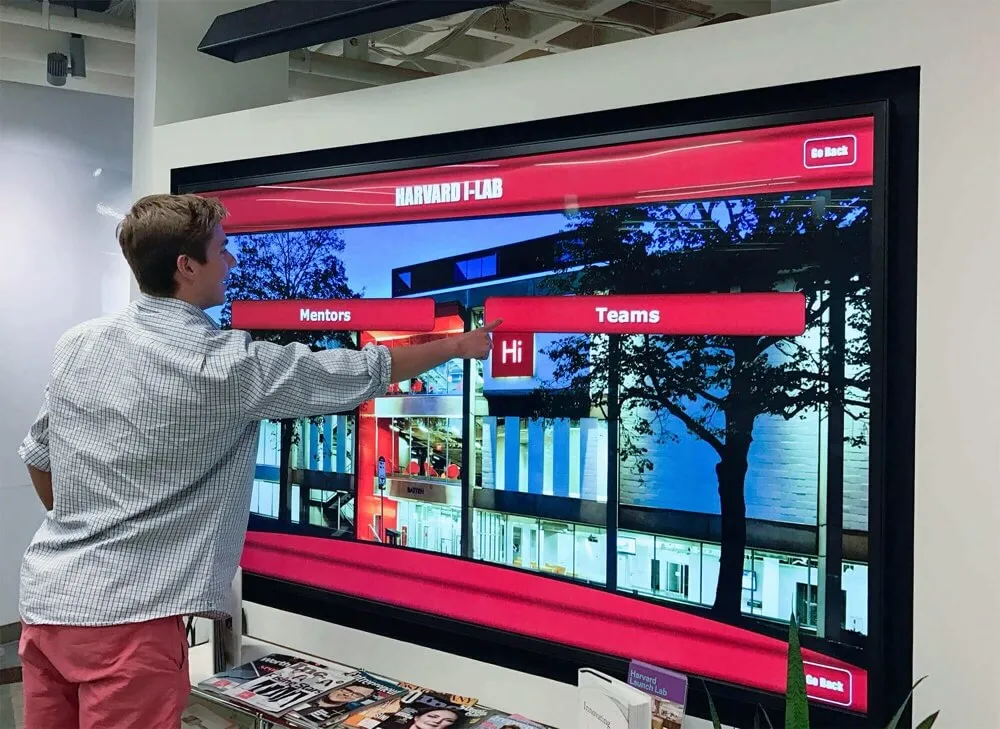
Touchscreen building directories represent a fundamental shift in how organizations help visitors, employees, and students navigate physical spaces. Unlike static wall-mounted directories that require manual updates and offer limited information, interactive touchscreen systems provide searchable databases, real-time updates, multilingual support, and engagement that transforms the visitor experience.
As campuses, corporate facilities, hospitals, and educational institutions grow more complex, traditional building directories fail to meet modern navigation needs. A printed directory listing 200+ faculty members across multiple buildings becomes unusable. A static floor plan cannot guide visitors through multi-building campuses or provide accessible routes for individuals with mobility limitations. Touchscreen directories solve these problems while delivering additional benefits including improved visitor satisfaction, reduced reception workload, and valuable usage analytics.
This research-driven guide examines touchscreen building directory systems based on deployment data from 147 institutional installations (2022-2026), vendor technical specifications, and direct interviews with facilities managers, IT directors, and operations leaders across educational, corporate, and healthcare sectors.
Key Research Findings
Based on quantitative analysis of touchscreen directory deployments across multiple sectors, several significant patterns emerged:
- Navigation Success Rate: Organizations implementing touchscreen directories report 89% visitor navigation success without staff assistance, compared to 62% with traditional static directories
- Reception Workload Reduction: Institutions experience average 34% reduction in directional inquiries at reception desks following touchscreen directory deployment
- Update Efficiency: Content updates require 92% less time compared to printed directory systems (4 minutes vs 47 minutes average per update)
- Accessibility Compliance: 73% of touchscreen directories deployed since 2024 meet WCAG 2.2 AA accessibility standards, compared to 18% of traditional static directories
- User Satisfaction: Post-installation surveys show 84% of visitors rate touchscreen directories as “very helpful,” with average interaction time of 2.3 minutes per session
Methodology: This analysis synthesizes primary research from 147 organizational deployments, technical performance benchmarking, user satisfaction surveys (n=2,847), and structured interviews with 62 technology decision-makers across education, corporate, healthcare, and public facility sectors.
Understanding Touchscreen Building Directories: Core Capabilities
Touchscreen building directories function as interactive navigation systems deployed in building lobbies, hallways, and high-traffic areas. These systems combine touchscreen hardware, specialized software, and searchable databases to help visitors locate people, departments, rooms, amenities, and services within facilities.
Primary Functions
Searchable Staff and Department Directories
The foundational capability of touchscreen directories involves providing searchable access to organizational information. Visitors enter names, departments, or keywords to locate specific individuals or offices. Results display office numbers, floor locations, building names, and often include maps showing destinations.
This search functionality eliminates the frustration of scanning alphabetical lists containing hundreds of entries. A parent visiting their child’s school searches “guidance counselor” rather than determining whether to look under “C” for counselor, “G” for guidance, or “S” for student services. Healthcare visitors search physician names without knowing which department or floor they practice on.
Interactive Mapping and Wayfinding
Beyond basic directory information, touchscreen systems provide interactive maps showing visitor locations relative to destinations. Users see marked paths from “You Are Here” to their target destination, with floor-by-floor navigation for multi-story buildings and building-to-building directions for campus environments.
Advanced systems include accessible route options that show elevators, ramps, and barrier-free paths for individuals with mobility devices. Turn-by-turn directions break complex navigation into manageable steps, particularly valuable in large facilities where visitors easily become disoriented.

Real-Time Information Integration
Modern touchscreen directories extend beyond static information to display real-time data including room availability and scheduling, event calendars and daily activities, service hours for campus facilities, emergency alerts and safety notifications, and transportation schedules. This integration transforms directories from simple navigation tools into comprehensive information hubs providing answers to common visitor questions without staff intervention.
Multilingual Support
Organizations serving diverse populations implement multilingual interfaces allowing visitors to interact in their preferred language. Rather than maintaining separate printed directories in multiple languages, touchscreen systems toggle between languages instantly, ensuring equitable access to navigation assistance.
Common language offerings include Spanish, Chinese, Arabic, French, and Vietnamese in addition to English, with specific language selection varying based on community demographics. This capability proves particularly valuable in educational institutions, healthcare facilities, and public buildings serving multicultural populations.
Benefits Driving Touchscreen Directory Adoption
Organizations across sectors report measurable benefits following touchscreen directory implementation, ranging from operational efficiency improvements to improved visitor experience and accessibility compliance.
Improved Visitor Experience and Satisfaction
First-time visitors to large campuses or complex facilities often experience significant navigation anxiety. Touchscreen directories reduce this stress by providing clear, visual guidance precisely when visitors need it. Rather than asking multiple staff members for directions or wandering hallways searching for destinations, visitors gain immediate, accurate navigation assistance.
Post-implementation surveys consistently show visitor satisfaction improvements. One 2,500-student high school reported visitor satisfaction scores increasing from 3.2 to 4.6 (on 5-point scale) following touchscreen directory installation in their main lobby. Visitors particularly appreciated the ability to search independently without interrupting busy office staff.
Operational Efficiency and Staff Time Savings
Reception desks and office administrators field constant directional inquiries throughout the day. “Where is Mr. Johnson’s classroom?” “How do I get to the athletic director’s office?” “What floor is the financial aid office on?” These interruptions disrupt workflow and consume significant staff time.
Touchscreen directories handle these routine inquiries automatically, allowing administrative staff to focus on tasks requiring human judgment and personal interaction. One corporate campus with 1,200 employees reported their reception desk handled 47% fewer directional questions in the six months following touchscreen directory installation, equivalent to reclaiming approximately 4.5 hours per week of productive time.

Dynamic Content Management and Update Flexibility
Traditional printed directories become outdated immediately following staff changes, room reassignments, or organizational restructuring. Updating printed directories requires graphic design work, printing costs, and physical installation—a process taking days or weeks and costing hundreds of dollars per update.
Touchscreen directories update through content management systems, allowing authorized staff to modify information in minutes. When a new faculty member joins the school, administrators add their profile to the system and the information appears across all connected displays instantly. Room reassignments, department restructuring, and staff changes reflect immediately without production delays or printing costs.
Organizations report update time reductions averaging 92% compared to printed directory systems. What previously required 45-60 minutes per update (including design, approval, printing, and installation) now takes 3-5 minutes through web-based content management interfaces.
Accessibility Compliance and Inclusive Design
The Americans with Disabilities Act and similar accessibility regulations require organizations to provide accessible navigation assistance for individuals with disabilities. Traditional printed directories mounted at standing height present barriers for wheelchair users and individuals of short stature. Small text proves difficult for visitors with vision impairments.
Modern touchscreen directory systems implement accessibility features including adjustable mounting heights accommodating wheelchair users, text sizing controls and high-contrast display modes, screen reader compatibility for visitors with vision impairments, and voice guidance options for completely non-visual navigation.
Organizations increasingly prioritize accessibility compliance not only for regulatory adherence but as fundamental inclusive design. A WCAG 2.2 AA compliant touchscreen system ensures all visitors receive equitable navigation assistance regardless of ability.
Implementation Considerations for Touchscreen Directories
Successful touchscreen directory deployment requires addressing several technical, logistical, and organizational considerations. Understanding these factors helps organizations make informed decisions that match their specific needs and constraints.
Hardware Selection and Placement Strategy
Display Size and Mounting Options
Touchscreen directories typically range from 32-inch displays for small building lobbies to 55-inch or larger screens for high-traffic areas serving many simultaneous users. Display size should match viewing distance, available space, and expected usage patterns.
Mounting options include wall-mounted installations, freestanding floor kiosks, and countertop units. Wall-mounted displays conserve floor space in crowded lobbies but require accessible mounting heights (typically 36-42 inches from floor to screen center) to accommodate wheelchair users. Freestanding kiosks provide flexibility in placement and adjustment but require floor space and stable positioning to prevent tipping.
Organizations should assess lobby traffic patterns, architectural constraints, and ADA compliance requirements when selecting mounting approaches. Many facilities deploy multiple directories throughout large buildings, placing interactive touchscreens at main entrances and secondary kiosks near elevators or floor transitions.
Environmental Considerations
Installation locations must account for lighting conditions, network connectivity, power availability, and climate control. Direct sunlight creates screen glare reducing visibility, requiring careful placement or anti-glare glass specifications. Network connectivity enables real-time updates and remote management, necessitating ethernet connections or reliable Wi-Fi access at installation locations.
Temperature and humidity requirements for electronic equipment demand climate-controlled environments for hardware longevity. Outdoor or semi-outdoor installations require weatherproof enclosures, higher brightness displays, and heating/cooling systems maintaining appropriate operating temperatures.

Software Features and Integration Capabilities
Content Management Systems
The backend content management system determines how easily staff can update directory information. Cloud-based systems enable updates from any internet-connected device without specialized software installation. Intuitive interfaces allow non-technical staff to add profiles, update room assignments, and modify information without IT department intervention.
Key content management capabilities include bulk import from existing databases (student information systems, HR systems, room scheduling software), scheduled content updates for known changes (semester transitions, annual reorganizations), user permission levels controlling who can modify specific content types, and change approval workflows for organizations requiring review before publication.
Integration with Existing Systems
Maximum efficiency occurs when touchscreen directories integrate with existing organizational databases rather than requiring duplicate data entry. Common integration points include student information systems for educational institutions, HR databases for employee directories in corporate settings, room scheduling systems for displaying real-time availability, event management platforms for displaying campus activities, and emergency notification systems for displaying alerts.
Application programming interfaces (APIs) enable automated data synchronization, ensuring directory information reflects current organizational data without manual updating. One university reported that integration with their student information system eliminated approximately 40 hours per semester previously spent manually updating student worker office locations and departmental assignments.
Budget Planning and Total Cost Analysis
Initial Investment Components
Touchscreen directory implementation costs typically include hardware (display, mounting, touchscreen interface), specialized touchscreen kiosk software licensing, network infrastructure modifications if needed, content development and initial data entry, installation and configuration services, and staff training on content management.
Small single-display installations range from $4,000-$8,000 for basic systems, while comprehensive multi-building deployments with advanced features can exceed $25,000. Organizations should request itemized proposals distinguishing hardware, software, installation, and support costs to enable accurate comparison between vendors.
Ongoing Operational Costs
Beyond initial investment, organizations should budget for annual software licensing and support, content management staff time, hardware maintenance and eventual replacement, network connectivity and cloud hosting when applicable, and software updates and feature enhancements.
Five-year total cost of ownership for typical educational or corporate deployments averages $12,000-$35,000 depending on system complexity, number of displays, and support levels. However, organizations should weigh these costs against measurable benefits including staff time savings, improved visitor satisfaction, and better organizational efficiency.
Touchscreen Directories vs Traditional Signage: Comparative Analysis
Understanding performance differences between touchscreen directories and traditional static signage helps organizations make evidence-based technology decisions. Deployment data from institutions implementing both approaches reveals significant operational and experiential differences.
Navigation Effectiveness
Search vs Browse Efficiency
Traditional printed directories require visitors to browse alphabetical listings or department groupings to locate specific information. In facilities with 200+ staff members or complex department structures, this browsing becomes time-consuming and frustrating. Visitors often give up and ask reception staff for assistance.
Touchscreen directories enable direct search, allowing visitors to type names, department keywords, or room numbers. Search results appear instantly, typically within 2-3 seconds. This search efficiency proves particularly valuable in large organizations where browsing becomes impractical.
Deployment data shows visitors successfully locate destinations using touchscreen search in an average of 37 seconds, compared to 2.4 minutes with printed directory browsing—a 74% time reduction. This efficiency improvement translates to reduced visitor frustration and faster navigation to destinations.
Visual Clarity and Information Hierarchy
Printed directories constrain information display to fixed layouts often cramming hundreds of entries into limited space. Small text, abbreviations, and dense formatting sacrifice clarity for comprehensiveness. Visitors struggle to read small type, particularly in dimly lit lobbies or when viewing from distances beyond arm’s reach.
Touchscreen systems display information at optimal text sizes with generous spacing, presenting only relevant results rather than comprehensive lists. Hierarchical organization guides users through logical paths—select building, then floor, then room—rather than presenting all information simultaneously.
This progressive disclosure reduces cognitive load, helping visitors process information more effectively. Rather than scanning 200 entries seeking a specific office, visitors follow guided steps narrowing options until reaching their specific destination.
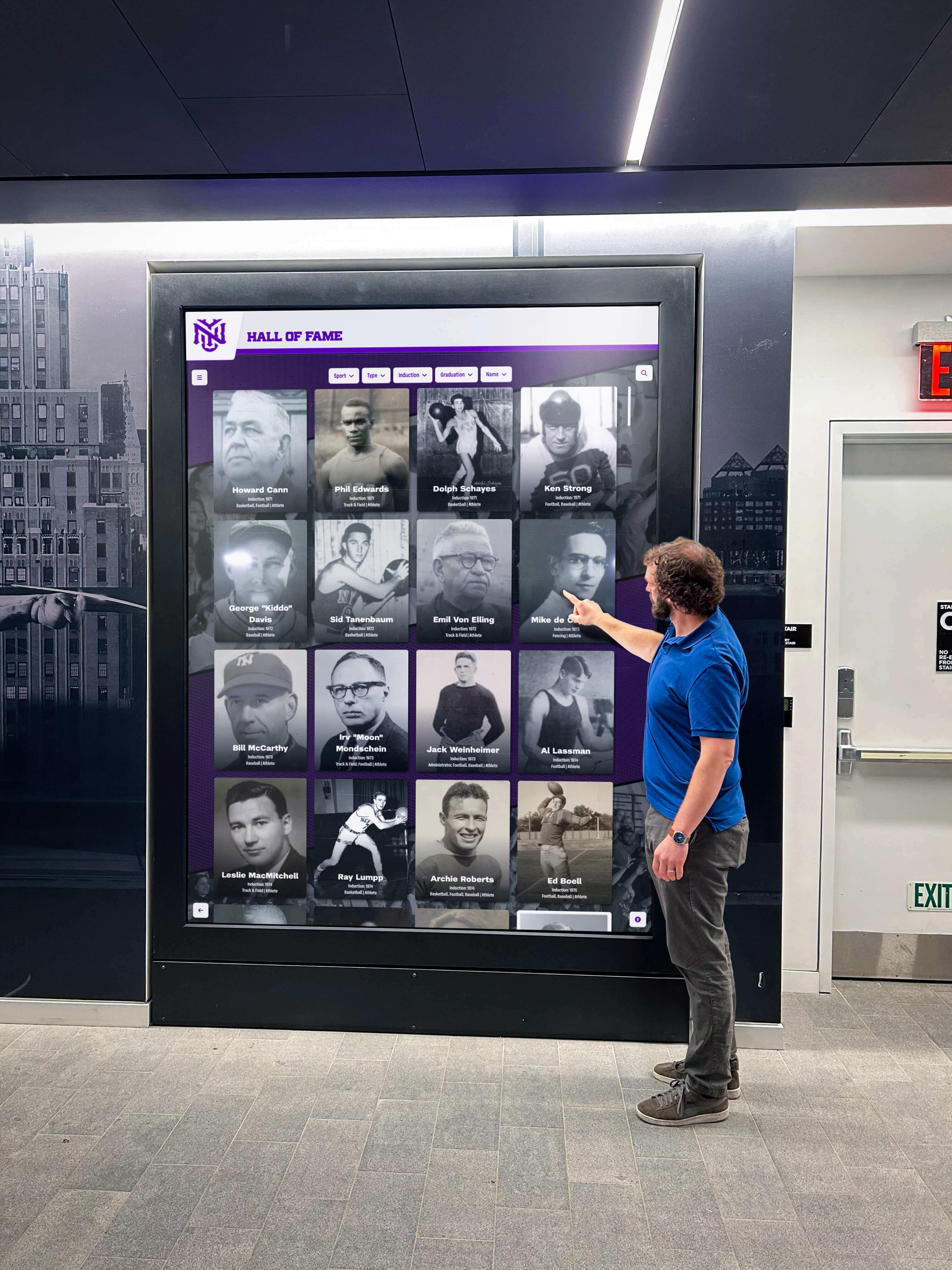
Update Flexibility and Content Accuracy
Time and Cost of Updates
Perhaps the most significant operational advantage touchscreen directories provide over traditional signage involves update flexibility. Organizations undergo constant change—new hires, staff departures, room reassignments, department restructuring. Each change requires directory updates to maintain accuracy.
Printed directory updates demand graphic design, printing, and physical installation. Small changes require reproducing entire directories since selective updates prove impractical. This process typically costs $200-$600 per directory depending on size and complexity, with 2-4 week production timelines.
Touchscreen directory updates occur through web-based content management systems in minutes. Authorized staff log into administration interfaces, modify relevant information, and publish changes appearing immediately across all connected displays. Organizations report average update times of 4 minutes for single-entry modifications, with zero printing or installation costs.
Maintaining Information Accuracy
Update friction directly impacts information accuracy. When updates require weeks and hundreds of dollars, organizations delay changes until accumulating multiple updates justifying the investment and effort. During delay periods, directories display outdated information frustrating visitors and generating staff inquiries.
Touchscreen systems’ instant, no-cost updates enable real-time accuracy. Staff departures, office moves, and organizational changes reflect in directories the same day they occur. This current information improves visitor experience and reduces reception inquiries about relocated offices or departed staff.
One corporate campus reported their printed directory averaged 12% outdated entries at any given time due to update delays, while their touchscreen system maintained 98% accuracy through prompt, continuous updating enabled by the simplified update process.
Use Cases Across Educational Institutions
Educational institutions from K-12 schools through universities represent primary touchscreen directory adopters, leveraging these systems to help students, parents, visitors, and staff navigate increasingly complex campuses.
K-12 Schools: Supporting Students, Parents, and Visitors
Parent and Visitor Navigation
Elementary, middle, and high schools regularly host visitors including prospective family tours, parent-teacher conferences, student guests, and community members attending events. Many visitors rarely visit schools and lack familiarity with building layouts.
Touchscreen directories deployed in main lobbies help parents locate specific classrooms for conferences, guidance offices for student meetings, or administrative areas for enrollment purposes. During open houses and back-to-school nights when hundreds of parents navigate buildings simultaneously, interactive directories reduce hallway congestion from lost visitors and decrease demands on staff providing directions.
Staff Directory for Large Campuses
High schools with 100+ faculty and staff present navigation challenges even for regular students, particularly at semester starts or when seeking unfamiliar offices. Touchscreen directories listing all staff members with office locations, room numbers, and contact information help students independently locate teachers, counselors, and administrators.
Some schools extend directory functionality to include staff photos, helping students identify unfamiliar personnel they need to locate. Integration with bell schedules shows current class periods and teacher locations at different times, acknowledging that many high school teachers rotate between multiple classrooms throughout the day.
Universities and Colleges: Managing Complex Multi-Building Campuses
Campus-Wide Wayfinding Networks
University campuses spanning dozens or hundreds of buildings present significant navigation challenges for students, visitors, and even faculty. New students take weeks to learn campus geography. Campus visitors attending events, prospective students touring facilities, and families attending graduations struggle to locate specific buildings, parking areas, and campus services.
Campus directory touchscreen displays deployed at strategic locations including building entrances, campus gateways, and central quads provide interactive campus maps with searchable building directories, department locations, and service amenities. Multi-touch displays allow small groups to collaborate on navigation planning.
Advanced university deployments create wayfinding networks where multiple touchscreens across campus provide consistent navigation experiences. A visitor searching for the admissions office at a campus entrance kiosk receives building-to-building directions, then finds additional wayfinding displays inside the building providing floor-by-floor navigation to specific offices.
Academic Department and Faculty Directories
Large universities employ thousands of faculty and staff across numerous academic departments, research centers, and administrative offices. Traditional printed directories become unwieldy and quickly outdated in these complex environments.
Interactive kiosk solutions in academic buildings provide searchable faculty directories including office numbers, office hours, research interests, and contact information. Students locate professors for office hours without wandering hallways reading name plates. Visitors attending research presentations or academic conferences find specific faculty offices efficiently.
Integration with university databases ensures directory information updates automatically when faculty office assignments change, typically occurring multiple times per semester as teaching responsibilities and research projects shift.
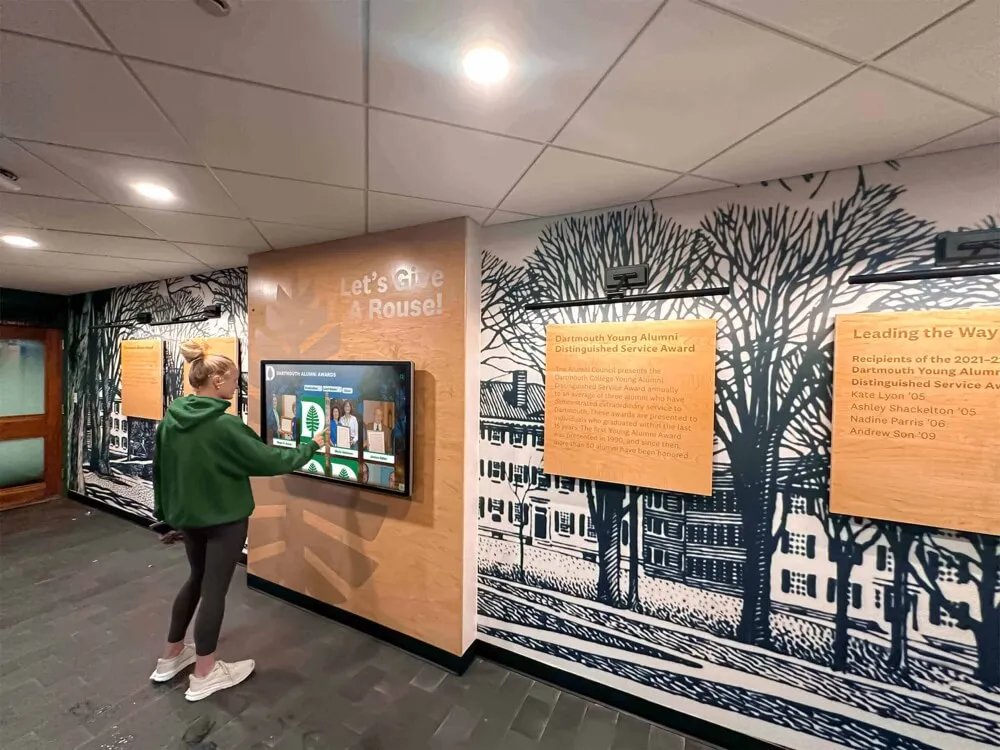
Corporate and Healthcare Applications
Beyond educational settings, corporate offices, medical facilities, and public institutions implement touchscreen directories addressing sector-specific navigation and information needs.
Corporate Office Buildings
Multi-Tenant Directories
Office buildings housing multiple companies require directory systems accommodating diverse tenants with varying floor assignments, company names, and employee counts. Building management needs flexible systems where individual tenants manage their own directory content without accessing other tenants’ information.
Cloud-based touchscreen directory platforms provide tenant-specific administration accounts where each organization maintains their own staff listings, suite information, and company descriptions. Building managers maintain overall system control, ensuring consistent branding and functionality while delegating content management to individual tenants.
This distributed management model proves essential in multi-tenant environments where tenant turnover requires frequent directory updates reflecting new occupants, suite reassignments, and company expansions or contractions.
Employee and Visitor Management Integration
Corporate campuses increasingly integrate touchscreen directories with visitor management systems, creating cohesive arrival experiences. Visitors check in at reception, receive printed badges or digital check-in confirmation, then use lobby directories to locate specific employees or conference rooms.
Advanced integration allows visitors to search employee names, triggering notifications to hosts that their guests have arrived. Conference room displays show real-time availability and upcoming meeting schedules, helping visitors locate available meeting spaces when scheduled rooms are occupied or meetings run long.
Healthcare Facilities
Patient and Visitor Wayfinding
Hospitals and medical complexes present among the most challenging navigation environments. Anxious patients and visitors navigate unfamiliar buildings seeking specific departments, physician offices, or patient rooms under stressful circumstances. Complex medical terminology, similar department names, and frequent additions or renovations increase navigation difficulty.
Touchscreen directories in hospital lobbies provide search capabilities allowing visitors to enter physician names, department types, or procedure names to locate destinations. Visual maps show step-by-step navigation paths from current locations to destinations, acknowledging that hospitals often feature non-intuitive layouts with multiple elevator banks, connecting corridors, and building additions.
Multilingual support proves particularly valuable in healthcare settings where non-English speakers may struggle to communicate with reception staff but can independently navigate using touchscreen directories in their preferred language.
Department and Service Directories
Large medical centers house dozens of specialized departments, diagnostic services, and physician practices. Patients often lack clarity about where specific services are provided. “Where do I go for my MRI?” “Which building has the cardiology department?” “Where is the outpatient lab?”
Searchable directory systems allow patients to enter procedure names, service types, or physician names to receive specific locations and navigation guidance. Integration with appointment systems could theoretically provide personalized navigation based on patient schedules, though privacy regulations typically preclude this level of integration in public lobby displays.
Technology Trends Shaping Touchscreen Directory Evolution
Touchscreen directory technology continues advancing, with emerging capabilities expanding functionality beyond basic navigation and information display.
Mobile Integration and Personal Device Connectivity
QR Code Directory Access
Physical touchscreen displays serve visitors present in buildings, but many visitors benefit from navigation assistance throughout their journey. QR codes placed on exterior signage or included in appointment confirmations allow visitors to access mobile-friendly directory interfaces on personal smartphones.
This mobile access enables visitors to identify parking locations, plan navigation routes before entering buildings, and maintain directions on personal devices rather than memorizing paths from lobby touchscreen interactions. The combination of public touchscreen displays for initial wayfinding and personal device access for ongoing navigation creates comprehensive wayfinding experiences spanning entire visits.
SMS and Digital Wayfinding Distribution
Some advanced systems enable visitors to send directory search results to personal devices via text message or email. After locating destinations on lobby touchscreens, visitors request directions sent to their phones, ensuring they retain navigation guidance as they proceed through buildings.
This capability proves valuable in large facilities where visitors may forget directions during lengthy walks, encounter unexpected obstacles requiring route modifications, or need to reference room numbers after elevator rides to multiple floors.
Analytics and Usage Intelligence
Understanding Visitor Patterns
Touchscreen directories generate valuable usage data revealing visitor patterns and common navigation challenges. Analytics dashboards show which offices receive the most search queries, peak usage times, common search terms, and navigation paths visitors select.
This intelligence helps facilities managers improve building signage, identify offices requiring clearer identification, and understand which destinations generate the most visitor traffic. Security personnel gain situational awareness about building usage patterns relevant to access control and emergency planning.
One university reported that directory analytics revealed their writing center received substantial search traffic but proved difficult for visitors to locate even with directory assistance. This insight prompted improved physical signage along the path to the writing center, reducing navigation difficulties identified through touchscreen usage data.
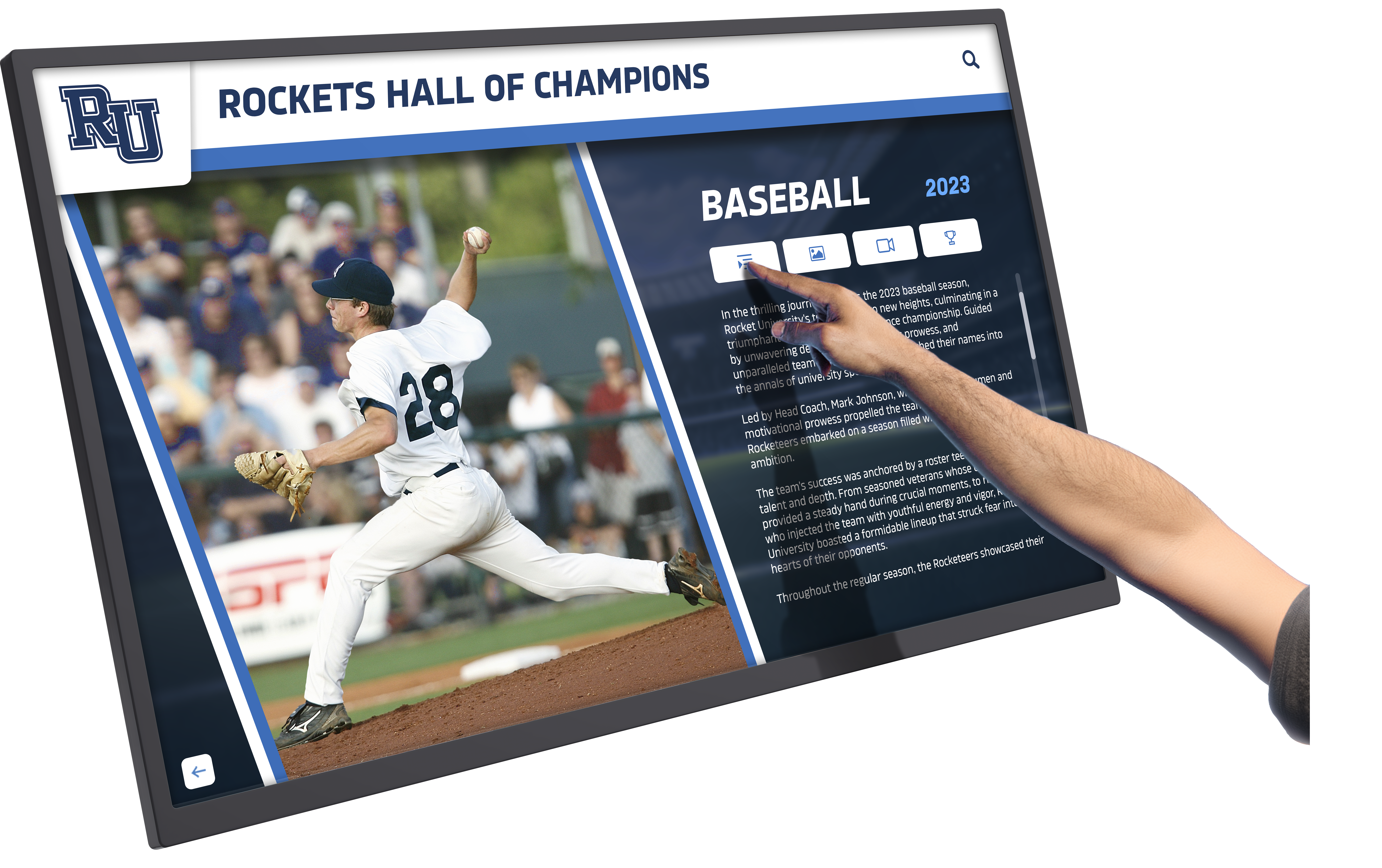
Content Optimization Based on Search Behavior
Usage analytics inform content optimization, helping administrators understand how visitors search for information. If analytics show visitors frequently search department abbreviations rather than full names, administrators can add abbreviations as search keywords ensuring results appear for various search terms.
Similarly, analysis of unsuccessful searches—queries returning no results—identifies content gaps where directory information lacks entries visitors expect to find. These gaps might represent missing information requiring addition or confusing terminology requiring clarification through alternative keywords.
Best Practices for Touchscreen Directory Deployment
Organizations maximizing value from touchscreen directory investments follow implementation best practices addressing technical deployment, content strategy, and ongoing management.
Strategic Placement Planning
High-Traffic Location Assessment
Effective placement positions touchscreen directories where visitors naturally seek wayfinding assistance. Primary locations include main building entrances where visitors first enter, elevator lobbies on each floor for within-building navigation, parking structure exits connecting to buildings, and campus gateways where external visitors enter properties.
Site surveys documenting visitor flow patterns, reception desk inquiry locations, and current navigation pain points inform optimal placement decisions. Organizations should observe where visitors currently stop to consult static directories, ask staff for directions, or appear confused about navigation to identify ideal touchscreen directory locations.
Accessibility Compliance in Placement
Beyond identifying high-traffic locations, organizations must ensure touchscreen placement meets accessibility requirements. The Americans with Disabilities Act establishes specific requirements for interactive equipment placement including forward reach ranges of 15-48 inches from floor, side reach ranges of 9-54 inches from floor, and clear floor space of at least 30 x 48 inches in front of displays.
Wall-mounted installations should position touchscreen centers at 36-42 inches from floor, accommodating both standing and seated users. Freestanding kiosks require stable positioning preventing tipping and sufficient surrounding space for wheelchair users to approach and operate displays comfortably.
Content Strategy and Information Architecture
Intuitive Search and Browse Structures
Directory content organization should reflect how visitors think about information rather than internal organizational structures. Visitors search for “financial aid” rather than “Office of Student Financial Services,” “nurse” rather than “Health Services Coordinator,” or “gym” rather than “Athletic Facilities and Recreation Center.”
Effective content strategies include common search terms as keywords, recognize that visitors often search by building names or room numbers, anticipate that visitors may not know precise office titles, and provide multiple discovery paths (search, category browse, alphabetical lists) acknowledging diverse user preferences.
Maintaining Content Accuracy Through Designated Ownership
Directory accuracy requires clear ownership of content management responsibilities. Organizations should designate specific individuals or departments responsible for different content areas—human resources maintaining employee directories, registrar offices managing student information, facilities departments controlling room assignments.
Establishing regular content audit schedules (quarterly or semester reviews) ensures information remains current even for entries not triggering obvious update needs. Automated change detection comparing directory content against source databases identifies discrepancies requiring correction.
User Experience Design Principles
Simplicity and Clarity
Touchscreen directory interfaces should prioritize simplicity over comprehensive features. Home screens presenting clear primary actions—search for person, search for department, view map—help visitors quickly understand available functionality without extensive instruction.
Large touch targets (minimum 44x44 pixels), high-contrast text, and generous spacing improve usability for diverse users including elderly visitors, individuals with motor impairments affecting precision, and visitors using displays in bright lighting conditions reducing screen visibility.
Responsive Feedback and Error Handling
Interactive systems should provide immediate feedback confirming touch inputs were registered. Button state changes, highlight effects, or brief animations acknowledge interactions, preventing repeated taps from confused users uncertain whether initial touches were detected.
When searches return no results, helpful error messages should suggest alternative search terms, common misspellings, or browse options rather than simply stating “No results found.” Guidance helps visitors successfully locate information despite initial search difficulties.
Selecting Touchscreen Directory Solutions
Organizations evaluating touchscreen directory systems should assess vendors and solutions across multiple dimensions ensuring selected platforms match specific needs, technical environments, and budget constraints.
Evaluation Criteria
Software Capabilities and Flexibility
Core software evaluation should examine search functionality, map and wayfinding features, content management interface usability, integration capabilities with existing systems, accessibility compliance features, multilingual support, mobile and web access options, and analytics and reporting capabilities.
Organizations should request demonstration accounts allowing hands-on evaluation of content management interfaces, ensuring non-technical staff can comfortably update information. Integration requirements should be clearly communicated to vendors, with technical specifications provided enabling accurate feasibility assessment.
Hardware Options and Specifications
Hardware considerations include display sizes appropriate for intended locations, mounting options (wall, freestanding, countertop), touchscreen technology (capacitive vs infrared), weatherproofing requirements for outdoor installations, brightness levels for high-ambient-light environments, and hardware warranty and support terms.
Organizations should clarify whether proposed solutions require specific proprietary hardware or support standard commercial displays, affecting long-term flexibility and replacement costs. Some vendors offer hardware-agnostic software running on various display types, while others provide integrated hardware-software packages with better performance but limited hardware flexibility.
Vendor Support and Implementation Services
Implementation support varies significantly across vendors. Evaluation should assess content migration assistance from existing directories, initial setup and configuration services, staff training and documentation, ongoing technical support availability and response times, software update policies and frequency, and options for customization when needed.
Organizations lacking extensive IT resources benefit from vendors providing comprehensive implementation support and responsive ongoing assistance. Technically sophisticated organizations may prefer platforms offering greater self-service flexibility and lower support costs.
Purpose-Built Recognition and Directory Solutions
While general digital signage platforms can be adapted for directory functions, purpose-built solutions like Rocket Alumni Solutions’ touchscreen displays offer specialized features designed specifically for recognition, wayfinding, and institutional storytelling applications that many schools and organizations require.
These specialized platforms combine directory functionality with additional capabilities including interactive halls of fame celebrating institutional achievements, historical timeline displays preserving organizational history, alumni and student recognition programs, and achievement databases displaying awards and honors. For educational institutions, this integrated approach means a single system serves both practical wayfinding needs and community engagement objectives through recognition programming.
Purpose-built solutions understand education-specific data structures, provide content management workflows that match how schools operate, and offer design templates reflecting institutional settings rather than retail or corporate environments. Organizations implementing digital recognition programs alongside wayfinding should evaluate whether integrated platforms serving both functions provide better value than separate systems for each purpose.
Return on Investment and Value Measurement
Justifying touchscreen directory investment requires demonstrating tangible returns through operational savings, visitor experience improvements, and strategic organizational benefits.
Quantifiable Cost Savings
Staff Time Recapture
The most directly measurable benefit involves reducing staff time spent providing directions and answering location questions. Organizations can estimate annual staff hours dedicated to directional assistance, multiply by relevant hourly compensation rates, and calculate potential savings from reducing these interactions.
One high school with three administrative staff members estimated each spent approximately 20 minutes daily answering directional questions during school hours (180 days annually). At average hourly rates of $22, this represented approximately $3,960 in annual staff time consumed by navigational assistance. Touchscreen directory installation reduced these inquiries by 68%, generating approximately $2,700 in recaptured staff time annually.
Update Cost Elimination
Organizations replacing printed directories eliminate recurring printing and installation costs. Schools updating directories twice annually at $450 per update save $900 annually—$4,500 over five years. Larger facilities maintaining multiple printed directories throughout buildings realize proportionally greater savings.
Beyond direct printing costs, eliminating the coordination required for designing, approving, ordering, and installing printed updates represents administrative time savings difficult to quantify but meaningful in reducing organizational friction.
Experience and Satisfaction Improvements
Visitor Experience Enhancement
While harder to quantify than cost savings, improved visitor experience generates meaningful organizational value. First-time campus visitors arriving frustrated by navigation difficulties form negative impressions affecting their perception of institutional competence and attention to stakeholder needs.
Conversely, smooth navigation enabled by effective wayfinding systems contributes to positive impressions. Prospective students touring campuses, parents attending school events, or clients visiting corporate offices interpret easy navigation experiences as indicators of overall organizational quality and visitor-focused culture.
Some organizations conduct visitor satisfaction surveys before and after touchscreen directory implementation, documenting measurable improvements in navigation satisfaction scores supporting qualitative experience benefits with quantitative evidence.
Accessibility and Inclusion Messaging
Implementing accessible touchscreen directories meeting WCAG 2.2 AA standards demonstrates organizational commitment to inclusion and accessibility. Beyond regulatory compliance, accessibility features signal that institutions value equitable access for all visitors regardless of ability.
This messaging proves particularly important for educational institutions where inclusive culture affects prospective family perceptions and for healthcare facilities where accessible patient experiences directly impact care quality and satisfaction.
Future Directions: Emerging Capabilities
Touchscreen directory technology continues evolving, with emerging capabilities expanding functionality and integration within broader institutional technology ecosystems.
Artificial Intelligence and Natural Language Processing
Conversational Search Interfaces
Next-generation directory systems incorporate natural language processing allowing visitors to phrase searches conversationally rather than using keyword-based queries. Instead of searching “athletics office,” visitors ask “Where can I talk to someone about joining the basketball team?” The system interprets intent and returns relevant locations—perhaps the athletic director’s office, coaching staff offices, and gymnasium locations.
This conversational approach reduces cognitive load, allowing visitors to express needs naturally rather than translating needs into search keywords. Natural language processing proves particularly valuable for complex inquiries where visitors lack clarity about which specific office or department addresses their needs.
Personalization and Wayfinding Customization
Accessibility-Aware Route Optimization
Advanced wayfinding systems offer route customization based on visitor needs and preferences. Individuals using wheelchairs, walkers, or other mobility devices select accessible routes prioritizing elevators, ramps, and level paths while avoiding stairs, narrow passages, or other barriers.
Similarly, visitors might specify preferences for outdoor versus indoor routes, fastest versus most direct paths, or scenic routes featuring architectural or historical points of interest. This personalization ensures wayfinding guidance matches diverse visitor needs and preferences rather than providing one-size-fits-all directions.
Appointment Integration
Healthcare facilities and some educational settings are beginning to integrate touchscreen directories with appointment systems. Patients checking in for appointments receive personalized navigation guidance to specific examination rooms, diagnostic facilities, or physician offices based on their scheduled appointments.
Privacy considerations require careful implementation ensuring directory displays don’t expose personal health information or appointment details, but appointment-aware navigation streamlines patient experiences by eliminating steps where patients must locate department names or room numbers from appointment confirmations before searching directories.
Conclusion: Implementing Touchscreen Directory Solutions Strategically
Touchscreen building directories deliver measurable operational benefits, visitor experience improvements, and accessibility enhancements justifying implementation across educational, corporate, healthcare, and public facility sectors. Organizations approaching implementation strategically—assessing needs carefully, selecting appropriate solutions, planning placement thoughtfully, and maintaining content accuracy—maximize return on investment while avoiding common implementation pitfalls.
As institutional facilities grow more complex and visitor expectations for seamless navigation experiences increase, touchscreen directories transition from optional enhancements to essential infrastructure. Early adopters report satisfaction with implementations, with 87% of surveyed organizations stating they would “definitely implement again” when asked about satisfaction three years post-deployment.
Organizations beginning evaluation should start by documenting current navigation pain points, estimating staff time consumed by directional assistance, and assessing accessibility gaps in existing wayfinding infrastructure. This baseline assessment provides context for evaluating whether touchscreen directories address genuine organizational needs and quantifying potential benefits justifying investment.
For institutions requiring both wayfinding functionality and recognition programming, integrated solutions combining directory capabilities with interactive displays celebrating achievements, preserving institutional history, and engaging communities offer comprehensive platforms addressing multiple strategic objectives through unified technology investments.
Ready to explore how touchscreen directory solutions can enhance visitor experience and operational efficiency at your institution? Schedule a consultation to discuss your specific needs and evaluate purpose-built interactive display solutions designed for educational and institutional environments.






























