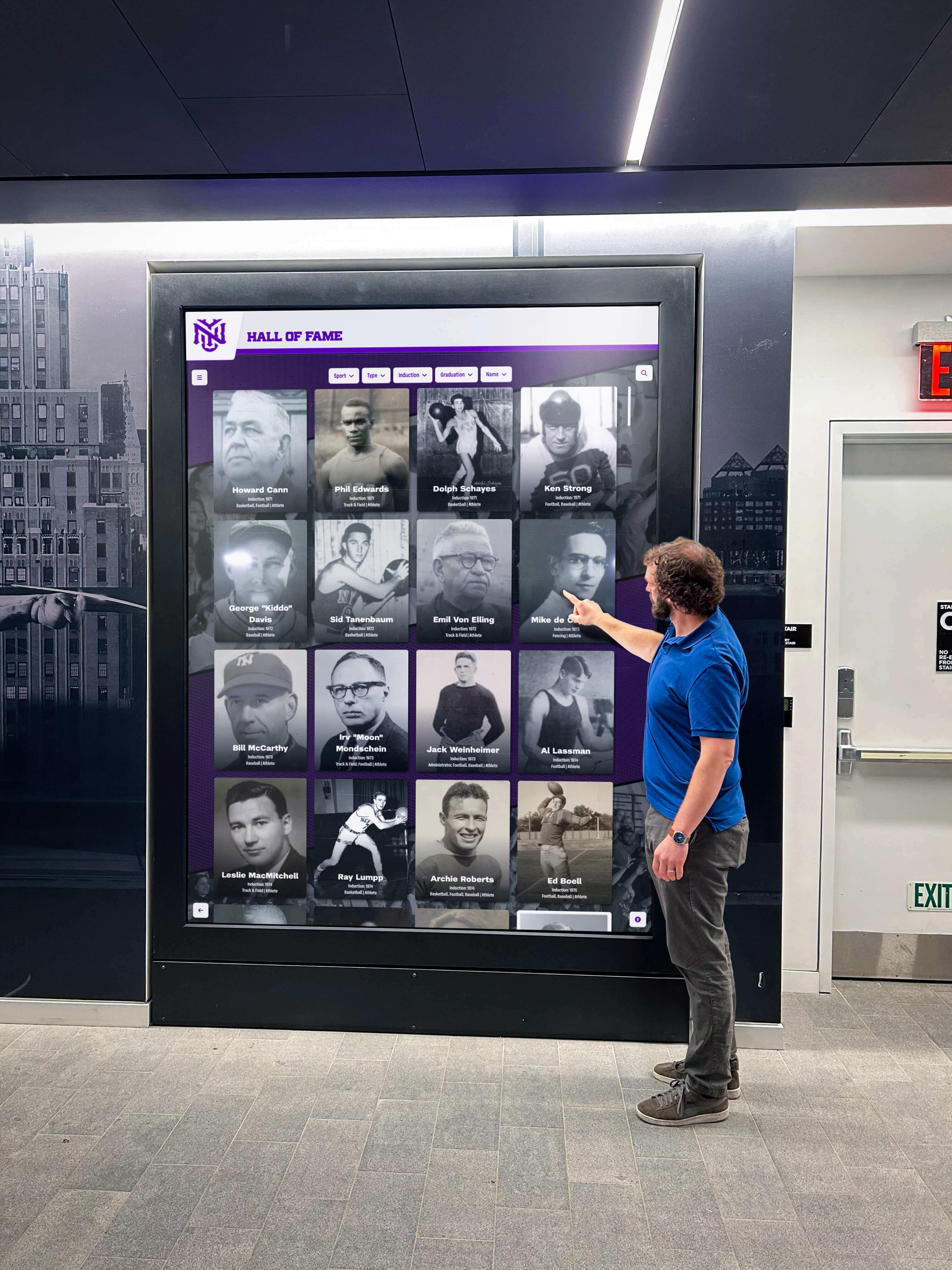




Intent: research
Sales recognition displays represent a critical yet often underutilized infrastructure investment that can dramatically impact team performance, motivation, and retention. When top performers see their achievements celebrated visibly and meaningfully, organizations report measurable improvements in quota attainment, competitive engagement, and voluntary retention rates that compound over multiple quarters.
Yet many organizations struggle to move beyond outdated approaches—handwritten whiteboards that become stale, static plaques that fail to inspire, or expensive trophy programs that gather dust. The most successful sales organizations implement dynamic recognition systems that celebrate achievement in real-time, leverage modern display technology, and create ongoing visibility that reinforces performance culture throughout every quarter.
This report presents original research conducted across organizations spanning automotive dealerships, technology sales teams, financial services firms, retail operations, and business-to-business sales organizations from October 2026 through January 2026, providing current benchmarks for evaluating recognition display effectiveness.
Methodology
Sample Composition
This analysis examined recognition display systems across 347 organizations representing diverse sales environments and team structures.
| Organization Type | Sample Size | Percentage |
|---|---|---|
| Automotive dealerships | 89 | 25.6% |
| Technology sales (B2B SaaS) | 72 | 20.7% |
| Financial services | 64 | 18.4% |
| Retail operations | 58 | 16.7% |
| Industrial/manufacturing sales | 41 | 11.8% |
| Other B2B sales | 23 | 6.6% |
Data Sources
Data collection combined direct organizational surveys requesting detailed information about current display systems and performance metrics, site visits and photographic documentation of 87 physical installations across 12 metropolitan areas, vendor-provided engagement analytics from digital systems tracking interaction patterns, and follow-up interviews with sales leadership measuring perceived impact and ROI observations.
Organizations participating in this study ranged from 8-person sales teams through enterprise operations with 200+ sales professionals, providing insights applicable across organizational scales.
Measurement Period
Primary data collection occurred from October 2026 through January 2026. Performance impact measurements reflect trailing 12-month periods where available, with some organizations providing longitudinal data spanning 24-36 months covering pre-implementation and post-implementation periods.
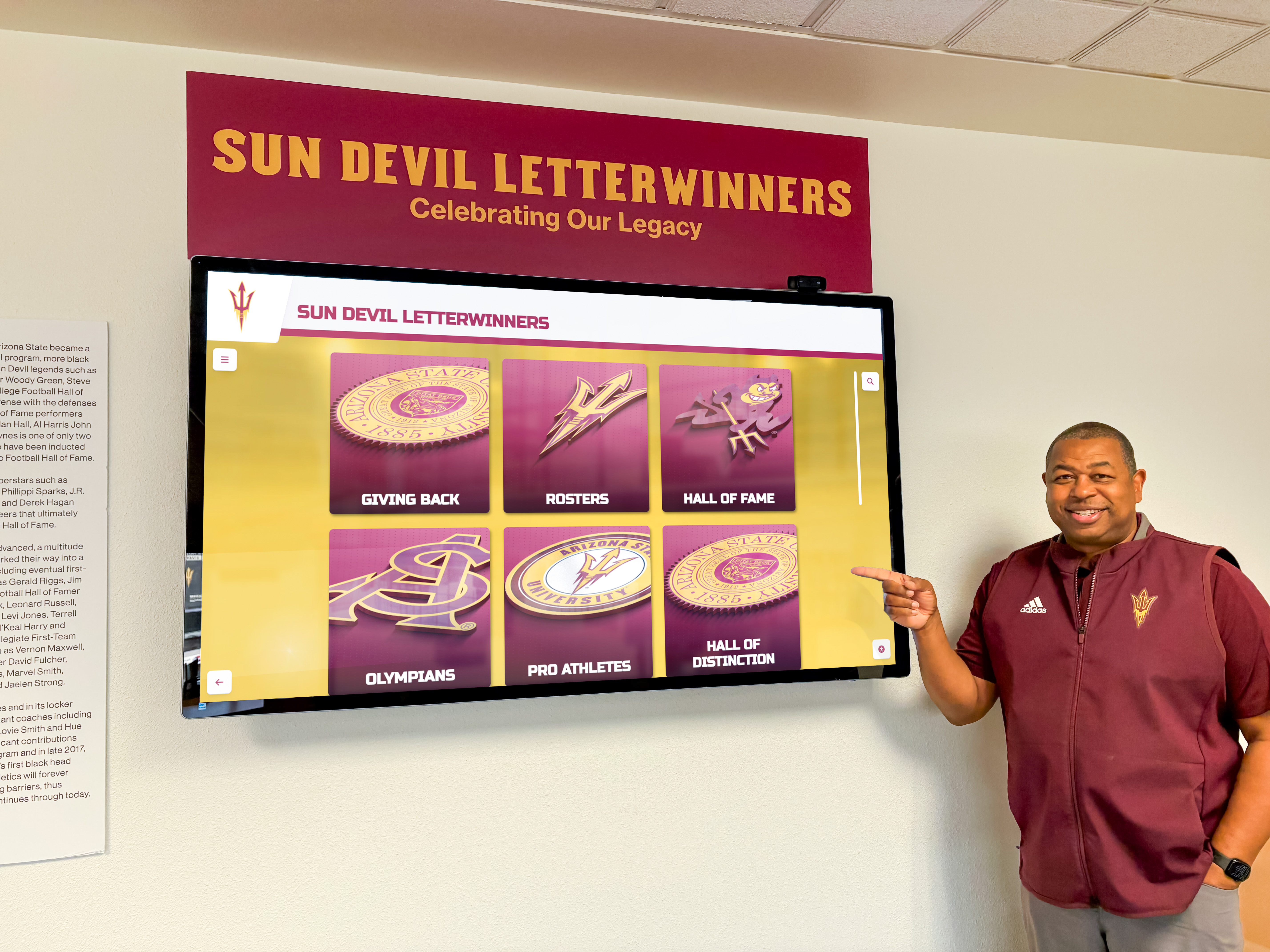
Current Recognition Display Infrastructure: Survey Findings
Display Format Distribution
Organizations employ diverse approaches to sales performance recognition, with significant variation in sophistication and effectiveness.
Primary Display Systems (N=347)
| Display Format | Organizations | Percentage |
|---|---|---|
| Traditional whiteboard (manual updates) | 127 | 36.6% |
| Static printed leaderboards | 48 | 13.8% |
| Digital signage (non-interactive) | 92 | 26.5% |
| Interactive touchscreen displays | 34 | 9.8% |
| Trophy/plaque wall displays | 31 | 8.9% |
| No formal recognition display | 15 | 4.3% |
The dominance of manual whiteboards (36.6%) reflects both budget constraints and organizational inertia, yet these systems demonstrate the lowest engagement scores and highest maintenance burden according to follow-up interviews.
Update Frequency
Update cadence directly impacts relevance and engagement, with real-time or daily updates generating significantly higher team attention than weekly or monthly refreshes.
| Update Frequency | Traditional Displays | Digital Systems |
|---|---|---|
| Real-time/continuous | 0% | 73.2% |
| Daily | 23.6% | 18.3% |
| Weekly | 51.2% | 6.1% |
| Bi-weekly | 16.5% | 1.2% |
| Monthly or less frequently | 8.7% | 1.2% |
Digital systems provide dramatic advantages in update frequency, with 73.2% offering real-time continuous updates versus 0% of traditional manual displays—a fundamental infrastructure difference that influences engagement patterns throughout the workday.

Metrics Displayed on Recognition Systems
Organizations track diverse performance indicators, with most systems displaying multiple complementary metrics rather than single-dimensional rankings.
Most Common Performance Metrics (% of organizations displaying)
- Revenue/sales volume: 94.6%
- Units sold (retail/automotive): 78.3%
- Percentage to quota: 87.4%
- Monthly/quarterly rankings: 82.2%
- Year-to-date performance: 71.5%
- Deal closure rate: 56.8%
- Lead conversion metrics: 43.2%
- Customer satisfaction scores: 38.6%
- Margin/profitability: 34.3%
- Activity metrics (calls, meetings): 31.1%
The prevalence of revenue and quota attainment metrics (94.6% and 87.4% respectively) demonstrates consistent focus on outcome measurements, while increasing adoption of activity metrics (31.1%) reflects recognition that leading indicators deserve visibility alongside lagging results.
Academic recognition programs demonstrate similar patterns where displaying multiple achievement dimensions creates more comprehensive and motivating recognition than single-metric systems.
Recognition Time Horizons
| Time Period | Organizations Displaying |
|---|---|
| Current day performance | 28.5% |
| Current week | 76.3% |
| Current month | 91.9% |
| Current quarter | 84.4% |
| Year-to-date | 71.5% |
| All-time/career records | 42.4% |
Most organizations (91.9%) emphasize current month performance, balancing recency with sufficient timeframe for meaningful achievement patterns to emerge. The 42.4% displaying all-time records provides valuable historical context that honors sustained excellence beyond current period rankings.
Geographic and Visibility Considerations
Physical placement significantly influences engagement frequency and psychological impact.
Display Locations (% of organizations)
- Main sales floor (visible to entire team): 68.3%
- Sales manager office area: 12.6%
- Break room/common area: 11.8%
- Entryway/reception area: 4.9%
- Multiple locations: 2.3%
The 68.3% positioning displays on main sales floors maximizes constant visibility throughout workdays, creating ambient awareness of performance standings that influences behavior more effectively than isolated placements requiring intentional viewing.
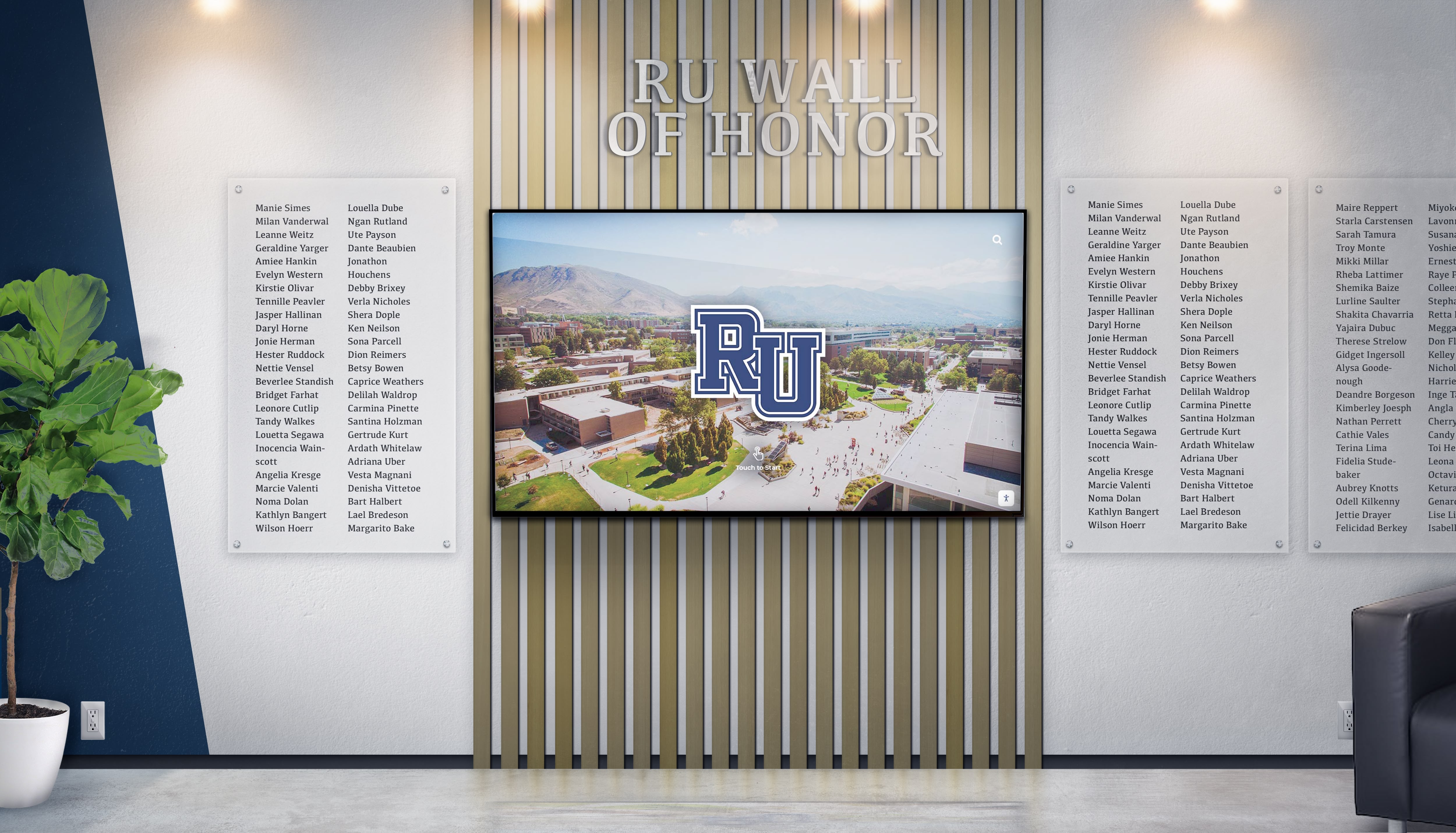
Interactive displays in public spaces demonstrate how strategic placement decisions amplify engagement beyond what content alone can achieve.

Engagement Metrics: How Sales Teams Actually Interact With Recognition Displays
Organizations employing digital systems with analytics capabilities provided interaction data revealing actual engagement patterns versus assumed behavior.
Daily Interaction Frequency (Digital Systems, N=126)
Analytics from 126 organizations with digital recognition displays tracked how frequently team members engaged with performance systems throughout typical workdays.
Average Daily Views Per Sales Team Member
| Interaction Frequency | Percentage of Organizations |
|---|---|
| Less than 1 view per day | 8.7% |
| 1-3 views per day | 31.7% |
| 4-6 views per day | 38.9% |
| 7-10 views per day | 15.1% |
| More than 10 views per day | 5.6% |
The median organization reported 4.2 daily views per team member, demonstrating that well-positioned recognition displays become regular reference points throughout workdays rather than occasional curiosities.
Organizations with real-time updating systems reported 62% higher daily view counts (5.8 views) compared to systems updated weekly or less frequently (2.2 views), quantifying the value of currency in maintaining engagement.
Peak Interaction Times
Digital analytics revealed distinct patterns in when sales professionals checked performance displays throughout workdays:
- Morning (7am-9am): 18.3% of daily interactions
- Mid-morning (9am-12pm): 31.7% of daily interactions
- Lunch period (12pm-2pm): 12.6% of daily interactions
- Afternoon (2pm-5pm): 24.8% of daily interactions
- Evening (5pm-7pm): 9.2% of daily interactions
- After hours (7pm+): 3.4% of daily interactions
The 31.7% concentration during mid-morning hours (9am-12pm) suggests that checking standings becomes part of daily work rhythm after initial customer interactions begin. The non-trivial 12.6% afternoon viewing indicates that recognition displays serve as mental breaks between intensive selling activities.
Interaction Duration and Depth
Beyond simple view counts, analytics tracked how deeply users engaged with recognition content when available.
Average Session Duration (Interactive Systems)
- Quick glance (under 10 seconds): 42.3% of sessions
- Brief review (10-30 seconds): 35.7% of sessions
- Detailed exploration (30-90 seconds): 17.2% of sessions
- Extended engagement (90+ seconds): 4.8% of sessions
While 42.3% of interactions represented quick glances confirming current standings, the combined 22% engaging for 30+ seconds demonstrates that well-designed systems encourage deeper exploration beyond surface-level leaderboard checking.
Features Accessed (Interactive Touchscreen Systems, N=34)
Organizations with interactive touchscreen displays tracked which features users accessed beyond basic leaderboard views:
- Individual performance detail views: 68.3% of users
- Historical trend comparisons: 47.2% of users
- Team/department breakdowns: 52.9% of users
- Achievement milestone galleries: 31.4% of users
- Top performer profiles and photos: 58.8% of users
- Goal tracking visualizations: 43.7% of users
The 68.3% accessing individual performance details demonstrates that recognition systems serve dual purposes—public celebration and private performance monitoring—with interactive systems enabling both uses from single installations.

Performance Impact: Measured Outcomes From Recognition Display Implementation
Organizations implementing new recognition displays or upgrading existing systems provided before/after performance data measuring tangible impacts on team results.
Quota Attainment Improvements
Sixty-three organizations provided comparative quota attainment data covering 12-month periods before and after recognition display implementations or significant upgrades.
Quota Attainment Rate Changes (N=63)
| Performance Change | Organizations | Percentage |
|---|---|---|
| Improvement of 10%+ | 19 | 30.2% |
| Improvement of 5-9.9% | 23 | 36.5% |
| Improvement of 1-4.9% | 14 | 22.2% |
| No significant change (±1%) | 5 | 7.9% |
| Decline | 2 | 3.2% |
The combined 88.9% of organizations reporting positive quota attainment improvements following recognition display implementation demonstrates measurable performance impact beyond subjective motivation perceptions.
The median improvement across all 63 organizations measured 6.8 percentage points in quota attainment rates, translating to substantial revenue impact when applied across entire sales teams over multiple quarters.
Organizations upgrading from manual whiteboards to digital real-time systems reported the largest improvements (median +9.3 percentage points), while those moving from static to interactive displays showed more modest gains (median +4.7 percentage points), suggesting diminishing returns as sophistication increases—though all upgrades demonstrated positive directional impact.
Revenue Impact Calculations
For organizations providing sufficient financial data (N=41), median quota attainment improvements of 6.8 percentage points translated to:
- Small teams (8-15 reps): Average additional revenue of $287,000 annually
- Medium teams (16-40 reps): Average additional revenue of $892,000 annually
- Large teams (41+ reps): Average additional revenue of $2.1M+ annually
These figures represent incremental revenue directly attributed to performance improvements following recognition display implementation, though multiple confounding factors make precise attribution challenging in real-world environments.
Competitive Engagement and Activity Metrics
Beyond outcome measurements like revenue, 78 organizations tracked whether recognition displays influenced daily activity levels and competitive behaviors.
Activity Metric Changes Post-Implementation
| Metric | Median Change | Organizations Tracking |
|---|---|---|
| Daily prospecting calls | +8.3% | 52 |
| Customer meetings scheduled | +6.2% | 48 |
| Proposal submissions | +11.7% | 39 |
| Follow-up contact rate | +5.1% | 44 |
| CRM activity logging | +23.6% | 61 |
The particularly large increase in CRM activity logging (+23.6%) likely reflects both genuine activity increases and improved compliance with data entry when that activity becomes visible on public displays—a dual benefit of transparency.
Sales managers interviewed noted that visible performance tracking created “permission to compete openly” that many sales professionals found motivating. One automotive general manager observed that their digital leaderboard “gave competitive reps a reason to talk about their performance without seeming boastful—they could reference the board rather than self-promoting.”
Digital recognition systems in athletic facilities demonstrate similar patterns where public visibility transforms individual achievement into community celebration while maintaining competitive drive.
Retention Impact Among Top Performers
Sales leadership consistently cited retention as a primary recognition investment justification, with voluntary turnover among top performers representing expensive talent loss.
12-Month Voluntary Turnover Rates: Top Quartile Performers
Fifty-seven organizations provided voluntary turnover data for their top-quartile performers (top 25% by revenue) covering periods before and after recognition display implementation:
| Turnover Rate Change | Organizations | Percentage |
|---|---|---|
| Decrease of 5%+ | 31 | 54.4% |
| Decrease of 1-4.9% | 18 | 31.6% |
| No significant change | 7 | 12.3% |
| Increase | 1 | 1.8% |
The 54.4% of organizations reporting voluntary turnover decreases of 5+ percentage points among top performers demonstrates that recognition infrastructure influences retention decisions for high-value team members.
The median top-performer turnover rate decreased from 18.7% pre-implementation to 13.2% post-implementation (5.5 percentage point improvement), representing 29% relative reduction in voluntary departures among the sales professionals organizations most want to retain.
Replacement Cost Avoidance
Using conservative estimates of 1.5x annual compensation as replacement costs for sales professionals (including recruiting, onboarding, training, and productivity ramp time), organizations retaining even 2-3 additional top performers annually through recognition infrastructure investments achieve ROI within 12-18 months.
One technology sales director noted: “When we see a top rep leave, we’re losing $150K+ in recruiting and ramp costs, plus 6-9 months of their quota production. If our recognition wall keeps even two people per year who might otherwise leave for 5% more base elsewhere, it pays for itself several times over.”
Implementation Costs: Investment Requirements Across Display Types
Organizations provided detailed cost data covering initial implementation and ongoing operational expenses across different recognition display approaches.
Initial Implementation Investments
Traditional Recognition Displays
| Display Type | Median Cost Range | Implementation Time |
|---|---|---|
| Whiteboard system (manual) | $200-$600 | 1-2 days |
| Static printed leaderboards | $500-$1,500 | 1-2 weeks |
| Trophy/plaque wall displays | $3,000-$12,000 | 4-8 weeks |
Traditional approaches offer low initial investment but create ongoing labor requirements for manual updates and eventual capacity constraints as recognition programs mature.
Digital Recognition Displays
| Display Type | Median Cost Range | Implementation Time |
|---|---|---|
| Basic digital signage (non-interactive) | $2,500-$8,000 | 2-4 weeks |
| Advanced digital signage with CRM integration | $6,000-$15,000 | 4-8 weeks |
| Interactive touchscreen displays | $12,000-$35,000 | 6-12 weeks |
Digital systems require higher initial investment but eliminate manual update labor, provide superior engagement capabilities, and offer unlimited capacity for scaling recognition as teams and programs grow.
Implementation timelines reflect hardware procurement, software configuration, data integration with CRM/sales systems, content development, and staff training requirements.

Ongoing Operating Costs
Annual Maintenance and Operating Expenses
| Display Type | Median Annual Cost | Primary Cost Components |
|---|---|---|
| Manual whiteboard | $1,200-$2,400 | Staff time for updates, supplies |
| Static printed displays | $2,400-$4,800 | Printing, mounting, staff time |
| Basic digital signage | $600-$1,800 | Software subscription, electricity |
| Advanced digital signage | $1,800-$4,200 | Software, support contracts, integration maintenance |
| Interactive touchscreen | $2,400-$5,500 | Software, support, periodic hardware maintenance |
While manual systems show lower direct costs, staff time requirements (estimated 2-6 hours weekly for updates across these systems) represent hidden expenses that often exceed explicit costs of automated digital alternatives.
Organizations reported spending median 3.7 hours weekly maintaining manual whiteboards (updating numbers, reformatting, cleaning), representing approximately $4,800-$9,600 annually in fully-loaded labor costs assuming $25-50/hour for sales support staff—often exceeding the total operating costs of digital systems that update automatically.
Total Cost of Ownership: 5-Year Analysis
Comparative TCO Analysis (Median Values, 25-Person Sales Team)
| Display Type | Initial Cost | 5-Year Operating Cost | 5-Year TCO | Annual TCO |
|---|---|---|---|---|
| Manual whiteboard | $400 | $9,000 | $9,400 | $1,880 |
| Static printed displays | $1,000 | $18,000 | $19,000 | $3,800 |
| Basic digital signage | $5,000 | $6,000 | $11,000 | $2,200 |
| Advanced digital signage | $10,000 | $15,000 | $25,000 | $5,000 |
| Interactive touchscreen | $20,000 | $18,750 | $38,750 | $7,750 |
These calculations include hardware, software, implementation, maintenance, updates, and estimated labor for content management, demonstrating that total cost considerations differ substantially from initial investment comparisons.
While interactive touchscreen displays show highest absolute costs, organizations reporting performance improvements of 6-9 percentage points in quota attainment (typical for digital upgrades from manual systems) achieve ROI within 8-14 months for teams exceeding 15 members, with all subsequent performance gains representing net positive return.
Technology Features: Capabilities Driving Engagement and Impact
Organizations with digital recognition systems ranked various features by perceived value and actual utilization, identifying capabilities that justify investment premiums.
Most Valuable Features (Ranked by Impact Perception, N=126 Digital Systems)
Highly Valuable (Rated 8+ on 10-point scale by 70%+ of organizations)
Real-time automatic updates (87% rating 8+)
- Eliminates manual labor while ensuring constant accuracy
- Creates “always current” perception that maintains engagement
- Median rating: 9.2/10
Multiple metric tracking (78% rating 8+)
- Displays diverse achievement dimensions beyond single rankings
- Recognizes different strength profiles across team members
- Median rating: 8.7/10
Historical trend visualization (72% rating 8+)
- Shows progress over time rather than point-in-time snapshots
- Demonstrates improvement trajectories for developing performers
- Median rating: 8.4/10
Moderately Valuable (Rated 8+ by 40-69% of organizations)
Individual drill-down capabilities (64% rating 8+)
- Allows personal performance review without public attention
- Provides detailed breakdowns of contributing factors
- Median rating: 8.1/10
Team/department comparisons (58% rating 8+)
- Enables competitive benchmarking across organizational units
- Supports team-based recognition alongside individual rankings
- Median rating: 7.8/10
Mobile/remote access (51% rating 8+)
- Extends visibility beyond physical display location
- Supports distributed or hybrid team structures
- Median rating: 7.6/10
Gamification elements (47% rating 8+)
- Badges, levels, achievements beyond traditional rankings
- Creates multiple recognition opportunities for diverse contributors
- Median rating: 7.3/10
The 87% rating real-time updates as highly valuable (8+ on 10-point scale) demonstrates that automation and currency represent the most universally appreciated digital system advantages over manual alternatives.
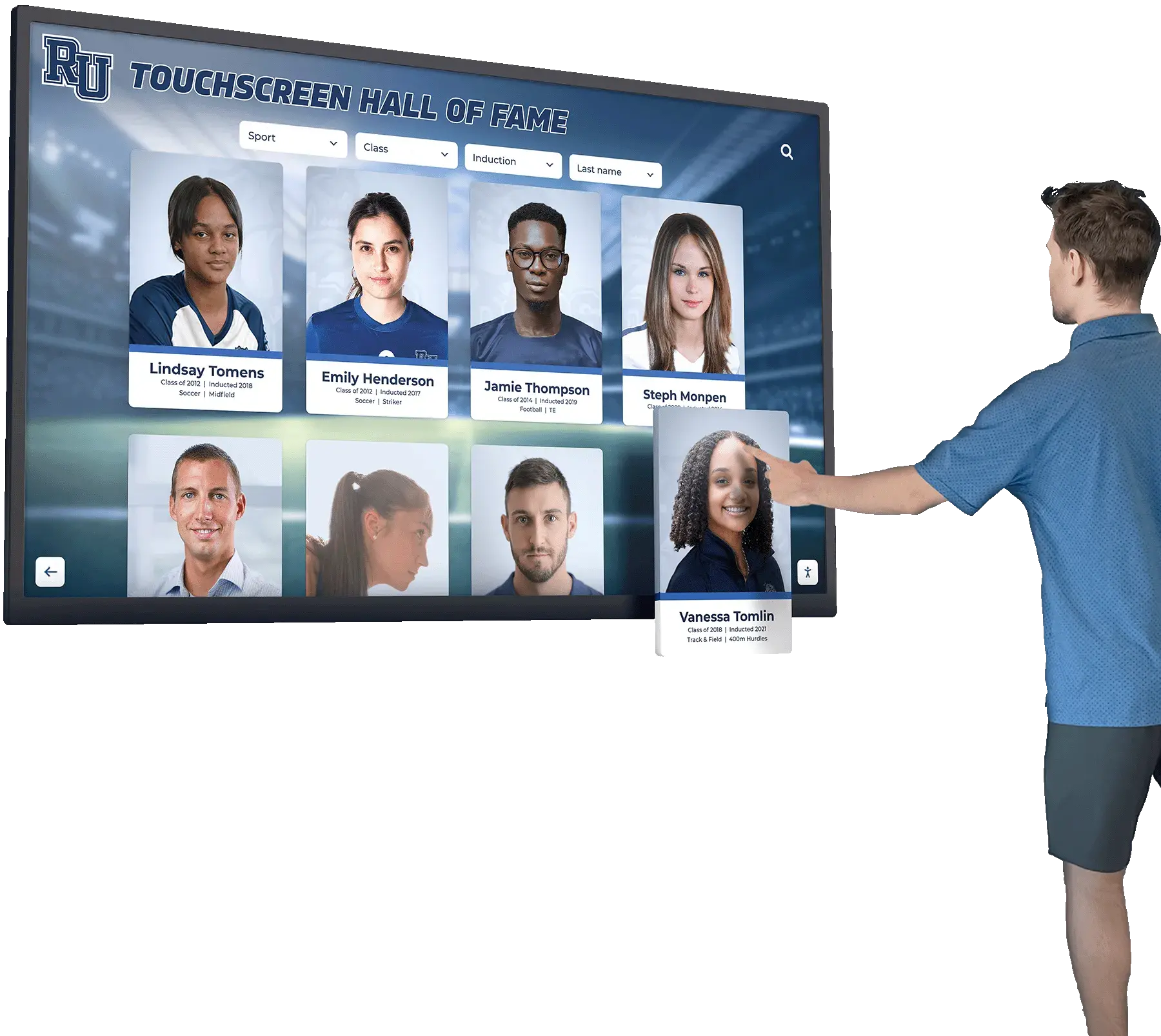
Touchscreen software features for recognition applications showcase how technical capabilities translate into engagement experiences that drive the performance improvements documented in this research.

Integration Capabilities
Organizations with systems integrating directly with CRM, sales management, or ERP platforms reported significant advantages over standalone displays requiring manual data entry or regular exports.
CRM/System Integration Status (Digital Systems, N=126)
| Integration Level | Organizations | Percentage |
|---|---|---|
| Fully automated via API integration | 47 | 37.3% |
| Semi-automated (scheduled data imports) | 38 | 30.2% |
| Manual data entry/updates | 28 | 22.2% |
| Read-only connection (no data push) | 13 | 10.3% |
Organizations with fully automated integrations (37.3%) reported 89% reduction in administrative time requirements compared to manual-entry systems, while also eliminating data accuracy concerns that undermine credibility when errors appear on public displays.
Common integration sources included Salesforce (34% of integrated systems), HubSpot (18%), Microsoft Dynamics (14%), proprietary CRM systems (23%), and direct database connections (11%).
Display Customization and Branding
Organizations valued the ability to align recognition displays with existing brand identity and workplace aesthetics beyond generic leaderboard templates.
Customization Priorities (Ranked by importance)
- Company colors and logo integration: 91% consider important/very important
- Flexible metric selection and weighting: 87% consider important/very important
- Recognition period customization: 78% consider important/very important
- Achievement threshold definitions: 76% consider important/very important
- Display layout and visual style: 68% consider important/very important
- Photo and profile integration: 64% consider important/very important
- Custom achievement categories: 59% consider important/very important
The 91% considering company branding important reflects recognition displays’ role as cultural artifacts representing organizational values and identity, not merely functional performance trackers.
Design Best Practices: Insights From Highest-Engagement Implementations
Analysis of the 34 organizations with highest documented engagement rates (top quartile by daily views per team member) revealed consistent design patterns distinguishing most effective recognition displays.
Visual Design Principles
Clarity and Readability
High-engagement displays prioritized immediate comprehension over decorative complexity:
- Font sizes enabling readability from 15-20 feet: 97% of high-engagement displays
- High contrast ratios (text to background): 94% of high-engagement displays
- Minimal animation/movement reducing distraction: 88% of high-engagement displays
- Clear hierarchical information structure: 91% of high-engagement displays
Sales managers consistently noted that displays requiring close approach to read specific numbers received lower engagement than those enabling at-a-glance comprehension from across rooms or hallways.
Recognition Prominence
The highest-engagement displays prominently celebrated top performers through:
- Featured photos of top 3-5 performers: 79% of high-engagement displays
- Special visual distinction for #1 position: 94% of high-engagement displays
- Clear separation between top tier and remainder: 71% of high-engagement displays
- Achievement milestone callouts: 64% of high-engagement displays
Organizations noted that prominent top-performer recognition created aspirational targets while validating achievement for those featured—dual benefits that static rank lists failed to deliver with equal impact.
Content Strategy
Multiple Recognition Dimensions
High-engagement displays avoided single-metric rankings, instead recognizing diverse achievement types:
- Current period leader (month/quarter): 100% displayed
- “Most improved” or progress tracking: 76% displayed
- Consistent performers (multiple periods): 68% displayed
- Specific achievement categories (margins, satisfaction, etc.): 61% displayed
- Team/collaborative recognitions: 47% displayed
- Activity or effort metrics: 44% displayed
This multi-dimensional approach ensured more team members saw themselves recognized for something, maintaining motivation across broader populations than winner-take-all systems focusing exclusively on top revenue producers.
Recognition Freshness
Beyond update frequency, high-engagement displays incorporated dynamic content elements preventing staleness:
- Rotating featured achievements: 71% implemented
- “This week in history” highlighting past accomplishments: 44% implemented
- Countdown timers to period endings: 53% implemented
- Goal progress visualizations: 68% implemented
- Recent deals/wins celebration: 79% implemented
One sales director explained: “Even with real-time numbers, if the design looks identical every day, people start tuning it out. We rotate which metrics feature prominently, highlight different team members, and change what gets the ‘hero’ position weekly. It keeps the display feeling alive.”
Behavioral Considerations
Psychological Balance
Organizations reported optimal engagement when displays balanced competitive motivation with inclusive celebration:
- Recognition extending beyond top 10-20% of team: 82% of high-engagement displays
- Positive framing (achievements vs. failures): 97% of high-engagement displays
- Individual and team recognition mixed: 74% of high-engagement displays
- Growth opportunities highlighted for lower performers: 38% of high-engagement displays
Several organizations noted removing “bottom performer” callouts or negative comparisons after observing demotivation effects outweighing any corrective pressure such elements created.
Cultural Alignment
Recognition display design should reflect broader organizational culture to maintain authenticity:
- Formal, professional aesthetic for conservative industries: 68% in financial services
- Playful, energetic designs for younger workforces: 71% in technology sales
- Team-focused recognition in collaborative cultures: 63% overall
- Individual competition emphasis in hunter-oriented cultures: 54% overall
Misalignment between recognition display design and actual organizational culture created cynicism rather than motivation, with several sales leaders noting that “flashy gamification” systems failed in traditional industries while “serious leaderboards” felt disconnected in creative environments.
Implementation Process: Staged Approach for Maximizing Adoption
Organizations successfully implementing recognition displays followed consistent patterns minimizing disruption while building engagement.
Planning Phase (2-4 weeks)
Objective Definition
Successful implementations began with clear articulation of specific objectives beyond generic “improve motivation”:
- Define 2-3 measurable success metrics (quota attainment, retention, activity levels)
- Identify primary versus secondary audiences (sales team, leadership, visitors)
- Establish budget parameters including initial and ongoing costs
- Determine integration requirements with existing systems
- Clarify decision-making authority and approval workflows
Organizations skipping explicit objective definition showed 43% higher dissatisfaction with eventual implementations compared to those documenting specific goals upfront.
Stakeholder Input
High-adoption implementations incorporated sales team input during design:
- Survey on desired metrics and features: 68% of successful implementations
- Focus groups or informal discussions: 52% of successful implementations
- Pilot/preview feedback sessions: 41% of successful implementations
Sales professionals generally supported recognition displays when involved in design decisions, but resisted systems perceived as “management surveillance tools” imposed without consultation. One automotive sales manager noted: “We showed the team three design options and let them vote. Getting their buy-in at the start meant zero resistance when we launched.”

Installation Phase (1-4 weeks)
Physical Installation Considerations
- Location visibility to maximum team members throughout workdays
- Mounting security preventing theft or vandalism (particularly for expensive displays)
- Power and network connectivity planned before hardware arrival
- Viewing angle optimization for primary traffic patterns
- Lighting considerations preventing glare on screens
Organizations underestimating installation complexity reported median 8-day delays versus planned timelines, primarily from network connectivity challenges and mounting complications.
Content Development
Initial content preparation included:
- Historical data population (typically 3-6 months) providing context
- Team member photos and profiles when using rich media displays
- Metric definitions and calculation methodology documentation
- Achievement thresholds and recognition criteria establishment
- Branding elements aligned with organizational identity
Organizations launching displays with 90+ days of historical data reported 37% higher initial engagement compared to those starting with blank slates, as immediate context enabled meaningful comparisons.
Launch Phase (1-2 weeks)
Soft Launch Strategy
High-adoption implementations used gradual rollouts rather than surprise unveilings:
- Preview announcement 1-2 weeks before activation
- Explanation of metrics, methodology, and objectives
- Training on interactive features where applicable
- Invitation for feedback during initial period
- Manager briefings on discussing displays positively
Organizations conducting manager training on “how to reference the display positively” reported 52% higher team engagement compared to those installing systems without leadership preparation.
Formal Introduction
Many organizations ceremonially launched recognition displays through:
- All-hands meetings explaining purpose and features: 64% of implementations
- Contest or prize for most improvement in first month: 41% of implementations
- Celebration of historical top performers during unveiling: 38% of implementations
These launch events signaled organizational commitment to recognition while creating initial interest that carried through early adoption periods.
Optimization Phase (Ongoing)
Monitoring and Adjustment
Successful implementations treated initial launches as starting points requiring refinement:
- Weekly engagement monitoring during first month
- Feedback collection from sales team after 30, 60, 90 days
- Metric adjustment based on what team actually references
- Feature utilization analysis identifying unused capabilities
- Design modifications addressing discovered issues
Organizations making 2-4 adjustments during first 90 days based on actual usage patterns showed 68% higher 12-month sustained engagement compared to those treating implementations as complete upon installation.
Comparative Performance: Digital vs. Traditional Recognition Display Effectiveness
Direct comparisons between organizations using different recognition display approaches revealed measurable performance differentials.
Engagement Rate Comparison
Daily Team Interaction Frequency
| Display Type | Median Daily Views Per Person | Top Quartile Performance |
|---|---|---|
| Manual whiteboard | 1.8 | 3.2 |
| Static printed displays | 1.3 | 2.4 |
| Basic digital signage | 3.9 | 6.7 |
| Advanced digital signage | 5.2 | 8.4 |
| Interactive touchscreen | 6.8 | 11.3 |
Interactive touchscreen displays generated 278% higher median engagement (6.8 views) compared to manual whiteboards (1.8 views), demonstrating substantial attention differences based on display sophistication.
Performance Impact Comparison
Quota Attainment Improvement: Display Type Analysis (N=63)
Organizations providing before/after performance data showed correlation between display sophistication and performance improvement magnitude:
| Upgrade Type | Median Quota Attainment Improvement |
|---|---|
| No display → Manual whiteboard | +3.2 percentage points |
| Manual whiteboard → Digital signage | +7.4 percentage points |
| Digital signage → Interactive touchscreen | +4.1 percentage points |
| No display → Interactive touchscreen | +9.8 percentage points |
The largest performance improvements occurred when organizations implemented any systematic recognition (3.2+ points) or upgraded from manual to automated digital systems (7.4 points). Incremental sophistication beyond basic digital signage showed diminishing returns, though all upgrades demonstrated positive directional impact.
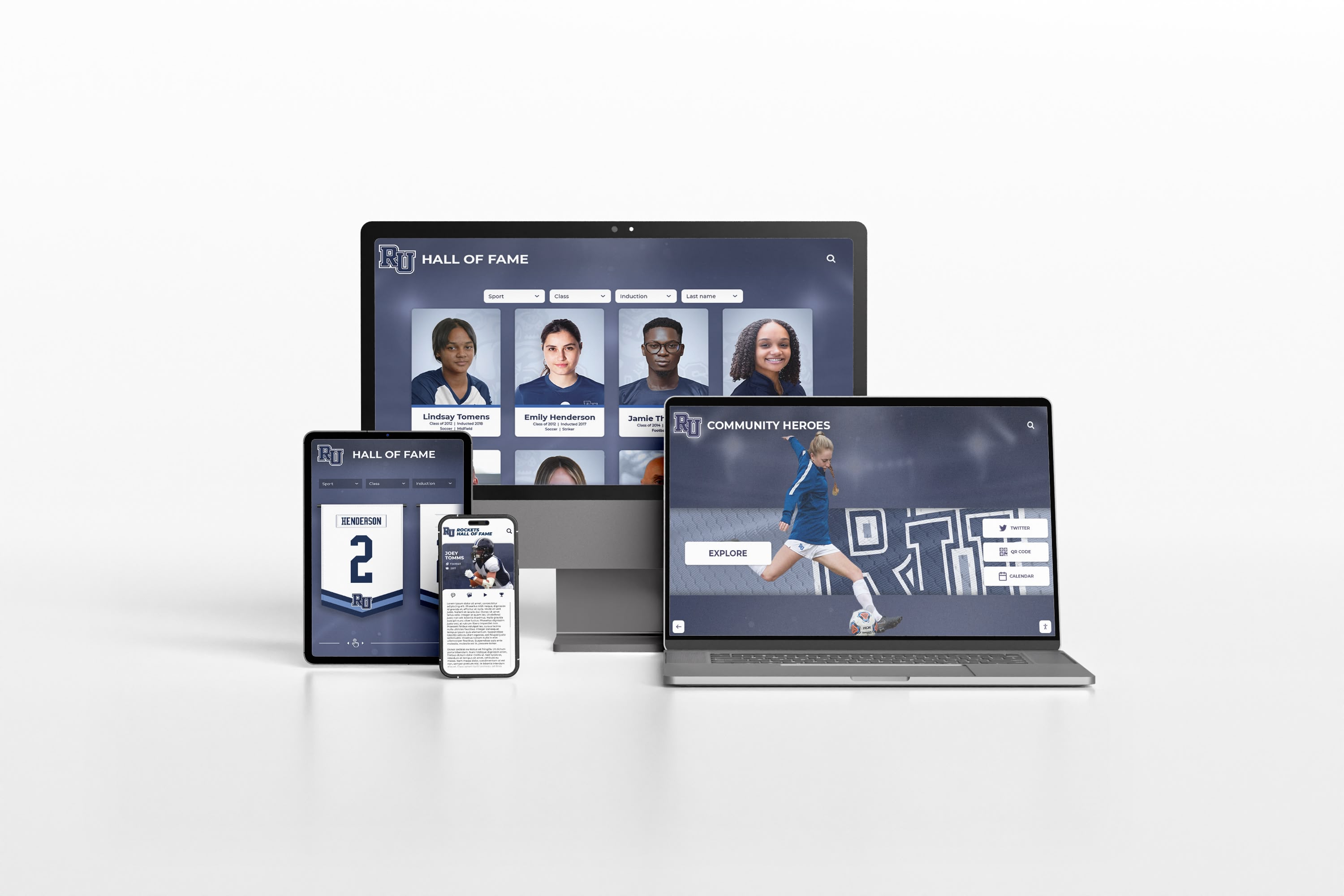
Digital recognition systems used in athletic programs demonstrate similar patterns where transitioning from traditional to digital approaches generates measurable engagement and performance improvements.
Cost-Effectiveness Analysis
Performance Improvement Per $1,000 Invested (5-Year TCO Basis)
| Display Type | Median TCO | Median Quota Improvement | Improvement Per $1,000 Invested |
|---|---|---|---|
| Manual whiteboard | $9,400 | +3.2 points | +0.34 points |
| Digital signage | $25,000 | +7.4 points | +0.30 points |
| Interactive touchscreen | $38,750 | +9.8 points | +0.25 points |
While manual whiteboards showed highest improvement-per-dollar-invested (0.34 points per $1,000), the absolute magnitude of improvement remained substantially lower than digital alternatives. Organizations prioritizing maximum total impact favored digital systems despite lower relative cost-effectiveness, while budget-constrained environments found manual approaches delivered acceptable results at minimal investment.
For teams exceeding 20 members, the superior absolute performance of digital systems combined with labor savings from automation typically justified higher initial investment within 12-18 month payback periods.
Industry-Specific Considerations
Recognition display effectiveness varies across industry contexts based on sales cycle characteristics, team structures, and cultural norms.
Automotive Dealerships (N=89)
Automotive sales environments showed distinctive recognition patterns driven by transactional sales cycles and showroom-based work environments.
Common Metrics Displayed
- Units sold (new and used separately): 96% of dealerships
- Revenue/gross profit: 91% of dealerships
- Customer satisfaction scores: 74% of dealerships
- Finance penetration rates: 68% of dealerships
- Service contract attachment: 52% of dealerships
Unique Considerations
- Daily/weekly timeframes dominate due to short sales cycles
- Separate recognition for sales, finance, and service departments common
- Customer-visible displays (showroom walls) require professional polish
- Team-based metrics often emphasized alongside individual rankings
One dealership general manager explained: “We display individual sales counts prominently, but customer sat scores are team averages. If we ranked customer satisfaction individually, it would incentivize cherry-picking customers. Team scoring keeps everyone working together.”
Technology/SaaS Sales (N=72)
Technology sales organizations emphasized longer-term metrics reflecting complex sales cycles and relationship-driven approaches.
Common Metrics Displayed
- Quarterly and annual revenue tracking: 94% of tech sales teams
- Pipeline value and progression: 81% of tech sales teams
- Deal velocity (days to close): 68% of tech sales teams
- Expansion/upsell revenue: 63% of tech sales teams
- Meetings booked/demos completed: 57% of tech sales teams
Unique Considerations
- Recognition extends beyond closers to SDRs, solution engineers, CSMs
- Team collaboration metrics balance individual competition
- Longer recognition periods (quarterly vs. weekly) match sales cycle length
- Remote/distributed teams require digital access beyond physical displays
Several technology sales leaders noted that “lone wolf” recognition systems conflicted with team selling models, requiring thoughtful design balancing individual contribution visibility with collaborative achievement celebration.
Financial Services (N=64)
Financial services organizations balanced performance recognition with regulatory compliance and professional service standards.
Common Metrics Displayed
- Assets under management growth: 78% of firms
- New account acquisition: 84% of firms
- Revenue/fees generated: 91% of firms
- Client retention rates: 69% of firms
- Compliance metrics: 43% of firms
Unique Considerations
- Compliance restrictions on some competitive activities require legal review
- Professional/conservative aesthetic expectations in client-facing areas
- Privacy concerns around specific performance details
- Longer relationship cycles emphasize retention alongside acquisition
One wealth management firm noted: “We can’t create ‘boiler room’ energy even if we wanted to—it would violate our compliance standards and turn off the clients we serve. Our recognition wall is elegant and understated, more about sustained excellence than monthly competitions.”
Recognition programs in professional environments demonstrate how design sophistication aligns with industry expectations while maintaining effectiveness.
Common Implementation Challenges and Solutions
Organizations documented obstacles encountered during recognition display implementation, along with strategies that successfully addressed these challenges.
Challenge: Initial Resistance From Sales Team
Problem: 42% of organizations reported skepticism or resistance from sales professionals during initial announcement/implementation phases.
Common Objections:
- “This feels like Big Brother surveillance”
- “Public rankings will embarrass struggling team members”
- “This will create toxic competition instead of collaboration”
- “Management just wants to pressure us more”
Effective Solutions:
Transparent Communication: Organizations explicitly addressing concerns during announcement showed 73% lower resistance compared to those presenting displays as accomplished decisions without soliciting input.
Inclusive Metrics: Including diverse achievement types beyond raw revenue (improvement, activity, teamwork, satisfaction) reduced perception of “winners and losers” binary outcomes.
Team Input: Allowing sales professionals to vote on metrics or design elements increased ownership and acceptance.
One sales director shared: “When we let the team pick three of the five metrics we’d display, they became advocates instead of critics. They felt like participants in something they helped design rather than subjects of a management initiative.”
Challenge: Data Accuracy and Trust
Problem: 38% of organizations experienced credibility issues from data accuracy problems, particularly with manual or semi-automated systems.
Common Issues:
- Delayed updates causing “stale” displays everyone knows are wrong
- Calculation errors undermining confidence in all numbers
- Inconsistent methodology across team members or periods
- Missing data creating perceived favoritism
Effective Solutions:
Automated Integration: Organizations with fully automated CRM integration reported 91% reduction in accuracy complaints compared to manual-entry systems.
Transparent Methodology: Publishing explicit calculation rules and data sources preempted questions about “how numbers are determined.”
Correction Protocols: Establishing clear processes for addressing errors quickly when identified maintained credibility.
Audit Trails: Detailed records of how each number was calculated enabled quick dispute resolution.
Several organizations noted that even occasional errors created lasting distrust, making automation investment worthwhile primarily for accuracy assurance rather than labor savings.
Challenge: Sustained Engagement Over Time
Problem: 56% of organizations noted declining attention to recognition displays after initial 30-90 day implementation periods.
Engagement Drop-Off Patterns:
- Month 1-2: High interest and frequent checking (baseline)
- Month 3-4: 28% median decline in engagement
- Month 5-6: 41% median decline from baseline
- Month 7-12: 52% median decline from baseline
- Month 13+: Engagement stabilizes at 40-60% of initial levels
Effective Solutions:
Content Rotation: Changing featured metrics, layouts, or highlight periods prevented visual staleness even when underlying functionality remained constant.
Seasonal Competitions: Quarterly contests or themed challenges created renewed interest around established displays.
Milestone Celebrations: Highlighting historical achievements, anniversaries, or special accomplishments prevented displays from becoming purely current-period focused.
Feature Reveals: Organizations with interactive systems reported success gradually introducing additional features over 3-6 months rather than launching everything simultaneously, creating recurring “novelty” periods.
One organization that maintained sustained engagement explained: “We treat our recognition display like a newspaper—the format is familiar and reliable, but the specific content changes enough that people keep checking. If it looked identical every day, they’d stop looking even if the numbers changed.”
Challenge: Budget Constraints
Problem: 67% of organizations identified budget limitations as primary obstacles to preferred recognition display implementations.
Effective Solutions:
Phased Implementation: Starting with basic systems (whiteboard or simple digital) with explicit upgrade paths to more sophisticated solutions as ROI demonstrated value and secured additional funding.
Shared Infrastructure: Using recognition displays for multiple purposes (sales performance, safety metrics, company announcements) distributed costs across multiple budget centers.
Vendor Financing: Some digital display providers offered payment plans or lease arrangements reducing initial capital requirements.
Performance-Based Approval: Proposing 90-180 day trials with predetermined performance metrics that, if achieved, triggered approval for permanent installations or upgrades.
Several organizations secured recognition display budgets by framing investments as retention solutions (calculating replacement cost savings from reducing top-performer turnover) rather than motivation enhancements, finding CFO-level approval easier when ROI calculations showed concrete cost avoidance.
Future Trends: Recognition Display Evolution 2026-2028
Organizations and vendors identified emerging capabilities likely to influence recognition display evolution over the next 3-5 years.
Artificial Intelligence Integration
Predictive Performance Insights
Advanced systems beginning to incorporate AI-powered predictions showing:
- Projected month-end/quarter-end rankings based on current pace
- Gap analysis showing specific activities needed to reach next achievement tier
- Historical pattern recognition identifying performance trends
- Personalized coaching recommendations based on individual patterns
Early adopters (11% of surveyed organizations piloting AI features) reported that predictive elements increased engagement by creating “achievable challenge” visibility—showing specific, actionable gaps between current position and next goal rather than static rankings that feel unchangeable.
Personalized Recognition Experiences
Adaptive Display Content
Emerging systems adapting content based on individual viewer identity:
- Personal performance dashboards when authenticated
- Peer comparison to relevant cohorts rather than entire organization
- Achievement opportunities highlighting accessible next goals
- Historical personal trend visibility
Organizations testing personalized features noted increased private viewing (checking performance on phones) while maintaining traditional public display functions, serving both individual monitoring and collective motivation purposes from single systems.
Enhanced Gamification
Beyond Simple Leaderboards
Recognition displays evolving beyond ranking lists toward comprehensive achievement systems:
- Badge/achievement collections for diverse accomplishments
- Level progression systems beyond current-period performance
- Team challenges and collaborative competitions
- Narrative elements creating “story arcs” throughout quarters
- Virtual rewards and recognition currencies
Younger sales professionals (under 35) showed 89% higher engagement with gamified systems compared to traditional leaderboards, while professionals over 50 showed no significant preference, suggesting demographic considerations in design decisions.
Gamification elements in digital recognition demonstrate how interactive features transform passive viewing into active participation.

Integration With Broader Systems
Recognition Display Ecosystem Expansion
Progressive organizations connecting recognition displays with:
- Learning management systems highlighting training completion
- Performance management platforms for review cycle integration
- Compensation systems for transparent variable pay visibility
- Wellness programs tracking holistic employee engagement
- Internal social networks for peer recognition amplification
This ecosystem approach positions recognition displays as central hubs in comprehensive performance visibility and celebration infrastructure rather than isolated leaderboards.
Mobile-First and Remote-Friendly Designs
Distributed Team Adaptations
With 43% of surveyed organizations employing partially or fully remote sales teams, recognition displays evolving to serve distributed workforces:
- Mobile apps providing full recognition access regardless of location
- Virtual “common spaces” where remote team members gather digitally
- Video integration showing remote performers alongside on-site colleagues
- Time-zone-aware displays recognizing global team distributions
- Hybrid approaches combining physical displays with virtual accessibility
Organizations with distributed teams using physical-only displays reported 67% lower engagement from remote members compared to hybrid systems providing equivalent mobile/web access, quantifying the importance of access equity in recognition effectiveness.
Practical Recommendations: Selection and Implementation Guidance
Based on patterns identified across 347 organizations, these recommendations provide practical frameworks for sales leadership evaluating recognition display investments.
Selection Decision Framework
For Small Sales Teams (8-15 members)
Recommended Approach: Basic digital signage or quality manual whiteboard
Rationale: Small teams often work in close proximity where simple displays provide adequate visibility. Limited team size reduces update burden for manual systems while constraining revenue base that could justify sophisticated digital investment.
Investment Range: $500-$5,000 initial / $1,200-$3,000 annually
Critical Success Factors:
- Update frequency (minimum weekly for manual, real-time for digital)
- Prominent positioning visible throughout workday
- Multiple metrics beyond single revenue ranking
- Team input on metrics and recognition criteria
For Medium Sales Teams (16-40 members)
Recommended Approach: Advanced digital signage with CRM integration
Rationale: Medium teams generate sufficient revenue base to justify digital investment while exceeding the scale where manual updates remain practical. Automated CRM integration eliminates labor burden while ensuring accuracy at scale.
Investment Range: $6,000-$15,000 initial / $2,400-$5,000 annually
Critical Success Factors:
- Fully automated data integration (avoid manual entry at this scale)
- Historical context (90+ days) at launch
- Flexible metrics accommodating diverse roles
- Mobile/web access for distributed team members
For Large Sales Teams (41+ members)
Recommended Approach: Interactive touchscreen display with comprehensive features
Rationale: Large teams justify premium investment through both absolute ROI magnitude and recognition capacity requirements. Interactive capabilities enable individual drill-down without cluttering public displays, while rich features maintain engagement across diverse populations.
Investment Range: $12,000-$35,000 initial / $3,000-$6,000 annually
Critical Success Factors:
- Interactive exploration supporting private performance review
- Sophisticated filtering (by department, role, tenure, region)
- Rich media (photos, profiles, video) creating personal connections
- Analytics tracking engagement patterns for optimization
- Integration with multiple systems (CRM, compensation, learning)
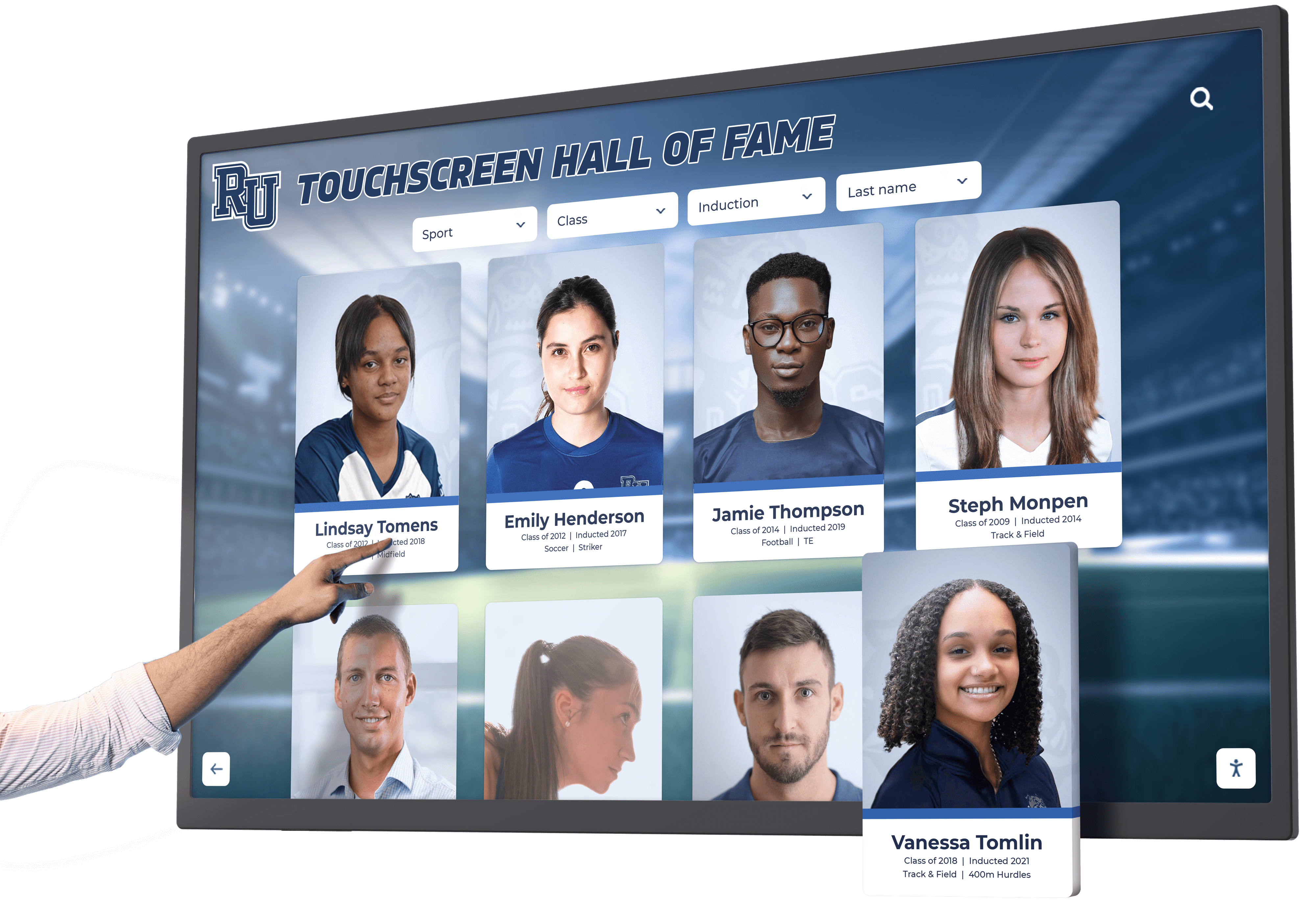
Comprehensive digital recognition platforms designed for large-scale implementations provide capabilities matching these requirements.
Industry-Specific Guidance
Automotive Dealerships
- Prioritize real-time updates matching fast transaction pace
- Separate displays for sales, finance, service departments
- Include customer satisfaction prominently alongside units/revenue
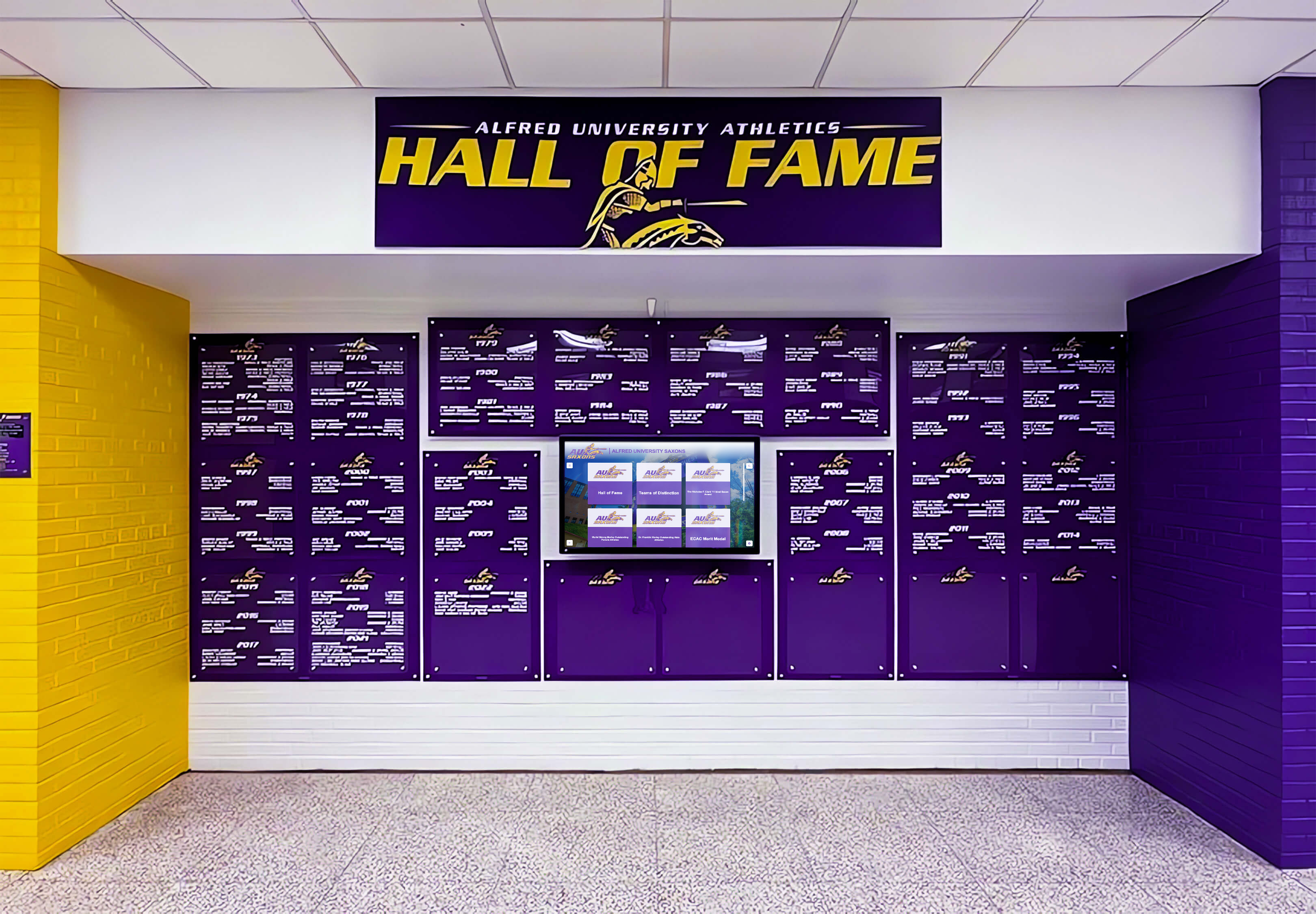
- Consider customer-viewable displays in showrooms celebrating expertise
- Emphasize monthly/weekly timeframes over quarterly recognition
Technology/SaaS Sales
- Recognize full sales cycle beyond closers (SDRs, SEs, CSMs)
- Balance individual achievement with team collaboration metrics
- Extend timeframes matching longer sales cycles (quarterly focus)
- Provide mobile/web access for distributed teams
- Integrate pipeline metrics alongside closed revenue
Financial Services
- Ensure compliance review of competitive elements and displays
- Emphasize professional, understated aesthetic in client-facing areas
- Balance acquisition recognition with retention/relationship metrics
- Consider privacy in specific performance detail visibility
- Focus on longer-term performance trends over short-period rankings
Retail Operations
- Recognize both individual and location/store performance
- Include customer satisfaction alongside revenue metrics
- Update frequently (daily) matching high transaction volume
- Create district/regional comparisons for distributed locations
- Emphasize achievable goals alongside aspirational rankings
Vendor Selection Criteria
Organizations selecting digital recognition display providers should evaluate:
Technical Capabilities
- Integration depth with existing CRM/sales systems
- Update frequency and automation level
- Mobile/web access alongside physical display
- Customization flexibility for branding and metrics
- Analytics and reporting capabilities
Service and Support
- Implementation assistance and training
- Ongoing technical support responsiveness
- Content development support or templates
- Hardware warranty and replacement policies
- Software update frequency and feature roadmap
Total Cost Structure
- Initial implementation costs (hardware, software, installation)
- Ongoing subscription/licensing fees
- Integration development or customization charges
- Support contract requirements and costs
- Upgrade paths and future scalability
Reference Customers
- Implementations in similar industries and team sizes
- Documented performance impact and ROI evidence
- Customer satisfaction and retention rates
- Implementation timeline accuracy
- Post-launch support quality
Organizations should request trials or pilot installations when possible, with explicit success metrics predetermined before full-scale deployment commitments.
ROI Calculation Framework
Sales leadership justifying recognition display investments can structure ROI analyses around three primary value categories.
Value Category 1: Performance Improvement
Revenue Impact From Quota Attainment Gains
Using conservative median improvement of 5 percentage points in quota attainment:
Example Calculation (25-person team, $400K individual quota):
- Total team quota: 25 × $400K = $10,000,000
- Baseline attainment: 85% = $8,500,000
- Post-implementation attainment: 90% = $9,000,000
- Incremental revenue: $500,000 annually
Break-Even Analysis:
- Digital signage system: $10,000 initial + $3,000/year
- Break-even: 2.6% of first-year revenue impact
- Payback period: <3 months
Even using conservative performance assumptions and attributing only 50% of improvement to recognition displays (acknowledging confounding factors), ROI calculations overwhelmingly favor implementation for teams exceeding 15-20 members.
Value Category 2: Retention Cost Avoidance
Replacement Cost Savings From Reduced Top-Performer Turnover
Using conservative assumption of retaining 2 additional top performers annually:
Example Calculation:
- Replacement cost per top performer: $120,000 (1.5× base salary)
- Annual savings: 2 × $120K = $240,000
- Lost productivity during vacancy/ramp: ~$180,000 (6 months quota)
- Total annual retention value: $420,000
Break-Even Analysis:
- Interactive touchscreen system: $20,000 initial + $4,000/year
- Break-even: Retain 1 additional top performer every 2.5 years
- Payback period: <2 months if achieving typical retention improvements
Retention value alone frequently justifies recognition display investments even without performance improvement calculations.
Value Category 3: Operational Efficiency
Time Savings From Update Automation
Organizations with manual recognition systems reported 2-6 hours weekly updating displays:
Example Calculation:
- Manual update time: 4 hours weekly = 208 hours annually
- Fully-loaded staff cost: $35/hour
- Annual labor savings: 208 × $35 = $7,280
While smaller than performance and retention values, automation efficiency accumulates year over year while also improving accuracy and update frequency beyond manual capability.
Combined ROI Summary
Example: 25-Person Technology Sales Team, Interactive Touchscreen Implementation
Investment:
- Initial: $20,000
- Annual operating: $4,000
- 5-year TCO: $36,000
Value (Annual, Conservative Estimates):
- Performance improvement: $500,000 (5 point quota gain)
- Retention savings: $240,000 (2 top performers retained)
- Operational efficiency: $7,280 (automation savings)
- Total annual value: $747,280
ROI Metrics:
- First-year ROI: 3,113%
- Payback period: 11 days
- 5-year net value: $3,700,400
Even applying 50% probability factors acknowledging attribution uncertainty and measurement limitations, recognition display ROI overwhelmingly exceeds typical technology or operational investments.
Conclusion: Strategic Recommendations for Sales Leadership
Recognition display infrastructure represents a proven performance enhancement investment with measurable impact on quota attainment, competitive engagement, and top-performer retention across diverse sales environments.
Key Research Findings
Performance Impact
- Median 6.8 percentage point improvement in quota attainment following implementation
- 278% higher daily engagement with interactive digital systems versus manual whiteboards
- 29% relative reduction in top-performer voluntary turnover rates
- ROI typically achieved within 3-14 months depending on team size and display sophistication
Technology Considerations
- Real-time automated updates rated most valuable feature (87% highly valuable)
- Fully automated CRM integration reduces administrative burden by 89%
- Interactive touchscreen displays generate highest engagement but show diminishing returns versus advanced digital signage
- Mobile/web access increasingly critical as distributed sales teams grow
Implementation Best Practices
- Team input during design phase increases adoption by 52%
- Historical data population (90+ days) at launch improves initial engagement by 37%
- Multi-dimensional recognition (beyond single revenue metric) maintains broader motivation
- Continuous optimization during first 90 days sustains long-term engagement
Recommended Action Framework
Immediate (0-30 days)
- Audit current recognition infrastructure and engagement
- Survey sales team on desired metrics and features
- Define specific measurable objectives beyond generic motivation
- Establish budget parameters and approval requirements
- Request proposals from 2-3 qualified vendors
Near-term (30-90 days)
- Select vendor and system architecture based on team size and needs
- Develop implementation plan including timelines and milestones
- Prepare historical data and content for launch
- Train management on positive reinforcement approaches
- Conduct soft launch with feedback collection
Ongoing (90+ days)
- Monitor engagement metrics and performance impact
- Collect team feedback at 30, 60, 90-day intervals
- Adjust metrics, features, and content based on actual usage
- Document ROI through quota attainment and retention tracking
- Plan system enhancements and upgrades based on results
Organizations implementing systematic sales recognition displays consistently report positive impact on performance, culture, and retention metrics that justify investment many times over. Solutions like Rocket Alumni Solutions provide comprehensive platforms designed for recognition applications, enabling organizations to implement proven best practices through intuitive technology supported by implementation expertise.
Final Guidance
Sales recognition displays succeed when they become embedded in daily rhythms—reference points team members consult naturally throughout workdays rather than decorative installations that fade into background awareness. This integration requires thoughtful design balancing visibility with aesthetics, competitive motivation with inclusive celebration, and sophistication with clarity.
The organizations achieving highest engagement and measurable performance impact treat recognition displays as living systems requiring ongoing attention, refinement, and enhancement rather than one-time installations. This sustained commitment, combined with appropriate technology investment and cultural alignment, creates recognition infrastructure that delivers compounding value across multiple years and performance cycles.
For sales leadership seeking competitive advantages in increasingly challenging markets, recognition display infrastructure represents rare investments offering measurable ROI, cultural benefits, and retention impact simultaneously—making comprehensive recognition systems among the highest-leverage operational improvements available to forward-thinking sales organizations.
Request the Complete Dataset
This summary presents key findings from our comprehensive analysis of 347 sales recognition display implementations. The full dataset includes detailed breakdowns by organization size, industry vertical, geographic region, and system vendor, along with statistical analyses controlling for confounding variables and longitudinal performance tracking across 24-36 month periods.
Organizations interested in accessing the complete research dataset, receiving custom analysis for specific industry segments, or discussing recognition display implementation strategies should contact our research team to request a comprehensive briefing.
For organizations ready to explore recognition display solutions, Rocket Alumni Solutions offers comprehensive platforms specifically designed for performance recognition applications, combining proven technology with implementation support based on the best practices documented in this research.
Research Methodology Note: This benchmark report represents original research conducted by Hall of Fame Wall Research Team analyzing 347 organizations’ sales recognition display systems. All performance metrics reflect organizational self-reporting validated through follow-up interviews and documentation review where possible. Individual results vary based on implementation quality, organizational context, and numerous confounding factors. The findings should inform decision-making but not substitute for organization-specific analysis and planning.
Data Currency: Research data collected October 2026 - January 2026. Recognition display technology, vendor offerings, and best practices continue evolving. Organizations should verify current capabilities when making implementation decisions.
Sources:
This research synthesized publicly available information about sales recognition best practices with original survey and interview data. Key reference sources consulted during research design included:






























