



Traditional bulletin boards and printed newsletters struggle to keep pace with the dynamic nature of senior living. Daily committee meetings change. Awards are presented. New residents join. Governance structures evolve. Leadership positions rotate. These continuous updates require flexible recognition solutions that maintain dignity, celebrate achievement, and preserve community memory—all while remaining accessible to residents, families, and staff.
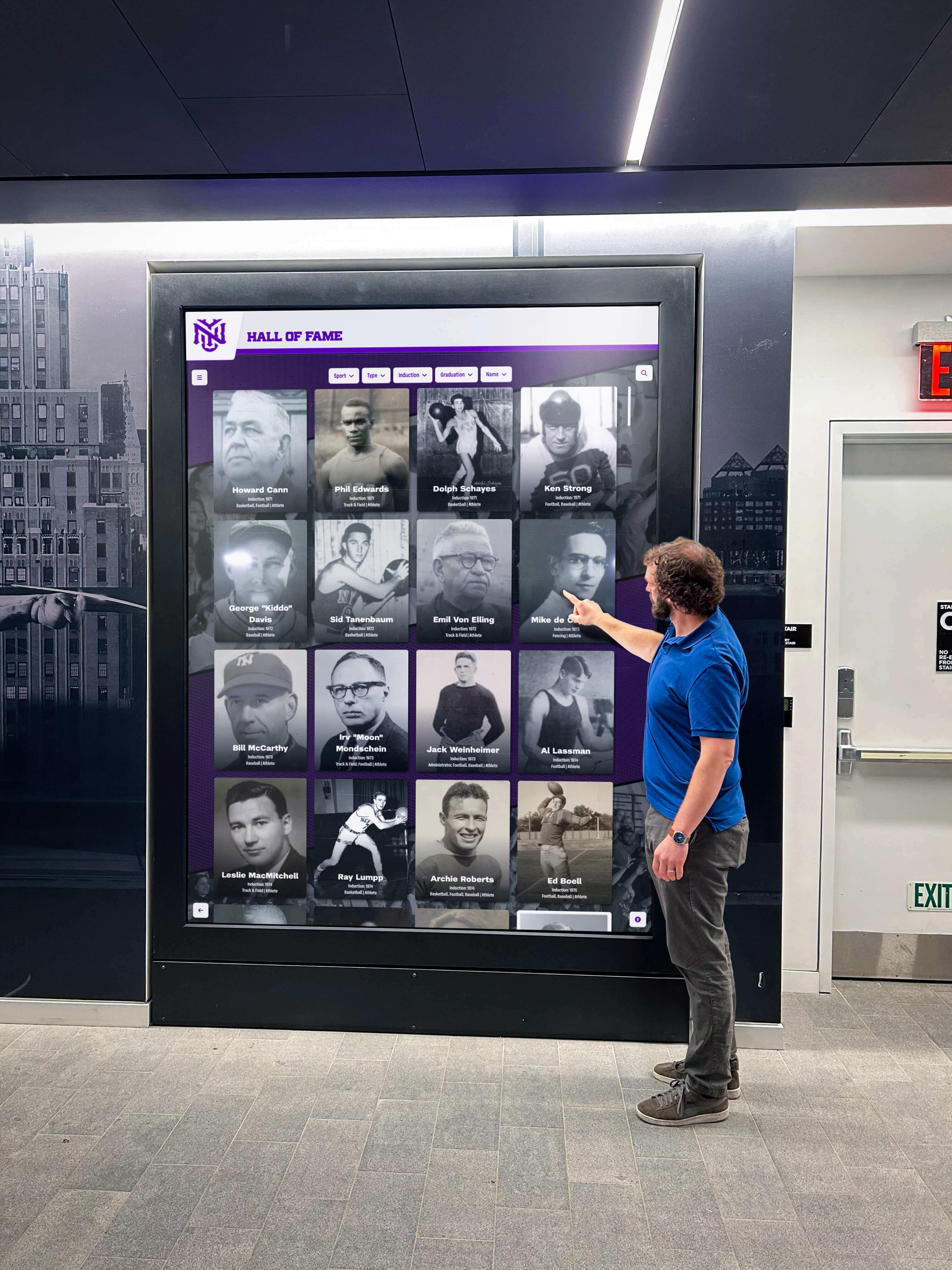
Touchscreen awards and recognition displays represent a significant evolution from static plaques and paper announcements. These interactive systems combine senior-friendly interfaces, real-time content updates, multimedia storytelling capabilities, and accessibility features specifically designed for retirement communities—creating recognition experiences that honor lifetime achievements, celebrate ongoing contributions, and strengthen community identity across generations.
This comprehensive guide explores everything senior living facilities need to know about implementing touchscreen award systems, including why recognition matters in senior communities, 20 specific recognition categories residents care about most, technology considerations for senior-friendly design, and proven strategies for maximizing engagement while honoring the dignity and achievements of residents who have lived remarkable lives.
Understanding Recognition Needs in Senior Living Communities
Before exploring specific touchscreen applications, understanding the psychological and social importance of recognition in senior living environments reveals why these systems deliver value far beyond simple information display.
The Continued Need for Recognition and Purpose
Retirement does not diminish the human need for recognition, purpose, and meaningful contribution. In many ways, these needs become more acute as traditional career-based identity and purpose diminish.
Psychological Impact of Continued Recognition
Research on aging and wellbeing consistently demonstrates that seniors who maintain active roles in community life experience better cognitive function, lower rates of depression, stronger social connections, and higher overall life satisfaction. Recognition systems that celebrate ongoing contributions—not just past achievements—reinforce that residents remain valued community members capable of meaningful impact.
When senior living communities implement robust recognition programs, they communicate that residents’ experiences, wisdom, and current contributions matter. This validation provides purpose that extends beyond passive activity participation into active community building and leadership.
Countering Age-Related Identity Loss
Many new residents struggle with identity transition from independent homeowner and active professional to “senior living resident.” This transition can feel like losing identity markers that defined decades of life. Recognition systems that honor both lifetime achievements and current contributions help residents maintain positive self-concept during this major life transition.
Touchscreen displays that showcase professional backgrounds, volunteer histories, military service, committee leadership, and ongoing contributions help residents understand they remain the accomplished individuals they’ve always been—the environment changed, but their value and capability did not.
Family Confidence and Engagement
Adult children making senior living decisions for parents often worry about whether their loved ones will remain engaged, stimulated, and valued. Visible recognition systems demonstrating active governance participation, committee engagement, award recognition, and leadership roles provide tangible evidence that residents live in thriving communities where individual contributions receive acknowledgment and respect.
These displays give families conversation topics during visits, help them understand their loved one’s daily life, and build confidence that the community values residents as individuals rather than treating them as passive care recipients.

Common Recognition Categories in Senior Living
Senior living communities offer numerous recognition opportunities that touchscreen systems can showcase effectively. Understanding these categories helps facilities design comprehensive recognition programs addressing diverse resident interests and contributions.
Governance and Leadership Recognition
Most senior communities maintain resident governance structures including resident councils providing input on community operations, elected resident officers serving as community representatives, building or wing representatives facilitating communication, and welcoming committees greeting new residents. These governance roles represent real responsibility deserving visible recognition that validates the time and leadership residents contribute.
Committee and Interest Group Participation
Active communities maintain numerous committees and groups including parking committees managing lot assignments and rules, activities committees planning community events, dining committees providing menu input, landscape and beautification committees, safety and security committees, library committees, and special interest groups from book clubs to investment clubs. Recognizing committee participation honors the volunteer time residents contribute to community function and improvement.
Awards and Milestone Recognition
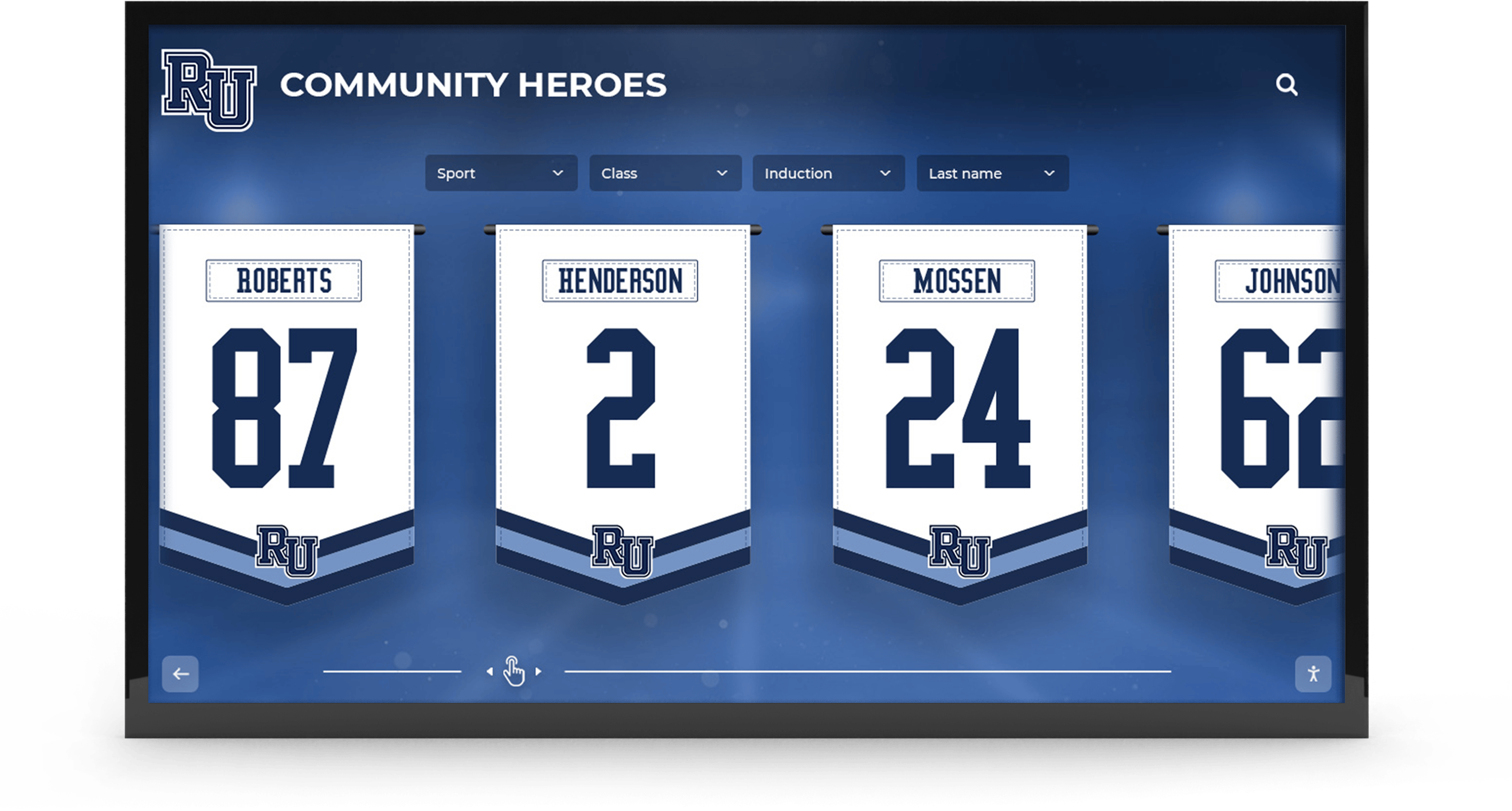
Communities regularly present awards that deserve permanent recognition including resident of the month or year, volunteer service awards recognizing exceptional contribution, activity participation milestones, birthday and anniversary celebrations, length of residence milestones, and special achievement recognition. These awards represent community values and provide models of positive engagement for all residents.
Memorial and Legacy Recognition
Honoring residents who pass away represents an important community function including in memoriam sections preserving resident legacies, memorial contributions and tribute funds, recognition of residents’ professional achievements and community contributions, and permanent historical records ensuring residents remain part of community memory even after they’re gone. Digital systems can maintain these memorial sections indefinitely without space limitations that restrict traditional physical memorials.
Directory and Communication Functions
Beyond pure recognition, touchscreen displays serve practical functions including resident directories with photos and contact information, staff directories and schedules, committee meeting schedules and locations, community event calendars, dining menus and special events, facility information for visitors and families, and emergency contact information. These practical functions ensure displays receive regular use, exposing residents and visitors to recognition content during routine information searches.
20 Specific Recognition Ideas for Senior Living Touchscreen Displays
Understanding categories helps, but specific implementation ideas bring concepts to life. These 20 recognition applications represent proven approaches senior living facilities have successfully implemented through touchscreen systems.
Governance and Leadership Recognition
1. Resident Council Showcase
Create detailed profiles for current resident council members including professional background and expertise, current council role and responsibilities, priorities and initiatives they’re working on, photos and brief bios making council members accessible, term length and election information, and contact information for residents wanting to reach council members with concerns or suggestions.
This visibility helps residents understand governance structure while honoring those serving in leadership roles. It transforms abstract “resident council” concepts into personal connections with specific neighbors working on community improvement.
2. Internal Government Structure
Display community governance organization including organizational charts showing governance structure, committee structure and reporting relationships, decision-making processes and resident input mechanisms, meeting schedules and attendance information, governance documents including bylaws and policies, historical information about governance evolution, and nomination and election procedures for upcoming positions.
This transparency demonstrates resident voice in community operations while educating newer residents about participation opportunities. Similar to academic recognition programs, clear structures help community members understand how to get involved and contribute.
3. Committee Leadership Wall
Recognize all standing committee chairs and active members including parking committee leadership managing complex lot assignments, activities committee members planning hundreds of annual events, dining committee representatives advocating for menu preferences, landscape committee volunteers maintaining community beauty, library committee members curating collections and programs, safety committee members enhancing security, and special projects task forces addressing temporary initiatives.
Individual profiles showcase each leader’s background, committee responsibilities, meeting schedules, and accomplishments, validating the significant volunteer hours residents contribute to community function.

4. Neighbor of the Week/Month Program
Implement rotating recognition for residents demonstrating exceptional community spirit including weekly or monthly featured neighbors, nomination process allowing peer recognition, profile including lifetime achievements and current interests, specific contributions that earned recognition, photos and brief interviews creating personal connections, historical archive of all past recognized neighbors, and searchable database allowing residents to explore previous honorees.
This program creates aspirational models while ensuring recognition reaches beyond the same highly visible residents, acknowledging quiet contributors who make communities function smoothly.
Awards and Achievement Recognition
5. Resident of the Year Hall of Honor
Maintain permanent archive of annual award recipients including detailed profiles of each year’s recipient, nomination summaries explaining selection rationale, photos from award ceremonies and celebrations, video acceptance speeches or interviews, lifetime achievement summaries contextualizing significance, searchable archive dating back to community founding, and clear criteria for future nominations.
This permanent recognition creates community history while inspiring current residents by showcasing the range of contributions communities value—from extensive volunteerism to artistic achievement to mentorship of newer residents.
6. Service Hour Champions
Track and celebrate volunteer hours residents contribute including monthly and annual volunteer hour leaders, milestone recognition at 50, 100, 500, 1000+ hours, breakdown of volunteer activities and their community impact, photos of residents engaged in volunteer activities, historical trends showing community volunteer spirit evolution, and searchable database of all volunteer opportunities. This quantified recognition validates the enormous volunteer effort that makes senior communities vibrant rather than institutional.
7. Activity Participation Milestones
Recognize consistent engagement in community programming including residents attending 100, 250, 500+ activities, specific activity category achievements like fitness class streaks, participation diversity awards for trying varied activities, program loyalty recognition for long-term participation, photos capturing residents engaged in favorite activities, and celebration of activity participation fostering health and social connection.
These milestones honor residents who actively engage rather than isolating in apartments, validating choices that build community vitality.
8. Birthday and Anniversary Milestone Wall
Celebrate significant life milestones including 80th, 85th, 90th, 95th, 100+ birthday celebrations, 50th, 60th, 70th wedding anniversaries, photos from milestone celebrations and parties, historical photos from earlier decades creating nostalgia, birthday and anniversary calendars for upcoming celebrations, and community celebration information for residents wanting to honor neighbors.
These joyful recognitions acknowledge life well-lived while creating opportunities for community-wide celebration of residents reaching remarkable milestones.
Professional and Life Achievement Recognition
9. Career Hall of Distinguished Professionals
Honor residents’ professional achievements and contributions including profile sections for medical professionals, educators, military veterans, business leaders, attorneys and judges, engineers and scientists, artists and performers, public servants and elected officials, nonprofit and volunteer leaders, and skilled trades masters.
Individual profiles include career highlights and major accomplishments, photos from professional life creating visual interest, transition to retirement community context, current interests and continuing contributions, and connections to other residents with related backgrounds. This recognition validates that accomplished professionals remain the capable, experienced individuals they’ve always been.
10. Military Service Recognition
Create dedicated veteran recognition including service branch and years served, rank achieved and duty stations, combat service and decorations received, military occupational specialty and skills, photos in uniform connecting past to present, veteran community involvement and organizations, historical context for service periods, and searchable database by conflict, branch, or era. This recognition proves particularly meaningful to veteran residents whose military service represents formative life experiences deserving continued honor.
11. Volunteer Service Legacy Wall
Showcase residents’ lifetime volunteer contributions including volunteer organizations served, board positions and leadership roles held, causes championed and impact achieved, awards received for volunteer service, continuing volunteer work after moving to community, photos from volunteer activities throughout life, and connections to other residents who served similar causes.
This recognition acknowledges that residents’ value extends far beyond professional careers into civic contribution that shaped communities for decades.
12. Educational Achievement Showcase
Recognize residents’ educational accomplishments including advanced degrees and academic honors, institutions attended and graduation years, fields of study and specialization areas, academic publications and research contributions, teaching careers and students influenced, continuing education in retirement, and connections to other residents with related academic backgrounds.
Many senior living residents hold advanced degrees and achieved academic distinction worthy of recognition beyond career applications.
Directory and Engagement Features
13. Interactive Resident Directory
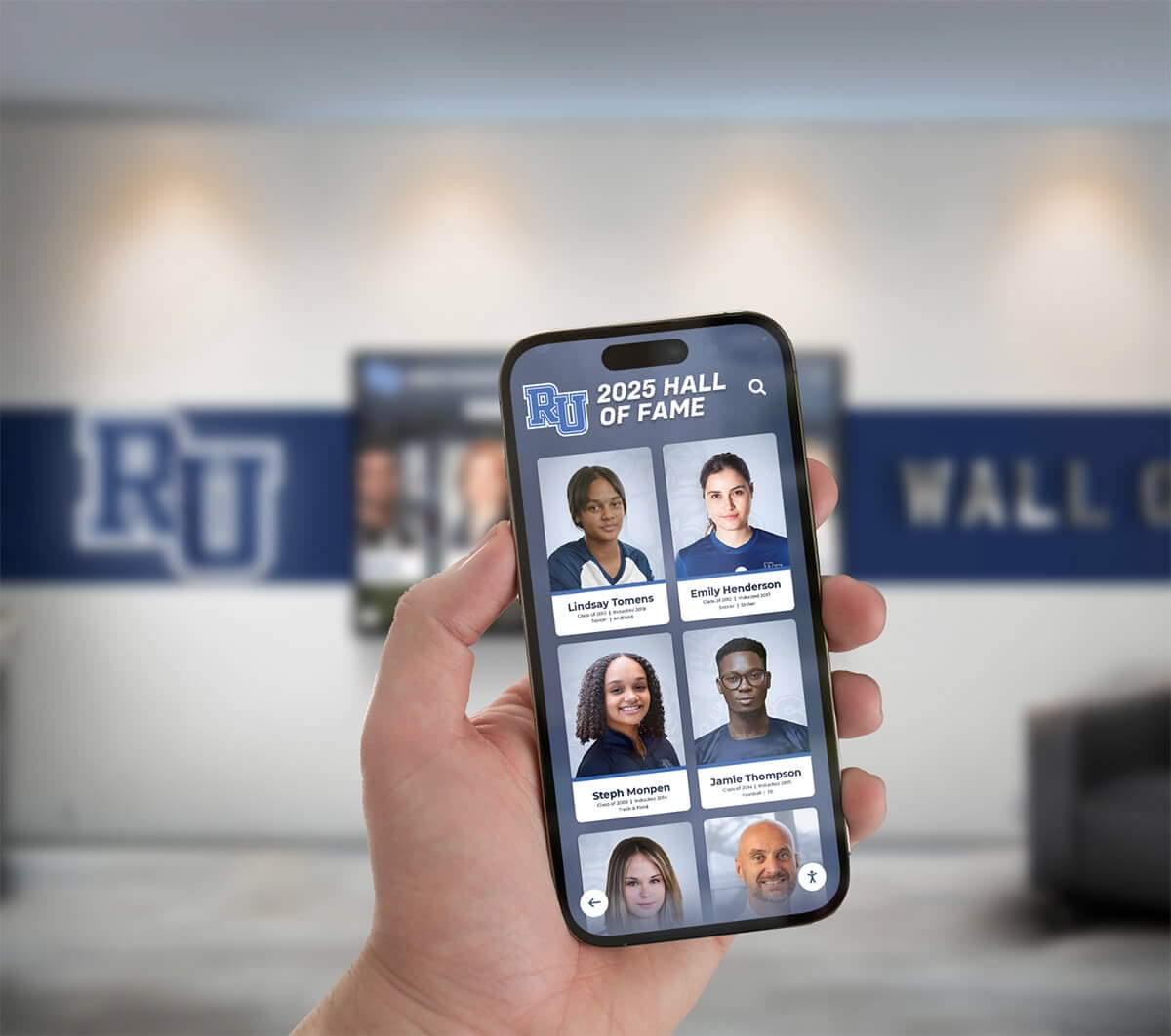
Provide searchable resident directory including name, apartment number, and contact information, professional background and career highlights, interests and hobby information for connection, committee participation and leadership roles, length of residence milestone, family information residents choose to share, and privacy controls allowing residents to determine visibility.
This directory helps residents connect with neighbors sharing interests while serving as reference for names and locations—increasingly important as communities house 100+ residents.
14. New Resident Welcome Showcase
Feature recent community additions including prominent welcome displays for newest residents, professional and personal background information, interests and hobbies for connection opportunities, hometown and previous residence information, family information residents choose to share, welcoming committee contact for resident greeters, and automatic rotation ensuring visibility during first 60-90 days. This welcoming recognition helps new residents integrate quickly while giving existing residents information for initiating connections.
15. Staff Directory and Recognition
Include staff in community recognition including leadership team profiles and backgrounds, department heads and their responsibilities, care staff recognition and appreciation, years of service milestone acknowledgment, staff awards and achievement recognition, schedule information for key personnel, and photos making staff accessible and personal.
This inclusion acknowledges that community encompasses both residents and staff, building relationships and appreciation that improve culture and retention.
Committee and Special Interest Recognition
16. Parking Committee Showcase
Specifically recognize parking committee due to complexity including committee member profiles and expertise, parking assignment policies and procedures, waiting list information and status, recent policy changes and improvements, contact information for parking questions, FAQ addressing common parking issues, and historical information about parking evolution.
Parking often represents one of the most complex and contentious issues in senior communities. Visible recognition of committee members managing this challenge acknowledges difficult volunteer work while increasing transparency that reduces complaints.
17. Activity and Interest Group Directory
Showcase all community groups and clubs including complete directory of all active groups, meeting schedules and locations, group leaders and contact information, participation requirements and how to join, photos from group activities and events, achievement recognition for groups reaching milestones, and searchable interface by interest category.
This comprehensive directory helps residents discover participation opportunities matching interests while recognizing group leaders who organize activities maintaining community vitality. Similar to interactive church information displays, clear activity directories increase participation and engagement.
18. Dining Committee Recognition and Menus
Combine practical function with recognition including dining committee member profiles and roles, weekly and monthly menu displays, special event dining information, dietary accommodation information, resident favorite recipes and chef features, dining satisfaction survey results and improvements, and suggestion process for menu input.
This integration ensures residents checking menus encounter dining committee recognition, validating volunteer work while providing practical information all residents need regularly.
Memorial and Historical Recognition
19. In Memoriam Tribute Section
Honor residents who have passed with dignity including respectful memorial profiles of deceased residents, lifetime achievement summaries preserving legacies, professional and volunteer contribution recognition, community involvement and friendships, memorial fund information for contributions, length of residence and community impact, and permanent searchable archive ensuring residents remain part of community history.
This memorial function provides space for grief and remembrance while preserving community memory across decades. Digital systems allow unlimited memorial capacity without physical space constraints that force painful decisions about whose memory to preserve.
20. Community History and Heritage Timeline
Document community evolution and milestones including founding history and original vision, significant facility expansions and improvements, major community achievements and recognitions, resident accomplishments and notable residents throughout history, governance evolution and policy milestones, historical photos showing community transformation, decade-by-decade timeline of community life, and searchable archive by year, category, or keyword.
This historical function creates connection to community legacy while honoring all residents who contributed to building the community across generations. Much like digital school history timelines, senior living communities benefit from preserving institutional memory and celebrating evolution over time.
Technology Considerations for Senior-Friendly Touchscreen Systems
Not all touchscreen platforms work equally well in senior living environments. Understanding essential technology features helps communities select solutions that residents actually use rather than systems that look impressive but prove frustrating for older users.
Interface Design for Senior Users
Senior-friendly interfaces require different design considerations than systems targeting younger, tech-savvy users. Accessibility and intuitiveness take precedence over feature complexity.
Large Touch Targets and Clear Spacing
Touch accuracy declines with age due to reduced fine motor control, vision changes, and sometimes tremors. Buttons and interactive elements should measure minimum 80-100 pixels with adequate spacing preventing accidental selections. All navigation elements should be generously sized, clearly labeled, and provide obvious visual feedback when touched.
High Contrast and Readable Typography
Text readability proves critical for senior users. Use large sans-serif fonts with minimum 24-point sizing for body text and 36+ points for headings. Maintain high contrast between text and background—preferably black text on white or light backgrounds. Avoid low-contrast color combinations, elaborate decorative fonts, and busy backgrounds competing with text readability.
Simple, Intuitive Navigation
Interface complexity quickly frustrates users with limited touchscreen experience. Design shallow navigation hierarchies requiring few taps to reach content. Keep consistent button locations across screens. Always provide visible “back” and “home” options. Use familiar interaction patterns from smartphones and tablets. Avoid requiring precise gestures like pinching, swiping, or long-presses that many seniors find difficult.
Extended Interaction Time
Many seniors read more slowly and take longer to process information. Set generous timeout periods—90-120 seconds of inactivity before resetting to home screen—allowing adequate time to read content without rushing. Provide clear countdown warnings before timeout, giving users opportunity to continue their session. This patience prevents frustration from systems resetting before users finish exploring content.
Voice Assistance and Audio Options
Consider optional voice guidance reading screen content aloud for vision-impaired residents. Provide adjustable audio volume. Include headphone jacks for private listening in shared spaces. Ensure audio is clear, well-paced, and uses natural intonation. While not all residents will use audio features, their availability improves accessibility for those who benefit.
Hardware Selection and Placement
Physical hardware decisions significantly impact system usability and adoption in senior living environments.
Screen Size and Orientation
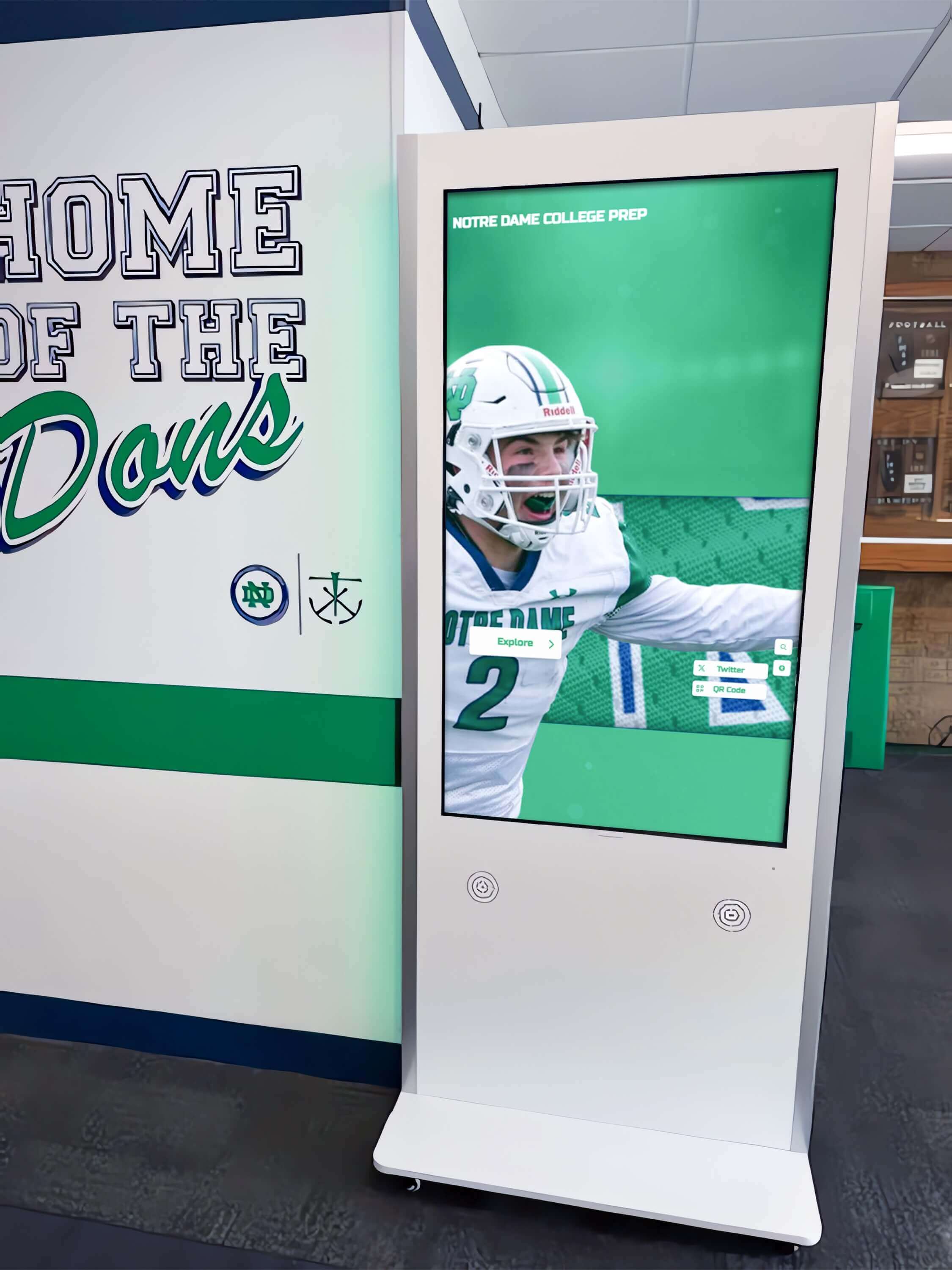
Lobby and common area displays typically use 50-55 inch screens ensuring visibility from moderate distances. Portrait orientation often works better than landscape for directories, calendars, and vertically-scrolling lists that match how users naturally read information. Multiple smaller displays in various locations often serve communities better than single large installation, bringing recognition to residents wherever they gather.
Touchscreen Technology
Select highly responsive touchscreen technology requiring minimal pressure. Capacitive touchscreens work well for seniors, responding to light finger touches. Ensure edge-to-edge functionality with no “dead zones.” Apply anti-glare coatings reducing screen reflection in common areas with windows. Test touchscreen responsiveness with actual senior users before finalizing selections.
Physical Accessibility
Mount displays at appropriate height—center screen roughly 54-60 inches from floor—accessible for both standing and wheelchair-bound residents. Provide adequate space for wheelchair approach and positioning. Ensure good lighting without glare on screens. Consider slightly angled installation directing screens downward for better viewing by shorter users and those in wheelchairs.
Installation Locations
Strategic placement maximizes visibility and usage. Priority locations include main lobby where residents, visitors, and families enter, mailbox areas where residents gather daily, elevator lobbies providing engagement during wait times, dining room entrances where residents pass multiple times daily, activity room hallways where residents explore programming, and memory care unit entrances with specialized content.
Physical installation should use secure mounting preventing tampering or accidental disconnection, include proper cable management for professional appearance, provide adequate ventilation for continuous operation, and ensure accessibility meeting ADA requirements for public spaces.

Software Platform Requirements
Software capabilities determine what recognition functions communities can implement and how easily staff can maintain current content.
Cloud-Based Content Management
Administrative staff need intuitive tools for updating content without technical expertise. Essential capabilities include drag-and-drop content creation and scheduling, template libraries for common content types like directories and calendars, remote updates from any internet-connected device, user permissions controlling edit access by department or role, preview functions showing exactly how content will appear, automatic publishing at scheduled times, and bulk import capabilities for resident data and directories.
Multi-Display Management
Communities with multiple displays need centralized control including content synchronization across displays or location-specific customization, remote monitoring detecting offline units, bulk updates applying changes simultaneously across screens, usage analytics tracking content interaction, and scheduled content rotation for special events or occasions.
Accessibility Features Built In
Compliant systems include adjustable text sizing allowing users to increase readability, high-contrast modes for low vision residents, optional text-to-speech reading content aloud, closed captioning for all video content, keyboard navigation alternatives to touch-only interaction, and compliance with WCAG 2.1 accessibility standards.
Integration Capabilities
Maximum value comes from connecting displays with existing systems including resident database integration for automatic directory updates, calendar integration synchronizing with activity scheduling software, dining service integration for automatic menu updates, photo management integration pulling from community social media or repositories, and emergency notification integration for coordinated facility-wide alerts.
Privacy and Security
Senior living environments require particular attention to privacy and security including granular privacy controls for resident directory information, role-based access preventing unauthorized content changes, secure authentication for administrative access, data encryption protecting resident information, automatic logout after administrative sessions, and audit logs tracking content changes and system access.
Implementation Best Practices for Senior Living Communities
Successful touchscreen recognition implementation requires careful planning, stakeholder engagement, and attention to adoption strategies ensuring residents actually use systems rather than ignoring them.
Planning and Requirements Gathering
Stakeholder Engagement
Include diverse perspectives in planning through engagement with executive leadership setting strategic vision and budget approval, resident council representatives providing user perspective, activities directors who understand programming and events, administrators managing resident data and communications, marketing staff managing community reputation, family council representatives offering family perspectives, IT personnel addressing technical infrastructure, and actual residents who will use systems daily.
Current State Assessment
Evaluate existing recognition approaches identifying gaps through analysis of current recognition programs and their effectiveness, observation of which residents receive recognition and who gets overlooked, review of printed materials, bulletin boards, and their currency, assessment of family satisfaction with communication about resident engagement, survey of residents about desired recognition and information, and documentation of staff time spent on recognition program administration.
Content Planning
Before purchasing hardware, plan content strategy including identification of all recognition categories to implement, assignment of responsibility for content creation and updates, establishment of update frequency for different content types, development of visual style guidelines ensuring professional appearance, creation of approval workflows for sensitive content like memorials, collection of initial resident information, photos, and achievements, and definition of privacy standards and resident consent processes.
Pilot Implementation and Resident Introduction
Phased Rollout Approach
Rather than facility-wide deployment, begin with pilot installation in the main lobby or entrance for maximum visibility, positioning near reception desk for staff assistance during introduction, allowing 60-90 days of pilot operation before expansion, gathering feedback for refinement, and creating success stories generating enthusiasm for broader deployment.
Resident Training and Adoption Support
Ensure residents feel comfortable using displays through organized training sessions demonstrating basic operation, printed quick-reference guides with large print instructions, staff availability for one-on-one assistance during initial weeks, resident “champions” who receive advanced training to help peers, simple video tutorials accessible through display or website, and patient, encouraging staff attitudes recognizing varying technology comfort.
Many residents have never used touchscreens. Treating learning as expected and normal rather than surprising reduces anxiety and increases willingness to try.
Staff Training and Empowerment
Ensure personnel can support and update displays through comprehensive administrative training on content management system, front desk orientation on basic operation to assist residents, development of quick-reference guides for routine updates, clear escalation procedures for technical issues, scheduled update responsibilities preventing content staleness, and regular check-ins ensuring staff feel capable managing systems.
Ongoing Content Management and Engagement
Content Update Responsibilities
Establish clear ownership and schedules including daily updates from activities staff for event changes and reminders, weekly updates from dining services with upcoming menus and special meals, monthly updates from administration with new residents, awards, and governance changes, quarterly updates from maintenance with facility improvement projects, and annual reviews ensuring directories, committee rosters, and historical content remain current.
Quality Standards and Review
Maintain professional presentation through photo quality standards including minimum resolution and appropriate content, writing guidelines ensuring respectful, clear, positive messaging, proofreading procedures catching errors before publication, privacy compliance confirming appropriate consent and directory controls, regular content audits reviewing all sections for currency, and resident feedback mechanisms identifying outdated or incorrect information.
Engagement Monitoring and Optimization
Track system usage and optimize based on data including analytics showing most-viewed content and popular features, observation of which residents use displays and which avoid them, surveys asking residents about desired content additions, testing different content approaches measuring engagement, highlighting underutilized features residents might not have discovered, and rotating featured content maintaining freshness for frequent users.
What Senior Living Facilities Care Most About
Understanding community priorities helps position touchscreen recognition systems as solutions to specific challenges senior living facilities face rather than technology for technology’s sake.
Resident Engagement and Quality of Life
Facilities measure success largely by resident engagement levels. Communities with active, engaged residents experience higher satisfaction, better retention, more referrals, and easier family relationships. Residents who participate in governance, serve on committees, attend activities, and build social connections report higher satisfaction and experience better health outcomes.
Touchscreen recognition systems supporting engagement provide visible celebration of participation encouraging broader involvement. When residents see neighbors recognized for committee service or volunteer hours, participation becomes normalized and aspirational. Recognition creates positive social pressure and role models demonstrating that engagement leads to valued community membership.
Family Confidence and Communication
Family satisfaction directly impacts occupancy, retention, and referrals. Adult children making placement decisions want evidence their parents will remain engaged, stimulated, and valued. During tours and visits, visible recognition demonstrates active resident involvement in meaningful governance, committees, and community life.
Families worry less when they see their loved one’s name on committee rosters, view photos of their parent at community events, and understand engagement opportunities available. Recognition displays give families tangible conversation topics during visits and concrete evidence their parent participates in vibrant community life rather than isolating in their apartment.
Community Culture and Social Connection
Strong community culture distinguishes exceptional senior living from acceptable care. Culture emerges from shared values, mutual respect, meaningful roles, and celebration of contribution. Recognition systems codify and communicate community values—showing what the community celebrates defines what it values.
Comprehensive recognition acknowledging diverse contributions—from governance leadership to activity participation to simple kindness—creates inclusive culture where all residents see pathways to valued membership. Memorial sections honoring residents who pass preserve community memory and demonstrate that residents matter beyond their tenure. Historical timelines build connection to community legacy and institutional pride.
Operational Efficiency and Staff Workload
Senior living facilities operate with lean administrative staffing. Recognition programs that require substantial manual work—printing lists, updating physical boards, creating newsletters, maintaining directories—consume staff time that could support resident care and programming. Systems requiring weekly maintenance get neglected when staff face competing priorities.
Cloud-based touchscreen platforms with streamlined content management dramatically reduce administrative burden. Staff can update directories, add new awards, post event photos, and modify calendars in minutes rather than hours. Automatic integrations with existing systems eliminate duplicate data entry. This efficiency makes comprehensive recognition sustainable rather than burdensome.
Competitive Differentiation and Marketing
Senior living represents a competitive market. Families tour multiple communities before making placement decisions. Communities using modern touchscreen recognition stand out from competitors relying on bulletin boards and printed newsletters. Technology signals investment in resident experience, commitment to engagement, and progressive management willing to adopt innovations benefiting residents.
These displays create memorable impressions during tours. Prospective residents exploring directories, viewing award galleries, and seeing governance structure understand they’re evaluating communities where residents remain active participants in community life rather than passive recipients of services. This differentiation influences placement decisions and strengthens marketing positioning.

Cost Considerations and Return on Investment
Understanding both initial investment and ongoing operational value helps senior living facilities evaluate touchscreen recognition systems through appropriate financial lenses.
Initial Implementation Costs
Hardware Investment
Touchscreen display system costs vary by specifications and quantity. A single 50-inch touchscreen display with media player and mounting typically costs $4,000-$7,000. A large 55-inch premium touchscreen kiosk with custom enclosure and advanced features may cost $9,000-$16,000. A complete 3-5 unit deployment across a facility with shared infrastructure often runs $18,000-$45,000 with volume discounting.
Software and Initial Content
Platform licensing and setup represent significant investment. Annual software platform licensing for senior living facilities may cost $2,500-$6,000 depending on features and display count. Initial content development including custom design, template creation, directory population, and governance structure documentation often requires $4,000-$10,000 in professional services. Integration with existing resident management or activity systems if desired may add $2,500-$7,000 for custom development work.
Installation and Training
Professional services ensure successful deployment. Professional installation including mounting, cabling, network configuration, and testing typically costs $1,800-$3,500 per display. Staff and resident training on system operation and content management generally requires $1,500-$3,000 for comprehensive instruction. Project management and coordination across vendors may add $2,500-$6,000 for larger implementations.
Total Initial Investment
Complete implementation for a typical independent or assisted living facility with 75-125 residents typically ranges from $25,000-$75,000 depending on display count, hardware specifications, software features, and integration complexity. While substantial, this investment compares favorably to major physical renovations while delivering ongoing engagement and efficiency benefits.
Ongoing Operational Costs and Savings
Software Licensing and Support
Annual costs include platform licensing, updates, and technical support totaling $2,500-$7,000 annually for typical facilities. Cloud hosting is typically included in licensing fees. Software updates and feature enhancements come included without additional costs. Technical support for troubleshooting issues is usually included in licensing agreements.
Content Management Labor
Maintaining current content requires dedicated resources estimated at 4-8 hours per week for updates including directories, awards, calendars, menus, and photos. At typical administrative wage rates, annual labor costs approximate $6,000-$12,000. Additional time during special events or major facility changes should be budgeted. However, this represents less time than traditional bulletin board maintenance, newsletter production, and printed directory updates combined.
Reduced Print and Materials Costs
Digital displays eliminate many traditional printing expenses. Facilities typically spend $2,500-$6,000 annually on printed resident directories, monthly activity calendars, menu printouts, committee rosters, award certificates and programs, and event announcements. Digital displays reduce these costs by 60-80%, saving $1,500-$4,800 annually.
Administrative Time Savings
Self-service information access reduces staff time answering repetitive questions. Reception staff typically spend 8-15 hours weekly providing directions to apartments, answering activity questions, explaining committee structures, locating phone numbers, and distributing printed materials. Digital displays handle 30-50% of these routine interactions, reclaiming 3-8 hours weekly valued at $6,000-$12,000 annually at average administrative wage rates.
Quantifiable Value and Soft Benefits
Improved Resident Engagement
Communities implementing comprehensive recognition programs typically see increased committee participation, higher activity attendance, improved governance involvement, and stronger peer connections. While difficult to quantify precisely, these improvements contribute to resident satisfaction, retention, and referrals worth thousands annually through reduced marketing costs and improved occupancy rates.
Enhanced Family Satisfaction
Better communication and visible engagement recognition improve family confidence. Satisfied families provide referrals, speak positively in community reviews, and create less operational stress through reduced complaints and concerns. These improvements often translate to $15,000-$40,000 annual value through reduced marketing costs and improved reputation.
Marketing and Differentiation Value
Modern technology creates competitive advantage. Prospective residents and families touring multiple facilities remember those with impressive, professional recognition systems. Digital displays signal investment in resident experience, modernity and innovation, transparency in governance and operations, and commitment to engagement beyond basic care. Facilities often attribute 3-8 additional move-ins annually to overall improved perception that digital displays contribute to, worth $40,000-$120,000 in additional annual revenue.
Total ROI Timeline
Most senior living facilities achieve return on investment within 24-42 months through combined direct savings and indirect benefits. Ongoing value continues throughout 7-10 year hardware lifecycles. Facilities that actively leverage displays for resident engagement and family communication typically achieve ROI on the faster end of this spectrum.
Selecting the Right Solution for Your Community
Not all touchscreen platforms serve senior living environments equally well. Understanding vendor qualifications and evaluation criteria helps communities select solutions delivering genuine value rather than attractive demonstrations that prove impractical in daily operation.
Essential Vendor Qualification Criteria
Senior Living Experience
Prioritize vendors with demonstrated expertise in senior environments through senior living facility client references, understanding of senior-specific accessibility needs, experience with varied community sizes and models, track record addressing privacy and dignity concerns, and familiarity with typical governance structures and recognition programs.
Vendors experienced with schools or corporate environments may lack understanding of senior-specific requirements around accessibility, dignity, and community culture that differ substantially from other markets.
Senior-Friendly Design Philosophy
Evaluate whether vendors design specifically for older users through large touch targets and simplified interfaces, high contrast and readable typography, patient timing and generous timeouts, voice assistance and accessibility features, and demonstrated understanding that seniors may have limited touchscreen experience.
Request demonstrations with actual senior users before finalizing selections. Systems that seem intuitive to younger administrators may frustrate older residents.
Content Management Ease
Non-technical administrative staff will manage content, so prioritize true ease of use through actual demonstrations of content management interface, reference checks asking about learning curve and ongoing ease, available training resources and responsive support, template libraries reducing design burden, and straightforward workflows for common updates like adding residents or posting awards.
The most feature-rich system becomes worthless if staff cannot manage it effectively without ongoing vendor dependence.
Recognition-Specific Capabilities
Generic digital signage platforms can display announcements but lack specialized recognition features. Purpose-built solutions should include structured profile systems for residents, committees, and awards, searchable directories and databases, multimedia integration supporting photos and video, memorial and historical archive capabilities, automatic content rotation and scheduling, and analytics tracking which recognition content residents view most.
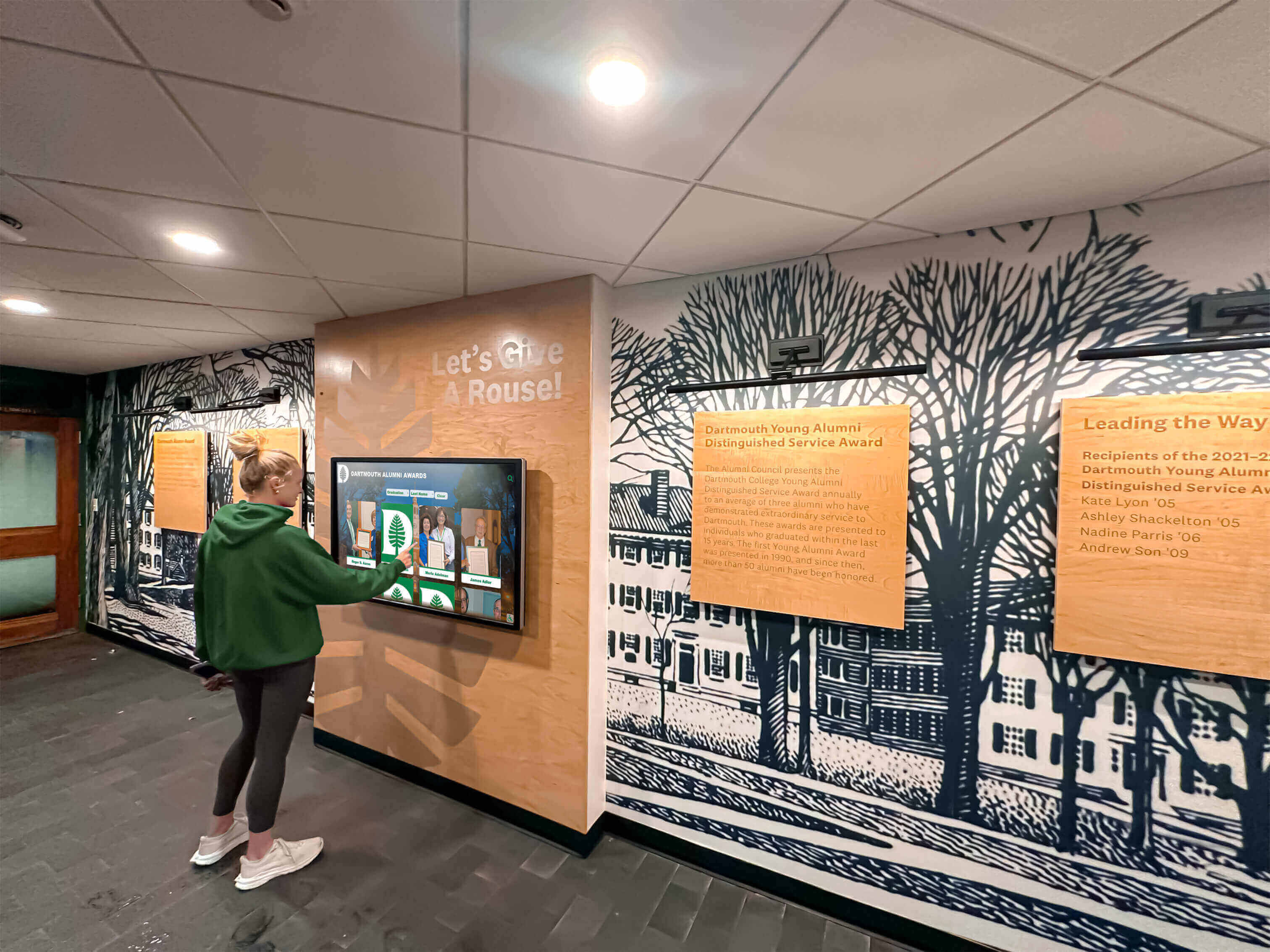
Solutions like Rocket Alumni Solutions offer proven technology originally developed for educational recognition that translates effectively to senior living environments. The platform provides intuitive touchscreen interfaces, easy content management requiring minimal training, comprehensive profile systems telling life stories beyond simple listings, web-based access extending recognition beyond physical displays, and reliable operation designed for public-facing deployment. While originally built for schools and universities, the core capabilities—celebrating achievement, preserving history, facilitating directory searches, and maintaining memorial archives—serve senior living communities equally well with appropriate content customization.
Request for Proposal Considerations
When evaluating multiple vendors, clearly specify requirements including number and locations of intended displays, specific content types needed like directories, governance, awards, memorials, calendars, desired integration with existing systems if any, accessibility features required for senior users, budget constraints for initial implementation and ongoing costs, timeline preferences for deployment and resident introduction, and training requirements for staff and residents.
Request transparent proposals including itemized hardware costs by component, software licensing structure and annual fees, implementation service costs and timeline, training included and any additional costs, ongoing support terms and response times, case studies or references from similar senior living facilities, and demonstration of actual system operation with senior users.
Conclusion: Honoring Lives and Building Community Through Recognition
Senior living touchscreen award systems represent powerful investments in resident dignity, community culture, and family confidence. When thoughtfully implemented with senior-friendly design and comprehensive content strategy, these systems transform how communities celebrate lifetime achievements, recognize ongoing contributions, and preserve institutional memory across generations.
Critical Success Factors for Senior Living Recognition Systems:
- Senior-friendly interface design prioritizing accessibility and ease of use
- Comprehensive recognition addressing governance, committees, awards, and achievements
- Respectful memorial sections honoring residents who pass
- Practical directory functions ensuring regular daily use
- Consistent content updates maintaining currency and relevance
- Strategic placement in high-traffic locations all residents encounter
- Thorough training for both staff and residents
- Integration with existing community systems eliminating duplicate entry
- Privacy controls respecting resident preferences
- Leadership commitment to recognition as cultural priority
Senior living facilities that thoughtfully implement touchscreen recognition consistently achieve measurable improvements in resident engagement, family satisfaction, staff efficiency, and competitive positioning. The 24-42 month return on investment timeline combined with ongoing benefits throughout 7-10 year hardware lifecycles makes displays compelling investments for communities committed to resident-centered culture.
Beyond financial returns, touchscreen recognition systems honor the fundamental truth that retirement does not diminish human value, capability, or need for purpose. Residents who previously led corporations, taught students, served communities, and built careers bring enormous wisdom and experience to senior living environments. Recognition systems that celebrate both lifetime achievements and current contributions communicate that communities value residents as the accomplished individuals they remain—the environment changed, but their worth and capability did not.
The most successful implementations balance sophisticated technology with human-centered design, using advanced platforms to serve fundamental human needs: residents wanting continued purpose and recognition, families wanting confidence their loved ones remain engaged, and communities wanting to build cultures celebrating contribution across all stages of life.
Ready to explore touchscreen recognition options for your senior living community? Talk to our team about how recognition technology designed for celebrating achievement can transform your community culture while honoring the remarkable residents who make senior living communities true homes rather than mere facilities.






























