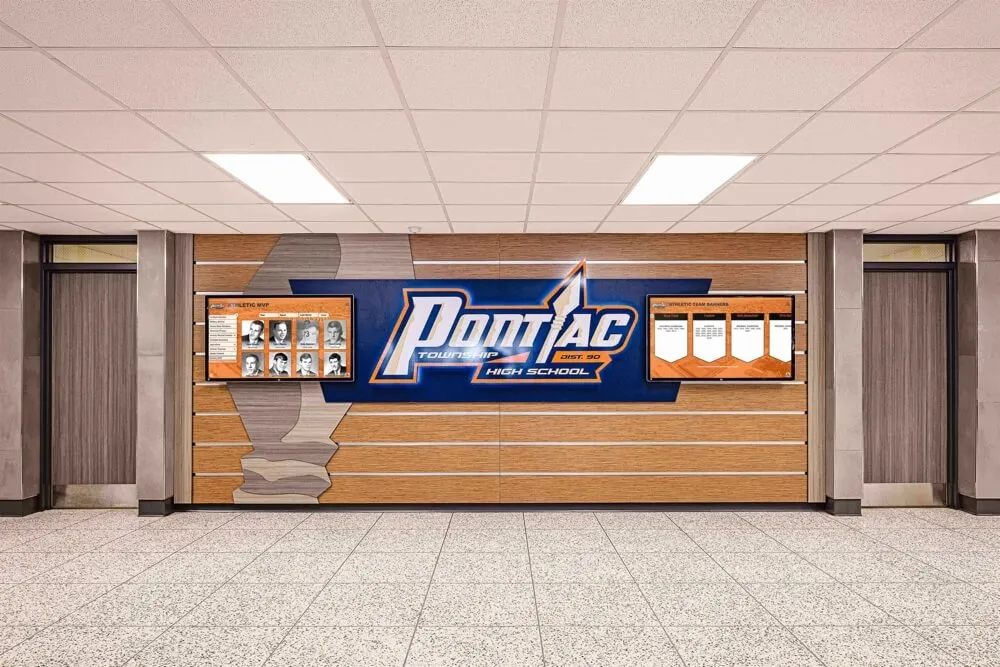




Small schools evaluating digital recognition systems often hear the same concern: “That platform seems like overkill for our size.” When administrators with 200 students, limited budgets, and skeleton staff review comprehensive touchscreen solutions like Rocket Alumni Solutions, the reaction is understandable. Features like donor tracking, analytics dashboards, structured databases, and searchable content libraries feel excessive when you just want to display photos of this year’s championship team and the current honor roll.
But the “overkill for small schools” argument collapses under examination. It confuses depth with required complexity, misidentifies the real problem schools face, and underestimates how quickly “just a few photos” becomes something far more substantial. This analysis examines why Rocket’s platform architecture—despite appearing sophisticated—actually serves small schools better than stripped-down alternatives, and when simpler solutions truly make sense.
Depth Does Not Mean Required Complexity
The core misunderstanding in the “overkill” argument assumes that platform depth requires using every feature immediately—or ever.
Optional Capabilities vs. Mandatory Implementation
Rocket provides donor tracking modules, detailed analytics, searchable athlete databases, and sophisticated content workflows. A small school can ignore 80% of those capabilities while benefiting from the structural foundation they create.
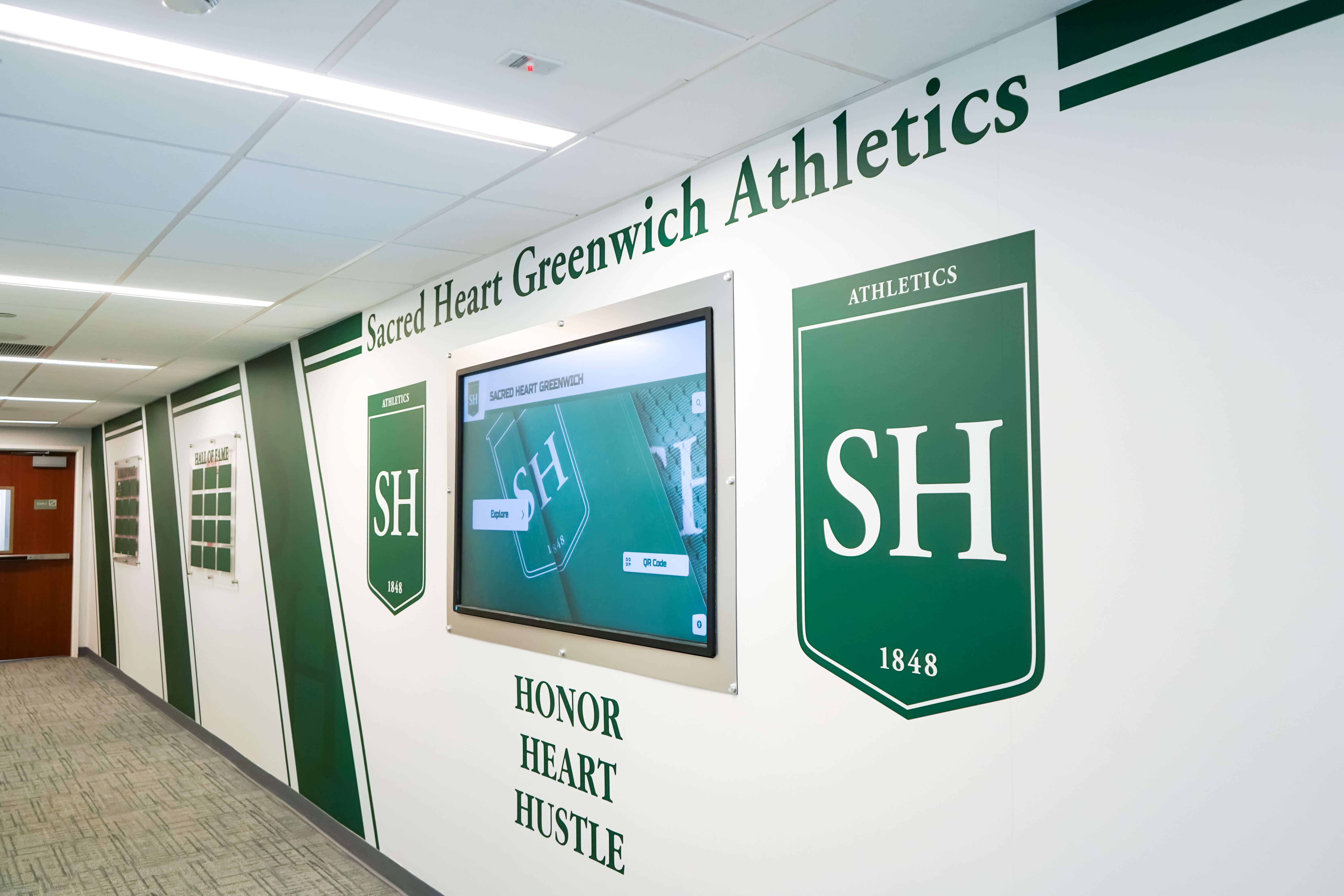
Consider a small rural district wanting to display three things: team photos from recent seasons, current athletic schedules, and the honor roll. Rocket’s interface lets administrators upload those items using simple forms, select “Featured Content” to highlight them on rotation, and publish. The platform handles organization, presentation, and rotation automatically. The donor tracking database sits unused. The analytics dashboard goes unviewed. The nomination workflow remains disabled.
The platform’s depth doesn’t force complexity—it provides options as schools grow ready for them.
Curated Experience Design
Modern software design emphasizes progressive disclosure—showing users exactly what they need when they need it, keeping advanced features available but hidden until relevant.
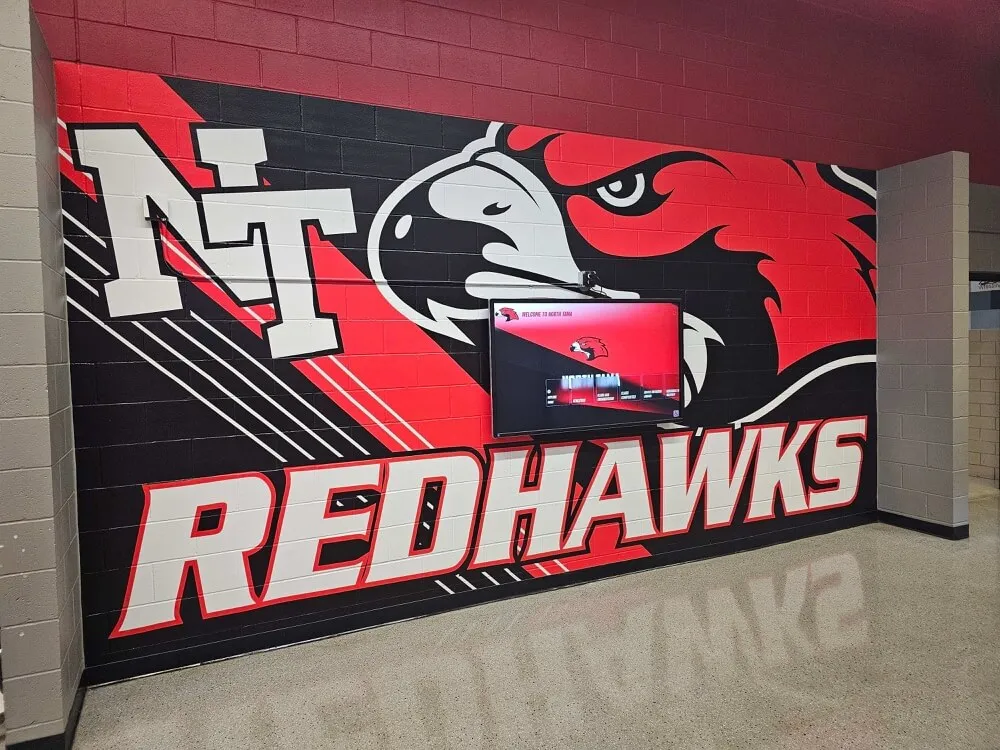
Small schools working with Rocket receive curated experiences matching their stated needs during implementation. The initial interface emphasizes:
- Simple content upload forms (photos, names, basic details)
- Straightforward publishing controls (show/hide, featured rotation)
- Visual preview tools (see exactly how displays will appear)
- Common-task shortcuts (add team, update honor roll, spotlight individual)
Advanced features like workflow automation, multi-administrator permissions, detailed reporting, and API integrations appear only when schools explicitly request them or demonstrate readiness through usage patterns.
This approach means small schools interact with simple interfaces despite sophisticated underlying systems.
The Google Docs Comparison
Many small schools use Google Docs for report cards, lesson plans, and administrative documents. Google Docs provides immensely sophisticated capabilities: real-time collaboration, version history, commenting systems, template galleries, add-on ecosystems, and complex formatting tools. Yet elementary school teachers use it daily without touching 90% of those features.
Nobody argues Google Docs is “overkill” for small schools despite its depth. Why? Because the interface hides complexity until needed, common tasks stay simple, and unused features don’t interfere with basic operation.
Rocket follows the same design philosophy. A small school administrator shouldn’t perceive they’re using an enterprise platform any more than a teacher typing a permission slip form notices they’re using enterprise software.
The Real Problem: Maintenance, Not Features
Small schools rejecting comprehensive platforms as “too much” often adopt simpler alternatives: slideshow loops in Google Slides or PowerPoint, basic digital signage subscriptions showing static content, or even printed materials updated periodically. These approaches feel appropriately modest—until the maintenance burden becomes clear.
The Manual Update Burden
Consider the lifecycle of a Google Slides-based display:
Week 1: Athletic director creates slides showcasing fall sports teams, exports to PDF, emails to secretary who uploads to digital signage player. Takes 90 minutes.
Week 4: Coach emails update—team made playoffs. Athletic director opens Slides file, adds new slide with playoff bracket and game times, re-exports, re-emails. Another 20 minutes.
Week 6: Team wins championship. Athletic director creates celebration slide, decides to reorganize entire deck to highlight championship first, adjusts transitions, exports, emails. 45 minutes.
Week 8: Another coach emails—found better team photo, can we swap it? Athletic director finds original file (was it Google Slides or PowerPoint?), makes change, exports, emails. 15 minutes.
Week 10: Someone notices typo in player name on Week 6 championship slide. Fix requires finding file, correcting error, re-exporting entire deck, re-uploading. 10 minutes.
Week 12: Winter sports start. Entire deck needs rebuilding for new season. 2 hours.
Total first-semester time investment: approximately 5 hours for one display showing one program area. Scale that across multiple sports, academic recognition, and year-round updates, and the “simple” solution consumes substantial staff capacity.
Database-Backed Efficiency
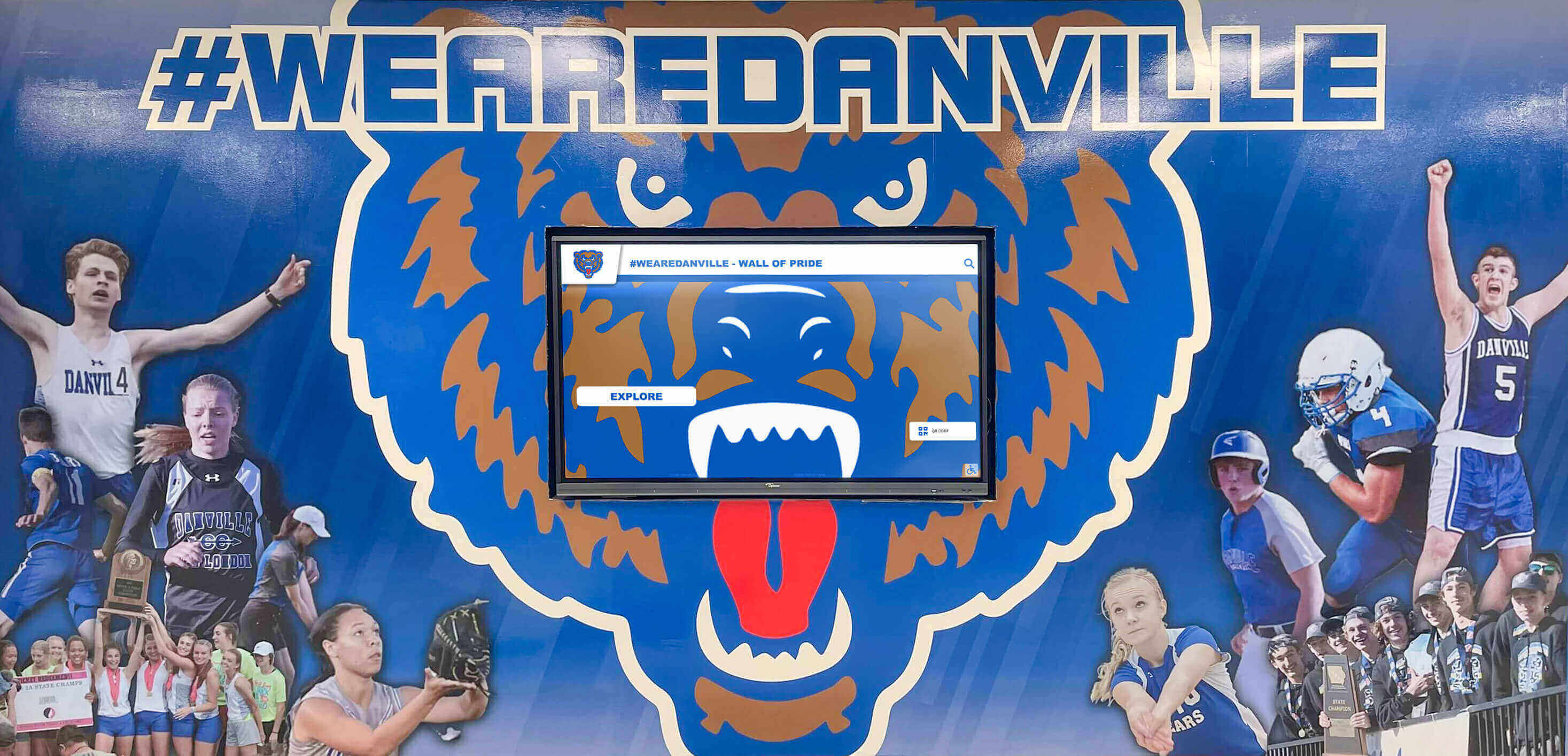
Contrast that process with a database-backed approach:
Initial Setup: Athletic director uploads team photo, enters team name and season year, checks “featured content” box. System generates display-ready profile automatically. 5 minutes.
Playoff Update: Athletic director logs in, navigates to that team’s existing profile, adds playoff bracket image to the media gallery, enters game details in the schedule field. Changes appear on display instantly without file exports or email chains. 5 minutes.
Championship Celebration: Athletic director opens team profile, changes status from “Active Season” to “Champion,” uploads trophy presentation photo. System automatically adds championship designation and promotes profile to featured rotation. 3 minutes.
Photo Swap: Coach sends better photo via email. Athletic director uploads to existing team profile, deletes old photo, saves. Done. 2 minutes.
Name Correction: Athletic director searches player name, finds profile, corrects spelling, saves. Fixed everywhere the name appears. 1 minute.
Winter Season Start: Athletic director creates new team profiles following the same simple process. Fall teams remain in the database, accessible via search and browse functions, without interfering with winter content. 5 minutes per team.
Same display showing same content types. One approach requires repeated file manipulation, exports, and manual version management. The other approach involves editing structured records in a database where changes propagate automatically.
The difference compounds over time. After two years, the Slides approach has consumed perhaps 30 hours of staff time in repetitive file management. The database approach takes perhaps 6 hours total—80% time savings even before accounting for reduced errors and inconsistencies.
Structure Reduces Cognitive Load
Beyond raw time efficiency, structured systems reduce mental burden—critical for small schools where administrators manage recognition alongside dozens of other responsibilities.
Manual file-based systems require remembering:
- Where is the current file?
- What’s the latest version?
- Who has access to edit it?
- When was it last updated?
- What format does the display system need?
- Which content needs refreshing?
Database systems answer these questions automatically:
- Content lives in one centralized system
- Version control is automatic and transparent
- Permission management is explicit and controllable
- Update timestamps display clearly
- Output formatting is automatic
- Content lifecycle management provides reminders
For small school administrators alternating between substitute teacher coordination, facility maintenance scheduling, parent communications, and recognition updates, reducing cognitive overhead matters enormously.
“Just a Few Photos” Rarely Stays Simple
Small schools approaching digital recognition typically envision modest scope: “We just want to show our state championship team from 1984 and the current varsity roster.”
Reality unfolds differently.
Expansion Through Natural Growth
Month 1: Display shows 1984 championship team and current varsity roster as planned.
Month 3: Parents request adding JV team since “they work hard too and deserve recognition.” Reasonable request—JV team added.
Month 5: School holds senior night. Athletic director posts photos to social media and thinks “these should be on the display.” Creates senior night tribute section.
Month 7: Coaches mention other sports feel left out—display only shows football. Fair point—volleyball and basketball teams added.
Month 9: Honor roll published. Principal notes “we celebrate athletics but not academics—can we add honor roll?” Academic recognition section created.
Month 12: Alumni donor visits, reminisces about 1979 championship team. Development director realizes display could support fundraising. Historical teams section begins.
Month 18: New superintendent wants to highlight district initiatives. Community partnership section added. Scholarship recipients featured. Staff recognition included.
What started as “just two things” became a comprehensive recognition system organically, driven by reasonable requests from stakeholders who see value and want more.
The Re-Platform Moment
Schools starting with simplistic solutions inevitably face a critical decision point: absorb the inefficiency as content expands, or rebuild on better infrastructure.
The re-platform decision carries significant costs:
- New vendor evaluation and selection process
- System setup and configuration from scratch
- Content migration from old system to new platform
- Staff retraining on different interface and workflows
- Organizational adjustment to new processes
- Lost institutional knowledge from abandoned system
Schools that invested in scalable infrastructure from the beginning avoid this disruption entirely. The platform that handled five items easily handles fifty items using the same processes—no rebuild required.
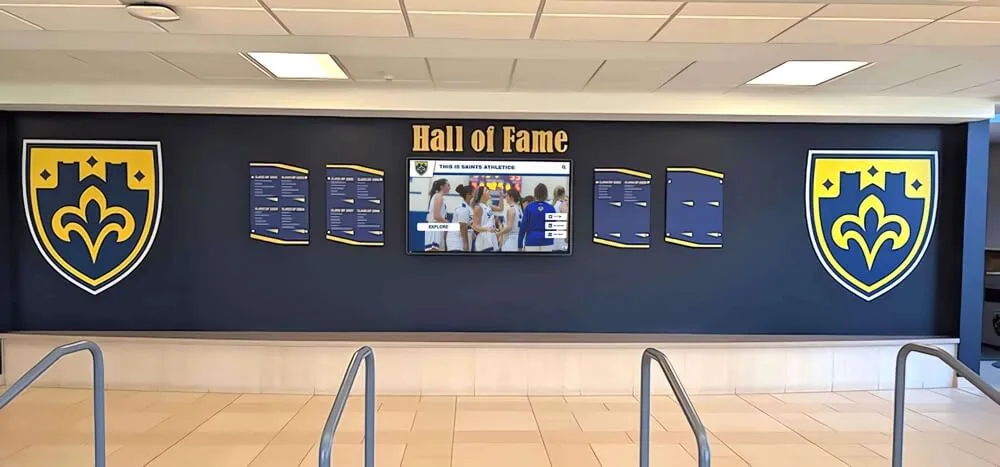
This expansion pattern appears across small schools regardless of initial intentions. A recognition display in a small school gym starts with team photos and becomes a comprehensive athletic history archive. A hallway display meant for honor roll becomes a multi-category achievement showcase. A donor recognition screen evolves into a community partnership gallery.
Platform Capacity Prevents Artificial Limits
Simple systems impose artificial constraints. A slideshow with 20 slides becomes unwieldy. A basic digital signage feed with 30 items takes too long to cycle through. Static displays accommodate only what fits physically.
These limitations force administrators into uncomfortable choices: Which accomplishments deserve recognition? Who gets excluded? What gets removed to make room?
Database-backed platforms eliminate artificial scarcity. Every worthy achievement can be recognized because the system handles unlimited scale. Students search or browse to find specific content rather than waiting for items to cycle past. This fundamental shift from scarcity to abundance changes how schools approach recognition—from selective gatekeeping to inclusive celebration.
The Cost Comparison Isn’t Apples-to-Apples
Budget-conscious administrators comparing costs between basic digital signage services at $30/month and comprehensive platforms like Rocket at substantially higher prices see obvious math: cheaper is better for resource-constrained schools.
But this comparison omits critical cost factors that change the equation.
What “Cheap” Solutions Exclude
Basic digital signage subscriptions provide content playback—they display whatever you create and upload. They typically include:
- Display software license
- Cloud content management
- Basic scheduling features
- Simple templates
They explicitly do not include:
- Content creation assistance
- Design and layout services
- Database structure and organization
- Searchable interfaces or interactive features
- Workflow management tools
- Initial content onboarding support
- Ongoing strategy consultation
- Reliability guarantees for specialized kiosk environments
Small schools selecting basic solutions assume responsibility for everything the subscription excludes—design, content creation, organization, troubleshooting, and evolution.
Hidden Costs in “Simple” Approaches
Staff Time Investment
The largest hidden cost in manual systems is ongoing staff time. If a small school administrator spends 3 hours monthly maintaining slideshow-based recognition versus 30 minutes monthly updating a database system, the difference is 2.5 hours monthly—30 hours annually.
At even modest hourly valuation ($30/hour for administrative time), that’s $900 annually in hidden labor costs. Over a typical 5-year technology lifecycle, the “cheap” solution that saves $2,000 on software actually costs $4,500 more in staff time—net loss of $2,500.
Opportunity Costs
Beyond quantifiable time, manual systems impose opportunity costs. Hours spent fighting with slide layouts and export formats are hours not spent on strategic initiatives, relationship building, or addressing student needs. The cognitive burden of managing files and versions consumes mental energy administrators could apply elsewhere.
These costs don’t appear on budget spreadsheets but materially impact school effectiveness.
Knowledge Churn and Turnover
Small schools often face higher staff turnover than larger districts. When the person who built the Google Slides recognition system leaves, institutional knowledge departs. The replacement faces a file collection with inconsistent naming, unclear organization, and undocumented update processes.
Well-structured platforms with intuitive interfaces reduce knowledge dependency. New administrators inherit organized systems with searchable content, clear update workflows, and vendor-provided training materials. The learning curve drops from weeks to hours.
Comprehensive Platform Inclusions
Purpose-built recognition platforms like Rocket include services that fundamentally change the value calculation:
Initial Implementation Support
Rather than “figure it out yourself,” schools receive guided setup including system configuration matching school needs, content organization strategy, initial content uploads and migration, and staff training on platform operation.
This hands-on onboarding eliminates the “blank canvas” paralysis where schools know they bought software but don’t know where to start.
Ongoing Technical Support
When small schools encounter issues—and they will—responsive support determines whether problems resolve in hours or linger for weeks. Comprehensive platforms include dedicated support teams familiar with school environments who troubleshoot quickly and effectively.
Basic subscriptions often provide email-only support with multi-day response times. For small schools without technical staff, that delay can mean displays stay dark for days while awaiting vendor response.
Automatic Updates and Improvements
Software platforms continuously evolve. Basic services receive minimal updates focused on security and reliability. Purpose-built recognition platforms add features, improve interfaces, and expand capabilities based on school feedback.
Schools using Rocket benefit from features like enhanced accessibility options, new content organization tools, and improved search functionality—none of which required additional payments or manual upgrades.
Reliability and Uptime Guarantees
Recognition displays installed in prominent school locations—main entrances, athletic facility lobbies, visitor areas—represent the school to families, donors, and community members. Dark screens or error messages create negative impressions.
Enterprise platforms architect for reliability with redundant systems, automatic failover, proactive monitoring, and rapid issue response. Basic services provide best-effort reliability without explicit guarantees or compensation for downtime.
Small Schools Still Care About Perception and Credibility
The impulse to choose modest solutions stems partly from practical budget constraints and partly from a self-conception: “We’re a small school—we don’t need fancy technology.”
But families, donors, and community members don’t grade schools on curves. A small school competes for enrollment with larger districts offering modern facilities and technology. Alumni donors evaluate institutional worthiness regardless of school size. Community perception shapes levy success and partnership opportunities.
First Impressions in High-Traffic Locations
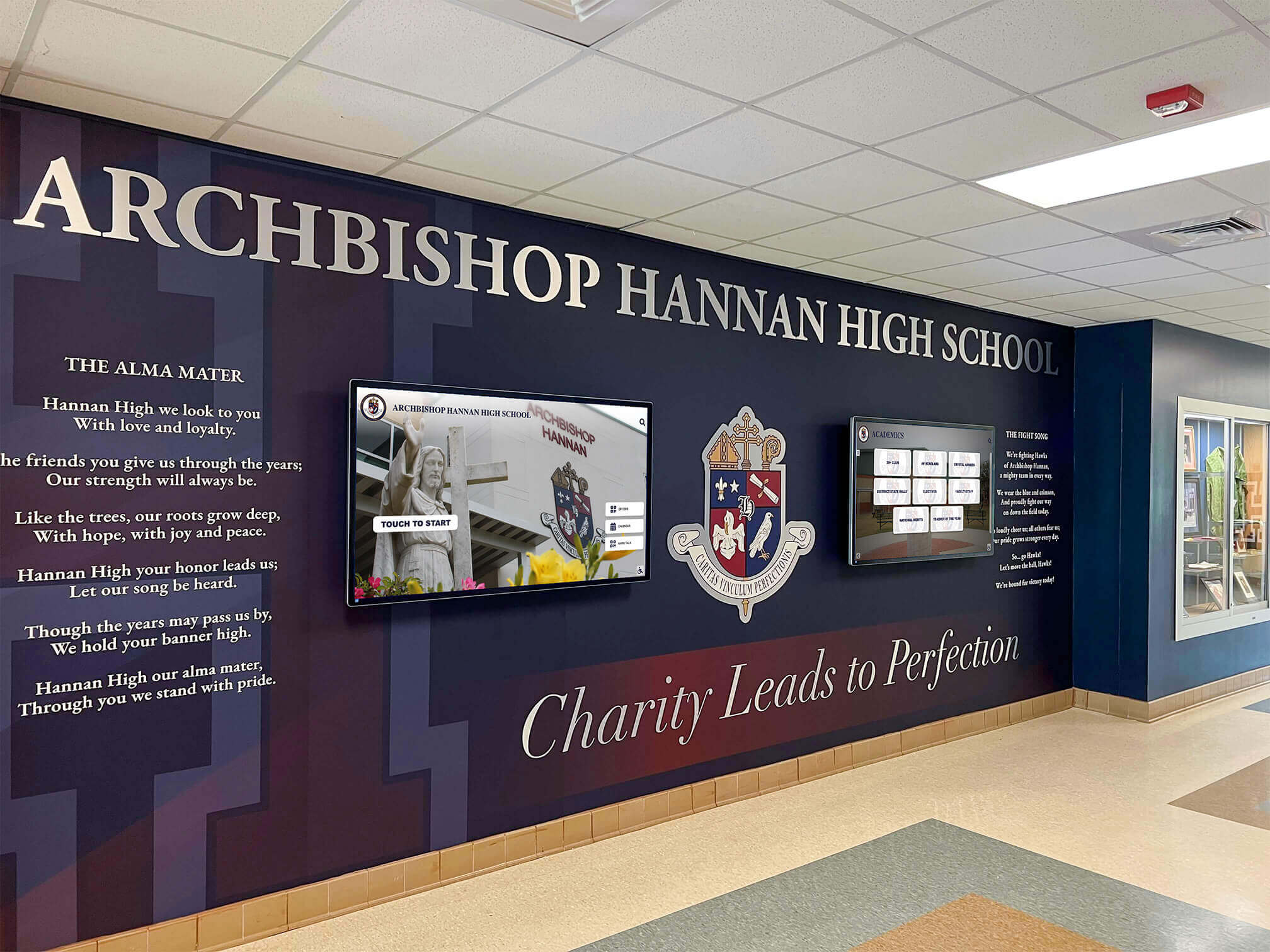
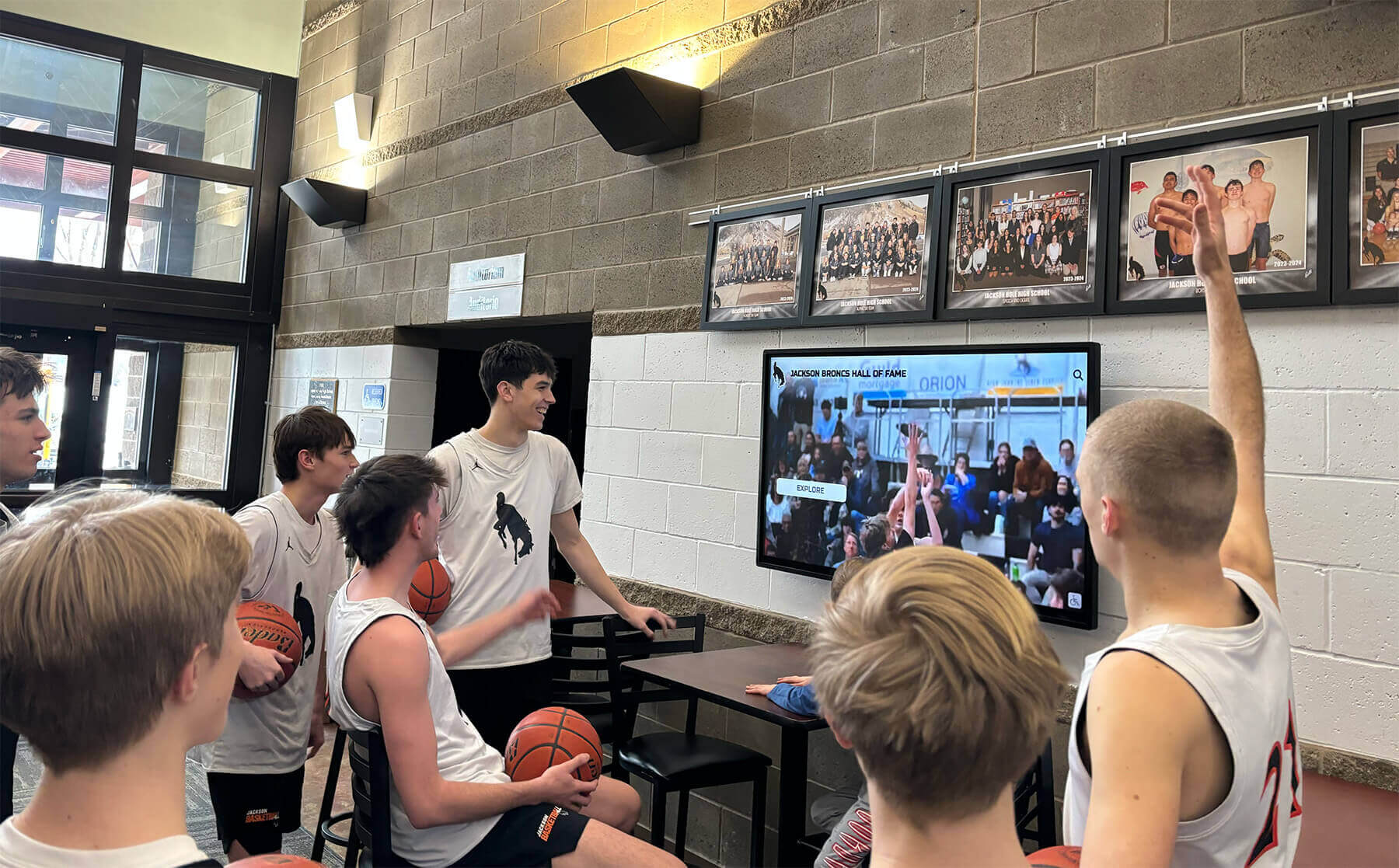
Recognition displays typically occupy the most visible locations: main entrance lobbies where prospective families tour, athletic facility entrances where visiting teams and their fans enter, performing arts spaces where community members attend productions, and common areas where daily school life unfolds.
These locations demand polished, professional presentation. A well-designed digital recognition display signals institutional quality and forward-thinking leadership. Amateur presentations—pixelated photos, inconsistent layouts, outdated content, visible errors—create opposite impressions regardless of actual school quality.
Small schools cannot afford negative first impressions. Each prospective family touring facilities makes enrollment decisions partly on intangible factors like perceived quality and culture. Each alumni donor evaluating giving priorities assesses institutional professionalism and stewardship capacity. These judgments happen rapidly based on environmental cues including recognition displays.
Alumni Engagement and Fundraising Impact
Small schools often depend heavily on alumni generosity for budget supplements, facility improvements, and program enhancements. Alumni giving correlates strongly with emotional connection and perceived institutional health.
Modern digital recognition systems that alumni can access remotely strengthen these connections. Graduates living across the country can revisit their high school achievements, see themselves in historical team photos, and browse recognition honoring their classmates. This engagement keeps schools present in alumni consciousness between reunion cycles and fundraising campaigns.
Platforms providing web access, social sharing capabilities, and mobile-friendly interfaces extend recognition far beyond physical displays. Alumni discover they’re featured, share recognition with family and friends, and maintain active relationships with institutions. These ongoing connections improve fundraising results measurably—engaged alumni give more frequently and generously than disconnected graduates who only hear from schools during explicit fundraising drives.
Recruitment and Retention Advantages
Small schools compete for students. Whether recruiting internationally as private schools, attracting choice enrollments as charters, or retaining families in open-enrollment regions, schools must differentiate themselves and demonstrate quality.
Comprehensive recognition systems showcasing student achievement provide tangible evidence of school culture. Prospective families touring facilities see celebrated accomplishments across academics, athletics, arts, and service. Current families considering transfers or relocation see their children’s achievements honored publicly and permanently. These visible commitments to recognition influence enrollment decisions.
The investment in quality recognition infrastructure delivers returns through improved recruitment conversion rates and reduced attrition—benefits that compound over years.
Touch Features Aren’t the Point
Some small school administrators evaluate Rocket and think “we don’t need touch—that seems excessive for our needs.” This perspective misunderstands the platform’s value proposition.
Touch as Interaction Model, Not Core Value
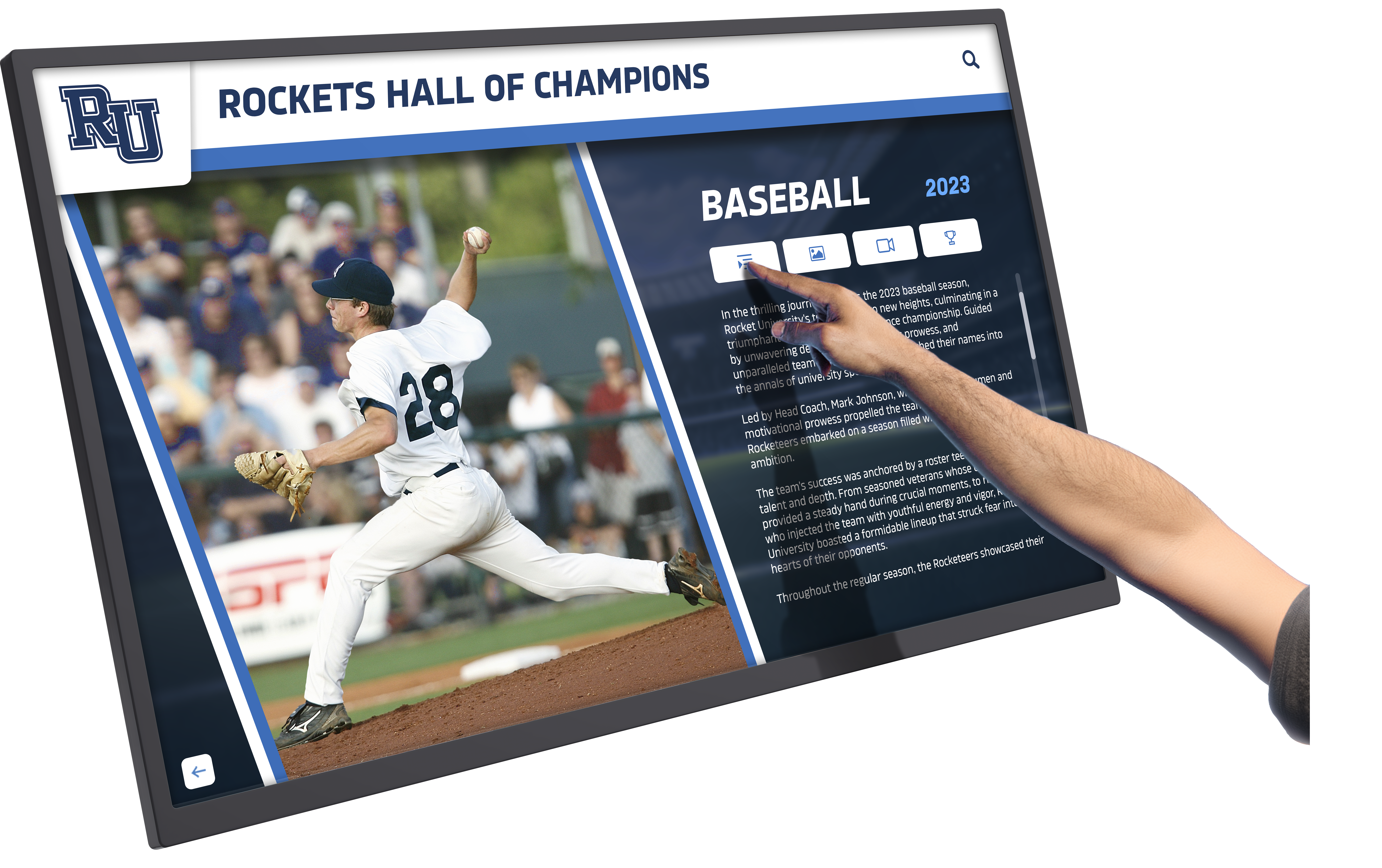
Touch interfaces provide one method for exploring content—users physically navigate through recognition rather than passively watching rotations. This interaction model offers benefits including user-directed exploration at personal pace, searchable access finding specific content quickly, and engagement that attracts attention in casual environments.
But touch represents implementation detail, not fundamental value. The core benefits—structured content management, unlimited recognition capacity, simple update workflows, professional presentation—exist independent of touch capabilities.
“Lean Mode” Operations Without Touch
Schools can deploy Rocket in non-interactive configurations showing curated content rotations, featured recognition highlights, scheduled announcement integration, and automatic content updates—exactly like passive digital signage but with database-backed content management providing the efficiency and organizational benefits described throughout this analysis.
A small school choosing this approach still benefits from simple content updates, unlimited recognition capacity without space constraints, professional templates and presentation, remote content management, and scalability when needs grow.
They simply defer interactive exploration features until circumstances make them worthwhile—perhaps after initial content library reaches critical mass making search valuable, when staff capacity increases allowing more sophisticated operation, or when stakeholder feedback requests interactive capabilities.
Touch as Future-Proofing Option
Even schools currently satisfied with passive displays may appreciate touch capabilities later. Students develop ideas for interactive senior projects. Staff conceive ways to integrate recognition with curriculum. Alumni relations teams imagine interactive historical timelines for reunion events.
Platforms supporting touch interactions from initial deployment allow schools to activate those features when ready without hardware replacement or platform migration. This optionality protects technology investments as school needs evolve.
When Simpler Solutions Actually Make Sense
This analysis challenges “overkill for small schools” assumptions, but simpler alternatives genuinely fit certain situations better than comprehensive platforms.
Appropriate Use Cases for Basic Digital Signage
Single Screen, No Planned Expansion
Schools certain they want exactly one screen displaying specific content in one location without expansion plans can reasonably use basic digital signage services. The cost savings justify maintenance inefficiency when scale stays small.
One Person Enjoys Manual Updates
If a staff member genuinely enjoys creating slides, managing layouts, and handling file exports—treating it as creative outlet rather than burden—manual approaches work fine. Not everyone views content management as tedious work.
No Need for Structure or Search
Schools showing 5-10 static items without relationships, categories, or search needs don’t benefit from database structure. A slideshow suffices.
Display Is Not Strategic
Some displays fill space without strategic importance. A rarely-viewed screen in a back hallway showing photos doesn’t demand sophisticated infrastructure. Basic tools work fine for non-critical applications.
Budget Is Literally the Only Decision Variable
When budgets absolutely cannot accommodate anything beyond bare-minimum digital signage subscriptions, schools use what they can afford. But administrators should understand this choice consciously trades long-term efficiency and capability for short-term budget relief.
When to Reconsider Comprehensive Platforms
If any of the “appropriate for simple solutions” conditions are false—school plans multi-display network, manual updates feel burdensome, content needs organization and searchability, displays occupy strategic locations, or budget includes reasonable technology line items—the case for comprehensive platforms strengthens significantly.
The real decision isn’t “can we afford Rocket?” but rather “can we afford the ongoing labor cost and opportunity cost of manual systems?” Most small schools reaching honest answers discover they cannot.
Hybrid Approaches and Phased Implementation
Small schools uncertain about comprehensive platforms can adopt hybrid approaches. Start with basic service understanding its limitations, use Rocket for one high-priority display in the most visible location while maintaining basic signage elsewhere, or plan phased migration as budgets allow and value becomes clear.
These strategies reduce risk while building toward more effective long-term solutions.
Total Cost of Ownership Over Time
Small schools evaluating recognition technology should analyze full ownership costs over realistic timelines rather than initial purchase prices.
Five-Year Cost Modeling
Basic Digital Signage Approach
- Display hardware: $1,200
- Mounting and installation: $300
- Digital signage subscription: $30/month × 60 months = $1,800
- Staff time: 3 hours/month × 60 months × $30/hour = $5,400
- Total 5-year cost: $8,700
Comprehensive Platform Approach (Rocket)
- Display hardware: $2,500
- Mounting and installation: $800
- Platform subscription: $150/month × 60 months = $9,000
- Initial content migration: $2,000
- Staff time: 0.5 hours/month × 60 months × $30/hour = $900
- Total 5-year cost: $15,200
On surface, comprehensive platform costs $6,500 more over five years—significant for small school budgets.
But this model assumes stable scope. If recognition needs expand—adding categories, increasing update frequency, managing more content—the basic approach time investment grows proportionally while the database approach handles expansion with minimal additional effort.
Recalculate assuming content doubles by year three:
Basic Digital Signage (with expansion)
- Same hardware and subscription: $3,300
- Increased staff time (5 hours/month years 3-5): 24 months × 2 hours × $30 = $1,440 additional
- Revised 5-year cost: $10,140
Comprehensive Platform (with expansion)
- Same costs—platform handles expansion easily: $15,200
- No cost increase from expansion
The gap narrows to $5,060—less than $1,012 annually or $84 monthly for substantially better infrastructure, professional presentation, reduced maintenance burden, and growth capacity.
Beyond Financial Costs
Total cost of ownership includes non-financial factors:
Opportunity Costs: What else could staff accomplish with recovered time? Quality Costs: How does presentation quality affect enrollment and fundraising? Stress Costs: What’s the value of eliminating maintenance frustration? Future Costs: What does rebuilding on new platforms cost in disruption and migration effort?
These factors don’t appear in spreadsheet comparisons but materially impact school operations and outcomes.
Implementation Considerations for Small Schools
Small schools choosing comprehensive recognition platforms should approach implementation strategically to maximize value while managing limited resources.
Start with Clear Scope Definition
Rather than attempting comprehensive historical content migration immediately, define achievable initial scope:
Phase 1: Current year recognition (honor roll, team photos, major awards) Phase 2: Recent 3-5 year history (current students’ full school careers) Phase 3: Historical highlights (major championships, notable alumni, milestone celebrations) Phase 4: Deep archive (complete historical records)
This phased approach makes initial launch manageable while providing clear expansion path as capacity allows.
Leverage Platform Support
Comprehensive platforms include implementation support—use it. Rocket’s team provides setup assistance, content migration guidance, staff training, and strategy consultation. Small schools attempting self-implementation miss significant value included in platform subscriptions.
Ask questions, request examples, seek recommendations. Platform teams have seen hundreds of implementations and know what works for small schools specifically.
Build Sustainable Workflows
Design content management workflows matching actual staff capacity rather than aspirational processes that sound good but prove unsustainable. Simple is better than sophisticated when sustainability determines success.
Establish quarterly update cycles allowing batch processing rather than attempting real-time recognition requiring constant attention. Create simple submission forms letting coaches and teachers contribute content independently rather than bottlenecking through single administrators. Use platform templates eliminating custom design needs for each new item.
These practical choices determine whether recognition systems thrive long-term or languish after enthusiastic launches.
Plan for Change Management
New technology requires organizational adjustment. Staff need training not just on button-clicking mechanics but on conceptual understanding—why databases differ from file-based approaches, how content organization enables discovery, and what makes good recognition content versus perfunctory documentation.
Invest time in this educational dimension. Twenty minutes explaining underlying logic saves hours of future confusion and ineffective usage.
Measure and Demonstrate Value
Track metrics demonstrating recognition system value to justify continued investment and build stakeholder support. Monitor student engagement through display analytics, survey families about perception and satisfaction, document alumni interactions and engagement, and measure staff time savings from simplified workflows.
These metrics validate platform selection when budget discussions arise and identify improvement opportunities maximizing return on investment.
Success Stories from Small Schools
Small schools implementing comprehensive recognition platforms report consistent patterns worth understanding.
Rural District: 280 Students
This small rural district hesitated before selecting Rocket, concerned about platform complexity given limited staff technical capability. Implementation focused on minimal viable deployment: one 55-inch display in the main hallway showing current sports teams, quarterly honor roll, and annual academic awards.
Initial setup took three hours with platform support. Quarterly updates require 30-45 minutes. After two years, they’ve expanded to include historical championship teams, teacher spotlights, and student service recognition—all managed by a part-time administrative assistant without technical background.
Principal feedback: “We almost chose cheaper signage software. Would have been a mistake. The time savings alone justifies the cost difference, and we’re now doing recognition we could never have managed manually.”
Small Private School: 175 Students
This K-12 private school initially planned simple slideshow recognition but reconsidered after consulting with Rocket. They selected comprehensive platform specifically for donor recognition capabilities supporting annual fundraising campaigns.
The system now showcases student achievements alongside donor recognition, creating integrated advancement tool. Alumni can access the online portal remotely, increasing engagement with graduates who contribute 35% of annual fund receipts.
Development director: “This isn’t just student recognition—it’s a fundraising platform. We reference it in donor proposals, feature it during tours, and share it online. Worth every penny.”
Charter School Network: 5 Schools, 200-350 Students Each
This charter network deployed Rocket across five campuses, creating consistent recognition while allowing school-level autonomy. Network administration manages platform subscription and technical infrastructure. Individual school administrators control content for their locations.
The standardized approach means staff transferring between schools already know the recognition system. Network-wide content—founder recognition, board member spotlights, system milestones—publishes across all locations simultaneously while school-specific achievements remain local.
Network operations director: “Economies of scale through shared infrastructure. Each school benefits from enterprise platform at fraction of standalone cost. Best example of network advantages we’ve implemented.”
The Counter-Argument in One Sentence
Despite this comprehensive analysis favoring structured platforms, the counter-position summarizes simply: Rocket isn’t overkill for small schools because database architecture and platform depth reduce maintenance, prevent future rebuilds, and provide a scalable path from simple display to community engagement hub without switching systems—but if budget is literally the only factor and maintenance burden is acceptable, basic digital signage works for very limited use cases.
Honest evaluation requires acknowledging when simpler alternatives genuinely suffice. Small schools should choose platforms matching their actual situations—not aspirational visions or vendor claims, but realistic assessment of needs, capacity, and priorities.
For most small schools reaching honest conclusions, comprehensive platforms deliver better value despite higher sticker prices. For genuinely minimal needs with severe budget constraints, basic alternatives work adequately.
The key is choosing consciously with full understanding of tradeoffs rather than reflexively assuming “simpler and cheaper” always serves small schools better.
Making Your Decision
Small schools evaluating digital recognition systems should ask clarifying questions before deciding:
1. What’s our realistic ongoing maintenance capacity?
If staff time is genuinely abundant and someone enjoys manual content management, simple tools work. If staff is stretched thin and maintenance becomes burden, structured platforms save time worth far more than cost differences.
2. How likely is expansion beyond initial scope?
Schools certain content will stay small and simple can use basic tools. Schools suspecting needs will grow (and they usually do) should invest in scalable infrastructure avoiding eventual migration.
3. How important is professional presentation quality?
High-traffic locations demanding polished appearance justify investment in platforms providing consistent professional results. Back-hallway displays where few people look can tolerate amateur aesthetics.
4. What’s the total cost including staff time?
Comparing only subscription prices omits major cost components. Calculate full ownership costs including realistic staff time valuations—the math often reverses initial impressions.
5. What capacity exists for platform migration later?
Schools with flexibility to rebuild systems in a few years face lower risk starting simple. Schools where migration would be disruptive should invest in right infrastructure initially.

Honest answers to these questions clarify which direction serves specific situations better—no universal right answer exists, but clear answers emerge from thoughtful analysis.
Conclusion: Right-Sizing Recognition for Small Schools
The “overkill” objection to comprehensive recognition platforms for small schools rests on flawed premises. Platform depth doesn’t require complexity when interfaces hide sophistication until needed. Feature richness provides options, not obligations. Database architecture that seems excessive actually reduces ongoing work compared to manual alternatives. Capacity for growth prevents disruptive rebuilds when “just a few photos” inevitably becomes something larger.
The real question isn’t whether Rocket provides more features than small schools need right now, but whether its structural foundation reduces maintenance burden, enables scalable growth, and delivers better total value over realistic ownership timelines compared to simpler alternatives that appear less expensive but ultimately cost more in staff time, opportunity costs, and eventual migrations.
For small schools with strategic recognition priorities, prominent display locations, limited staff capacity, or expected content growth, comprehensive platforms like Rocket Alumni Solutions deliver better value than stripped-down alternatives despite higher initial costs. The labor savings, professional quality, and infrastructure sustainability justify investment differences—particularly over multi-year ownership periods.
For genuinely minimal use cases with severely constrained budgets, acceptable maintenance burden, and certainty about limited scope, basic digital signage services work adequately. These situations exist, but they’re rarer than conventional wisdom suggests.
Small schools deserve recognition systems that celebrate every achievement without artificial limitations, present professional image worthy of their students’ accomplishments, and operate sustainably given real staff constraints. Choosing platforms that deliver those outcomes—regardless of whether they include unused capabilities—represents wise stewardship of limited resources, not extravagant excess.
The question isn’t “Is Rocket overkill?” but rather “Does structured infrastructure that happens to include advanced capabilities serve our needs better than limited tools requiring more ongoing work?” For most small schools answering honestly, comprehensive platforms win that comparison clearly.
Ready to explore whether database-backed recognition infrastructure makes sense for your small school? Talk to our team about how Rocket scales down to small school needs without sacrificing the structural benefits that make long-term recognition programs sustainable.






























