



School districts planning digital recognition displays frequently encounter unexpected costs during vendor evaluations. A solution initially quoted at an affordable price suddenly doubles or triples when administrators mention they need screens in multiple locations. What seemed like a straightforward budget item becomes a complex negotiation about per-screen licensing, network fees, and content distribution charges.
This pricing complexity affects districts of all sizes. Large multi-campus systems get hit with exponential costs as screen counts multiply. Small schools with modest budgets find themselves forced to choose between locations—should the recognition display go in the gym where athletes gather, the main lobby where visitors see it, or the cafeteria where everyone passes through daily? With traditional multi-screen licensing models, you can’t have all three without paying separately for each location.
Understanding Multi-Screen Licensing in Digital Display Systems
Before exploring solutions, it’s essential to understand why multi-screen costs exist in the first place and how they affect school budgeting.
How Traditional Digital Display Licensing Works
Most digital signage and recognition display vendors structure pricing around individual screen licenses:
Per-Screen Subscription Models: Each physical display requires its own monthly or annual software license. A vendor quoting $1,200 per year might actually mean $1,200 per screen—so three screens cost $3,600 annually.
Tiered Volume Pricing: Some vendors offer volume discounts, but these typically require significant scale. A school deploying three to five screens might see only marginal savings, while the real discounts kick in at 20+ screens—a threshold most individual schools never reach.
Zone or Campus-Based Licensing: Districts with multiple buildings may encounter campus-based pricing, where each physical location requires separate licensing regardless of screen count within that building.
Content Distribution Fees: Beyond screen licensing, some vendors charge for content management systems, cloud storage, or content distribution networks—particularly when the same content needs to appear on multiple screens.
Why These Costs Surprise School Administrators
Hidden multi-screen costs catch schools off guard because initial vendor conversations rarely clarify pricing structure upfront:
Ambiguous Initial Quotes: Sales materials showcase monthly or annual pricing without specifying whether it’s per-screen, per-location, or per-organization.
Demonstration-Phase Pricing: Pilots and demonstrations typically involve single screens, so schools don’t discover multi-screen costs until they’re already invested in the evaluation process.
Assumption Mismatches: Schools naturally assume software subscriptions work like other educational technology—one license covering the school or district—while vendors structure pricing like enterprise digital signage serving multiple clients from a single platform.
Late-Stage Budget Impacts: Multi-screen costs often surface during contract review or implementation planning, after budget cycles have closed and funds have been allocated based on incorrect assumptions.
The Real Impact on School Recognition Programs
These pricing structures fundamentally limit how schools can deploy recognition displays:
Forced Prioritization: Instead of placing displays where they provide maximum value, schools must choose single high-traffic locations to keep costs manageable.
Inconsistent Recognition Coverage: Athletic recognition appears in gyms but not main entrances, or academic honors display in lobbies but not classroom buildings—creating uneven recognition across programs.
Phased Deployments That Never Expand: Schools plan to start with one screen and expand later, but annual renewals that increase with each additional screen make expansion financially prohibitive.
District Inequities: Large districts can afford multi-screen deployments at flagship high schools while smaller schools in the same district make do with minimal recognition infrastructure—or nothing at all.
The Rocket Alumni Solutions Difference: True Unlimited Screen Deployment
Rocket Alumni Solutions structures licensing fundamentally differently than traditional digital display vendors, eliminating hidden multi-screen costs entirely.
One Subscription, Unlimited Touchscreens
With Rocket Alumni Solutions, schools purchase a single organizational subscription that covers unlimited physical displays:
No Per-Screen Charges: Whether you deploy one touchscreen or twenty, your subscription cost remains the same. The gym gets a screen, the lobby gets a screen, the cafeteria gets a screen—all included in your base subscription.
No Network Fees: There are no additional charges for content distribution, cloud storage, or network connections regardless of how many displays access your content.
No Location-Based Pricing: Multi-campus districts pay one subscription covering all buildings, all campuses, and all screens across the entire organization.
No Hidden Implementation Costs: Setup, content management tools, and software updates are included—there are no per-screen activation fees or deployment charges.
This pricing structure means schools can make deployment decisions based on strategic value rather than budget constraints. If your school benefits from recognition displays in five locations, you deploy five displays without worrying about exponential costs.
What “Unlimited Screens” Actually Means
When Rocket Alumni Solutions says “unlimited screens,” it genuinely means unlimited:
Physical Display Count: No limits on the number of physical touchscreens displaying your content. Ten screens, twenty screens, fifty screens—your subscription covers them all.
Location Flexibility: Deploy screens anywhere within your organization—different buildings, different campuses, even different states if you’re a multi-state organization.
Content Sharing and Customization: All screens can display the same content library, or you can customize what appears on specific displays without additional licensing.
Concurrent Usage: Multiple displays can operate simultaneously without capacity constraints or usage limits affecting performance.
The only limitation is physical hardware—you need to provide the touchscreen displays themselves. But once you have displays, Rocket’s software runs on all of them under your single subscription.
How This Benefits Different School Scenarios
Unlimited screen licensing delivers different advantages depending on school context:
Large Districts and Multi-Campus Systems
Districts with multiple buildings realize massive savings compared to per-screen pricing:
- A district with 10 schools deploying 3 screens each (30 total screens) pays for one subscription instead of 30 individual licenses
- Content created once deploys across all locations, maximizing efficiency
- District-wide recognition programs work seamlessly when every campus has equal display access
- Budget equity improves when smaller schools aren’t priced out of recognition technology
Schools Planning Multi-Location Deployments
Individual schools wanting comprehensive recognition coverage avoid forced choices:
- Athletic facilities get dedicated displays for sports records and team recognition
- Main entrances showcase school-wide achievements to visitors and prospective families
- Student commons areas provide interactive exploration of historical content
- Administrative buildings display donor recognition and institutional history
- Each location serves its specific audience without sacrificing coverage elsewhere
Schools Starting Small with Growth Plans
Schools beginning with single displays can expand organically as budgets allow:
- Start with one display in your highest-traffic location
- Add displays in subsequent years when capital budgets refresh
- Subscription costs remain constant as you expand, making long-term planning straightforward
- No penalties or tier changes as you add displays—predictable costs support multi-year planning
Organizations With Specialized Recognition Needs
Schools with diverse programs benefit from deploying targeted displays:
- Performing arts programs get dedicated displays near auditoriums and practice facilities
- STEM programs showcase achievements in science wings and maker spaces
- Career and technical education programs display certifications and job placements in CTE areas
- Alumni programs provide displays in gathering spaces and reunion venues
Comparing Rocket’s Unlimited Model to Competitor Pricing
Understanding how Rocket Alumni Solutions pricing compares to alternatives helps schools evaluate true total cost of ownership.
Traditional Per-Screen Pricing Example
Consider a typical competitor using per-screen licensing for a school deploying three displays:
- Display 1 (Main Lobby): $1,200/year software subscription
- Display 2 (Athletic Facility): $1,200/year software subscription
- Display 3 (Student Commons): $1,200/year software subscription
- Content Management Platform: $600/year for multi-screen management
- Annual Total: $4,200/year for three screens
After five years, this school pays $21,000 in software subscription fees alone—not including hardware, installation, or content development.
If the school wants to add a fourth display in year three, annual costs increase to $5,400—a 28% increase for one additional screen.
Rocket Alumni Solutions Pricing Example
The same school deploying three displays with Rocket Alumni Solutions:
- Organizational Subscription: One annual fee (pricing varies by organization size and features)
- Screen Count: 3 displays initially, unlimited expansion capability
- Content Management: Included in subscription
- Annual Total: One subscription fee covering all three screens
If the school adds a fourth display in year three, or even five more displays, the subscription cost remains unchanged. The school avoids $1,200+ annual charges for each additional screen.
Long-Term Cost Implications
Over multi-year deployments, the savings compound significantly:
Three-Year Scenario (3 screens to 6 screens)
Traditional per-screen model:
- Year 1: 3 screens × $1,200 = $3,600
- Year 2: 4 screens × $1,200 = $4,800
- Year 3: 6 screens × $1,200 = $7,200
- Three-year total: $15,600
Rocket unlimited screen model:
- Year 1: One subscription
- Year 2: Same subscription (unchanged with 4 screens)
- Year 3: Same subscription (unchanged with 6 screens)
- Three-year total: Far lower than per-screen accumulation
The savings allow schools to reallocate budget toward content development, additional displays, or other educational priorities rather than paying escalating software licensing fees.
Hidden Costs That Rocket Eliminates
Beyond obvious per-screen charges, traditional models include additional costs Rocket’s pricing avoids:
Network Infrastructure Fees: Some vendors charge for content distribution networks, especially when screens are in different buildings or on different network segments. Rocket includes all network connectivity in base pricing.
User Licensing: Traditional enterprise software may limit how many staff members can access content management systems. Rocket provides unlimited user accounts.
Support Tier Restrictions: Per-screen models sometimes restrict support quality or response times unless schools pay for premium tiers. Rocket includes comprehensive support regardless of screen count.
Upgrade and Update Fees: When vendors release new features or major software updates, per-screen models may charge upgrade fees multiplied by screen count. Rocket includes all updates in subscriptions.
Strategic Advantages of Unlimited Screen Deployment
Beyond direct cost savings, Rocket’s unlimited screen model enables strategic recognition approaches that per-screen pricing makes financially prohibitive.
Comprehensive Campus Coverage
Schools can deploy displays wherever they create value rather than choosing single locations:
Athletic Facilities: Dedicated displays showcase sports records, championship histories, and current team rosters where athletes, families, and fans naturally gather.
Main Entrances and Lobbies: First-impression displays greet visitors, prospective families, and community members with school-wide achievements and institutional pride.
Student Common Areas: High-traffic locations where students pass daily provide maximum student engagement with recognition content through casual browsing and exploration.
Academic Wings: Subject-specific recognition in science hallways, arts corridors, and specialized program areas celebrates achievements within relevant contexts.
Administrative Buildings: Displays near superintendent offices, board rooms, and development offices showcase institutional history and donor recognition for stakeholder audiences.
Event Venues: Auditoriums, competition venues, and gathering spaces provide contextual recognition during performances, games, and ceremonies.
With unlimited screens, schools deploy displays matching recognition to audience and context rather than forcing all recognition through single chokepoints.
Audience-Specific Content Strategies
Multiple screens enable targeted content serving different audience needs:
Athlete-Focused Displays: Athletic facilities show deep sports history, detailed records, coaching recognition, and current team information athletes care about.
Prospective Family Displays: Lobby displays emphasize academic achievements, college admissions success, scholarship awards, and program diversity to support recruitment.
Alumni Engagement Displays: Reunion spaces and alumni gathering areas focus on historical content, notable graduate profiles, and connection opportunities.
Donor Recognition Displays: Administrative areas and development offices provide detailed donor recognition, campaign progress, and impact storytelling.
Rocket’s content management system allows customizing what appears on specific displays while maintaining centralized content libraries—so you’re not creating entirely separate content for each screen, just tailoring emphasis appropriately.
Flexible Display Types and Sizes
Unlimited licensing removes constraints on mixing display sizes and types:
Large-Format Flagship Displays: High-impact 65-inch or 75-inch displays in main lobbies create commanding presences without worrying whether size affects licensing costs.
Standard Interactive Displays: 50-55 inch touchscreens in athletic facilities and commons areas provide interactive exploration at comfortable scales.
Smaller Specialized Displays: 43-inch displays in office areas, smaller gathering spaces, or supplementary locations fill specific needs without requiring full-size hardware investments.
Portrait vs. Landscape Orientation: Deploy displays in whatever physical orientation works best for specific locations—Rocket’s software adapts to various aspect ratios and orientations.
Since you’re not paying per-screen, you can optimize display selection for each location’s physical requirements and audience needs rather than standardizing everything to minimize license counts.
Phased Implementation Without Penalties
Schools can expand recognition programs organically as budgets and needs evolve:
Year 1 - Core Deployment: Start with two or three displays in highest-priority locations, establishing the recognition program and building content libraries.
Year 2 - Expansion: Add displays in secondary locations now that core content exists and staff understand management processes.
Year 3 - Comprehensive Coverage: Fill remaining locations, add specialized displays for specific programs, or deploy displays in new buildings opened during the implementation period.
Year 4+ - Continuous Optimization: Relocate displays as needs change, replace aging hardware, or add displays in response to new programs without subscription impacts.
This phased approach spreads capital costs across multiple budget cycles while maintaining consistent subscription expenses—far easier to fund than systems requiring subscription increases with each expansion phase.

Real-World Applications of Unlimited Screen Deployment
Understanding how schools actually use unlimited screen capability helps illustrate practical benefits.
Large High School District Implementation
A suburban district with 3,500 students across two high schools deployed 12 total displays:
High School A (6 displays):
- Main entrance: School-wide academic and athletic achievements
- Athletic facility entrance: Sports records and championship history
- Performing arts wing: Arts program recognition and performance archives
- Student commons: Interactive exploration station for historical content
- Administrative building: Donor recognition and institutional history
- Alumni event space: Historical photos and notable graduate profiles
High School B (6 displays): Similar deployment pattern customized for that building’s layout
Under per-screen pricing, this district would have paid for 12 separate subscriptions—likely $12,000-$15,000 annually. With Rocket’s unlimited screens, one district subscription covered all 12 displays, saving significant budget that funded additional content development and professional display installation.
Small Private School Multi-Location Strategy
A private school with 450 students deployed 5 displays across campus:
- Main entrance lobby (large 65-inch display)
- Athletic facility (55-inch touchscreen)
- Student commons (55-inch touchscreen)
- Performing arts center (50-inch display)
- Alumni gathering room (43-inch display)
Different sizes and types served different purposes, but all ran on one subscription. The school’s annual technology budget couldn’t have supported five separate licenses, but one subscription proved affordable—enabling comprehensive recognition coverage that became a recruitment differentiator during admissions tours.
Rural District Multi-Campus Deployment
A rural district with five small schools (K-12 consolidation with 1,200 total students) deployed displays at each campus:
- High school: 3 displays (entrance, gym, commons)
- Middle school: 2 displays (entrance, commons)
- Elementary schools (3 buildings): 1 display each (main entrance)
- District office: 1 display (board room and community meeting space)
Total deployment: 9 displays across 6 physical locations. Per-screen pricing would have made district-wide recognition impossible within available budget. Unlimited screens made equitable recognition technology accessible to all students regardless of which building they attended—supporting the district’s consolidation equity goals.
College Preparatory Academy Phased Growth
A college prep charter school started with limited recognition infrastructure and grew strategically:
Phase 1 (Opening Year): Single display in main entrance showcasing initial student achievements and building school culture.
Phase 2 (Year 2): Added athletic facility display as sports programs matured and achieved recognition-worthy accomplishments.
Phase 3 (Year 3): Added commons area display for student exploration and academic recognition programs.
Phase 4 (Year 5): Added alumni gathering space display as first graduating classes returned for events and created donor base.
This phased growth happened without subscription cost increases, making multi-year planning straightforward and avoiding budget surprises.
Planning Your Multi-Screen Deployment
Schools considering unlimited screen capabilities should approach deployment strategically to maximize value.
Assessment: Where Do Displays Deliver Most Value?
Before deploying displays everywhere possible, assess where recognition technology creates genuine impact:
Audience Analysis: Who needs to see recognition content?
- Students (daily motivation and belonging)
- Athletes and activity participants (program-specific recognition)
- Visitors and prospective families (institutional reputation)
- Alumni (connection and engagement)
- Donors (appreciation and stewardship)
- Community members (institutional pride and support)
Location Prioritization: Which physical spaces serve priority audiences most effectively?
High-Traffic Chokepoints: Locations everyone passes daily maximize exposure—main entrances, cafeterias, commons areas.
Program-Specific Spaces: Athletic facilities, arts wings, and specialized program areas serve engaged audiences seeking detailed recognition.
Event Venues: Competition sites, performance spaces, and ceremony locations provide contextual recognition during high-emotion moments.
Stakeholder Spaces: Administrative buildings, development offices, and alumni areas serve external audiences important to institutional sustainability.
Content Strategy for Multiple Displays
Managing content across multiple screens requires planning how content distributes and customizes:
Shared Content Libraries: Build centralized content that can appear on any display—comprehensive student achievement databases, historical photo archives, school milestone timelines.
Display-Specific Customization: Determine which displays show which content:
- Athletic facility displays emphasize sports content but can show broader achievements
- Lobby displays balance academics, athletics, arts, and institutional messaging
- Alumni spaces focus on historical content and notable graduate profiles
- Donor displays showcase giving impact and recognition
Update Frequency Planning: Different display types require different update cadences:
- Current achievement displays (honor roll, recent awards) need frequent updates
- Historical displays (institutional timeline, hall of fame inductees) update less frequently
- Event-specific displays require seasonal or campaign-based content rotations
Rocket’s content management system handles these varying requirements through scheduled content, display-specific playlists, and centralized libraries that update across all relevant displays simultaneously.

Hardware Planning and Budget Considerations
While software subscriptions cover unlimited screens, hardware still requires capital investment:
Display Hardware Costs:
- 43-inch commercial touchscreen: $2,500-$3,500
- 50-55 inch commercial touchscreen: $3,500-$5,000
- 65-inch commercial touchscreen: $5,000-$7,500
- 75-inch+ commercial touchscreen: $8,000-$15,000+
Supporting Infrastructure:
- Wall mounts and installation: $200-$800 per display
- Network connectivity (if not already available): $100-$500 per location
- Electrical work (if required): $200-$1,000+ per location
- Custom surrounds or architectural integration: $1,000-$5,000+ per display
Phased Hardware Budgeting:
Rather than funding all displays simultaneously, phase hardware across multiple years:
- Year 1: Fund 2-3 priority displays from capital budget or specific fundraising
- Year 2: Add 2-3 secondary locations from next capital cycle
- Year 3+: Continue expansion as budget allows
Rocket’s unlimited screen licensing means you’re never delaying expansion due to subscription cost increases—only hardware availability determines timing.
Implementation Best Practices
Successful multi-screen deployments follow tested implementation patterns:
Start with Core Locations: Deploy initial displays in highest-impact locations, building confidence and content before expanding.
Establish Content Processes: Define who creates content, who approves it, and who publishes it before deploying multiple displays requiring management.
Train Content Managers: Ensure staff responsible for updates understand the platform before committing to multiple displays needing regular attention.
Plan for Maintenance: Consider how displays will be monitored, maintained, and supported as you expand—more displays mean more potential support needs.
Document Successful Patterns: As you deploy displays, document what works (content types, update frequencies, display locations) to inform future expansions.
Gather Stakeholder Feedback: Survey students, staff, and visitors about display effectiveness, using feedback to optimize existing displays before adding more.
Common Questions About Unlimited Screen Licensing
Schools evaluating Rocket’s unlimited screen model frequently ask similar questions:
Does “unlimited” have practical limits?
While technically unlimited, practical deployments typically range from 3-50 displays depending on organization size. The licensing truly has no screen count restrictions, but content management workload and hardware budgets provide natural practical boundaries.
Very large organizations (major universities, statewide systems) deploying 100+ displays may have specific needs requiring customized implementation approaches, but licensing structure remains unlimited-friendly.
Can we mix display types and sizes?
Yes. Rocket’s software works on any touchscreen display running compatible operating systems (typically Windows or Android-based commercial displays). Mix sizes, brands, and form factors as needed—licensing covers them all equally.
Do different campuses require separate subscriptions?
No. Multi-campus districts, organizations with multiple locations, and institutions with geographically dispersed facilities operate under single subscriptions covering all displays across all locations. Content can be shared across locations or customized per campus as needed.
What happens if we remove displays?
Removing displays doesn’t affect subscription costs—you’re paying for organizational capability, not specific screen counts. If you relocate, retire, or temporarily remove displays, subscription remains unchanged. This flexibility supports evolving needs without penalties.
Can displays show different content simultaneously?
Yes. While content comes from shared libraries, individual displays can show different content based on scheduling, playlists, or manual selection. Your gym display can show sports records while your lobby shows academic achievements—all from one content management system under one subscription.
Are there bandwidth or performance limitations?
Content distributes efficiently regardless of display count. Rocket’s cloud architecture handles dozens of simultaneous displays without performance degradation. Schools with limited network bandwidth should ensure adequate connectivity, but the software itself doesn’t create bottlenecks based on screen quantity.
Do we need IT staff to manage multiple displays?
Rocket’s platform provides remote management for all displays, allowing centralized monitoring, content updates, and troubleshooting without visiting each physical location. A single content manager can handle many displays—more staff time goes to creating content than managing technical infrastructure.
Can we add displays mid-subscription?
Yes. Add displays anytime during your subscription period without prorating costs or adjusting fees. When you acquire new hardware or identify new deployment locations, simply connect additional displays to your account and start using them immediately.
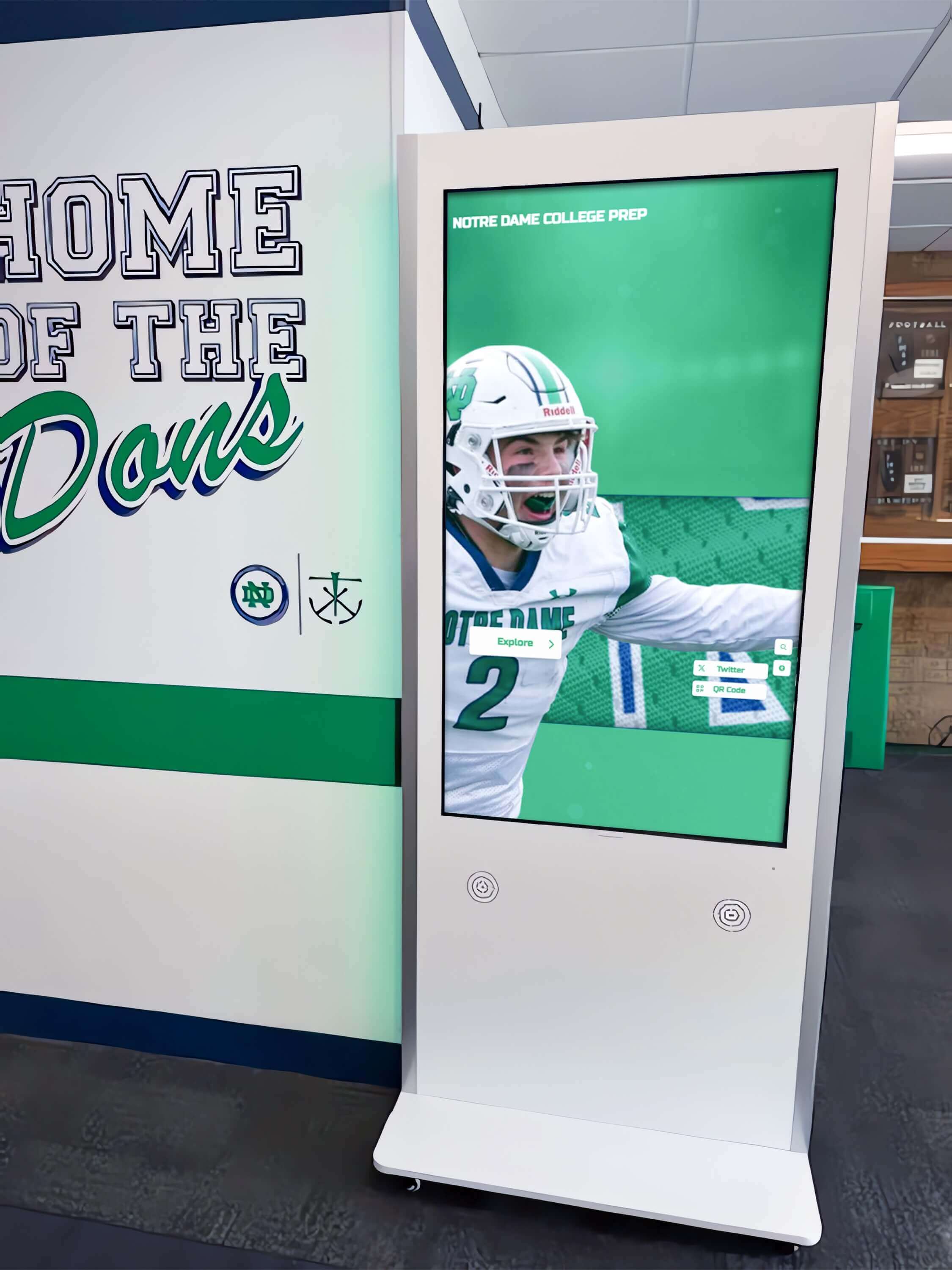
Budget Planning: Making the Business Case for Multiple Displays
Securing funding for multi-screen deployments requires demonstrating value to decision-makers.
Calculating Total Cost of Ownership
Present complete cost picture comparing unlimited screens to traditional models:
Traditional Per-Screen Model (5 displays over 5 years):
- Software subscriptions: 5 screens × $1,200/year × 5 years = $30,000
- Hardware: 5 displays × $4,000 average = $20,000
- Installation: 5 installations × $500 = $2,500
- Five-year total: $52,500
Rocket Unlimited Screen Model (5 displays over 5 years):
- Software subscription: 5 years of organizational subscription (varies by institution)
- Hardware: 5 displays × $4,000 average = $20,000
- Installation: 5 installations × $500 = $2,500
- Five-year total: Significantly lower than per-screen accumulation
The savings difference covers additional displays, professional content development, or reallocation to other priorities.
Demonstrating Return on Investment
Beyond cost savings, unlimited screens deliver measurable value:
Student Engagement and Motivation: Visible recognition increases student participation in academic achievement programs, athletic programs, and extracurricular activities.
Recruitment and Enrollment: Prospective families touring campus see professional recognition infrastructure demonstrating institutional quality and commitment to celebrating student success.
Alumni Engagement: Alumni recognition displays strengthen connections to graduates, supporting development efforts and volunteer recruitment.
Donor Stewardship: Recognition of giving through digital displays provides ongoing visibility that sustains donor relationships beyond initial campaign periods.
Community Relations: Public displays of student achievement build community pride and support for schools, benefiting levy campaigns and public relations.
Funding Strategies for Hardware Expansion
While subscription costs remain constant, funding multiple displays requires strategy:
Capital Budget Allocation: Request multi-year capital commitments, deploying 2-3 displays per year from standard capital allocations rather than requesting full funding upfront.
Booster Club Partnerships: Athletic boosters often fund displays in athletic facilities, while general boosters may support lobby installations.
Donor Recognition Opportunities: Offer naming rights for displays to major donors, with recognition appearing on the display itself or adjacent signage.
Grant Applications: Technology grants, school climate improvement grants, and student engagement initiatives all support recognition display funding.
Alumni Campaign: Graduates often enthusiastically support projects connecting them to their alma mater—displays showing their accomplishments alongside current students resonate emotionally.
Phased Approach: Start with minimal deployment (1-2 displays) using available budget, then leverage demonstrated success to secure expansion funding in subsequent years.
Conclusion: True Unlimited Screen Freedom
Hidden multi-screen costs represent one of the most frustrating aspects of digital display procurement for schools. What begins as an exciting recognition initiative becomes a complex negotiation about per-screen fees, license tiers, and cost management compromises. Schools end up deploying fewer displays than they need, in fewer locations than would serve students, because traditional licensing makes comprehensive coverage financially prohibitive.
Rocket Alumni Solutions eliminates this frustration entirely through genuinely unlimited screen licensing. One subscription covers unlimited touchscreens across unlimited locations within your organization. Deploy displays wherever they create value without worrying about exponential costs, surprise fees, or complex per-screen negotiations.
This pricing transparency delivers more than financial predictability—it enables strategic recognition approaches that per-screen models make impossible. Schools can provide equitable recognition access across all buildings in multi-campus districts. Individual schools can deploy displays serving different audiences in different spaces. Recognition programs can grow organically as needs evolve without subscription penalties constraining expansion.
The result is comprehensive recognition infrastructure that celebrates every student achievement, serves every stakeholder audience, and supports every institutional priority—all without hidden costs multiplying as you expand deployment. Your students accomplish remarkable things across athletics, academics, arts, and activities. They deserve recognition technology that can honor all those achievements, in all the places where recognition creates impact, without budget constraints limiting what’s possible.
Ready to explore how unlimited screen deployment could transform recognition at your school or district? Book a demo to see how Rocket Alumni Solutions’ transparent pricing and unlimited screen capability can eliminate hidden costs while maximizing recognition value across your entire organization.






























