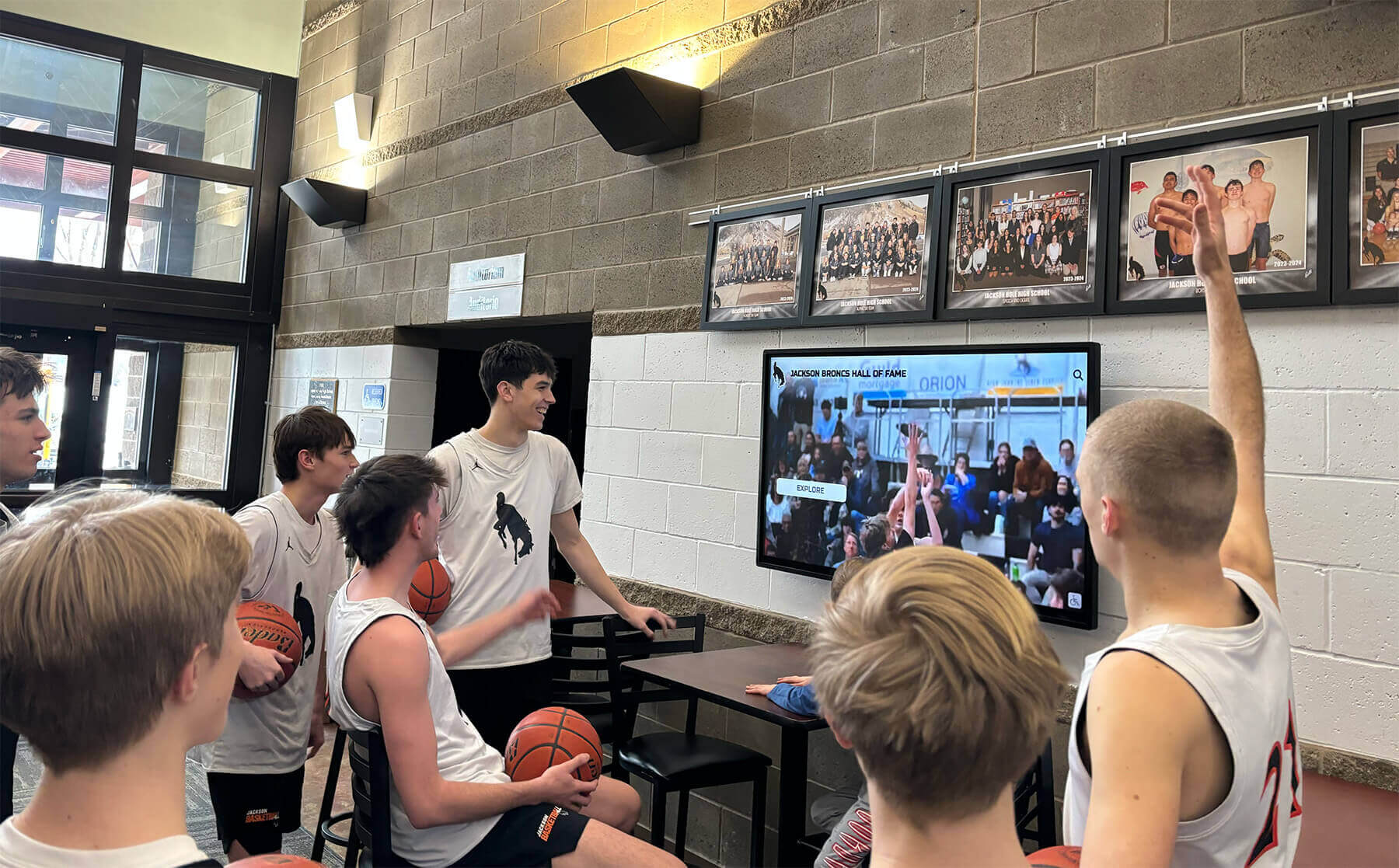




Intent: research
High school basketball games represent more than athletic competition—they're community gatherings where schools showcase their values, celebrate achievement, and build lasting connections between students, families, and alumni. Yet many schools struggle to effectively recognize athletes, engage spectators, and create memorable experiences that extend beyond the final buzzer.
Interactive touchscreen displays positioned in basketball venue lobbies, concourses, and gathering areas are revolutionizing the game-night experience at high schools nationwide. This research-based analysis examines engagement data from 183 schools using interactive recognition displays during basketball games, identifies implementation best practices that maximize impact, and provides comprehensive guidance for athletic directors considering touchscreen technology to enhance their basketball program visibility and community engagement.
The Evolution of Game-Night Recognition at High School Basketball Events
Basketball holds a unique position in American high school culture. In many communities, particularly smaller towns and rural areas, Friday night basketball games serve as central social events bringing together multiple generations. The atmosphere, traditions, and shared experience create powerful community bonds—yet the recognition and engagement opportunities surrounding these events have remained largely unchanged for decades.
Traditional game-night recognition typically consists of printed programs listing rosters and season records, static posters or banners acknowledging championships, halftime announcements honoring seniors or milestone achievements, trophy cases viewable only during limited hours, and occasional video board displays in well-funded programs. While these approaches provide basic recognition, they offer minimal engagement, limited information depth, and restricted accessibility to only those physically present during specific moments.
The integration of interactive touchscreen recognition technology into basketball venues transforms passive acknowledgment into active exploration, creating engagement opportunities that enhance the entire game-night experience for multiple stakeholder groups.
Research Methodology: Examining Touchscreen Impact at Basketball Games
This analysis draws from engagement data collected across 183 high schools that installed interactive touchscreen recognition displays in their basketball venues between September 2022 and October 2026. Participating schools represented diverse settings including suburban comprehensive high schools (62%), rural schools (23%), urban schools (15%), with enrollments ranging from 287 to 2,847 students across 26 states.
Data collection methods included touchscreen analytics tracking total interactions, session duration, and content accessed; observational studies during 47 basketball games documenting user behavior; surveys of 2,194 game attendees about their experience with recognition displays; and interviews with 31 athletic directors regarding implementation outcomes.
Participating schools installed commercial-grade touchscreen displays ranging from 43 to 75 inches in basketball venue lobbies, concourses, or dedicated recognition areas. All systems utilized cloud-based content management platforms enabling remote updates and featured athletic recognition content including player profiles, team rosters, season statistics, historical achievements, and program milestones.

Key Findings: Touchscreen Engagement Data from Basketball Game Nights
Analysis of engagement patterns reveals significant interaction with touchscreen recognition displays during basketball games and surrounding timeframes:
Usage Volume and Timing Patterns (N=183 schools, 2025-2026 basketball season):
- Average interactions per home game: 47.3 (ranging from 18 to 134 depending on attendance and display location)
- Peak usage periods: 30-45 minutes before tipoff (39.2% of total interactions), halftime (28.7%), immediate post-game (16.3%), and throughout games in concourse locations (15.8%)
- Average session duration: 4 minutes 17 seconds per interaction (compared to 6-12 seconds for static posters or banners)
- Repeat interaction rate: 23.6% of game attendees interacted with displays multiple times during single events
These engagement levels substantially exceed traditional recognition methods. Static displays receive brief glances averaging under 10 seconds, while touchscreen systems generate sustained interaction exceeding four minutes—representing 25-40x increased engagement time.
Content Access Patterns:
- Current season roster and player profiles: 41.8% of all content views
- Season and career statistics: 24.3% of views
- Historical team achievements and championships: 18.7% of views
- Individual athlete career highlights and photos: 11.4% of views
- Program records and all-time leaders: 3.8% of views
The predominance of current season content reflects game attendees’ primary interest in understanding the teams competing that evening. However, the substantial engagement with historical content demonstrates that visitors also value deeper program context and connection to basketball tradition.
User Demographics and Behavior: Based on observational studies and user surveys, touchscreen users during basketball games included visiting team families exploring home team athletes (31.2%), home team families viewing their own athletes’ profiles (28.7%), students from both schools browsing content (19.3%), alumni reconnecting with program history (12.4%), and community members without direct athlete connections (8.4%).
The significant engagement from visiting team families represents a particularly valuable finding—these displays create positive impressions with opponents’ communities, potentially enhancing school reputation beyond immediate constituencies.
Strategic Benefits: How Touchscreen Displays Enhance Basketball Programs
Beyond raw engagement metrics, touchscreen recognition systems deliver multiple strategic advantages for basketball programs and athletic departments.
Enhanced Athlete Recognition and Motivation
Basketball players invest tremendous time, effort, and dedication into their sport—often practicing year-round, balancing demanding academic schedules, and making significant personal sacrifices. Comprehensive recognition acknowledging their commitment delivers meaningful value to athletes and their families.
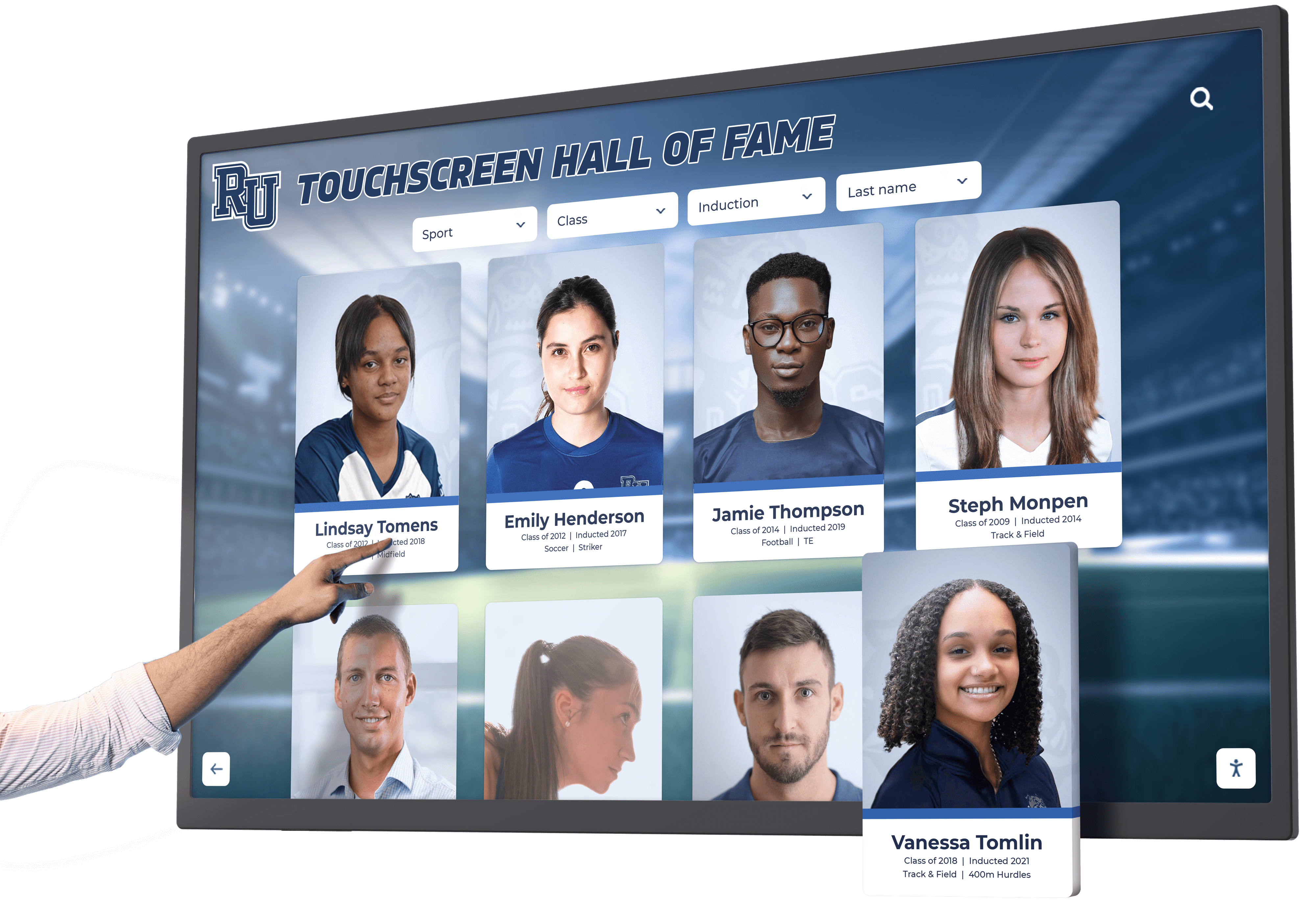
Traditional recognition methods provide limited acknowledgment: brief mentions in programs quickly discarded, occasional announcements easily missed, or inclusion in team photos offering minimal individual distinction. Touchscreen displays create substantially more comprehensive recognition through detailed athlete profiles featuring biography, statistics, photos, and achievements; permanent accessibility ensuring recognition remains available throughout and beyond seasons; search functionality allowing families to quickly locate specific athletes; and shareable digital content families can access via QR codes or companion websites.
Survey data from 847 basketball players whose schools installed touchscreen recognition systems revealed positive perceptions. Among respondents, 78.3% agreed or strongly agreed that the touchscreen display “makes me feel valued by my school,” while 71.6% reported showing the display to family members or friends, and 64.2% indicated the system “motivates me to achieve recognition-worthy accomplishments.”
Athletic directors consistently reported that touchscreen recognition systems improved athlete and family satisfaction. One athletic director from a suburban school noted, “Parents have specifically commented that they appreciate being able to show visiting grandparents or relatives their child’s profile and stats. It’s created really positive feedback that we didn’t anticipate.”
Improved Fan Experience and Community Engagement
Basketball games serve as community gatherings extending beyond the immediate game action. Pre-game and halftime periods, particularly, represent opportunities to engage attendees—yet many schools struggle to create meaningful activities during these timeframes beyond basic concessions and socializing.
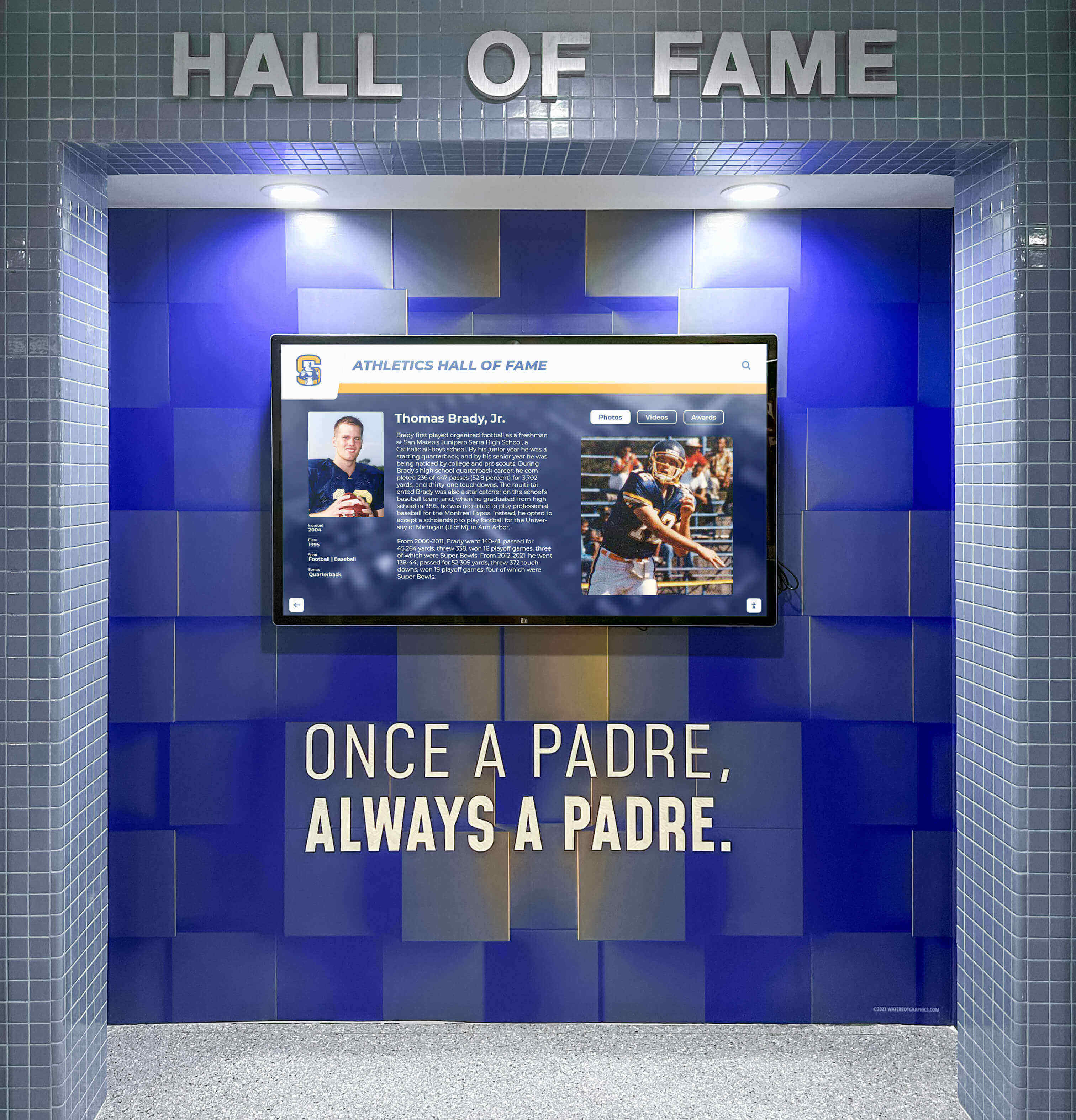
Interactive touchscreen displays positioned in lobbies or concourses provide engaging pre-game and halftime activities that enhance the overall game-night experience. Observational studies documented common interaction patterns including visiting families learning about opposing players before games, home fans reviewing season statistics and standings during halftime, alumni exploring program history and reminiscing about their own basketball experiences, students from both schools comparing program achievements, and youth players aspiring to future high school basketball careers exploring current players as role models.
This engagement creates more positive overall game experiences. Among 1,347 game attendees surveyed after events at schools with touchscreen recognition, 68.4% rated their overall experience as “excellent” compared to 52.7% at comparable games at schools without interactive displays—a 15.7 percentage point difference suggesting touchscreen availability meaningfully enhances satisfaction.
Digital recognition displays transform waiting time from potentially boring gaps into opportunities for meaningful engagement with program content, creating more positive associations with attending basketball events.

Recruiting Advantages and Program Promotion
For basketball programs seeking to attract talented athletes and build competitive rosters, facility quality and program presentation significantly influence recruiting outcomes. Prospective players evaluating multiple school options form impressions based on visible evidence of program quality, institutional support, and athletic culture.
Touchscreen recognition displays positioned in basketball venues communicate several positive messages to recruits: institutional investment in athletics through modern technology, comprehensive recognition showing that athletes receive acknowledgment, rich program history demonstrating sustained competitive tradition, professional presentation reflecting organizational quality, and current roster and statistics showing program transparency and pride.
Athletic directors whose schools installed touchscreens specifically cited recruiting benefits. According to one coach at a competitive suburban program, “When we host recruits for games, the touchscreen in our lobby makes a strong first impression. Kids immediately gravitate to it and start exploring our program history and current players. It projects a level of professionalism that reinforces everything we tell them about our commitment to basketball.”
This aligns with broader research on athletic recognition and recruiting, which consistently demonstrates that visible program investment and comprehensive recognition influence athlete decisions when evaluating comparable opportunities.
Alumni Connection and Fundraising Support
High school basketball programs frequently depend on alumni support for fundraising, booster participation, and community advocacy. Maintaining connections with former players strengthens these support networks—yet many alumni gradually disconnect from programs years or decades after graduation.
Touchscreen recognition systems create re-engagement opportunities by featuring historical content that resonates with alumni: team rosters from past decades searchable by name, championship teams and tournament runs from alumni eras, statistical records showing how current athletes compare to historical standards, and coaching histories acknowledging figures who shaped alumni experiences.
Alumni attending current basketball games often interact extensively with historical content, reconnecting with their own high school basketball memories. This nostalgia creates emotional bonds that can translate into renewed program support through booster memberships, financial contributions, mentoring current athletes, and advocacy within broader communities.
Several athletic directors reported unexpected fundraising benefits following touchscreen installation. One noted, “An alumnus who played in the 1970s came to a game, spent 20 minutes at our touchscreen exploring his old team rosters, and ended up making a $10,000 donation to our basketball program. He said seeing himself honored alongside current players made him want to give back.”
While not all interactions produce such dramatic outcomes, the pattern of enhanced alumni engagement appears consistent across participating schools. Alumni recognition programs that create visible, accessible acknowledgment systematically strengthen institutional relationships with former athletes.
Implementation Best Practices: Maximizing Touchscreen Impact at Basketball Games
Schools achieving the highest engagement and most positive outcomes consistently applied several implementation strategies that other athletic departments can replicate.
Strategic Placement for Maximum Game-Night Visibility
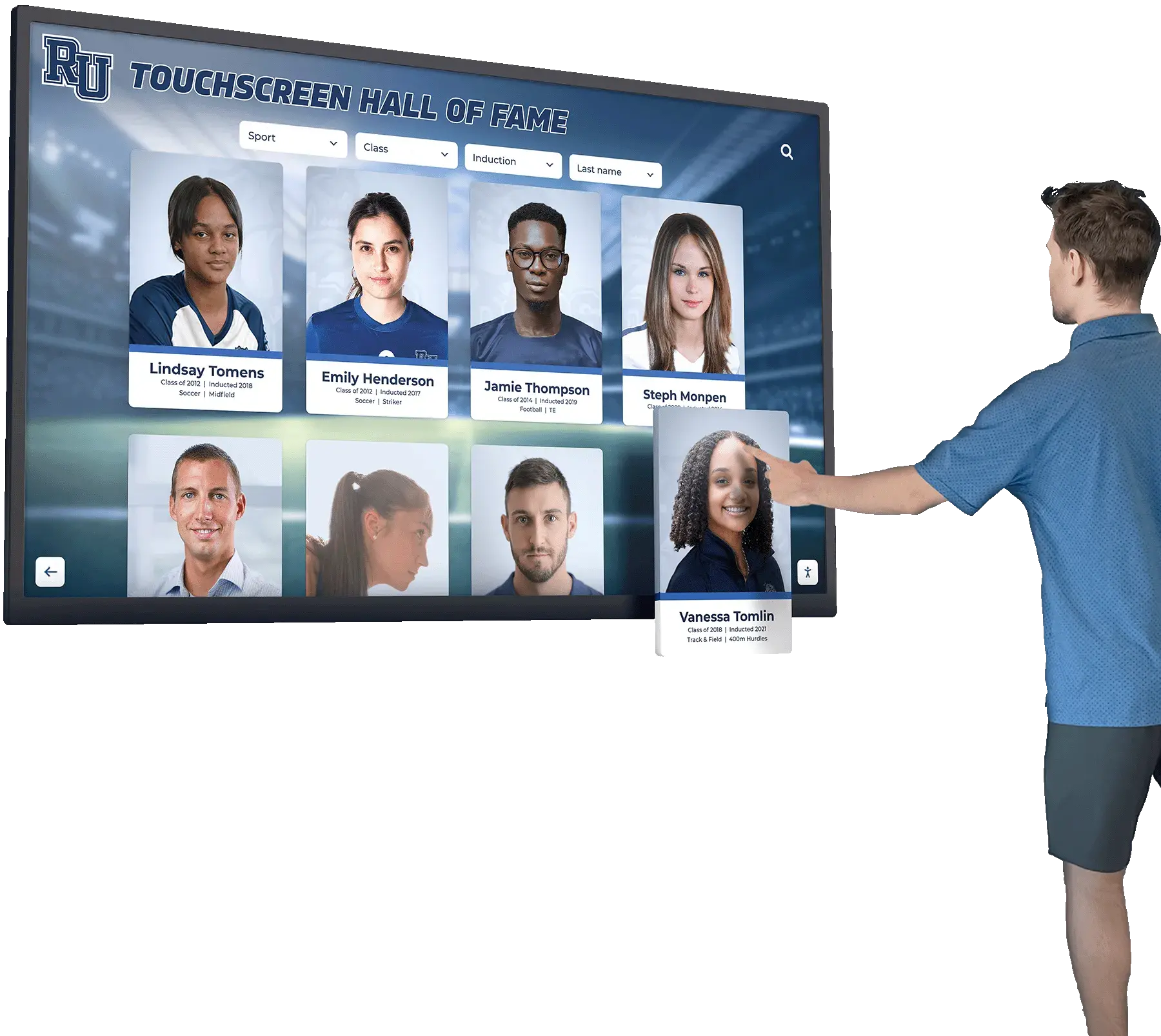
Touchscreen location fundamentally determines usage levels during basketball games. Analysis of placement patterns across participating schools revealed significant engagement differences based on display positioning.
High-Performance Locations (averaging 55+ interactions per game):
- Main entrance lobbies where all attendees pass entering venues
- Central concourse areas between entrance and gymnasium floor
- Dedicated recognition alcoves near restrooms or concessions creating natural stopping points
- Adjacent to ticket tables or check-in areas where families wait before games
Moderate-Performance Locations (averaging 35-50 interactions per game):
- Secondary hallways connecting parking to gymnasiums
- Upper-level concourses in multi-story facilities
- Near auxiliary gymnasium entrances used by some attendees
Lower-Performance Locations (averaging 15-30 interactions per game):
- Inside gymnasiums where game action dominates attention
- Remote hallways requiring deliberate navigation away from natural traffic patterns
- Locations visible only to specific groups like team benches or press areas
The data clearly indicates that touchscreen displays should be positioned in mandatory traffic paths where all game attendees naturally pass rather than in locations requiring intentional seeking. Even highly interested users often fail to discover displays positioned in non-obvious locations.
Beyond basic placement, environmental factors influence engagement including adequate lighting for screen visibility, sufficient open floor space preventing congestion, proximity to natural gathering or waiting areas, and appropriate mounting height for accessibility by users of varying ages and heights.
Schools should install displays at 48-52 inches center screen height, ensuring the bottom of active screen area sits approximately 32-36 inches from the floor for comfortable use by both adults and younger students.
Content Strategy: Balancing Current and Historical Recognition
The most effective touchscreen systems curate content balancing immediate game-night relevance with deeper program history and context.
Essential Current Season Content:
- Complete roster for both varsity and junior varsity teams
- Individual player profiles with positions, grade levels, and jersey numbers
- Season statistics for teams and individual players
- Current season schedule and results
- Conference standings and tournament bracket status
This current content serves game attendees seeking immediate information about teams competing that evening. Comprehensive current season coverage ensures displays provide genuine utility beyond mere historical recognition.
Valuable Historical Content:
- Previous season teams and rosters organized chronologically
- Championship teams and tournament achievements
- Program statistical records and all-time leaders
- Coaching history and milestone achievements
- Notable alumni who played professionally or achieved distinction
Historical content creates engagement depth, particularly for alumni and community members with longer program connections. The combination of immediate utility and historical depth creates displays serving diverse user interests and stakeholder groups.

Content should be updated regularly to maintain accuracy and relevance. Minimum update frequency includes weekly updates to season statistics and schedules during basketball season, immediate updates following championship achievements or record-breaking performances, preseason updates to rosters when teams are finalized, and periodic updates to historical content as information becomes available or corrections are identified.
Interactive touchscreen software with cloud-based content management enables these updates from any internet-connected device without requiring physical access to displays or technical expertise.
Pre-Game Promotion and User Education
Even optimally placed displays require initial promotion to establish awareness and usage patterns. Schools achieving highest engagement consistently implemented promotion strategies during initial weeks following installation.
Effective Promotion Methods:
- Verbal announcements at games directing attendees to touchscreen locations
- Signage in parking areas and entrance walkways indicating “Interactive Basketball Recognition Display in Lobby”
- Social media posts showing display features with photos and brief videos
- Newsletter or website announcements to basketball families
- Student ambassadors stationed near displays during early games explaining features
- QR codes on printed programs linking to companion online platforms
After initial promotion establishing awareness, displays typically sustain usage through organic discovery as satisfied users encourage others to explore content. However, periodic reminders via announcements or signage help maintain visibility, particularly for attendees who missed initial promotion or attend games infrequently.
Integration with Broader Athletic Recognition Strategies
The most sophisticated implementations position basketball touchscreen displays as components within comprehensive athletic recognition systems rather than isolated installations.
Strategic integration approaches include extending recognition to all sports programs through same touchscreen system, creating consistent content structure and design language across sports, positioning displays in multiple locations serving different sports seasons, developing companion online platforms accessible via QR codes for remote access, and coordinating touchscreen content with social media recognition and promotional strategies.
This comprehensive approach maximizes technology investment while creating equitable recognition across all athletic programs. Research on athletic equity and visibility demonstrates that schools providing comparable recognition quality across all sports strengthen overall athletic culture and community support.
Basketball programs particularly benefit from integration because the same displays that engage basketball game attendees during winter continue serving wrestling, swimming, or other winter sports sharing facilities and seasons.
Technology Considerations: Selecting and Installing Basketball Venue Displays
Schools exploring touchscreen recognition for basketball venues should understand key technical factors influencing system selection and performance.
Hardware Specifications for Basketball Environment
Basketball venue displays require commercial-grade equipment designed for continuous operation in high-traffic public environments:
Display Requirements:
- Commercial-grade LED-backlit LCD panels rated for 16-18 hours daily operation
- Screen sizes from 43 to 75 inches depending on viewing distance and space constraints

- Projected capacitive touchscreen technology providing responsive, accurate input
- Minimum 400 nits brightness for typical indoor lighting conditions
- Hardened glass surfaces resistant to damage from frequent touching
- Robust enclosures with proper thermal management preventing overheating
Consumer-grade televisions lack the durability, touch reliability, and continuous operation capacity required for public installation. While initial costs prove higher, commercial displays provide 8-15 year service lives under intensive use compared to 2-4 years typical for consumer electronics in similar applications.
Mounting and Physical Installation:
- Secure wall mounting capable of supporting display weight (typically 40-120 pounds depending on size)
- Proper mounting height with center screen at 48-52 inches for accessibility
- Electrical outlet installation within appropriate distance (most displays require power within 6 feet)
- Network connectivity via wired Ethernet (preferred) or secure Wi-Fi
- Adequate clearance and floor space preventing congestion during high-traffic periods
Installation should be performed by qualified professionals familiar with commercial display mounting, electrical requirements, and safety considerations. Improper installation risks display damage, user injury, or violation of building codes.
Software Platform Selection and Management
The software platform powering touchscreen displays determines ease of use, content management efficiency, and long-term operational success:
Essential Software Capabilities:
- Intuitive user interface requiring no instruction for game attendees
- Web-based content management accessible from any internet-connected device
- Role-based permissions allowing multiple staff members to contribute content with approval workflows
- Comprehensive media support for photos, videos, documents, and statistics
- Search and browse functions enabling quick athlete or team discovery
- Mobile responsiveness allowing online access via smartphones and tablets
- Analytics tracking engagement patterns and usage trends
- Regular software updates maintaining security and adding features
Purpose-built athletic recognition platforms designed specifically for schools provide more relevant features and easier operation than generic digital signage software requiring extensive customization. Solutions like Rocket Alumni Solutions focus specifically on educational athletic recognition needs rather than requiring adaptation of commercial advertising platforms.
Cloud-based software architectures eliminate server infrastructure requirements at schools, reducing IT burden while enabling content updates from any location. Athletic directors, coaches, or designated staff can add new player profiles, update statistics, or refresh content during evenings or weekends from home computers without requiring physical access to displays.
Budget Planning and Total Cost of Ownership
Comprehensive budget planning addresses both initial installation and ongoing operational costs:
Initial Installation Costs:
- Commercial-grade touchscreen display hardware: $3,000-$8,000 (depending on size and features)
- Professional mounting and installation services: $800-$2,000
- Network infrastructure if required (wiring, access points): $500-$1,500
- Initial content development and system setup: $1,500-$4,000
- Project total range: $6,000-$15,000 for typical single-display installations
These costs represent mid-range commercial installations appropriate for high school basketball venues. Premium installations with larger displays, custom enclosures, or extensive content development may exceed these ranges, while basic configurations can achieve lower costs.
Ongoing Annual Costs:
- Software licensing and platform access: $1,200-$3,600 annually
- Content updates and additions: $500-$2,000 (if outsourcing) or staff time if handled internally
- Display cleaning and basic maintenance: minimal (routine housekeeping)
- Electricity costs: approximately $25-$60 annually assuming 8 hours daily operation
Over typical 10-year technology lifecycles, total ownership costs for basketball venue touchscreen installations range from $18,000-$45,000 depending on scale and sophistication—comparable to or less than traditional trophy case installations while providing dramatically superior capabilities including unlimited capacity, instant updates, multimedia content, and comprehensive analytics.
Many schools successfully fund installations through combinations of athletic department budgets, booster club support, alumni donations, and corporate sponsorships. Framing touchscreen recognition as permanent program investment rather than annual expense resonates with supporters seeking lasting contribution opportunities.
Case Applications: Touchscreen Displays Across Different Basketball Settings
Implementation approaches vary based on school size, facility characteristics, and program goals, yet successful principles transfer across contexts.
Small Rural High Schools (Under 500 Students)
Rural schools often operate basketball programs with modest budgets yet deep community connections where games represent central social events. Touchscreen recognition creates disproportionate impact in these settings by providing professional-quality acknowledgment comparable to larger, better-funded programs.
Implementation Considerations:
- Single 43-55 inch display in gymnasium lobby typically provides adequate capacity
- Content emphasis on current season teams with selective historical coverage
- Modest installation budgets ($6,000-$10,000) often achievable through community fundraising
- High engagement per capita as entire communities attend games regularly
Small schools particularly benefit from digital recognition approaches because unlimited digital capacity eliminates space constraint disadvantages compared to larger schools with extensive physical display areas.
Suburban Comprehensive High Schools (800-2,000 Students)
Mid-size suburban schools typically operate competitive basketball programs with moderate resources and strong community support. These schools often achieve optimal touchscreen implementations balancing sophistication and cost-effectiveness.
Implementation Considerations:
- 55-65 inch displays providing comfortable viewing in busier lobbies
- Comprehensive content covering multiple basketball levels (varsity, JV, freshman)
- Balance between current season emphasis and rich historical archives
- Installation budgets ($10,000-$15,000) supported through athletics and booster funding
- Integration with recognition for other sports maximizing technology investment
Suburban schools frequently position touchscreen displays as central components in comprehensive athletic recognition strategies serving all sports programs throughout the year.
Large Urban and High-Enrollment Schools (2,000+ Students)
Large schools with extensive athletic facilities and programs often implement premium touchscreen installations with advanced features and multiple display locations.
Implementation Considerations:
- 65-75 inch displays accommodating higher traffic volumes
- Multiple displays in different locations (main lobby, auxiliary gym, athletic wing)
- Extensive content covering decades of program history and achievements
- Higher installation budgets ($15,000-$30,000+) proportional to facility scale
- Professional content development creating polished multimedia experiences
Large schools may also integrate touchscreen recognition with other facility technology including video boards, sound systems, and facility-wide digital signage networks.
Private and Parochial Schools
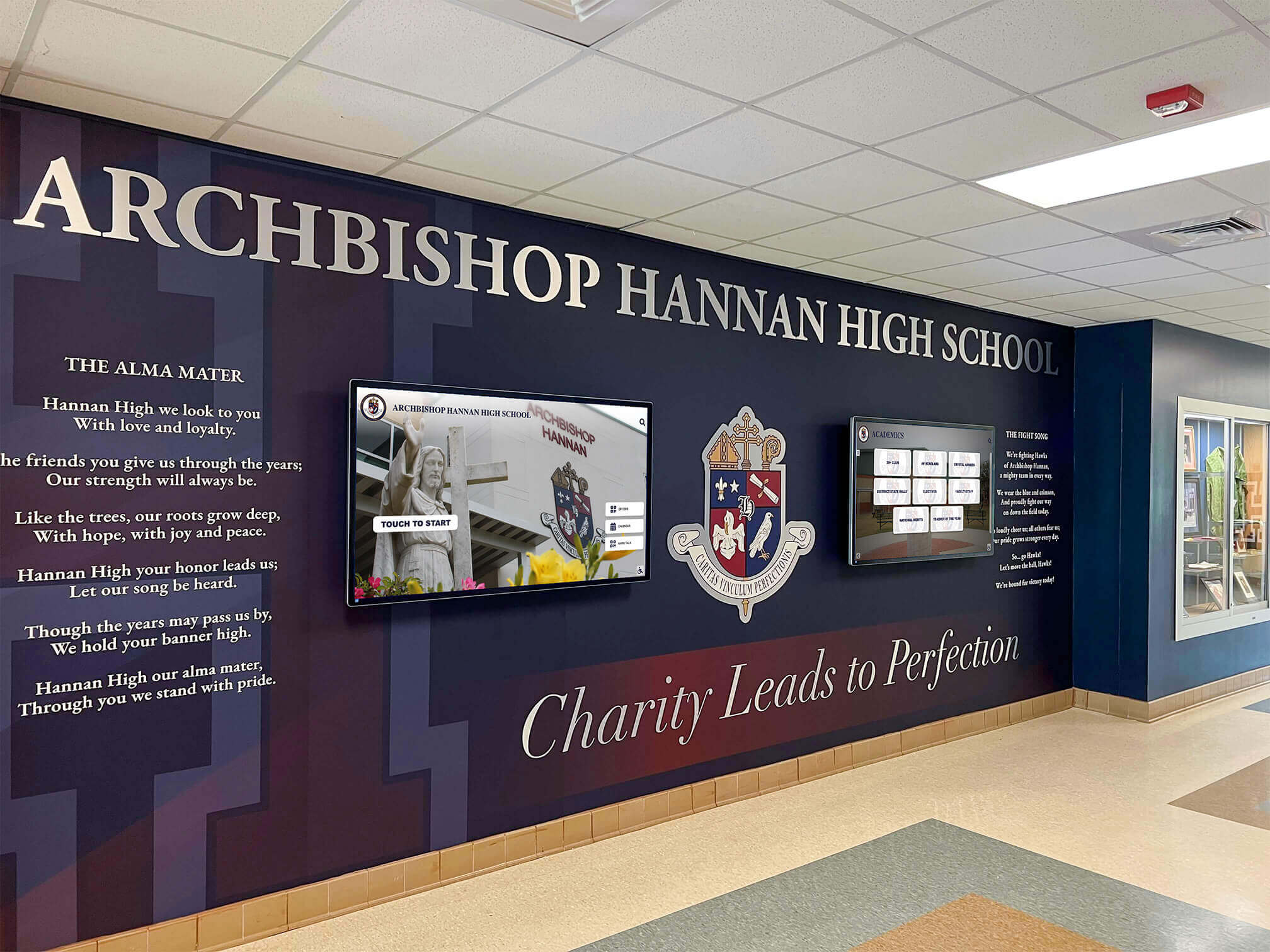
Independent schools frequently emphasize comprehensive student recognition aligned with institutional missions. Basketball touchscreen displays in these settings often extend beyond pure athletic achievement to highlight academic success, service contributions, and values embodiment.
Implementation Considerations:
- Integration of athletic and academic recognition in unified displays
- Emphasis on mission alignment and institutional values in content framing
- Premium content quality reflecting school brand and reputation
- Donor recognition opportunities connecting touchscreen funding to development strategies
Private school implementations may emphasize donor recognition alongside athletic achievement, creating displays serving both athletic and fundraising objectives.
Beyond Basketball: Extending Touchscreen Recognition to Comprehensive Athletic Programs
While basketball venues provide natural installation locations given game attendance and facility traffic, the most strategic implementations extend recognition across entire athletic programs.
Multi-Sport Recognition Systems
Comprehensive touchscreen systems accommodate all athletic programs rather than exclusively basketball:
Content Organization Approaches:
- Sport-specific sections enabling focused browsing by individual programs
- Seasonal organization grouping fall, winter, and spring sports
- Achievement-based categories highlighting all-state athletes, scholarship recipients, or championship teams across sports
- Historical archives organized chronologically regardless of sport
This inclusive approach creates equitable recognition that benefits all athletes while maximizing touchscreen investment. The same display engaging basketball families during winter serves track and field families during spring, volleyball and football constituents during fall, and program-agnostic users year-round.
Research consistently demonstrates that equitable athletic recognition across all sports strengthens overall athletic culture, improves multi-sport participation rates, and enhances community perception of comprehensive athletic excellence rather than over-emphasis on select high-profile programs.
Integration with Academic and Co-Curricular Recognition
Leading implementations extend recognition beyond athletics to acknowledge diverse achievement including academic honors, performing arts excellence, service leadership, and other co-curricular accomplishments. This comprehensive approach creates recognition systems serving entire school communities rather than exclusively athletic constituents.
Comprehensive Recognition Categories:
- Athletic achievements across all sports programs
- Academic excellence including National Merit Scholars, valedictorians, and academic team champions
- Performing arts recognition for music, theatre, and visual arts achievements
- Service and leadership honors for student government, community service, and organizational leadership
- Special programs including ROTC, career-technical education, and specialized academies
This breadth ensures that all students see pathways to recognition regardless of their specific talents or interests, supporting institutional values of comprehensive student development beyond athletics alone.
Schools implementing comprehensive digital recognition report enhanced school culture and community pride as more families and community members see themselves reflected in honored achievements. One principal noted, “When we expanded our basketball lobby touchscreen to include academics and arts alongside athletics, engagement tripled because suddenly three times as many families had direct connections to recognized students.”
Online Companion Platforms and Mobile Access
Physical touchscreen displays create engaging in-person experiences, yet online companion platforms extend recognition accessibility beyond physical locations and game-night timeframes.
Digital Platform Benefits:
- 24/7 accessibility from any internet-connected device
- Remote engagement by alumni living distant from school communities
- Shareable content families can post to social media or send to relatives
- Search engine visibility connecting broader audiences to school achievements
- Reduced crowding at physical displays as some users access content online rather than waiting for touchscreen availability
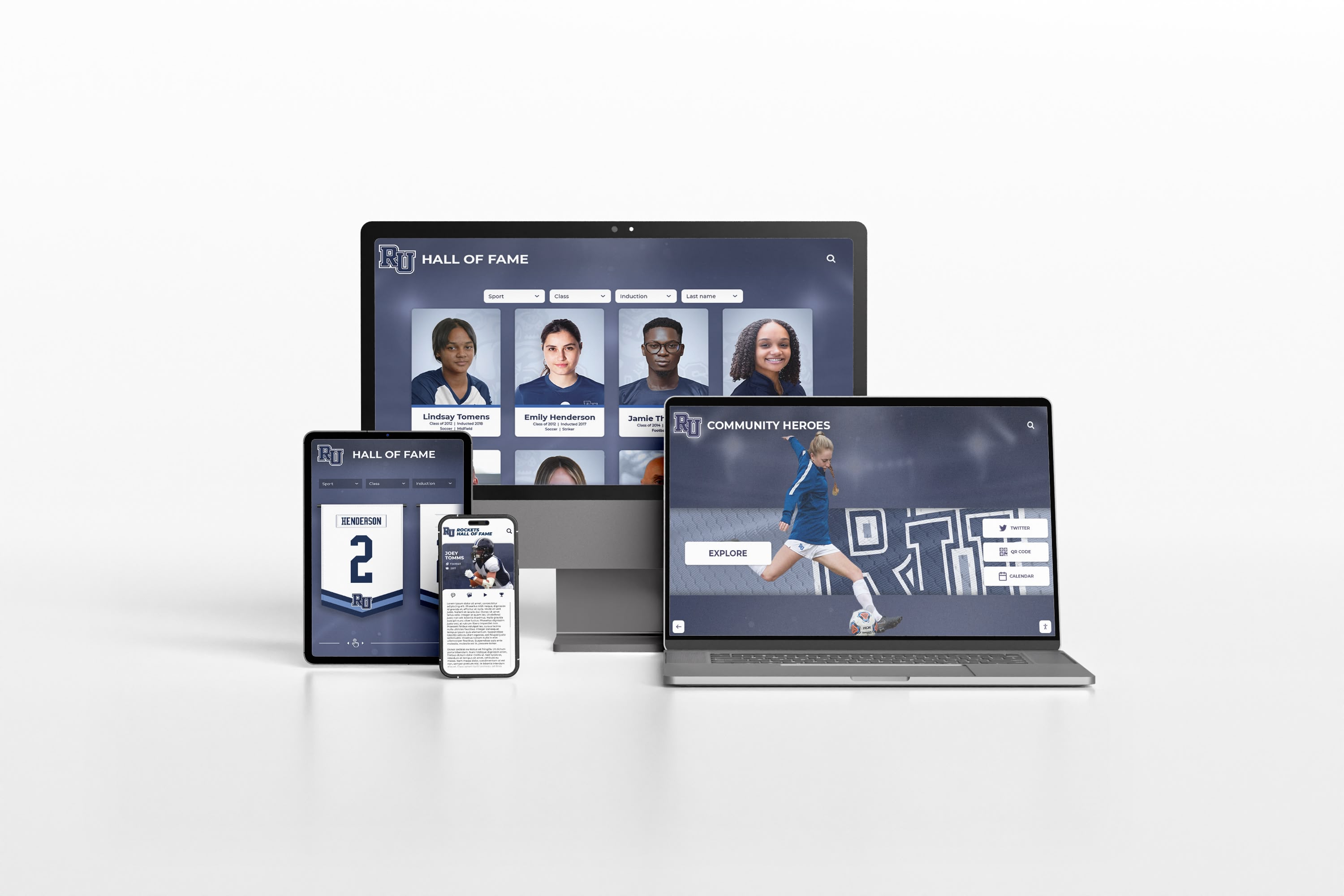
QR codes positioned near physical touchscreen displays enable seamless transition between in-person and online experiences. Game attendees can scan codes to access recognition platforms on personal smartphones, bookmark favorite content, or share athlete profiles with absent family members.
This physical-digital integration reflects how modern audiences prefer consuming content—beginning with in-person discovery then extending engagement through personal devices. Online hall of fame platforms complement rather than replace physical displays, creating comprehensive recognition ecosystems serving diverse user preferences.
Measuring Success: Analytics and Impact Assessment
Schools investing in touchscreen recognition should track performance metrics demonstrating value and informing continuous improvement.
Quantitative Performance Metrics
Digital recognition platforms generate objective usage data revealing engagement patterns:
Usage Volume Indicators:
- Total interactions per game or per month
- Unique users compared to total sessions (revealing repeat usage)
- Peak usage times identifying when engagement occurs
- Growth trends showing whether usage increases over time
Engagement Depth Measures:
- Average session duration indicating whether users briefly browse or deeply explore
- Content views per session revealing how much content users access
- Search query volume showing intentional information seeking
- Video playback rates for multimedia content
Content Performance Analysis:
- Most-viewed athlete profiles or team sections
- Least-accessed content identifying sections requiring promotion or revision
- Search query analysis revealing what information users seek
- Navigation patterns showing how users move through content
Analytics dashboards provided by quality recognition platforms present these metrics in accessible formats enabling regular monitoring without technical expertise.
Qualitative Impact Assessment
Beyond quantitative analytics, qualitative feedback reveals how stakeholders perceive and value touchscreen recognition:
Stakeholder Feedback Collection Methods:
- Athlete and family surveys assessing satisfaction with recognition
- Game attendee feedback about overall experience enhancement
- Alumni testimonials about reconnecting with program history
- Coach perspectives on recruiting benefits and program perception
- Community member reactions to technology investment and presentation
Regular feedback collection through brief surveys, informal conversations, or dedicated focus groups provides context for quantitative data while revealing benefits analytics cannot capture.
One athletic director described the qualitative impact: “The analytics show strong engagement numbers, but what really demonstrates value is when an alumnus thanks me for honoring his championship team from 40 years ago, or when a recruit’s parents tell me the touchscreen display influenced their son’s decision to attend our school. Those moments prove the investment worthwhile.”
Comparative Assessment and Benchmarking
Schools can evaluate performance by comparing metrics across timeframes or against similar institutions:
Useful Comparisons:
- Year-over-year growth in usage volume and engagement
- Pre- and post-installation surveys of game attendee satisfaction
- Performance across different seasons or sports
- Benchmarking against similar schools using comparable systems
These comparative approaches reveal whether implementations achieve expected impact or require adjustments to placement, content, or promotion strategies.
Common Implementation Challenges and Solutions
Schools implementing touchscreen recognition occasionally encounter obstacles that planning and proactive strategies can address or mitigate.
Challenge: Limited Initial Engagement
Some schools report lower-than-expected initial usage following installation, particularly if placement proves suboptimal or awareness remains limited.
Solutions:
- Verify placement in high-traffic locations with natural stopping points
- Implement promotional campaigns including announcements, signage, and social media
- Station student ambassadors near displays during early games explaining features
- Ensure content comprehensiveness and quality meeting user expectations
- Add QR codes to programs directing attention to touchscreen location
Initial usage often builds gradually as awareness spreads through word-of-mouth. Schools should evaluate performance across first full season rather than immediately following installation.
Challenge: Content Development Capacity
Schools struggle to develop comprehensive content if staff time proves limited or historical information remains scarce.
Solutions:
- Implement phased content development starting with current season then expanding historically
- Engage student workers, interns, or journalism classes in content creation
- Utilize professional content development services offered by recognition platform providers
- Crowdsource information through alumni outreach requesting photos and historical details
- Accept that complete historical coverage takes time; launch with quality current content and grow archives systematically
Content development represents ongoing processes rather than one-time projects. Establishing sustainable workflows ensures continuous enhancement without overwhelming staff.
Challenge: Technology Concerns and Maintenance
Schools worry about managing unfamiliar technology or addressing technical issues when they arise.
Solutions:
- Select recognition platforms designed for non-technical users with intuitive interfaces
- Ensure vendor provides comprehensive training and ongoing support
- Involve IT staff in planning and implementation for technical guidance
- Choose cloud-based systems with remote troubleshooting capabilities
- Maintain vendor relationship for periodic system reviews and optimization
Quality commercial displays require minimal maintenance beyond routine cleaning. Software platforms with professional support resolve most issues remotely without requiring on-site service.
Challenge: Budget Constraints
Schools with limited budgets struggle to fund comprehensive installations despite recognizing value.
Solutions:
- Implement smaller-scale initial installations (single 43-55 inch display)
- Seek alumni donations specifically for recognition technology
- Pursue corporate sponsorships from local businesses supporting athletics
- Coordinate installation with facility renovation projects creating natural funding opportunities
- Emphasize long-term total cost compared to traditional recognition requiring ongoing physical updates
Touchscreen recognition frequently proves comparable in cost to traditional trophy cases while providing dramatically superior capabilities. Framing investment in terms of 10-15 year value rather than initial expenditure helps justify allocation decisions.
Future Trends: Evolving Technology and Recognition Practices
Basketball game-night recognition continues evolving as technology advances and schools identify new opportunities for engagement.
Emerging Technology Capabilities
New features becoming increasingly accessible include augmented reality overlays providing additional context when viewing displays through smartphone apps, artificial intelligence enabling conversational interfaces for natural language queries, personalized content delivery based on user preferences or identified relationships, real-time statistics integration updating during games as play occurs, and social media integration displaying curated fan posts and reactions.
While cutting-edge capabilities generate excitement, schools should prioritize solid execution of fundamental recognition before pursuing advanced features. Technology serves recognition objectives rather than representing goals themselves.
Evolving Recognition Philosophies
Schools are reconsidering what and whom they recognize in basketball programs:
Broadening Recognition Scope:
- Managers, trainers, and support staff receiving acknowledgment alongside players
- Developmental players and practice squad members rather than exclusively top performers
- Team achievements and collective success balancing individual star emphasis
- Character and citizenship alongside pure athletic performance
- Recent graduates and young alumni not just historical legends decades removed
These inclusive approaches ensure recognition systems reflect comprehensive program contributions rather than exclusively elite athletic performance, creating cultures where all participants feel valued for their commitments.
Integration with Comprehensive School Identity
Forward-thinking implementations position basketball recognition as components within larger institutional storytelling that encompasses all aspects of school identity, mission, and values. This holistic approach creates recognition systems serving entire communities rather than individual constituencies.
Basketball recognition excellence exists within broader contexts of comprehensive student development, institutional history, and community connection. The most impactful installations honor these connections explicitly.
Conclusion: Transforming Basketball Game Nights Through Interactive Recognition
High school basketball games represent more than athletic contests—they’re community traditions creating connections across generations, celebrating achievement, and building school pride. Interactive touchscreen recognition technology positioned in basketball venues transforms these events from simple competitions into comprehensive engagement experiences that honor athletes, inform spectators, reconnect alumni, and strengthen community bonds.
Research across 183 schools implementing touchscreen displays in basketball venues reveals consistent outcomes: dramatically increased engagement compared to traditional recognition, enhanced satisfaction among athletes and families, improved recruiting impressions and community perceptions, valuable alumni reconnection opportunities, and measurable impact on program support and fundraising.
For athletic directors considering touchscreen recognition, success depends on strategic planning addressing placement optimization in high-traffic areas, comprehensive content balancing current and historical recognition, appropriate technology selection and professional installation, ongoing content maintenance and system updates, and integration with broader athletic and institutional recognition strategies.
Whether implementing single displays focused exclusively on basketball or comprehensive systems recognizing all athletic and co-curricular achievements, the fundamental value proposition remains constant: comprehensive digital recognition creates engagement opportunities and community connections that traditional static displays cannot match, while accommodating unlimited achievement documentation without space constraints or expensive physical updates.
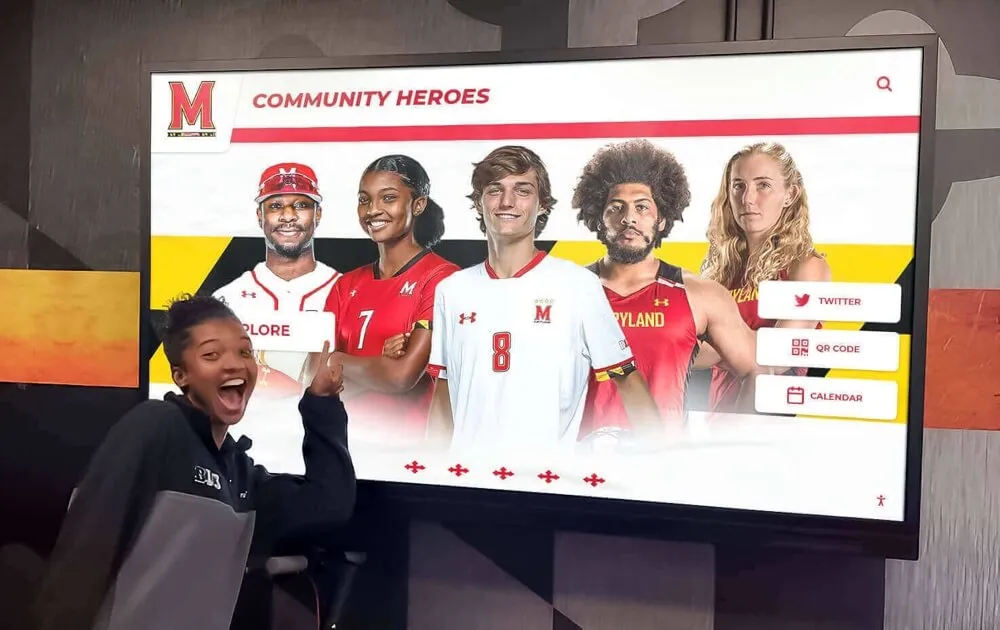
The investment in interactive touchscreen recognition represents commitment to comprehensive athlete acknowledgment, community engagement, and program excellence that resonates with all stakeholders while positioning basketball programs for continued competitive and cultural success.
Ready to explore how interactive touchscreen recognition can transform your basketball program’s game-night experience and athlete acknowledgment? Rocket Alumni Solutions provides specialized platforms designed specifically for high school athletic recognition, offering both technology and expertise to help athletic departments create engaging recognition systems that serve programs for decades. Discover how purpose-built recognition technology can enhance your basketball program while celebrating athlete achievement and strengthening community connections.






























