




Building a new gymnasium represents a significant investment in your school’s future—typically $150-$300 per square foot for modern athletic facilities. These major capital projects offer rare opportunities to integrate digital recognition infrastructure correctly from the start, avoiding the costly retrofits, exposed conduit, and compromised aesthetics that characterize installations attempted after construction completion.
Yet many schools postpone decisions about touchscreen displays and digital recognition systems, treating them as amenities to address “later” rather than essential facility components requiring planning alongside HVAC, electrical, and lighting systems. This delay creates preventable problems including inadequate electrical infrastructure requiring expensive upgrades, network connectivity limitations compromising functionality, mounting locations constrained by completed wall and structural systems, and aesthetic compromises where displays appear as afterthoughts rather than integrated design elements.
School administrators and facility planners who understand optimal timing for touchscreen display integration make informed decisions that protect budgets while creating facilities serving recognition needs for decades. This comprehensive guide walks through every phase of the new construction timeline, identifying exact decision points where touchscreen planning must occur to achieve successful outcomes.
Understanding the Full Construction Timeline
New gymnasium construction typically spans 18-24 months from initial planning through completion. Touchscreen display decisions intersect this timeline at multiple critical junctures.
Pre-Design and Programming Phase (Months 1-3)
Before architects begin drawing plans, schools conduct programming determining facility requirements and priorities.
Establishing Recognition Program Requirements: Programming discussions should explicitly address how the new gymnasium will support athletic recognition and student engagement. Key questions include what types of recognition the facility should accommodate (hall of fame, championship displays, athlete of the month, etc.), how many display locations the facility should support, whether displays will function as standalone recognition or integrate with broader school communications, and what future expansion capacity planners should accommodate.
These programmatic decisions fundamentally shape facility design. A school planning comprehensive digital recognition throughout the gymnasium requires very different infrastructure than one anticipating a single display in the main lobby.
Initial Budget Allocation: Programming phase budget development should include line items for digital recognition infrastructure and displays. Schools that wait until construction documents are complete to add touchscreen displays inevitably face change orders costing 40-60% more than costs projected during initial budgeting. Even if exact display models haven’t been selected, including reasonable budget placeholders ($15,000-$30,000 per display location including installation and infrastructure) enables proper financial planning.
Engaging Recognition Technology Specialists: Schools should consult with digital recognition providers during programming to understand infrastructure requirements their systems need. Providers like Rocket Alumni Solutions can review preliminary facility plans and identify optimal display locations, required electrical and network infrastructure, ADA compliance considerations affecting placement and mounting, and integration opportunities with other facility technology systems.
This early consultation prevents design decisions that inadvertently complicate or prevent desired touchscreen implementations.
Schematic Design Phase (Months 4-6)
Schematic design develops overall facility concepts including spatial relationships, major systems, and preliminary layouts.
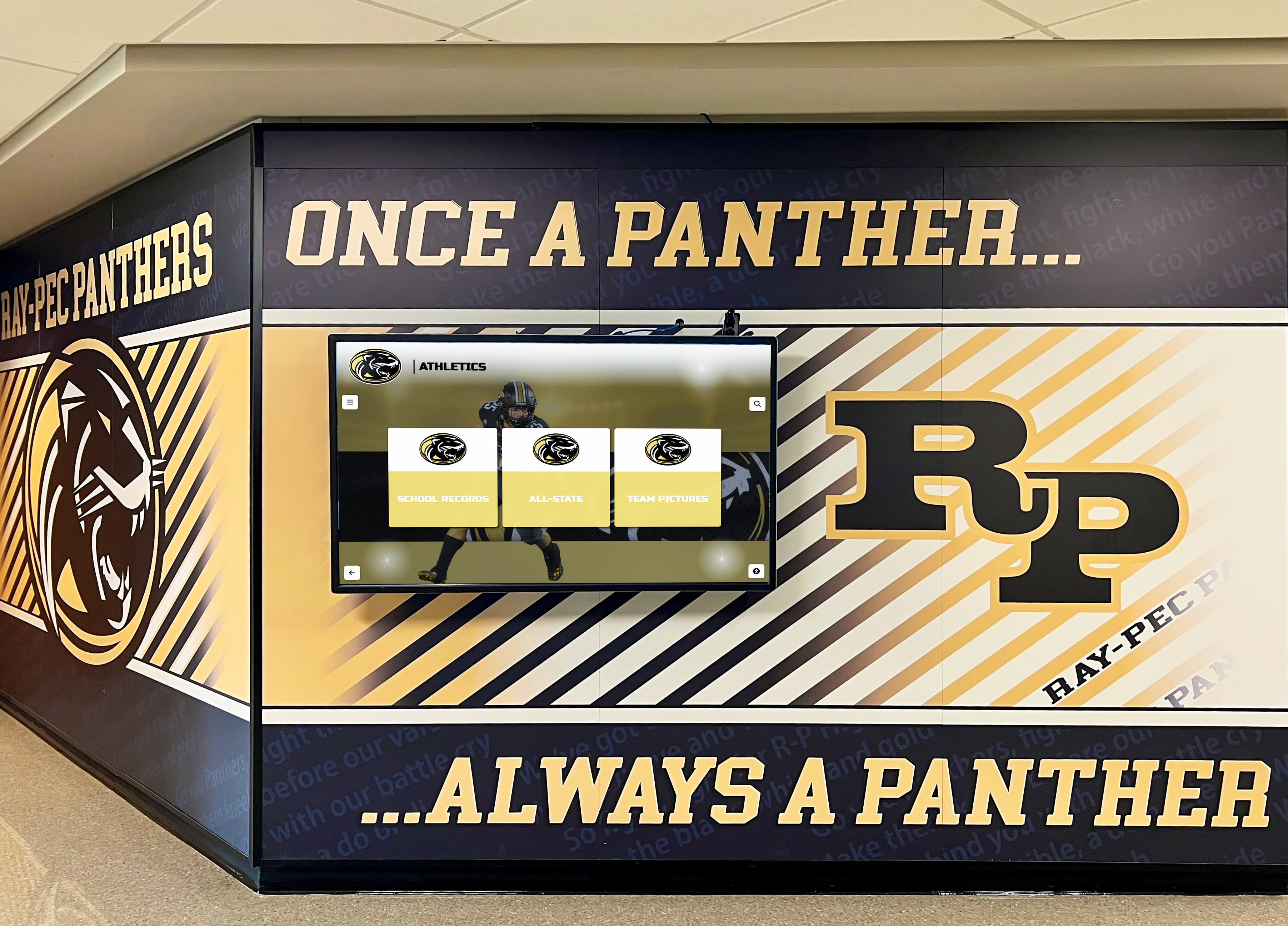
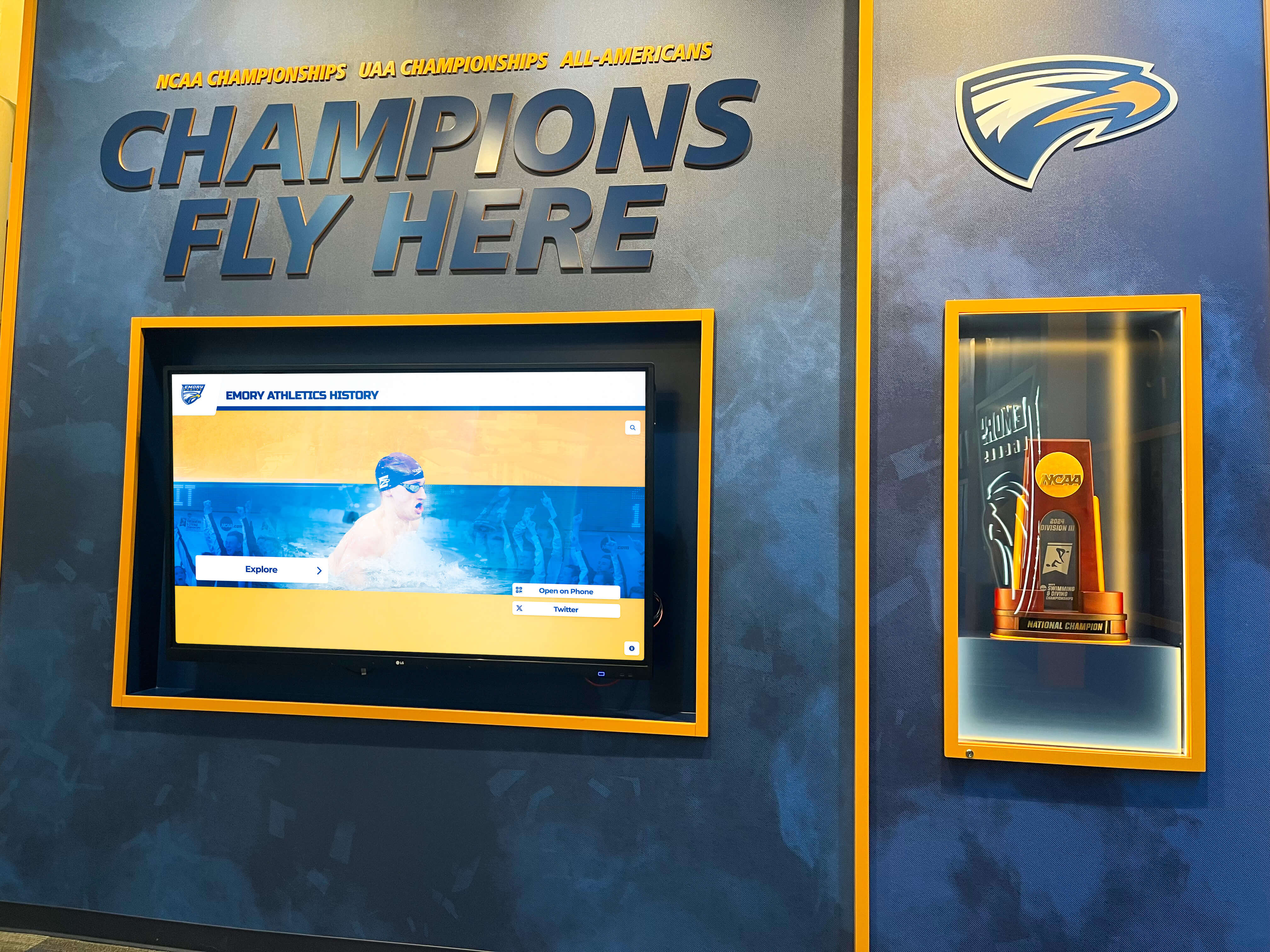
Identifying Specific Display Locations: Architects need exact display location information during schematic design to properly plan wall construction, electrical systems, and traffic flow patterns. Optimal gymnasium touchscreen locations typically include main entrance lobbies where all visitors naturally pass, concourse areas connecting multiple gymnasium spaces, trophy display alcoves designed to showcase achievements, and hallways leading to locker rooms and team areas.
Each location serves different purposes. Lobby displays greet visitors and set facility tone, concourse displays engage spectators during events, and team area displays inspire current athletes through constant exposure to program excellence.
Planning Supporting Infrastructure: Once display locations are identified, designers can plan supporting infrastructure. Requirements include dedicated electrical circuits at each display location (typically 20-amp circuits), network connectivity (preferably hardwired gigabit Ethernet to each location), structural backing in walls supporting display weight (commercial displays can weigh 100-150 pounds), and conduit pathways connecting displays to electrical panels and network distribution.
Planning this infrastructure during schematic design integrates it seamlessly into overall building systems. Attempting to add it later requires expensive cutting, patching, and surface-mounted conduit that compromises aesthetics.
Coordinating with Other Technology Systems: Gymnasiums incorporate extensive technology beyond touchscreen displays—scoreboards, sound systems, video boards, security cameras, WiFi access points, and public announcement systems. Coordination during schematic design ensures all systems receive proper infrastructure without conflicts. For example, network switches might centrally serve multiple systems including touchscreen displays, digital scoreboards, and security cameras—but only if designers know all requirements during initial planning.
Design Development Phase (Months 7-10)
Design development refines schematic concepts into detailed specifications preparing for construction documentation.
Finalizing Display Specifications: Schools should finalize specific touchscreen display models and mounting systems during design development to ensure accurate specifications in construction documents. Key specifications include display size (typically 55-65 inches for gymnasium applications), commercial-grade displays rated for continuous operation, touchscreen technology (capacitive or infrared), and mounting systems (wall-mounted, kiosk enclosures, or custom millwork integration).
Working with digital recognition providers ensures selected displays meet both technical requirements and functional needs for athletic recognition applications.
Detailed Electrical and Network Planning: Electrical engineers develop detailed power and network distribution plans during design development. Plans should show exact circuit routing to each display location, properly sized circuits accounting for display power requirements, network pathway redundancy preventing single points of failure, and adequate electrical panel capacity for current and anticipated future technology loads.
This level of detail enables accurate construction bidding while ensuring contractors understand exactly what infrastructure must be installed.
ADA Compliance and Accessibility Planning: Touchscreen display installations must comply with Americans with Disabilities Act requirements ensuring accessibility. Design development should address mounting heights enabling wheelchair users to access touchscreen functions (typically 48 inches maximum to highest operational element), clear floor space for approach and use (30x48 inch minimum), and touchscreen operation not requiring tight grasping, pinching, or wrist twisting.
Addressing accessibility during design prevents expensive modifications when occupancy permits require ADA compliance corrections.
Construction Documents Phase (Months 11-13)
Construction documents provide complete specifications and drawings contractors use for bidding and construction.
Detailed Technical Specifications: Construction specifications should comprehensively describe all touchscreen system components including specific display models with manufacturer and part numbers, mounting hardware and installation requirements, electrical requirements and circuit specifications, network infrastructure and connectivity standards, and content management systems and software platforms.
Detailed specifications prevent contractors from proposing inferior substitutions that compromise functionality while ensuring accurate bids reflecting actual project requirements.
Coordination Drawings: Large construction projects use coordination drawings showing how different trades’ work intersects. Coordination drawings should illustrate display mounting locations relative to structural systems, electrical conduit and outlet locations, network cable pathways and termination points, and relationships between touchscreen systems and other technology installations.
These drawings prevent field conflicts where multiple systems compete for the same wall space or chase access.
Construction Sequencing Requirements: Specifications should address installation sequencing. Touchscreen displays typically install late in construction sequences, but supporting infrastructure must be completed much earlier. Sequence specifications might require electrical rough-in before wall closure, network infrastructure installation during general technology rough-in, backing plates and mounting hardware installation before final wall finishing, and final display mounting and configuration after painting and finish work completion.
Clear sequencing prevents situations where displays can’t be installed because required infrastructure was overlooked or inaccessible work areas were finished before necessary installations occurred.
Optimal Installation Timeline Within Construction
Once construction begins, specific touchscreen-related activities must occur at precise phases to enable successful installations.
Rough-In Phase (Construction Months 3-6)
During rough-in, infrastructure gets installed before walls close up and finishes are applied.
Electrical Rough-In: Electricians install all electrical infrastructure during rough-in including conduit pathways to display locations, junction boxes at mounting points, circuits back to electrical panels, and any special grounding or surge protection systems. This work must occur before drywall installation—adding electrical infrastructure afterward requires expensive cutting and patching.
Schools should have electrical rough-in inspected specifically for touchscreen display requirements, verifying circuits reach all planned locations, junction boxes mount at correct heights for planned display positions, and adequate capacity exists for anticipated power requirements.
Network Infrastructure Rough-In: Similarly, network cabling must be installed during rough-in. Installers should run cables from display locations back to network closets or main distribution frames, install proper cable supports preventing damage, provide adequate service loops at termination points enabling future maintenance, and test all cable runs verifying proper performance before walls close.
Hardwired gigabit Ethernet connections provide far superior reliability compared to WiFi for interactive touchscreen displays that stream multimedia content and synchronize updates.
Structural Backing Installation: Walls designated for display mounting need structural backing supporting display weight. Installers should place solid blocking or steel reinforcement at exact mounting heights specified in construction documents, ensuring backing extends wider than display dimensions accommodating various mounting patterns, and marking backing locations before drywall installation enabling precise mounting point location during finish phases.
Without proper backing, displays must mount to studs which may not align with optimal positioning or require expensive reinforcement installation after wall completion.
Finish Phase (Construction Months 7-10)
After rough-in infrastructure is complete and inspected, finish work creates completed spaces.
Final Electrical and Network Termination: Electricians and network technicians return during finish phases to install final connection points including outlet receptacles at display locations, network jacks and wall plates, cable strain relief and service loops, and any wire management systems routing cables between walls and displays.
These visible components should be positioned precisely relative to planned display mounting points—misaligned outlets or network jacks by even a few inches can compromise aesthetics when displays are finally mounted.
Wall Finishing and Paint: Wall finishing must accommodate planned display installations. Considerations include paint colors and finishes complementing display aesthetics, wall textures appropriate for display mounting (very heavy texture can complicate mounting), protective covering of connection points preventing paint contamination, and proper wall preparation at mounting points ensuring solid, stable surfaces.
Coordination between painters and technology installers prevents situations where freshly painted walls must be repaired after mounting hardware installation damages finishes.
Technology Installation Phase (Construction Months 9-11)
Final technology installations typically occur late in construction after most finish work is complete but before final inspections and occupancy.
Display Mounting and Installation: Professional installers mount touchscreen displays during this phase, following mounting procedures installing all mounting hardware securely to structural backing, carefully positioning displays for optimal viewing angles and ADA compliance, making all electrical and network connections, verifying secure mounting able to support display weight safely, and testing basic display operation confirming power and connectivity.
Mounting should occur after adjacent finish work is complete but with adequate time remaining before occupancy for complete system configuration and testing.
System Configuration and Content Loading: Once displays are physically installed, technology teams configure systems including network configuration and connectivity testing, software installation and platform setup, initial content loading and system testing, user interface customization for school branding, and integration testing with any connected systems.
Configuration requires several days for comprehensive digital recognition platforms including content organization, search functionality testing, and quality assurance.
Staff Training: Before gymnasium occupancy, appropriate staff need training on content management and system operation, routine maintenance and cleaning procedures, troubleshooting common issues, and procedures for requesting support when problems arise.
Adequate training during installation ensures staff can confidently manage systems from day one rather than systems sitting unused while training is arranged post-occupancy.
Technical Requirements and Specifications
Successfully integrating touchscreen displays requires meeting specific technical requirements best addressed during new construction.
Electrical Infrastructure Requirements
Proper electrical infrastructure ensures reliable operation and future serviceability.
Dedicated Circuits: Each touchscreen display should receive a dedicated 20-amp, 120-volt circuit. While displays themselves typically draw only 3-5 amps, dedicated circuits prevent other loads from affecting display operation and accommodate power supplies, media players, or other components that might be added later.
Circuit breakers should be clearly labeled in electrical panels identifying which circuits serve which display locations, enabling troubleshooting and future maintenance.
Proper Grounding and Surge Protection: Touchscreen displays incorporate sensitive electronics vulnerable to power quality issues and surges. Installations should include proper equipment grounding following National Electrical Code requirements, isolated ground circuits for sensitive electronic equipment, and surge protective devices at electrical panels protecting circuits serving displays.
Many schools incorporate whole-building surge protection, but individual point-of-use surge protectors at display locations provide additional protection against localized events.
Power Quality Considerations: Large gymnasiums often include heavy electrical loads from HVAC systems, lighting, and kitchen equipment that can affect power quality. Electrical designers should consider power conditioning or isolation transformers for sensitive technology loads, proper load balancing across electrical phases, and adequate voltage regulation preventing brownouts affecting displays.
Poor power quality causes intermittent problems that prove difficult to diagnose and resolve after construction completion.
Network Infrastructure Requirements
Robust network connectivity enables full touchscreen display capabilities while supporting future technology additions.
Hardwired Ethernet Connections: While WiFi provides adequate connectivity for basic digital signage, interactive touchscreen displays benefit tremendously from hardwired connections. Specifications should include CAT6A or better cabling from display locations to network switches, gigabit Ethernet connectivity minimum (10-gigabit future-proofing recommended), proper cable certification testing verifying performance, and adequate service loops at termination points enabling future modifications.
Hardwired connections provide lower latency, higher reliability, better security, and superior bandwidth compared to WiFi—critical factors for interactive kiosk applications.
Network Architecture Planning: Displays should connect to properly designed network architecture including dedicated VLANs separating display traffic from other network services, adequate switch port capacity accommodating all displays plus future expansion, quality of service (QoS) policies prioritizing display traffic appropriately, and network management capabilities enabling remote monitoring and troubleshooting.
Poor network architecture creates bandwidth bottlenecks affecting display performance and complicates troubleshooting when problems occur.
Internet Connectivity and Bandwidth: Cloud-based digital recognition platforms require adequate internet bandwidth for content synchronization and updates. Schools should verify total internet bandwidth accommodates all planned technology loads, content delivery networks (CDNs) distribute large files efficiently, and firewall and content filtering policies don’t block required platform services.
Inadequate internet bandwidth prevents timely content updates and affects display responsiveness.
Structural and Mounting Requirements
Proper structural support ensures safe, secure display installations lasting decades.
Wall Strength and Backing: Commercial touchscreen displays with mounting hardware weigh 100-150 pounds depending on size. Wall construction must provide adequate support through solid wood blocking in wall cavities, steel reinforcement in masonry or concrete walls, or structural mounting systems transferring loads to building structure.
Backing should extend at least 24 inches wider than display dimensions accommodating various mounting hardware configurations and future display size changes.
Mounting Height and Positioning: Display mounting heights balance several factors including ADA accessibility requirements (operational elements no higher than 48 inches from floor), sightlines and viewing comfort for typical users, protection from accidental damage in high-traffic areas, and aesthetic integration with surrounding architecture.
Gymnasium lobby displays typically mount with screen centers 50-60 inches from finished floor—high enough to be prominently visible but low enough for touchscreen interaction by users of all heights.
Seismic and Vibration Considerations: Gymnasiums experience significant vibration from athletic activities, crowd movement, and building systems. Display mounting should include vibration-dampening mounting systems preventing rattling or display damage, seismic bracing in earthquake-prone regions, and periodic mounting hardware inspection schedules ensuring bolts remain tight.
Inadequate mounting security creates safety hazards and can void display warranties if manufacturer installation specifications aren’t followed.
Aesthetic Integration and Design Considerations
Touchscreen displays should appear as intentional design elements rather than afterthoughts added to completed facilities.
Architectural Integration Strategies
Thoughtful architectural integration makes displays feel native to facility design.
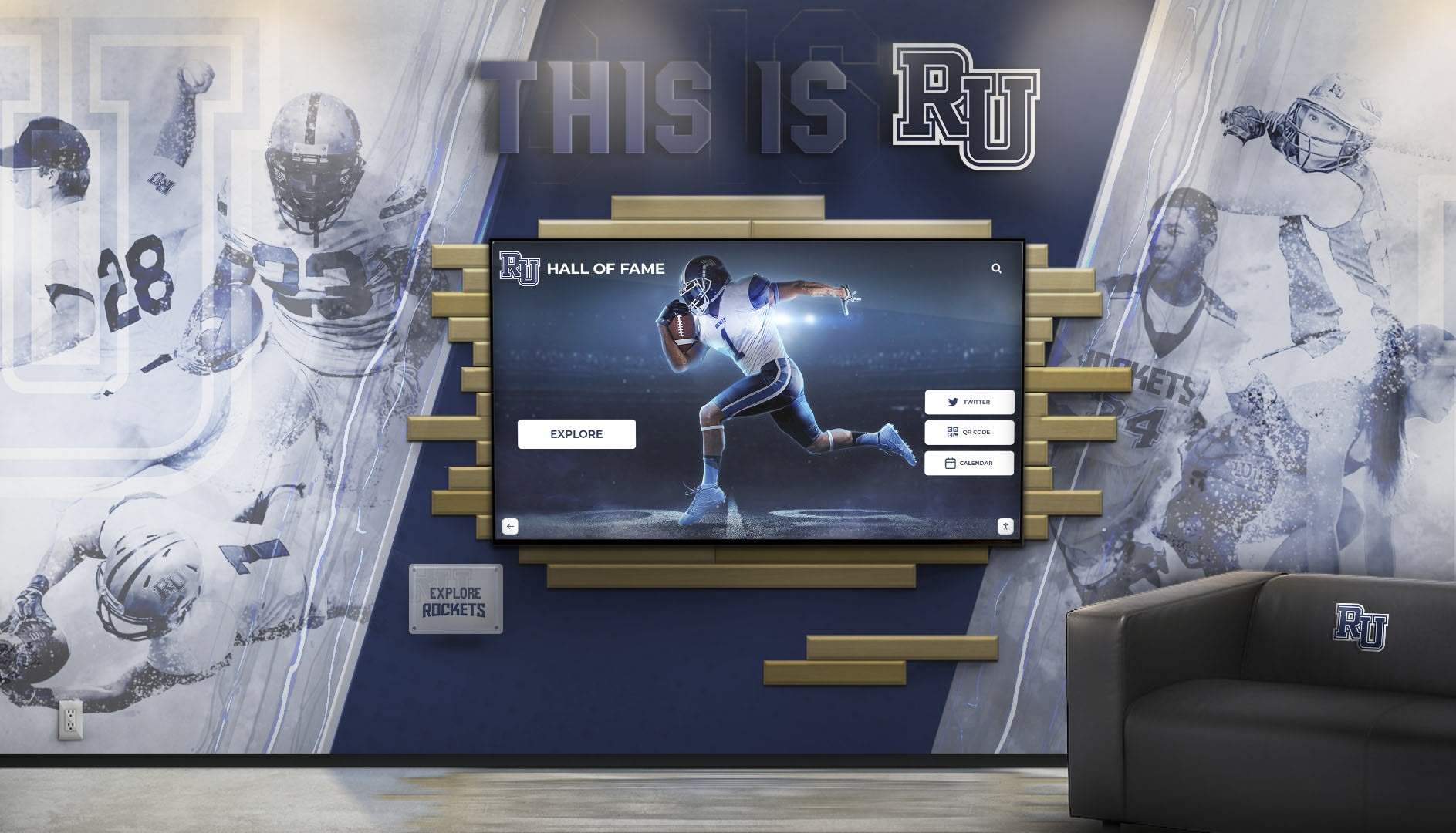
Custom Millwork and Surrounds: Many schools incorporate displays within custom millwork creating polished, finished appearances. Options include built-in wall niches recessing displays flush with surrounding walls, decorative surrounds framing displays with school colors and branding, integrated signage identifying display purpose and function, and display bases or pedestals for freestanding kiosk installations.
Custom millwork typically costs $2,000-$8,000 per display but creates professional appearances justifying the investment in prominent locations.
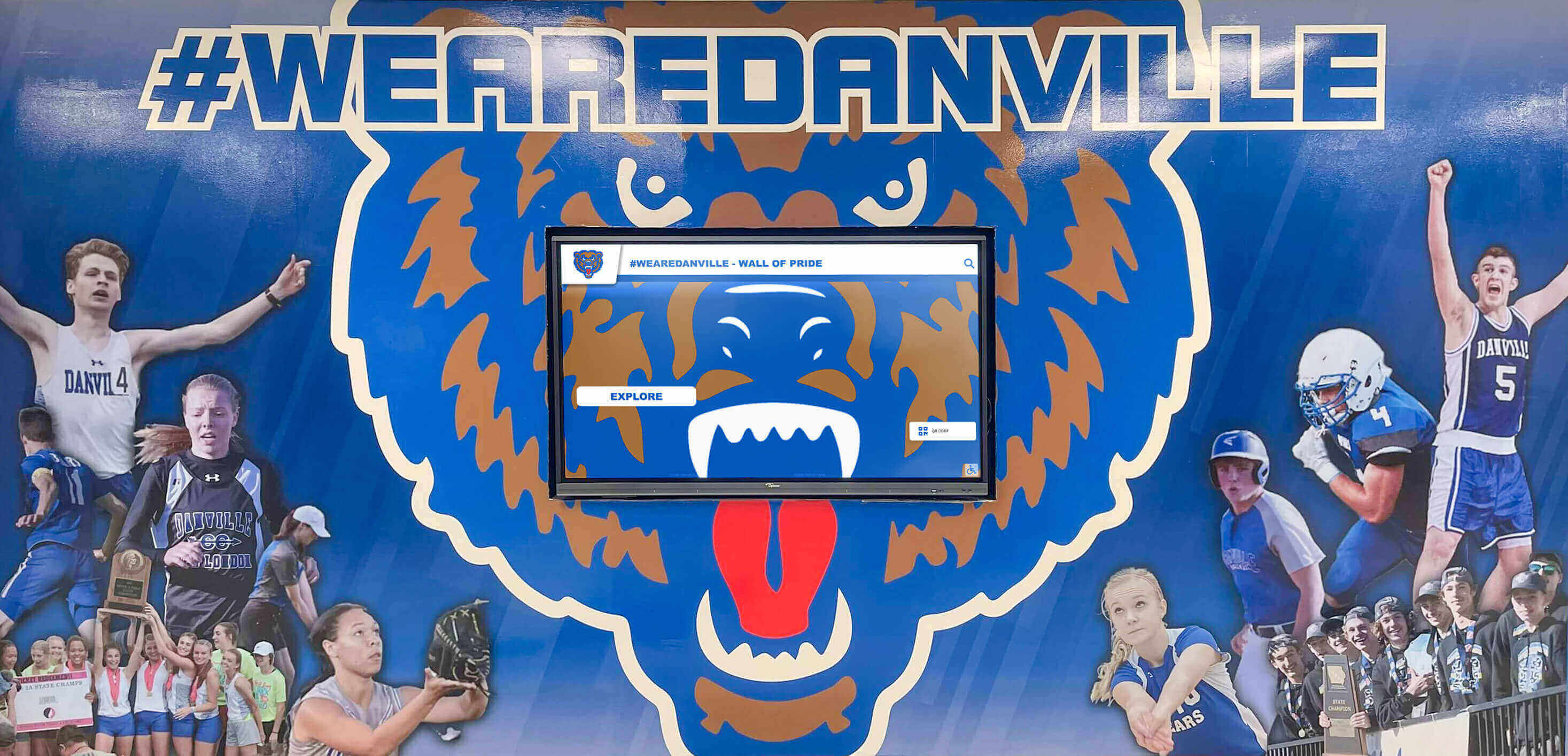
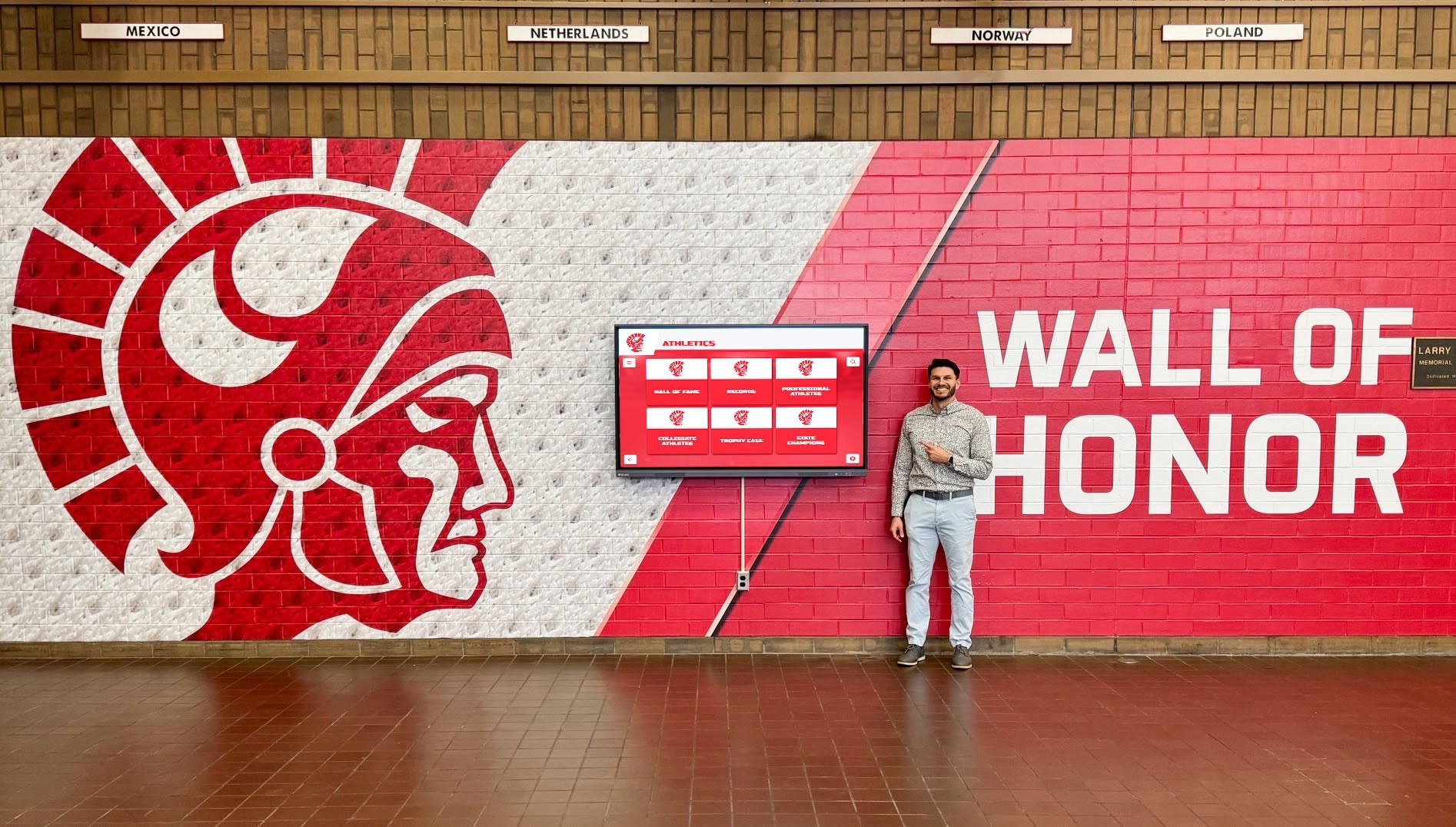
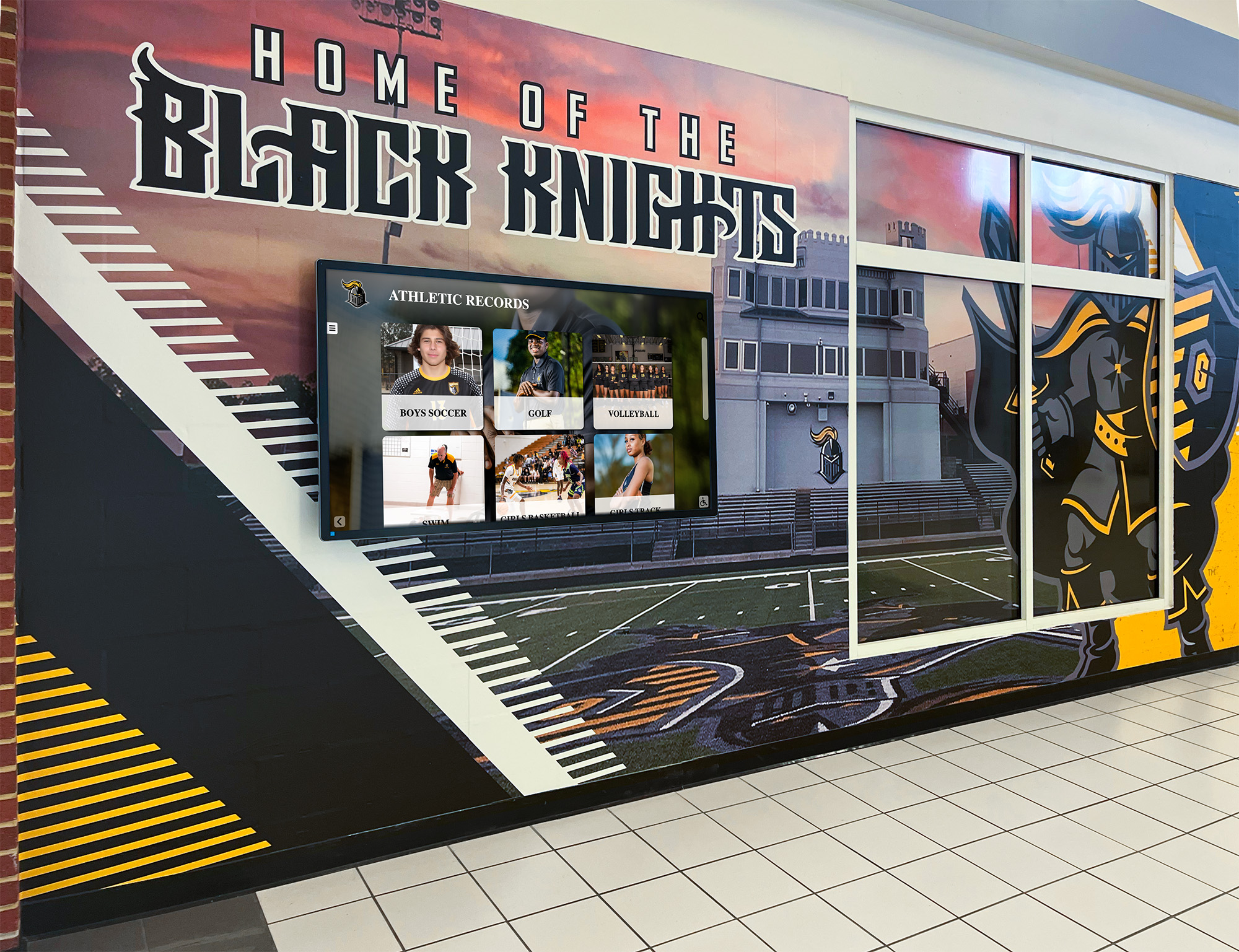
Coordination with Wall Graphics and Branding: Gymnasium wall graphics and branding elements should coordinate with planned display locations. Designers might position displays as focal points within branded wall sections, integrate displays into broader recognition or achievement walls, use surrounding wall graphics to draw attention to displays, or create visual relationships between multiple displays in large spaces.
This coordination requires planning during design development before wall graphic design is finalized.
Lighting Design Coordination: Proper lighting enhances display visibility while preventing glare. Lighting designers should position general lighting to avoid direct reflection in display screens, provide adequate ambient light enabling comfortable touchscreen interaction, include accent lighting highlighting displays without washing out screen content, and accommodate adjustable lighting enabling displays to remain visible during various events and activities.
Poor lighting design creates glare rendering displays difficult to use or positions displays in shadows where they’re not noticed.
Location Selection for Different Gymnasium Areas
Different gymnasium locations serve different recognition purposes and user groups.
Main Lobby and Entrance Areas: Primary entrance lobbies represent the highest-impact locations for digital recognition displays. Benefits include greeting all gymnasium visitors immediately upon entry, providing orientation and information for first-time visitors, showcasing program excellence to prospective families during tours, and creating impressive first impressions establishing facility quality.
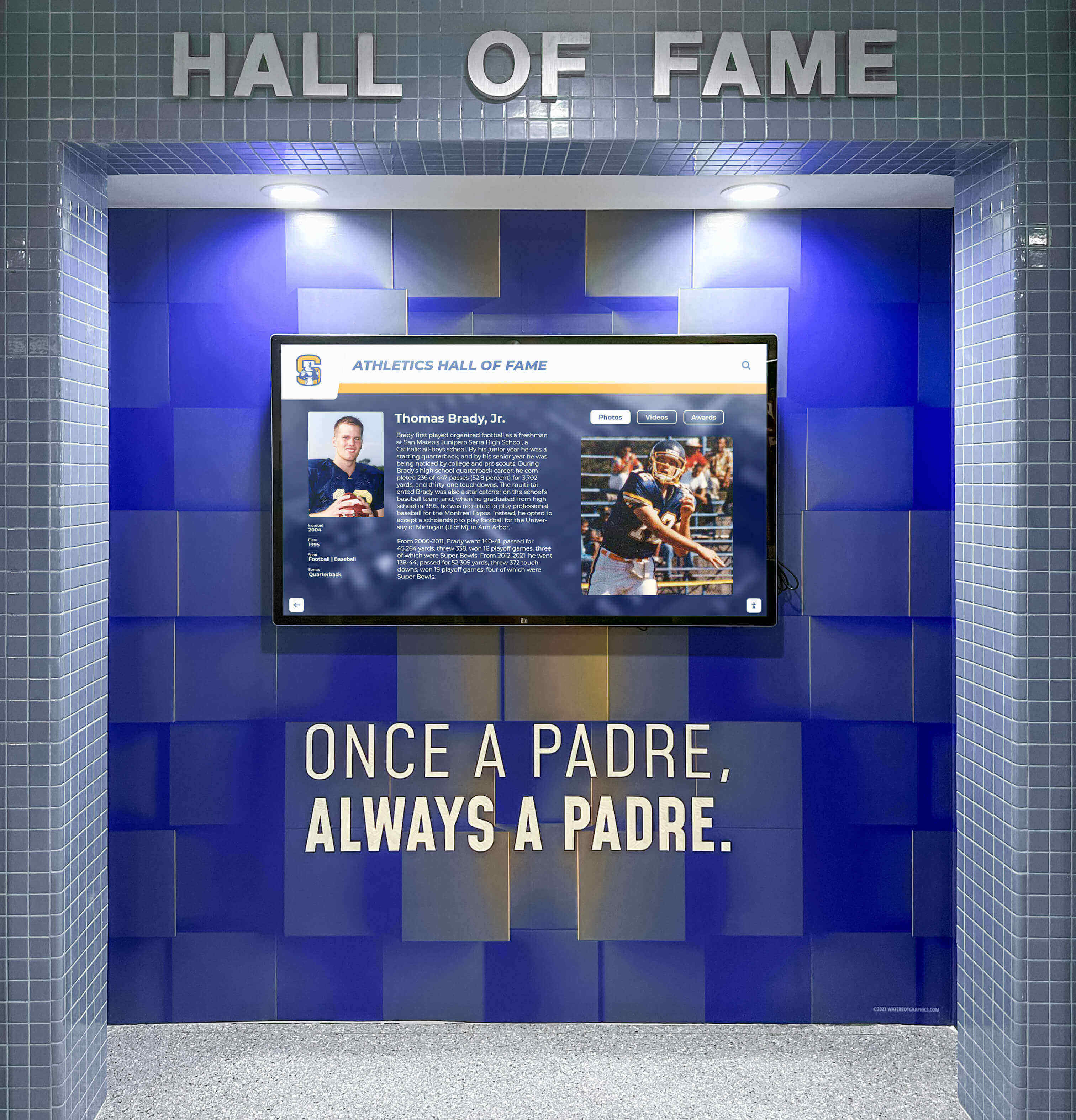
Lobby displays should be larger (65-75 inches) and feature comprehensive content including hall of fame profiles, current season highlights, championship histories, and notable alumni achievements.
Concourse and Circulation Areas: Concourses connecting multiple gymnasium spaces, team areas, and auxiliary facilities experience heavy traffic flow during events. Displays in these locations engage spectators during events between games, provide historical context during competitions and tournaments, entertain crowds during timeouts and breaks, and build excitement showcasing current team achievements.
Concourse displays can be slightly smaller (55-65 inches) but should be positioned where spectator congestion won’t block access during events.
Team Areas and Locker Room Entrances: Displays near team spaces primarily serve current student-athletes rather than general visitors. These locations inspire current athletes through daily exposure to program excellence, provide motivation showcasing what dedication can achieve, build team culture connecting current athletes to program history, and offer privacy for recognition that might be less appropriate in public spaces.
Team area displays focus on content directly relevant to current athletes—recent graduate successes, program records and how current athletes compare, and motivational content rather than comprehensive historical archives.
Athletic Office and Administrative Areas: Administrative area displays serve staff, coaches, and visitors to athletic offices. They function as conversation pieces during recruiting visits and meetings, provide quick reference for staff answering historical questions, demonstrate professionalism and organization to visitors, and keep recognition visible to staff making daily decisions affecting program culture.
Administrative displays can be smaller (43-55 inches) since they serve smaller groups in more intimate settings.
Cost Considerations and Budget Planning
Understanding complete costs enables accurate budgeting preventing mid-project funding shortfalls.
Complete Cost Breakdown
Comprehensive touchscreen display installations include multiple cost components beyond display hardware.
Hardware Costs: Display hardware represents only one portion of total costs including commercial-grade touchscreen displays ($2,500-$6,000 depending on size), mounting hardware and installation accessories ($300-$800), media players or computing modules if not built into displays ($500-$1,500), and kiosk enclosures for freestanding installations ($2,000-$5,000).
Total hardware costs typically range $5,000-$12,000 per location depending on display size and installation type.
Infrastructure Costs: Supporting infrastructure installed during construction includes electrical rough-in and circuit installation ($800-$1,500 per location), network cabling and connectivity ($400-$1,000 per location), structural backing and reinforcement ($200-$600), and conduit and wire management systems ($300-$800).
Infrastructure costs total $1,700-$3,900 per location when installed during new construction but can double or triple if added through retrofit after building completion.
Installation and Configuration Costs: Professional installation and system setup include display mounting and physical installation ($800-$1,500), electrical final connections and testing ($400-$800), network configuration and connectivity setup ($300-$600), and system configuration and content loading ($1,500-$3,000).
Installation and configuration total $3,000-$5,900 per location.
Software and Content Management: Digital recognition platforms charge for software access and content management including annual platform subscription fees ($2,000-$6,000 depending on school size), initial content development and profile creation ($3,000-$8,000), ongoing content management and updates ($1,000-$3,000 annually), and technical support and platform maintenance (often included in subscription).
First-year software costs typically total $5,000-$14,000 with ongoing annual costs of $3,000-$9,000.
Total Investment: Complete single-location touchscreen display installations during new construction typically range from $14,700-$35,800 for first year including all hardware, infrastructure, installation, and first-year software. Schools installing multiple displays in new gymnasiums should budget $12,000-$25,000 per location as infrastructure costs spread across multiple installations.
Cost-Saving Strategies
Strategic planning during new construction enables cost optimization without compromising quality.
Infrastructure Bundling: Installing infrastructure for multiple display locations simultaneously reduces per-location costs through bulk material purchasing, single mobilization for infrastructure installation, coordinated conduit and cable runs serving multiple locations, and combined testing and commissioning. Schools anticipating eventual displays in multiple locations should install infrastructure to all planned locations during new construction even if displays themselves are purchased later.
This approach avoids expensive future retrofits while creating flexibility to add displays as budgets permit.
Phased Display Deployment: Schools can reduce initial costs while preserving future capability through infrastructure installation to all planned locations during construction, initial display installation in highest-priority locations only, budget preservation for additional displays in subsequent fiscal years, and existing infrastructure enabling quick future installations without construction.
Phased deployment spreads costs across multiple budget cycles while ensuring gymnasium is properly prepared for complete recognition system buildout.
Value Engineering Without Compromising Function: Cost-conscious schools can optimize spending through slightly smaller displays where appropriate (55" vs. 65"), simpler mounting systems where custom millwork isn’t essential, leveraging existing network infrastructure rather than dedicated runs where feasible, and focusing content development on recent well-documented achievements before expanding historical coverage.
These adjustments reduce initial costs while maintaining core functionality and professional appearance.
Coordination with Other Gymnasium Technology
Gymnasiums incorporate extensive technology requiring coordination with touchscreen display planning.
Integrated Technology Systems
Comprehensive technology planning addresses all systems holistically rather than as independent projects.
Scoreboard and Video Display Systems: Many modern gymnasiums include video scoreboards or large LED video boards. Coordination considerations include ensuring adequate electrical and network capacity for all display systems, maintaining aesthetic consistency between recognition displays and scoreboards, planning content management workflows if both systems share administrative responsibility, and coordinating mounting locations preventing visual competition or conflict.
Some schools run related content across different display types—for example, showing current game highlights on video boards while recognition displays feature season statistics and championship histories.
Sound and Public Address Systems: Audio systems and touchscreen displays can integrate for certain applications including audio narration accompanying touchscreen content during facility tours, synchronized presentations during induction ceremonies and special events, and coordinated multimedia experiences combining visual recognition with audio storytelling.
Integration requires planning during design ensuring displays can connect to audio distribution systems.
WiFi and Public Network Access: Gymnasium WiFi serves multiple purposes including public connectivity during events, facility management and building systems, and various technology systems requiring network access. Planning should ensure adequate WiFi coverage throughout facility, sufficient bandwidth accommodating concurrent users during large events, and proper network segmentation separating public WiFi from technology systems and school networks.
Robust WiFi enables guests to capture and share recognition display content during visits, extending recognition reach organically.
Security and Access Control Systems: Physical security systems intersect with touchscreen displays through camera coverage of display locations preventing vandalism, access control systems limiting content management to authorized staff, and integration possibilities enabling displays to show security information during emergencies.
Security planning should verify displays themselves don’t create security concerns or access control complications.
Common Mistakes to Avoid
Schools frequently make predictable errors that compromise touchscreen display implementations. Understanding these mistakes enables prevention.
Planning and Design Phase Mistakes
Early decisions have lasting impacts on implementation success.
Postponing Recognition Technology Decisions: The most common and costly mistake involves delaying touchscreen planning until after gymnasium design is complete. This approach creates numerous problems including electrical and network infrastructure requiring expensive additions, mounting locations constrained by completed wall systems, aesthetic compromises with displays appearing as afterthoughts, and total costs 40-60% higher than properly planned installations.
Digital recognition should be addressed during programming and schematic design alongside other major facility systems.
Inadequate Infrastructure Planning: Many schools plan display locations but fail to specify adequate supporting infrastructure including insufficient electrical capacity requiring panel upgrades, inadequate network bandwidth affecting display performance, missing structural backing forcing surface mounting or extensive reinforcement, and poor pathway planning requiring visible conduit compromising aesthetics.
Infrastructure must be as carefully planned as displays themselves to enable successful installations.
Ignoring ADA Compliance Requirements: Accessibility requirements aren’t optional, yet many initial designs violate ADA standards through mounting heights preventing wheelchair user access, inadequate clear floor space for approach and use, touchscreen controls requiring fine motor skills beyond ADA limits, and failure to provide alternative access methods for users unable to interact with touchscreens.
ADA compliance should be verified during design development preventing expensive corrections during construction or after occupancy.
Construction Phase Mistakes
Implementation problems often stem from inadequate construction phase coordination.
Insufficient Trade Coordination: Touchscreen installations involve multiple trades that must coordinate closely. Common coordination failures include electrical work completing before network infrastructure preventing combined wire pulls, wall backing installation occurring at wrong heights relative to final display positioning, finish work obscuring or damaging connection points, and inadequate communication between trades creating field conflicts.
Strong project management and regular coordination meetings between all affected trades prevent these problems.
Premature Infrastructure Completion: Occasionally rough-in work completes before final display specifications are established. This creates problems when junction box locations don’t align with actual mounting points, circuit capacities prove inadequate for selected displays, network terminations occur in inaccessible locations, or backing positions don’t match final display dimensions.
Infrastructure installation should wait until display specifications are firm or be planned conservatively to accommodate specification changes.
Inadequate Testing and Commissioning: Many projects rush technology testing during final completion pressure. Thorough testing should verify all electrical circuits are properly wired and functional, network connections deliver specified performance, displays mount securely to provided backing, and complete systems operate as specified before contractor demobilization.
Inadequate testing leaves problems undiscovered until after contractors depart, when resolution becomes far more difficult and expensive.
Post-Installation Considerations
Successful touchscreen implementations extend beyond physical installation to ongoing operation and management.
Staff Training and Capability Building
Technology investments deliver value only when staff can effectively operate and manage them.
Content Management Training: Staff responsible for updating and maintaining recognition displays need comprehensive training including how to access and log into content management systems, procedures for adding new profiles and updating existing content, best practices for photo and video formatting and optimization, quality assurance processes ensuring professional content appearance, and troubleshooting common content issues without external support.
Training should occur before gymnasium opening enabling staff to confidently manage systems immediately.
Routine Maintenance Procedures: Touchscreen displays require regular maintenance maintaining performance including proper cleaning techniques protecting touchscreen surfaces, power cycling schedules preventing lockups and memory issues, software update procedures maintaining security and features, and inspection schedules identifying problems early before they affect user experience.
Clear maintenance procedures with assigned responsibilities prevent neglect that degrades display performance over time.
Support Escalation Processes: Staff need to understand what issues they can resolve independently versus when professional support is required. Clear processes should define common issues staff can troubleshoot independently, when to contact school IT staff for assistance, when to engage display vendor technical support, and when to contact digital recognition platform providers for help.
Established escalation procedures prevent prolonged outages when problems occur.
Content Development and Management
Effective recognition requires ongoing content development, not just initial setup.
Initial Content Population: Before gymnasium opening, schools should develop foundational content including current team rosters and season information, recent championship and achievement recognitions, hall of fame inductees and historical highlights, and notable alumni and program milestones.
Complete initial content ensures displays immediately provide value from day one rather than sitting unused while content is gradually developed.
Ongoing Update Processes: Sustainable recognition requires regular content updates including weekly or bi-weekly current season updates, monthly feature rotations highlighting different athletes or achievements, annual addition of new graduates and championship results, and periodic historical content expansion as research uncovers additional achievements.
Established routines prevent displays from becoming stale and outdated, which quickly diminishes user engagement.
Content Quality Standards: Maintaining professional quality requires standards including photo resolution and formatting requirements, video length and file size guidelines, writing style and biographical information depth, and fact-checking and accuracy verification procedures.
Consistent quality ensures recognition maintains credibility and professional appearance reflecting positively on the school.

Frequently Asked Questions
When exactly during construction should touchscreen displays be addressed in planning?
Digital recognition displays should first be discussed during programming (pre-design) to establish whether the facility will incorporate touchscreens and roughly how many locations. During schematic design (months 4-6), specific display locations must be identified so electrical, network, and structural engineers can plan supporting infrastructure. By design development (months 7-10), approximate display sizes and mounting types should be determined enabling detailed specifications. Construction documents (months 11-13) must include complete specifications for displays, infrastructure, and installation requirements. This progressive refinement ensures contractors can bid accurately and install infrastructure correctly without expensive changes during construction.
Can we add displays after gymnasium construction is complete, or must they be planned from the beginning?
Schools can certainly retrofit touchscreen displays into completed gymnasiums, and many do. However, retrofit installations typically cost 40-60% more than installations properly planned during new construction because they require cutting into finished walls to add electrical and network infrastructure, surface-mounted conduit compromising aesthetics when concealed pathways don’t exist, reinforcement installation or creative mounting solutions when structural backing wasn’t provided, and painting and finish repair after infrastructure installation. Additionally, retrofit installations face location constraints based on where infrastructure can feasibly be added rather than optimal locations from recognition and user experience perspectives. Schools building new gymnasiums should plan displays during design even if budget constraints delay actual installation—installing infrastructure during construction while postponing display purchases until future budget years costs far less than complete retrofits.
What size touchscreen display is optimal for gymnasium applications?
Display size depends primarily on viewing distance and location purpose. Main lobby displays greeting all visitors typically range 65-75 inches enabling visibility from across large lobby spaces and accommodating multiple simultaneous users during events. Hallway and concourse displays often use 55-65 inch displays that balance presence with more constrained hallway dimensions. Team area displays serving more intimate settings can be 43-55 inches since viewing occurs at closer distances. As a general rule, viewing distance should be approximately 1.5-2.5 times the display diagonal—so 65-inch displays work well where viewers are typically 8-14 feet away. Schools should mock up display sizes using cardboard cutouts during design development to verify sizes feel appropriate in actual spaces before finalizing specifications.
Should displays be wall-mounted or placed in freestanding kiosks?
Wall mounting and freestanding kiosks each offer advantages for different situations. Wall mounting provides cleaner aesthetics integrating displays into architecture, costs less than freestanding kiosks (typically $2,000-$5,000 less per location), enables displays in hallways and corridors where floor space is limited, and eliminates structures that can obstruct sightlines or traffic flow. However, freestanding kiosks offer more prominent presence in large open areas, enable display positioning in locations where wall mounting isn’t feasible, accommodate easier service access to display backs and connections, and provide more substantial “monument” feel in main lobbies. Many schools use wall mounting in hallways and secondary locations while specifying freestanding kiosks for primary entrance lobbies. The decision should be made during design development when display locations are being finalized so architects can plan accordingly.
Do touchscreen displays require dedicated staff, or can existing athletic or facilities staff manage them?
Properly designed digital recognition platforms like Rocket Alumni Solutions are specifically designed for management by existing school staff without requiring dedicated technology personnel. Typical staffing involves athletic administrative staff (athletic director, assistant AD, or athletic secretary) managing content updates and profile additions, facilities or IT staff handling routine maintenance like cleaning and occasional troubleshooting, and occasional support from platform vendors for complex issues or major content projects. Most schools find that staff invest 2-5 hours weekly in content management during active sports seasons and 1-2 hours monthly during off-seasons. This workload easily fits within existing staff responsibilities, particularly when content management duties are clearly assigned during implementation rather than becoming “someone should do this” tasks that everyone assumes someone else is handling.
How do we ensure content remains fresh and displays don’t become outdated?
Sustainable content management requires three elements: clear ownership, established routines, and accessible tools. Assign specific staff responsibility for content management with content updates explicitly included in position responsibilities. Establish routine update schedules—weekly during active sports seasons for current team highlights, monthly for feature content rotation, and annually for historical additions and hall of fame updates. Use cloud-based content management platforms accessible from any device enabling quick updates without technical complexity. Many schools find it helpful to build content management into existing communication workflows—when athletic staff send out weekly booster club emails or social media updates, simultaneously updating touchscreen content takes only a few additional minutes. The key is treating digital recognition as an ongoing program rather than a one-time project, with the same regular attention given to school websites, social media, or printed communications.
What happens if technology becomes outdated? Are we making a 20-year commitment to current systems?
Like all technology, touchscreen display systems eventually require refresh and updates. However, careful planning during initial installation enables staged upgrades that protect initial investments. Infrastructure—electrical circuits, network cabling, mounting backing—typically remains functional for building lifespan since standards change slowly. Display hardware generally lasts 7-10 years before requiring replacement, but mounting systems enable straightforward display swaps without wall reconstruction. Content management platforms receive ongoing software updates, and quality providers offer migration paths to new platform generations without starting over. Schools should budget for display hardware replacement every 8-10 years (similar to projector or other technology refresh cycles) and evaluate content platforms every 5 years ensuring they still meet evolving needs. Initial infrastructure investment during new construction protects the largest expense, while displays and software can evolve over time.
Conclusion: Strategic Planning Creates Long-Term Success
Building a new gymnasium provides rare opportunity to integrate digital recognition infrastructure correctly from the outset, avoiding the compromises and additional costs characterizing retrofit installations attempted after construction completion. Schools that address touchscreen display planning systematically—during programming, schematic design, design development, and construction documentation phases—create facilities properly prepared for comprehensive athletic recognition serving their communities for decades.
The investment extends beyond hardware and software to encompass electrical and network infrastructure, structural backing and mounting systems, aesthetic integration establishing displays as intentional design elements, and staff capability building enabling confident content management. While comprehensive planning requires coordination across multiple design and construction phases, the result delivers professional recognition installations at costs 30-40% below retrofit alternatives while achieving aesthetic and functional outcomes impossible to replicate after construction.
School administrators and facility planners building new gymnasiums should initiate touchscreen display planning during the earliest programming discussions, engage digital recognition providers during design for infrastructure consultation, include complete specifications in construction documents enabling accurate contractor bidding, coordinate installation carefully during construction ensuring all trades understand requirements, and prepare for successful occupancy through staff training and initial content development before facility opening.
Recognition technology continues evolving, offering schools progressively more capable and accessible tools for celebrating athletic achievement and building program culture. New gymnasium construction provides the perfect opportunity to implement these systems correctly, creating facilities that inspire current athletes, engage alumni, and demonstrate institutional excellence to all visitors.
Ready to explore how touchscreen displays can enhance your new gymnasium project? Book a demo to discuss optimal installation timing, infrastructure requirements, and recognition system design specifically for your facility.






























