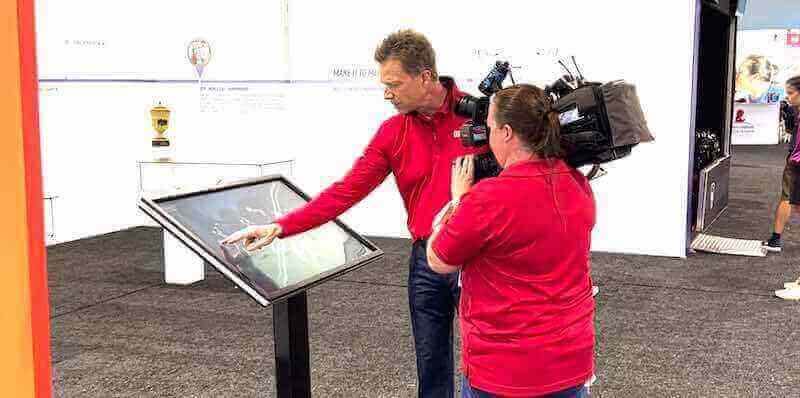




Museums and galleries face an ongoing challenge: how to engage contemporary audiences accustomed to interactive digital experiences while preserving the integrity and educational mission of cultural institutions. Interactive touchscreen technology provides a solution that bridges traditional exhibition approaches with modern visitor expectations, creating memorable experiences that increase engagement, improve learning outcomes, and extend the reach of collections beyond physical constraints.
This comprehensive guide examines interactive touchscreen implementation for museums, galleries, archives, and cultural heritage institutions. Drawing from installation patterns across hundreds of cultural organizations, visitor engagement research, and accessibility studies, this analysis provides actionable guidance for institutions considering touchscreen technology investments.
Cultural institutions worldwide are experiencing a fundamental shift in visitor expectations. Audiences raised with smartphones, tablets, and interactive interfaces expect more than passive observation when they visit museums and galleries. They seek participatory experiences that allow exploration at their own pace, provide multiple layers of information depth, and connect with their personal interests and learning styles.
Interactive touchscreen displays address these expectations while serving core institutional missions. When implemented effectively, touchscreens enhance rather than diminish the museum experience—providing access to extensive collections that space constraints prevent displaying physically, offering multilingual content serving diverse audiences, enabling personalized exploration paths based on visitor interests, and preserving fragile materials through digital access that reduces physical handling.
The challenge lies not in whether museums should adopt interactive touchscreen technology, but rather how to implement it strategically to maximize visitor benefit while managing costs, technical requirements, and ongoing content maintenance. This guide provides frameworks for making informed decisions about touchscreen adoption, implementation strategies that align with institutional goals, and best practices drawn from successful installations at cultural institutions of various sizes and focus areas.
The Case for Interactive Touchscreens in Cultural Institutions
Addressing Core Museum and Gallery Challenges
Cultural institutions share common challenges that interactive touchscreen technology directly addresses through capabilities unavailable with traditional exhibition approaches.
Space Constraints and Collection Access
Most museums display only a small fraction of their total collections at any given time. Storage limitations, conservation requirements, and physical space constraints mean that 70-95% of typical museum holdings remain in storage, inaccessible to public audiences. Interactive touchscreens provide digital access to entire collections, enabling visitors to explore thousands of artifacts, artworks, photographs, and documents regardless of physical display limitations.
This extended access transforms the visitor experience from viewing a curated selection to exploring comprehensive collections. Visitors interested in specific artists, historical periods, or subject areas can navigate directly to relevant materials rather than hoping displayed items match their interests. Digital interactive museum displays create opportunities for personalized exploration impossible with fixed physical exhibits.
Multilayered Information Depth
Traditional exhibit labels balance competing needs—providing enough context for understanding while avoiding dense text walls that overwhelm viewers. This compromise leaves some visitors wanting more depth while others find even brief labels too detailed.
Interactive touchscreens resolve this tension through layered information architecture. Surface-level content provides quick orientation for casual visitors, intermediate layers offer thematic context and connections, and deep layers provide scholarly detail satisfying serious researchers. Each visitor accesses appropriate depth based on interest level and available time, eliminating the one-size-fits-all limitations of static labels.
Multilingual Accessibility
Museums serving diverse communities or international tourism face significant costs producing multilingual printed materials and labels. Updates or corrections require reprinting across all languages. Space constraints limit how many translations can appear on physical labels.
Digital touchscreen interfaces easily accommodate multiple languages, allowing visitors to select preferred options. Translation updates occur centrally without reprinting costs. Institutions can offer content in ten or more languages without physical space limitations, dramatically expanding accessibility for non-native speakers.
Visitor Engagement and Learning Outcomes
Research consistently demonstrates that active learning produces better outcomes than passive observation. Interactive touchscreens transform visitors from passive observers into active participants who control their exploration, make choices about content depth and direction, and engage with materials through multiple modalities—reading text, viewing images, watching videos, listening to audio, and manipulating interactive elements.
Studies of museum learning show that interactive digital experiences increase time spent with content, improve information retention, and generate higher satisfaction compared to static displays. Visitors report that touchscreen interactivity makes museum visits more memorable and educational, particularly for younger audiences accustomed to interactive digital experiences in other contexts.
Quantifying Touchscreen Impact: Visitor Engagement Data
Cultural institutions implementing interactive touchscreens report measurable improvements across multiple engagement metrics.
Increased Dwell Time
Average time visitors spend engaging with touchscreen displays ranges from 3.2 to 8.7 minutes per session, compared to 0.8 to 2.1 minutes for traditional static label reading. This represents a 200-400% increase in content engagement time. Extended dwell time creates more opportunities for learning, deeper appreciation of collections, and stronger connections with institutional missions.
Institutions measuring total visit duration report that adding interactive touchscreens extends overall visit length by an average of 18-25 minutes, translating to more comprehensive engagement with exhibitions and increased likelihood of returning for future visits.
Search and Exploration Behaviors
Analytics from touchscreen installations reveal how visitors actively explore collections when provided appropriate tools. Search functionality receives heavy use—58-67% of touchscreen sessions include at least one search query, indicating strong visitor motivation to find specific content matching personal interests.
Filtering and browsing behaviors demonstrate that visitors appreciate structured exploration options. Popular filters include time period or era, geographic origin or location, artist or creator, medium or technique, and subject matter or theme. The ability to quickly navigate to relevant content keeps visitors engaged and prevents frustration when specific interests aren’t represented in limited physical displays.
Content Depth Penetration
Layered content analysis shows clear patterns in how different visitor segments engage with information depth. Approximately 73% of visitors access surface-level content, 42% explore intermediate thematic layers, and 18% access deep scholarly content. This distribution validates the layered information architecture approach—all visitor types find appropriate depth while institutions provide comprehensive materials for serious researchers without overwhelming casual visitors.
Repeat Interaction Patterns
Institutions with long-term touchscreen installations report that 31-39% of regular visitors (those visiting 3+ times annually) repeatedly use interactive displays across multiple visits. This suggests touchscreens provide sustained value beyond initial novelty, with visitors returning to explore new content, review favorites, or access materials at different depths during subsequent visits.
Core Touchscreen Capabilities for Museums and Galleries
Understanding available capabilities helps institutions match touchscreen features to specific programmatic goals and visitor needs.
Collection Database Access and Search
The most fundamental touchscreen application provides searchable access to institutional collections, archives, and holdings.
Comprehensive Catalog Access
Visitors can explore complete collections regardless of what’s currently on physical display. This includes artworks in storage or on loan, historical photographs, archival documents, artifact collections, oral histories, and multimedia resources. Search functionality allows finding specific items by name, keyword, time period, category, or multiple combined criteria.
Effective implementations organize vast collections into navigable structures that prevent overwhelming users. Careful information architecture balances comprehensive access with intuitive navigation, ensuring visitors can find relevant content without frustration.
Advanced Search and Filtering
Beyond basic keyword search, sophisticated touchscreen databases offer multiple filtering dimensions simultaneously. Visitors might filter by date range, view only works from 1850-1900, further filter by medium to see oil paintings, then filter by subject to find landscapes—progressively narrowing thousands of items to focused subsets matching specific interests.
Faceted search approaches display how many items match each filter option, helping visitors understand collection composition and make informed filtering choices. For example, showing “Portraits (342) | Landscapes (189) | Still Life (67)” helps visitors select categories with sufficient content to warrant exploration.
Saved Searches and Personalization
Advanced implementations allow visitors to save favorite items, create custom collections, or receive personalized recommendations based on items they view. Some institutions provide email or QR code functionality enabling visitors to send selected content to themselves for later review, extending engagement beyond the physical visit.

Multimedia Storytelling and Interpretation
Interactive touchscreens excel at combining multiple media types to create rich interpretive experiences unavailable with static exhibits.
Video Integration
Documentary videos, curator interviews, artist statements, historical footage, and conservation process documentation provide dynamic content that captures attention and conveys information effectively. Video content works particularly well for demonstrating artistic techniques, showing restoration processes, presenting historical context through archival footage, and offering multiple expert perspectives on artworks or artifacts.
Video duration should match touchscreen viewing contexts—most successful implementations use short segments (1.5-4 minutes) rather than lengthy documentaries. Brief, focused videos accommodate visitor attention spans and allow exploring multiple pieces of content during typical interaction sessions.
Audio Content and Oral Histories
Audio narration, ambient soundscapes, and oral history recordings add dimensions impossible with visual-only content. Audio works especially well for historical testimonies from individuals who lived through depicted events, artist descriptions of creative processes and intentions, period music or sounds providing historical context, and multilingual narration serving diverse audiences.
Audio integration requires careful consideration of gallery environments. Some installations use directional speakers limiting sound to immediate touchscreen areas, preventing audio overlap and ambient noise issues. Others provide headphone jacks allowing private listening without disturbing other visitors.
Interactive Maps and Geographic Context
Geographic information systems integrated into touchscreen interfaces allow visitors to explore collections spatially. Interactive maps might show where artifacts were discovered or created, trace artist travels and influences, display historical boundaries and territorial changes, or connect local collections to global historical events and movements.
Map-based interfaces prove particularly valuable for history museums, archaeological collections, and exhibitions with strong geographic dimensions. The ability to zoom between global context and local detail helps visitors understand spatial relationships and geographic significance.
Educational Features and Learning Tools
Touchscreens designed with educational missions in mind incorporate features specifically supporting learning outcomes and curriculum alignment.
Guided Tours and Thematic Paths
Structured content paths guide visitors through exhibitions based on themes, learning objectives, or suggested viewing sequences. Educational institutions might offer paths aligned with specific curriculum standards or grade levels. Art museums might create thematic tours exploring stylistic movements, technical approaches, or cultural contexts.
Guided paths balance structure with flexibility—visitors can follow suggested sequences or jump to specific content matching immediate interests. The option to switch between guided and free exploration accommodates different learning preferences and visit objectives.
Compare and Contrast Tools
Side-by-side comparison functionality allows detailed examination of similarities and differences between artworks, artifacts, or historical documents. Art museums use comparison tools to explore stylistic evolution across an artist’s career, contrast different artists’ approaches to similar subjects, or examine copies and original works. History museums compare primary source documents, contrasting perspectives, or before-and-after photographs showing change over time.
Comparison features particularly benefit education groups working on analytical skills, critical observation, and evidence-based interpretation—core competencies across humanities disciplines.
Annotation and Note-Taking Capabilities
Some advanced implementations allow students and researchers to annotate items, take notes associated with specific artifacts or artworks, and export findings for further study. These features transform touchscreens from presentation tools into active research instruments supporting scholarly work and student projects.

Technical Implementation: Hardware, Software, and Infrastructure
Successful touchscreen installations require coordinated decisions across hardware selection, software platforms, network infrastructure, and content management systems.
Hardware Selection and Specifications
Display Technology and Size
Commercial-grade touchscreen displays rated for continuous operation in public environments range from 32 inches to 75+ inches diagonal. Larger displays support multiple simultaneous users and remain visible from greater distances, while smaller screens work for individual exploration stations or space-constrained locations.
Display technology options include capacitive touchscreens offering smartphone-like responsiveness and multi-touch gestures, infrared touch overlays providing durability and working with gloved hands, and projected capacitive touch supporting precise interaction for detailed content. Most museum installations favor capacitive technology for superior responsiveness and user experience quality.
Resolution should match display size—minimum 1920×1080 (Full HD) for displays under 50 inches, with 4K resolution (3840×2160) preferred for larger screens displaying detailed artwork or document images.
Mounting Options and Physical Integration
Touchscreen installations take several physical forms depending on gallery architecture and exhibition design:
Freestanding Kiosks: Self-contained units with integrated displays, computers, and mounting structures. Kiosks work well in open gallery spaces, transition areas between exhibitions, and locations without existing walls or structures. Professional kiosk enclosures protect electronics while providing attractive appearance matching institutional aesthetics. Interactive kiosk solutions create focal points that draw visitor attention and establish interactive zones within galleries.
Wall-Mounted Displays: Touchscreens mounted flush with or slightly projecting from gallery walls integrate seamlessly with traditional exhibit environments. Wall mounting requires considerations for mounting height accessibility, electrical and network infrastructure behind walls, and heat dissipation in enclosed spaces. Proper mounting height ensures wheelchair users can comfortably access touchscreens while standing visitors don’t need to crouch.
Table-Based Installations: Horizontal touchscreens integrated into tables or pedestals work particularly well for collaborative exploration and group viewing. Table installations naturally accommodate multiple users simultaneously and work well for map-based interfaces or content requiring overhead viewing perspectives.
Environmental Considerations
Museum and gallery environments present specific challenges requiring careful hardware specification:
Lighting Control: Bright ambient lighting or direct sunlight creates glare affecting touchscreen visibility. High-brightness displays (400-700 nits) maintain visibility under museum lighting conditions. Some installations require architectural modifications like recessing displays, adding canopies, or repositioning lighting fixtures to minimize glare.
Climate Control: Electronic displays generate heat requiring adequate ventilation. Climate-controlled museums generally provide suitable operating environments, but installations in historic buildings without modern HVAC systems may need supplemental cooling. Temperature and humidity monitoring protects hardware investments and prevents premature failures.
Physical Protection: Public touchscreens face regular physical contact and occasional abuse. Tempered glass overlays protect display surfaces. Enclosures should prevent access to cables, power supplies, and computing hardware while providing adequate ventilation. Anti-vandalism features become more important in unsupervised public spaces compared to staffed galleries.
Software Platforms and Content Management Systems
Purpose-Built Museum Platforms vs. General Solutions
Cultural institutions can choose between specialized museum touchscreen software and general-purpose interactive kiosk platforms adapted for museum use.
Purpose-built museum platforms understand specific workflows, metadata standards, and content structures common in cultural institutions. These systems integrate with collection management databases, support standard museum metadata schemas, provide templates designed for art and artifact presentation, and include features specifically addressing museum educational missions.
General interactive kiosk platforms offer more flexibility for custom interface design but require more development effort to create museum-appropriate experiences. Institutions with in-house technical teams and unique requirements may prefer flexible platforms, while smaller museums benefit from purpose-built solutions with lower implementation complexity.
Content Management Requirements
Effective touchscreen implementations require robust content management systems allowing non-technical staff to update and maintain content without developer assistance. Critical capabilities include intuitive visual editors for creating and updating content, bulk import tools for adding multiple items from spreadsheets or databases, media libraries managing photos, videos, and audio files, workflow tools for content review and approval before publication, and scheduling capabilities to automatically publish or remove seasonal content.
The ease of content management directly impacts long-term success—systems requiring developer involvement for routine updates become difficult to maintain as staff changes and budgets fluctuate. Self-service content management empowers curators and educators to keep touchscreen content current and aligned with evolving exhibitions.
Cloud-Based vs. Local Systems
Cloud-based touchscreen platforms offer remote content management from any internet-connected device, automatic software updates and security patches, centralized management for multiple distributed kiosks, and off-site data backup protecting against local hardware failures.
Local systems running entirely on on-premise hardware provide more control over data and software, function during internet outages, and may better satisfy security requirements for sensitive materials. Many institutions adopt hybrid approaches—content management in the cloud with local caching ensuring kiosk functionality during connectivity issues.

Content Strategy: What to Include in Museum Touchscreens
Hardware and software provide tools, but content determines whether touchscreen installations deliver meaningful visitor experiences. Strategic content planning ensures touchscreens serve institutional missions effectively.
Collection Digitization and Database Development
Prioritizing Digitization Efforts
Complete collection digitization represents a multi-year undertaking for most museums. Strategic prioritization focuses initial efforts on materials delivering maximum visitor value and institutional benefit.
High-priority digitization candidates include items with high visitor interest but space constraints preventing physical display, fragile materials where digital access reduces conservation risks, unique or rare holdings not widely available elsewhere, items supporting educational programming and curriculum alignment, and materials documenting underrepresented stories or perspectives.
Phased approaches allow launching touchscreen installations with core content while systematically expanding coverage. Initial implementations might focus on highlight collections or materials supporting temporary exhibitions, with comprehensive catalog digitization following as resources permit.
Metadata Quality and Consistency
Rich, consistent metadata makes collections searchable and discoverable. Essential metadata fields for museum touchscreens include descriptive titles and object identifications, creator/artist information with biographical context, date ranges or specific creation dates, geographic origins or provenance, physical descriptions including medium and dimensions, subject keywords and thematic tags, rights information and usage restrictions, and relationships to other collection items.
Metadata consistency determines search effectiveness—inconsistent terminology, varying date formats, or incomplete fields reduce findability and frustrate visitors seeking specific content. Digital asset management for schools and museums requires systematic approaches ensuring quality and consistency across large collections.
Image Quality Standards
Photographs and scans of artworks, artifacts, and documents form the visual foundation of touchscreen experiences. Image quality directly impacts visitor perception of collection value and institutional professionalism.
Minimum standards should include high resolution allowing zoom without pixelation (typically 300 DPI or higher), accurate color representation critical for artworks, neutral backgrounds eliminating distractions, consistent lighting and exposure across collection images, and appropriate file formats (typically JPEG for photographs, sometimes TIFF for archival masters).
Professional photography produces superior results compared to amateur snapshots. Many institutions budget for systematic re-photography of key collections as digitization priorities rather than accepting existing low-quality images.
Interpretive Content Development
Raw collection data requires interpretive content helping visitors understand significance, context, and meaning.
Curatorial Essays and Thematic Explorations
Touchscreens provide ideal platforms for longer-form curatorial content that would overwhelm traditional wall labels. Essays exploring thematic connections across collections, historical context situating artworks in broader cultural movements, conservation challenges and technical analyses, and artist biographies with career trajectories all enhance visitor understanding beyond basic descriptive information.
Essay length should match digital reading contexts—typically 200-800 words divided into scannable sections with subheadings, lists, and pull quotes. Longer scholarly content can be available as downloadable PDFs rather than requiring on-screen reading.
Multimedia Interpretive Elements
Video and audio content from curators, artists, scholars, and community members adds personal voices and expert perspectives. Effective multimedia interpretation includes curator gallery talks explaining exhibition themes and specific works, artist interviews discussing inspiration and creative processes, conservator demonstrations showing restoration techniques, expert analyses providing historical or cultural context, and community voices sharing personal connections to materials on display.
Production quality should match institutional standards—poor audio quality or amateur video undermine credibility. However, perfection shouldn’t prevent including valuable content. Authentic, lightly-edited oral histories may have more impact than over-produced promotional videos despite technical imperfections.
Educational Materials and Classroom Resources
Museums serving K-12 audiences benefit from touchscreen content explicitly designed for educational use. This includes curriculum-aligned lesson plan connections, grade-level reading options adapting content for different ages, inquiry-based questions prompting critical thinking, primary source document analysis tools, and downloadable resources teachers can use for pre-visit preparation or post-visit follow-up.
Education-focused content positions museums as curriculum resources, encouraging school group visits and strengthening relationships with formal education systems.
Accessibility and Universal Design for Museum Touchscreens
Accessible touchscreen design ensures all visitors can engage with collections regardless of physical, sensory, or cognitive abilities. Accessibility represents both legal requirement and moral imperative for public cultural institutions.
Physical Accessibility Requirements
ADA Compliance and Mounting Height
The Americans with Disabilities Act establishes clear requirements for interactive displays in public spaces. Touchscreen mounting must allow forward approach by wheelchair users with reach ranges between 15 and 48 inches from floor level for side approach, and 15 to 54 inches for forward approach. Kiosk designs should provide knee clearance underneath displays enabling wheelchair users to pull close enough for comfortable reach.
Multiple touchscreen installations at different heights accommodate diverse needs—one screen at wheelchair-accessible height (lower mounting) and another at standing height prevents forcing all visitors to use potentially uncomfortable positions.
Alternative Input Methods
Not all visitors can precisely manipulate touchscreens due to motor control challenges, arthritis, tremors, or other conditions affecting fine motor skills. Accessible implementations provide alternative interaction methods including keyboard navigation with clear focus indicators, voice control for hands-free operation, external switch access for users with limited mobility, and adjustable timing preventing interface timeouts that frustrate users requiring more processing time.
Supporting multiple input methods ensures touchscreens remain usable across diverse ability levels rather than creating inadvertent barriers excluding some visitors.

Visual Accessibility Features
Screen Reader Compatibility and Audio Descriptions
Blind and low-vision visitors require screen reader support enabling software to read interface elements and content aloud. Proper implementation requires semantic HTML markup identifying headings, lists, links, and other structural elements; alternative text descriptions for all images, artworks, and visual elements; logical tab order enabling keyboard navigation through content; and skip navigation links allowing bypassing repetitive interface elements.
Audio descriptions of visual artworks present particular challenges—effectively describing complex visual information verbally requires training and thoughtful writing. Collaborations with blind community members improve description quality and ensure genuine accessibility rather than checkbox compliance.
High Contrast Modes and Text Sizing
Visitors with low vision benefit from high contrast display modes with black backgrounds and white text or vice versa, eliminating intermediate grays and colors that reduce readability; user-controlled text sizing allowing increasing font size without breaking layouts; clear color contrast ratios meeting WCAG standards (minimum 4.5:1 for normal text); and avoiding color as the only means of conveying information, since color-blind users cannot distinguish certain color combinations.
These features typically require minimal additional development effort when incorporated during initial design rather than retrofitted later.
Cognitive and Language Accessibility
Plain Language and Reading Level Considerations
Not all museum visitors possess advanced reading skills or feel comfortable with academic language. Plain language approaches communicate effectively across educational backgrounds through concrete rather than abstract language, shorter sentences and paragraphs improving comprehension, common words instead of specialized jargon, bullet points and lists breaking up dense text, and clear information hierarchy emphasizing important points.
Some implementations offer multiple reading levels for the same content—simplified versions for younger visitors or English language learners alongside more sophisticated versions for advanced readers.
Multilingual Content Support
International tourism and diverse local populations create demand for multilingual museum content. Touchscreen interfaces easily accommodate language options allowing visitors to select preferred languages from main navigation. The number of languages supported depends on institutional context—major metropolitan museums may offer 10+ languages while regional institutions focus on languages spoken by local communities.
Translation quality matters—machine translation creates awkward, sometimes incorrect content that reduces credibility. Professional human translation produces better results, though costs increase with additional languages. Strategic language selection balances broad accessibility with budget realities, focusing on languages representing significant visitor populations.
Implementation Best Practices: Planning and Executing Touchscreen Projects
Successful touchscreen installations result from systematic planning, stakeholder engagement, and realistic implementation timelines.
Defining Goals and Success Metrics
Aligning Technology with Institutional Mission
Touchscreen adoption should advance specific institutional objectives rather than implementing technology for its own sake. Clear goals might include increasing access to stored collections not otherwise viewable, improving visitor engagement and learning outcomes, serving specific audience segments more effectively, reducing wear on fragile original materials through digital surrogates, or generating data about visitor interests informing future programming.
Articulating specific goals guides implementation decisions about features, content priorities, and resource allocation. Goals also provide frameworks for evaluating success and demonstrating value to stakeholders and funders.
Establishing Measurable Success Criteria
Quantitative and qualitative metrics help assess whether touchscreen installations achieve intended goals. Relevant metrics might include usage frequency and session duration, search terms and browsing patterns revealing visitor interests, content items receiving highest engagement, survey feedback about visitor satisfaction and learning, educational program adoption and teacher feedback, and accessibility improvements benefiting underserved audiences.
Baseline data collection before touchscreen installation allows measuring change and demonstrating impact. Ongoing measurement enables iterative improvements optimizing visitor experiences based on actual behavior rather than assumptions.
Stakeholder Engagement and Change Management
Building Internal Support
Successful implementations require buy-in from diverse institutional stakeholders. Curators need confidence that touchscreens enhance rather than detract from collection presentation. Educators want assurance that technology supports learning objectives. Operations staff require maintainable systems that won’t create unsustainable workloads. Fundraisers seek compelling stories demonstrating impact to donors.
Early engagement with these stakeholders, incorporating their input into planning, and addressing concerns proactively builds support and prevents resistance. Pilot projects or proof-of-concept demonstrations help skeptical staff experience benefits firsthand before full-scale commitments.
Addressing Common Concerns
Institutional stakeholders often express legitimate concerns about touchscreen adoption including whether technology distracts from authentic encounters with artworks and artifacts, maintenance requirements and long-term sustainability, costs and budget implications, learning curves and staff training needs, and whether touchscreens serve or alienate different visitor demographics.
Transparent discussion of these concerns with evidence from peer institutions’ experiences, realistic budget and maintenance planning, and phased implementations allowing evaluation before major commitments help address anxiety and build confidence.
Technical Planning and Infrastructure
Network Connectivity Requirements
Cloud-based touchscreen platforms require reliable internet connectivity. Installations need dedicated wired Ethernet connections for maximum reliability, or enterprise-grade WiFi with adequate bandwidth. Planning should account for content downloads, video streaming, software updates, and remote management traffic.
Bandwidth requirements depend on content types—text and images require minimal bandwidth while high-definition video streaming demands substantially more. Most museum touchscreen installations function well with 10-25 Mbps connections per kiosk, though content hosting approaches affect specific requirements.
Power Management and Electrical Requirements
Each touchscreen installation requires dedicated power outlets, ideally with surge protection and uninterruptible power supplies (UPS) protecting hardware from power fluctuations and outages. Installations in historic buildings may need electrical infrastructure upgrades. Planning should address power management including scheduled shutdown during closed hours to conserve energy and automatic startup before opening to ensure readiness when visitors arrive.
Physical Security and Theft Prevention
Touchscreens contain valuable electronics making them targets for theft or vandalism in unsecured spaces. Security measures include secure mounting systems requiring tools for removal, concealed fasteners and cabling within protective enclosures, asset tracking and inventory management systems, and security system integration with cameras monitoring high-value installations.
Case Study Patterns: Common Implementation Approaches
While each institution’s touchscreen project is unique, common patterns emerge across successful implementations.
Collection Exploration Stations
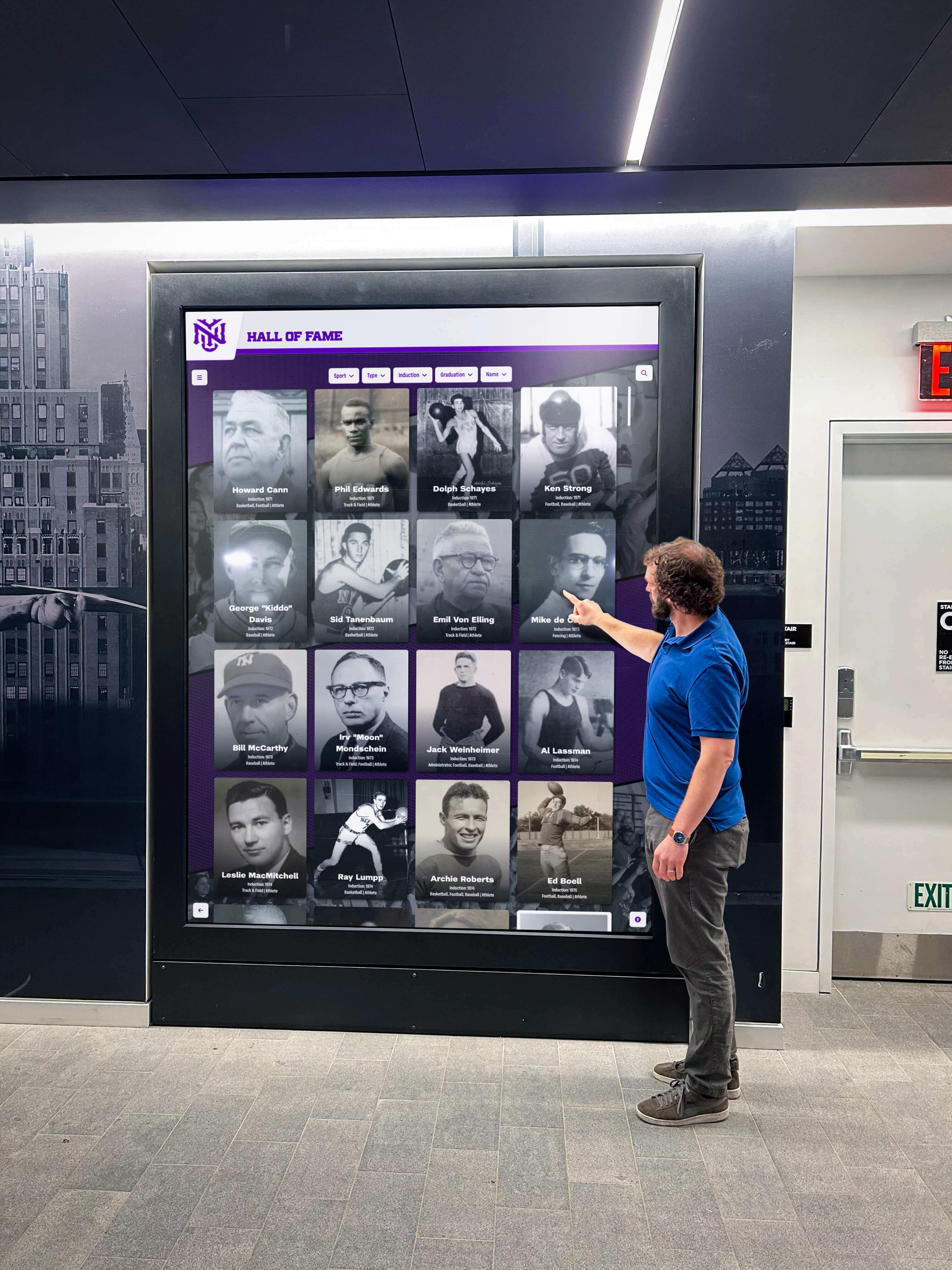
Many museums implement touchscreen “collection stations” providing comprehensive access to holdings. These installations typically feature complete catalog databases with advanced search functionality, high-resolution images allowing detailed examination, layered information from basic identification to scholarly depth, related item suggestions encouraging broader exploration, and save/share functionality enabling visitors to build personal collections.
Collection stations work particularly well near main entrances or central locations, serving as orientation tools helping visitors identify physical exhibits matching their interests while offering access to items not currently displayed.
Exhibition Enhancement Touchscreens
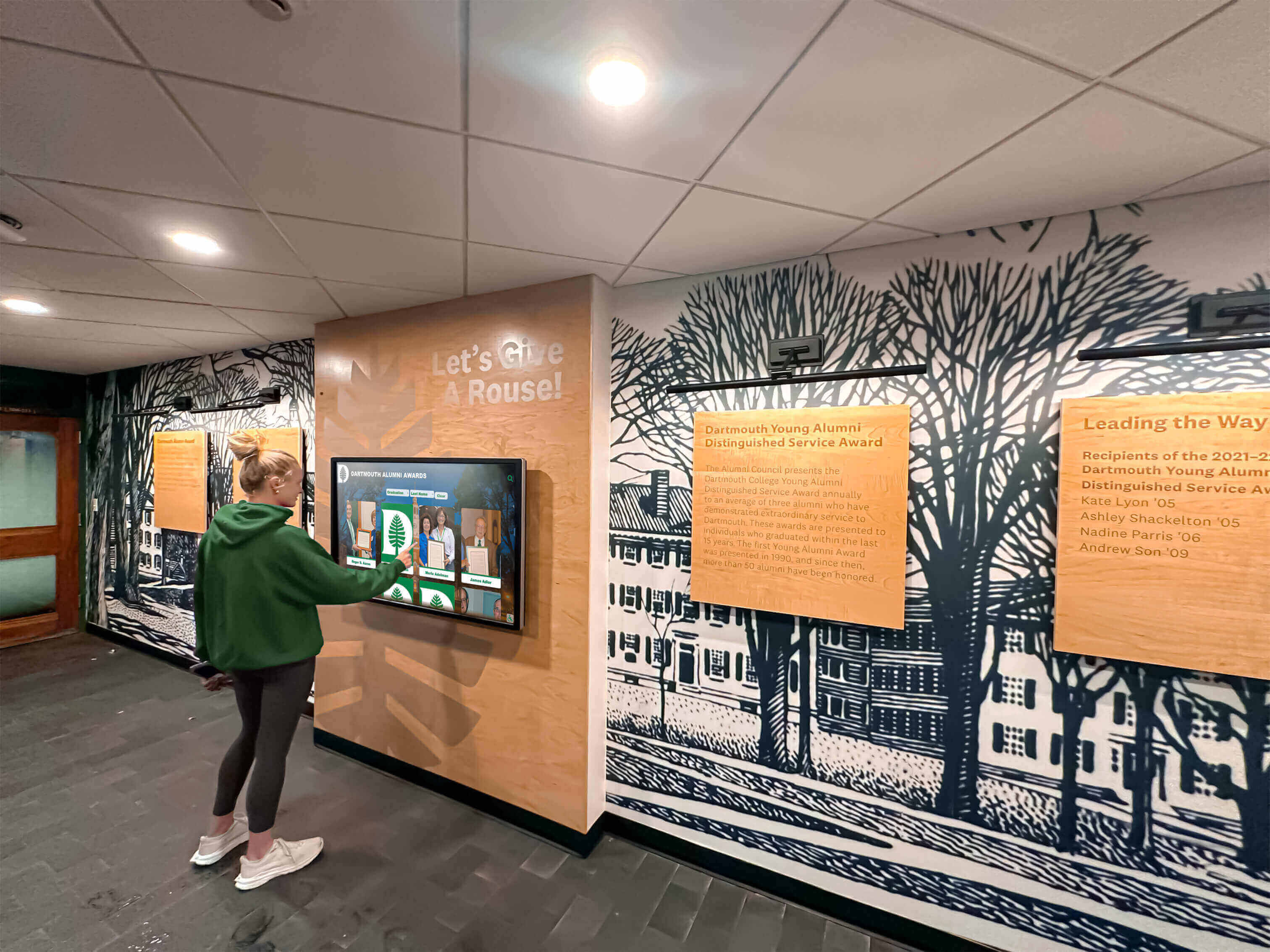
Touchscreens placed within specific exhibitions provide deeper engagement with displayed items through contextual information beyond what wall labels can provide, multiple interpretive perspectives from different scholars or community voices, before-and-after conservation views showing restoration work, and related materials connecting displayed items to broader collection holdings.
These focused implementations enhance rather than replace traditional exhibition approaches, offering visitors who want additional depth the option to explore further while others proceed through exhibitions at preferred paces.
Educational Discovery Spaces
Some institutions dedicate specific gallery areas to interactive learning with multiple touchscreens supporting hands-on exploration. These educational spaces might include interactive timelines showing historical development and change, mapping tools exploring geographic contexts, comparison tools for detailed analysis of similar items, quiz and game elements assessing and reinforcing learning, and curriculum-aligned content supporting school group visits.
Dedicated discovery spaces allow noise and interaction that might disturb other visitors in quiet contemplation galleries, creating appropriate environments for active learning.
Museum Kiosk and Wayfinding Systems
Beyond collection exploration, touchscreens serve practical visitor information needs through interactive maps showing gallery layouts and exhibit locations, program schedules and event information, facility amenities including restrooms, cafes, and accessibility services, and membership and admission information.
Practical wayfinding functionality often receives highest usage among all touchscreen features, making orientation kiosks valuable investments even when collection interpretation remains primarily traditional.
Emerging Trends Shaping Museum Touchscreen Technology in 2026
Understanding emerging capabilities helps institutions plan for future enhancement and avoid premature obsolescence.
Artificial Intelligence and Machine Learning Applications
Intelligent Search and Recommendations
AI-powered search understands natural language queries rather than requiring exact keyword matches. Visitors might ask “show me blue pottery” or “find landscapes from the 1800s” and receive relevant results without needing to know precise terminology or catalog conventions.
Machine learning algorithms analyze visitor behavior patterns to provide personalized recommendations. If a visitor extensively explores impressionist paintings, the system might suggest related artists, similar works in the collection, or contemporary exhibitions with thematic connections.
Automated Metadata Enhancement
Computer vision systems can automatically generate image tags, identify depicted objects and scenes, recognize faces for biographical tagging, and extract text from documents—reducing manual metadata creation workload while improving searchability. While these automated systems require human review and correction, they dramatically accelerate digitization workflows.
Augmented Reality Integration
Augmented reality (AR) features overlay digital content onto physical gallery spaces viewed through smartphones or tablets, or increasingly, AR glasses. Applications include virtual reconstruction showing damaged artifacts in original condition, layered information appearing when devices point at physical objects, virtual collection items “displayed” in physical spaces, and historical overlays showing how spaces appeared in different eras. Touchscreen augmented reality displays create blended experiences connecting physical and digital content.
AR technology remains relatively immature but shows significant promise for enhancing museum experiences without requiring expensive physical infrastructure beyond visitors’ existing smartphones.
Voice Interaction and Conversational Interfaces
Voice-controlled touchscreen interfaces allow hands-free navigation and accessibility for visitors unable to physically manipulate touchscreens. Natural language voice queries make finding content more intuitive—“tell me about ancient Egyptian pottery” produces relevant results without navigating menus or typing search terms.
Conversational AI systems can answer questions about collections, provide directions, and offer interpretive information through voice dialogs, creating experiences similar to interacting with knowledgeable museum staff.
Analytics and Visitor Intelligence
Advanced analytics platforms reveal visitor behavior patterns informing exhibition design and programming decisions. Institutions can identify which collection items generate greatest interest, discover underutilized materials deserving better promotion, understand optimal content depth and complexity levels, track how visitors navigate through content and collections, and measure effectiveness of different interpretive approaches.
Privacy-respecting analytics track aggregate patterns without identifying individual visitors, providing institutional intelligence while protecting visitor anonymity.
Selecting Touchscreen Vendors and Technology Partners
Institutional success depends partly on selecting appropriate technology partners with relevant expertise and long-term viability.
Evaluating Museum Technology Vendors
Specialized Museum Technology Providers vs. General Solutions
Vendors specializing in cultural heritage technology understand institutional workflows, metadata standards, conservation considerations, and educational missions. These specialists typically offer purpose-built platforms designed specifically for museum applications with proven track records at peer institutions.
General interactive kiosk or digital signage vendors offer broader flexibility and sometimes lower costs but require more institutional effort adapting general platforms to specific museum needs. Evaluation should weigh the tradeoff between specialized fit and customization flexibility based on institutional technical capacity and unique requirements.
Reference Checks and Site Visits
Speaking with current customers provides unfiltered perspectives on vendor performance, product capabilities, implementation support quality, ongoing service responsiveness, and long-term satisfaction. Site visits to peer institutions allow seeing deployed systems in real operational contexts, observing actual visitor interactions, and discussing lessons learned.
Questions for references should address implementation timeline and process experience, ongoing technical support and maintenance requirements, content management ease for non-technical staff, visitor response and engagement levels, and whether they would select the same vendor again knowing what they now know.
Contract Considerations and Long-Term Relationships
Licensing Models and Total Cost of Ownership
Touchscreen platforms use various licensing models including one-time purchase with annual maintenance, monthly or annual subscriptions, and per-kiosk licensing fees. Institutions should calculate total five-year cost of ownership including initial hardware and software costs, annual software licensing or subscription fees, content development and migration expenses, technical support and maintenance contracts, and anticipated upgrade or refresh cycles.
The lowest initial price rarely represents the best long-term value. Comprehensive support, regular software updates, and vendor stability justify higher costs when they prevent future problems and ensure sustained functionality.
Data Ownership and Migration Rights
Contracts should clearly establish institutional ownership of all content, images, metadata, and visitor analytics. Exit provisions should guarantee data export in standard formats enabling migration to alternative platforms if vendor relationships end. Vendor lock-in creates risk—ensuring ability to move data protects institutional investments in content development and digitization.
Scalability and Future Expansion
Licensing should accommodate future growth—adding displays, expanding to additional buildings, or increasing content volume—without prohibitive costs or technical limitations. Institutions uncertain about long-term directions should prioritize flexible platforms that can scale up or adapt to changing needs rather than locked-in approaches limiting future options.
Building Sustainable Touchscreen Programs
Technology installations succeed or fail based on sustainable operations and maintenance—not just successful initial deployment.
Content Management Workflows
Establishing Regular Update Schedules
Content currency determines ongoing touchscreen value. Stale content with outdated information, broken links, or references to past events undermines credibility and diminishes visitor trust. Sustainable programs establish regular review cycles ensuring accuracy, scheduled updates aligned with exhibition rotations, systematic expansion of collection coverage, and quality control processes preventing errors.
Assigned responsibilities prevent diffusion of accountability. Designating specific staff members as content owners for different subject areas or collection types creates clear ownership, while editorial oversight ensures consistency and quality across contributors.
Training and Knowledge Transfer
Staff turnover threatens sustainability when touchscreen expertise resides with specific individuals who eventually move on. Institutional knowledge should include documented procedures for common content management tasks, video tutorials showing key workflows, designated backup staff who can manage systems when primary administrators are unavailable, and vendor training refreshers as staff changes occur.
Investing in training pays dividends through confident, capable staff who maintain systems effectively without constant vendor support.
Technical Maintenance and Hardware Lifecycle Management
Preventive Maintenance Programs
Regular maintenance prevents small issues from becoming major problems. Scheduled maintenance should include touchscreen cleaning and calibration checks, software updates and security patches, hardware inspections identifying wear before failures occur, and network connectivity monitoring ensuring reliable operation.
Many vendors offer maintenance service contracts handling routine upkeep, though institutions with technical staff may manage directly. The key is systematic attention rather than reactive responses only after failures.
Hardware Refresh Cycles
Commercial touchscreen hardware typically operates reliably for 5-7 years before age-related failures increase and components become obsolete. Institutions should plan replacement cycles ensuring budget availability for hardware refreshes before catastrophic failures force emergency purchases. Phased replacement approaches spread costs across multiple budget years while maintaining operational installations.
Measuring Success and Demonstrating Value
Touchscreen investments require demonstrating ongoing value to institutional leadership and funding sources.
Quantitative Metrics and Analytics
Usage statistics provide objective evidence of touchscreen impact including total visitors and average session duration, popular search terms revealing visitor interests, most-viewed content items, daily and seasonal usage patterns, and return visitor behavior showing sustained value.
Comparative metrics demonstrate improvement over time—growth in average session length, increased diversity of accessed content, expansion in user populations, and enhanced accessibility metrics showing service to diverse audiences.
Qualitative Assessment and Visitor Feedback
Survey instruments and comment systems capture visitor perspectives about educational value and learning outcomes, interface usability and ease of navigation, content quality and depth appropriateness, overall satisfaction with museum experience, and likelihood of recommending the museum to others.
Observational studies reveal actual visitor behaviors—how groups use touchscreens collaboratively, where confusion or difficulty occurs, which features generate enthusiasm versus frustration, and how touchscreens integrate into overall visit patterns.
Communicating Impact to Stakeholders
Translation of data into compelling narratives helps stakeholders understand touchscreen value. Examples include visitor testimonials about meaningful discoveries or learning moments, educator feedback about curriculum support and student engagement, accessibility improvements serving previously underserved populations, collection access expansion quantifying materials now available virtually, and comparative metrics showing improvement over traditional approaches.
Annual reports documenting touchscreen performance, usage growth, and visitor impact create evidence trails demonstrating return on investment and justifying sustained funding.
Conclusion: Strategic Touchscreen Adoption for Cultural Institutions
Interactive touchscreen technology offers museums and galleries powerful capabilities for expanding collection access, enhancing visitor engagement, and improving educational outcomes. However, successful implementations require more than purchasing hardware and installing software—they demand strategic planning, quality content development, accessible design, sustainable operations, and continuous improvement.
Cultural institutions considering touchscreen adoption should start by clearly defining objectives aligned with institutional missions, engaging stakeholders early to build support and incorporate diverse perspectives, prioritizing accessibility ensuring all visitors can participate meaningfully, planning realistic budgets including content development and ongoing operations, and selecting technology partners with proven cultural heritage expertise.
Organizations that approach touchscreen implementation strategically create lasting value that justifies initial investments while serving institutional missions and visitor needs for years to come. Solutions like Rocket Alumni Solutions provide purpose-built platforms designed specifically for institutional storytelling, recognition, and heritage preservation—reducing implementation complexity while delivering professional results that meet the unique needs of museums, galleries, and cultural heritage organizations.
For institutions ready to explore how interactive touchscreen technology can transform visitor experiences and collection access, book a demo to see specialized museum and gallery solutions in action.






























