



The high school principal walked past the dusty cabinets filled with decades of class composites—beautiful, formal photographs of graduating seniors meticulously arranged by year. These treasured displays represented countless hours of photography, layout design, and careful preservation. Yet they remained largely unseen, locked behind glass in a seldom-visited hallway, accessible only to those who knew exactly where to look and which year to search.
Meanwhile, in the main lobby, students rushed past empty walls that could tell powerful stories about the institution’s 75-year history. Alumni visiting for homecoming wandered the building hoping to find their senior photos, often leaving disappointed after failing to locate the specific cabinet containing their graduating year. The disconnect was frustrating: valuable historical content existed but remained effectively invisible to the community it was meant to serve.
This scenario plays out in thousands of schools nationwide. Traditional flip-through composite displays and printed yearbooks serve important purposes, but they face fundamental limitations: finite physical space restricts how many years can be displayed, manual searching through multiple years proves tedious and time-consuming, physical deterioration threatens long-term preservation, updates and corrections become impossible once printed, and accessibility remains limited to those physically present at the display location.
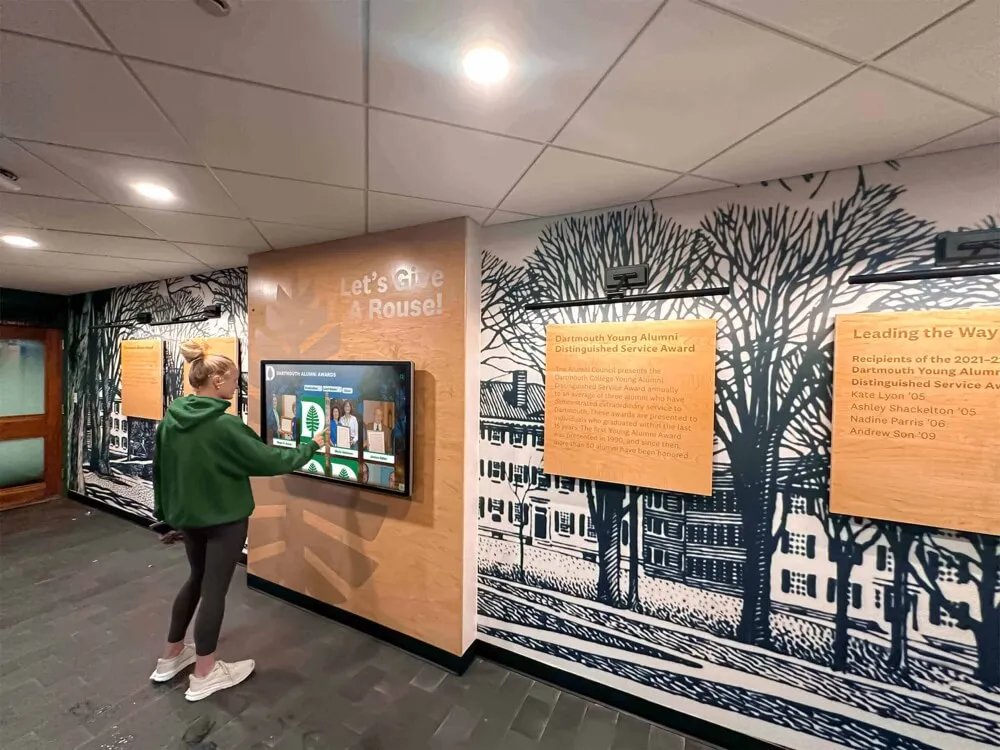
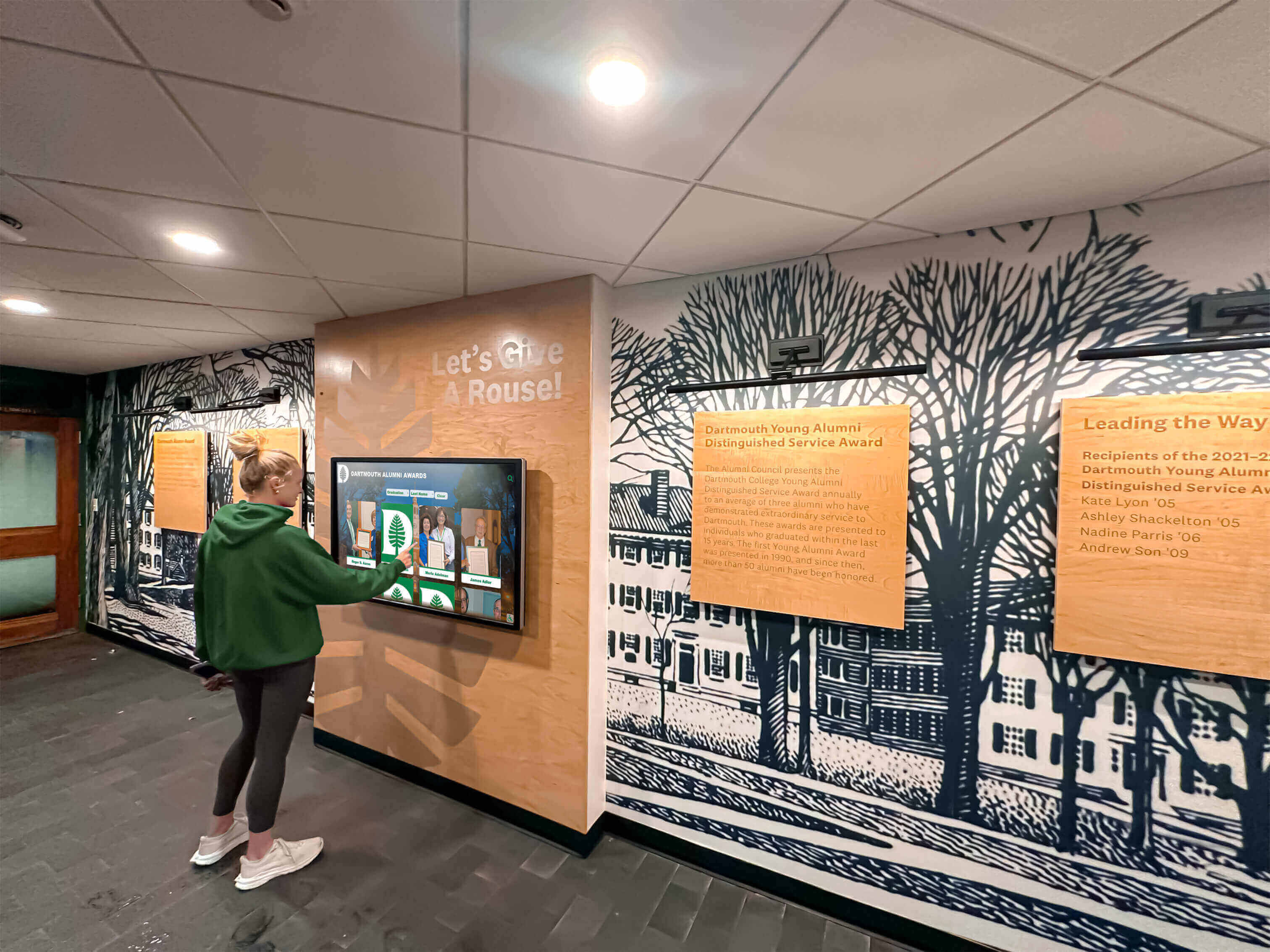
Interactive digital displays transform this experience completely. Imagine walking into a school lobby and encountering a sleek touchscreen where visitors can instantly search for any student by name across 50 years of graduating classes, browse chronologically through class photos organized by year, view rich multimedia content including videos and biographical information, and discover connections between multiple generations of families who attended the school. This complete transformation from passive viewing to active exploration represents the future of class photo displays.
This comprehensive guide explores how schools are creating interactive, searchable class photo displays that honor tradition while embracing modern technology—making decades of student memories accessible, engaging, and meaningful for current students, alumni, and visitors.
Understanding the Evolution from Traditional to Digital Class Displays
The Traditional Flip-Through Composite Model
For generations, schools have documented graduating classes through composite displays—formal arrangements of individual student portraits organized systematically with identifying information. The traditional approach typically featured:
Physical Format Options
- Printed posters or panels mounted in hallway display cases
- Bound albums stored in libraries or administrative offices
- Individual framed composites hung chronologically on walls
- Flip-book style display stands with pages for each graduating year
These formats created tangible, permanent records that schools valued for their formality and professional appearance. The ritual of senior portrait day, followed by the unveiling of finished composites, became cherished traditions that marked the transition from student to alumnus.
The Inherent Limitations
Despite their value, traditional formats face persistent challenges that frustrate schools and communities:
Space Constraints: A school with 75 graduating classes needs 75 separate physical displays. Available wall space becomes exhausted, forcing difficult decisions about which years remain visible versus stored away. Many schools rotate displays seasonally or during reunions, but this means most classes remain invisible most of the time.
Search and Discovery Difficulties: Finding a specific person requires knowing their graduation year and then manually examining that year’s composite. Searching across multiple years becomes extremely time-consuming. Visitors often leave frustrated after failing to locate the information they sought.
Update Impossibility: Printed composites become permanent upon production. Discovered errors cannot be corrected. Students who were absent during photo day cannot be added later. Post-graduation information like college attendance or career achievements cannot be incorporated.
Physical Deterioration: Paper fades, especially when exposed to light. Binding weakens over time. Physical handling causes wear and damage. Environmental factors like humidity and temperature fluctuations accelerate degradation. Older composites often show significant deterioration, with some becoming too fragile for regular viewing.
Limited Information Capacity: Physical space constraints limit how much information accompanies each portrait. Traditional composites typically include just names, and perhaps participation in one or two activities. Rich biographical details, achievements, and post-graduation updates cannot be accommodated.
The Digital Transformation: Interactive Displays by Year
Modern interactive displays maintain everything valuable about traditional composites while solving their fundamental limitations through technology designed specifically for educational recognition.
Core Capabilities of Interactive Class Photo Systems
Unlimited Capacity Without Physical Space Requirements: A single touchscreen display can host every graduating class from an institution’s entire history. Schools with 50, 75, or 100+ years of composites can make every year accessible without requiring hundreds of feet of wall space.
Instant Search Across All Years: Visitors type a name and immediately see every appearance across all digitized composites. Finding someone takes seconds rather than hours of manual searching through multiple physical displays.
Rich Multimedia Integration: Beyond static photos, digital systems incorporate video clips from graduation ceremonies, biographical narratives describing student experiences, achievement documentation showing academic and athletic accomplishments, audio recordings of interviews or school songs, and links to related content creating comprehensive profiles.
Perpetual Editability: Digital content remains forever editable. Corrections happen instantly. Missing students can be added when later photographed. Information updates as alumni achieve new accomplishments. The system evolves rather than remaining frozen at the moment of initial production.
Universal Accessibility: Physical touchscreen installations in school lobbies serve on-campus visitors while companion web portals enable remote access for geographically distant alumni. Mobile apps extend accessibility to smartphones, ensuring memories remain accessible anytime, anywhere.
The “Flip-Through” Experience Reimagined Digitally
The familiar interaction model of flipping through pages by year translates beautifully to touchscreen interfaces while adding powerful capabilities impossible in physical formats.
Visual Year-by-Year Browsing
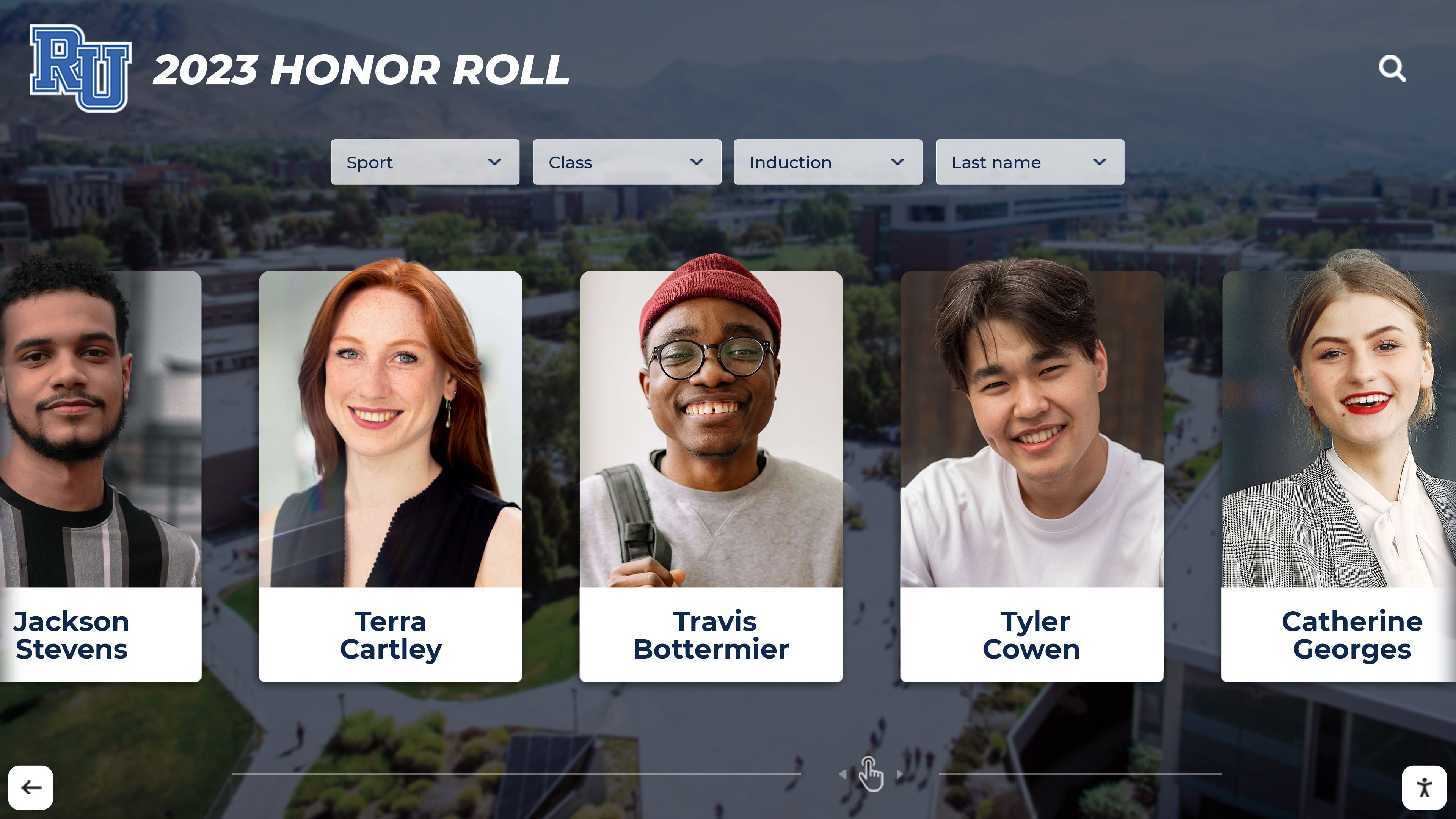
Well-designed systems present graduating classes as visual tiles or cards that users can swipe through—maintaining the intuitive chronological browsing of physical flip-books while adding smooth animations and responsive touch interactions that feel natural even to first-time users.
Users might see:
- Thumbnail images representing each graduating year
- Class sizes and key statistics displayed on each year’s card
- Featured highlights like championship seasons or notable achievements
- Quick-access buttons for landmark anniversary years
- Bookmarking capabilities to mark favorite years for easy return
This visual approach honors the browsing behavior people developed with physical displays while enhancing it through interactivity and immediate responsiveness.
Individual Portrait Exploration
Tapping on any graduating year reveals that class’s composite—individual portraits arranged similarly to traditional formats. But unlike static prints, each portrait becomes interactive:
- Tap a portrait to view expanded biographical information
- See additional photos beyond the formal senior portrait
- Read about activities, achievements, and post-graduation paths
- View video messages or interviews if available
- Discover connections to siblings, parents, or children who also attended
This depth transforms simple identification into rich storytelling that celebrates individual student experiences comprehensively.
Core Benefits of Interactive Class Photo Displays
Schools implementing interactive class photo systems discover advantages spanning multiple dimensions of their operations and community relationships.
1. Solving the Space Constraint Challenge
Physical space represents the most limiting factor for traditional composite programs. Interactive displays solve this completely.
Comprehensive Historical Archives
Schools can digitize and display their complete institutional history regardless of how many graduating classes that represents. A 100-year-old institution can feature every single graduating class in one display location, creating comprehensive archives that were previously impossible due to space limitations.
This comprehensive approach ensures equitable recognition where every graduating class receives equal visibility—the class of 1950 becomes as easily accessible as 2025’s graduates.
Multiple Display Locations Without Content Duplication Costs
Traditional composites require separate production for each display location. Digital systems can show identical content on unlimited displays throughout campus without additional content creation costs. The main lobby, athletic facility, library, and alumni center can all feature complete class photo archives through displays accessing the same cloud-based content.
Flexibility for Growing Collections
As new graduating classes join the archive each year, digital systems scale infinitely. There’s no need to remove older content to make room for new additions—every year remains permanently accessible. This future-proof approach ensures composite programs can continue indefinitely without facing capacity constraints.
2. Powerful Search Enabling Instant Discovery
The transformation from manual searching to instant digital search fundamentally changes how people engage with class photo archives.
Name-Based Search Across All Years

The most requested feature by schools and alumni alike: type someone’s name and instantly see every appearance across all digitized composites. This capability proves invaluable for:
Alumni Reconnecting with Classmates: Finding old friends takes seconds rather than requiring memory of exact graduation years and manual scanning through composites.
Reunion Planning: Committees can quickly locate and verify classmate information when organizing events and outreach.
Development Research: Advancement offices can instantly review a prospective donor’s school involvement, activities, and connections when preparing cultivation strategies.
Family Genealogy: Descendants researching family members who attended can easily find relatives across multiple generations.
Historical Research: Journalists, authors, or historians documenting institutional or community history can quickly locate relevant individuals and information.
Rather than hoping to stumble upon someone while manually browsing, search provides immediate, comprehensive results.
Categorical Filtering and Faceted Search
Beyond simple name search, sophisticated systems enable filtering by multiple criteria:
- Graduation year or date range
- Activities and clubs
- Athletic teams and sports
- Academic programs or majors
- Awards and honors
- Geographic hometown
- Post-graduation college attendance
These filtering capabilities enable thematic exploration—discovering all state championship teams, tracking participation in specific activities across decades, or researching how student demographics evolved over time.
Smart Suggestions and Related Content
Advanced systems learn from user behavior to provide helpful suggestions:
- “People who viewed this person also viewed…” connections
- Automatic identification of siblings, parents, or children who attended
- Suggested related classes or year ranges
- Popular searches and trending content
- Featured individuals based on current events or achievements
These intelligent features encourage extended exploration rather than quick, transactional searches, significantly increasing engagement time and emotional investment.

3. Preserving and Enhancing Historical Content
Digital preservation solves fundamental challenges facing physical composite archives while enabling content enhancement impossible with traditional formats.
Protection from Physical Deterioration
Once digitized, content faces no further physical degradation. High-resolution scanning captures current condition, preventing any additional deterioration. Older composites showing fading, damage, or discoloration can even be digitally restored—removing stains, reconstructing torn sections, and enhancing faded images to approximate original appearance.
Multiple redundant backups stored in geographically distributed locations provide disaster protection impossible with unique physical artifacts. Fire, flood, or other catastrophes that could destroy irreplaceable physical collections cannot eliminate properly backed-up digital content.
Continuous Content Enhancement
Digital formats enable ongoing improvement and expansion:
Error Correction: Misspelled names, incorrect information, or misidentified individuals can be corrected immediately rather than remaining permanent as in printed composites.
Missing Content Addition: Students who were absent during initial photo day can be added when later photographed. Discovered gaps in historical records can be filled as new information surfaces.
Contextual Information: Historical context about specific graduating years—major events, institutional milestones, or cultural circumstances—can be added to enrich understanding.
Alumni Contributions: Graduates can contribute “where are they now” updates, career information, or personal reflections that transform static historical records into living, evolving documentation.
This perpetual editability means systems improve continuously rather than remaining frozen at initial implementation.
Multimedia Documentation
Beyond static photographs, digital systems can incorporate:
- Graduation ceremony footage for each graduating class
- School newspaper excerpts from specific years
- Oral history interviews with alumni reflecting on their experiences
- Historical campus photos showing facilities as they appeared during specific eras
- Scanned yearbook pages, programs, and memorabilia
- Audio recordings of school songs or significant speeches
This multimedia richness creates comprehensive documentation of institutional history that static composites alone cannot achieve.
4. Strengthening Alumni Engagement and Connection
Alumni relationships represent vital institutional assets. Interactive class photo displays create natural touchpoints for cultivating and maintaining these connections.
Nostalgia-Driven Engagement
Accessing personal memories creates powerful emotional experiences that strengthen institutional bonds:
Pre-Reunion Excitement: Alumni exploring their class photos online before reunion events build anticipation and excitement about reconnecting. Many report that browsing displays helps refresh memories of classmates they’re eager to see again.
On-Campus Gathering Points: During homecoming, reunions, or casual visits, digital displays become natural gathering places where alumni congregate to explore memories together. These communal experiences create bonding moments that reinforce class identity and institutional connection.
Year-Round Touchpoints: Rather than engaging only during milestone reunions, alumni can revisit memories anytime through remote access. This continuous availability maintains ongoing connection rather than episodic engagement.
Development and Fundraising Applications
Advancement offices leverage class photo content strategically:
Personalized Cultivation: Development professionals reference specific memories, activities, or relationships visible in composites when engaging donors. This personalization demonstrates attention and care while evoking emotional connections that motivate giving.
Anniversary Campaigns: Class reunions and milestone anniversaries create natural fundraising opportunities enhanced by nostalgia-evoking visual content. Reunion giving campaigns that feature class photos report significantly higher participation than generic appeals.
Stewardship and Recognition: Donors contributing to campus improvements, scholarships, or programs can be recognized through enhanced profiles in the class photo system—linking their current philanthropy to their student experiences and creating lasting visibility for their generosity.
Research consistently shows that emotional connection to institutions drives philanthropic support. Class photo displays evoke powerful feelings and memories that translate into charitable giving when cultivated strategically.
5. Educational Value for Current Students
Interactive displays aren’t just for alumni—they provide rich learning opportunities for current students discovering their institution’s history.
Primary Source Research Opportunities
Class photos and accompanying information serve as primary source documents for student research:
- Comparative studies examining social change across decades
- Fashion and cultural trend analysis through portrait photography
- Demographic research tracking institutional diversity evolution
- Local history projects using the school as community microcosm
- Understanding how national events affected local communities
Teachers across disciplines can develop lesson plans incorporating class photo archives as teaching tools that make history tangible and personal.
Inspiration Through Alumni Achievement
Discovering notable alumni who started their journeys in the same classrooms inspires current students:
- Understanding diverse paths from high school to career success
- Seeing that ordinary students achieved extraordinary things
- Building pride in institutional legacy and traditions
- Connecting with alumni mentors who share their interests and career aspirations
When students discover that a successful entrepreneur, renowned scientist, celebrated artist, or community leader once experienced the same anxieties and aspirations they currently feel, achievement becomes tangible rather than abstract.
Multigenerational Family Connections
Students whose parents, grandparents, or other relatives attended the same school experience powerful connections when discovering their family’s institutional history. Interactive displays can highlight these multigenerational relationships—showing when multiple generations graduated, participated in similar activities, or followed related paths.
These family legacy connections create deep institutional loyalty that often persists across lifetimes and translates into sustained engagement and support.
6. Creating Inclusive, Equitable Recognition
Digital systems enable truly equitable recognition where every graduate and every graduating class receives equal treatment.
Equal Visibility Regardless of Era
Traditional space constraints often force decisions about which classes receive prominent display versus storage. Recent graduates might be featured while historical classes occupy less visible locations or remain boxed away entirely. These space-driven decisions can unintentionally communicate that some classes matter more than others.
Digital systems eliminate this hierarchy. The class of 1950 occupies the same digital space as 2026’s graduates—equally searchable, equally accessible, equally preserved. This equity reinforces that every graduate matters equally to institutional history, strengthening community bonds across generational divides.
Complete Documentation of Every Student
Unlike physical yearbooks where students might be omitted due to absence or oversight, digital systems can continuously expand to ensure complete representation. Missing individuals can be added whenever information becomes available. Every student receives dignified recognition regardless of popularity, participation, or circumstances.
This inclusive approach reflects educational values of equal respect and recognition for all students—demonstrating that the institution honors every person who passed through its doors.
Accessibility for All Abilities
Digital displays can incorporate accessibility features ensuring all community members can engage:
- Screen reader compatibility for blind users
- Adjustable text sizes and high-contrast modes for vision-impaired visitors
- Wheelchair-accessible mounting heights
- Audio descriptions of visual content
- Simple, clear navigation requiring no technical expertise
- Multiple access methods (touch, keyboard, voice control)
These features ensure class photo memories remain accessible to all community members regardless of physical abilities, creating truly inclusive experiences.

Implementing Interactive Class Photo Displays: Practical Guidance
Schools considering interactive class photo systems should understand key factors influencing successful implementation.
Content Strategy: What to Include and How to Organize
Determining Scope and Priority
Not all schools need to digitize every graduating class immediately. Strategic phasing enables manageable implementation:
Start with High-Impact Content: Recent graduates (past 10-20 years) generate most immediate engagement since they represent current alumni community members most likely to visit, engage, and contribute. Beginning here delivers quick value while building momentum for historical expansion.
Add Reunion Year Classes: Prioritize classes with upcoming milestone reunions (5th, 10th, 25th, 50th anniversaries). These classes have immediate reunion-related engagement opportunities and often provide funding or volunteer support for their own digitization.
Fill Historical Gaps Systematically: Add older classes incrementally, perhaps working backward chronologically or focusing on historically significant years (centennial classes, first graduating classes after facility expansions, etc.).
Biographical Information and Metadata
The depth of information accompanying each portrait significantly impacts searchability and engagement:
Essential Basic Information:
- Full name (including maiden names for married alumni)
- Graduation year
- High school attended (for institutions with multiple feeders)
Enhanced Profile Details:
- Academic honors and achievements
- Athletic team participation and accomplishments
- Club memberships and leadership positions
- Performing arts involvement
- Student government roles
- Special recognitions or awards
- Post-graduation college attendance
- Career paths and professional achievements
- Military service
- Community involvement and volunteerism
Balance thoroughness with practical constraints. Minimum viable metadata ensures functionality while enhanced details create richer experiences. Many schools implement tiered approaches—basic information for all students with enhanced details added over time as resources permit.
Permissions and Privacy Considerations
Digital display of student information requires careful attention to privacy requirements:
- Review applicable privacy regulations (FERPA in United States)
- Establish clear policies about what information will be displayed and who can access it
- Obtain appropriate permissions before displaying photos and information
- Create processes for individuals requesting their information not be displayed
- Consider restricting online access to verified alumni rather than making content completely public
- Implement content removal procedures for responding to privacy requests
Digital systems offer advantages here—content can be quickly updated if permissions are revoked, unlike permanent physical plaques or printed materials.
Digitization: Creating Quality Digital Archives
High-quality source content forms the foundation of effective interactive displays.
Photography for Current Classes
Ongoing addition of new graduating classes requires systematic photography processes:
Professional Standards: Maintain consistent lighting, backgrounds, and positioning across all students. High-resolution photography (minimum 300 DPI) enables zoom capabilities and future-proofs content against evolving display technologies.
Complete Participation: Schedule adequate photo sessions ensuring every student is photographed. Implement makeup procedures for students absent during initial photography. Clear communication about requirements and importance encourages participation.
Quality Control: Review all photos before finalizing to ensure technical quality, appropriate framing, and correct identification. Establish approval workflows preventing errors from reaching final displays.
Historical Content Digitization
Existing printed composites, yearbooks, and archival photos require digitization for inclusion in interactive systems.
Scanning Approaches:
Individual Portrait Re-Photography: If original individual student photographs exist in archives, re-photographing or scanning these source images provides highest quality. However, many schools no longer possess original materials.
Composite Scanning: High-resolution scanning of complete printed composites followed by digital extraction of individual portraits enables digitization even when original source photos are unavailable. Professional restoration can enhance deteriorated images.
Yearbook Digitization: Complete yearbook scanning captures composite pages along with additional context, activities, and candid photos that enrich historical documentation.
Professional Digitization Services:
Specialized vendors focus on educational archives digitization, providing:
- Appropriate equipment for various formats and sizes
- Expertise in photo restoration and enhancement
- Quality OCR (Optical Character Recognition) for searchable text
- Faster completion through dedicated resources
- Professional handling of fragile historical materials
Costs typically range from $3-10 per yearbook page depending on volume, condition, and processing requirements. Complete class composites might cost $200-500 per year to digitize professionally.
DIY Digitization:
Budget-conscious schools can handle digitization in-house:
- High-quality flatbed scanners (minimum 600 DPI capability)
- Adequate lighting and stable surfaces for consistency
- Photo editing software for enhancement and correction
- Sufficient staff time or volunteer resources
- Patience for time-intensive process
In-house approaches sacrifice speed but eliminate external costs while developing internal capabilities useful for ongoing maintenance.
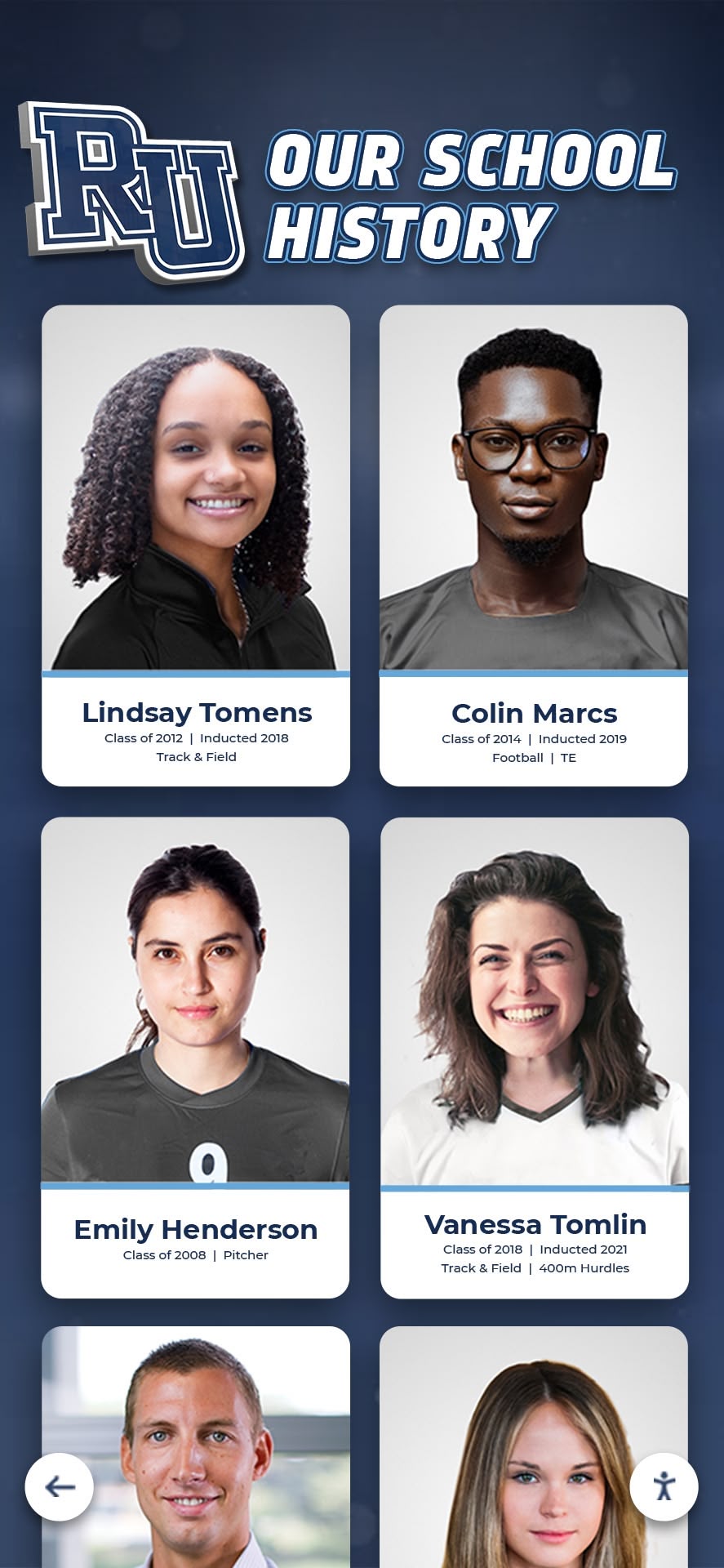
Hardware and Software Selection
Display Hardware Considerations
Screen Size and Placement:
- 43-50 inches: Appropriate for hallways or smaller gathering spaces with close viewing distances
- 55-65 inches: Most common size balancing visibility, budget, and spatial constraints
- 70-75 inches: Ideal for large lobbies or high-traffic areas with viewing from distance
- 80+ inches: Premium installations in major venues or facilities with significant space
Technology Type: Commercial-grade capacitive touchscreens designed for continuous public use provide better reliability than consumer displays. Consider anti-glare coatings for locations with significant natural light. Optical touch systems work well in bright environments.
Mounting Options:
- Wall-mounted: Clean aesthetic, space-efficient, most common approach
- Floor kiosk: Accessible option good for open areas, provides physical stability
- Custom enclosures: Integrated into facility architecture, more expensive but creates seamless installations
Software Platform Requirements
Purpose-built educational recognition software typically provides better experiences than generic digital signage platforms adapted for class photo use.
Look for platforms offering:
Intuitive Content Management: Non-technical staff should be able to add and edit content easily through web-based interfaces requiring no specialized training or software.
Robust Search and Navigation: Instant name search across all content, categorical filtering capabilities, chronological browsing, and intelligent suggestions for related content.
Flexible Organization: Support for various presentation formats (alphabetical grids, visual year browsers, featured spotlights, etc.) accommodating different institutional needs and preferences.
Cloud-Based Architecture: Centralized content management enabling updates from any internet-connected device, simultaneous updates across multiple displays, and reliable backup and disaster recovery.
Analytics and Reporting: Usage tracking showing engagement metrics, popular content, search patterns, and peak usage times—demonstrating value and guiding improvements.
Mobile and Web Companion Access: Online portals and mobile apps extending accessibility beyond physical installations to serve geographically distant alumni.
Integration Capabilities: Connections to existing systems like alumni databases, development platforms, or student information systems enabling data sharing and reducing duplicate entry.
Platforms like Rocket Alumni Solutions specialize in educational recognition, providing features specifically designed for schools’ unique needs rather than requiring adaptation of generic software.
Strategic Placement for Maximum Impact
Display location dramatically influences engagement. Consider installing in:
High-Traffic Campus Locations:
- Main building entrances where all students, staff, and visitors pass
- Cafeterias and student commons during lunch and break periods
- Main lobbies creating impressive first impressions for prospective families
- Libraries and media centers where students research and study
- Hallway connectors between major classroom buildings
Alumni-Focused Spaces:
- Alumni center or heritage room dedicated gathering spaces
- Development office waiting areas for donor cultivation
- Athletic facilities near existing halls of fame or trophy displays
- Performing arts venue lobbies during productions and concerts
Event-Activated Applications:
- Portable or movable displays for homecoming celebrations, graduation receptions, and reunion gatherings
- Temporary installations during open houses and prospective family events
- Special placement during milestone anniversaries or commemorations
Multiple installations throughout campus extend reach and create distributed access. Many schools start with a single flagship location (typically the main lobby) and expand over time as they observe results and community response.
Budget Planning and Funding Sources
Typical Investment Ranges
Initial Implementation:
- Professional digitization: $3,000-15,000 depending on scope (10-50 years of content)
- Commercial touchscreen hardware: $3,000-15,000 depending on size and features
- Software licensing and setup: $2,000-8,000 for initial configuration
- Installation, mounting, and wiring: $1,000-5,000 depending on complexity
- Project management and content organization: Staff time or external services
Complete initial implementations commonly total $10,000-40,000 depending on scope, feature set, and institutional size.
Ongoing Annual Costs:
- Software licensing and hosting: $1,500-4,000 typically
- Adding new graduating classes: Photography plus content entry time
- Hardware warranty or maintenance: 10-15% of hardware cost optionally
- Content updates and enhancement: Primarily staff time
Funding Strategies
Schools successfully fund interactive class photo projects through:
Alumni Association Support: Alumni organizations often fund recognition programs benefiting future graduates while celebrating institutional traditions. Class photo displays align perfectly with association priorities around community building and institutional history.
Reunion Class Gifts: Milestone reunion classes (25th, 50th anniversaries) frequently make gifts to their alma maters. Offering to name displays after contributing classes or highlighting their class prominently creates compelling giving opportunities.
Development Campaigns: Capital campaigns or comprehensive fundraising initiatives can include interactive displays as fundable projects. Donor recognition opportunities (naming rights for major gifts) make displays attractive centerpiece projects.
Capital Improvement Budgets: Schools undergoing renovations or new construction can incorporate interactive displays into facility budgets as permanent improvements enhancing building functionality and appeal.
Technology Allocations: Annual technology refresh budgets may accommodate displays as educational technology investments serving teaching, learning, and community engagement.
PTA/PTO Fundraising: Parent organizations often support projects providing lasting value to students and community. Class photo displays benefit current students while honoring graduates, creating multi-stakeholder appeal.
Phased Implementation: Spreading investment across multiple budget cycles makes projects more manageable. Start with basic functionality and single display, expanding over time as budgets permit and value is demonstrated.

Best Practices for Engagement and Community Building
Creating excellent interactive displays represents just the beginning—active promotion and strategic use drive sustained engagement.
Launch and Initial Awareness
Ceremonial Unveiling Events
Formal launch events generate excitement and establish displays as important institutional features:
- Schedule unveiling during high-traffic periods (homecoming weekend, alumni events)
- Invite key stakeholders (board members, alumni association leaders, major donors)
- Include remarks from administration emphasizing importance of memory preservation
- Demonstrate features and capabilities for attendees unfamiliar with interactive systems
- Capture event photography and video for promotional use
- Generate local media coverage emphasizing innovation and tradition
These ceremonial launches communicate that institutions value their history and alumni—strengthening community pride and connection.
Initial Content Campaigns
Drive early engagement through strategic content promotion:
Social Media Campaigns: Share interesting discoveries from newly digitized content. Post “throwback” photos from various decades. Create contests challenging followers to identify people or provide context about historical photos.
Alumni Newsletter Features: Dedicate coverage to new displays in alumni publications. Provide direct links to online access. Highlight specific graduating classes or notable individuals as featured content.
Reunion Integration: Time launches around major reunion weekends when large numbers of alumni visit campus. Feature reunion classes prominently. Create dedicated exploration stations during reunion events.
Student Engagement: Involve current students in exploring content. Encourage them to find parents or relatives. Assign classroom projects requiring archive research. Create student ambassador programs explaining displays to visitors.
Sustaining Long-Term Engagement
Dynamic Content Featuring
Keep displays fresh through rotating featured content:
Seasonal Themes: Homecoming week spotlights featuring decades of traditions. Senior week showcases highlighting graduating class memories. Athletic championship seasons displaying relevant team histories.
Anniversary Celebrations: Milestone class anniversaries (25th, 50th) become natural featuring opportunities. Historical centennial or institutional anniversary content connects to broader celebrations.
Current Event Connections: When alumni achieve notable accomplishments, feature their student profiles. Connect historical content to contemporary events or themes. Highlight alumni working in fields relevant to current initiatives.
Alumni Contributions and Updates
Transform static archives into living, growing resources:
“Where Are They Now?” Updates: Enable alumni to contribute career information, life achievements, or personal reflections. Create approval workflows ensuring appropriate content while encouraging participation.
Memory Sharing: Allow alumni to add context, stories, or perspectives about photos, events, or experiences. These personal narratives enrich historical understanding and create engagement opportunities.
Missing Person Identification: Recruit alumni assistance identifying individuals in historical photos where names are unknown or uncertain. Crowdsourced identification often succeeds where official records fall short.
Photo Contributions: Invite alumni to submit additional photos from their school years—informal candids, event photos, or personal memorabilia that expand beyond official composites and yearbooks.
Integration with Broader Recognition Programs
Interactive class photo displays achieve maximum impact when integrated with comprehensive recognition ecosystems rather than existing as isolated features.
Connecting to Achievement Recognition
Link class photo profiles to documented accomplishments:
- Athletic achievements showing team participation, records, and championships
- Academic honors including scholarships, academic all-state, and special programs
- Artistic accomplishments with performance and exhibition documentation
- Leadership roles in student government and organizations
- Service contributions to school and community
- Post-graduation achievements and career trajectories
These connections create complete pictures of student experiences rather than just formal portraits and names. When someone discovers a grandparent’s senior photo and can also explore their athletic career, read about their academic achievements, and see post-graduation accomplishments, the experience becomes far richer and more meaningful.
Schools implementing comprehensive digital recognition systems report these integrated approaches generate significantly higher engagement than standalone applications. Solutions like Rocket Alumni Solutions provide unified platforms supporting class photos, athletic recognition, academic achievement celebration, and donor recognition through integrated systems sharing common user experiences and infrastructure.
Multi-Generational Family Spotlights
Highlight families with multiple generations of attendance:
- Automatically identify when parents, children, siblings, and extended family members appear across different graduation years
- Create family timeline views showing generations chronologically
- Feature family legacy stories celebrating sustained institutional connections
- Enable families to discover distant relatives they may not have known attended
These multigenerational connections create powerful emotional experiences that strengthen institutional loyalty across family networks.
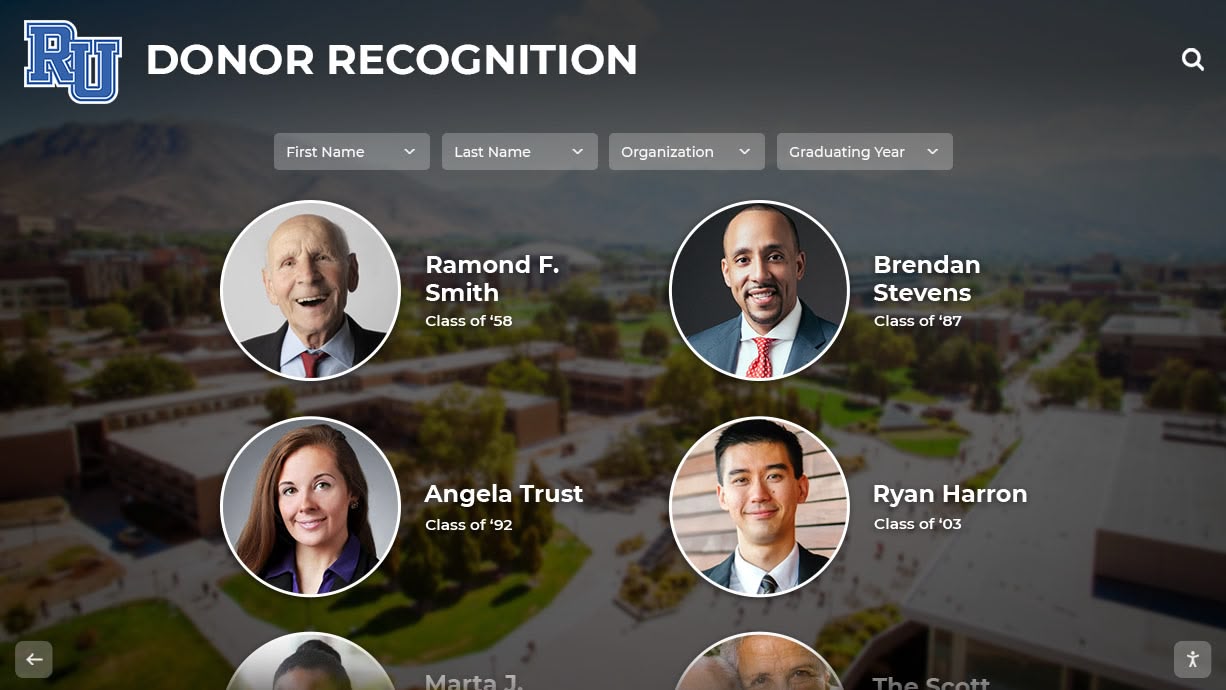
Measuring Success and Demonstrating Value
Effective programs assess impact and value, ensuring displays achieve intended purposes while justifying resource investment.
Quantifiable Engagement Metrics
Usage Statistics:
- Daily and monthly interaction counts showing overall engagement
- Average session duration indicating depth of exploration
- Number of searches performed demonstrating active information seeking
- Most frequently searched individuals and years revealing popular content
- Return visitor rates for web portals showing sustained interest
- Geographic distribution of online users demonstrating reach
Content Performance:
- Most viewed graduating classes
- Popular biographical profiles generating highest interest
- Featured content click-through rates
- Video content view counts and completion rates
- Social sharing frequency and reach
Technical Performance:
- System uptime and reliability
- Search response times
- Error rates and resolution time
- Mobile versus desktop access patterns
Purpose-built platforms typically include analytics dashboards tracking these metrics automatically, providing evidence of program value and identifying optimization opportunities.
Qualitative Impact Assessment
Stakeholder Feedback:
Alumni Responses: Survey alumni about their experiences. Do displays help them reconnect with memories and classmates? Would they be more likely to visit campus or attend reunions because of display access? Do they appreciate the institution’s investment in memory preservation?
Student Perspectives: Gather feedback from current students. Do displays help them understand institutional history? Have they discovered notable alumni who inspire them? Do class photo archives create pride in being part of continuing legacies?
Visitor Impressions: Collect input from prospective families during campus tours, community members attending events, and donors visiting campus. Do displays create positive impressions? Do they communicate institutional values around recognition and memory preservation?
Anecdotal Stories:
The most powerful impact evidence often comes through stories:
- Alumni who reconnected with long-lost classmates after discovering each other in displays
- Current students inspired by discovering notable alumni who achieved remarkable things
- Families gathering around displays to explore multiple generations together
- Donors who cited nostalgic memories as motivation for charitable gifts
- Media coverage generating positive community visibility
Collect and document these stories through feedback mechanisms, social media monitoring, and staff observations. Stories create compelling narratives demonstrating impact in ways statistics alone cannot achieve.
Return on Investment Analysis
Cost-Benefit Comparison:
Compare interactive display investments against traditional alternatives:
Traditional annual composite production: $500-2,000 per year × 10 years = $5,000-20,000 with limited capacity and ongoing costs
Digital display system: $15,000-30,000 initial investment with minimal ongoing costs serving unlimited years forever
Over 10-15 year timeframes, digital systems typically prove more cost-effective while delivering superior functionality, accessibility, and engagement.
Revenue and Relationship Value:
While difficult to quantify precisely, interactive displays contribute to:
- Increased alumni event attendance and associated revenue
- Enhanced reunion giving participation and amounts
- Improved major gift cultivation through emotional connection
- Higher admission yield from prospective families impressed by facilities
- Strengthened community relationships supporting long-term institutional success
Development professionals report that nostalgia-driven engagement facilitated by class photo displays measurably improves fundraising outcomes, though specific attribution remains challenging.
Real-World Success Stories and Applications
Small Private School: Complete Historical Archives
A 500-student independent school with 80-year history faced exhausted wall space and deteriorating physical composites. Implementation of a single 65-inch touchscreen display in the main lobby provided:
- Complete digitization of all 80 graduating classes (previously only 15 years were physically displayed)
- Name-searchable database enabling instant discovery across entire history
- Integration of historical photos, newspaper clippings, and memorabilia beyond just composites
- Companion mobile app allowing geographically distant alumni to explore remotely
Results: Reunion attendance increased 35% over three-year period. Alumni website traffic grew 200%. Development office reported displays became primary tool for donor cultivation conversations. Project paid for itself through a single major gift from an alumnus who cited nostalgia as key giving motivation.
Large Public High School: Equity and Accessibility
A 2,500-student urban high school with diverse population spanning 50 years implemented interactive displays addressing visibility concerns:
- Previously, only recent 10 years displayed due to space constraints
- Digitization of all 50 years provided equal visibility for all alumni
- Multiple displays in cafeteria, library, and athletic facility extended access
- Multilingual interface supported ESL families
- Accessibility features ensured students with disabilities could fully engage
Results: System became showcase feature during prospective family tours. Local media covered installation as innovation story. Students reported increased pride seeing comprehensive institutional history. Alumni relations office credited displays with improved diversity in reunion attendance.
University: Integrated Recognition Ecosystem
A mid-sized university implemented comprehensive digital recognition integrating class photos with athletic achievement, academic honors, and donor recognition:
- 125 years of graduating classes (over 40,000 individual alumni)
- Links from class photos to athletic records, academic achievements, and giving history
- Featured alumni spotlights highlighting career accomplishments
- Integration with alumni database enabling profile updates
- Multiple touchscreens across campus plus robust mobile access
Results: Digital recognition system became signature institutional feature. Admission office reported prospective families consistently mentioned displays as differentiating factor. Alumni engagement metrics improved across all categories. Development office reported 15% increase in alumni giving participation over five-year period following implementation.
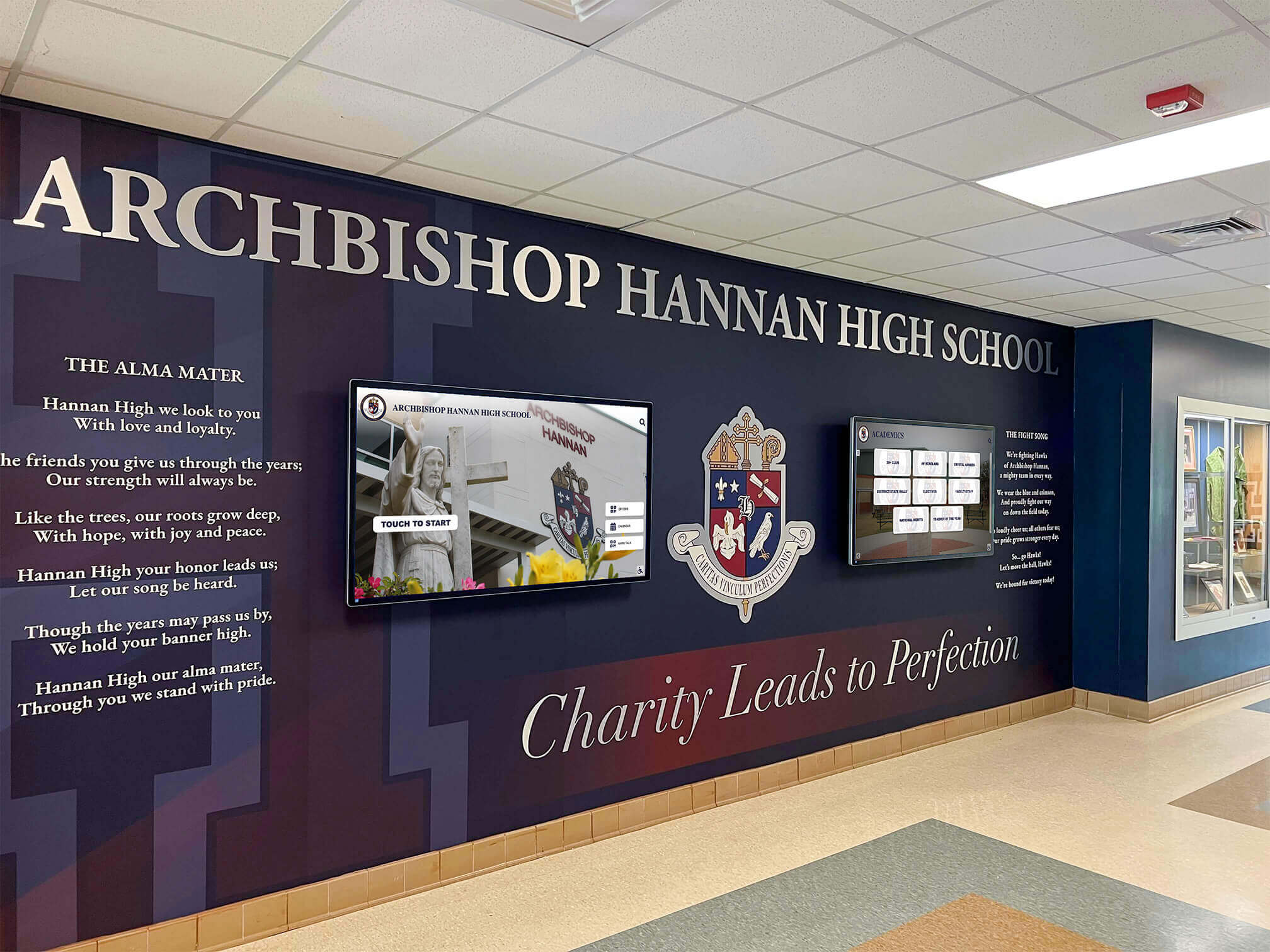
The Future of Interactive Class Photo Displays
Interactive class photo technology continues evolving, with emerging capabilities creating even richer experiences.
Artificial Intelligence and Machine Learning
AI technologies will enhance displays through:
Automated Facial Recognition: Identifying same individuals across multiple photos automatically—from freshman candids to senior portraits to post-graduation event photos. This creates comprehensive individual timelines without manual tagging.
Intelligent Search Recommendations: Learning from user behavior to suggest relevant content. “Users who viewed this person also enjoyed…” recommendations encourage extended exploration.
Historical Photo Enhancement: AI-powered restoration improving quality of deteriorated historical images—removing damage, enhancing fading, and colorizing black-and-white photos while maintaining historical authenticity.
Smart Content Organization: Automatically categorizing and tagging content based on image analysis—identifying group photos versus portraits, detecting uniforms to tag athletes, or recognizing graduation gowns to confirm class years.
Augmented and Virtual Reality Integration
Extended reality technologies may enable:
AR Campus Tours: Point smartphone cameras at physical locations and see historical class photos overlaid in context—standing in the cafeteria while viewing photos from that space across decades.
Virtual Heritage Rooms: Immersive 3D environments recreating historical school spaces where users explore composites and memorabilia as if physically present.
Remote Reunion Experiences: Virtual gatherings where geographically dispersed classmates explore their class photos together through shared immersive experiences.
Enhanced Social and Collaborative Features
Future systems may incorporate:
Alumni Networking Integration: Direct messaging between classmates discovered through displays. Professional networking features connecting alumni for mentorship or career opportunities.
Collaborative Content Creation: Alumni collaboratively annotating photos, sharing memories, and building community narratives about their experiences.
Gamification Elements: Achievement badges for exploration milestones. Scavenger hunts encouraging discovery of specific content. Leaderboards showing most engaged users or classes.
These social features transform displays from archives into active community platforms where alumni maintain ongoing connections.
Getting Started: Roadmap for Implementation
Phase 1: Planning and Assessment (1-3 months)
Define Goals and Scope:
- Determine primary objectives (alumni engagement, space savings, accessibility, preservation)
- Establish success metrics and evaluation approaches
- Identify key stakeholders and secure buy-in
- Assess budget availability and funding strategies
Inventory Existing Content:
- Catalog all available composites, yearbooks, and historical photos
- Identify gaps in collections
- Evaluate physical condition of materials
- Determine priority years for initial digitization
Technology Research:
- Review available platforms and vendors
- Schedule demonstrations of leading solutions
- Visit reference institutions with similar implementations
- Develop requirements specifications
- Request proposals from qualified vendors
Phase 2: Content Preparation (3-6 months)
Digitization Execution:
- Select digitization approach (professional services, in-house, or hybrid)
- Begin scanning priority years
- Implement quality control processes
- Extract or collect biographical metadata
- Organize digital assets systematically
Content Enhancement:
- Restore or enhance deteriorated images
- Compile supplementary photos and documents
- Gather video content for integration
- Collect alumni contributions and updates
- Develop featured content for launch
Phase 3: Technical Implementation (2-4 months)
Hardware Installation:
- Procure and install touchscreen displays
- Configure network connectivity
- Mount and wire equipment
- Test functionality and performance
- Address any technical issues
Software Configuration:
- Set up content management system
- Import digitized content and metadata
- Configure search and navigation
- Customize branding and design
- Establish user permissions and workflows
- Test thoroughly before launch
Phase 4: Launch and Promotion (1-2 months)
Formal Launch:
- Plan unveiling event or ceremony
- Invite stakeholders and media
- Demonstrate capabilities
- Generate coverage and awareness
Community Engagement:
- Train staff on system management
- Promote through alumni channels
- Integrate into campus tours and events
- Monitor usage and gather feedback
- Address issues and optimize based on early experience
Phase 5: Ongoing Operations (Continuous)
Regular Maintenance:
- Add new graduating classes annually
- Update content based on alumni contributions
- Monitor system performance and reliability
- Refresh featured content regularly
- Track engagement metrics
Continuous Improvement:
- Expand historical digitization
- Enhance metadata and biographical details
- Add new features and capabilities
- Respond to community feedback
- Assess and demonstrate ongoing value
Conclusion: Honoring Tradition Through Innovation
The principal who walked past those dusty cabinets now stops daily in the transformed main lobby. Where empty walls once stood, a sleek touchscreen display draws constant crowds—students discovering notable alumni, visiting parents finding their own senior photos, alumni reconnecting during homecoming. The same treasured content that once sat locked away now creates engagement, connection, and pride throughout the community.
This transformation from passive storage to active exploration represents more than technological upgrade. It reflects fundamental commitment to ensuring every graduate receives lasting recognition, preserving institutional memory accessibly for future generations, creating inclusive experiences where all community members can discover connections, and honoring tradition while embracing innovation that serves contemporary needs.
Interactive class photo displays solve real challenges facing schools: limited physical space, deteriorating historical materials, difficult search and discovery, restricted accessibility, and limited engagement with static displays. More importantly, they create new opportunities: comprehensive digital archives spanning entire institutional histories, instant searchability enabling discovery in seconds, rich multimedia storytelling bringing memories to life, universal accessibility serving on-campus and distant community members, and perpetual editability allowing continuous improvement.
Whether your school has decades of composites gathering dust in storage, faces space exhaustion with nowhere to display new classes, wants to create more engaging alumni experiences, or simply recognizes that modern technology can honor traditions more effectively than static physical displays—interactive digital systems provide practical, proven solutions.
The memories captured in class photos represent some of life’s most formative experiences. These moments deserve preservation methods worthy of their significance—approaches that make memories accessible, protect them from loss, and enable meaningful engagement for current and future generations.
Ready to transform your school’s class photos from flip-through cabinets into engaging, searchable, interactive experiences? Explore Rocket Alumni Solutions to discover comprehensive platforms designed specifically for educational institutions—combining intuitive content management, beautiful user experiences, and dedicated support that makes implementation straightforward and ongoing operation effortless.
Your students’ memories matter. Give them the recognition and accessibility they deserve.






























