



Schools and institutions face a common preservation challenge: yearbooks from the 1950s through 1990s contain irreplaceable photographs and historical documentation, yet physical handling accelerates deterioration. Binding glue weakens, pages yellow, photographs fade, and each consultation risks further damage. At the same time, these archives contain exactly the historical photographs administrators need for hall of fame displays, anniversary celebrations, and alumni recognition programs.
The question isn’t whether to digitize vintage yearbooks—the fragility of aging materials makes digitization necessary for long-term preservation. Rather, institutions must determine how to execute digitization without inflicting additional damage during the scanning process, and how to extract individual photographs for integration into modern recognition displays while maintaining proper attribution and historical context.
Key Considerations for Yearbook Digitization Projects:
- Preservation Priority: Non-destructive methods that protect fragile bindings and pages
- Image Quality: High-resolution scanning capturing fine detail in photographs and text
- Extraction Workflow: Isolating individual portraits and group photos for separate use
- Metadata Management: Systematic documentation of names, dates, activities, and context
- Display Integration: Incorporating digitized photos into interactive recognition systems
- Long-Term Access: Storage formats and platforms ensuring decades of usability
- Copyright Compliance: Understanding legal considerations for historical educational materials
Understanding the Condition of Vintage Yearbooks
Before beginning any digitization project, assess the physical state of yearbooks to determine appropriate handling methods and realistic project scope.
Common Deterioration Patterns in Historical Yearbooks
1950s-1960s Yearbooks: Hardcover bindings with cloth or leather covering typically remain structurally sound, though adhesives may have weakened. Pages printed on higher-quality paper often survive better than later decades. Black-and-white photographs generally preserve well, though some may show foxing (brown spots from moisture exposure). The greatest risk comes from brittle adhesive in the binding spine—opening books too far can crack spines or separate pages.
1970s-1980s Yearbooks: This era frequently used lower-grade acidic paper that yellows significantly and becomes brittle over time. Binding quality varies substantially by publisher. Many volumes from this period show severe spine deterioration, loose pages, or complete separation from bindings. Color photographs may exhibit fading, particularly red and yellow tones. These volumes require especially careful handling during digitization.
1990s-2000s Yearbooks: Modern materials generally resist aging better, though volumes stored in non-climate-controlled environments may still show moisture damage, mold growth, or physical damage from improper storage. Bindings often remain intact, making these easier to digitize using standard flatbed scanners.
Conducting Initial Assessment
Examine each yearbook’s condition before selecting appropriate digitization methods:
- Binding Integrity: Can the book open flat without stress? Does the spine show cracking or separation?
- Page Condition: Are pages brittle, torn, or separating from bindings?
- Environmental Damage: Evidence of water damage, mold, insect activity, or smoke exposure?
- Photograph Quality: Are images clear and intact, or showing significant fading or deterioration?
- Previous Repairs: Has amateur repair work (tape, glue) caused additional damage?
This assessment determines whether standard flatbed scanning suffices or whether specialized equipment becomes necessary to avoid inflicting damage during digitization.

Non-Destructive Scanning Methods
The fundamental principle of archival digitization is reversibility—never alter original materials in ways that cannot be undone. Several approaches achieve high-quality digitization while minimizing physical stress on fragile yearbooks.
Flatbed Scanner Method (For Books in Good Condition)
Standard flatbed scanners work well for yearbooks that can open fully flat without applying force:
Equipment Requirements: Use scanners rated for document preservation work, minimum 600 DPI optical resolution. Consumer-grade photo scanners at this resolution provide adequate quality for most purposes. Professional archival scanners offer 1200+ DPI but add significant cost that many school projects don’t require.
Scanning Procedure: Place the yearbook face-down on the scanner glass with the spine positioned beyond the glass edge when possible, allowing the book to rest at its natural opening angle rather than forcing it flat. This reduces spine stress. Cover the book with black fabric to exclude ambient light and create uniform backgrounds in scans.
Scan at 600 DPI for pages containing primarily photographs and 400 DPI for text-heavy pages. Higher resolutions dramatically increase file sizes without meaningful quality improvement for most school display purposes. Save files in uncompressed TIFF format for archival masters, then create compressed JPEG versions for working files.
Limitations: Flatbed scanning requires pressing books against glass, which stresses damaged bindings and risks further deterioration. Additionally, this method struggles with thick yearbooks that won’t open sufficiently flat, resulting in curved pages, shadows in the gutter (binding area), and distorted content near the spine.
Overhead Document Scanner Method (For Fragile Volumes)
Overhead scanners photograph books from above while they rest open at natural angles, eliminating pressure on bindings:
Equipment Options: Book-edge overhead scanners position cameras directly above open books, capturing two facing pages simultaneously. Entry-level models start around $1,500 for school projects, while professional archival systems exceed $10,000. Some institutions rent this equipment for short-term projects or partner with local universities or historical societies that own book scanners.
Advantages: Completely non-contact scanning protects even severely damaged bindings. Books rest at whatever angle they naturally open to, typically 90-120 degrees, eliminating physical stress. Modern systems include automatic page-flattening software that corrects curvature digitally in post-processing. Scanning speed increases significantly—experienced operators digitize 800-1,200 pages per hour compared to 100-200 pages hourly with flatbed scanners.
Workflow: Position the yearbook on the scanner’s book cradle, allowing it to rest at its natural opening angle. The V-shaped cradle supports both covers and the spine. Trigger the camera capture, turn the page, and repeat. Most systems include foot pedals for hands-free operation, allowing one hand to stabilize the book and the other to turn pages smoothly.
Modern book scanner software automatically separates facing pages into individual image files, corrects perspective distortion, removes finger shadows, and applies white balance correction. This automation dramatically reduces post-processing time compared to flatbed scanning.
Professional Digitization Services
Many schools and small institutions lack equipment, expertise, or time for in-house yearbook digitization. Professional services specialize in handling fragile materials safely:
Service Providers: Large-scale digitization companies like Internet Archive operate book scanning centers processing thousands of volumes annually. Regional historical societies, university special collections departments, and commercial document scanning firms offer similar services at various price points.
Cost Considerations: Pricing typically ranges from $0.15 to $0.75 per page depending on volume, condition, required resolution, and post-processing needs. A typical 250-page yearbook costs $40-$190 to digitize professionally. While seemingly expensive for collections of 50-100 yearbooks, outsourcing eliminates equipment costs, training time, and internal labor hours that often exceed professional service costs when fully calculated.
Quality and Reliability: Reputable firms maintain climate-controlled facilities, use professional-grade equipment, carry insurance covering materials in their possession, and employ trained technicians familiar with handling fragile historical materials. Check references, review sample work, and clarify insurance coverage and chain-of-custody procedures before contracting services.
Destructive Digitization (Last Resort Only)
Some yearbooks deteriorate beyond safe opening. In rare cases where volumes have completely separated from bindings, individual pages can be scanned using sheet-fed scanners. This should only occur when books are already disbound—never intentionally disbind volumes for easier scanning. Once digitized, disbound pages should be professionally rebound or stored in archival-quality portfolios.
Extracting Individual Photographs from Yearbook Scans
Once full pages are digitized, the next phase involves isolating individual portraits, team photographs, and other images for use in recognition displays. This process requires systematic workflow management to maintain proper attribution and prevent misidentified photographs.
Image Extraction Workflow
1. Page-Level Organization
Begin by organizing scanned pages systematically within your digital asset management system. Create folder structures by year, then by section (seniors, underclassmen, athletics, activities, faculty). This organization prevents confusion when extracting individual images months or years after initial scanning.
2. Individual Photo Isolation
Use photo editing software (Adobe Photoshop, GIMP, or similar) to crop individual portraits and photographs from full-page scans. Maintain consistent dimensions when extracting similar image types—for example, all senior portraits cropped to identical aspect ratios enables uniform display presentation later.
Save extracted images with descriptive filenames following consistent conventions: “LastName_FirstName_GraduationYear_PhotoType.jpg” provides clear identification decades later. Avoid ambiguous filenames like “Image001.jpg” that require cross-referencing with separate documentation to identify subjects.
3. Metadata Documentation
As images are extracted, immediately document critical metadata:
- Full Name: As printed in yearbook, including middle names or initials
- Graduation Year: Or year the photograph appeared if not a graduate
- Activities: Sports, clubs, offices, or honors shown in yearbook
- Page Number: Original yearbook page for reference and verification
- Additional Context: Team names, event dates, or other relevant information
This metadata enables powerful search functionality in digital recognition platforms and prevents misattribution that commonly occurs when historical photographs circulate without proper documentation.
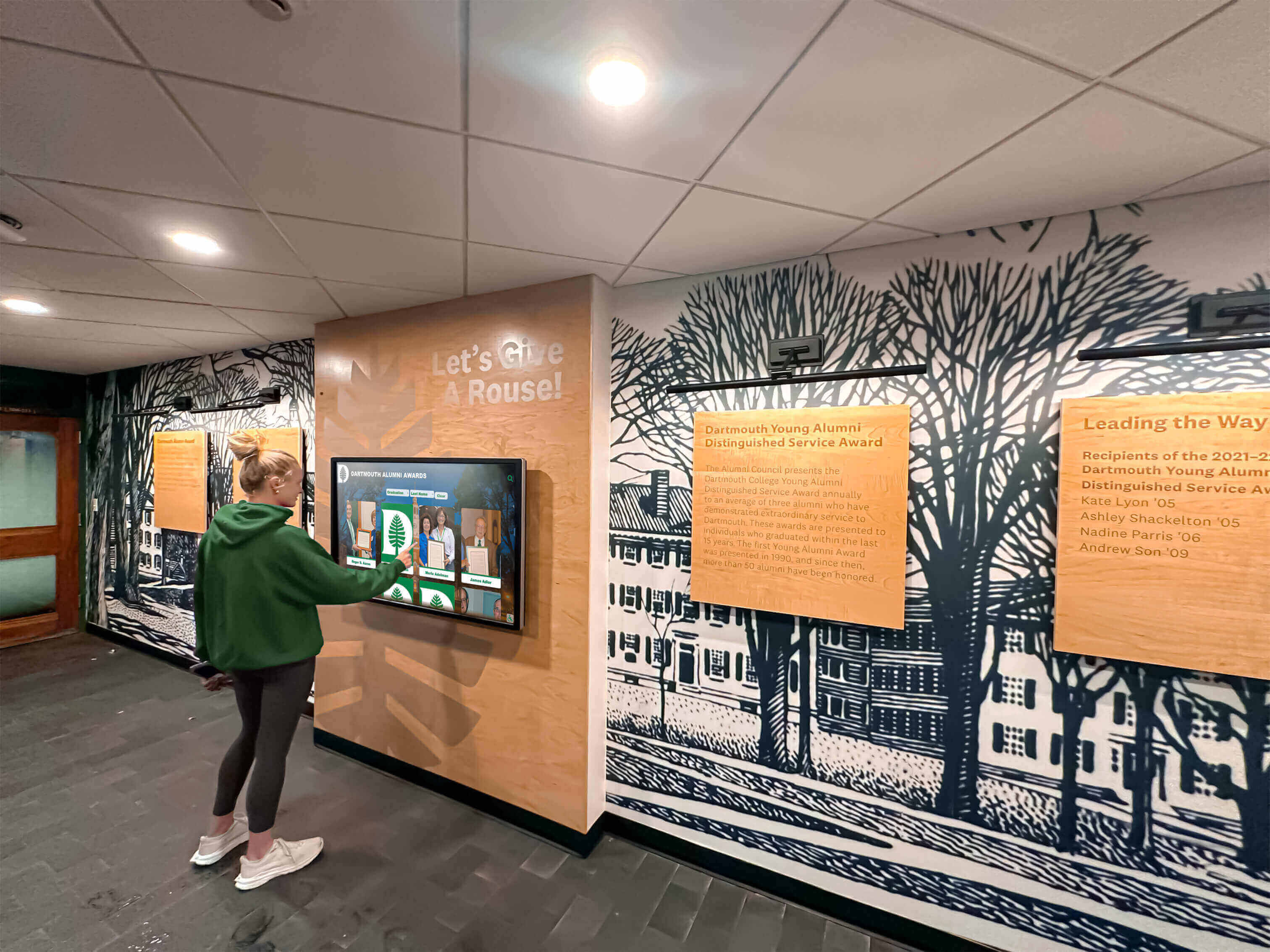
Photo Enhancement for Display Use
Raw scans from vintage yearbooks often require enhancement before integration into polished hall of fame displays:
Color and Contrast Correction: Faded yearbook photographs benefit from careful contrast enhancement and color restoration. Increase contrast moderately to restore detail in shadows and highlights. For color photographs showing fading, selectively enhance saturation in underrepresented color channels—commonly red and yellow tones fade first while blue remains stronger.
Blemish Removal: Dust spots, printing defects, and age-related deterioration appear in most vintage yearbook scans. Use cloning and healing tools to remove obvious blemishes without altering subject features. Maintain historical authenticity—the goal is presenting photographs clearly, not modernizing them artificially.
Resolution and Sharpness: If original scans occurred at lower resolutions (below 400 DPI), consider rescanning priority photographs at higher resolution before extraction. For images scanned adequately initially, apply moderate sharpening to restore detail softened during scanning. Avoid over-sharpening which creates harsh artifacts and appears unnatural in display presentations.
Background Cleanup: For display use, consider removing distracting backgrounds from portrait photographs. This works particularly well for formal senior portraits where subjects appear against plain backgrounds. Isolated portraits with transparent or solid-color backgrounds integrate cleanly into modern digital recognition displays while maintaining the historical photograph authenticity.
Batch Processing for Efficiency
Schools digitizing decades of yearbooks generate thousands of individual photographs. Manual processing becomes impractical at scale. Photo management software with batch processing capabilities applies consistent enhancements across large image sets:
Adobe Lightroom, Capture One, or similar applications enable creating adjustment presets that apply automatically to entire photograph collections. Develop presets for common scenarios—1970s black-and-white portraits, 1980s color team photos, 1990s activity images—then apply appropriate presets in batches before individual refinement of photos requiring special attention.
Integrating Digitized Yearbook Photos into Hall of Fame Displays
With photographs extracted, enhanced, and documented, the final phase involves incorporating historical images into recognition displays that honor achievements while providing context and accessibility.
Database and Platform Selection
Historical photographs require more than simple slideshow presentations. Effective hall of fame systems provide searchable databases enabling visitors to locate specific individuals, years, teams, or activities:
Digital Asset Management Platforms: Cloud-based digital archive systems organize large photograph collections with searchable metadata. These platforms work well for making historical images broadly accessible to alumni and researchers but typically lack the polished presentation interfaces optimal for public-facing recognition displays.
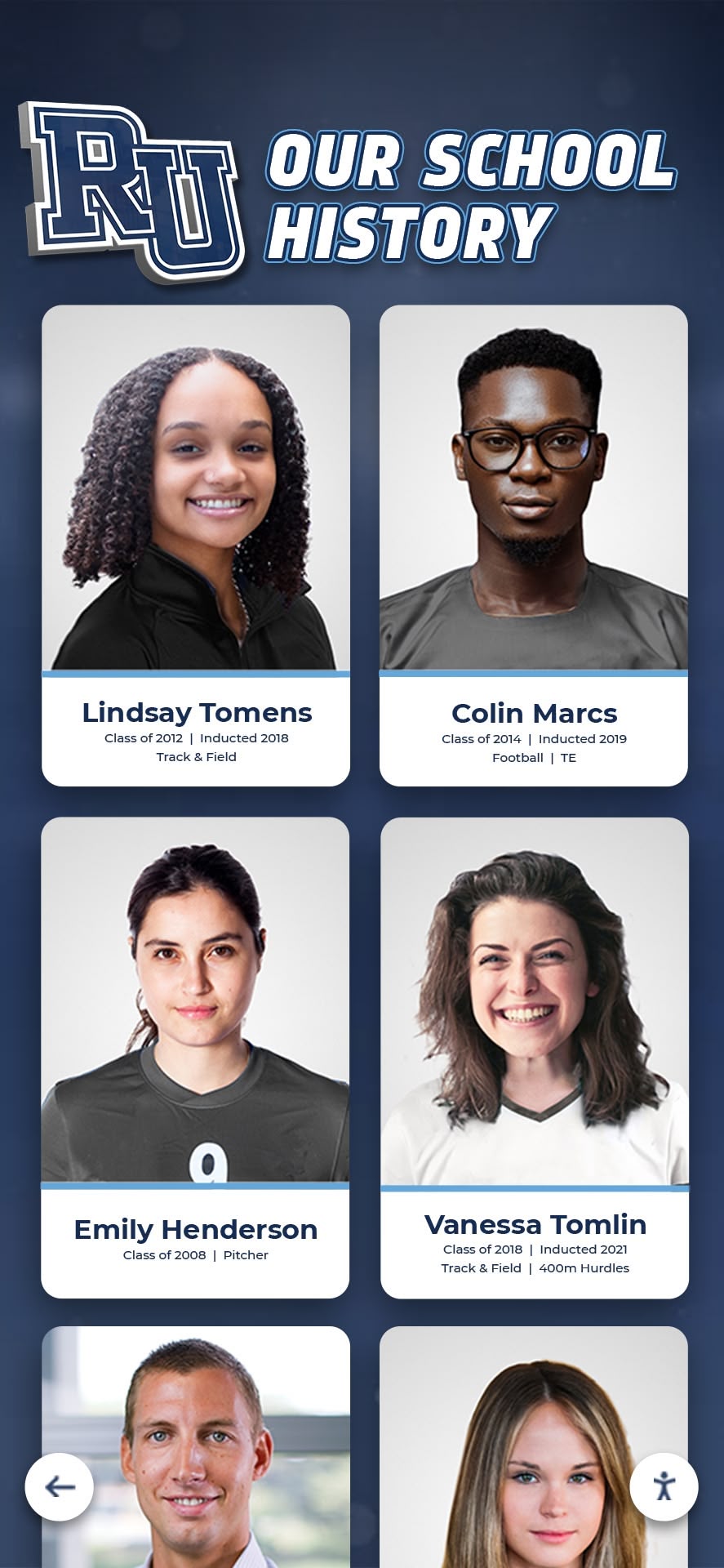
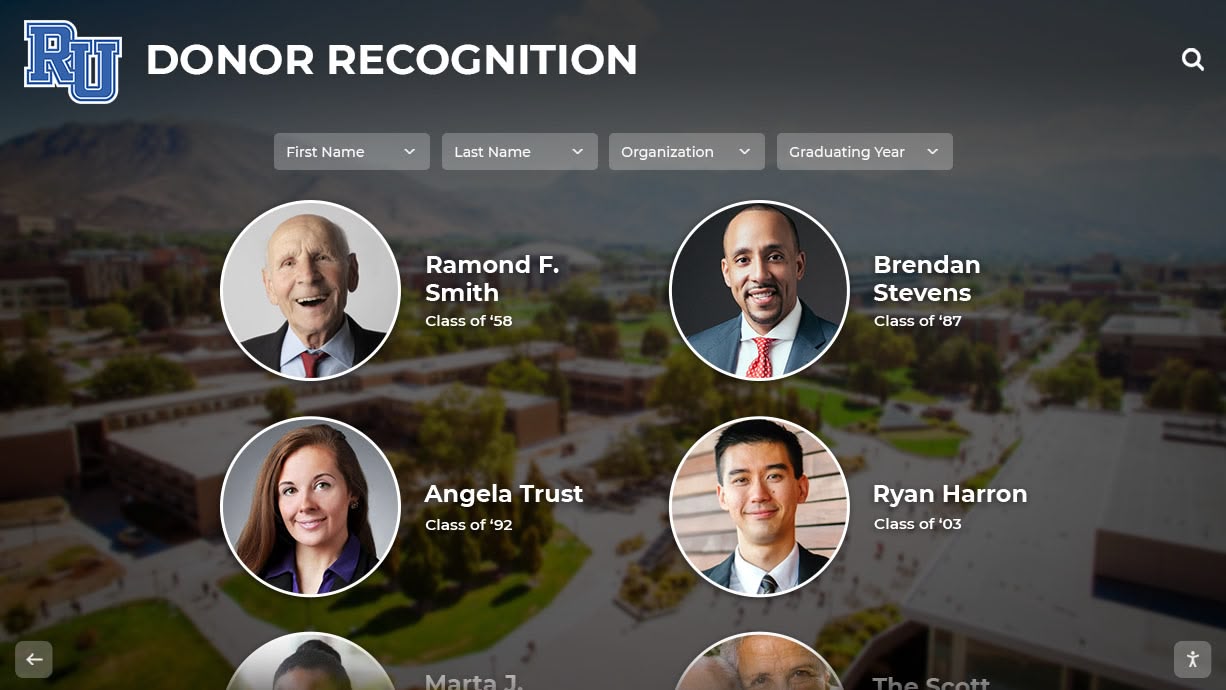
Purpose-Built Recognition Platforms: Solutions like Rocket Alumni Solutions combine comprehensive database capabilities with touchscreen-optimized interfaces designed specifically for public recognition displays. These platforms enable uploading thousands of historical photographs with associated metadata, then presenting content through intuitive, visually appealing interfaces that invite exploration.
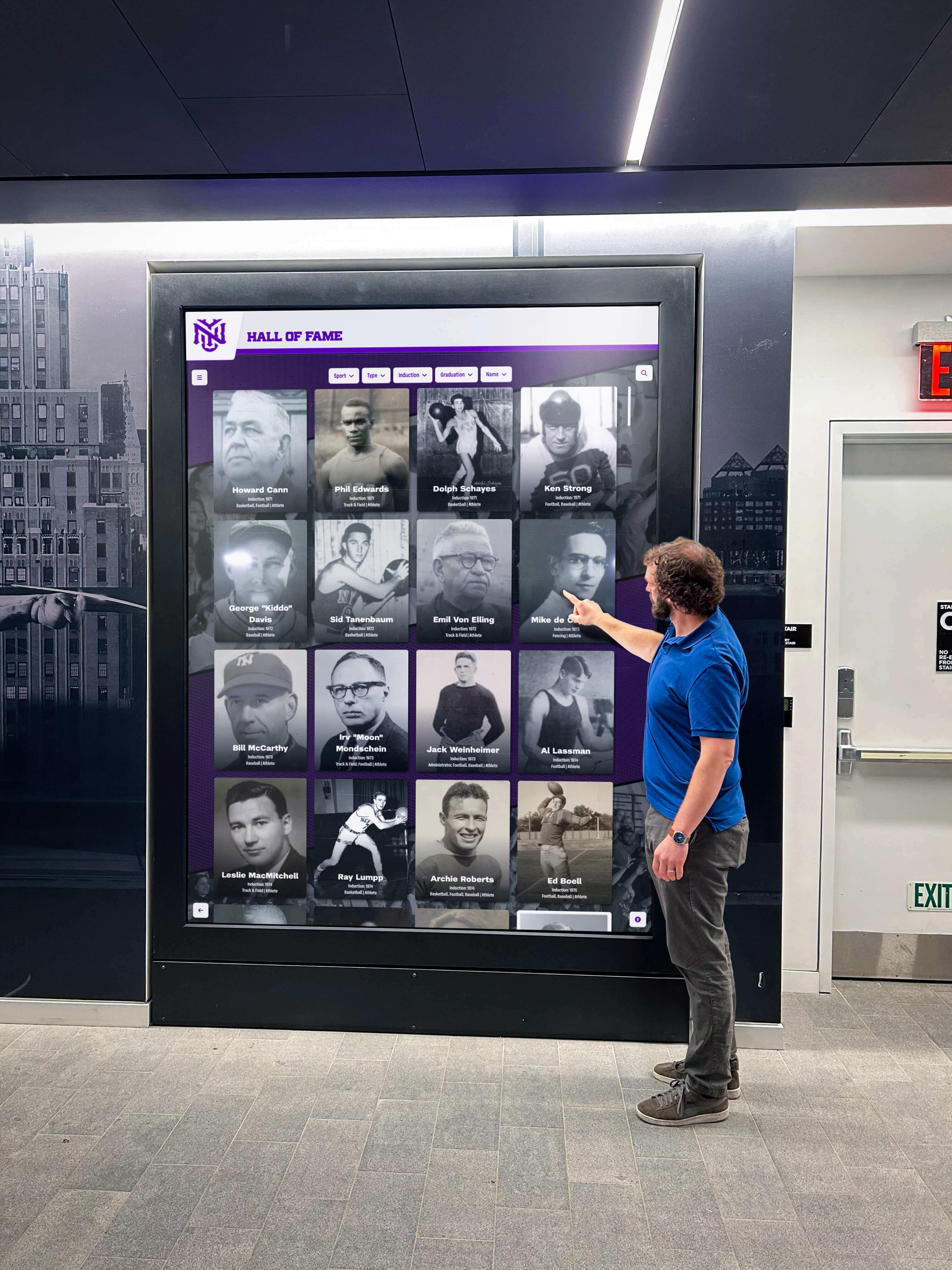
Key features supporting yearbook photo integration include unlimited photo capacity, flexible organization by graduating class, sport, activity, or achievement type, powerful search enabling visitors to find specific individuals instantly, and multimedia support combining historical photos with contemporary content.
Creating Historical Context and Storytelling
Raw yearbook photographs carry limited meaning without context explaining significance. Effective displays provide narrative frameworks helping viewers understand historical achievements:
Era-Based Organization: Group photographs by decade or era with introductory content explaining historical context—“The 1970s: Expansion and Growth” might introduce yearbook photos from that period with brief narratives about facility additions, program launches, or demographic changes characterizing that era.
Achievement Highlighting: Rather than presenting yearbook photos as simple archives, organize around achievement themes. Athletic hall of fame sections might feature state championship teams with rosters extracted from yearbooks. Academic recognition areas could showcase valedictorians and honor society members across decades.
Alumni Career Connections: When possible, connect yearbook photos with post-graduation achievements. Displaying a yearbook portrait alongside information about alumni’s subsequent career accomplishments, community contributions, or other distinctions demonstrates how high school experiences launched successful futures.
Physical Display Considerations
Historical yearbook photographs can integrate into both traditional physical installations and modern interactive digital systems:
Traditional Wall Displays: Printed enlargements of historically significant yearbook photos work well in chronological timeline presentations or thematic galleries. Professional framing with UV-protective glass prevents further fading. This approach suits schools wanting permanent, maintenance-free installations though it limits the number of photographs that can be displayed given physical space constraints.
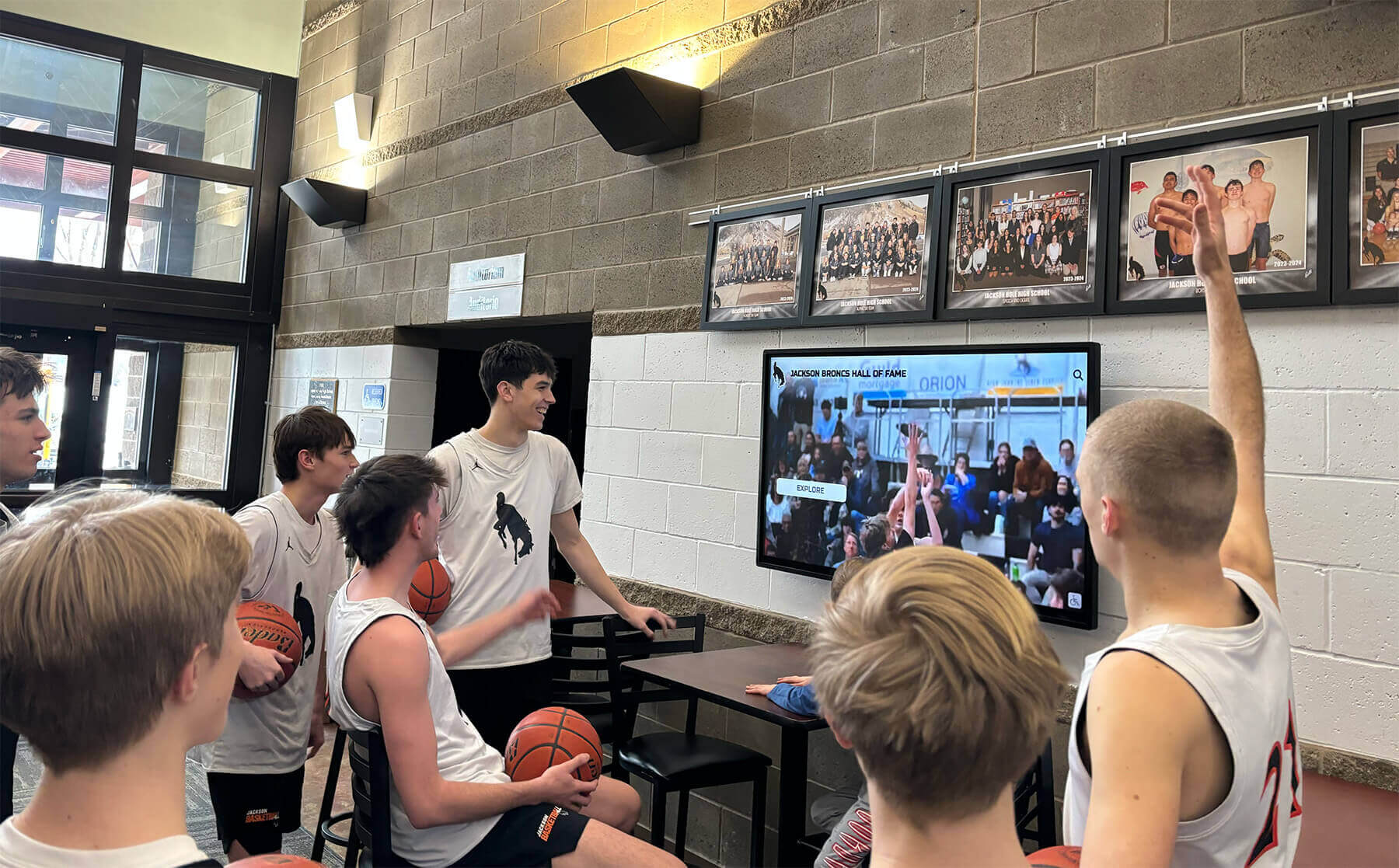
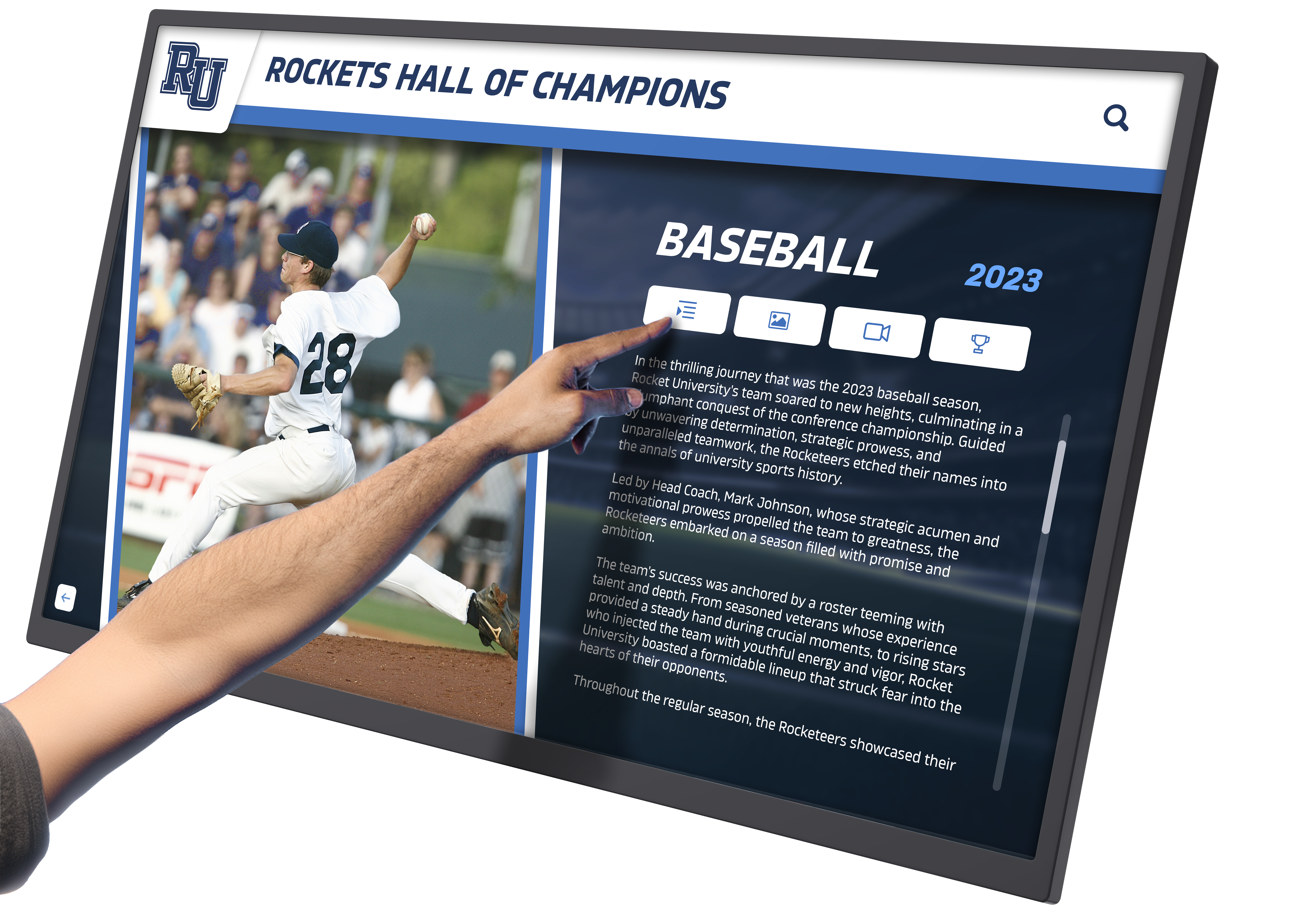
Interactive Touchscreen Displays: Digital recognition systems provide superior capacity and flexibility. A single touchscreen installation can present thousands of yearbook photographs organized for intuitive exploration. Visitors search by name, browse by graduating class, filter by activity or sport, and explore connections between historical photographs and modern achievements.
The interactive nature invites extended engagement—alumni search for their own graduation years and those of family members, current students explore historical versions of programs they participate in, and visitors discover school history through personalized paths matching their interests rather than following predetermined linear presentations.
Web-Based Accessibility
Physical campus displays serve on-site visitors, but alumni and community members benefit from remote access to digitized yearbook collections:
Online Yearbook Archives: Many schools create web portals providing searchable access to complete digitized yearbooks. Alumni can browse their graduation years from anywhere, sparking nostalgia and strengthening ongoing institutional connections. Privacy considerations apply—some schools restrict access to authenticated alumni only, while others provide public access with restrictions on downloading or reproducing images.
Social Media Integration: Regular posting of historical yearbook photographs on social media channels generates significant engagement. “Throwback Thursday” features highlighting specific teams, graduating classes, or notable alumni from archival photos prompt comments, shares, and conversations among alumni. These interactions maintain community bonds while increasing visibility for institutional recognition programs.
Virtual Hall of Fame Platforms: Cloud-based recognition systems extend access globally. Alumni can explore their alma mater’s hall of fame from any device, anywhere. This remote accessibility particularly benefits geographically distant graduates while providing historical research resources for students and faculty.
Technical Specifications and File Management
Proper technical standards ensure digitized yearbooks remain usable and accessible for decades while maintaining quality sufficient for various display applications.
File Format Standards
Archival Master Files: Store primary scans in uncompressed TIFF format at the highest resolution captured (typically 600 DPI for yearbooks). TIFF files preserve complete image data without quality-degrading compression, serving as preservation masters from which all derivative versions are created. These large files require substantial storage but ensure the ability to create high-quality reproductions decades later as display technology and requirements evolve.
Working Files: Create JPEG derivatives at 300 DPI for routine use in recognition displays, web presentations, and publications. JPEG compression significantly reduces file sizes making them practical for database storage and internet transmission while maintaining quality adequate for most uses. Apply moderate compression (80-90% quality in most software) balancing file size against image quality.
Display-Optimized Files: For touchscreen recognition systems, create screen-resolution optimized files (typically 1920x1080 pixels or 3840x2160 for 4K displays). These smaller files load instantly in interactive applications while appearing sharp on screens. Generate these automatically from working files rather than original archival masters.
Storage and Backup Strategy
Historical digitization represents significant investment in time and resources. Proper backup prevents catastrophic loss:
Follow the 3-2-1 Rule: Maintain three copies of all digitized files, stored on two different storage media types, with one copy off-site. For example: primary files on local server, backup on external hard drives, and cloud storage backup. This redundancy protects against hardware failure, disaster, or data corruption.
Cloud Storage Solutions: Services like Amazon S3, Google Cloud Storage, or Microsoft Azure provide affordable, scalable cloud storage for large digital archives. Automatic synchronization ensures backups stay current without manual intervention. Geographic distribution across multiple data centers provides disaster resilience beyond what most local storage achieves.
Metadata Management Systems
As photograph collections grow into thousands or tens of thousands of images, systematic metadata management becomes essential:
Database Schema Design: Establish consistent field structures for documenting photographs including person name fields (last, first, middle), graduation year, sports and activities, awards and honors, yearbook page reference, scan date and technician, and keywords and subject tags. Standardized schemas enable future database migrations and ensure long-term data utility.
Naming Conventions: Implement strict filename conventions enabling identification without accessing database systems. Standard patterns might include: “YYYY_LastFirst_Category_Seq.jpg” where YYYY is graduation year, LastFirst is the person’s name, Category indicates photo type (portrait, team, activity), and Seq is a sequence number when multiple photos exist for one person. Consistent naming prevents confusion when files circulate outside database contexts.
Legal and Ethical Considerations
Digitizing historical yearbooks and presenting photographs publicly involves several legal and ethical considerations requiring attention:
Copyright and Fair Use
Yearbooks created by commercial publishers carry copyright protection, though many older yearbooks enter the public domain after copyright expiration. Educational institutions generally enjoy broad fair use rights for displaying archival materials as part of institutional history and educational programming. However, formal legal review helps ensure compliance, particularly when making extensive collections available online or creating derivative commercial products.
Privacy and Consent
Historical yearbook photographs were originally published with subject consent through school participation. This consent generally covers archival preservation and display as part of institutional historical programming. However, sensitivity to privacy concerns remains important—some individuals may object to their historical photographs appearing in online searchable databases or social media posts. Establish clear policies for handling removal requests while balancing institutional archival purposes against individual preferences.
Attribution and Context
Proper attribution respects both photograph subjects and original creators. Historical photographs should include attribution to the yearbook, publication year, and photographer when known. Avoid presenting historical images without context that could misrepresent subjects or create false impressions about achievements or affiliations.
Project Planning and Resource Allocation
Successfully digitizing decades of yearbooks requires realistic planning regarding time, budget, and staffing:
Timeline Considerations
Small Collections (10-25 Yearbooks): In-house digitization using flatbed scanners: 40-80 hours for scanning, 20-40 hours for photo extraction and enhancement, 20-30 hours for metadata documentation and database entry. Total project duration: 2-4 months with part-time dedicated staff.
Medium Collections (25-75 Yearbooks): In-house with overhead book scanner: 60-120 hours scanning, 80-120 hours extraction and enhancement, 60-90 hours metadata and database work. Professional outsourcing: 2-3 months turnaround typically. Total project duration: 4-8 months in-house, 3-4 months with professional services.
Large Collections (75+ Yearbooks): Professional digitization services recommended for efficiency. 3-6 months for scanning and initial processing, additional 3-6 months for internal photo extraction, enhancement, and metadata development. Total project duration: 8-12 months.
Budget Planning
In-House Equipment Approach:
- Flatbed scanner: $200-$800
- Overhead book scanner (optional): $1,500-$5,000
- Photo editing software: $0-$600 (GIMP is free, Adobe Creative Cloud $55/month)
- External storage and backup: $200-$500
- Staff time: Largest cost variable, 200-500 hours depending on collection size
Professional Service Approach:
- Digitization costs: $0.15-$0.75 per page ($40-$190 per typical yearbook)
- Photo extraction and enhancement: Often handled internally to save costs
- Digital asset management platform: $500-$3,000 annually depending on capacity needs
- Recognition display platform: $3,000-$8,000 annually for comprehensive systems
Staffing and Expertise
Yearbook digitization projects succeed when assigned to detail-oriented staff with time allocation allowing sustained focus. Ideal candidates possess basic technical comfort with computers and scanning equipment, attention to detail for metadata accuracy, patience for repetitive work, and understanding of institutional history aiding proper photo identification.
Many schools employ student workers, parent volunteers, or retired faculty for digitization projects. Clear training, detailed procedures documentation, and quality control checkpoints ensure consistent results regardless of who performs the work.
Integration with Broader Recognition Programs
Digitized yearbook photographs represent just one component of comprehensive institutional recognition. Strategic integration creates cohesive programs celebrating achievement across eras and categories:
Connecting Historical and Contemporary Recognition
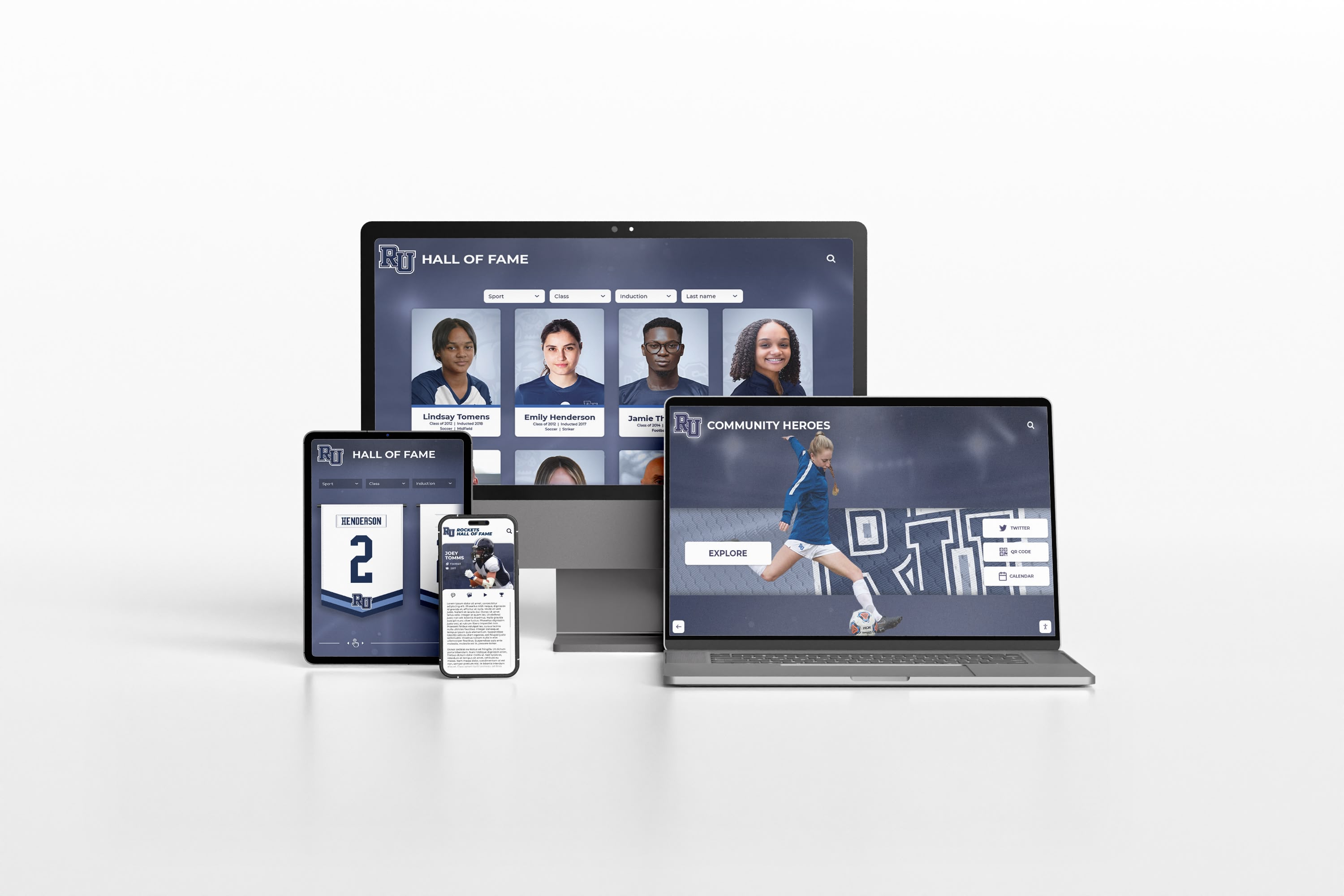
Modern digital recognition platforms seamlessly combine historical yearbook photographs with current achievement recognition. A student-athlete viewing the hall of fame can explore their team’s history through decades of yearbook photos, understand the lineage of excellence they join, and see their own contemporary recognition alongside historical predecessors.
This temporal integration strengthens institutional identity by demonstrating continuity of values and excellence across generations. Current achievements gain additional meaning through historical context while historical recognition remains relevant by connecting to ongoing programs.
Multi-Category Recognition
Yearbook digitization often begins with athletic focus but should expand to encompass comprehensive school history. Academic achievement photographs—honor society inductees, valedictorians, scholarship recipients—deserve equal recognition. Performing arts, service programs, student government, and other activities documented in yearbooks merit systematic inclusion in recognition programs.
Academic recognition displays combining historical and contemporary content demonstrate institutional commitment to comprehensive excellence beyond athletics alone.
Alumni Engagement Strategy
Digitized yearbook collections serve as powerful alumni engagement tools. Making historical photographs accessible online invites alumni interaction with institutional history, particularly during reunion years when graduates naturally reminisce about school experiences. Recognition programs featuring historical photographs encourage alumni contributions—both sharing additional photographs from personal collections and supporting recognition initiatives financially through targeted fundraising campaigns.
Measuring Success and Ongoing Maintenance
After completing initial yearbook digitization and display integration, ongoing evaluation and maintenance ensure sustained value:
Success Metrics
Quantitative Indicators: Track photo collection size, yearbook volumes digitized, photographs extracted and enhanced, database records completed, and interactive display engagement statistics. Growing metrics demonstrate program momentum and justify continued resource allocation.
Qualitative Measures: Monitor alumni feedback and testimonials, media coverage of recognition programs, enhanced reunion attendance and engagement, and increased historical research requests. Positive qualitative feedback validates quantitative investments and often proves more compelling to stakeholders than statistics alone.
Continuous Improvement
Historical recognition programs should evolve continuously rather than remaining static after initial implementation. Regular additions include newly digitized yearbooks from recent years, photographs contributed by alumni filling historical gaps, enhanced metadata as research uncovers additional context, and expanded recognition categories as programs mature. This ongoing development demonstrates institutional commitment while providing reasons for repeated engagement by alumni and community members.
Technology Updates
Display technology evolves continuously. Plan for periodic refreshes of physical touchscreen hardware every 5-7 years as screens wear and technology advances. Recognition software platforms should receive regular updates providing improved functionality, security patches, and new features. Cloud-based systems typically include continuous updates automatically, avoiding stagnant technology that appears dated within just a few years.
Conclusion: Preserving History While Honoring Achievement
Digitizing vintage yearbooks and integrating historical photographs into modern recognition displays accomplishes dual purposes: preservation protects fragile materials ensuring accessibility for future generations while recognition honors individuals and achievements that shaped institutional history.
The methodologies outlined—non-destructive scanning techniques, systematic photo extraction workflows, proper metadata documentation, and integration into interactive display platforms—enable schools and institutions of any size to undertake these projects successfully. Whether handling digitization internally with modest equipment or contracting professional services for large-scale collections, the fundamental principles remain consistent: protect original materials, maintain quality standards, document thoroughly, and present engagingly.
Historical recognition succeeds when it creates living connections between past and present rather than serving as static archives isolated from current institutional life. Alumni viewing yearbook photographs from their graduation years feel valued and maintained connection with their alma mater. Current students exploring decades of institutional history understand themselves as part of continuing stories extending before their arrival. Faculty and administrators access visual documentation of institutional evolution informing current decisions.
For schools ready to implement comprehensive digital solutions combining yearbook preservation with modern recognition capabilities, Rocket Alumni Solutions provides purpose-built platforms specifically designed for educational institutions. These systems support unlimited photograph capacity, intuitive content management requiring minimal technical expertise, interactive touchscreen displays that invite exploration, cloud-based accessibility extending reach beyond campus, and ongoing support ensuring long-term success.
Every school possesses valuable history documented in decades of yearbooks. Every graduate deserves recognition connecting their achievements to institutional heritage. Every current student benefits from understanding the legacy they inherit and shape. Begin your yearbook digitization project today—systematically, carefully, and with clear vision for how historical photographs will inspire present excellence while honoring past achievement.
For additional guidance on institutional history preservation and recognition program development, explore resources on capturing school history effectively, implementing digital recognition displays, and best practices for alumni engagement through historical content.






























