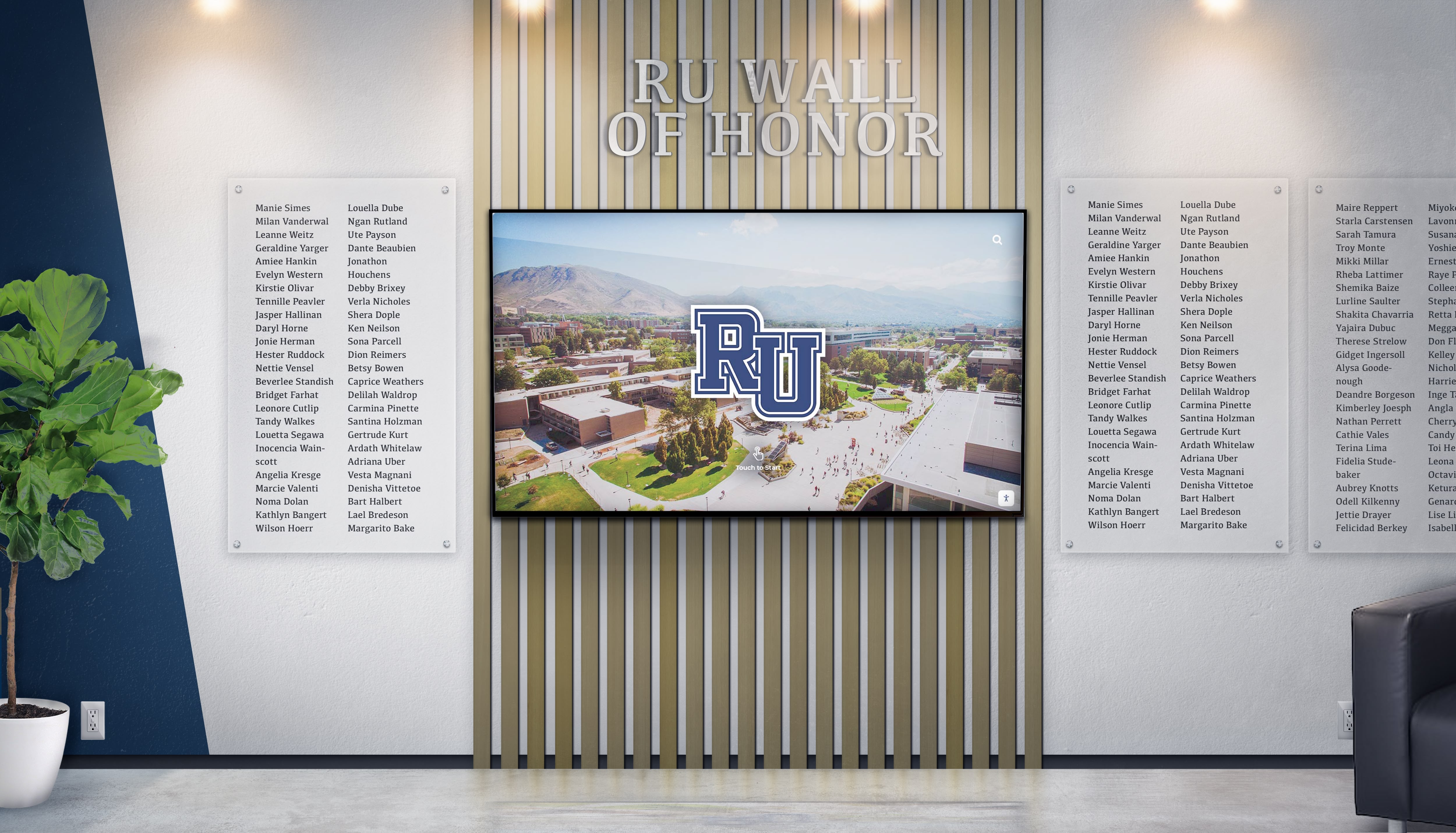
Every school eventually faces the same moment: a new hall of fame inductee is announced, the committee looks at each other, and someone asks, “Wait—what exactly goes on the plaque?” Without a documented template, every induction season restarts a debate that should have been settled years ago. Inconsistent plaque layouts undermine the visual cohesion of a recognition wall, frustrate vendors, and send mixed signals to honorees about what the program values most.
Schools that standardize plaque content early discover a secondary benefit: the structured data they collect to populate a plaque is exactly the content needed to power searchable digital halls of fame. Every field on a physical plaque becomes a column in a recognition database, and every story that didn’t fit on the plaque finds a home in a digital profile. The two formats reinforce each other when planned together from the start.

Why Standardizing Your Plaque Template Matters
Recognition committees at established programs often inherit walls with decades of inconsistency—some plaques list graduation years, others don’t; some include sports records, others offer only a name and induction year. Visitors browsing the hall experience a disjointed display that diminishes the prestige of the recognition itself.
Standardization solves several practical problems simultaneously:
Vendor efficiency. Fabricators produce plaques faster and with fewer proofing rounds when every order arrives with identically structured content. Price quotes become reliable because no order surprises the vendor with unusual field configurations.
Content equity. When every honoree’s plaque contains the same categories of information, no inductee’s recognition appears more or less thorough than another’s. An athlete inducted in 1985 and one inducted this year receive the same respectful treatment.
Future-proofing. A template defined today governs plaques ordered five induction cycles from now. When a committee member retires or a new athletic director arrives, the institutional knowledge lives in the template, not in someone’s memory.
Digital readiness. Schools expanding to touchscreen walls or recognition websites discover that a structured plaque template already contains most of the data fields their digital platform requires—saving significant content-entry work at launch.
The Core Fields Every Hall of Fame Plaque Template Needs
Regardless of inductee category—athlete, coach, contributor, or team—most effective hall of fame plaque templates share a foundation of required fields. Optional fields add depth where applicable.
Required Fields (All Inductee Types)
| Field | Format Guidance | Example |
|---|---|---|
| Full Name | Legal first and last name; include maiden name in parentheses if applicable | Maria L. Vasquez (Torres) |
| Induction Year | Four-digit year only, or full date if space allows | 2024 or Class of 2024 |
| Category/Classification | Athlete, Coach, Administrator, Contributor, Team, or program-specific categories | Athlete – Track & Field |
| Years at Institution | Enrollment or service years; use a dash for ranges | 2019–2023 (student) or 1998–2018 (coach) |
| School/Mascot Name | Official institutional name; include mascot if part of brand | Eastwood High School Eagles |
Athlete-Specific Fields
| Field | Format Guidance | Example |
|---|---|---|
| Sport(s) | List all varsity sports if multi-sport athlete; spell out fully | Football, Basketball |
| Position(s) | Standard abbreviations acceptable if space-constrained | Quarterback / Point Guard |
| Jersey Number(s) | Include only if retired or ceremonially significant; prefix with # | #22 |
| Key Achievement Line | One or two records, titles, or honors—most significant first | 3× State Champion (2021–2023); School Record 400m Hurdles |
| Post-Secondary Recognition | College program name; professional career if notable | Competed at University of Michigan |
Coach and Administrator Fields
| Field | Format Guidance | Example |
|---|---|---|
| Title/Role | Official title at time of most significant service | Head Football Coach |
| Career Record or Impact Metric | Win-loss record, championships won, or key program milestone | 287–94 Record; 6 Conference Championships |
| Years of Service | Total tenure or specific program years | 24 Years of Service (1996–2020) |
| Recognition/Awards | State or national coaching honors if space allows | 2× State Coach of the Year |
Hall of Fame Plaque Wording Templates by Category
Field lists tell you what to collect. Wording templates tell you how to assemble those fields into the short, dignified text that appears on the plaque surface. The following examples use bracket notation for variable content—replace each bracket with inductee-specific information during the drafting process.
Wording Template: Individual Athlete
Short form (ideal for engraved plaques with limited surface area):
[Full Name] [Sport] · [Years Attended] [Key Achievement — e.g., “3× State Champion” or “School Record Holder”] Inducted [Year]
Standard form (fits most 9"×12" or 10"×14" plaques):
[Full Name] [Sport(s)] · [Position] · [Years Attended] [Achievement Line 1] [Achievement Line 2 — optional] [Post-Secondary Note — optional] Inducted into the [School Name] Athletic Hall of Fame, [Year]
Extended form (for plaques with biographical narrative space):
[Full Name] | [Sport] | Class of [Graduation Year] [Two-to-three sentence narrative covering athletic career highlights, records, and legacy] [Post-Secondary or Career Note] [School Name] Hall of Fame · Class of [Induction Year]
Wording Template: Head Coach
Short form:
[Full Name] Head [Sport] Coach · [Service Years] [Win-Loss Record or Championship Tally] Inducted [Year]
Standard form:
[Full Name] [Title] · [Service Years] Career Record: [W-L] | [Number] Conference/State Championships [Award or Honor — optional] Inducted into the [School Name] Hall of Fame, [Year]
Wording Template: Contributor / Administrator
Standard form:
[Full Name] [Role/Title] · [Service Years] [Key Contribution or Program Impact] In recognition of dedicated service to [School Name] athletics Inducted [Year]
Wording Template: Championship Team
Standard form:
[Year] [Sport] — [Championship Title] [Win-Loss Record or Season Summary] Head Coach: [Coach Name] [School Name] [Mascot] · [Conference or League Name] Inducted [Year]
These templates reflect conventions common across school hall of fame programs. For a deeper look at how schools structure athletic awards plaques across different sports, additional wording patterns and material considerations are worth reviewing before finalizing your own template language.
Formatting Rules That Keep Plaques Consistent
Wording templates alone aren’t enough—format consistency rules prevent individual inductees or future committee members from drifting away from the standard. Document these rules alongside the template itself:
Text hierarchy. Define exactly which lines are bold, which are standard weight, and what the maximum character count per line is for your chosen plaque size. A common hierarchy: Name (largest/bold), category/years (medium), achievements (standard), induction statement (smallest/italic).
Capitalization style. Choose title case or all caps for the honoree name and apply it uniformly. Pick one approach for achievement lines and stick with it across all classes. Mixed styles on the same wall read as disorganization.
Achievement count limit. Capping achievements at two or three lines per plaque forces committees to prioritize meaningfully rather than listing every honor. Plaques that try to document everything end up legible to no one.
Number formatting. Decide whether win-loss records appear as “287-94” or “287–94” (en dash), whether years use full four-digit format or abbreviated two-digit, and whether jersey numbers carry the # symbol. These micro-decisions compound into obvious inconsistency at wall scale.
Passive vs. active tense. Many programs prefer a dignified passive construction (“State Champion, 2021”) over active sentences that read awkwardly in limited space. Choose one and define it.
For schools building out comprehensive academic recognition programs alongside athletic halls of fame, applying the same template discipline to academic honor walls creates a campus-wide recognition identity that reinforces institutional values.
Extending the Template: Digital Profile Structure
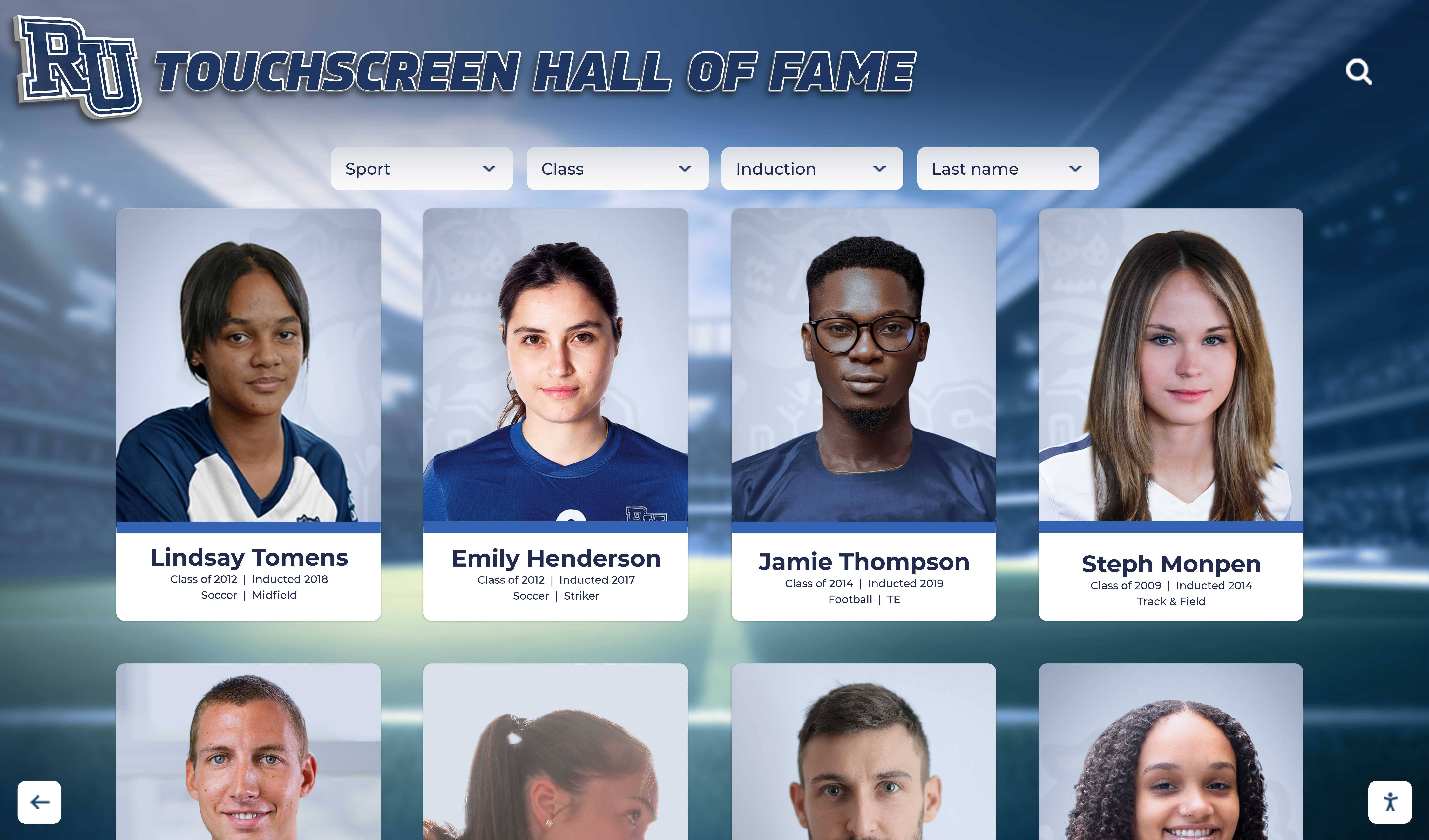
A physical plaque holds perhaps 80–150 words. An inductee’s career, character, and community impact require far more than that to honor fully. The solution isn’t a larger plaque—it’s a digital profile that uses the plaque fields as its structured foundation and then expands each one.
The digital profile structure below maps directly to plaque template fields, making data entry efficient and ensuring the two formats stay synchronized.
Digital Profile Field Map
| Plaque Field | Digital Profile Expansion | Content Type |
|---|---|---|
| Full Name | Full Name + Preferred Name + Pronunciation Guide | Text |
| Category | Category + Subcategory + Sport/Activity Tags | Text / Tags |
| Years at Institution | Enrollment/Service Dates + Era Context | Text / Date |
| Key Achievement Line | Full Achievement List (unlimited entries) + Statistics | Structured List |
| Post-Secondary Note | College, Professional Career, Career After Sport | Text |
| N/A on plaque | Profile Photo (primary) + Action Photos (gallery) | Images |
| N/A on plaque | Biography (500–1,500 words) | Long-form Text |
| N/A on plaque | Video Highlights / Testimonials | Video Embed |
| N/A on plaque | Induction Ceremony Photo / Speech Excerpt | Images / Text |
| N/A on plaque | Related Honorees (teammates, coaching staff) | Linked Profiles |
The right column—photos, biography, video, related profiles—represents content that never existed on traditional plaques because it couldn’t fit. Digital profiles make this information accessible to families searching for a loved one’s profile, current athletes looking for inspiration, and alumni revisiting school history from anywhere in the world.
Recommended Biography Structure for Digital Profiles
Unstructured biographies vary wildly in quality and length. A template for the biography itself—much like a plaque template—produces consistent, complete profiles:
- Opening sentence: Full name, sport(s), and years at the institution
- Athletic career paragraph: Career statistics, notable seasons, championships, and records
- Defining moment paragraph: One or two specific games, competitions, or accomplishments that defined the career
- Personal/team impact paragraph: How the honoree influenced teammates, program culture, or community
- Post-school achievements: College career, professional career, community involvement, or professional accomplishments
- Closing statement: Connection to the school’s legacy and what the recognition means
Schools that adopt this structure produce biographies that are consistently thorough, readable, and respectful—regardless of which committee member wrote the first draft.
For schools managing large archives of historical inductee records alongside new profile creation, establishing a clear school archives policy governing how digital assets are stored and updated is an important parallel step to building out profile templates.
Building a Consistent Plaque-to-Digital Workflow
The practical challenge isn’t designing templates—it’s collecting the information reliably for each inductee. A nomination and intake process that mirrors the template ensures nothing gets missed.
Inductee Information Intake Checklist
When a candidate is approved for induction, send a structured intake form that requests:
- Full legal name and preferred name
- Years enrolled or years of service
- Sport(s), position(s), and jersey number(s) if applicable
- Career statistics or win-loss record
- Top three to five achievements for plaque consideration
- One to three high-resolution photos (action and formal)
- Short biography draft or bullet points for staff to expand
- Post-school career summary (optional but encouraged)
- Permission to use name, photo, and likeness in recognition displays
Receiving this information in a consistent format dramatically reduces the back-and-forth between committee members and inductees—and ensures the plaque order and digital profile creation can proceed without delays.
Version Control for Templates
Plaque templates evolve. A school may decide to add a “Most Valuable Player” line after noticing a gap, or drop a field that consistently generates confusion. Document every version of the template with the induction year ranges it covers. When someone eventually asks why the 2009 plaques look different from the 2019 plaques, the answer should live in a binder or shared folder, not in someone’s recollection.
From Static Plaques to Living Recognition Programs
Physical plaques honor the past with permanence. Digital profiles add a dimension that plaques never could: they grow. A profile created at induction can incorporate new photos from a reunion, updated career milestones, or a video testimonial recorded decades later. The inductee’s story doesn’t freeze at the moment of induction—it continues to develop alongside the person.
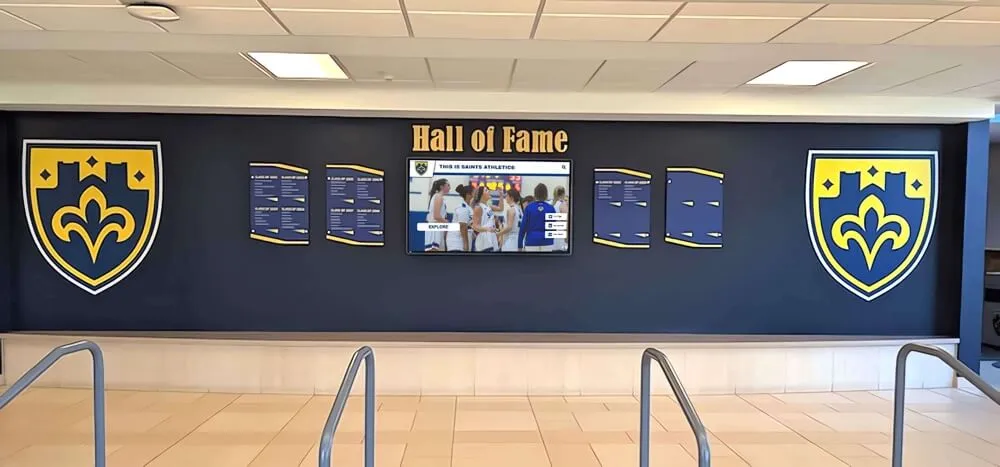
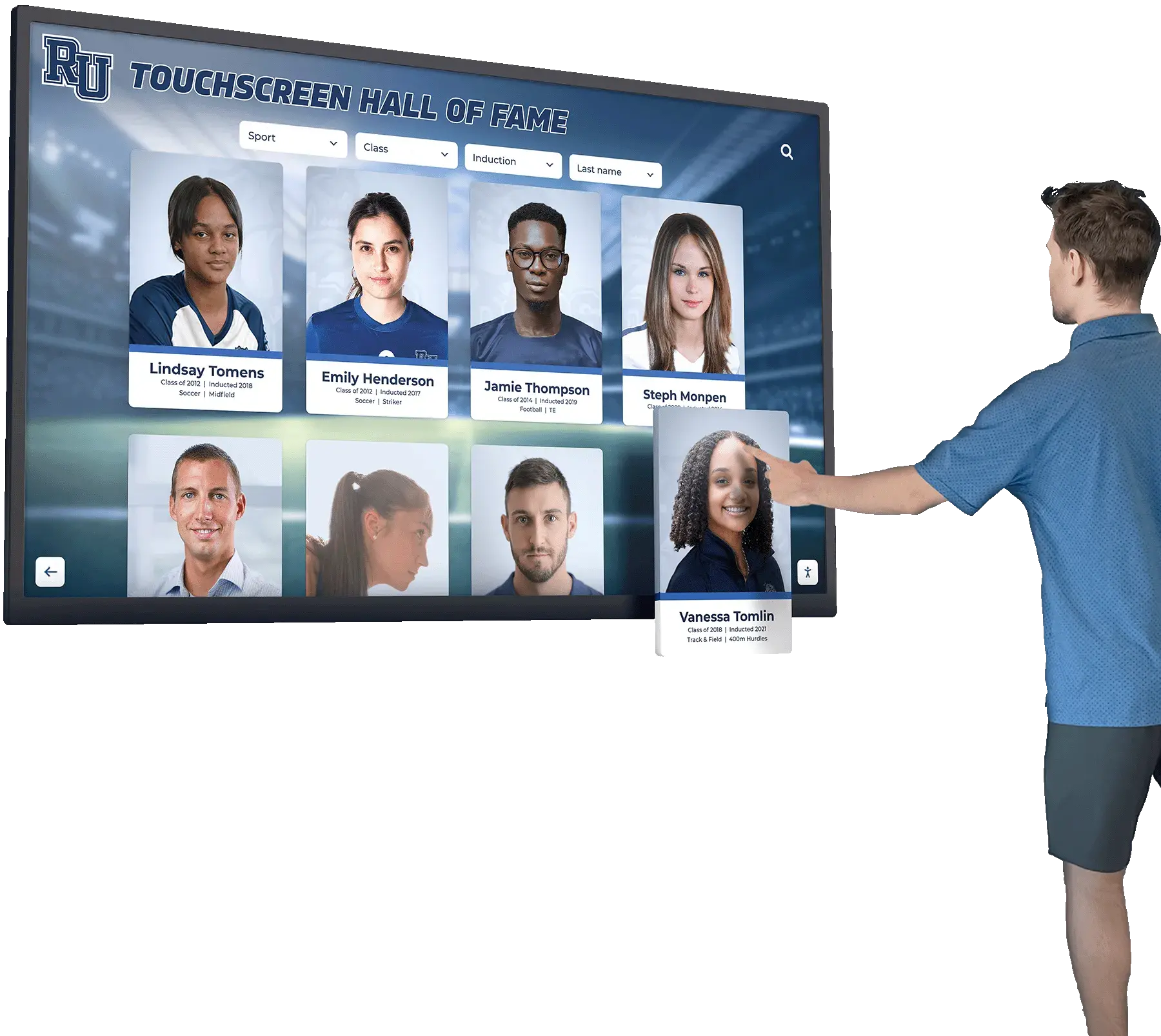
Schools implementing digital awards display ideas alongside traditional recognition have found that interactive touchscreen walls dramatically increase the time students, families, and visitors spend engaging with hall of fame content. A name on a plaque generates a glance; a searchable digital profile with photos and video generates genuine exploration.
This distinction matters for program goals beyond immediate recognition. When alumni return for reunions or homecoming events, a digital hall of fame gives them something to experience, not just observe. When prospective students tour a facility, a touchscreen wall showcasing decades of achievement communicates program history more effectively than the same information printed on fixed plaques. For schools planning to expand into fully interactive experiences, understanding digital hall of fame display pricing helps committees build realistic budget proposals alongside physical plaque investments.
Touchscreen Display Integration
For schools adding an interactive touchscreen to an existing plaque wall, the profile fields in this guide map directly to what those systems need at setup. A complete digital profile—name, category, years, achievements, biography, and photos—can typically be entered into a recognition platform in under 30 minutes per inductee. Programs with 50 existing honorees can complete a full digital library in a few days of focused data entry.
Implementation logistics—including mounting configurations, power requirements, and network setup for connected displays—are well-documented for school environments. Teams evaluating who installs digital hall of fame displays will find that most professional installations can be completed in a single day, minimizing facility disruption.
Recognizing Everyone: Moving Beyond Space Constraints
Traditional plaque walls run out of space. A hallway that accommodated 40 inductees comfortably begins to look overcrowded at 80, and by 120 the display has passed the threshold where it reads as impressive rather than unwieldy.
Digital systems remove this ceiling entirely. Digital trophy case platforms for schools can display hundreds or thousands of profiles on a single screen—each accessible through an intuitive browsing interface—while maintaining the visual dignity that physical plaques provide. Schools no longer face the painful choice of who deserves recognition when wall space runs out.
This combination—a curated physical plaque wall for the most prominent honorees alongside a comprehensive digital library—represents the direction most established recognition programs are moving. Physical plaques preserve the tangible, tactile quality of recognition. Digital profiles preserve the full story.
Putting Your Template into Practice: A Checklist
Before ordering your next round of plaques, verify that your template documentation covers:
Template foundations:
- Required fields defined for each inductee category
- Wording format documented with fill-in-the-blank examples
- Capitalization and formatting rules written down
- Maximum character count per line specified for your plaque size
- Achievement line limit established
Process documentation:
- Inductee intake form mirrors template fields
- Photo submission requirements defined (minimum resolution, acceptable formats)
- Plaque proofing sign-off process documented
- Digital profile intake process aligned with plaque template
Digital readiness:
- Digital profile fields mapped to plaque fields
- Biography template provided to intake coordinators
- Photo and media rights permissions collected at induction
- Platform or content management system identified for digital profiles
Schools that complete this checklist before their next induction cycle end up with a recognition program that runs more smoothly, produces more consistent plaques, and generates richer digital profiles—without additional committee hours per inductee.
For schools exploring how digital asset management intersects with recognition content at scale, planning photo and media storage alongside the plaque template workflow prevents the common problem of digital profiles that lack quality imagery years after a program launches.
Programs looking to celebrate achievement beyond athletics—including reunion recognition, academic milestones, and ten-year class anniversary programming—can apply the same template logic to non-athletic categories, creating unified institutional recognition that covers every dimension of school excellence.
Ready to modernize how your school honors achievement? Rocket Alumni Solutions provides touchscreen hall of fame systems, digital trophy cases, and recognition platforms built specifically for schools and athletic programs. Templates, content setup, and training are included so your team can launch a professional digital hall of fame in weeks rather than months. Explore Rocket Alumni Solutions →






























