



The executive director stands in the community center lobby, envisioning something better than the worn bulletin board and fading printed flyers currently greeting visitors. She imagines a professional display highlighting the veterans the organization serves, the corporate partners making programs possible, and the upcoming community events that bring neighbors together. But when she thinks about budgets already stretched thin and a volunteer team with limited technical skills, the vision feels out of reach.
This scenario reflects the reality facing thousands of local nonprofits across the country. Organizations serving veterans, community partnerships, youth programs, food security, housing assistance, and countless other missions need professional recognition and communication systems that match the significance of their work. Yet traditional solutions—whether printed materials requiring constant updates, expensive custom installations, or complex digital signage systems demanding IT expertise—fail to align with nonprofit operational realities and budget constraints.
Modern digital wall mount displays designed specifically for community organizations transform this equation. These purpose-built systems provide nonprofits with professional recognition and communication capabilities at investment levels comparable to mid-range televisions, paired with content management platforms simple enough for any volunteer to update from their smartphone, and flexible enough to showcase everything from veteran profiles to partnership acknowledgments to event calendars in a single, cohesive display.
Understanding Digital Wall Mount Displays for Nonprofits
Before exploring specific pricing and implementation strategies, understanding what differentiates purpose-built recognition displays from consumer televisions or generic digital signage helps nonprofits make informed decisions aligned with their unique needs.
What Makes Recognition Displays Different from Standard TVs
Many nonprofits initially consider simply mounting a consumer television on the wall and displaying content through a laptop or media player. While this approach represents the lowest initial cost, it creates significant limitations and hidden expenses that undermine long-term value.
Purpose-Built Display Advantages:
Commercial-Grade Components:
- Designed for continuous 16-18 hour daily operation versus consumer TVs built for 4-6 hours
- Three to five year warranties covering commercial use versus one year consumer warranties
- Landscape and portrait orientation support for optimal content display
- Industrial temperature tolerances for varied installation environments
- Anti-glare coatings optimized for high-traffic public spaces
Content Management Integration:
- Purpose-built displays integrate with content management systems designed for recognition and communication
- Seamless updates through cloud-based platforms accessible from any device
- Scheduled content rotation supporting multiple organizational needs simultaneously
- User permissions enabling multiple staff or volunteers to manage content safely
- Template systems allowing consistent branding without design expertise
Long-Term Cost Considerations:
According to industry research, consumer televisions used for commercial signage purposes fail at rates three to four times higher than commercial displays, with average operational lifespans of 18-24 months versus five to seven years for purpose-built systems. When factoring replacement costs, warranty coverage gaps, and content management challenges, purpose-built solutions deliver superior total cost of ownership despite higher initial investment.
Recognition Display Types for Different Nonprofit Applications
Digital wall mount displays serve nonprofits through several distinct application types, each supporting specific organizational missions and communication needs.
Community Partnership Recognition Displays:
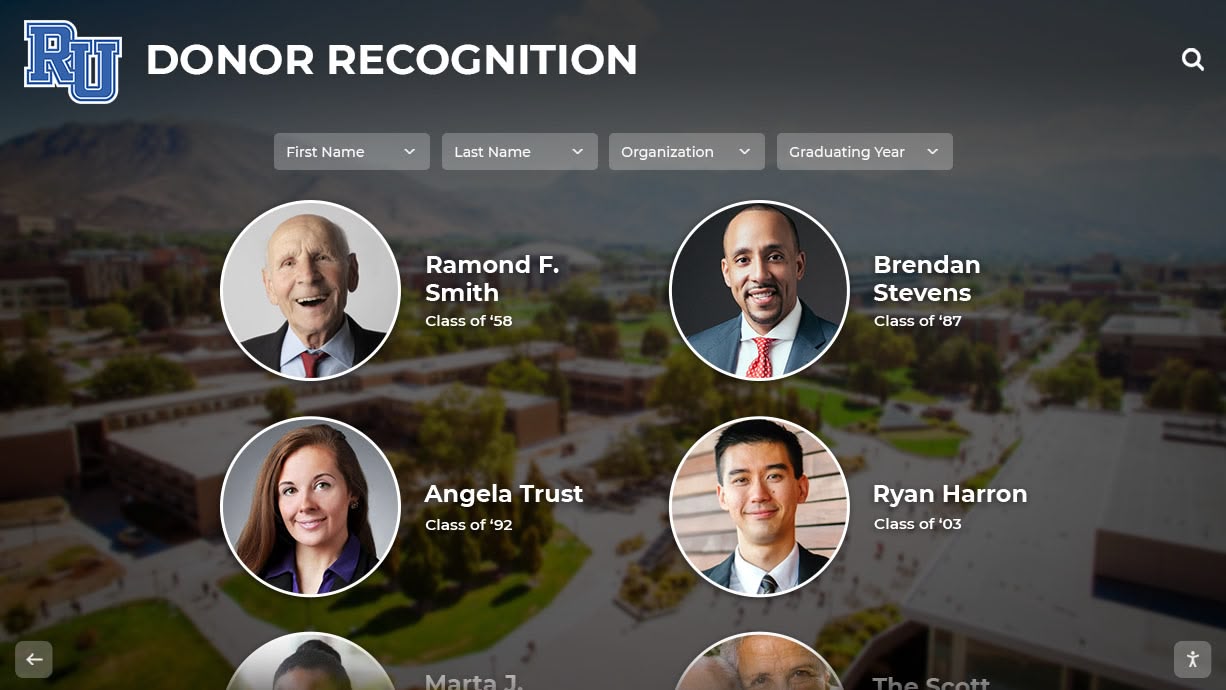
These systems showcase corporate sponsors, foundation supporters, local business partners, and individual donors whose contributions enable program delivery. Effective partnership displays balance appreciation for current supporters with inspiration encouraging additional community investment.
Key features supporting partnership recognition include tiered recognition levels corresponding to contribution sizes, profile templates maintaining visual consistency, multimedia support allowing logo displays and partnership descriptions, scheduled content ensuring all partners receive proportional visibility, and analytics tracking engagement to demonstrate recognition program value to stakeholders.
Veteran and Service Member Honor Displays:
Organizations serving military veterans, active duty service members, and military families use digital displays to honor those who served while creating welcoming spaces affirming the veteran community. These displays typically feature service member profiles including photos, service branch and years, rank and specialty, deployment history, awards and commendations, personal reflections on service, and connection to organizational programs.
Digital formats prove especially valuable for veteran recognition because they accommodate the depth of story and detail that military service deserves, allow periodic updates as organizations serve additional veterans, enable filtering and search supporting visitors seeking specific individuals or service eras, and create interactive experiences that engage younger family members and community members unfamiliar with military traditions.
Event Calendar and Program Communication Displays:
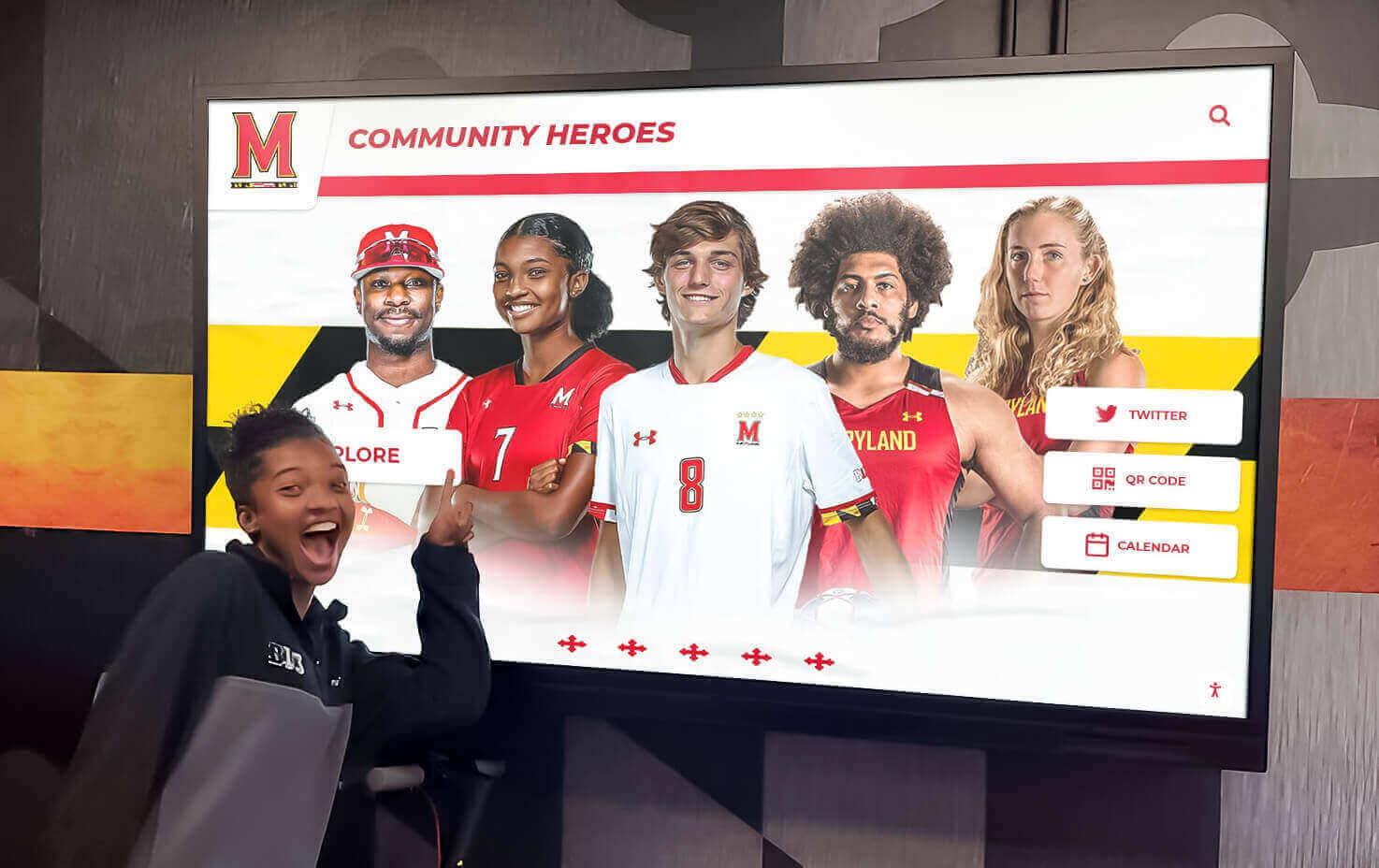
Nonprofits managing multiple programs, hosting community events, coordinating volunteer activities, and connecting people with services use calendar-focused displays as communication hubs informing visitors about opportunities to engage. Effective event displays provide scrolling calendars highlighting upcoming activities, program spotlights explaining services available, registration information and QR codes enabling immediate sign-ups, volunteer opportunity showcases recruiting community support, and success story features demonstrating program impact.
The flexibility to update event information instantly proves critical for nonprofits where program details, volunteer needs, and event logistics change frequently. Staff or volunteers can modify display content from their phones within minutes, ensuring information accuracy without printing costs or outdated materials creating confusion.
Multi-Purpose Community Recognition Centers:

Many nonprofits benefit most from displays integrating multiple content types into unified recognition and communication systems. A typical community center display might rotate between veteran profiles, corporate partnership acknowledgments, upcoming program schedules, volunteer spotlights, and impact statistics demonstrating organizational effectiveness.
Modern content management platforms enable nonprofits to schedule content rotation ensuring each message type receives appropriate visibility, assign content zones dedicating screen areas to specific purposes simultaneously, create content playlists organizing information by theme or audience, and adjust display strategies as organizational priorities evolve without hardware changes.
Nonprofit Digital Display Pricing: Investment Levels and Options
Understanding the complete cost picture enables nonprofit leaders to budget appropriately, identify funding sources, and select solutions matching organizational capacity and objectives.
Entry-Level Systems: $3,500 - $6,000
Entry-level digital recognition systems provide nonprofits with professional displays suitable for smaller spaces, single-purpose applications, and organizations testing digital recognition before expanding to multiple installations.
Typical Entry System Components:
Hardware Package:
- 43-50 inch commercial-grade display ($1,500-$2,200)
- Media player or display computer ($400-$800)
- Wall mount and basic installation materials ($200-$400)
- Basic cable management and power ($150-$250)
Software and Services:
- Content management platform licensing ($600-$1,200 annually)
- Initial setup and configuration ($500-$1,000)
- Basic template library and branding ($300-$600)
- Orientation and training ($200-$400)
Entry-level systems work well for nonprofits with focused recognition needs such as single-room community centers displaying partnership recognition, veteran service organizations honoring members in one location, small food pantries communicating program hours and volunteer needs, youth programs showcasing program participants and schedules, or faith-based organizations recognizing congregation members and missions.
Organizations implementing entry systems typically manage 20-50 profiles or content items, update content monthly or quarterly rather than daily, focus on photo and text content rather than video, and assign one or two staff members or volunteers as primary system administrators.
Mid-Range Systems: $6,000 - $12,000
Mid-range installations provide nonprofits with larger displays, enhanced interactivity, richer content capabilities, and management features supporting multiple content administrators and more frequent updates.
Mid-Range System Components:
Enhanced Hardware:
- 55-65 inch commercial display with higher resolution ($2,500-$4,500)
- Advanced media player supporting 4K content and faster performance ($800-$1,500)
- Professional installation including electrical work ($1,000-$2,000)
- Custom mounting solutions and aesthetic finishes ($500-$1,000)
Advanced Software Capabilities:
- Enhanced content management with multi-user access ($1,200-$2,500 annually)
- Custom template design matching organizational branding ($800-$1,500)
- Integration with website, social media, and databases ($500-$1,500)
- Video content support and multimedia capabilities (included in CMS)
- Comprehensive training for multiple administrators ($400-$800)
Mid-range systems serve nonprofits with multi-location facilities wanting consistent recognition across buildings, organizations managing 100-300 profiles or content items requiring sophisticated organization, programs needing daily or weekly content updates for event calendars and announcements, and nonprofits prioritizing interactive touchscreen experiences enabling visitors to explore content independently.
According to data from nonprofit organizations implementing mid-range digital recognition systems, these installations typically support 50-200 profiles, accommodate video content including program highlights and testimonials, enable content scheduling allowing different displays for different times of day or week, and support multiple content managers with appropriate permission levels ensuring content quality while distributing workload.
Comprehensive Systems: $12,000 - $25,000
Comprehensive digital recognition installations provide nonprofits with flagship recognition centers combining large-format displays, full interactivity, sophisticated content management, and professional design services creating signature recognition experiences.
Comprehensive System Features:
Premium Hardware:
- 75-98 inch commercial touchscreen display ($8,000-$15,000)
- High-performance media server supporting advanced interactivity ($1,500-$3,000)
- Professional installation with custom millwork and integration ($2,500-$5,000)
- Lighting design, acoustic considerations, and environmental controls ($1,000-$2,000)
Enterprise Software Platform:
- Full-featured content management system ($2,500-$4,000 annually)
- Custom interface design and user experience development ($2,000-$4,000)
- Database integration with donor management and program systems ($1,500-$3,000)
- Analytics and engagement tracking dashboards ($500-$1,000 annually)
- Ongoing content support and strategy consultation ($1,000-$2,000)
Comprehensive systems serve larger nonprofits with significant community visibility, organizations managing capital campaigns where recognition supports fundraising objectives, multi-program agencies needing sophisticated content organization and presentation, and established organizations making long-term investments in professional recognition infrastructure.
These installations typically display 300-1,000+ profiles or content items, support detailed search and filtering enabling visitors to find specific individuals or programs, connect with organizational databases enabling automatic content updates, include custom features addressing unique organizational needs, and provide professional content development services for key stories and campaigns.
Interactive Touchscreen Considerations: Adding $2,000-$8,000
Nonprofits deciding between passive displays and interactive touchscreens should consider the usage patterns, content depth, and visitor engagement objectives specific to their environments.
Benefits of Interactive Touchscreens:
Enhanced Visitor Engagement:
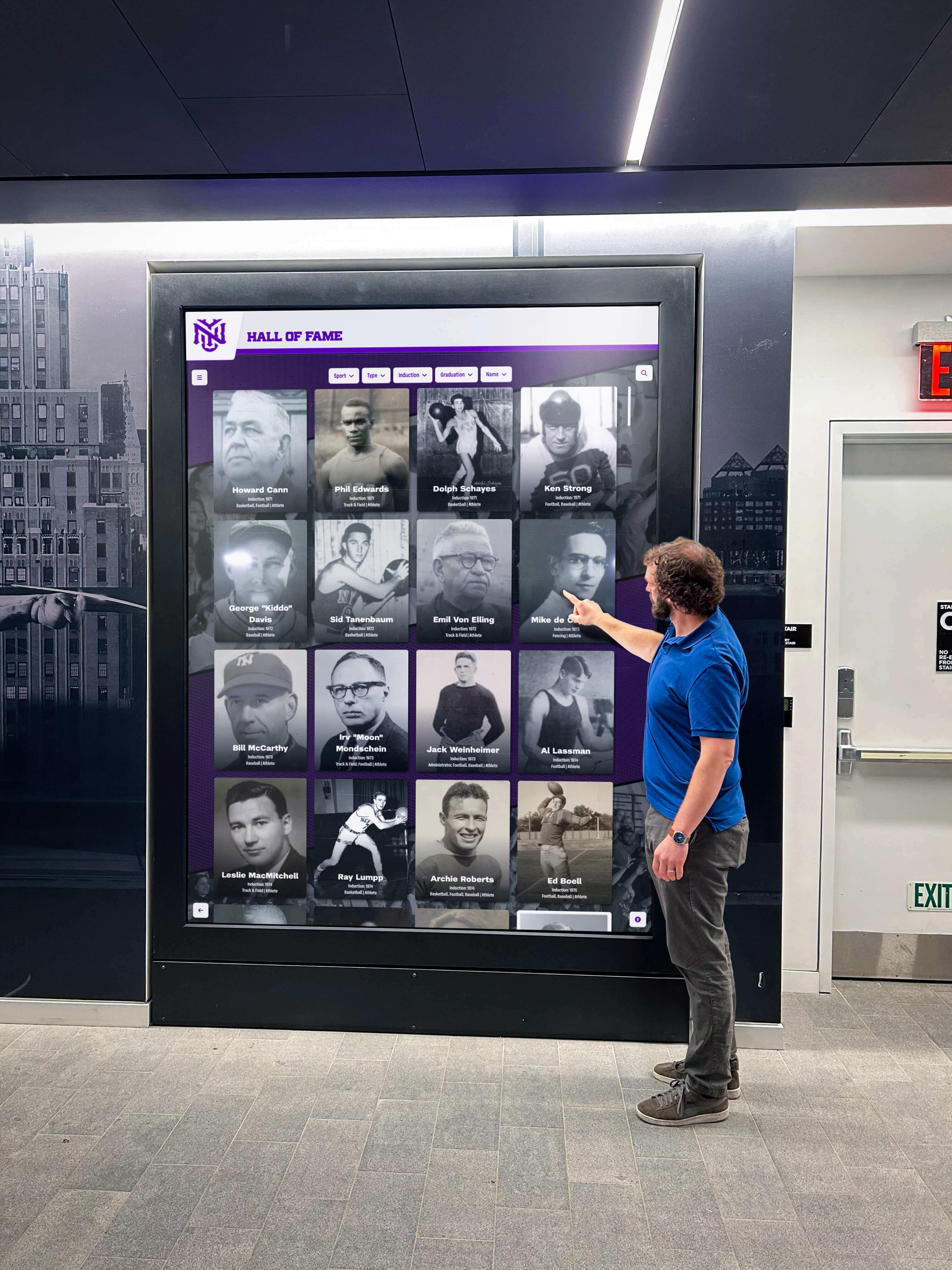
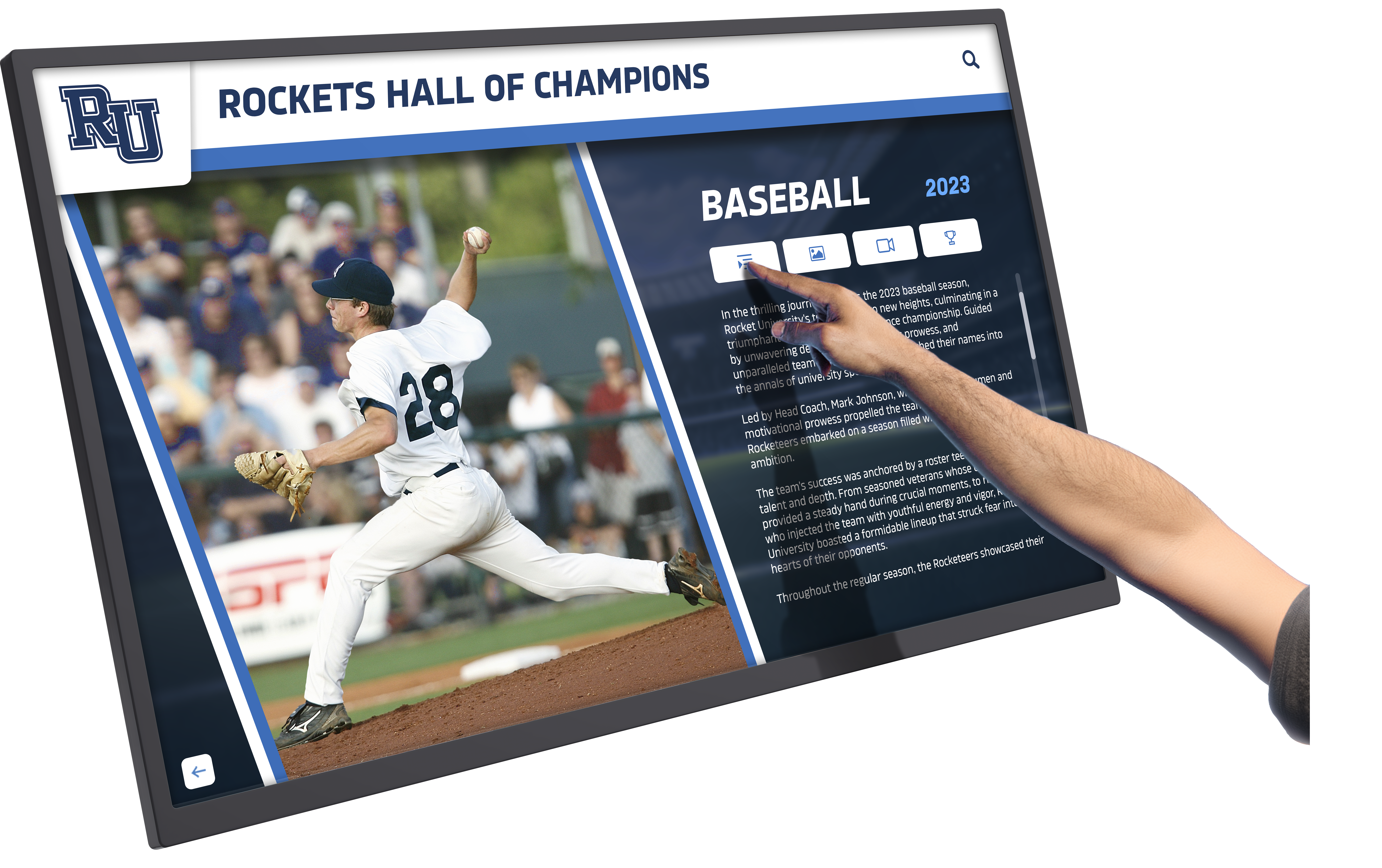
Interactive displays transform visitors from passive viewers into active participants exploring content at their own pace and according to their interests. Families visiting a youth organization can search for their child’s photo and accomplishments. Community members can browse upcoming events by category or date. Veterans can locate friends and fellow service members in honor displays spanning multiple decades.
Research on public space digital displays shows touchscreen interactivity increases average engagement time from 15-30 seconds for passive displays to 3-5 minutes for interactive systems, significantly improving message retention and organizational impact perception.
Content Depth and Organization:
Interactive systems enable nonprofits to provide detailed content without overwhelming displays. A partnership recognition screen might show a simple logo grid as the home screen, but touching any partner logo reveals their complete story, contribution history, program connections, and website links. This layered content approach provides simple navigation for quick visits while accommodating deeper exploration for interested visitors.
Self-Directed Wayfinding and Information:
Touchscreens serve multiple organizational functions simultaneously. Visitors can explore recognition content, access program information, view facility maps, watch video testimonials, register for events through integrated QR codes, and learn about volunteer opportunities—all through a single interface reducing staffing demands while improving visitor experience.
Interactive Investment Considerations:
Adding touchscreen capability to a display typically costs $2,000-$8,000 depending on screen size and technology type. Capacitive touchscreens similar to smartphone technology cost more but provide the most responsive, natural experience. Infrared touchscreens cost less while still enabling dependable interaction.
For nonprofits prioritizing simple event calendars and announcements where visitors primarily need to read information rather than explore deeply, passive displays may suffice. Organizations showcasing veteran profiles, donor recognition, program highlights, or content libraries where visitors benefit from search and exploration capabilities find touchscreen interactivity delivers compelling return on additional investment.
Planning Your Nonprofit Digital Display Project
Successful digital recognition implementations follow organized planning processes ensuring technology selections match organizational needs, budgets, and operational capabilities.
Defining Your Recognition and Communication Objectives
Before exploring specific solutions or pricing, nonprofit leaders should clarify the primary purposes their digital display will serve and the success criteria by which they’ll evaluate effectiveness.
Key Planning Questions:
Primary Content Focus:
- Will the display primarily honor individuals (veterans, volunteers, donors) or communicate programs and events?
- Does the organization need to balance multiple content types, or focus on a single application?
- Will content emphasize historical recognition, current program communication, or both?
- Does the organization anticipate content needs evolving significantly over time?
Audience and Location Considerations:
- Who are the primary visitors viewing the display (community members, program participants, donors, staff)?
- Where will the display be located (main entrance, program space, community room, multiple locations)?
- What are typical visitor interaction patterns (quick pass-through versus waiting areas enabling longer engagement)?
- Are there accessibility requirements for visitors with diverse abilities and needs?
Content Management Capacity:
- How many staff members or volunteers will manage content updates?
- What technical skill levels characterize potential content managers?
- How frequently does the organization anticipate updating content (daily, weekly, monthly, quarterly)?
- Does the organization have existing photo and content libraries, or will these need development?
Budget and Funding Reality:
- What total budget can the organization allocate to initial installation?
- Are there specific funding sources designated for recognition or communication systems?
- Can the organization commit to annual licensing and support costs?
- Is this a one-time investment or the first phase of a multi-year recognition system expansion?
Organizations answering these questions develop clear requirements guiding technology selection and ensuring chosen solutions match operational reality rather than creating expensive systems that exceed capacity or fail to meet actual needs.
Nonprofit-Specific Implementation Considerations
Nonprofits face unique operational realities that influence display planning and implementation strategies.
Volunteer and Limited Staff Capacity:
Unlike schools or corporations with dedicated IT and communications departments, most nonprofits rely on small staff teams and volunteer support. Digital displays for nonprofits must prioritize straightforward content management requiring no technical training, mobile-friendly interfaces enabling updates from smartphones, template systems providing professional results without design skills, and dependable operation requiring minimal maintenance or technical intervention.
Solutions designed for schools or corporate environments often assume technical resources nonprofits don’t have. Purpose-built systems for community organizations address this reality through simplified workflows, comprehensive support, and design decisions prioritizing reliability over feature complexity.
Mission Alignment and Values:
Effective nonprofit recognition systems reflect organizational mission and values through content choices, design aesthetics, and featured stories. A veterans service organization honors military service while highlighting successful program outcomes. A food security nonprofit balances partner recognition with dignity-centered communication about community members served. A youth development program celebrates achievement while emphasizing inclusivity and growth mindset values.
Digital systems’ flexibility allows nonprofits to match recognition with mission in ways static displays cannot. Content can evolve as organizational understanding deepens, feature diverse stories reflecting community composition, include program impact data demonstrating effectiveness, and balance celebration with inspiration encouraging continued community support.
Limited Budgets and Resource Constraints:
Nonprofit leaders must evaluate digital display investments against competing organizational priorities including direct service delivery, staff salaries, facility maintenance, and program development. Justifying recognition system investments requires demonstrating clear organizational benefits beyond aesthetic improvement.
Strong business cases for nonprofit digital displays focus on improved donor retention through better recognition supporting continued giving, stronger volunteer recruitment through visible appreciation encouraging community participation, increased program visibility supporting participation and funding, and operational efficiency through digital communication replacing printed materials and staff time.
Funding Strategies for Nonprofit Digital Recognition Systems
Many nonprofits successfully implement digital recognition systems by identifying strategic funding approaches aligned with organizational development priorities.
Capital Campaign Integration:
Organizations conducting capital campaigns for building renovations, program expansion, or endowment growth can incorporate digital recognition systems as campaign components. Donors contributing to facility improvements naturally understand recognition system investments as part of creating welcoming, professional spaces reflecting organizational quality and community standing.
Campaign budgets might allocate $10,000-$25,000 for comprehensive recognition systems honoring campaign contributors alongside veterans, program participants, or community partners depending on organizational mission. This approach provides professional recognition infrastructure without requiring operating budget allocation.
Corporate and Foundation Grants:
Many corporations and foundations support nonprofit technology investments, facilities improvements, and organizational capacity building. Digital recognition systems match these priorities by modernizing communications infrastructure, improving operational efficiency, and strengthening community engagement.
Grant applications should focus on operational benefits including reduced printing costs, improved communication effectiveness, better volunteer management, and increased program visibility alongside recognition objectives. Technology grants often support one-time capital investments better than ongoing operational expenses, making them ideal funding sources for display hardware while organizations budget annual software licensing through operations.
In-Kind Donations and Sponsorships:
Local businesses, especially those in technology, construction, or professional services sectors, may provide in-kind support for nonprofit recognition systems. Potential in-kind contributions include display hardware donations from technology retailers, installation services from contractors and electricians, content development from marketing and design firms, and photography services from professional photographers.
Businesses providing in-kind support often appreciate recognition within the digital display they helped create, creating natural synergy between donor recognition content and implementation funding strategies.
Phased Implementation Approaches:
Nonprofits unable to fund comprehensive systems immediately can implement recognition programs in phases spreading investment across multiple budget cycles. A typical phased approach might include Phase 1 implementing a basic display system with essential content in primary location ($4,000-$6,000), Phase 2 expanding to touchscreen interactivity and enhanced content six to twelve months later ($2,000-$4,000), and Phase 3 adding additional displays in secondary locations or upgrading to larger format as organizational capacity grows ($3,000-$8,000 per location).
Phased approaches enable nonprofits to begin capturing organizational benefits while managing cash flow constraints. Additionally, successful initial installations provide proof of concept supporting fundraising for subsequent phases.
Digital Display Solutions for Common Nonprofit Applications
Different nonprofit types and missions benefit from recognition display configurations tailored to their specific program focuses and community engagement strategies.
Veterans Service Organizations
Organizations serving military veterans, active duty families, and military community members use digital displays to honor service members while communicating program availability and building community connection.
Veteran Recognition Display Features:
Service Member Profiles:
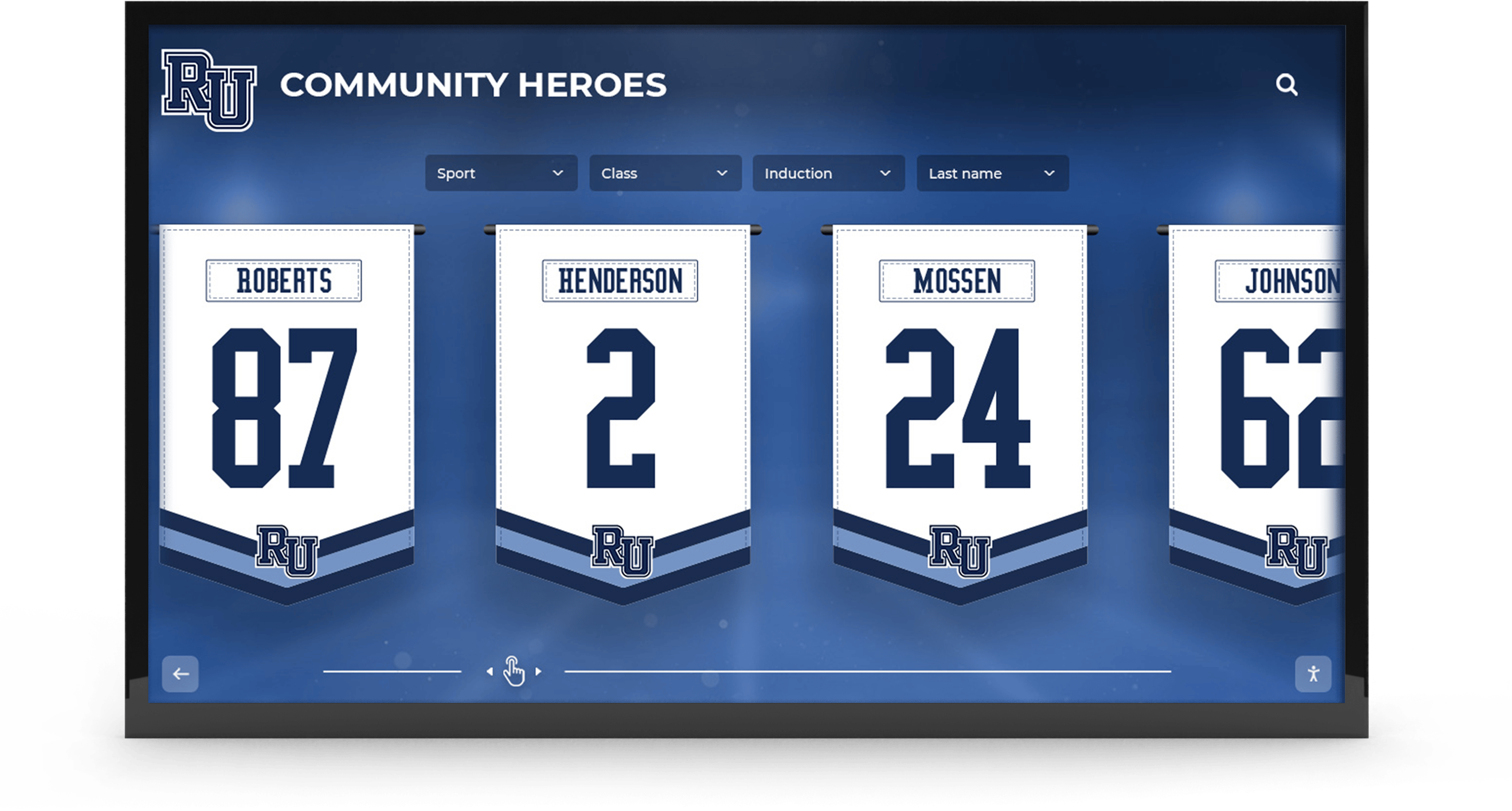
Comprehensive veteran profiles typically include service member photo in uniform or contemporary image, full name and nickname or preferred name, service branch and years of service, rank achieved and specialty or MOS, deployment history and theaters of operation, significant awards and commendations, unit affiliations and command history, post-service career and community involvement, and connection to organizational programs and services.
Digital formats enable the depth and detail military service deserves while accommodating the reality that many veterans service organizations honor hundreds or thousands of community members. Traditional plaque walls become physically impossible at this scale, while digital systems provide unlimited capacity with sophisticated search enabling visitors to locate specific individuals.
Program Communication:
Veterans organizations serve diverse needs including benefits assistance, mental health services, career transition support, social connection programs, and emergency assistance. Digital displays communicate program availability, upcoming events, success stories, volunteer opportunities, and emergency resource contacts ensuring service members know support options available.
Community Connection:
Many veterans report that visible recognition and community spaces affirming military identity help address isolation and disconnection following service. Digital displays featuring fellow veterans create welcoming environments where service members recognize they’re in spaces understanding military experience and culture. This seemingly simple benefit drives program engagement and support utilization improving organizational effectiveness.
Investment Levels:
Small veterans organizations serving 50-200 community members typically invest $5,000-$8,000 in initial displays. Mid-sized organizations honoring 200-500 veterans often implement $10,000-$15,000 systems providing touchscreen interactivity and comprehensive search capabilities. Large veterans service organizations with 1,000+ member communities may invest $18,000-$25,000 in flagship recognition centers or implement multiple displays across facilities totaling $30,000-$50,000.
Community Foundations and United Way Organizations
Community foundations, United Way chapters, and similar collaborative funding organizations use digital recognition to honor donors, celebrate grantees, and communicate community impact.
Community Foundation Display Applications:
Donor Recognition:
Community foundations manage contributions from hundreds or thousands of individual, family, and corporate donors whose giving creates lasting community benefit. Digital recognition systems provide tiered donor acknowledgment corresponding to giving levels, fund profile pages explaining specific philanthropic focuses, legacy giving recognition honoring estate gifts and planned giving, annual impact reporting showing community outcomes enabled by contributions, and giving society acknowledgment celebrating multi-year commitment patterns.
Digital formats enable community foundations to recognize lifetime giving rather than single contributions, update recognition as donors advance to higher giving levels, and connect donors to specific grant outcomes and community changes their philanthropy enabled—relationship building that supports continued and increased giving.
Grantee and Program Showcases:
Effective community foundation displays balance donor recognition with nonprofit grantee profiles demonstrating philanthropy’s community impact. Visitors exploring displays discover youth programs, arts organizations, human service providers, environmental initiatives, and education programs supported by foundation grants, creating visible connection between donor generosity and tangible community benefit.
Investment Considerations:
Community foundations typically invest $12,000-$25,000 in professional recognition systems reflecting organizational sophistication and community standing. These installations become signature features in foundation offices where donors, grantees, community leaders, and professional advisors interact, making high-quality implementation worthwhile for relationship building and philanthropic positioning objectives.
Professional content management and analytics capabilities prove especially valuable, enabling foundation staff to update giving recognition promptly, generate engagement reports for board meetings, and demonstrate recognition program effectiveness to stakeholders.
Faith-Based Organizations and Churches
Churches, synagogues, mosques, temples, and other faith communities use digital displays to recognize congregation members, honor faith tradition, celebrate mission initiatives, and communicate upcoming activities.
Faith Community Display Applications:
Member Recognition and Milestone Celebration:
Many congregations honor members through baptism and confirmation acknowledgment, marriage and family celebration milestones, service anniversaries recognizing congregation tenure, leadership appreciation for ministry teams and committees, memorial tributes honoring deceased members, and mission trip participant showcases celebrating outreach engagement.
Digital displays accommodate these diverse recognition needs through flexible content organization, scheduled rotation ensuring all recognition types receive visibility, and update processes enabling religious education directors, office staff, and ministry leaders to contribute content independently within their program areas.
Outreach and Community Partnership:
Faith communities maintaining active community service programs use displays to highlight food pantry operations and volunteer schedules, community meal programs and partnership organizations, refugee resettlement support and family sponsorships, homeless services and housing assistance coordination, youth mentoring programs and educational initiatives, and medical mission partnerships and fundraising priorities.
These displays serve dual purposes recognizing member engagement while communicating opportunities for additional community participation, supporting both appreciation and recruitment objectives.
Event Communication:
Churches managing multiple weekly programs including worship services, Bible studies, youth activities, music rehearsals, community events, and facility rentals benefit from dynamic event calendars displaying current information without printing weekly bulletins or maintaining static bulletin boards that become outdated quickly.
Investment Patterns:
Small congregations (under 200 members) typically invest $4,000-$7,000 in basic recognition systems. Mid-sized churches (200-800 members) commonly implement $8,000-$14,000 displays supporting comprehensive content and touchscreen interaction. Large churches and multi-campus faith communities may install $15,000-$25,000 systems or deploy multiple displays across facilities and campuses.
Youth Development and Educational Nonprofits
Organizations serving youth through after-school programs, mentoring, sports leagues, arts education, tutoring, and youth employment use digital displays to celebrate participant achievement while communicating program opportunities.
Youth Program Display Features:
Participant Achievement Recognition:
Youth development programs recognize diverse accomplishments including academic improvement and honor roll achievement, program completion milestones and graduation, leadership development and peer mentoring participation, creative and artistic achievement in arts programs, athletic accomplishment in recreation leagues, career readiness skills and employment success, and scholarship awards and college acceptance for older youth.
Recognition proves especially impactful for youth facing educational challenges, economic disadvantage, or limited family support. Visible acknowledgment validates effort and achievement, builds confidence and identity, and inspires continued engagement with positive program experiences.
Family Communication and Engagement:
Digital displays in youth program facilities communicate directly with parents and guardians including program schedules and calendar changes, photo galleries showcasing program activities, volunteer opportunities for family engagement, parent education workshops and support resources, enrollment information for upcoming programs, and success stories demonstrating program impact.
This communication supports family engagement critical to youth development while reducing staff time answering routine questions about schedules and opportunities.
Investment Levels:
Youth development nonprofits typically invest $5,000-$10,000 in displays serving single program sites. Multi-site organizations often implement standardized systems across locations totaling $20,000-$50,000 for three to five sites, benefiting from volume pricing and consistent content management approaches.

Content Strategy for Nonprofit Digital Displays
Effective nonprofit displays require ongoing content strategy ensuring recognition remains current, comprehensive, and aligned with organizational mission.
Building Initial Content Libraries
Nonprofits implementing digital displays face the reality of creating initial content libraries representing potentially decades of organizational history, hundreds of community members, and countless stories deserving recognition.
Content Development Approaches:
Phased Content Launch:
Rather than delaying display launch until comprehensive content exists for every potential profile, many nonprofits implement initial systems with foundational content and expand continuously. An initial launch might include current year program participants and partners (immediately available information), recent veterans or honorees from the past five years (requiring moderate research and photo collection), and key historical highlights representing organizational legacy (selective rather than comprehensive).
This approach provides immediate benefit while creating momentum for ongoing content development. Displays acknowledge that additional profiles will be added continuously, inviting community members to contribute information and photos expanding recognition coverage.
Community Contribution Processes:
Many nonprofits develop successful content through community contribution including online submission forms collecting honoree information and photos, nomination processes enabling community members to suggest recognition subjects, volunteer content development teams gathering stories through interviews, and public scanning events where community members bring photos for digitization and inclusion.
Community involvement creates multiple benefits beyond content development including increased stakeholder engagement with recognition program, expanded organizational reach as community members share participation with networks, diverse story collection reflecting community breadth, and reduced staff time demands through distributed effort.
Partnership with Content Professionals:
Nonprofits lacking capacity for extensive content development can partner with local photographers, writers, historians, or students requiring service learning hours. These partnerships provide skilled support while offering partners meaningful engagement with organizational mission.
Many display vendors including Rocket Alumni Solutions offer content development services as part of implementation packages, providing professional photography, story writing, historical research, and initial content population enabling comprehensive launches without overwhelming organizational capacity.
Maintaining and Expanding Content
Sustainable recognition programs require ongoing content processes manageable within nonprofit operational capacity.
Content Update Rhythms:
Different content types require different update frequencies creating manageable workflow patterns:
Weekly Updates:
- Event calendars and program schedules
- Volunteer opportunity announcements
- Emergency communications or urgent news
- Featured story rotations highlighting different programs
Monthly Updates:
- New program participant profiles
- Recent program accomplishments and milestones
- Updated partnership acknowledgments as contributions occur
- Seasonal program promotions and registration information
Quarterly Updates:
- Comprehensive content reviews ensuring accuracy
- Impact statistics and program outcome reporting
- Strategic messaging aligned with development campaigns
- Recognition program expansions adding historical profiles
Annual Updates:
- Complete content audits verifying information accuracy
- Strategic content planning for upcoming year
- Recognition program assessments evaluating effectiveness
- Technology updates and system maintenance
Content Management Workflow:
Successful nonprofits assign clear content responsibilities including primary content administrator with overall system management authority, program-specific contributors with permissions for their content areas, content review processes ensuring quality and appropriateness, and scheduled content planning preventing last-minute update pressures.
Modern content management platforms enable these distributed workflows through user permission systems allowing appropriate access levels, scheduled publishing enabling advance content preparation, content calendars providing visibility into planned updates, and mobile interfaces enabling updates from any location without requiring technical setup.
Ensuring Content Quality and Mission Alignment
Nonprofit recognition content should reflect organizational values and maintain consistent quality standards protecting organizational reputation.
Content Standards Guidelines:
Organizations benefit from simple content guidelines addressing photo quality and format requirements, writing tone reflecting organizational voice, information accuracy and verification processes, inclusivity and representation across community diversity, privacy considerations for program participants, and appropriate acknowledgment of sensitive topics including trauma, loss, or challenge.
These guidelines need not be complex formal policies but rather simple reference documents helping content contributors maintain consistency and appropriateness. A one to two page content guide covering these basics proves sufficient for most nonprofits.
Sensitive Content Considerations:
Nonprofits serving vulnerable populations including homeless individuals, domestic violence survivors, formerly incarcerated community members, refugees, youth in foster care, or others facing stigma or safety concerns require careful consideration of recognition content.
Digital systems accommodate these needs through selective anonymization using first names only or pseudonyms when appropriate, photo permissions verifying consent for public display, content review by program participants before publication, flexible privacy settings enabling profile visibility restrictions, and story framing emphasizing dignity, strength, and forward progress.
Purpose-built recognition platforms often include features supporting these requirements such as permission tracking, content approval workflows, and privacy controls that generic slideshow systems cannot provide.
Technology Selection: Choosing the Right Digital Display Solution
Nonprofits evaluating digital recognition options should understand key selection criteria distinguishing solutions designed for community organization needs from generic alternatives lacking critical capabilities.
Content Management System Requirements
The content management platform determines whether nonprofits can independently manage displays or require ongoing vendor dependence for even simple updates.
Essential CMS Features for Nonprofits:
Intuitive Interface:
Nonprofit content managers typically lack technical training and manage displays alongside numerous other responsibilities. Effective content management systems feature drag-and-drop content creation requiring no coding, visual editing showing exactly how content will appear, mobile-responsive interfaces enabling updates from phones and tablets, and clear workflows matching how nonprofit staff naturally think about content organization.
Test content management platforms by asking typical volunteers or staff members to complete basic tasks like updating an event date or adding a new profile photo. If these tasks require extensive training or technical assistance, the platform likely exceeds organizational capacity.
Template and Design Systems:
Professional appearance matters for nonprofit credibility, yet few organizations have graphic design resources. Effective platforms provide pre-designed templates for common content types including profiles, event listings, partnership acknowledgments, photo galleries, and impact statistics. Organizations select templates matching their needs, populate content fields, and achieve professional results without design work.
Customization capabilities should include organizational branding like logos and colors while maintaining design quality through structured options rather than requiring custom HTML or CSS coding.
Multi-User Access and Permissions:
Nonprofits benefit from distributed content management where program directors update their content areas, volunteer coordinators manage recognition for supporters, and development staff handle donor acknowledgment without centralized bottlenecks.
Permission systems should enable primary administrators to grant appropriate access levels, content contributors to manage their areas without affecting other content, content reviewers to approve submissions before publication, and read-only access for stakeholders monitoring content without editing capability.
Cloud-Based Access:
Nonprofit staff work from diverse locations including organization facilities, home offices, community sites, and mobile environments. Cloud-based content management enables updates from any internet-connected device without requiring physical access to display locations or technical server configurations.
This accessibility proves critical for volunteer-driven organizations where content managers may not regularly visit central offices but can contribute content during evening hours or weekends from their homes.
Display Hardware Selection Criteria
While content management determines operational sustainability, hardware selection affects initial investment, visibility effectiveness, and long-term reliability.
Screen Size Considerations:
Appropriate display size depends on viewing distance and space characteristics:
43-50 Inch Displays:
- Effective viewing distance: 5-12 feet
- Suitable locations: small offices, program rooms, intimate spaces
- Profile capacity: 20-100 profiles comfortable
- Typical investment: $3,500-$6,000 complete system
55-65 Inch Displays:
- Effective viewing distance: 8-18 feet
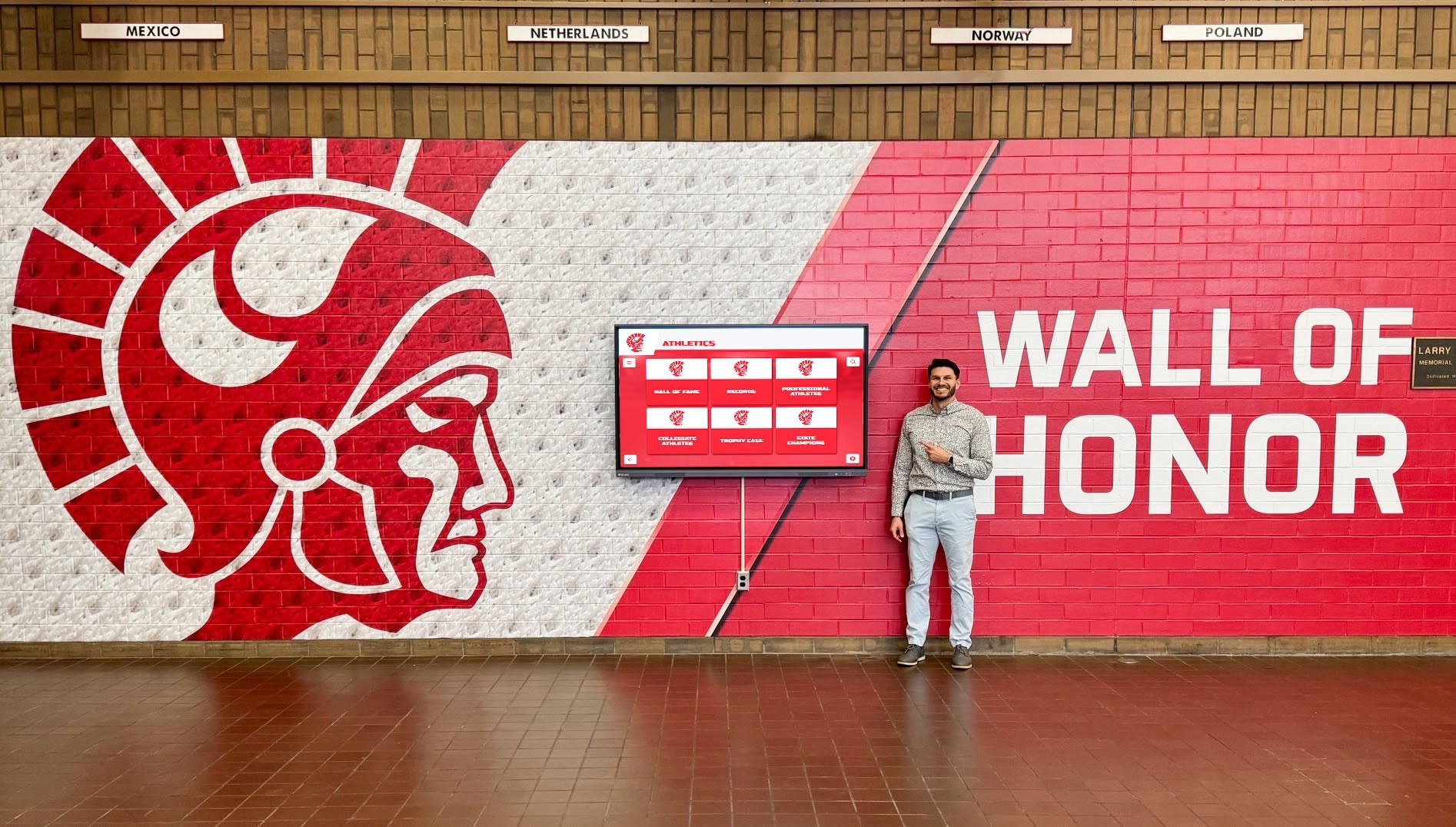
- Suitable locations: community center lobbies, main hallways, reception areas
- Profile capacity: 100-300 profiles comfortable
- Typical investment: $6,000-$12,000 complete system
75-98 Inch Displays:
- Effective viewing distance: 15-30 feet
- Suitable locations: large lobbies, auditoriums, flagship recognition centers
- Profile capacity: 300-1,000+ profiles comfortable
- Typical investment: $12,000-$25,000 complete system
Organizations should measure viewing distances in intended installation locations when evaluating size options. Displays should be large enough for comfortable reading from typical viewing positions while fitting appropriately within architectural contexts.
Resolution and Display Quality:
Modern commercial displays typically feature 4K resolution (3840x2160 pixels) providing sharp text and clear images even at large sizes. This resolution proves especially important for touchscreen displays where visitors stand close to screens during interaction.
Additional quality factors include brightness levels sufficient for well-lit public spaces (400-700 nits typical), anti-glare coatings reducing reflections from windows and lighting, wide viewing angles maintaining image quality from off-center positions, and accurate color reproduction presenting photos naturally.
Mounting and Installation:
Professional installation includes secure wall mounting appropriate for display weight and size, electrical work providing proper power without visible cords, cable management hiding connections for clean appearance, height positioning optimizing viewing ergonomics, and environmental considerations addressing lighting, climate, and accessibility.
Installation costs typically range from $500 for basic wall mounting to $3,000-$5,000 for complex installations requiring electrical upgrades, custom millwork, or architectural integration. Nonprofits should budget for appropriate installation ensuring displays appear professional and operate reliably rather than accepting makeshift mounting compromising effectiveness.
Interactive Versus Passive Display Decisions
Nonprofits choosing between passive displays and interactive touchscreens should evaluate how visitors will engage with content and what organizational objectives the display serves.
Passive Display Advantages:
Lower Initial Investment:
Passive displays cost $2,000-$8,000 less than comparable touchscreen systems, meaningful savings for budget-constrained nonprofits. This investment difference might enable organizations to implement displays sooner or afford larger screen sizes within budget constraints.
Reduced Maintenance:
Without touch interaction, passive displays experience less physical wear and require no cleaning of screen surfaces or touchscreen recalibration. This reduced maintenance burden benefits organizations with limited facilities management capacity.
Appropriate for Content Types:
Some content serves visitors effectively through passive display including event calendars and announcements where visitors need information at a glance, partnership recognition where simple logo displays suffice, photo galleries rotating through program highlights, and inspirational quotes or mission statements communicating organizational values.
Interactive Touchscreen Advantages:
Deeper Engagement:
Touchscreens enable visitors to explore content matching their interests rather than passively viewing predetermined sequences. Families can search for their children in participant directories, veterans can locate military friends in honor displays, and donors can explore programs their contributions support—personal connections passive displays cannot provide.
Content Depth Without Overwhelm:
Interactive displays present simple home screens with straightforward navigation, then reveal detailed information when visitors select specific profiles or topics. This approach accommodates hundreds or thousands of profiles without overwhelming displays or requiring visitors to wait through lengthy rotation sequences hoping to encounter content matching their interests.
Extended Engagement Time:
Research consistently shows interactive displays generate 3-5 minute average engagement times versus 15-30 seconds for passive displays. This extended engagement increases message retention, improves impression formation, and provides more opportunity for inspiring visitors to deepen involvement with organizational programs.
Data and Analytics:
Interactive systems generate engagement analytics showing which profiles visitors explore most, how long visitors interact with different content types, and what search terms visitors use to find information. These insights inform content strategy and demonstrate recognition program effectiveness to boards and funders.
Decision Framework:
Nonprofits should prioritize touchscreen interactivity when managing more than 100 profiles or significant content depth, serving visitors who benefit from searching and exploring rather than passive viewing, operating in locations where visitors have time to interact rather than passing through quickly, and implementing displays as centerpiece recognition investments deserving comprehensive capability.
Passive displays work well when budget constraints prioritize basic implementation over enhanced features, content focuses on announcements and calendars rather than profile exploration, installation locations experience only brief visitor pass-through, and organizations plan phased upgrades adding interactivity in future budget cycles.
Implementation Process: From Planning to Launch
Understanding the typical implementation timeline and process helps nonprofits set realistic expectations and prepare for successful launches.
Pre-Implementation Phase (4-8 Weeks)
Successful implementations begin with thorough planning addressing technology decisions, space preparation, content development, and stakeholder communication.
Technology Selection and Contracting (2-3 Weeks):
Organizations should request proposals from multiple vendors, compare capabilities and pricing, check references from similar nonprofits, negotiate contracts and service agreements, and secure necessary organizational approvals for purchases.
Many purpose-built recognition display providers including Rocket Alumni Solutions offer consultation helping nonprofits assess needs, recommend appropriate configurations, and design solutions within budget parameters. These consultations typically cost nothing and provide valuable education even if organizations ultimately implement through different approaches.
Site Assessment and Preparation (1-2 Weeks):
Display locations require assessment of wall structural capacity for display weight, electrical availability and code compliance, lighting conditions and glare considerations, foot traffic patterns and optimal viewing angles, accessibility compliance ensuring inclusive design, and network connectivity for content management.
Facilities managers or contractors should complete any necessary preparation including electrical upgrades, wall reinforcement, or lighting modifications before installation dates to prevent delays.
Content Development Initiation (2-4 Weeks):
While displays undergo procurement and site preparation, content development should proceed simultaneously. Initial content development includes identifying priority profiles and stories for launch, collecting photos and biographical information, writing or editing profile narratives, gathering partnership acknowledgments and logos, creating event calendars and program descriptions, and organizing content into logical categories and sequences.
Organizations need not complete all intended content before launch. Implementing displays with foundational content and adding continuously proves more effective than delaying launches awaiting comprehensive completion.
Stakeholder Communication (Ongoing):
Throughout pre-implementation, organizations should communicate with board members and leadership about project progress, staff and volunteers about content contribution opportunities, community members and program participants about recognition opportunities, and partners and donors about acknowledgment plans.
These communications build anticipation, encourage content contributions, and create positive momentum supporting successful launches and sustained engagement.
Installation and Configuration (1-3 Weeks)
Physical installation and technical configuration transform procured systems into operational displays ready for content management.
Hardware Installation (1-2 Days):
Professional installers mount displays, install media players and supporting technology, complete electrical connections and cable management, verify proper operation and display function, and train facilities staff on basic display operation and troubleshooting.
Installation typically requires two to four hours for straightforward wall mounting or one to two days for complex installations requiring electrical work or custom integration.
Software Configuration (3-5 Days):
While hardware installation completes quickly, software configuration requires more time including content management platform setup and organizational branding, user account creation and permissions assignment, template customization matching organizational design preferences, content import and organization, and initial content publication and display verification.
Many vendors provide configuration services included in implementation packages, though technically capable nonprofits can complete configuration independently given adequate documentation and support resources.
Staff Training (1-2 Days):
Effective implementation includes training for content managers on platform navigation and content creation, techniques for creating compelling profiles and stories, photo editing and formatting requirements, content scheduling and management workflows, basic troubleshooting for common issues, and available support resources and help documentation.
Training should accommodate learning style diversity through written documentation, video tutorials, live demonstrations, and hands-on practice ensuring all content managers gain confidence managing displays independently.
Launch and Initial Operation (2-4 Weeks)
Display launches should be treated as significant organizational events celebrating recognition program investments and building community awareness.
Soft Launch (1 Week):
Many organizations benefit from soft launches where displays go live with foundational content while allowing time for testing and refinement before public announcements. This approach enables identification and resolution of any content issues, verification that displays operate properly throughout full days, collection of initial staff and visitor feedback, and minor adjustments to content, timing, or presentation.
Official Launch Event (1 Day):
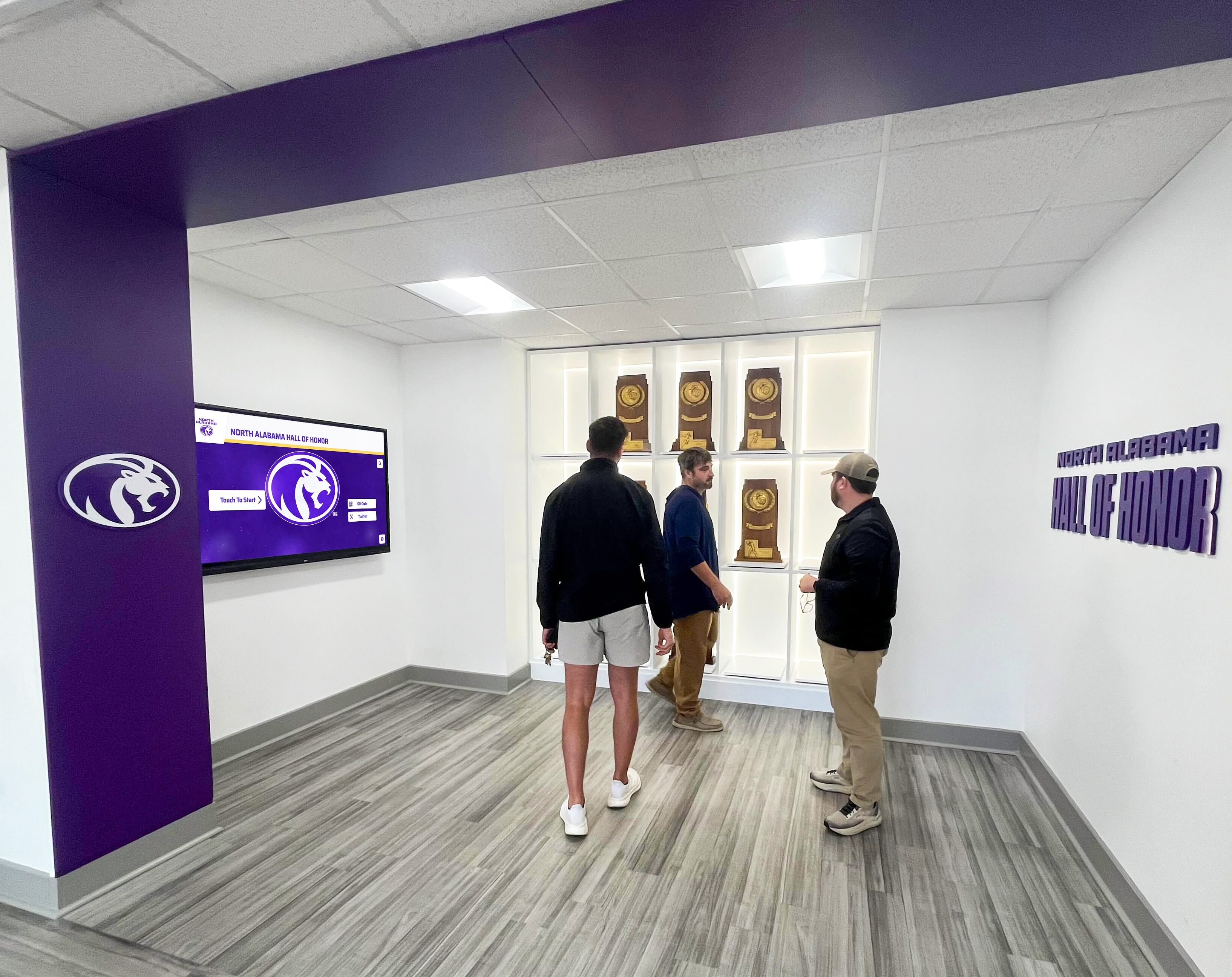
Public launch events celebrate recognition program implementations while generating community awareness including invitations to donors, partners, board members, and recognized community members, remarks from organizational leadership about recognition program significance, demonstrations of display features and capabilities, photo opportunities with displays for social media, and press releases to local media outlets.
Launch events create memorable moments connecting communities to recognition systems while demonstrating organizational professionalism and investment in quality infrastructure.
Initial Operation and Adjustment (2-4 Weeks):
Following launches, organizations should monitor displays closely including observing visitor interaction patterns and engagement, identifying any technical issues requiring attention, gathering feedback from staff, visitors, and recognized community members, making content adjustments based on initial learning, and establishing content management routines and workflows.
This initial operation period establishes sustainable practices and identifies any refinements improving display effectiveness before systems settle into regular operation.
Measuring Success: Recognition Program Effectiveness
Nonprofits should establish clear success metrics demonstrating recognition system value and informing ongoing program improvements.
Quantitative Engagement Metrics
Modern digital recognition platforms provide analytics revealing actual usage patterns and engagement levels.
Standard Analytics Measurements:
Interaction Volume:
- Daily visitor count and interaction frequency
- Average session duration (time spent per visitor)
- Content views by category (veteran profiles, events, partnerships)
- Popular search terms revealing visitor information interests
- Peak usage times identifying optimal content update windows
These metrics establish baseline engagement levels and track changes over time. Organizations typically see engagement increase as communities become aware of displays and content libraries expand.
Content Performance Analysis:
Analytics reveal which profiles and content generate highest interest including most-viewed individual profiles, most-searched topic categories, content types with longest engagement times, and pages where visitors exit interactions.
This information guides content strategy decisions such as highlighting popular content more prominently, expanding underrepresented content areas generating unexpected interest, improving navigation for content where visitors exit quickly, and creating similar content for profiles generating extended engagement.
Comparative Benchmarks:
While each organization’s engagement patterns reflect unique communities and contexts, general benchmarks provide reference points. Purpose-built interactive recognition displays typically generate 3-5 minute average sessions versus 15-30 seconds for passive digital signage, 40-60% of facility visitors interact with prominently located touchscreen displays, and well-implemented systems see engagement increase 15-25% annually as content expands and community awareness grows.
Qualitative Impact Assessment
Beyond quantitative analytics, qualitative assessment reveals recognition program impact on culture, relationships, and organizational effectiveness.
Stakeholder Feedback Collection:
Organizations should gather input from recognized individuals about their experience and feelings about acknowledgment, staff observations about visitor reactions and engagement patterns, board members regarding community impressions and organizational positioning, and donors and partners regarding recognition satisfaction and relationship strength.
Simple feedback methods including brief verbal check-ins, short email surveys, comment cards near displays, and focused discussions at board or committee meetings provide valuable insights without creating burdensome assessment processes.
Organizational Impact Indicators:
Recognition systems contribute to broader organizational goals including donor retention rates and contribution growth patterns, volunteer recruitment and sustained participation levels, program enrollment and community engagement trends, organizational reputation and community standing perception, and staff morale regarding organizational professionalism and investment.
While attribution challenges prevent direct causation claims, positive trends in these areas following recognition system implementation suggest beneficial organizational impacts worthy of continued investment and expansion.
Cultural and Mission Alignment Assessment:
Perhaps most importantly, nonprofit leaders should evaluate whether recognition displays authentically reflect organizational mission and values. Displays should feel aligned with organizational identity, represent community diversity and program breadth comprehensively, balance celebration with inspiration encouraging community participation, and communicate effectively with target audiences using appropriate language and imagery.
Regular content reviews with diverse staff members, community representatives, and program participants help ensure recognition systems serve intended purposes while avoiding unintended exclusions or misalignments with stated organizational values.
Common Nonprofit Digital Display Questions
How much does it cost to maintain a digital display after initial installation?
Ongoing costs for nonprofit digital displays typically range from $1,200-$3,500 annually depending on system complexity and support levels. Primary ongoing expenses include content management platform licensing ($600-$2,500 annually), technical support and software updates ($300-$800 annually), and occasional hardware maintenance or component replacement ($100-$500 annually).
These costs prove comparable to or less than traditional printed communication expenses for newsletters, event flyers, and recognition materials when calculated comprehensively. Organizations replacing printed bulletin boards and frequent reprinted materials often achieve cost neutrality or savings while gaining significantly enhanced communication capabilities.
Can volunteers without technical skills manage content updates?
Yes. Purpose-built recognition display platforms are specifically designed for non-technical users through simple drag-and-drop interfaces, pre-designed templates requiring no design work, mobile-friendly access enabling updates from smartphones, and thorough support resources including video tutorials and help documentation.
Many nonprofits successfully train volunteers in 30-45 minutes enabling independent content management. The key factor is selecting platforms designed for community organization users rather than corporate systems assuming dedicated IT and communications departments.
How do digital displays compare to printed bulletin boards for cost and effectiveness?
Digital displays require higher initial investment ($3,500-$25,000 versus $200-$800 for quality bulletin boards) but provide superior long-term value through content update flexibility without reprinting costs, professional appearance versus informal bulletin board aesthetics, capacity for hundreds of profiles versus limited board space, multimedia capabilities including photos and videos, and elimination of ongoing printing and replacement expenses.
Organizations frequently updating content realize faster return on investment, often achieving cost neutrality within 18-36 months when accounting for eliminated printing costs, staff time savings from easier content management, and eliminated physical material costs for mounting and replacing bulletin board items.
What happens if our nonprofit’s technology needs change in the future?
Quality digital recognition platforms accommodate changing needs through flexible content organization supporting evolving program focuses, expandable licensing enabling broader feature access as budgets grow, connection capabilities linking with donor management and program databases as technical capacity increases, and hardware independence allowing display upgrades or additions without replacing software platforms.
Organizations should select vendors demonstrating long-term platform development commitments, responsive customer support adjusting to client needs, and clear pricing preventing unexpected costs as requirements evolve. Purpose-built recognition platforms like Rocket Alumni Solutions typically provide superior flexibility compared to generic slideshow systems locked into rigid templates or limited capabilities.
How do we ensure our display includes diverse representation and inclusive content?
Effective inclusive recognition requires intentional content strategies including deliberate identification of diverse individuals and stories deserving recognition across race, ethnicity, gender, age, ability, and other identity dimensions, invitation-based nomination processes enabling community members to suggest recognition subjects, content review by diverse staff or community advisory groups before publication, ongoing assessment of content library composition identifying representation gaps, and continuous content expansion rather than static recognition limiting whose stories appear.
Digital formats provide advantages for inclusive recognition by accommodating unlimited profiles without physical space constraints that forced exclusive selection decisions, enabling content expansion as organizations identify previously overlooked community members, supporting content updates correcting historical oversights, and allowing multimedia storytelling that humanizes diverse individuals and communicates authentic connection.
Can we recognize people who want privacy or have safety concerns?
Yes. Digital recognition platforms accommodate privacy needs through first-name-only or pseudonym use protecting identity while enabling recognition, permission tracking systems verifying consent before publication, content approval workflows enabling recognized individuals to review material before it goes live, flexible privacy settings restricting profile visibility to specified audiences, and selective anonymization maintaining recognition while protecting sensitive details.
Organizations serving vulnerable populations including survivors of domestic violence, refugees, formerly incarcerated individuals, youth in foster care, or others facing privacy or safety concerns should establish clear content policies addressing these needs and select platforms providing necessary privacy controls.
How do we get initial content including photos and information about people to recognize?
Content development strategies include community contribution forms collecting information and photos directly from recognition subjects, nomination processes where staff or community members suggest individuals to honor, volunteer content teams conducting interviews and research gathering stories, public digitization events where community members bring photos for scanning and inclusion, partnership with local historians or researchers familiar with organizational history, and professional content development services provided by recognition display vendors.
Most successful approaches combine multiple methods creating diverse content sources while distributing effort across organizational capacity. Organizations should communicate clearly that content libraries will grow continuously rather than launching comprehensively complete, reducing pressure to gather everything before implementation while creating ongoing engagement opportunities.
Do digital displays work for small nonprofits with very limited budgets?
Yes. Entry-level systems starting at $3,500-$6,000 provide meaningful recognition capabilities appropriate for small organizations. Additionally, funding strategies help smaller nonprofits implement displays including grant applications for technology and capacity building investments, in-kind donations from local businesses providing hardware or installation, corporate sponsorships where businesses fund displays in exchange for partnership recognition, and phased implementation spreading investment across multiple budget cycles.
Small nonprofits should focus on systems matching operational capacity through simple content management requiring minimal training, dependable operation requiring little technical support, and flexibility enabling future expansion as organizational resources grow.
How long does implementation take from decision to operational display?
Typical implementation timelines range from six to twelve weeks including technology selection and contracting (2-3 weeks), site preparation and any necessary electrical or construction work (1-2 weeks), display procurement and delivery (2-4 weeks), installation and configuration (1-2 weeks), staff training and content development (2-4 weeks), and soft launch and adjustment period (1-2 weeks).
Organizations with urgent deadlines can compress timelines through accelerated vendor selection, advance site preparation, simultaneous content development during procurement, and expedited shipping and installation scheduling. However, allowing adequate time for thoughtful implementation typically produces superior results compared to rushed deployments creating initial problems requiring later remediation.
Can we integrate our display with our donor database or other organizational systems?
Many purpose-built recognition platforms provide integration capabilities connecting with donor management systems enabling automatic recognition updates as contributions occur, volunteer management platforms linking recognition to service tracking, program databases connecting recognition to participation records, calendar and event systems automating event display updates, and social media platforms enabling cross-posting between recognition displays and digital channels.
Integration complexity and cost vary significantly depending on systems involved, data synchronization requirements, and platform capabilities. Organizations should discuss integration priorities during vendor selection, understanding that basic implementations may not include sophisticated integration while systems can be enhanced with integration capabilities as technical capacity and budget allow.
Conclusion: Making Digital Recognition a Reality for Your Nonprofit
Digital wall mount displays represent strategic investments in organizational communication, community engagement, and mission effectiveness for nonprofits across all mission areas. These systems transform how organizations honor the individuals making programs possible—veterans, volunteers, donors, program participants, and community partners—while providing dynamic communication platforms that adapt as organizational needs evolve.
For the nonprofit leader standing in that community center lobby envisioning something better than worn bulletin boards and fading flyers, digital recognition systems offer practical, achievable solutions. Entry-level investments of $3,500-$6,000 provide meaningful recognition capabilities, while comprehensive systems up to $25,000 create flagship recognition centers reflecting organizational sophistication and community standing.
Implementation requires thoughtful planning addressing technology selection, content development, stakeholder engagement, and funding strategies. Yet thousands of nonprofits successfully navigate these considerations annually, implementing recognition systems that strengthen community connections, support development objectives, and create welcoming spaces affirming organizational values and mission commitment.
The key to success lies in selecting solutions designed specifically for nonprofit operational realities—platforms prioritizing simple content management over feature complexity, vendors providing responsive support rather than leaving organizations to struggle independently, and systems offering flexibility accommodating evolving needs rather than rigid limitations constraining organizational growth.
Nonprofits recognizing volunteers, veterans, and community partners through visible, accessible displays demonstrate that their missions extend beyond programs to encompass the people making impact possible. This recognition creates culture, inspires participation, strengthens relationships, and builds community—outcomes central to nonprofit effectiveness regardless of specific mission focus.
Your nonprofit’s recognition and communication needs deserve solutions matching the significance of your community impact. Digital wall mount displays make professional recognition accessible and sustainable for organizations of all sizes and resource levels.
Ready to explore how digital recognition can strengthen your nonprofit’s community engagement and honor those making your mission possible? Book a demo to see how purpose-built recognition displays can serve your organization’s unique needs within your budget and operational capacity.






























