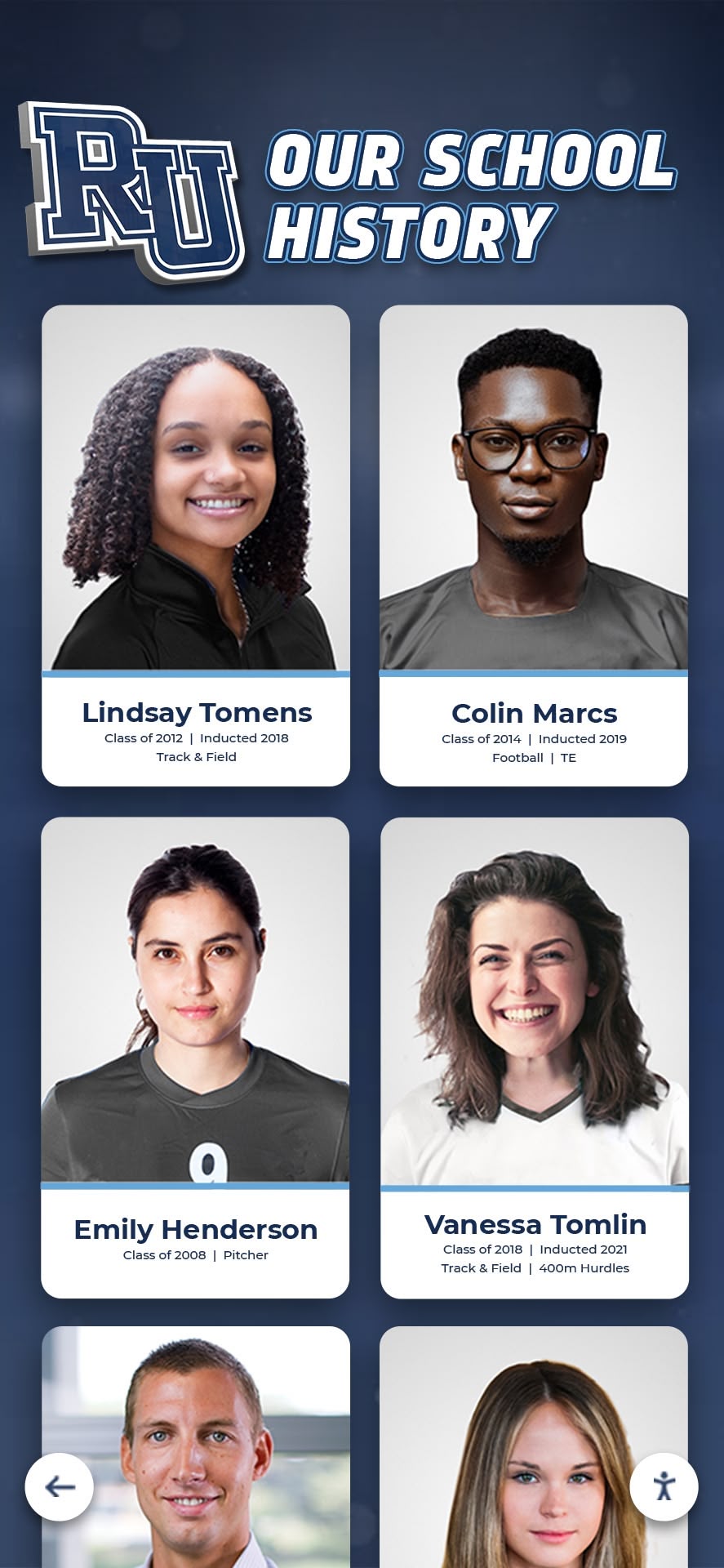




Schools, museums, cultural institutions, and organizations worldwide face a common challenge: how to preserve irreplaceable historical materials while making them accessible to researchers, stakeholders, and future generations. Physical records deteriorate, storage spaces fill up, and valuable institutional memory risks being lost forever. A digital history archive offers a solution that protects heritage while expanding access far beyond what traditional archival methods can achieve.
Digital history archives transform physical materials—yearbooks, photographs, manuscripts, artifacts, administrative records, and multimedia content—into searchable, secure digital collections. Unlike basic cloud storage or generic file repositories, purpose-built digital archiving platforms integrate preservation standards, metadata management, access controls, and discovery tools designed specifically for cultural and educational institutions.
A digital history archive serves multiple critical functions: preserving institutional memory against physical deterioration and disaster, enabling instant global access to historical materials, supporting research and education initiatives, strengthening community connections through shared heritage, and documenting organizational evolution for future planning. For schools specifically, digital archives support alumni engagement, fundraising efforts, educational programming, and recognition programs while protecting irreplaceable yearbooks, photographs, and achievement documentation.
This guide examines every aspect of digital history archives—from initial planning and material assessment through digitization workflows, platform selection, metadata creation, access system implementation, and ongoing preservation management. Whether your institution is beginning to explore digital archiving or seeking to expand existing programs, the strategies and frameworks presented here provide actionable pathways for protecting heritage while making history accessible.
Understanding Digital History Archives
A digital history archive represents more than simply scanning documents and storing files in the cloud. Professional digital archiving encompasses systematic processes, technical standards, and governance structures that ensure long-term preservation and accessibility.
Core Components of Digital Archives
Digitization Infrastructure: High-quality scanning equipment, standardized workflows, and quality control processes convert physical materials into digital formats suitable for long-term preservation. Professional digitization follows archival standards for resolution (minimum 600 DPI for preservation masters), file formats (TIFF uncompressed or high-quality JPEG), and color accuracy.
Content Management Systems: Specialized platforms organize, catalog, and provide access to digitized collections. Digital asset management systems designed for archives include features absent from generic storage solutions—hierarchical organization, complex metadata schemas, version control, and preservation planning tools.
Metadata and Discovery: Structured information describing archival materials—creators, dates, subjects, contexts, relationships—enables users to find relevant items within large collections. Professional metadata follows established standards including Dublin Core, MODS (Metadata Object Description Schema), or EAD (Encoded Archival Description).
Preservation Planning: Digital materials require active management to prevent loss through technology obsolescence, storage failure, or format migration needs. Comprehensive backup strategies, format monitoring, and migration planning ensure digital collections remain accessible as technology evolves.
Access Systems: Web portals, search interfaces, and discovery tools allow authorized users to locate and engage with archival materials. Access systems balance preservation needs with usability, implementing appropriate restrictions while maximizing discoverability.
Security and Permissions: Role-based access controls, authentication systems, and audit trails protect sensitive materials while enabling appropriate sharing. Archives containing student records, confidential documents, or culturally sensitive items require sophisticated permission structures.
Digital Archives vs. Generic Storage
Organizations sometimes assume that uploading files to Google Drive, Dropbox, or similar cloud storage constitutes digital archiving. While these services provide useful general-purpose storage, they lack critical features required for true archival preservation:
Preservation Standards: Generic storage platforms don’t enforce archival file format standards, resolution requirements, or metadata completeness that ensure long-term usability.
Discovery Tools: Folder-based organization and basic keyword search prove inadequate for large collections where users don’t know exact file names or folder locations. Professional archives implement faceted search, advanced filtering, and browsing by multiple dimensions (date range, material type, subject, creator).
Format Migration: As technology evolves, file formats become obsolete. Archival platforms monitor format viability and facilitate migration to newer formats before obsolescence makes content inaccessible. Generic storage provides no migration assistance.
Legal Compliance: Institutions operating under FERPA, HIPAA, copyright law, or cultural property regulations require specialized compliance features, audit trails, and access controls that generic storage platforms don’t provide.
Contextual Relationships: Archival materials gain meaning from relationships—letters exchanged over time, photographs documenting events, administrative records showing decision processes. Professional archives maintain and expose these relationships. Generic storage treats each file independently.
Planning Your Digital History Archive
Successful digital archives begin with comprehensive planning that assesses materials, defines objectives, establishes governance, and allocates resources realistically.
Institutional Assessment and Goal Setting
Before digitizing anything, clarify what you’re trying to achieve and what resources you have available.
Define Primary Objectives: Different institutions pursue digital archiving for varying reasons. Schools often prioritize alumni engagement, fundraising support, and recognition program integration. Museums emphasize public education and research access. Corporate archives typically focus on brand heritage and organizational memory. Understanding your primary objectives shapes every subsequent decision about scope, platform selection, access policies, and resource allocation.
Identify Stakeholder Needs: Different audiences use archives differently. Researchers require comprehensive metadata and contextual information. Alumni seek personal connections through yearbooks, photographs, and achievement recognition. Current students need materials supporting educational programming. Administrative users want efficient content management. Balancing these diverse needs within design and functionality choices ensures your archive serves institutional priorities effectively.
Assess Existing Collections: Conduct systematic inventory of physical materials requiring preservation. Most organizations discover they possess more historical content than initially realized—materials scattered across multiple locations, forgotten in storage, or held personally by long-serving staff. Comprehensive collection assessment reveals total scope, identifies high-priority materials facing deterioration risk, and enables realistic timeline and budget development.
Evaluate Current State: Document existing archival capabilities—storage conditions, cataloging systems, access procedures, staffing, and technical infrastructure. This baseline assessment identifies gaps requiring attention and capabilities upon which to build.
Material Prioritization Framework
Few institutions can digitize entire collections immediately. Strategic prioritization focuses limited resources on highest-value materials.
Preservation Risk Assessment: Prioritize materials facing immediate deterioration risk—photographs in poor condition, newspaper clippings on acidic paper, magnetic media nearing obsolescence, materials stored in inadequate environmental conditions. Digitization protects irreplaceable content before physical loss occurs.
Institutional Significance: Not all materials hold equal historical value. Prioritize content documenting founding history, significant events, major achievements, leadership succession, or institutional transitions. These materials provide greatest research value and generate strongest community interest.
Access Demand: Some materials generate consistent requests from alumni, researchers, or community members. Digitizing high-demand content delivers immediate user benefits while reducing staff time responding to repetitive requests. Archival preservation strategies help institutions protect and share yearbooks and photographs, which represent the most-requested archival resources at most schools.
Strategic Alignment: Consider how archival materials support broader institutional objectives. Schools planning fundraising campaigns prioritize materials documenting donor impact and institutional evolution. Organizations celebrating anniversaries focus on historical milestones and heritage documentation. Archives integrated with strategic initiatives secure stronger institutional support and resource allocation.
Feasibility Factors: Some materials present greater digitization challenges than others. Three-dimensional artifacts require specialized photography. Fragile items need careful handling. Oversized materials demand large-format scanners. Balancing preservation priorities with practical feasibility ensures progress rather than stalled projects.
Governance and Organizational Structure
Clear governance structures predict archival success more strongly than budget size.
Designated Responsibility: Assign specific individuals or positions with primary archival accountability. Even part-time designated responsibility (10-15 hours weekly) substantially improves outcomes compared to fully distributed volunteer models. Schools typically assign responsibility to librarians, advancement staff, or designated history coordinators.
Steering Committees: Cross-functional committees representing stakeholder perspectives guide major decisions. Effective committees include library/information services, IT/technology, advancement/development, administration, and faculty representatives. Alumni or community members bring external perspectives. Committees meeting quarterly review progress, resolve challenges, approve policies, and ensure archives serve diverse institutional needs.
Policy Documentation: Formal policies address collection scope (what materials will be acquired), digitization standards (technical specifications), access and privacy (what can be published), donor agreements (terms for accepting materials), and preservation procedures (backup and migration planning). Documented policies ensure consistency across personnel changes and provide frameworks for decision-making.
Staffing Models: Limited staffing represents the most common constraint facing school archives. Successful programs employ creative staffing approaches—part-time professional archivists, graduate student interns, community volunteers, student workers, or partnerships with local historical societies. The key is establishing clear responsibility rather than leaving archival work as everyone’s job but nobody’s priority.
Digitization Standards and Technical Specifications
Technical decisions made during digitization determine long-term preservation quality and usability.
Scanning Resolution and Quality Standards
Preservation Master Files: Archival standards recommend 600 DPI minimum resolution for preservation scanning. This resolution captures sufficient detail for all foreseeable uses while creating file sizes manageable within reasonable storage budgets. Many schools mistakenly scan at 300 DPI to save storage space, then face expensive re-digitization when low-resolution files prove inadequate for display or research purposes.
File Format Selection: TIFF uncompressed format represents the gold standard for preservation masters, maintaining complete image information without compression artifacts. However, TIFF files consume substantial storage (approximately 100-150 MB per yearbook page at 600 DPI). High-quality JPEG (90-95% quality setting) offers acceptable compromise for most educational institutions, reducing storage requirements by 85-90% while maintaining quality sufficient for preservation and access.
Color Accuracy: Professional digitization maintains color fidelity through calibrated equipment and controlled lighting. Color management proves particularly important for photographs, artwork, and materials where accurate color representation matters historically or aesthetically.
Derivative File Creation: Many institutions maintain both preservation master files (high resolution, uncompressed or minimally compressed) and access derivatives (lower resolution, optimized for web delivery). This two-tier approach balances preservation quality with practical usability and storage efficiency.

Metadata Creation and Standards
Digitization without metadata creates unusable collections where users cannot find relevant materials.
Minimum Viable Metadata: Even basic metadata dramatically improves discoverability. Minimum elements include title/description, date or date range, creator/contributor, material type, and subject keywords. This baseline information enables rudimentary searching and browsing.
Structured Metadata Schemas: Professional archives implement formal metadata standards. Dublin Core provides 15 core elements suitable for most institutional collections. MODS offers more granular description for complex materials. EAD supports hierarchical archival description following traditional archival principles. Selecting appropriate schemas depends on collection complexity, user needs, and available expertise.
Controlled Vocabularies: Consistent terminology improves discoverability. Rather than allowing free-form subject entry where similar concepts receive different terms (“athletics” vs “sports” vs “athletic programs”), controlled vocabularies establish standard terminology. Many institutions develop local vocabularies supplemented by external thesauri like Library of Congress Subject Headings.
Embedded vs. External Metadata: Some file formats support embedded metadata within files themselves (EXIF data in images, XMP metadata). External metadata exists in separate database or XML files. Professional workflows typically employ both—embedding basic information within files while maintaining comprehensive metadata externally in archival databases.
Digital Preservation Infrastructure
Scanning and storing files represents only the beginning of digital preservation.
The 3-2-1 Backup Rule: Digital preservation best practice requires three copies of files, on two different media types, with one copy stored offsite. This redundancy protects against hardware failure, disaster, theft, and other loss scenarios. Cloud storage services (Amazon S3, Microsoft Azure, Google Cloud) facilitate offsite backup inexpensively.
Storage Capacity Planning: Digital archival collections grow continuously. A single yearbook generates 3-8 GB when scanned at preservation quality. Photograph collections can reach hundreds of gigabytes. Comprehensive institutional archives commonly require 2-5 TB storage. Planning for multi-year growth prevents emergency situations where storage capacity is exhausted and content cannot be added until budget cycles provide expansion funding.
Format Migration Monitoring: File formats become obsolete as technology evolves. Archival programs monitor format viability and plan migration to newer formats before obsolescence makes content inaccessible. For instance, schools that scanned yearbooks to CD-ROM in the 1990s now face costly migration as CD readers disappear and discs deteriorate.
Checksum Verification: Digital files can corrupt silently through storage media degradation or transfer errors. Checksum algorithms (MD5, SHA-256) generate unique fingerprints for files, enabling automated verification that files remain unchanged over time. Professional digital preservation systems run regular checksum verification, alerting administrators to corruption requiring attention.
Platform Selection and Technology Infrastructure
Choosing appropriate technology platforms profoundly affects long-term archival success.
Platform Categories and Capabilities
Open-Source Archival Systems: Platforms like Omeka, CollectionSpace, and ArchivesSpace provide no-cost software with professional archival features. These solutions suit institutions with IT capacity to handle implementation, hosting, security, and ongoing maintenance. Technical expertise requirements represent the primary barrier for most schools.
Cloud Storage Services: Google Drive, Dropbox, Microsoft OneDrive offer inexpensive, familiar interfaces. While inadequate as complete archival solutions, cloud storage works for small pilot projects or supplementary backup. Schools with minimal budgets often begin with cloud storage, then migrate to purpose-built platforms as collections grow and limitations become apparent.
Digital Asset Management Systems: Enterprise DAM platforms (Adobe Experience Manager, Bynder, Widen) provide sophisticated features but involve substantial cost ($15,000-$100,000+ annually) and complexity requiring dedicated administration. These systems suit large universities or museums with significant IT resources and complex requirements.
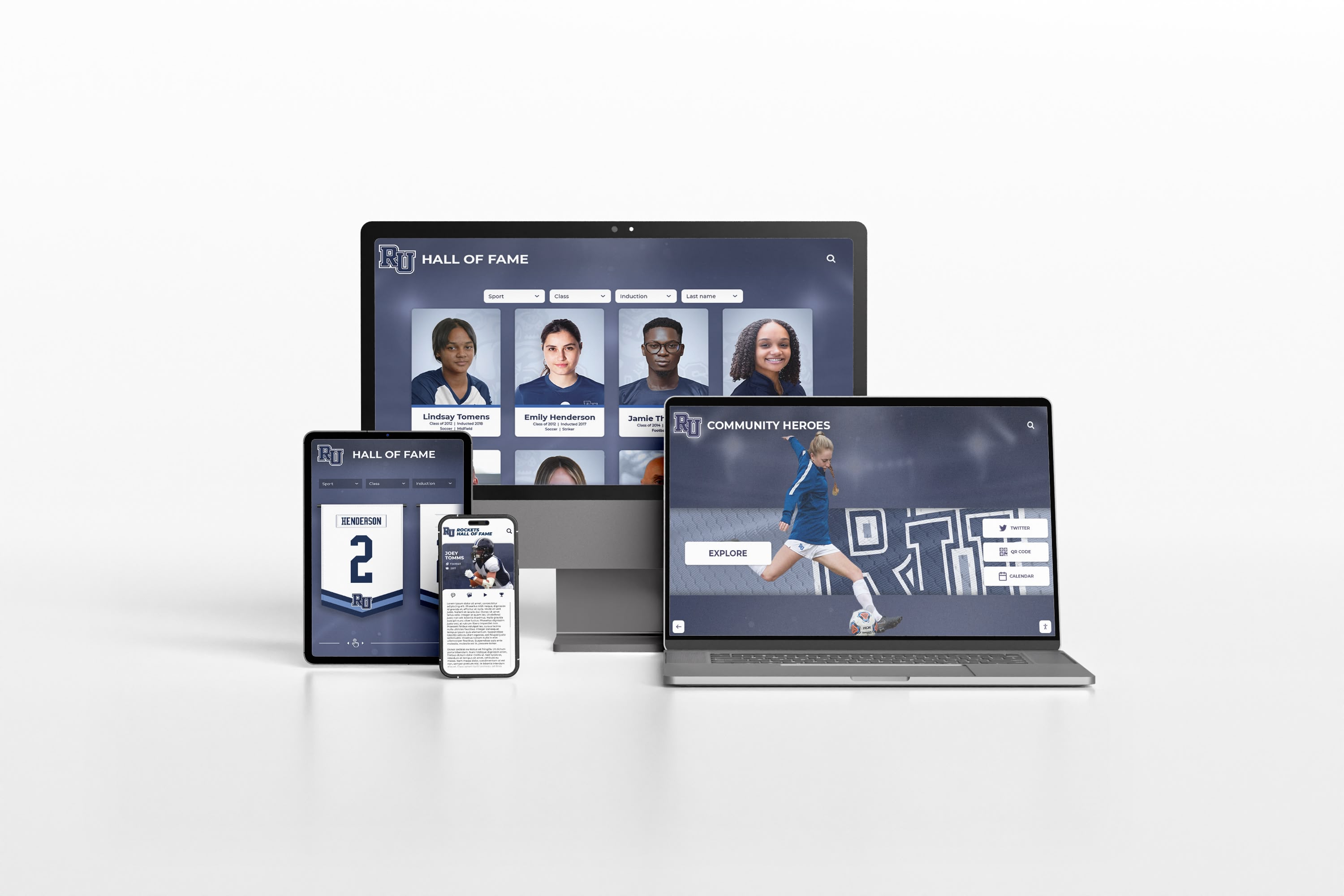
Purpose-Built Educational Platforms: Solutions designed specifically for school heritage and recognition (Rocket Alumni Solutions, specialized school systems) offer ready-to-use implementations combining archives, recognition, and interactive displays at moderate cost ($3,600-$18,000 annually for most schools). These platforms manage complexity internally, enabling schools without dedicated IT staff to implement professional digital archives.
Selection Criteria and Decision Framework
Technical Capacity Assessment: Evaluate available IT expertise and time. Can your team install and configure open-source software? Manage database administration? Handle security patches and updates? Institutions with limited technical capacity benefit from managed services or ready-to-use platforms where vendors handle infrastructure, security, and technical maintenance.
Functional Requirements Alignment: Map specific needs to platform capabilities. Required metadata sophistication, collection size and complexity, integration needs with existing systems, user experience expectations, and specialized features (interactive displays, recognition tools, educational programming support) all influence platform selection.
Total Cost of Ownership: Compare complete costs rather than just licensing fees. Open-source “free” software requires server hosting, IT administration time, and potentially consultant support for implementation. Managed platforms include higher licensing costs but eliminate infrastructure and administration expenses. Calculate 3-5 year total costs for realistic comparison.
Scalability Considerations: Collections grow over time. Platform capabilities adequate for initial pilot projects may prove limiting as collections expand to thousands of items. Evaluate whether platforms can accommodate growth or require costly migration to new systems when outgrown.
Vendor Stability and Support: For commercial platforms, assess vendor viability and support quality. How long has the company operated? What support channels exist? How frequently do they release updates? What happens to your data if the vendor ceases operations? Schools face genuine risk adopting platforms from unstable vendors where data migration becomes necessary.
Digitization Workflows and Implementation
Moving from planning to execution requires systematic workflows balancing quality, efficiency, and budget constraints.
In-House vs. Professional Digitization Services
In-House Digitization: Performing scanning internally provides greater control over timelines, priorities, and workflows. Initial equipment investment (scanners, computers, software) averages $6,400-$8,900 for comprehensive capability. Operating costs include staff time (approximately 18 hours per 1,000 yearbook pages including preparation, scanning, and quality control) and supplies (storage media, archival materials handling). In-house approaches work well for ongoing digitization of current materials and when staff time is available.
Professional Digitization Services: Outsourcing to specialized vendors accelerates completion dramatically. Professional services cost $0.40-$1.20 per page for yearbooks and documents, $0.25-$0.75 per photograph depending on quantity and complexity. Services handle pickup, scanning, metadata creation, and digital file delivery. While per-item costs exceed in-house expenses, professional services eliminate equipment investment, reduce staff time requirements, and deliver faster completion. Many schools employ hybrid models—professional services for large backlog digitization, in-house scanning for ongoing current materials.
Hybrid Approaches: Combining strategies balances cost and timelines. Use professional services to digitize the largest, most labor-intensive collections (complete yearbook runs, extensive photograph collections). Build in-house capability for smaller projects and ongoing digitization. This approach provides immediate results through professional services while developing internal capacity for sustainable operations.
Quality Control and Verification
Digitization quality directly affects long-term archive usability.
Technical Quality Checks: Verify every digitized file meets specified resolution, color accuracy, format, and file naming standards. Automated checking tools can verify many technical specifications, flagging files requiring remediation. Manual review catches scanning artifacts—skewed pages, shadows, missing content—that automated tools cannot detect.
Metadata Validation: Ensure metadata completeness and accuracy. Required fields must contain appropriate information. Dates follow consistent formats. Controlled vocabulary terms are spelled correctly. Names use standardized forms. Quality metadata determines whether users can find relevant materials, so validation cannot be skipped.
User Acceptance Testing: Before large-scale production, digitize small sample sets and test usability with representative users. Can alumni find their graduation year yearbooks? Can researchers locate photographs by subject? Do access interfaces work on mobile devices? User testing identifies issues requiring correction before investing in mass digitization.
Iterative Improvement: Few institutions perfect workflows immediately. Beginning with pilot projects allows learning, refinement, and optimization before tackling comprehensive collections. Schools that start small, assess results, adjust procedures, and then scale up achieve better outcomes than those attempting comprehensive projects without testing approaches first.
Access Systems and User Experience
Creating digital archives means little if users cannot discover and engage with content effectively.
Search and Discovery Functionality
Keyword Search: Basic text search across titles, descriptions, and metadata represents minimum functionality. Advanced search supporting Boolean operators (AND, OR, NOT), phrase searching, and wildcards enables sophisticated queries for experienced researchers.
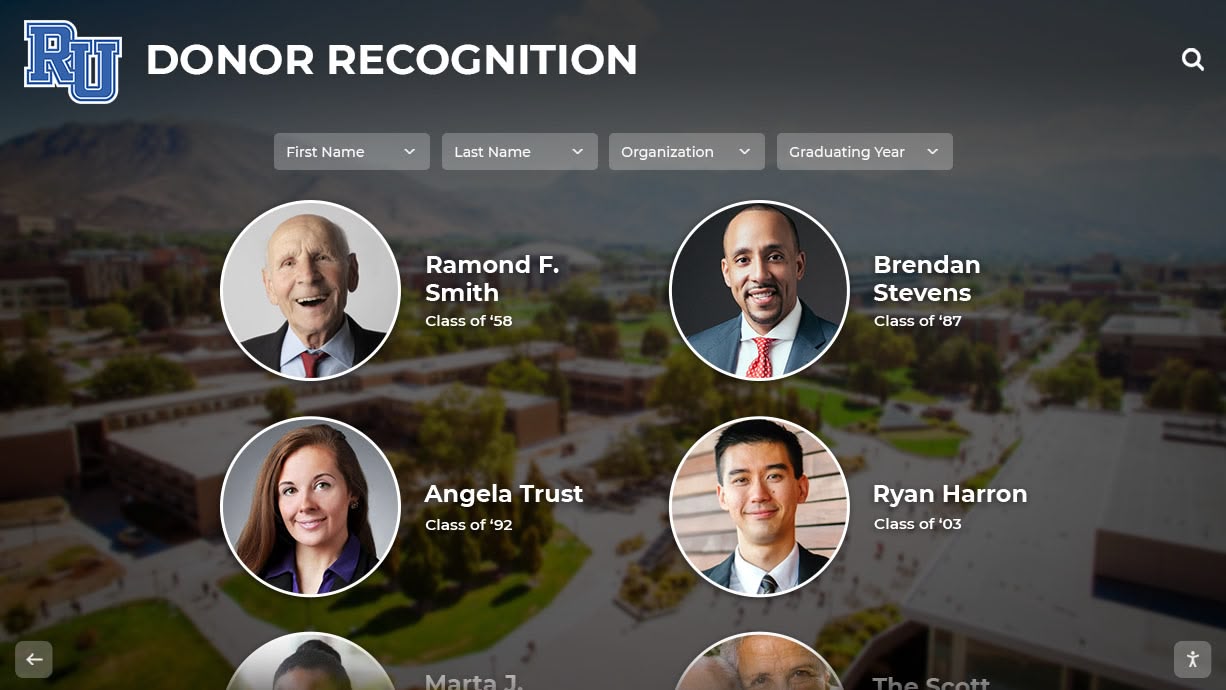
Faceted Browsing: Filters allowing users to narrow results by date range, material type, subject, creator, or other dimensions improve discoverability. Faceted search proves particularly valuable for exploratory browsing where users don’t know exactly what they seek.
Visual Browsing: Thumbnail grid views allow rapid visual scanning of photographs and other image-heavy collections. Timeline views present materials chronologically. Map-based browsing connects content to geographic locations. Visual approaches complement text search for different user behaviors and content types.
Related Content Recommendations: Algorithms suggesting related materials based on current item views help users discover connections. A yearbook might link to photographs from that year, athletic achievements, or administrative records documenting events. These connections enrich user experiences and surface materials users wouldn’t locate through search alone.
Access Policies and Privacy Considerations
Balancing open access against privacy, copyright, and institutional concerns requires careful policy development.
FERPA Compliance: Schools must protect student privacy under FERPA regulations. Materials containing grades, discipline records, or other sensitive information cannot be publicly accessible. Many institutions restrict access to materials less than 75 years old, provide access only to authenticated alumni, or redact sensitive information before publication. Academic recognition programs designed for educational contexts include built-in privacy controls addressing FERPA requirements.
Copyright Considerations: Yearbooks, photographs, and documents often involve complex copyright questions. Material created by external photographers or publishers may require permission for online publication. Many schools restrict digital archives to authenticated community members rather than fully public access, relying on fair use principles for educational and archival purposes. Consulting legal counsel about copyright policies appropriate to your specific collections and use cases is advisable.
Cultural Sensitivity: Archives containing materials related to indigenous peoples, sacred objects, or culturally sensitive subjects require consultation with relevant communities about appropriate access and use. Some materials may warrant restricted access or should not be digitized without community permission.
Tiered Access Models: Implementing multiple access levels addresses competing interests. Fully public access for non-sensitive historical materials maximizes discoverability. Authenticated access for community members (alumni, employees) balances reasonable access with privacy protection. Restricted access for researchers or by appointment protects genuinely sensitive materials while permitting legitimate scholarship.
Educational and Institutional Applications
Digital history archives deliver maximum value when integrated with broader institutional programs rather than existing as isolated repositories.
Alumni Engagement and Advancement
Archives strengthen alumni connections in multiple ways.
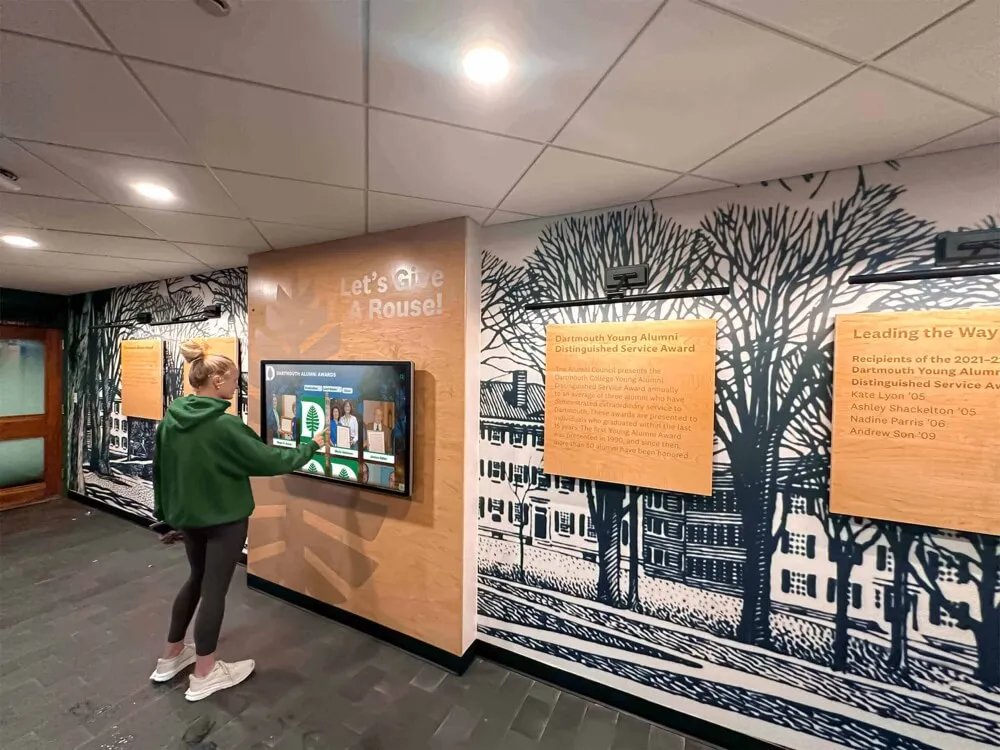
Reunion Programming: Class reunion events provide ideal opportunities for historical engagement. Curated digital displays featuring yearbooks, photographs, and memorabilia from specific graduation years create powerful nostalgic experiences. Schools with interactive touchscreen displays report reunion attendees spend extended time exploring historical content, strengthening emotional connections to institutions.
Social Media Content: Historical photographs, achievement highlights, and anniversary retrospectives generate strong engagement on social media platforms. “Throwback Thursday” posts mining archival collections for interesting visual content keep institutional history visible. Alumni consistently tag themselves, share memories, and reconnect with classmates around historical content.
Fundraising Context: While archives don’t directly cause donations, advancement professionals report that historical materials support donor cultivation conversations. Heritage-focused campaigns incorporate archival materials showing institutional evolution and donor impact across generations. Archives demonstrating careful stewardship of institutional heritage signal to potential donors that their contributions will be respected and remembered.
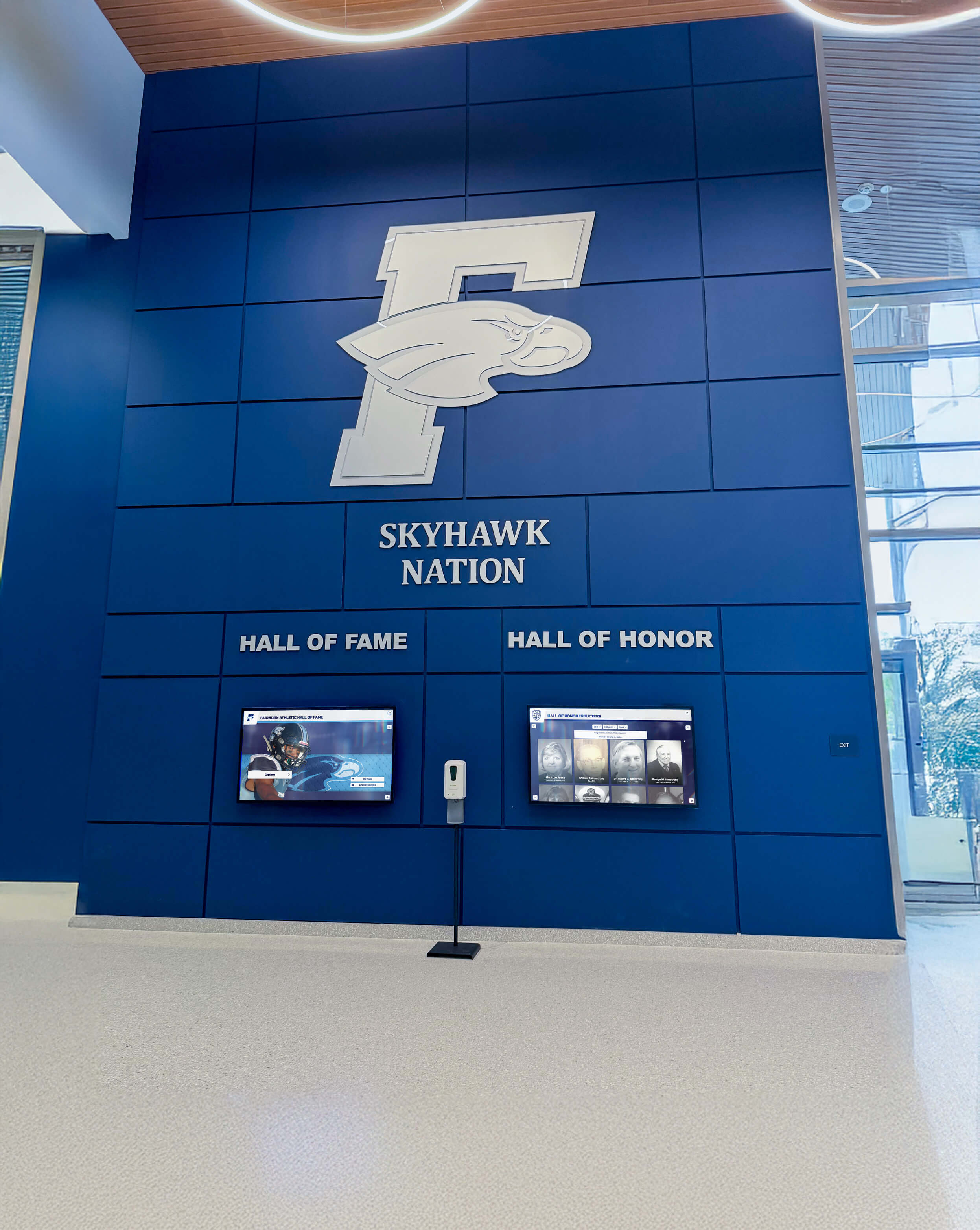
Recognition Program Integration: Schools combining digital archives with recognition programs achieve cost efficiencies and functional synergies. Historical achievement documentation enriches contemporary recognition. Recognition databases feed continuously into growing archives. Purpose-built platforms integrating both functions eliminate redundancy and reduce total costs compared to separate systems.
Educational Programming and Curriculum Integration
Archives supporting curriculum provide additional value justification beyond preservation.
Primary Source Research: Historical materials provide authentic primary sources for student research projects. History, English, and social studies classes use archival content examining local history, biographical research, or documentary analysis. Students gain research skills while engaging meaningfully with institutional heritage.
Student Contributions: Involving students in archival projects creates sustainable workflows while building connections to heritage. Students can digitize materials, create metadata, research historical questions, interview alumni, or curate digital exhibits. These projects develop technical and research skills while contributing substantively to institutional archives.
Institutional History Units: Schools can serve as case studies for broader historical contexts. Examining how wars affected enrollment, analyzing demographic changes reflected in yearbooks, studying architectural evolution, or investigating how social movements influenced policies makes abstract history concrete and personally relevant to current students.
Community Connections: Public history projects contributing school archival materials to broader community collections, collaborative exhibitions, or local history publications extend institutional reach and embed school history within community narratives.
Museum and Cultural Institution Applications
Beyond schools, digital archives serve diverse institutional types.
Exhibition Support: Interactive museum displays draw from digital collections to create dynamic exhibitions. Rather than static displays constrained by physical space, digital systems present unlimited content, rotate featured items, and personalize experiences based on visitor interests.
Research Access: Scholars require comprehensive access to collections for serious research. Digital archives with robust metadata enable researchers worldwide to locate relevant materials without traveling to physical repositories. Remote research access particularly benefits researchers from underrepresented groups who may lack funding for archival travel.
Cultural Preservation: Indigenous communities, cultural organizations, and diaspora groups use digital archiving to preserve endangered languages, traditional knowledge, oral histories, and cultural practices. These archives serve preservation, educational, and revitalization functions while maintaining cultural authority over sacred or sensitive materials.
Corporate Heritage: Businesses digitize historical materials documenting organizational evolution, product development, marketing history, and brand heritage. Corporate archives support marketing campaigns, anniversary celebrations, employee engagement, and strategic planning by providing historical context for decision-making.
Challenges, Solutions, and Best Practices
Anticipating common obstacles and implementing proven solutions increases archival success likelihood.
Resource Constraints and Sustainable Approaches
Phased Implementation: Rather than attempting comprehensive digitization exceeding organizational capacity, successful programs implement phases aligned with available resources. Begin with highest-priority materials (recent yearbooks, materials at risk, high-demand content). Expand systematically over multiple years as resources allow and workflows optimize. Schools following phased approaches report 89% sustained implementation compared to 34% for those attempting comprehensive single-phase projects.
Volunteer and Community Engagement: Limited paid staffing doesn’t preclude progress. Retired faculty, alumni volunteers, community members, and student workers contribute substantial labor when properly organized and supervised. Volunteer programs require clear direction, appropriate training, and realistic task assignment, but can accomplish significant digitization and metadata work without paid staff resources.
Grant Funding: External grants support archival projects. State historical societies, library systems, and private foundations fund digitization initiatives, particularly for materials with research value or community significance. Grant applications require time investment but can provide funding enabling projects otherwise infeasible within operating budgets.
Partnerships and Collaborations: Regional consortia, local historical societies, university special collections, and professional archival organizations provide expertise, resources, and shared infrastructure reducing individual institutional burdens. Collaborative approaches particularly benefit smaller institutions lacking specialized capabilities.
Technical Challenges and Practical Solutions
Dispersed and Disorganized Materials: Archival materials often scatter across multiple locations in varying conditions. Conduct systematic surveys identifying all material locations. Centralize collections in dedicated archive spaces with appropriate environmental storage. Implement basic cataloging even if professional archival processing isn’t immediately possible.
Expertise Gaps: Few schools employ professional archivists. Partner with local historical societies or university archives for guidance and training. Professional archival associations offer workshops, webinars, and consultations. While full professional processing may be unattainable, basic archival principles dramatically improve outcomes over completely unguided approaches.
Technology Complexity: Digital preservation presents genuine technical challenges. Cloud-based platforms providing managed infrastructure eliminate local server administration burdens. Following established standards and best practices reduces risk even without deep technical expertise. Purpose-built platforms designed for non-technical users make professional digital archiving accessible to institutions without IT departments.
Quality vs. Completion Balance: Pursuing perfect archival processing prevents progress. Accept that initial metadata may be basic and enhanced later. Begin with preservation scanning even if detailed cataloging is delayed. Prioritize “good enough to be usable” over “perfect but incomplete.” Incremental improvement proves more valuable than indefinite delay pursuing unattainable perfection.
Measuring Success and Demonstrating Value
Quantifying archival impact helps justify continued investment.
Usage Analytics: Track website visits, search queries, item views, user sessions, and return visits. Usage data demonstrates that archives are being accessed and identifies popular content types informing future priorities. Schools with analytics-enabled platforms report mean monthly engagement of 1,200-2,800 archive interactions depending on size and promotion efforts.
Operational Efficiency: Digital archives reduce staff time responding to information requests. Rather than manually locating materials and making copies, staff direct users to online archives for self-service access. Schools report 70-80% reductions in time spent on archival reference services after implementing digital access.
Educational Applications: Document curriculum integration instances, student research projects using archives, and teacher satisfaction with materials. Quantify avoided costs for field trips, database subscriptions, or resource purchases replaced by archival access.
Community Engagement: Track media mentions, social media engagement with historical content, attendance at history-focused events, and feedback from alumni and community members. Qualitative testimonials provide compelling evidence of impact beyond quantitative metrics.
Preservation Outcomes: Document materials preserved that were previously at risk, space reclaimed from physical storage, and avoided disaster losses through digital redundancy. While preservation prevents loss rather than creating visible gains, framing these outcomes positively demonstrates archive value.
Future Directions and Emerging Technologies
Digital archiving continues evolving as technology capabilities expand.
Artificial Intelligence Applications
AI technologies are beginning to transform archival workflows.
Automated Metadata Generation: Machine learning algorithms analyze images and documents to suggest metadata elements—object and scene recognition in photographs, text extraction from documents via OCR, face detection for identifying individuals, and date estimation from visual characteristics. While requiring human verification, AI reduces manual metadata creation time by 40-50%.
Enhanced Search Capabilities: Natural language processing enables conversational search queries (“show me basketball championships from the 1980s”). Visual similarity search finds photographs resembling selected images. Automatic transcription makes audio and video content searchable by spoken words.
Preservation Automation: AI assists format migration planning, quality control, duplicate identification, and predictive storage failure alerts, reducing preservation management time and improving reliability.
Extended Reality and Immersive Experiences
Some institutions explore augmented and virtual reality for archival engagement.
Augmented Reality Integration: Mobile applications overlay historical photographs on current physical spaces, display contextual information when scanning displays, and create virtual tours revealing historical context about buildings and locations.
Virtual Reality Exhibitions: Immersive environments allow users to explore recreated historical spaces, experience historical events from first-person perspectives, and interact with three-dimensional models of artifacts and buildings.
While technical requirements and costs currently limit adoption to well-resourced experimental programs, these technologies may become more accessible as capabilities mature and costs decrease.
Distributed and Collaborative Archives
Network-based approaches offer promising directions.
Crowdsourced Contributions: Platforms enabling community members to contribute photographs, stories, and memories expand collections beyond official institutional holdings while building engagement. Successful crowdsourcing requires clear contribution guidelines, moderation workflows, and proper rights management.
Linked Open Data: Connecting institutional archives to broader networks through standardized data formats enables discovery across repositories. A researcher studying regional history might discover relevant materials across multiple institutional collections through federated search rather than separately querying each institution.
Preservation Networks: Regional consortia sharing storage infrastructure, expertise, and resources strengthen preservation while reducing individual institutional costs. Collaborative approaches particularly benefit smaller institutions gaining access to capabilities beyond their independent means.
Conclusion: Building Archives That Serve the Future
Digital history archives represent significant undertakings requiring sustained commitment, systematic planning, and realistic resource allocation. Yet institutions implementing thoughtful digital archiving programs find that heritage preservation delivers returns far exceeding costs—protecting irreplaceable institutional memory, strengthening community connections, supporting educational missions, enabling global research access, and honoring achievements across generations.
Success doesn’t require massive budgets or specialized expertise. Schools and cultural institutions of all sizes can develop functional digital archives by starting with manageable pilot projects, following professional standards adapted to available resources, leveraging purpose-built platforms matching institutional capacity, integrating archives with broader programs, and building systematically through sustained multi-year efforts.
The archival materials your institution preserves today will serve researchers, educators, and community members for centuries. Photographs taken decades ago become invaluable historical documentation. Yearbooks document educational practices and student life. Administrative records reveal decision processes and institutional evolution. Athletic achievements inspire future competitors. Every item preserved represents another thread in the narrative fabric connecting past, present, and future.
Whether beginning initial archival planning or seeking to enhance existing programs, the frameworks and strategies presented in this guide provide pathways for protecting heritage while making history accessible. Begin wherever your resources allow—perhaps by inventorying existing materials, digitizing a single yearbook run, or implementing a basic content management system. What matters is beginning deliberately and building systematically, ensuring that your institution’s irreplaceable history receives the preservation and accessibility it deserves.
For schools ready to implement comprehensive digital solutions combining archival preservation, interactive displays, and recognition programs, platforms like Rocket Alumni Solutions provide purpose-built tools specifically designed for educational institutions. These systems make professional digital archiving accessible to schools regardless of technical expertise, transforming heritage preservation from daunting challenge to achievable reality.






























