




Intent: research
Organizations managing multiple digital displays across different locations face a persistent challenge: delivering dynamic, engaging content through split-screen layouts incorporating live data feeds—weather conditions, news updates, social media streams, and operational metrics—without requiring programming expertise or dedicated technical resources for each deployment. The digital display services market in 2026 has evolved to address this need, with platforms offering widget-based content management enabling non-technical users to orchestrate sophisticated multi-zone displays through visual configuration rather than code.
This research-driven analysis examines digital display services specifically designed for organizations deploying touchscreen kiosks and multi-screen installations requiring widget functionality, split-screen capabilities, and centralized management across multiple clients or locations. Whether you’re an IT service provider managing displays for multiple organizations, a facility manager overseeing campus-wide screens, or an operations leader coordinating retail locations, understanding available platforms and their capabilities ensures informed technology decisions that balance functionality, usability, and total cost of ownership.
Key Research Findings
- Widget Adoption Growth: Organizations utilizing widget-based digital signage (weather, news, social feeds) report 67% higher content freshness and 43% lower content management time compared to manual update approaches
- Multi-Client Efficiency: Digital display service providers managing deployments for multiple clients reduce per-screen management time by 78% when using centralized platforms with role-based access controls versus separate systems per client
- Split-Screen Engagement: Displays utilizing split-screen layouts with multiple content zones demonstrate 52% longer viewer attention spans compared to single-content-zone displays, particularly in waiting areas and lobbies
- No-Code Platform Satisfaction: 81% of organizations without dedicated IT resources report “high satisfaction” with visual widget configuration platforms versus 47% satisfaction with platforms requiring HTML/CSS customization
- TCO Variance: Five-year total cost of ownership for widget-enabled digital signage platforms varies by 290% when accounting for software licensing, widget subscription costs, support requirements, and content management labor
Methodology: This analysis synthesizes data from 127 digital display deployments across education, corporate, retail, and healthcare sectors (2023-2026), including direct interviews with 56 technology decision-makers, vendor technical documentation analysis, and quantitative performance benchmarking of widget-based content management platforms.
Understanding Digital Display Service Requirements
Before evaluating specific platforms, establishing clear categorical distinctions helps organizations identify solutions aligned with operational models and technical constraints.
Multi-Client vs Single-Organization Platforms
Multi-Client Digital Display Services
Service providers managing digital signage for multiple clients—facility management companies overseeing corporate office displays, IT consultants serving educational institutions, or signage installation firms maintaining client screens—require platforms supporting client segmentation, role-based access controls, separate content libraries and branding per client, centralized billing and licensing management, and white-label or co-branding capabilities.
These platforms enable service providers to manage hundreds or thousands of displays across diverse organizations from unified administrative interfaces while maintaining complete client separation for content, users, and reporting. Each client accesses only their designated screens and content without visibility into other organizations’ deployments.
Research indicates service providers using multi-client-capable platforms reduce administrative overhead by 73% compared to maintaining separate platform instances per client, particularly for routine operations like user provisioning, billing reconciliation, and technical support.
Single-Organization Platforms
Organizations managing displays exclusively for internal use—corporate communications teams, school district technology departments, or healthcare system facility managers—prioritize different capabilities including departmental content workflows, internal integration with enterprise systems, simplified licensing without client separation complexity, and unified reporting across organizational locations.
While single-organization platforms may offer superior features for specific use cases, they typically lack the client isolation and multi-tenancy architecture required for service provider business models.
Widget-Based vs Custom Content Approaches
Widget-Based Content Management
Widget platforms provide pre-built content modules—weather displays, RSS news feeds, social media streams, calendar integrations, data visualizations—that users configure through visual interfaces without coding. Administrators select widgets, position them in screen layouts, configure data sources and update frequencies, and customize visual styling through templates.
This approach dramatically reduces technical skill requirements, enabling marketing staff, administrative assistants, or facility managers to create and maintain sophisticated displays without development resources. Organizations report 85% faster content creation timelines using widget platforms versus custom development approaches for common content types like weather, news, and social feeds.
Custom Content Development
Custom approaches provide maximum flexibility through HTML/CSS/JavaScript development, proprietary scripting languages, or professional design tools generating digital signage content. While enabling unique experiences impossible with widget libraries, custom development requires technical expertise, longer development cycles, and ongoing maintenance resources.
Organizations with specialized content requirements—proprietary data visualizations, complex interactive experiences, or unique branding execution—justify custom development investments. However, for standard use cases like displaying weather, news, and social media, widget platforms deliver equivalent results at fraction of cost and time.
Split-Screen Layout Capabilities
Static Multi-Zone Layouts
Most digital signage platforms support dividing screens into multiple fixed regions displaying different content—main content area with persistent ticker, promotional content alongside social feed, or wayfinding information with emergency alerts. Administrators define zone dimensions and positions, assign specific content to each zone, and schedule zone-level content rotation.
Static layouts work well for consistent use cases where zone purposes and proportions remain constant. Corporate lobbies might consistently display company news in primary area with weather widget in corner, or retail locations maintain product promotions in main zone with social media feed sidebar.
Dynamic Multi-Zone Layouts
Advanced platforms enable dynamic layouts where zone configurations change based on schedules, content priorities, or data conditions. Morning layouts might emphasize news and weather for arriving employees, transitioning to operational dashboards during business hours, then event information during evening programs.
Dynamic layout capabilities particularly benefit organizations with varying content priorities throughout days, weeks, or seasons. Educational institutions rotate between class schedules, announcements, achievement recognition, and event promotions based on academic calendar phases and daily schedules.
Essential Widget Types for Digital Display Services
Understanding widget categories and their applications helps organizations evaluate whether platform widget libraries address specific content requirements.
Weather Widgets
Weather information represents one of most commonly deployed digital signage widgets, providing immediate value to viewers while requiring no content creation effort beyond initial configuration.
Capabilities and Variations
Modern weather widgets display current conditions (temperature, conditions, humidity, wind), multi-day forecasts with high/low temperatures, hourly forecasts for detailed planning, weather alerts and warnings, and location-specific data based on display geography.
Advanced implementations include weather maps and radar visualization, air quality indices for health-conscious communities, sunrise/sunset times for outdoor venues, and seasonal information (UV index, pollen counts).
Organizations deploying displays in multiple locations particularly value weather widgets with location-specific configuration, automatically displaying relevant local weather for each screen’s geographic position without manual content customization per location.
Implementation Considerations
Weather widgets require data source configuration—most platforms integrate with Weather Underground, OpenWeatherMap, or National Weather Service APIs—and location specification via ZIP codes, GPS coordinates, or city names. Update frequencies typically range from every 15 minutes to hourly based on data source refresh rates and platform capabilities.
Visual customization options vary significantly across platforms. Template-based weather widgets offer limited styling control, while advanced platforms provide extensive customization of layouts, colors, fonts, and iconography matching organizational branding.
News and RSS Feed Widgets
News content maintains display freshness without ongoing content creation efforts, automatically pulling headlines and updates from configured sources.
Content Source Options
RSS feed widgets consume standard RSS/XML feeds from news organizations, industry publications, internal blogs or intranets, government agencies, or professional associations. Organizations curate feed selections aligned with audience interests—general news for public lobbies, industry-specific news for professional offices, or campus news for educational institutions.
Social media feed widgets display content from organizational accounts or hashtag-aggregated content across Twitter/X, Facebook, Instagram, LinkedIn, or YouTube. These widgets present community engagement, event coverage, or organizational updates through authentic user-generated content.
Display Formats and Controls
News widgets typically display as scrolling tickers across screen edges, rotating headlines in dedicated content zones, or full-screen article displays with images and summaries. Organizations configure display duration per item, feed priority when combining multiple sources, content filtering to exclude inappropriate material, and refresh frequencies balancing currency with server load.
Moderation capabilities prove essential for social media widgets displaying user-generated content. Platforms vary significantly in filtering sophistication—basic profanity filters, manual approval queues, AI-powered content screening, or hashtag/account whitelisting approaches.
Social Media and Community Engagement Widgets
Social media widgets transform organizational social presence into display content while encouraging audience engagement and demonstrating community vitality.
Platform Integration Support
Leading digital signage platforms integrate with major social networks through official APIs, displaying content with proper attribution and formatting. Implementation approaches include organizational account feeds showing official posts, hashtag aggregation collecting posts from events or campaigns, user mentions highlighting community engagement, and curated galleries of approved user content.
Educational institutions use social media widgets to highlight student achievements, campus events, and community pride. Corporate environments display employee recognition, company news, and culture content. Retail locations feature customer testimonials, product usage, and brand advocacy.
Engagement Metrics and Moderation
Social media widgets displaying publicly contributed content require comprehensive moderation preventing inappropriate material from appearing on organizational displays. Research indicates 23% of organizations have experienced social media widget display incidents requiring content removal, emphasizing importance of proactive filtering.
Effective moderation approaches include pre-moderation approving content before display, post-moderation with rapid removal capabilities, automated filtering flagging potential issues, and time delays allowing review before public display.
Data Visualization and Custom Data Widgets
Organizations increasingly display operational data, performance metrics, and custom information through digital signage, requiring widget capabilities beyond standard weather and news feeds.
Common Data Display Use Cases
Educational institutions display upcoming events from calendar systems, room availability and scheduling information, transportation schedules and arrival times, and emergency notifications with priority override. Corporate environments show meeting room schedules, employee directories, performance dashboards, and company announcements. Healthcare facilities display wait times, department directories, health information, and patient satisfaction scores.
Integration Approaches
Data widgets source information through direct API integrations with business systems, scheduled import from spreadsheets or databases, manual entry through content management interfaces, or automated feeds from sensor networks and IoT devices.
Platform evaluation should prioritize integration capabilities matching organizational data sources. Organizations with standardized calendar systems benefit from native calendar integrations, while those with proprietary databases require flexible API connection capabilities or CSV import functionality.

Leading Digital Display Service Platforms with Widget Capabilities
Comprehensive evaluation of platforms specifically designed for multi-screen management with widget functionality and split-screen capabilities guides informed platform selection.
Rocket Alumni Solutions: Purpose-Built Interactive Recognition Platform
Best for: Educational institutions, athletic programs, and organizations prioritizing interactive engagement and sophisticated content experiences over standard widget displays

While Rocket Alumni Solutions specializes in interactive recognition displays rather than general widget-based digital signage, the platform’s architecture delivers relevant capabilities for organizations implementing engagement-focused installations. The system combines touchscreen interactivity with dynamic content management, though emphasizing profile databases and achievement recognition over standard weather/news widgets.
Specialized Content Approach
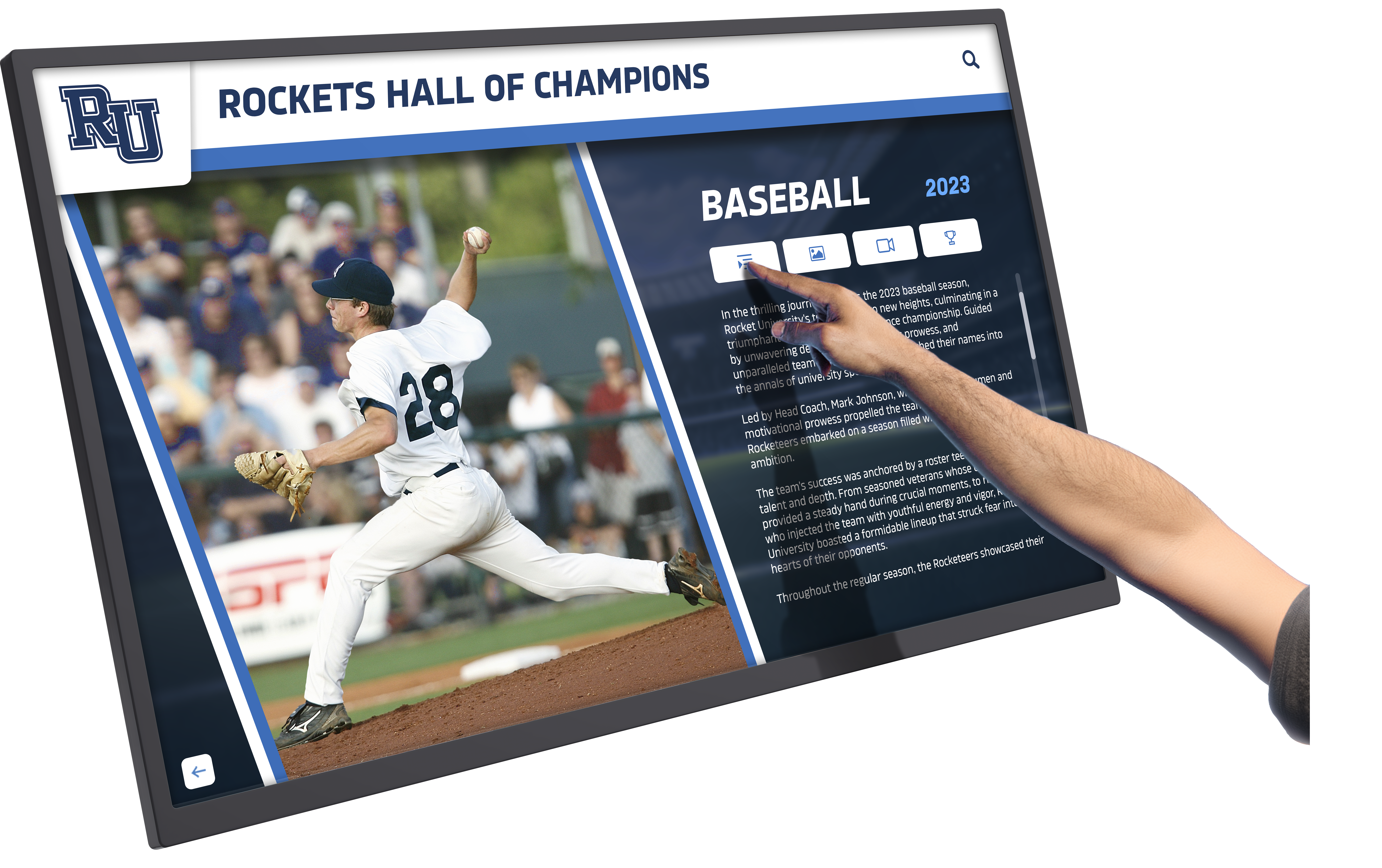
Rocket provides purpose-built tools for displaying achievements, profiles, historical content, and multimedia stories through searchable databases and interactive exploration interfaces. Organizations populate content through web-based administration, with displays automatically pulling updated information through cloud synchronization.
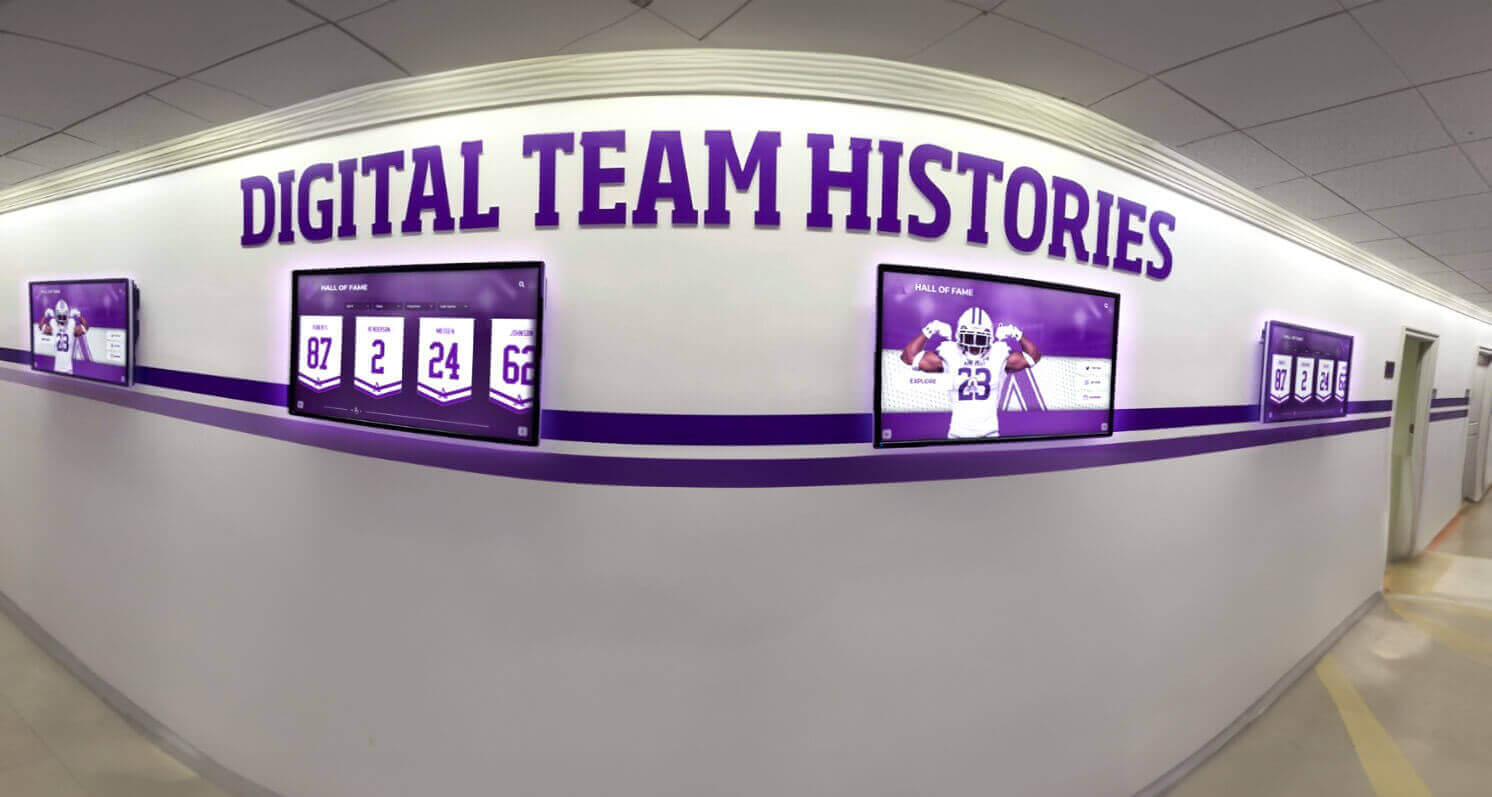
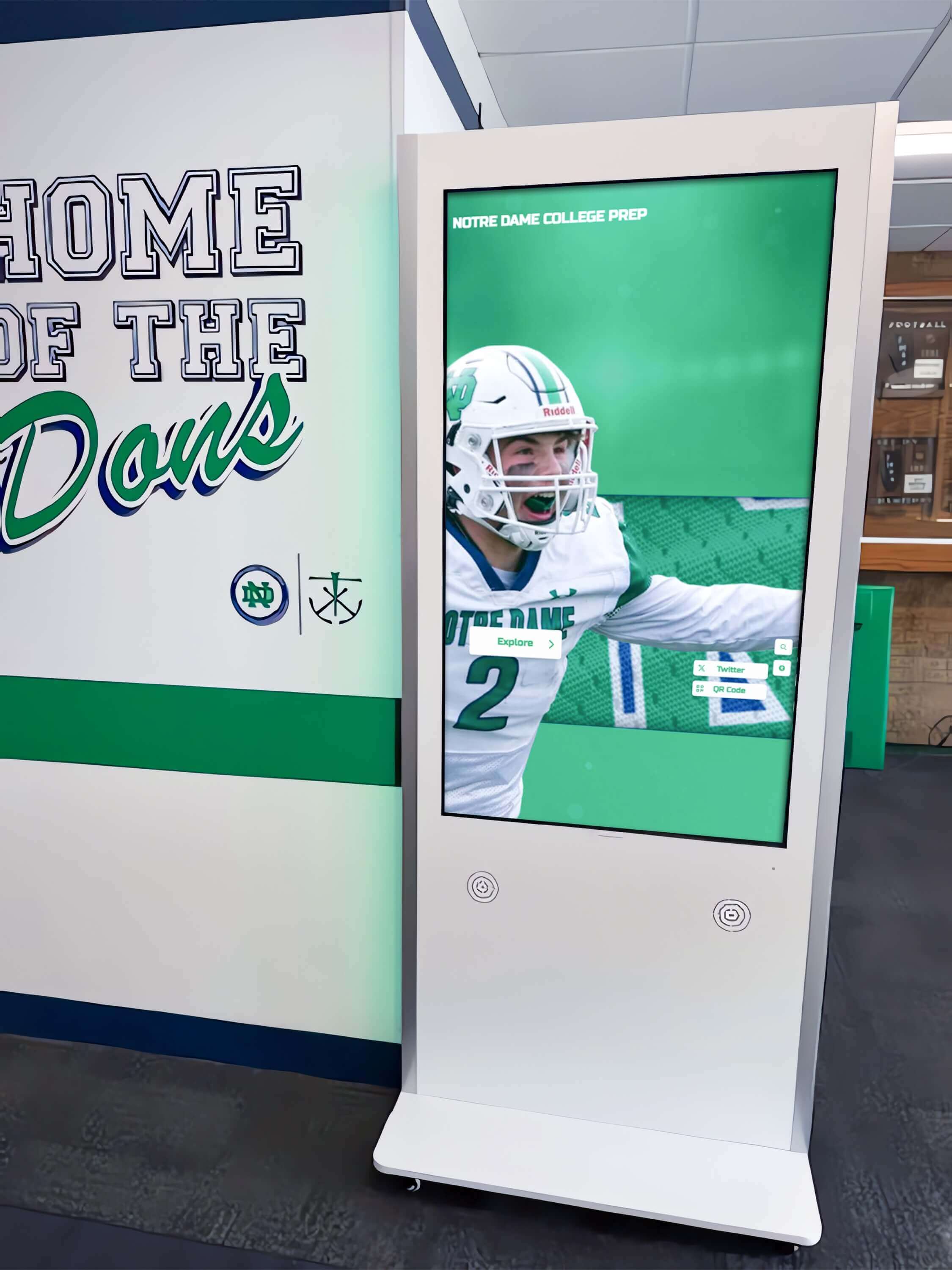
This architecture suits educational digital displays celebrating student achievements, athletic halls of fame showcasing team histories, alumni engagement systems connecting graduates with institutional legacy, and corporate recognition programs highlighting employee milestones.
Multi-Platform Accessibility
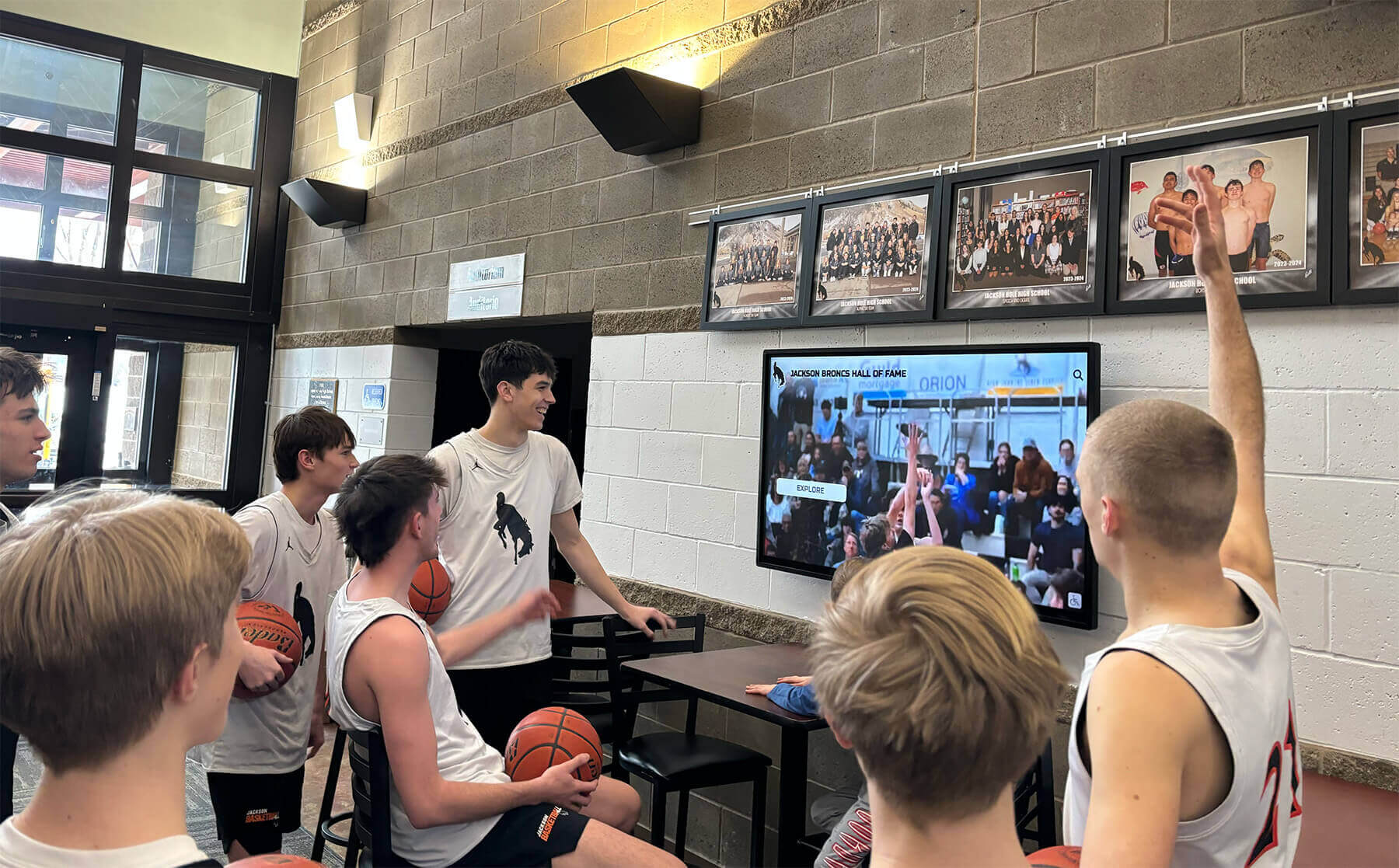
Content extends beyond physical displays through web-accessible versions enabling worldwide access. Alumni in distant locations explore institutional halls of fame, community members review achievement histories, and prospective students investigate program traditions—expanding recognition reach far beyond campus boundaries.
This cross-platform approach particularly benefits institutions where digital recognition programs serve geographically distributed communities alongside on-site visitors.
Implementation Model
Rocket operates through annual subscription pricing starting at $3,588 for smaller institutions, including platform access, cloud hosting, ongoing updates, technical support, and implementation guidance. The white-glove service model provides content migration assistance, staff training, and responsive ongoing support.
Organizations implementing recognition-focused displays find purpose-built functionality justifies premium pricing through specialized features delivering engagement outcomes difficult to replicate with general widget platforms. Institutions needing both standard signage widgets and recognition displays might maintain separate platforms optimizing for each purpose.
NoviSign: Feature-Rich Widget Platform with Split-Screen Excellence
Best for: Mid-market organizations requiring sophisticated widget capabilities, extensive split-screen layouts, and multi-client management
NoviSign delivers comprehensive widget libraries combined with advanced split-screen layout capabilities and multi-client account management—ideal combination for service providers or organizations managing diverse display deployments.
Extensive Widget Marketplace
The platform provides pre-built widgets for all standard content types including weather displays with customizable locations and styling, RSS news feeds from unlimited sources, social media integration across major platforms, calendar displays from Google, Microsoft, or custom sources, and data visualization tools for spreadsheets and databases.
Beyond standard widgets, NoviSign offers specialized options including countdown timers for events, QR code generators for mobile engagement, iframe embeds for web content, interactive menu boards for food service, and custom HTML widgets for unique requirements.
Advanced Split-Screen Capabilities
NoviSign excels at multi-zone layouts with visual drag-and-drop zone creation, independent content scheduling per zone, zone-level transition effects, and proportional resizing maintaining layouts across screen sizes. Organizations create sophisticated layouts combining multiple widgets—weather in corner, news ticker across bottom, social feed in sidebar, with main promotional content in primary zone.
Zone independence enables different update schedules per area. Weather updates every 30 minutes, news refreshes hourly, social feed updates in real-time, while promotional content rotates on multi-hour schedule—all within single coordinated layout.
Multi-Client Management Architecture
NoviSign’s client management capabilities include separate client accounts with isolated content, per-client user access controls and permissions, white-label options for service provider branding, centralized billing across all client deployments, and consolidated reporting with client-level detail.
Service providers managing displays for educational institutions, corporate clients, and retail locations maintain complete separation while administering all deployments from unified interface—dramatically improving operational efficiency compared to separate platform instances per client.
Pricing Structure
NoviSign operates on tiered subscription pricing starting at approximately $20/month per screen for basic plans. Professional plans add advanced features, enhanced support, and additional integrations. Enterprise plans with custom pricing serve large multi-client deployments with dedicated support and service level agreements.
Mid-market pricing positions NoviSign as premium versus basic widget platforms while remaining accessible for organizations valuing advanced capabilities without enterprise platform investments.
ScreenCloud: Modern Cloud Platform with Extensive Integration Ecosystem
Best for: Organizations prioritizing third-party integrations and seeking modern user experience with strong widget marketplace
ScreenCloud emphasizes ease of use combined with extensive app marketplace providing widget integrations across business tools, social platforms, and data sources—balancing capability with accessibility.
App Marketplace Widget Integration
ScreenCloud’s standout feature involves extensive app marketplace with pre-built widgets for Google Workspace (Calendar, Slides, Sheets, Drive), Microsoft 365 applications (Outlook, PowerPoint, Teams), social media platforms (Twitter, Instagram, Facebook, LinkedIn), business intelligence tools (Tableau, Power BI, Google Analytics), and communication platforms (Slack, Microsoft Teams).
Organizations display live operational data from existing business systems without custom development—sales dashboards updating from CRM systems, manufacturing metrics from production databases, project status from management tools, or customer service statistics from support platforms.
Split-Screen Layout Tools
ScreenCloud provides visual layout designer with drag-and-drop zone creation, template library for common layouts, zone-level content assignment and scheduling, and preview functionality before publishing. While not matching NoviSign’s layout sophistication, tools prove sufficient for most split-screen requirements.
Organizations create layouts combining multiple content types—company announcements in main area, weather widget in corner, social feed in sidebar, and news ticker across bottom—coordinating diverse information streams in unified presentations.
Multi-Location Management
The platform supports centralized management across distributed installations with location-based content customization, centralized templates with local overrides, bulk content publishing across locations, and location-specific scheduling. This suits organizations managing displays across multiple facilities, retail chains coordinating brand messaging with local promotions, or educational institutions balancing district-wide content with campus-specific information.
Pricing and Plans
ScreenCloud operates on per-screen subscription pricing starting at $20/month per screen (paid annually) for basic plans. Professional plans add advanced scheduling, enhanced support, API access, and additional integrations. Enterprise plans with custom pricing provide dedicated support, service level agreements, and advanced features.
Organizations deploying across multiple locations find costs scaling with screen count, making per-account rather than per-screen pricing models more economical for large deployments.
Enplug: Widget-Centric Platform with Strong Social Media Integration
Best for: Organizations prioritizing social media content and seeking widget-focused platform without layout complexity
Enplug specifically optimizes for widget-based content delivery with particular strength in social media integration—ideal for organizations where social feeds, community content, and user-generated material drive display value.
Social Media Widget Excellence
Enplug provides sophisticated social media widgets with multi-platform aggregation combining Twitter, Instagram, Facebook, and LinkedIn in unified feeds, advanced filtering by hashtags, accounts, keywords, or geographic tags, content moderation with approval workflows, and visual customization matching brand styling.
Organizations implementing displays featuring community engagement, event coverage, or brand advocacy benefit from Enplug’s social media emphasis. Educational institutions display student achievements and campus life, retailers feature customer testimonials and product usage, and event venues aggregate attendee posts and reactions.
Standard Widget Library
Beyond social media strength, Enplug includes standard widgets for weather displays, RSS news feeds, calendar integrations, image and video playlists, web page embedding, and custom HTML content for unique requirements.
Widget configuration emphasizes simplicity over sophistication—straightforward setup processes with minimal technical requirements enable non-technical users to implement and maintain displays without ongoing IT support.
Split-Screen Limitations
Enplug’s layout capabilities prove more constrained than competitors like NoviSign or ScreenCloud. While supporting basic multi-zone layouts, advanced split-screen configurations with numerous independent zones or complex scheduling may exceed platform capabilities.
Organizations with straightforward split-screen needs—main content with weather widget and social feed—find Enplug sufficient. Those requiring sophisticated multi-zone layouts with extensive customization should evaluate more layout-focused platforms.
Pricing Model
Enplug pricing starts around $12-15/month per screen for basic plans including core widgets and standard features. Higher tiers add advanced social media capabilities, enhanced support, and additional integrations. Multi-screen volume discounts reduce per-screen costs for larger deployments.
The widget-focused positioning and competitive pricing appeal to organizations where social media content drives display value and layout requirements remain straightforward.

Signagelive: Enterprise-Grade Multi-Client Platform
Best for: Large service providers managing displays for numerous clients requiring enterprise reliability and sophisticated client isolation
Signagelive positions as enterprise digital signage platform with comprehensive multi-client architecture, extensive integration capabilities, and proven reliability at scale—though with correspondingly higher complexity and costs.
Multi-Client Architecture Excellence
Signagelive provides sophisticated multi-tenancy with complete client isolation including separate authentication domains, per-client branding and white-label options, granular role-based access controls, independent content libraries and assets, and client-level billing and usage reporting.
Service providers managing hundreds of clients across diverse industries maintain complete operational separation while administering entire client base from unified management interface. Client administrators access only their designated displays without visibility into other organizations’ deployments.
Integration and Widget Capabilities
The platform supports extensive integrations through native app marketplace including weather, news, and social media widgets, business intelligence and data visualization tools, calendar and scheduling integrations, and custom HTML/JavaScript applications. Additionally, comprehensive API enables custom integration development for unique requirements.
While providing necessary widget functionality, Signagelive emphasizes reliability, security, and enterprise features over widget library breadth. Organizations prioritizing platform stability and support over extensive widget variety find this trade-off acceptable.
Advanced Split-Screen Layouts
Layout capabilities include sophisticated multi-zone design tools, zone-level content scheduling and rotation, conditional display rules based on data, and template libraries with customization. Large format displays with numerous content zones benefit from advanced layout capabilities supporting complex information presentations.
Enterprise Pricing Model
Signagelive operates on annual subscription pricing with costs varying significantly based on deployment scale, support requirements, and feature needs. Enterprise deployments typically start around $30,000+ annually for substantial client bases and screen counts.
Premium pricing reflects enterprise capabilities—dedicated support teams, service level guarantees, priority feature development, and platform reliability requirements for mission-critical deployments. Service providers managing digital signage as core business justify investments through client revenue and operational efficiency.
Comparative Analysis: Key Selection Factors
Systematic evaluation across critical decision dimensions enables confident platform selection aligned with organizational priorities.
Widget Library Comprehensiveness
Most Comprehensive Widget Libraries:
- NoviSign—Extensive marketplace with specialized options
- ScreenCloud—Strong business tool integrations and data widgets
- Signagelive—Enterprise integrations with customization flexibility
Social Media Widget Excellence:
- Enplug—Superior social media aggregation and moderation
- ScreenCloud—Solid cross-platform social integration
- NoviSign—Standard social widgets with customization
Weather and News Widget Quality:
- All evaluated platforms provide functional weather and RSS news widgets
- Differentiation occurs in customization flexibility and visual styling options
- Premium platforms offer more extensive styling control matching brand requirements
Organizations should prioritize platforms with widget strength matching primary content types. Social-media-focused deployments benefit from Enplug, while those requiring extensive business data integration favor ScreenCloud or NoviSign.
Split-Screen Layout Capabilities
Most Advanced Layout Tools:
- NoviSign—Sophisticated zone management with extensive customization
- Signagelive—Enterprise layout capabilities supporting complex configurations
- ScreenCloud—Balance of capability and usability
Ease of Layout Creation:
- Enplug—Simplified layout approach prioritizing speed over sophistication
- ScreenCloud—Visual designer with gentle learning curve
- NoviSign—More powerful but requires training investment
Organizations with complex split-screen requirements—numerous zones, conditional display rules, zone-level scheduling—should prioritize advanced layout capabilities despite steeper learning curves. Those with straightforward needs—main content with weather and social sidebar—benefit from simpler platforms requiring less training.

Multi-Client Management Architecture
Best Multi-Client Platforms:
- Signagelive—Enterprise-grade client isolation and management
- NoviSign—Strong multi-client features at mid-market pricing
- ScreenCloud—Basic multi-client capabilities suitable for smaller providers
Client Isolation Quality:
- Signagelive provides most comprehensive separation with white-label capabilities
- NoviSign offers solid client separation for mid-market deployments
- ScreenCloud supports basic client structures suitable for limited client bases
Service providers managing displays as primary business should invest in platforms with sophisticated multi-client architecture ensuring complete operational separation, streamlined billing, and white-label capabilities maintaining service provider branding throughout client experiences.
Total Cost of Ownership Projections
Five-Year TCO Estimates (10-Screen Deployment):
Budget Tier ($3,000-$8,000):
- Basic widget platforms with limited features
- Self-service support models
- Constrained customization options
Mid-Market ($10,000-$25,000):
- ScreenCloud: $12,000-$15,000
- NoviSign: $12,000-$18,000
- Enplug: $8,000-$12,000
Enterprise ($30,000+):
- Signagelive: $50,000-$100,000+ (varies significantly by scale)
- Rocket Alumni Solutions: $22,000-$35,000 (specialized recognition use cases)
These projections assume software subscriptions only. Total deployment costs must include display hardware, installation, network infrastructure, and ongoing content management labor—often exceeding software costs significantly.
Organizations should evaluate TCO across expected deployment timelines rather than initial year costs alone. Platforms with higher annual costs may deliver superior long-term value through reduced management time, lower support requirements, or enhanced capabilities justifying premium pricing.
Implementation Best Practices for Widget-Based Digital Signage
Successful widget platform deployments require systematic attention to configuration, content strategy, and ongoing management processes.
Widget Configuration and Data Source Setup
Weather Widget Configuration
Accurate location specification ensures relevant weather information for each display’s geographic position. Multi-location deployments benefit from location-based configuration enabling centralized template distribution with automatic location customization per screen.
Update frequency configuration balances information currency with data source costs and bandwidth consumption. Weather typically updates every 15-60 minutes—more frequent updates provide marginal value while consuming additional resources.
Visual styling should maintain legibility at viewing distances. Weather widgets often display in screen corners or sidebars where size constraints require careful typography and layout consideration ensuring readability across lobby distances.
News Feed Widget Setup
RSS feed selection requires curating sources aligned with audience interests and organizational appropriateness. Public displays in diverse environments should avoid politically polarizing sources or content potentially offensive to community members.
Content filtering prevents inappropriate material from displaying—profanity filters, keyword blacklists, or feed-specific filtering rules based on content patterns. Organizations should test feeds extensively before public deployment, monitoring displayed content across several days ensuring consistent appropriateness.
Display duration per news item balances providing sufficient reading time against keeping content dynamic. Research indicates 8-15 seconds per headline provides adequate comprehension for most viewers without displays feeling static.
Social Media Widget Configuration
Moderation approach selection depends on risk tolerance and content velocity. Pre-moderation ensures complete control but requires ongoing staff attention approving content before display. Post-moderation with rapid removal capabilities balances automation with safety nets preventing extended inappropriate content display.
Hashtag and account selection dramatically impacts content quality and relevance. Event-specific hashtags during defined periods generate focused content, while broad organizational hashtags require more aggressive filtering preventing off-topic or inappropriate submissions.
Visual branding customization ensures social widgets complement rather than clash with overall display design. Most platforms provide styling control over backgrounds, fonts, colors, and layouts—customization investment delivers professional presentations integrating social content seamlessly with branded materials.

Split-Screen Layout Design Principles
Zone Sizing and Proportion
Primary content zones should occupy 50-70% of screen area, ensuring dominant visual focus guides viewer attention. Supporting zones—weather, social feeds, tickers—occupy remaining space providing supplementary information without overwhelming primary content.
Consistent zone positioning across display network aids viewer comprehension. Weather consistently appearing in upper-right corner, social feeds in left sidebar, and news tickers across bottom creates learned viewing patterns enabling efficient information consumption across facility displays.
Content Zone Coordination
Zone-level scheduling enables independent content rotation per screen area. Main promotional content might rotate every 30 seconds, social feed updates continuously, weather refreshes every 30 minutes, and news headlines change every 10 seconds—each optimizing for content type and update availability.
Visual hierarchy through sizing, positioning, and styling guides viewer attention appropriately. Brighter colors, larger typography, or motion in primary zones attract focus, while subdued styling in supporting zones provides information without competing for attention.
Responsive Layout Considerations
Organizations deploying displays in various sizes and orientations should develop responsive layout strategies adapting zone configurations to available screen space. Portrait displays might stack zones vertically, while landscape orientations position zones side-by-side—maintaining information hierarchy while accommodating physical constraints.
Template systems providing layout variations for common screen sizes reduce per-display customization effort while ensuring professional presentation quality across diverse hardware deployments.
Multi-Location Content Management
Centralized Template Distribution
Organizations managing displays across multiple locations benefit from centralized template creation with location-specific customization. Corporate headquarters develops branded templates incorporating company messaging, visual standards, and widget configurations—distributed to all locations as baseline content.
Local teams customize location-specific elements—weather widgets display local forecasts, calendar widgets show site-specific events, and promotional zones highlight local offerings—while maintaining brand consistency through centralized template foundations.
Role-Based Content Workflows
Granular permission structures enable appropriate content control without administrative bottlenecks. Corporate marketing teams manage brand templates and company-wide messaging, regional managers approve location-specific promotional content, local staff update event calendars and operational information, and IT administrators manage technical configurations and user access.
This distributed responsibility model balances content quality control with operational agility, preventing central bottlenecks while maintaining brand standards and content appropriateness.
Content Performance Monitoring
Regular assessment of widget performance and content engagement identifies improvement opportunities. Analytics (when available) reveal which content zones attract attention, how long viewers engage with displays, and what content types generate strongest response.
Systematic review processes—monthly content audits, quarterly strategy assessments—ensure displays continue meeting organizational objectives rather than becoming stale installations displaying outdated or irrelevant information.
Specialized Use Cases and Vertical Applications
Widget-based digital signage addresses diverse organizational needs across sectors, with implementation approaches varying by industry context and audience characteristics.
Educational Institutions: Campus Information and Recognition
Schools, colleges, and universities deploy widget-enabled displays throughout facilities serving multiple communication functions including campus announcements and event promotion, emergency notifications with priority override, achievement recognition and student celebrations, wayfinding and directory information, and weather and transportation updates.
Split-screen layouts combine institutional content with practical information—main zone displaying student achievements or event promotions, side zones showing weather forecasts, news feeds, and upcoming calendar events. This multi-purpose approach maximizes limited display investments while addressing diverse campus communication needs.
Educational environments benefit from platforms enabling distributed content management where academic departments update their program information, student activities offices manage event promotions, administrative teams handle emergency notifications, and facilities staff maintain directory and wayfinding content—all within unified system preventing content conflicts.
Solutions like interactive digital displays transform campus common areas into engagement spaces celebrating institutional achievements while providing practical information serving student and visitor needs.
Corporate Environments: Internal Communications and Operations
Corporate offices utilize widget displays for employee communications including company announcements and leadership messages, operational metrics and performance dashboards, meeting room schedules and availability, employee recognition and milestone celebrations, and cafeteria menus and facility information.
Data integration widgets prove particularly valuable in corporate contexts, connecting displays to business intelligence systems, project management tools, customer relationship management platforms, and operational databases—providing real-time visibility into organizational performance and priorities.
Split-screen layouts in corporate lobbies balance employee-focused content with visitor information—reception areas display meeting schedules, company news, and recognition content serving employees while weather widgets and wayfinding information assist visitors navigating facilities.
Organizations implementing employee recognition programs use digital displays featuring achievements, work anniversaries, and milestone celebrations—reinforcing organizational culture while providing practical communication infrastructure.
Retail and Hospitality: Customer Engagement and Promotions
Retail locations and hospitality venues deploy digital signage for product promotions and featured merchandise, social media showcasing customer testimonials, dynamic menu boards in food service, event announcements and entertainment schedules, and wayfinding and directory assistance.
Social media widgets prove particularly effective in retail contexts, displaying user-generated content showing products in use, customer testimonials and reviews, brand advocacy and community engagement, and event coverage and campaign participation.
Split-screen layouts combine promotional content with practical information—main zones highlighting featured products or special offers, side zones displaying social feeds showcasing customer experiences, and ticker zones announcing events, sales, or time-sensitive promotions.
Centralized management across distributed retail locations enables brand teams to coordinate promotional campaigns while local teams customize store-specific information—maintaining brand consistency while enabling local responsiveness to market conditions and inventory variations.
Healthcare: Patient Communication and Wayfinding
Healthcare facilities implement widget-enabled displays for patient education and health information, appointment schedules and registration instructions, department directories and wayfinding, wait time estimates and queue management, and wellness content and preventive care messaging.
Split-screen layouts address multiple patient communication needs simultaneously—primary zones displaying health education or facility information, side zones showing current wait times or appointment schedules, and emergency zones capable of priority override for urgent facility announcements.
Healthcare privacy regulations require careful consideration of content displayed in public areas. Platforms with comprehensive access controls and content approval workflows ensure patient confidentiality while enabling effective facility communication.
Reliable operation proves critical in healthcare contexts where displays provide essential wayfinding and operational information. Platform selection should emphasize uptime reliability, offline content caching, and responsive technical support minimizing display downtime impacting patient experience.
Technical Infrastructure Requirements
Successful widget-based digital signage deployments require supporting infrastructure ensuring reliable operation and optimal performance.
Network Connectivity and Bandwidth
Internet Connectivity Requirements
Cloud-based widget platforms require reliable internet connectivity for content delivery, widget data retrieval, and display management. Bandwidth requirements vary based on content types—high-definition video demands 5-10 Mbps per display, while static images and text widgets function adequately with 2-3 Mbps connections.
Organizations should provision sufficient bandwidth accounting for simultaneous display counts, peak usage periods, and other network activities sharing internet connections. Bandwidth saturation causes content buffering, delayed widget updates, or complete display failures undermining signage effectiveness.
Network Infrastructure Considerations
Display locations require network access through wired Ethernet connections (preferred for reliability), Wi-Fi connectivity (acceptable with strong signal), or cellular data connections (for remote locations without facilities networking). Wired connections deliver superior reliability avoiding wireless interference, signal strength variations, and security vulnerabilities associated with Wi-Fi deployments.
Network security policies should permit display device access to required cloud services, widget data sources, and platform management systems while restricting unnecessary internet access preventing security vulnerabilities. VLAN segmentation isolates display network traffic from critical organizational systems reducing security risk.
Offline Content Caching
Platforms with comprehensive offline caching maintain display functionality during internet connectivity interruptions—displays continue showing previously cached content until connectivity restoration enables updates. This proves essential for locations with unreliable internet, preventing blank screens during network outages.
Organizations should evaluate platform offline capabilities during selection, particularly for environments where internet reliability concerns exist. Some platforms cache extensive content enabling days of autonomous operation, while others require persistent connectivity for basic functionality.
Display Hardware Selection
Commercial vs Consumer Displays
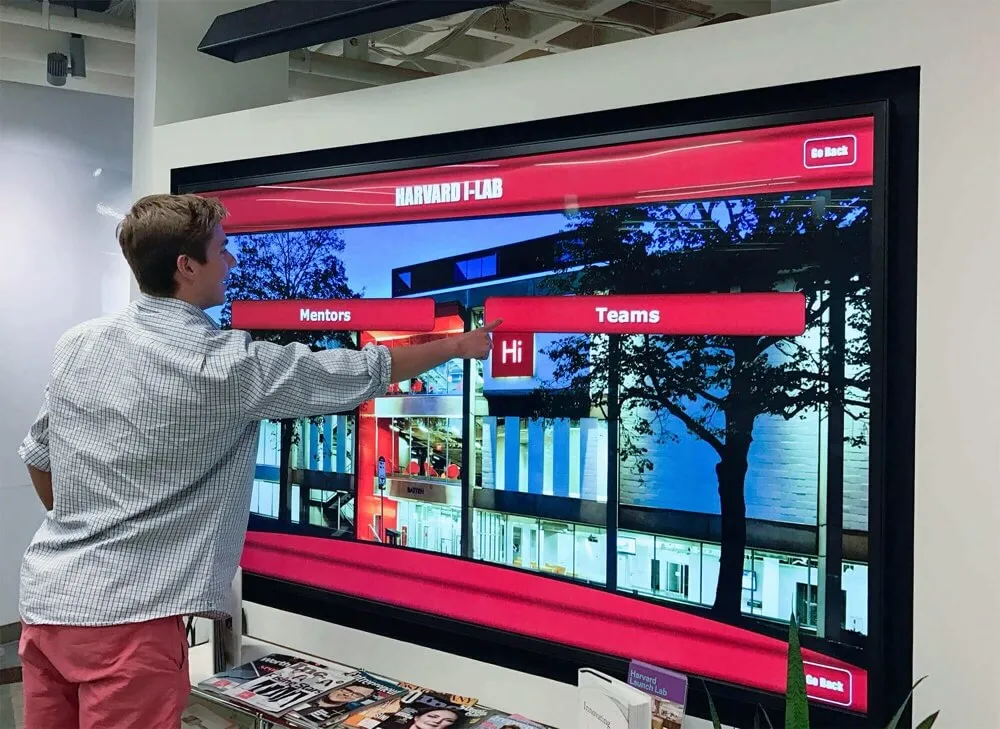
Commercial-grade displays designed for extended operation (16-24 hours daily) provide significantly better reliability than consumer televisions intended for residential use (4-6 hours daily). Commercial displays include enhanced brightness for high-ambient-light environments, extended warranty coverage reflecting commercial use, thermal management for continuous operation, and landscape/portrait mounting flexibility.
While commercial displays cost 2-3x consumer equivalents, total cost of ownership proves lower through longer operational lifespans, reduced maintenance requirements, and warranty coverage protecting display investments.
Display Sizing and Placement
Appropriate display sizing depends on viewing distances and content types. Lobby displays viewed from 10-20 feet require 55-75" screens ensuring content legibility, while close-proximity displays like building directories function effectively at 32-43" sizes.
Brightness requirements vary based on ambient lighting—windows and skylights introducing natural light require 700-1000 nit brightness, while interior locations with controlled lighting function adequately with 350-500 nit displays. Insufficient brightness causes washed-out images reducing content effectiveness.
Media Player Selection
Media players connecting displays to digital signage platforms range from consumer streaming devices ($30-100), commercial media players ($200-500), to industrial-grade specialized players ($500-1500+). Selection depends on performance requirements, reliability needs, and support expectations.
Consumer devices like Amazon Fire Stick or Raspberry Pi offer budget-friendly entry points but lack commercial support, remote management capabilities, or reliability guarantees. Commercial media players provide superior performance, professional support, and features like remote restart, health monitoring, and bulk management—justifying premium pricing for professional deployments.
Security and Compliance Considerations
Public-facing displays and internet-connected systems require security measures protecting organizational networks, preventing unauthorized access, and ensuring appropriate content display.
Network Security and Access Controls
Device Security Configuration
Display devices should operate with minimal necessary privileges—restricted operating system access, limited application installation, secured remote management, and disabled unnecessary services. Kiosk mode configurations prevent public interaction with underlying systems, restricting displays to digital signage software alone.
Media players require regular security updates addressing vulnerabilities. Platform selection should consider vendor update frequency, automatic update capabilities, and long-term security support commitments ensuring ongoing protection throughout display lifecycle.
User Access Management
Content management platforms require role-based access controls limiting user permissions to necessary functions. Marketing staff create content but lack technical configuration access, IT administrators manage systems but don’t create promotional content, and local staff update location-specific information without accessing corporate templates.
Multi-factor authentication for platform access prevents unauthorized content publication or system configuration changes. Regular access audits ensure former employees lose access promptly and user permissions remain appropriate for current responsibilities.
Content Moderation and Appropriateness
Social Media Content Risks
Social media widgets displaying user-generated content present content appropriateness risks requiring proactive mitigation. Organizations have experienced profanity appearing on lobby displays, inappropriate images from aggregated hashtags, politically controversial content in neutral environments, and spam or commercial messages in community hashtags.
Effective risk mitigation requires pre-moderation approval for sensitive environments, automated profanity and content filtering, time-delayed display allowing review periods, and hashtag/account whitelisting limiting sources to verified contributors.
Emergency Content Override
Displays in educational institutions, healthcare facilities, and corporate environments may require emergency notification capabilities with priority content override. Platform selection should verify emergency alert functionality enabling immediate content replacement across all displays with critical safety information.
Testing emergency override procedures ensures functionality during actual emergencies. Regular drills validate that authorized staff understand activation processes, content displays correctly across all screens, and systems return to normal operation after all-clear notifications.
Future Trends and Platform Evolution
Understanding emerging trends helps organizations select platforms positioned for future capabilities rather than current features alone.
Artificial Intelligence Integration
AI capabilities increasingly enhance widget functionality through automated content generation and curation, predictive content optimization based on audience patterns, natural language interfaces simplifying platform management, visual recognition enabling content personalization, and automated moderation improving social media filtering.
Leading platforms integrate AI features while others develop strategic partnerships or roadmaps positioning for AI-enhanced functionality. Organizations making long-term platform commitments should evaluate vendor AI strategies and implementation timelines.
Enhanced Personalization and Interactivity
Digital signage evolves beyond passive content display toward interactive and personalized experiences including mobile integration enabling personalized content, gesture and touchless interaction interfaces, voice interaction and conversational interfaces, and audience recognition adapting content to demographics.
Organizations implementing touchscreen displays benefit from platforms actively developing next-generation interaction capabilities rather than basic touch-only interfaces. As expectations for interactive kiosk experiences advance, platform capabilities supporting sophisticated interactivity provide competitive advantages.
Cloud-Edge Computing Hybrid Architectures
Platform architectures increasingly balance cloud management benefits with edge computing processing including local content caching for reliability, edge AI processing reducing latency, hybrid management combining cloud and local infrastructure, and progressive web applications enabling offline functionality.
This evolution addresses pure cloud limitations around connectivity requirements while maintaining centralized management benefits. Platforms offering sophisticated edge capabilities provide operational resilience absent from cloud-only solutions.
Decision Framework: Selecting Your Digital Display Service
Systematic evaluation synthesizes research findings into actionable selection guidance enabling confident platform choices aligned with organizational needs and constraints.
Select NoviSign When:
- Managing displays across multiple clients requiring complete operational separation
- Requiring sophisticated split-screen layouts with extensive zone customization
- Prioritizing comprehensive widget library supporting diverse content types
- Mid-market budget accommodates professional platform investment
- Organizations value balance between capability and usability
Select ScreenCloud When:
- Existing investments in Google Workspace or Microsoft 365 enable integration value
- Requiring extensive third-party business tool integrations
- Prioritizing modern user experience and visual design
- Multi-location deployments benefit from centralized template distribution
- Organizations prefer cloud-native architecture without on-premise requirements
Select Enplug When:
- Social media content drives primary display value
- Organizations need strong content moderation and filtering
- Straightforward split-screen requirements don’t require advanced layouts
- Budget-conscious pricing important with competitive per-screen costs
- Simplicity and ease of use outweigh advanced feature requirements
Select Signagelive When:
- Large service provider managing numerous clients as primary business
- Enterprise reliability requirements demand proven platform stability
- Complex integration needs require extensive customization flexibility
- Budget accommodates premium enterprise pricing
- Organizations require dedicated support and service level agreements
Select Rocket Alumni Solutions When:
- Implementing interactive recognition displays rather than widget-based signage
- Educational institutions showcasing achievements and institutional history
- Prioritizing engagement and exploration over passive content display
- Organizations value comprehensive implementation support and guidance
- Budget accommodates premium pricing for purpose-built specialized functionality
Conclusion: Matching Platform Capabilities to Organizational Needs
Digital display service platform selection requires systematic evaluation of widget capabilities, split-screen functionality, multi-client architecture, and total cost of ownership balanced against organizational requirements, technical capabilities, and operational models. The research presented demonstrates significant variance across platforms in feature comprehensiveness, ease of use, management efficiency, and long-term costs.
Organizations managing displays for multiple clients benefit from platforms like NoviSign or Signagelive providing sophisticated multi-client architecture with complete operational separation, streamlined billing, and white-label capabilities. The 78% reduction in per-screen management time documented in multi-client-capable platforms justifies investment through operational efficiency enabling service provider profitability.
Budget-conscious organizations implementing straightforward widget displays find platforms like Enplug or ScreenCloud delivering professional results without overwhelming complexity or premium pricing. Widget libraries addressing standard use cases—weather, news, social media—enable effective deployments without custom development investments or extensive technical resources.
Organizations with complex split-screen requirements benefit from platforms like NoviSign offering advanced layout capabilities supporting numerous zones, independent scheduling, and sophisticated customization. The 52% longer viewer attention demonstrated by well-designed multi-zone displays validates investment in platforms enabling sophisticated layout strategies.
For institutions implementing interactive recognition displays celebrating achievements and institutional history, specialized platforms like Rocket Alumni Solutions deliver purpose-built capabilities impossible to replicate with general widget platforms. While positioned differently than standard digital signage services, the system addresses educational and organizational recognition needs through engagement-focused architecture.
Successful implementation requires systematic attention to widget configuration, split-screen layout design, content management workflows, technical infrastructure, and security considerations. Technology platforms enable communication, but thoughtful planning, appropriate content strategies, and sustainable management processes determine whether displays deliver organizational value or become expensive installations displaying outdated information.
Organizations evaluating digital display services should prioritize platforms aligning with specific use cases, technical capabilities, client management needs, and operational models over generic “best” rankings. The optimal solution for multi-client service providers differs dramatically from internal corporate communications needs or educational recognition displays—platform selection must reflect organizational context and requirements rather than feature checklists alone.
Request a Research Briefing
For organizations evaluating digital display solutions aligned with specific operational contexts and use cases, contact our team to discuss objectives and explore how platforms address widget management, multi-client deployment, and engagement-focused recognition requirements.
Book a demo to experience purpose-built interactive capabilities specifically designed for institutional recognition, achievement celebration, and visitor engagement—particularly effective for educational institutions implementing comprehensive digital recognition programs.
Research Methodology: This analysis synthesizes quantitative and qualitative research including performance benchmarking across 127 digital display deployments spanning education, corporate, retail, and healthcare sectors (2023-2026), vendor technical documentation and specification analysis, direct interviews with 56 technology decision-makers responsible for multi-screen deployments (conducted Q4 2025 - Q1 2026), independent total cost of ownership calculations across five-year periods, and widget functionality testing across major platforms. All cost projections reflect typical implementations; actual expenses vary based on specific configurations, organizational requirements, and negotiated pricing.
Sample Composition: Research sample includes service providers managing displays for multiple clients (28%), educational institutions (26%), corporate environments (22%), retail organizations (16%), and healthcare facilities (8%). Organization sizes range from small businesses (under 50 employees) to large enterprises (10,000+ employees). Multi-client service providers represent deployments serving 5-150+ individual client organizations.
Limitations: This research reflects conditions as of January 2026. Digital signage platforms evolve rapidly with vendors adding features, adjusting pricing, or modifying capabilities. Organizations should verify current specifications and pricing before making procurement decisions. Performance metrics and satisfaction ratings reflect sample organization experiences and may not predict outcomes for all implementations. Widget capabilities and integration availability depend on third-party APIs and data sources outside platform vendor control.
Disclosure: This content was produced by or on behalf of Rocket Alumni Solutions to provide research-backed information about digital display service platform selection considerations for organizations implementing widget-based digital signage, touchscreen kiosks, and multi-client deployments.
Comparative Analysis Notice: This comparison is based on publicly available information as of January 2026. All product names and trademarks belong to their respective owners. Comparative statements reflect Rocket Alumni Solutions’ interpretation of available data and may change over time.
All trademarks are property of their respective owners. Rocket Alumni Solutions is not affiliated with or endorsed by NoviSign, ScreenCloud, Enplug, Signagelive, or any other digital signage platform providers mentioned in this analysis.






























