



Why Digital Archives Have Become Essential for Modern Schools
Educational institutions serve as stewards of irreplaceable historical records, from decades of yearbooks and student achievements to athletic accomplishments, faculty histories, and transformational moments that define school identity. Yet most schools continue storing these treasures in deteriorating photo albums, overstuffed filing cabinets, dusty trophy cases, and forgotten storage rooms where they remain largely inaccessible to the communities they’re meant to serve.
The transformation from physical to digital archives represents far more than simple document scanning. Modern digital archives create searchable, shareable, interactive platforms that preserve institutional memory while actively contributing to school spirit, alumni connections, student engagement, and community identity. Schools implementing comprehensive digital archives report dramatic increases in alumni donations, heightened student pride, improved community connections, and recovered physical space previously consumed by records storage.
This comprehensive guide examines every aspect of creating an online digital archive for your school, from initial planning and technology selection through implementation strategies and ongoing management. Whether you’re a small private school with limited resources or a large public institution with decades of materials, you’ll discover practical approaches transforming historical records into powerful community engagement assets.
Understanding the Full Scope of School Digital Archives
Before diving into implementation details, it’s essential to understand what comprehensive school digital archives encompass and why they matter more than ever in 2025.
What Belongs in a School Digital Archive
Effective school digital archives extend far beyond scanning a few yearbooks. Comprehensive collections typically include:
Historical Yearbooks and Publications Complete collections from founding through present day provide invaluable windows into institutional evolution. Yearbooks document not just student photos but fashion trends, educational approaches, community values, and historical context spanning generations. Student newspapers, literary magazines, and other publications add rich detail to the historical record.
Photographic Collections Schools accumulate thousands of photographs documenting everything from everyday classroom activities to championship celebrations, facility construction, and distinguished visitor appearances. These visual records often prove more engaging and accessible than text-based materials.
Achievement and Recognition Records Academic honors, athletic accomplishments, arts recognitions, and service awards document individual student excellence while celebrating institutional success. Digital recognition displays make these achievements searchable and shareable rather than limiting them to static plaques.
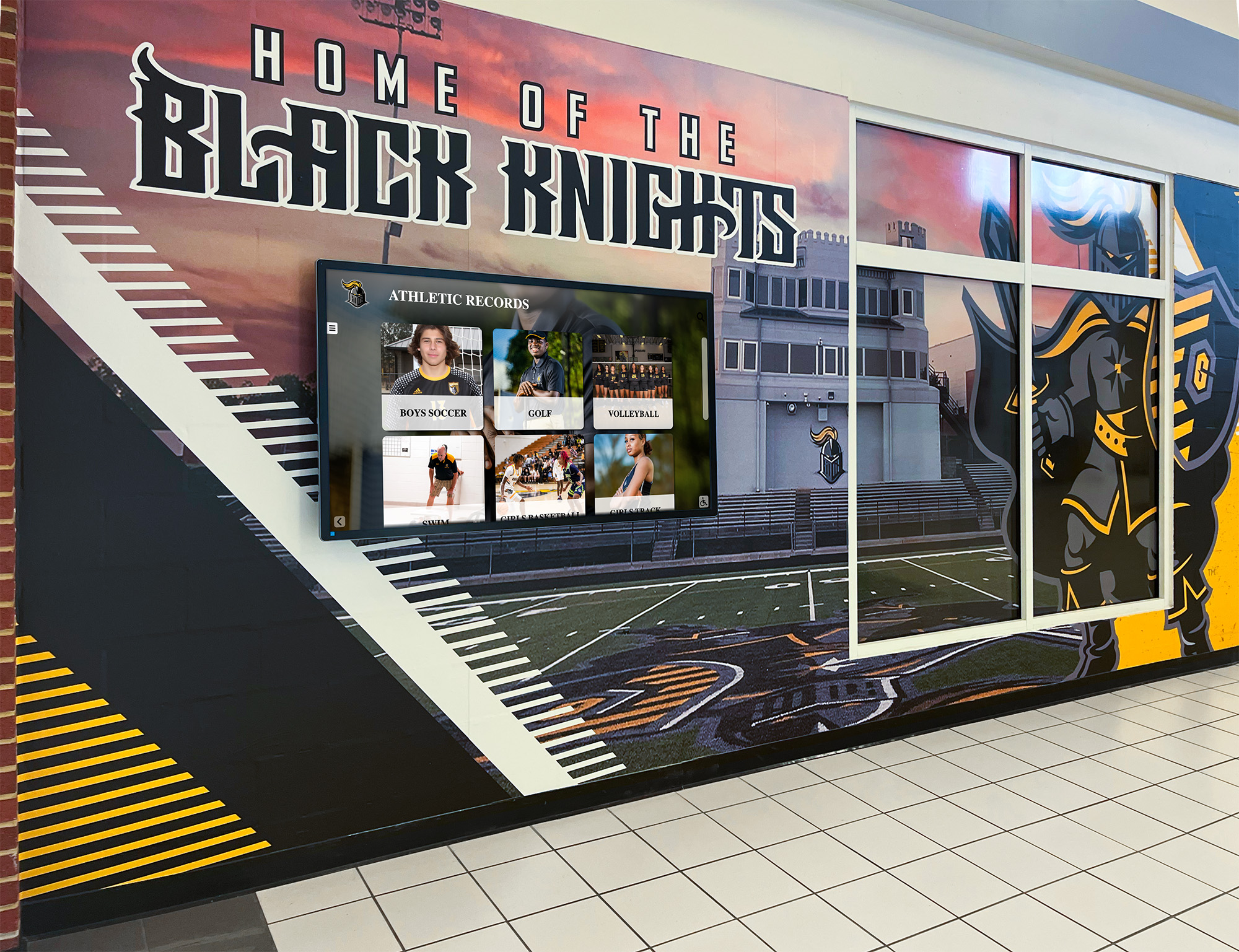
Athletic Records and Team Histories Championship banners, team rosters, record-breaking performances, and coaching histories represent sources of tremendous school pride. Comprehensive sports record documentation enables current athletes to understand program legacies while connecting with alumni predecessors.
Administrative and Institutional Records Board meeting minutes, policy documents, facility plans, and administrative records document governance and decision-making. While less publicly accessible due to privacy considerations, these materials prove invaluable for institutional research and compliance.
Faculty and Staff Recognition Teacher of the year awards, distinguished faculty profiles, staff achievements, and retirement celebrations honor the educators and administrators who shape student experiences. Teacher recognition programs documented digitally demonstrate institutional commitment to excellence.
Alumni Success Stories Distinguished alumni achievements, career trajectories, and contributions back to institutions create powerful narratives inspiring current students while strengthening alumni connections. Alumni recognition systems make these stories accessible and searchable.
Special Events and Milestone Celebrations Anniversaries, dedications, distinguished speakers, and transformational moments deserve permanent documentation beyond ephemeral social media posts. Digital archives ensure these memories remain accessible decades later.
The Compelling Benefits Driving Digital Archive Adoption
Schools investing in digital archives realize multifaceted benefits extending across stakeholder groups and institutional priorities.
Preservation of Irreplaceable Materials Physical documents deteriorate over time. Photographs fade, paper yellows and becomes brittle, and acidic materials self-destruct. Digital preservation creates redundant copies protecting against loss from deterioration, disasters, or accidents. Once materials exist only in physical form, a single fire or flood can erase decades of institutional memory irreversibly.
Universal Accessibility Breaking Down Barriers Physical archives accessible only during school hours to those who can visit campus limit engagement to tiny fractions of potential audiences. Digital archives enable 24/7 access from anywhere, transforming historical records from rarely consulted materials into regularly engaged resources. Alumni across the country and around the world can reconnect with their experiences. Current students can explore institutional history during projects or personal research. Community members can investigate local heritage and connections.
Enhanced Searchability and Discovery Physical archives require users to know exactly what they’re seeking and where to find it. Digital archives with proper metadata and search capabilities enable discovery based on names, dates, activities, or any indexed characteristic. Finding your grandmother’s yearbook photo or locating all basketball championships becomes a simple search rather than an hour-long hunt through dusty volumes.
Active Community Engagement Digital archives transform from passive repositories into active engagement platforms. Alumni rediscovering old photos share memories and stories. Current students connecting with institutional heritage develop deeper school pride. Parents exploring when facilities were built or programs were founded develop richer understanding of school evolution.
Space Recovery and Cost Savings Physical archives consume valuable real estate. Yearbook collections alone often occupy entire rooms that could serve educational purposes. Digital archives eliminate storage requirements, freeing space for classrooms, offices, or student activities while reducing climate control and maintenance costs for archival storage areas.
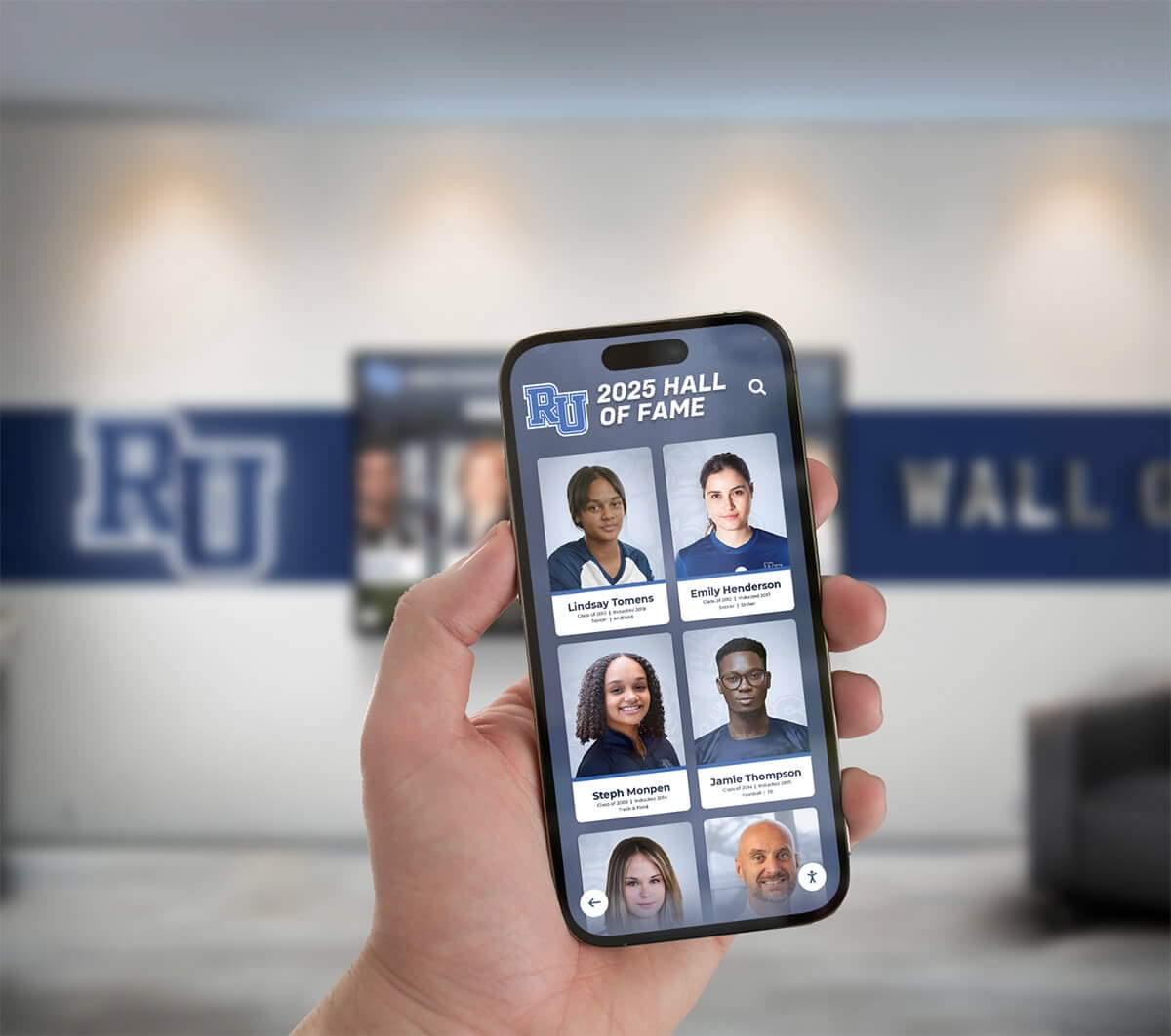
Fundraising and Development Support Alumni give to institutions they remember fondly and remain connected to. Digital archives strengthening emotional connections drive development success. Alumni engagement through recognition displays demonstrates how historical materials support fundraising when made accessible and engaging.
Educational Resource Development Digital archives serve as primary source materials for student research projects, teaching about historical research methods, and connecting curriculum to institutional context. Students studying local history, conducting genealogical research, or investigating social change find rich resources within their own school’s archives.
Common Challenges Threatening Physical Archives
Understanding the problems digital archives solve helps build the case for investment and prioritization.
Deterioration and Loss Paper-based materials degrade over time, especially when stored in less-than-ideal conditions. Temperature fluctuations, humidity, light exposure, and handling accelerate deterioration. Photographs fade, newspaper clippings yellow and crumble, and even yearbooks printed on acidic paper self-destruct over decades.
Accessibility Limitations Physical archives accessible only during limited hours to people who can physically visit provide minimal community value. Most schools lack dedicated archivists, meaning access depends on administrators’ availability and willingness to retrieve materials. This effectively locks historical resources away from the vast majority of stakeholders.
Incomplete Documentation and Organization Without systematic cataloging, physical archives become jumbled collections where finding specific items requires extensive knowledge or considerable luck. Important materials get misfiled, forgotten, or lost entirely. Institutional knowledge about collection contents typically exists only in the minds of long-term staff members, creating vulnerability when those individuals retire.
Space Consumption and Cost Archival storage consumes valuable real estate while requiring climate control and ongoing maintenance. Schools facing space shortages often sacrifice historical preservation for current operational needs, discarding irreplaceable materials to free rooms for classrooms or offices.
Vulnerability to Disaster Fire, flood, mold, and catastrophic damage threaten physical archives. Unlike financial records that can be reconstructed, historical photographs and documents are utterly irreplaceable once destroyed. Schools lacking proper disaster planning risk losing entire institutional memories in single incidents.
Strategic Planning: Building Your Digital Archive Roadmap
Successful digital archive projects begin not with technology selection but with comprehensive strategic planning establishing goals, scope, priorities, and realistic timelines.
Defining Goals and Success Criteria
Different institutions pursue digital archives for different reasons. Clarifying your specific goals ensures technology choices and implementation approaches align with desired outcomes.
Common Primary Goals:
- Preservation Focus: Protecting deteriorating materials from further damage or loss, creating permanent backups ensuring institutional memory survives disasters or accidents
- Access and Engagement: Making historical materials readily available to students, alumni, and community members; driving traffic and interaction with school heritage
- Space Recovery: Eliminating physical storage requirements to repurpose valuable campus real estate for educational or administrative functions
- Alumni Relations: Strengthening alumni connections and engagement supporting fundraising and development priorities
- Educational Resource: Creating primary source materials supporting curriculum and research projects
- Community Building: Fostering school spirit and identity by celebrating institutional history and accomplishments
Most schools pursue multiple goals, but clarifying relative priorities guides decision-making when trade-offs arise between preservation quality, accessibility features, cost considerations, and implementation speed.
Defining Measurable Success: Establish concrete metrics enabling evaluation of project success:
- Percentage of historical collections digitized and accessible
- User access statistics showing engagement levels
- Alumni feedback and satisfaction scores
- Square footage of recovered space
- Donations or development outcomes attributable to enhanced engagement
- Educational usage by students and teachers
- Community participation and content contribution
Assessing Current Collections and Resources
Before planning implementation, you need comprehensive understanding of what you have, where it is, and its current condition.
Comprehensive Inventory Process:
Systematic collection assessment typically reveals larger volumes than initially estimated and identifies urgent preservation needs:
- Physical Survey: Walk through every storage location—offices, libraries, athletic departments, basements, storage rooms—documenting what exists and where
- Volume Estimation: Measure linear feet of shelving, count file boxes and cabinets, and estimate photograph quantities
- Condition Assessment: Note materials showing deterioration, damage, or urgent preservation needs requiring priority attention
- Organization Evaluation: Assess current organization systems, labeling, and findability
- Format Documentation: Catalog diverse formats including bound volumes, loose documents, photographs, negatives, slides, videos, and artifacts
- Existing Digital Assets: Identify materials already in digital format requiring migration rather than scanning

Prioritization Framework:
Not everything requires immediate digitization. Prioritize based on:
- Access Demand: Materials frequently requested or relevant to current initiatives warrant priority attention
- Preservation Urgency: Deteriorating items face loss without prompt action
- Project Alignment: Collections supporting specific goals (alumni engagement, curriculum support, anniversary celebrations) may receive priority
- Ease of Digitization: Well-organized collections in good condition digitize more easily than fragmented, damaged materials
- Available Resources: Budget and staffing constraints may dictate starting with smaller, manageable collections before tackling comprehensive archives
Establishing Realistic Budgets and Timelines
Digital archive projects require sustained investment over extended periods. Realistic planning prevents premature abandonment due to unexpected costs or extended timelines.
Cost Categories to Consider:
Technology Infrastructure
- Software platforms or subscription services ($2,000-$25,000+ annually depending on scale and features)
- Scanning equipment if not using external services ($1,500-$8,000 for quality scanners)
- Storage capacity for digital files (cloud or local servers)
- Display hardware if implementing interactive touchscreen access points
- Network infrastructure supporting access and usage
Services and Labor
- Professional scanning services for high-volume or specialized materials ($0.10-$0.50+ per page depending on specifications)
- Metadata creation and catalog development
- Dedicated staff time for project management, quality control, and coordination
- Training programs for administrators and users
- Ongoing maintenance and technical support
Implementation Support
- Consulting services for planning and system selection
- Integration with existing systems and websites
- Custom development for unique requirements
- Migration of existing digital assets
Realistic Timeline Expectations:
Digital archive projects typically unfold over multiple phases spanning years rather than months:
- Phase 1 - Planning and Pilot (2-4 months): Goal definition, collection assessment, technology selection, and small-scale pilot testing processes
- Phase 2 - Priority Collections (4-12 months): Digitization of highest-priority materials providing immediate value and testing workflows
- Phase 3 - Comprehensive Expansion (1-3 years): Systematic processing of broader collections following proven processes
- Phase 4 - Ongoing Operations: Continuous addition of new materials and enhancement of existing collections
Most schools achieve meaningful results within the first year while recognizing comprehensive digitization as multi-year commitments requiring sustained attention and resources.
Technology Selection: Choosing the Right Digital Archive Platform
The digital archive platform you select profoundly impacts usability, sustainability, and ultimate success. Multiple approaches exist, each with distinct advantages and considerations.
Cloud-Based Digital Asset Management Systems
Modern cloud platforms offer sophisticated capabilities without requiring local IT infrastructure or technical expertise.
Key Advantages:
- No local servers or infrastructure requirements
- Automatic backup and disaster recovery
- Accessible from anywhere with internet connectivity
- Vendor-managed updates and maintenance
- Scalable storage growing with collections
- Often include built-in search and metadata capabilities
Considerations:
- Ongoing subscription costs
- Dependency on vendor stability and longevity
- Potential data portability concerns if changing vendors
- Internet connectivity requirements for access
- Privacy and security policies for sensitive materials
Representative Platforms: Various vendors serve educational digital asset management needs with different specializations and price points. Solutions range from general-purpose DAM systems to education-specific platforms designed specifically for schools and universities.
Integrated Recognition and Archive Systems
Some institutions benefit from platforms combining archival capabilities with interactive public-facing displays celebrating achievements and institutional history.
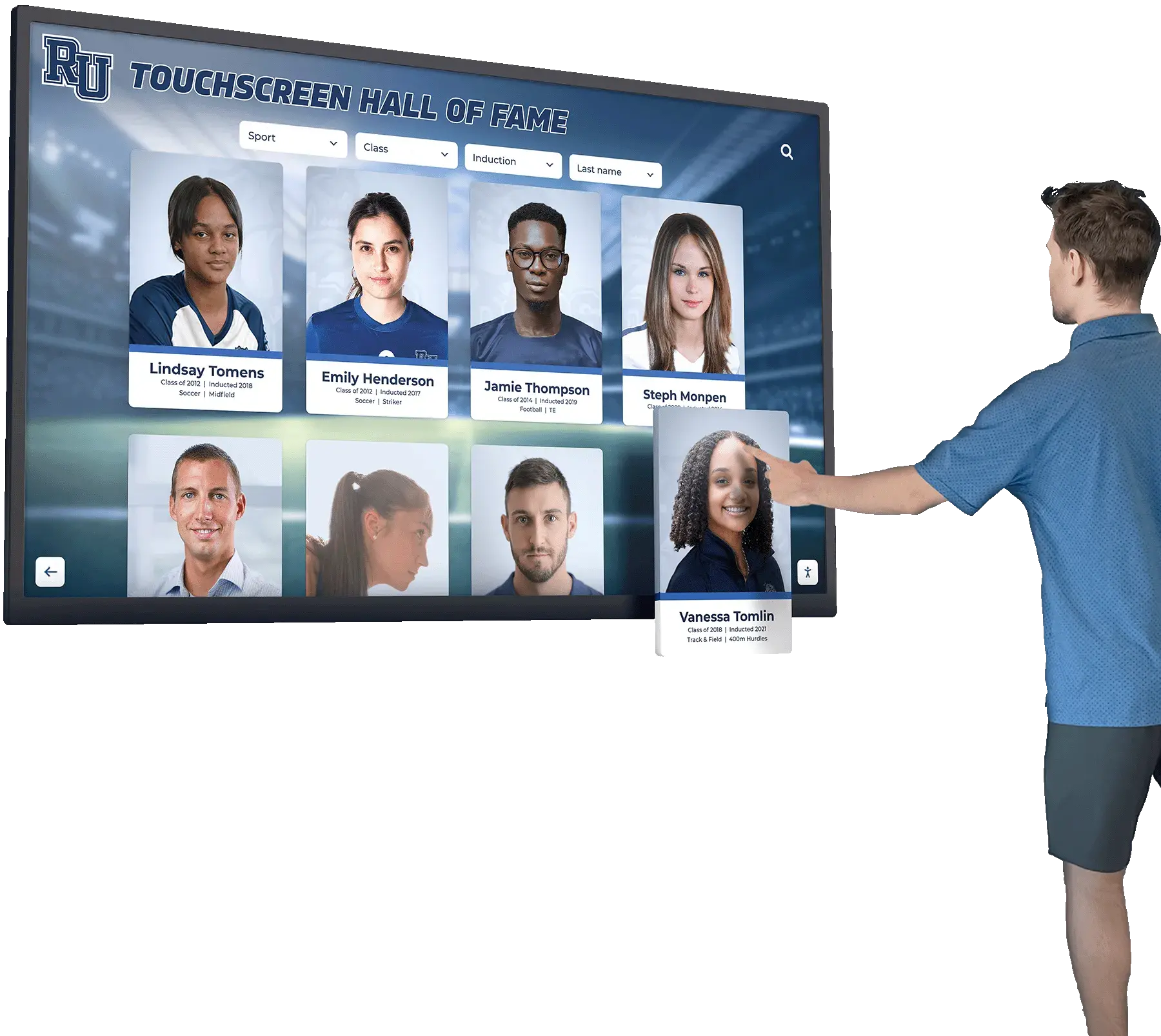
Rocket Alumni Solutions provides integrated approaches specifically designed for schools, combining digital archiving with touchscreen recognition displays throughout campuses. Rather than maintaining separate systems for document management and public engagement, integrated platforms enable streamlined workflows where archived content automatically becomes available for celebration through interactive display technologies.
This approach particularly benefits institutions where alumni engagement, development support, and community building rank among primary digital archive goals. Historical achievement records, athletic accomplishments, and distinguished alumni profiles serve dual purposes as archival documentation and active engagement tools displayed prominently in high-traffic areas.
Content Management System Integration
Schools with existing websites and content management systems may extend those platforms to include archival collections.
Advantages:
- Leverages existing technical infrastructure and staff expertise
- Integrates seamlessly with school websites
- Reduces vendor relationships and licensing costs
- Provides familiar administrative interfaces
Limitations:
- CMS platforms typically lack specialized archival features
- May require significant custom development
- Performance concerns with large media collections
- Generally inferior search capabilities compared to purpose-built solutions
- Backup and preservation less robust than specialized systems
Open-Source Digital Archive Solutions
Technical schools or those with strong IT departments may consider open-source archival platforms offering customization flexibility and cost advantages.
Popular Open-Source Options:
- Omeka: User-friendly platform designed for digital exhibitions and archives, widely used in educational settings
- DSpace: Repository software originally developed at MIT for institutional repositories and archives
- Collective Access: Museum-focused platform adaptable for school archives
- AtoM (Access to Memory): Archival description platform supporting complex metadata
Advantages:
- No licensing costs for software itself
- Complete customization control
- Active development communities
- Data portability and independence from commercial vendors
Requirements:
- Significant technical expertise for installation, configuration, and maintenance
- Server infrastructure and ongoing hosting costs
- Staff time for updates, security patches, and troubleshooting
- May require custom development for education-specific features
Key Platform Capabilities to Evaluate
Regardless of specific technology approach, ensure your selected platform provides essential capabilities:
Metadata and Organization
- Flexible tagging and categorization systems
- Support for names, dates, locations, activities, and custom fields
- Hierarchical organization matching institutional structure
- Batch metadata application for efficiency
Search and Discovery
- Full-text search including OCR of scanned documents
- Filtering by multiple criteria (date ranges, names, categories, etc.)
- Browsing by collections, chronology, or categories
- “Related items” suggestions encouraging exploration
User Access and Permissions
- Public access for appropriate materials
- Restricted access for sensitive content
- Authentication integration with existing school systems
- Usage analytics showing engagement patterns
Import and Integration
- Batch upload capabilities for efficient digitization
- API access enabling custom integrations
- Connection to existing school databases and systems
- Mobile access for smartphones and tablets
Long-Term Sustainability
- Vendor stability and customer base
- Data export capabilities for future migrations
- Standard file formats avoiding proprietary lock-in
- Preservation-grade storage meeting archival standards
Schools specifically interested in educational record digitization should also review comprehensive guidance on best software solutions for education records covering document management considerations beyond historical archives.
Implementation Best Practices: From Paper to Digital
Technology selection represents only one component of successful digital archive implementation. Systematic processes ensure efficient conversion of physical materials to searchable, accessible digital collections.
Digitization Workflow Development
Effective workflows balance quality, efficiency, and sustainability. Most schools benefit from established processes documented in standard operating procedures.
Physical Preparation:
- Remove materials from bindings, frames, or protective sleeves when necessary
- Repair tears, flatten curled pages, and clean surfaces gently
- Remove damaging fasteners like staples or rusty paperclips
- Organize materials in logical sequences before scanning
- Create temporary tracking systems ensuring nothing gets lost during processing
Scanning Specifications:
- Resolution: 300-600 DPI for documents and photographs balances quality with file size
- Color Mode: Color scanning for photographs and mixed materials; grayscale or black-and-white for text-only documents reduces file sizes
- File Format: TIFF for archival masters, JPEG or PDF for access copies
- Quality Control: Review scanned images for legibility, completeness, and proper orientation before proceeding
Metadata Creation: During or immediately after scanning, capture essential information enabling search and discovery:
- Descriptive: Names, dates, locations, events, activities, descriptions
- Structural: Page numbers, volumes, series relationships
- Administrative: Scanning dates, operators, quality parameters
- Technical: File formats, resolutions, color profiles
Quality Assurance: Systematic review processes catch errors before materials become publicly accessible:
- Visual inspection verifying image quality and completeness
- Metadata accuracy checking
- Proper file naming and organization verification
- Testing search functionality with sample queries
- Obtaining stakeholder feedback on pilot collections before full-scale release
Handling Special Material Types
Different materials require specialized approaches balancing preservation, accessibility, and resource efficiency.
Yearbooks: Bound yearbooks present unique challenges. Options include:
- Destructive Disassembly: Cutting bindings enables flat-bed scanning with optimal quality but destroys original volumes
- V-Cradle Scanning: Specialized equipment accommodates bound volumes without damage but costs more
- Photo Documentation: Photographing pages provides adequate quality for many purposes at lower cost
Many schools maintain both original physical yearbooks and digital versions, scanning copies from circulating collections rather than destroying archival originals. Complete guidance on digitizing yearbooks addresses specific considerations for these valuable historical documents.
Photographs: Loose photographs and albums require careful handling:
- Scan at higher resolutions (600 DPI) capturing detail
- Note information written on backs before scanning
- Document original organization and album layouts
- Consider both individual photo access and full album browsing
- Identify people, dates, and events through institutional knowledge
Newspaper Clippings: Acidic newspaper deteriorates rapidly and may damage adjacent materials:
- Isolate from other archival materials in physical storage
- Scan urgently before further deterioration
- OCR technology captures text despite poor physical condition
- Supplement with typed transcriptions for heavily deteriorated items
Athletic Records and Trophies: Trophy case documentation preserves achievements without requiring physical space consumption. Photograph plaques, trophies, and memorabilia systematically, capturing inscriptions and details while recording context about achievements.
Videos and Audio Recordings: Legacy formats (VHS tapes, cassettes, film) require format conversion:
- Prioritize based on deterioration and significance
- Professional conversion services ensure quality for important materials
- Create standard digital formats (MP4, MP3) for accessibility
- Capture metadata about original recording dates, events, and participants
Optical Character Recognition for Searchability
OCR technology transforms scanned images into searchable text, dramatically enhancing usability. Users can search for names, dates, or terms rather than manually browsing page by page.
OCR Best Practices:
- Clean, high-contrast scans produce better OCR results
- Modern AI-powered OCR handles varied fonts and print quality
- Review OCR output, especially for critical materials or unusual names
- Balance OCR accuracy against time and cost constraints
- Older documents with faded text may require manual correction
When to Invest in OCR:
- High-value collections receiving frequent use justify OCR investment
- Documents with standardized layouts OCR more easily
- Materials likely to be searched by name or term rather than browsed chronologically
- Budgets permitting batch OCR across all text-based materials
Managing Ongoing Additions
Digital archives aren’t one-time projects but ongoing initiatives requiring sustainable processes for continuous growth.
New Material Integration: Establish workflows for:
- Current yearbooks added annually upon publication
- Recent event photographs uploaded regularly
- Newly discovered historical materials incorporated as found
- Alumni contributions of personal collections and memories
- Faculty achievement documentation
Continuous Improvement:
- Monitor search queries identifying needed metadata enhancements
- Solicit user feedback about missing materials or desired features
- Update descriptions based on new information or identifications
- Expand high-traffic collections based on usage analytics
- Refresh displays and featured content maintaining freshness
Privacy, Permissions, and Ethical Considerations
Digital archives balancing transparency with appropriate privacy protections require thoughtful policies about what to include, how to present it, and who can access it.
Student Privacy and FERPA Compliance
Educational records receive legal protections under the Family Educational Rights and Privacy Act (FERPA), requiring careful attention to what materials schools can make publicly accessible.
Generally Safe for Public Archives:
- Yearbook photos and content (directory information)
- Athletic team rosters and achievement records
- Academic honor rolls and recognition programs
- Arts performances and exhibition participation
- Published student newspapers and magazines
- Graduation programs and award ceremonies
Requiring Caution or Restriction:
- Grades, test scores, and academic performance data
- Disciplinary records and behavioral documentation
- Special education information
- Health and counseling records
- Home addresses and contact information
- Materials about current minors without consent
Schools must balance celebrating achievements with respecting privacy. Clear policies established with legal counsel guidance prevent inadvertent FERPA violations. For comprehensive guidance, review data privacy and security in digital recognition systems.
Obtaining Rights and Permissions
Historical collections may include copyrighted materials requiring permission for digital reproduction and public access.
Copyright Considerations:
- School-owned materials (yearbooks, publications, official photos) typically freely usable
- Professional photography may remain copyrighted by photographers
- Student-created artwork and writing retains copyright with creators
- Published materials reproduced in collections may have third-party copyrights
Permission Strategies:
- Obtain broad permissions from photographers and contributors at creation time
- Use copyright-expired historical materials (generally 70+ years old)
- Apply fair use analysis for educational and historical purposes
- Seek permissions from identifiable copyright holders when required
- Remove materials if copyright holders object to inclusion
Handling Sensitive Historical Materials
Historical archives sometimes contain materials reflecting values, attitudes, or practices now recognized as inappropriate or offensive.
Responsible Approaches:
- Preserve historical accuracy rather than sanitizing past
- Provide context through annotations or introductions acknowledging problematic content
- Balance historical documentation with current community values
- Consider age-appropriate access restrictions for certain materials
- Engage diverse stakeholders in policy development
Digital archives serve educational purposes including honest reckoning with institutional history, both inspiring and challenging. Thoughtful presentation demonstrates institutional maturity and commitment to growth.
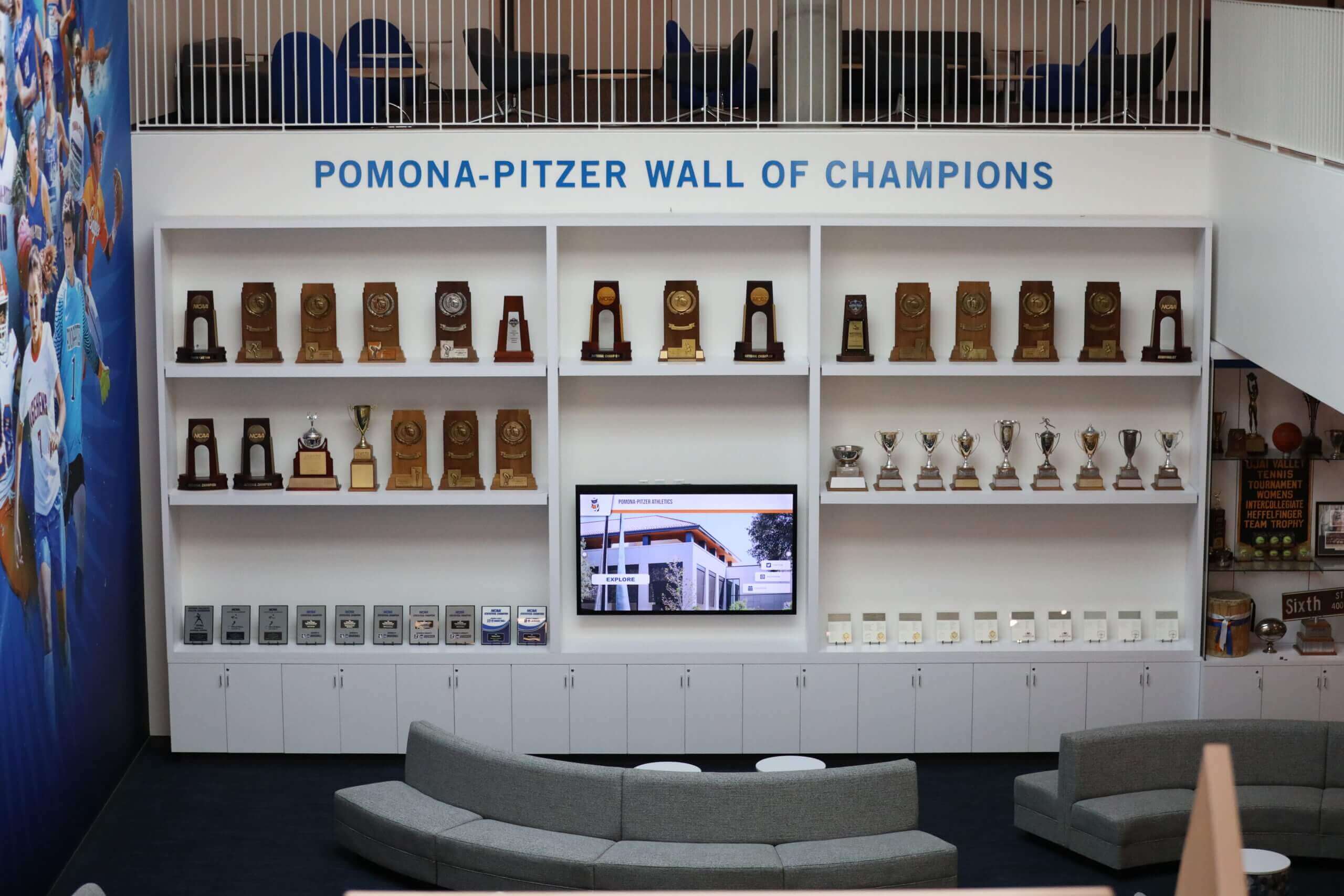
Maximizing Community Engagement and Usage
Creating digital archives represents only the first step. Realizing their full potential requires active promotion driving usage and encouraging community participation.
Making Archives Discoverable and Accessible
Even excellent archives provide no value if community members don’t know they exist or can’t find relevant content.
Integration Points:
- School Website: Prominent links from main navigation and relevant pages
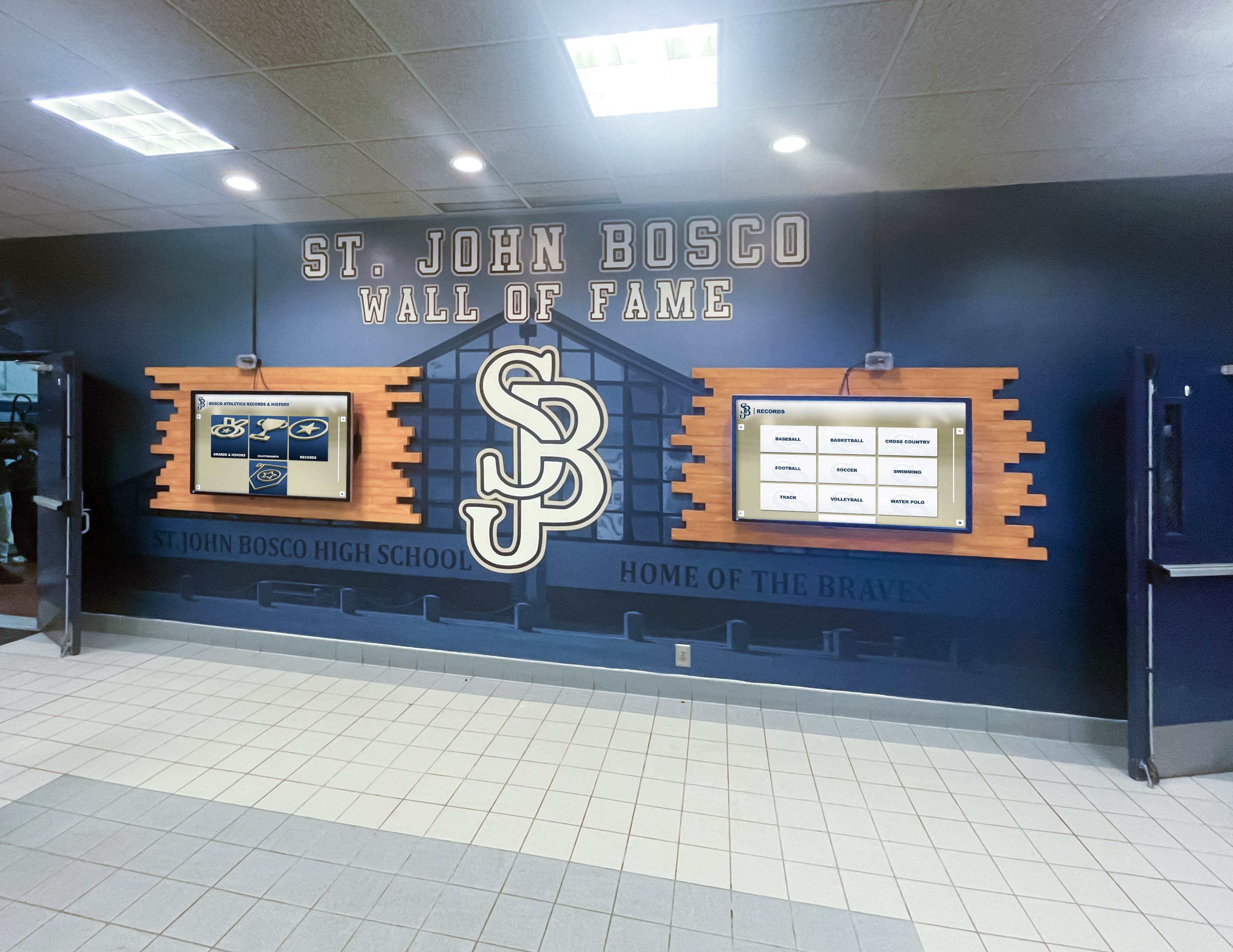
- Physical Displays: Interactive touchscreen kiosks throughout campus provide access in high-traffic areas
- Search Engines: Proper SEO ensuring archives appear in Google searches for school history
- Social Media: Regular posts highlighting interesting archive discoveries drive traffic
- Email Newsletters: Alumni communications including archive features and new additions
User-Friendly Design:
- Intuitive navigation requiring no training or instructions
- Mobile-responsive design working on smartphones and tablets
- Fast loading even on slower connections
- Clear browsing by year, activity, or category
- Prominent search enabling direct queries
Creating Interactive Experiences
Modern digital archives extend beyond passive viewing to encourage exploration, contribution, and sharing.
Crowdsourcing Enhancements: Enable community members to enrich archives through:
- Photo identification helping name unidentified individuals
- Story contributions adding context and memories
- Date and location verification correcting uncertain information
- Missing material contributions filling collection gaps
- Tag suggestions improving searchability
Social Sharing:
- Easy sharing of individual items to social media
- Permalink capability enabling direct references in communications
- Download options for personal use
- Email sharing sending items to friends and family
- Embed codes placing archive content on external websites
Curated Collections and Exhibits: Rather than presenting undifferentiated masses of content, create focused collections around themes:
- Decade-by-decade historical evolution
- Specific sports or activities
- Distinguished alumni profiles
- Significant events or anniversaries
- Fashion and culture through the years
Driving Specific Use Cases
Different stakeholder groups engage with archives for different purposes. Supporting diverse use cases maximizes value and participation.
Alumni Engagement: Digital archives powerfully reconnect alumni with institutions:
- Finding themselves, friends, and teachers in yearbooks
- Reliving memorable events and achievements
- Sharing memories with classmates from reunion years
- Introducing children and grandchildren to school heritage
- Contributing to annual funds after emotional reconnection
Schools using digital recognition to inspire alumni giving report substantial increases in donor participation rates when archives and recognition combine into comprehensive engagement platforms.
Student Projects: Archives support curriculum across disciplines:
- History classes using primary sources for local history research
- English students analyzing writing styles across decades
- Math classes graphing enrollment or achievement trends over time
- Art students studying aesthetic evolution and school spirit expression
- Social studies investigating social change through institutional records
Anniversary Celebrations: Milestone anniversaries create ideal opportunities showcasing archives:
- Timeline displays documenting institutional evolution
- Then-and-now comparisons highlighting changes
- Distinguished alumni recognition during celebration events
- Commemorative publications drawing from archival materials
- Community events featuring historical presentations
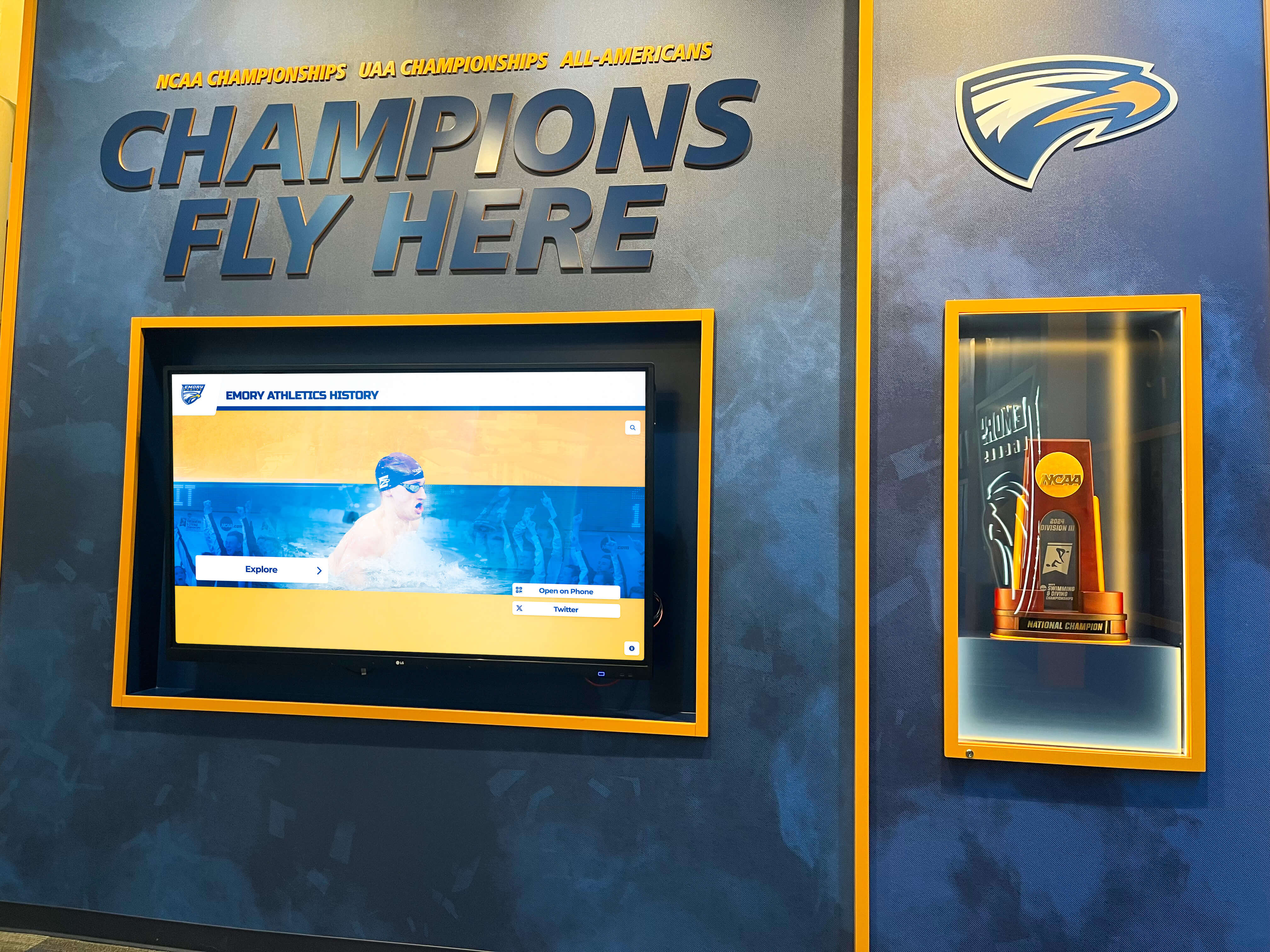
Athletics Recognition: Sports programs generate tremendous community passion and pride. Digital athletic recognition connects current programs with historical legacies, inspiring athletes while engaging alumni and community supporters.
Measuring and Demonstrating Value
Quantifying archive impact builds support for ongoing investment and expansion.
Usage Metrics:
- Total visitors and page views
- Most popular searches and content
- Geographic distribution of users
- Peak usage times and patterns
- Return visitor rates indicating sustained engagement
Engagement Indicators:
- Social media shares and mentions
- Contributed content from community members
- Positive feedback and testimonials
- Media coverage featuring archive materials
- Alumni communications mentioning archives
Institutional Impact:
- Development outcomes attributable to enhanced alumni engagement
- Space recovery from eliminated physical storage
- Media inquiries using archives for historical context
- Student project usage in courses
- Community partner collaboration
Sustainability and Long-Term Management
Digital archives require ongoing attention ensuring they remain accessible, relevant, and valuable far into the future.
Organizational Responsibility and Staffing
Successful long-term archive management requires clear organizational ownership and adequate resources.
Dedicated Coordination: While comprehensive archives may not justify full-time archivists at smaller schools, someone must own responsibility for:
- New material acquisition and processing
- Quality control and error correction
- User support and question response
- Technology management and troubleshooting
- Policy development and enforcement
Distributed Contribution: Multiple stakeholders can contribute within appropriate domains:
- Athletics Department: Sports records and team materials
- Alumni Office: Gathering alumni contributions and stories
- Library/Media Center: Technical management and user assistance
- Communications: Promotion and social media integration
- IT Department: Infrastructure and security management
Technology Refresh and Migration Planning
Digital preservation requires active management preventing obsolescence and data loss.
Regular Technology Assessment:
- Monitor platform vendor stability and product evolution
- Evaluate emerging technologies offering enhanced capabilities
- Plan for eventual migration recognizing no platform lasts forever
- Maintain data in standard formats enabling future portability
Backup and Disaster Recovery: Digital materials require protection just as physical archives do:
- Multiple backup copies in geographically distributed locations
- Regular backup verification ensuring restore capability
- Cloud storage providing off-site protection
- Documented recovery procedures for various failure scenarios
Format Evolution: File formats evolve and eventually become obsolete:
- Monitor format viability and plan migrations when necessary
- Maintain archival masters in well-supported standard formats
- Document technical specifications for future reference
- Test older materials periodically verifying continued accessibility
Continuous Collection Development
Archives grow richer over time as materials accumulate and community participation increases.
Systematic Expansion:
- Establish annual goals for additional historical digitization
- Integrate current materials as routine ongoing processes
- Pursue grant funding for special collection development
- Coordinate with reunion classes for targeted year enhancements
- Accept and integrate alumni donations and contributions
Quality Enhancement:
- Add metadata to existing materials improving searchability
- Enhance image quality where initial scans prove inadequate
- Incorporate identified corrections and additional information
- Create curated collections and interpretive content
- Update presentation taking advantage of platform improvements
Special Considerations for Different School Types
Different educational environments face unique opportunities and challenges implementing digital archives.
Public Schools and Districts
Public K-12 schools typically face tight budgets, limited technical resources, and diverse stakeholder needs.
Key Success Factors:
- Cloud-based solutions minimizing IT infrastructure requirements
- Phased approaches starting small and expanding sustainably
- Grant funding from education foundations and local organizations
- Volunteer support from community members and alumni
- District-wide coordination establishing standards and sharing resources
Private and Independent Schools
Private institutions often have strong alumni networks, historical pride, and greater budgetary flexibility.
Strategic Advantages:
- Alumni engagement priorities aligning perfectly with digital archive benefits
- Development potential justifying investment in sophisticated platforms
- Long institutional histories creating rich archival collections
- Involved parent communities contributing time and expertise
- Premium solutions like integrated digital recognition systems matching institutional positioning
Higher Education Institutions
Colleges and universities manage complex archival needs spanning academics, athletics, research, and institutional administration.
Unique Considerations:
- Integration with existing institutional repository systems
- Professional archival staff typically already employed
- Sophisticated technical infrastructure and capabilities
- Research and scholarship using archives beyond community engagement
- Departmental archives (athletics, specific colleges, etc.) requiring coordination
- Division II and other collegiate athletic programs benefiting from specialized recognition systems
Taking the First Steps: Your Digital Archive Launch Plan
For schools ready to begin digital archive journeys, these practical first steps build momentum toward comprehensive implementations.
Months 1-2: Planning and Assessment
Week 1-2: Define Goals and Build Support
- Articulate clear objectives for digital archives at your institution
- Identify key stakeholders and form planning committee
- Research comparable institutions’ digital archive implementations
- Develop preliminary business case for leadership approval
Week 3-4: Assess Collections
- Conduct physical inventory of archival materials
- Estimate volumes and identify priority collections
- Assess current organization and condition
- Identify immediate preservation needs
Week 5-8: Research Solutions and Develop Budget
- Evaluate 3-5 platform options matching your requirements
- Request demonstrations and proposals from vendors
- Estimate total costs including ongoing subscriptions
- Develop multi-year implementation timeline and budget
Months 3-4: Pilot Project Launch
Select Manageable Pilot Scope: Choose limited collection for initial implementation:
- Recent yearbooks (last 5-10 years) provide high value quickly
- Single sport or activity with strong alumni interest
- Specific anniversary or reunion year
- Distinguished alumni collection with development potential
Establish and Test Workflows:
- Document standard operating procedures for your context
- Train initial team members on scanning and metadata
- Process pilot collection systematically
- Identify improvements before large-scale expansion
Soft Launch and Feedback:
- Make pilot collection accessible to limited test audience
- Solicit detailed feedback about usability and value
- Refine metadata, organization, and presentation
- Adjust workflows based on lessons learned
Months 5-12: Expansion and Promotion
Systematic Collection Growth:
- Expand to additional priority collections using proven workflows
- Establish monthly or quarterly digitization goals
- Maintain quality while increasing volume
Broad Launch and Promotion:
- Announce digital archives widely to all stakeholder groups
- Create social media campaign showcasing interesting content
- Feature archives in alumni communications and publications
- Host events highlighting archive launch and demonstrating usage
Measure and Report Impact:
- Track usage metrics demonstrating engagement
- Gather testimonials and success stories
- Report regularly to leadership and stakeholders
- Use early success building support for continued investment
Conclusion: Preserving Heritage While Building Community
Creating an online digital archive for your school represents far more than simply scanning old yearbooks. It preserves irreplaceable institutional memory, makes history accessible to global communities, transforms passive records into active engagement tools, supports development and fundraising priorities, and celebrates achievements inspiring current and future students.
The sensible step forward isn’t whether to create digital archives but how to approach implementation strategically ensuring maximum value with available resources. Schools beginning this journey in 2025 benefit from mature technologies, proven methodologies, and specialized solutions designed specifically for educational institutions.
Whether you choose cloud-based digital asset management platforms, integrated systems like Rocket Alumni Solutions combining archiving with interactive recognition displays, or other approaches matching your specific context, the key lies in starting systematically and building sustainable processes supporting ongoing growth.
Your school’s history deserves preservation and celebration. Digital archives transform dusty storage rooms into vibrant community resources, reconnecting alumni with formative experiences, teaching current students about institutional heritage, and ensuring future generations can explore and learn from the past. The institutions thriving tomorrow will be those preserving and sharing their yesterdays through thoughtfully implemented digital archives.
Ready to explore how comprehensive digital archiving integrated with interactive recognition can transform engagement at your school? Visit Rocket Alumni Solutions to discover platforms specifically designed for educational institutions seeking to preserve institutional memory while celebrating achievements through modern digital displays.






























