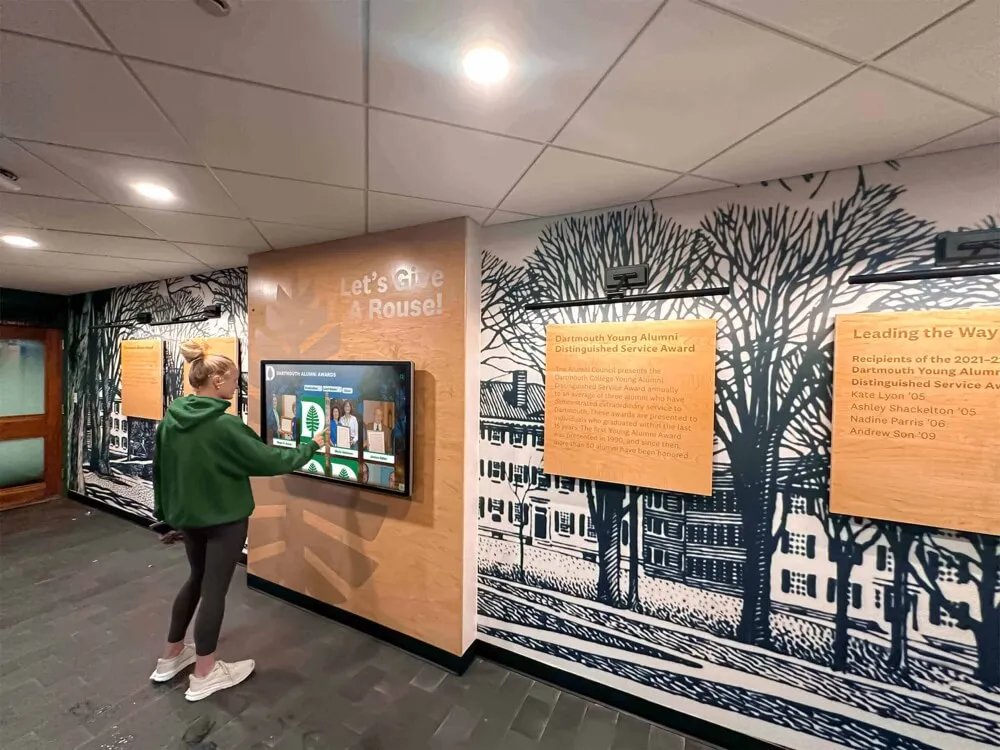




College campuses face an increasingly competitive enrollment landscape where first impressions during campus tours can make or break prospective student decisions. Research consistently shows that the quality of campus visit experiences directly influences enrollment choices, yet many institutions still rely on outdated navigation methods that leave visitors confused, frustrated, and unimpressed with their overall experience.
Traditional campus tours face inherent limitations—guides can only cover predetermined routes, groups move at fixed paces that don’t accommodate individual interests, and verbal information disappears after tours end without reference materials for later consideration. Digital touchscreen directories specifically designed for college tours solve these challenges while simultaneously showcasing institutional innovation, providing 24/7 navigation assistance, and creating engagement opportunities that extend beyond scheduled tour times.
This comprehensive guide explores how colleges and universities are leveraging interactive touchscreen directory displays to revolutionize campus tours, enhance prospective student experiences, improve recruitment effectiveness, and create lasting impressions that influence enrollment decisions. We’ll examine technology capabilities, strategic placement considerations, content strategies, integration with recruitment programs, accessibility requirements, and proven best practices from institutions successfully using these systems to strengthen their competitive positioning.
Understanding the Evolution of Campus Tour Technology
Campus tours have evolved significantly from simple guided walks to sophisticated multimedia experiences that engage prospective students through multiple channels and touchpoints.
Traditional Campus Tour Limitations
Scheduled Group Tours:
For decades, colleges relied exclusively on scheduled group tours led by trained student ambassadors or admissions staff. While personal interaction provides valuable benefits, this approach faces significant limitations in today’s enrollment environment.
Capacity Constraints:
Popular tour times fill quickly, forcing families to visit during less convenient periods or miss tours entirely. Peak seasons like spring break and summer create demand that exceeds available guide capacity, limiting the number of prospective students institutions can effectively serve.
Fixed Routes and Pacing:
Guided tours follow predetermined paths designed to showcase specific facilities while avoiding construction zones, administrative areas, or spaces unavailable during tour times. This standardization prevents personalization based on individual academic interests, athletic participation, or program-specific questions.
Information Retention Challenges:
Verbal information delivered during tours quickly fades from memory, especially when families visit multiple campuses in short timeframes. Prospective students struggle to remember specific details about programs, facilities, or opportunities when making later enrollment decisions.
Limited Availability:
Tours typically operate only during business hours on weekdays and selected weekend times. Families traveling long distances or visiting during holidays, breaks, or evening hours cannot access guided tour experiences, potentially eliminating these institutions from consideration.
The Digital Transformation of Campus Tours
Modern institutions recognize that campus tour experiences must evolve to meet changing prospective student expectations shaped by ubiquitous smartphone technology, on-demand information access, and personalized digital experiences.
Self-Guided Flexibility:
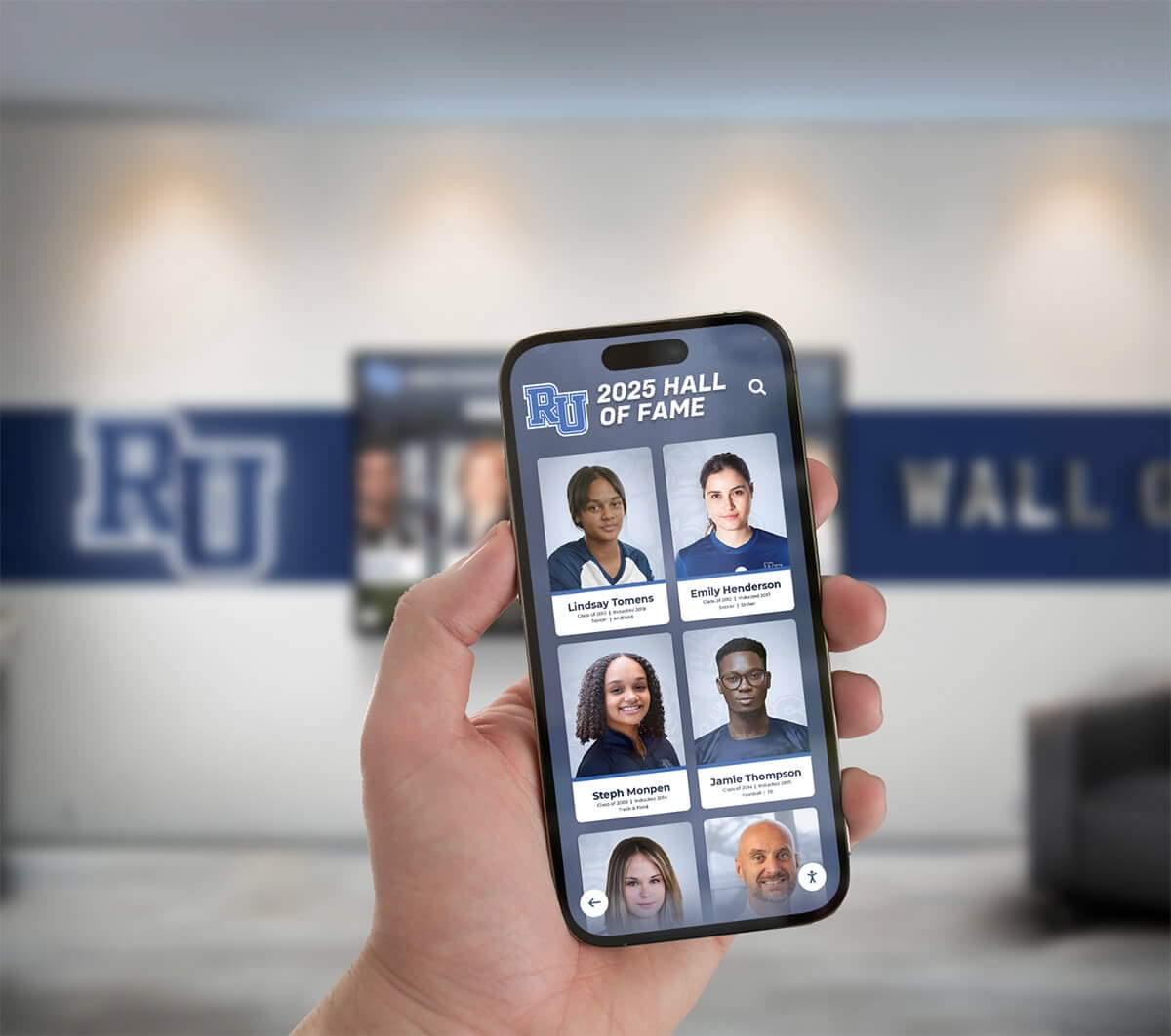
Interactive touchscreen directories enable self-guided campus exploration that operates 24/7 without requiring scheduled appointments or guide availability. Families visiting during off-hours, students returning for second visits, or individuals preferring independent exploration can access comprehensive campus information whenever convenient.
Personalized Exploration:
Digital systems allow prospective students to prioritize information relevant to their specific interests—engineering students can focus on laboratory facilities, student-athletes can explore athletic complexes, and performing arts majors can investigate theater spaces—without waiting for standard tours to reach these locations.
Multimedia Engagement:
Touchscreen displays deliver information through multiple formats including photos, videos, virtual tours, student testimonials, and interactive maps that create more engaging and memorable experiences than verbal descriptions alone.
Information Persistence:
Digital directories can generate QR codes, send links to mobile devices, or provide printable materials ensuring information remains accessible after campus visits end, supporting continued family discussions and enrollment decisions.
Core Functions of College Tour Directory Touchscreens
Effective college tour directory systems integrate multiple capabilities that address diverse prospective student needs throughout campus visit experiences.
Interactive Campus Mapping and Wayfinding
Comprehensive Campus Navigation:
The primary function of tour directories is helping visitors navigate complex campuses with multiple buildings, outdoor spaces, and facilities spread across large areas. Modern interactive mapping provides intuitive tools that make navigation accessible even for first-time visitors unfamiliar with campus geography.
Interactive maps with zoom, pan, and rotate capabilities allow users to explore campus layouts at various detail levels—overview perspectives showing entire campuses, building-level views revealing entrances and nearby facilities, and floor-specific maps guiding visitors to exact rooms or departments.
Turn-by-Turn Navigation:
Rather than simply showing destination locations, advanced systems provide step-by-step directions from current positions to selected destinations. These directions account for accessible routes, construction detours, and estimated walking times, creating confidence for visitors navigating independently.
Understanding campus directory system capabilities helps institutions evaluate features that best serve prospective student navigation needs.
Building and Facility Information:
Each campus location includes contextual information beyond simple names—building purposes, departments housed within, accessibility features, parking locations, and amenities like restrooms, water fountains, or seating areas. This comprehensive information answers practical questions visitors have while navigating campus spaces.
Point-of-Interest Highlighting:
Tour directories emphasize locations particularly relevant to prospective students—admissions offices, financial aid centers, academic department buildings, residence halls, dining facilities, libraries, recreation centers, and performing arts venues. This highlighting ensures visitors don’t overlook important destinations during self-guided exploration.
Academic Program Information and Department Profiles
Program Discovery:
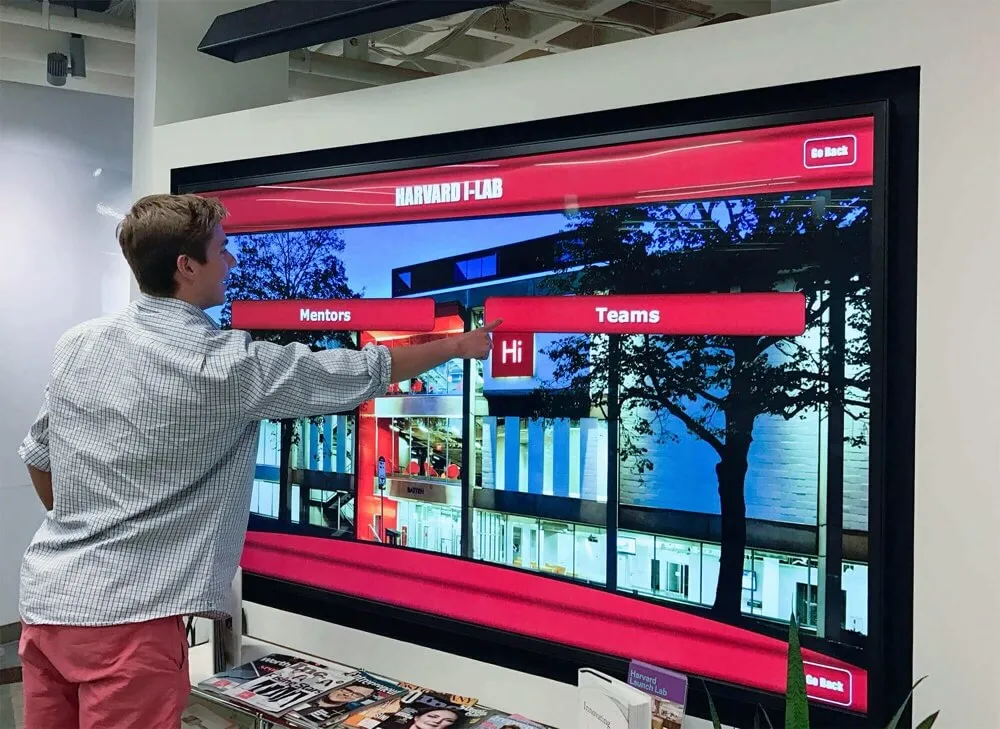
Beyond physical navigation, effective tour directories help prospective students discover academic programs aligned with their interests. Searchable program databases enable visitors to explore majors, minors, certificates, and specialized tracks while learning about curriculum requirements, career outcomes, and unique program features.
Department Showcases:
Each academic department can feature dedicated content highlighting faculty expertise, research opportunities, laboratory facilities, study abroad programs, internship partnerships, and student organizations. This information helps prospective students understand program depth and quality beyond what brief guided tours can convey.
Faculty Recognition:
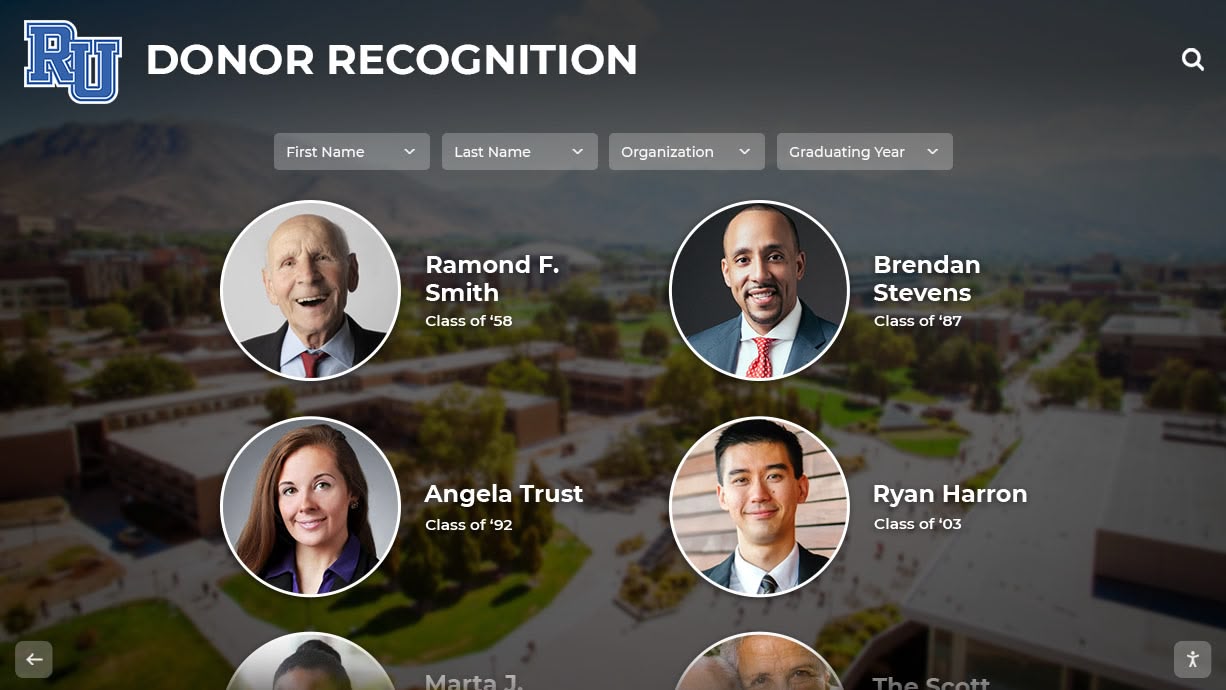
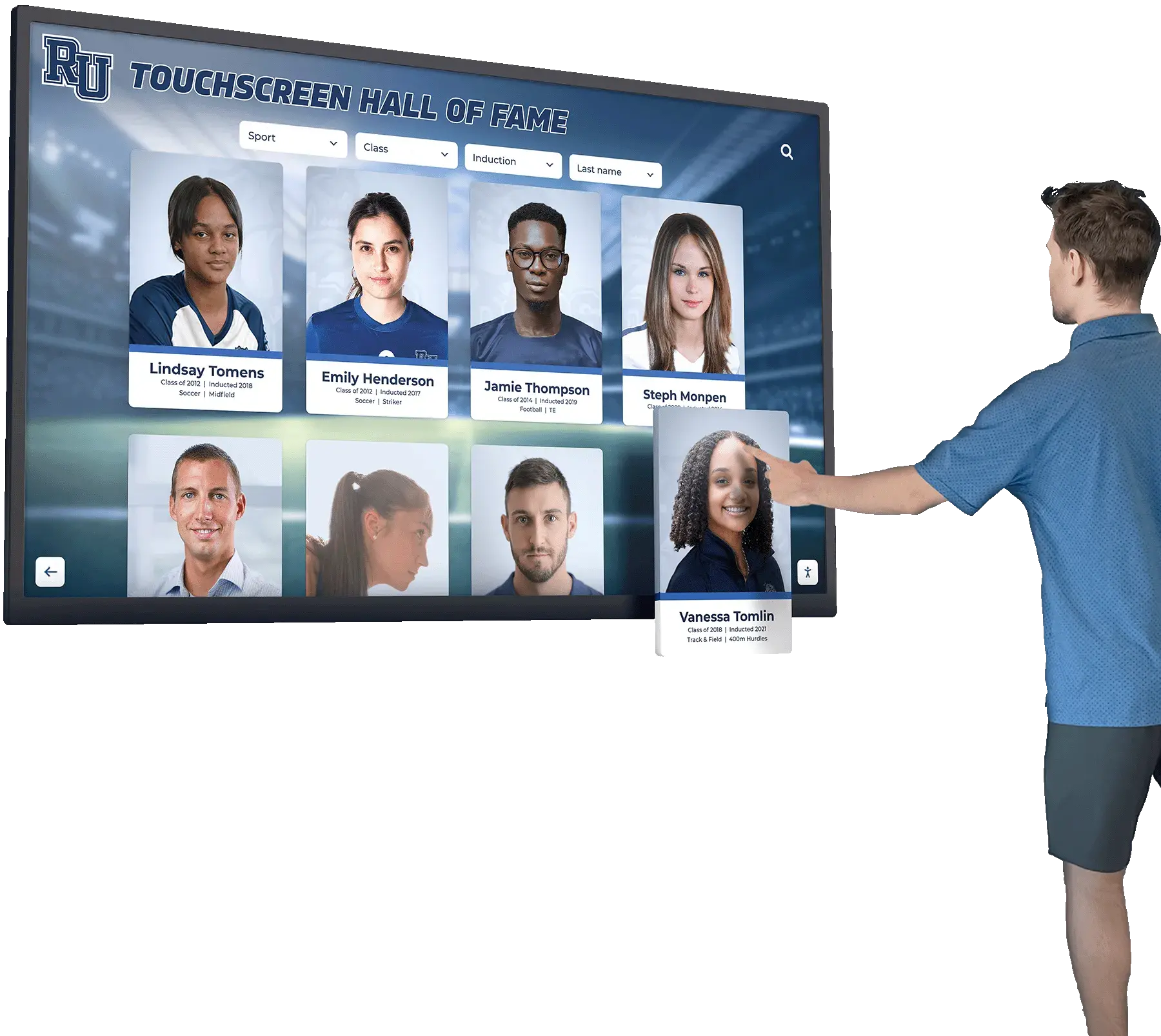
Displaying faculty accomplishments, research interests, publications, and teaching awards demonstrates academic excellence while helping prospective students identify potential mentors, research supervisors, or instructors aligned with their academic interests. Faculty and alumni recognition strategies strengthen institutional credibility during recruitment.
Student Success Stories:
Featuring current student and recent alumni profiles showcasing research projects, career placements, graduate school acceptances, entrepreneurial ventures, and creative works provides tangible evidence of program effectiveness and student outcomes that influence enrollment decisions.
Campus Life and Student Experience Content
Residential Life Information:
Residence hall information with floor plans, amenity descriptions, housing options for different class years, and residential community programming helps prospective students envision campus living experiences. Virtual tours of typical room configurations, common areas, and dining facilities provide realistic expectations.
Student Organizations and Activities:
Comprehensive databases of student clubs, organizations, Greek life, intramural sports, volunteer opportunities, and campus traditions demonstrate vibrant campus life beyond academics. Search and filter functions help prospective students discover activities aligned with their interests.
Athletic Programs:
For student-athletes and sports enthusiasts, detailed information about varsity athletics, club sports, intramural programs, recreation facilities, and fitness opportunities showcases campus athletic culture. Schedules, facilities tours, and team achievements provide comprehensive program understanding.
Dining and Campus Services:
Practical information about dining hall locations, meal plan options, campus stores, health services, counseling centers, career services, and academic support resources demonstrates institutional commitment to comprehensive student support. This information addresses parent concerns about student well-being and success support.
Admissions Information and Visit Management
Admissions Office Navigation:
Clear directions to admissions offices, visitor parking, and check-in locations ensure smooth visit logistics. Office hours, staff contact information, and appointment scheduling links facilitate follow-up communication after tours end.
Visit Activity Coordination:
Integration with campus visit scheduling allows prospective students to view their personalized visit itineraries including tour times, information sessions, department meetings, coach appointments, or class visit opportunities. Reminders and location guidance ensure students don’t miss scheduled activities.
Application Information:
Deadlines, requirements, accepted standardized tests, and application portal links provide practical information visitors need when ready to apply. Early decision, regular decision, and transfer admission pathways with specific requirements help prospective students understand their application options.
Financial Aid and Scholarship Information:
Cost of attendance, financial aid availability, merit scholarship opportunities, and net price calculator links address cost concerns central to enrollment decisions. Highlighting institutional commitment to affordability and accessibility can significantly influence application decisions for cost-sensitive families.
Strategic Placement for Maximum Recruitment Impact
Location strategy dramatically affects directory utilization, prospective student engagement, and recruitment effectiveness.
Primary Campus Entry Points
Main Campus Entrances:
First impressions begin when visitors arrive on campus, making main entrance directories critical for setting positive tones. These prominent locations immediately demonstrate institutional investment in visitor experience while providing orientation for guests unfamiliar with campus layouts.
Entrance directories should emphasize welcome messages, highlight parking and visitor services, provide campus overview maps, and feature shortcuts to most common prospective student destinations—admissions offices, information session locations, popular academic buildings, and campus landmarks.
Visitor Parking Areas:
Many prospective students and families drive to campus visits, making visitor parking lot directories strategic starting points for self-guided exploration. These locations serve visitors before they’ve walked significant distances, preventing early frustration when unable to determine navigation directions.
Parking area directories benefit from weather-resistant outdoor-rated hardware designed for exterior deployment. High-brightness displays visible in direct sunlight, temperature-controlled enclosures, and vandal-resistant construction ensure reliable operation in exposed locations.
Admissions and Welcome Center Locations
Admissions Office Lobbies:
Directories positioned in admissions office waiting areas serve multiple purposes—providing information for early arrivals before scheduled tours, offering extended exploration options for visitors completing information sessions, and enabling return visitors conducting independent follow-up research.
These locations provide opportunities to showcase institutional achievements, student success stories, and program highlights in comfortable environments where families spend time waiting. Content can emphasize recruitment priorities and address common decision factors prospective students consider.
Campus Welcome Centers:
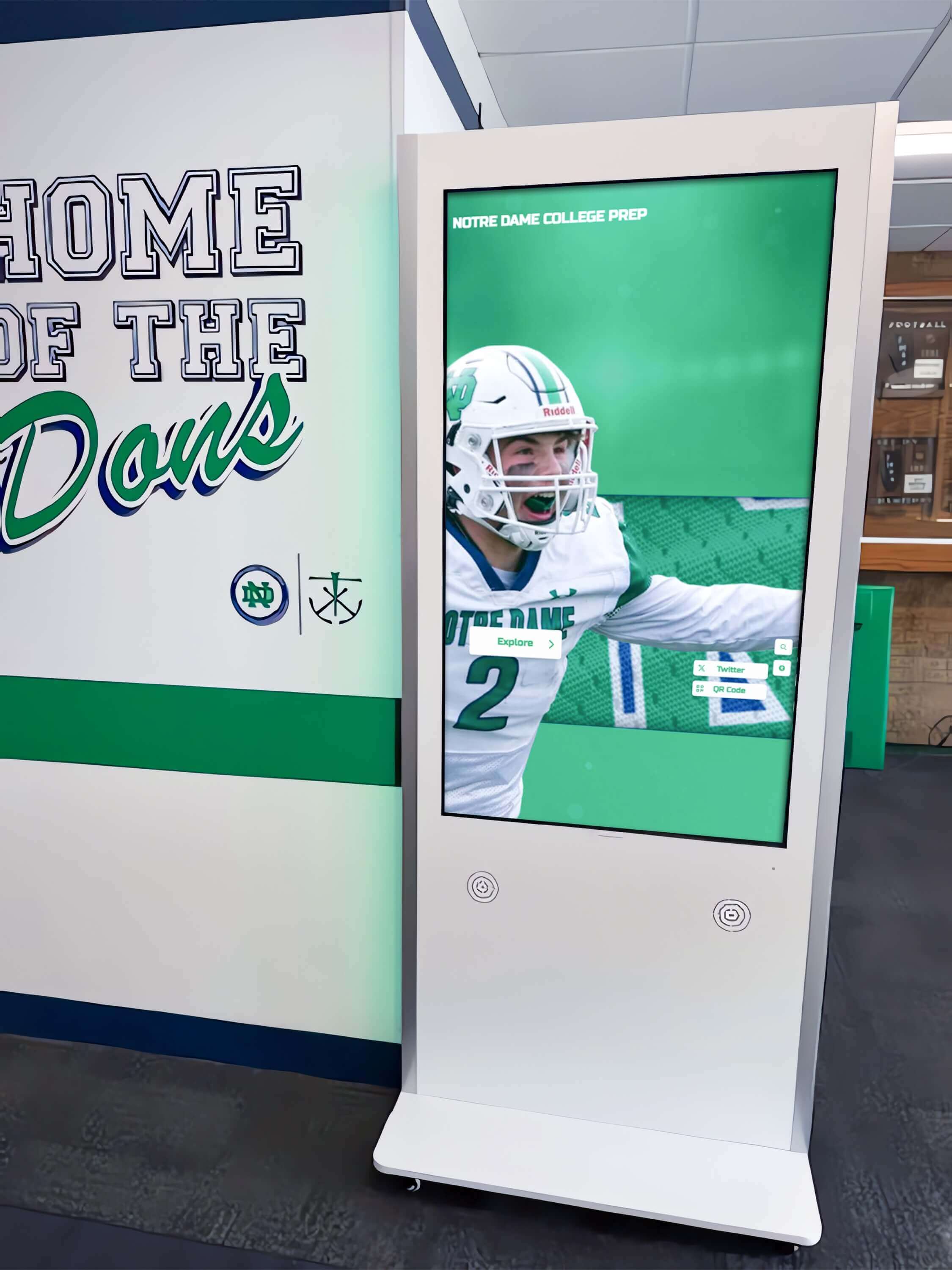
Institutions with dedicated visitor centers benefit from comprehensive directory installations that serve as primary information sources for all campus visitors. These locations can feature larger-format displays or multiple kiosk configurations enabling simultaneous use by several families.
Integration with visitor welcome kiosk solutions creates professional first impressions that communicate institutional commitment to superior guest experiences.
Academic Building and Department Locations
College or School Entrances:
For universities organized into distinct colleges or schools—engineering, business, arts and sciences, education—directories positioned at college entrances enable targeted exploration by prospective students interested in specific academic areas.
These locations can feature college-specific content including detailed program information, faculty profiles, student research projects, internship partnerships, and career outcomes relevant to that academic division. This specialization provides depth beyond general campus tour coverage.
Signature Academic Facilities:
Directories positioned at notable academic landmarks—new STEM complexes, performing arts centers, business school buildings, or research facilities—capitalize on visitor interest in impressive spaces by providing rich information about programs housed in these facilities.
When prospective students specifically request to see engineering labs or theater spaces, strategically placed directories deliver relevant information exactly when visitors are most engaged and receptive.
Student Life and Residential Areas
Student Union and Campus Center Locations:
Student unions serve as campus life hubs where prospective students can observe authentic student activity and campus culture. Directories in these locations can emphasize student organizations, campus events, dining options, recreation programs, and co-curricular opportunities that demonstrate vibrant campus life.
These installations might include content highlighting student involvement, showcasing student achievements, and promoting campus traditions that create sense of community and belonging—emotional factors significantly influencing enrollment decisions.
Near Residence Halls:
While residential areas typically restrict public access, directories positioned near (but not within) residence hall complexes allow prospective students to access detailed housing information while respecting current student privacy. Virtual residence hall tours, room configurations, and residential programming information help families envision campus living.
Athletic Facility Locations
Recreation and Athletic Complex Entrances:
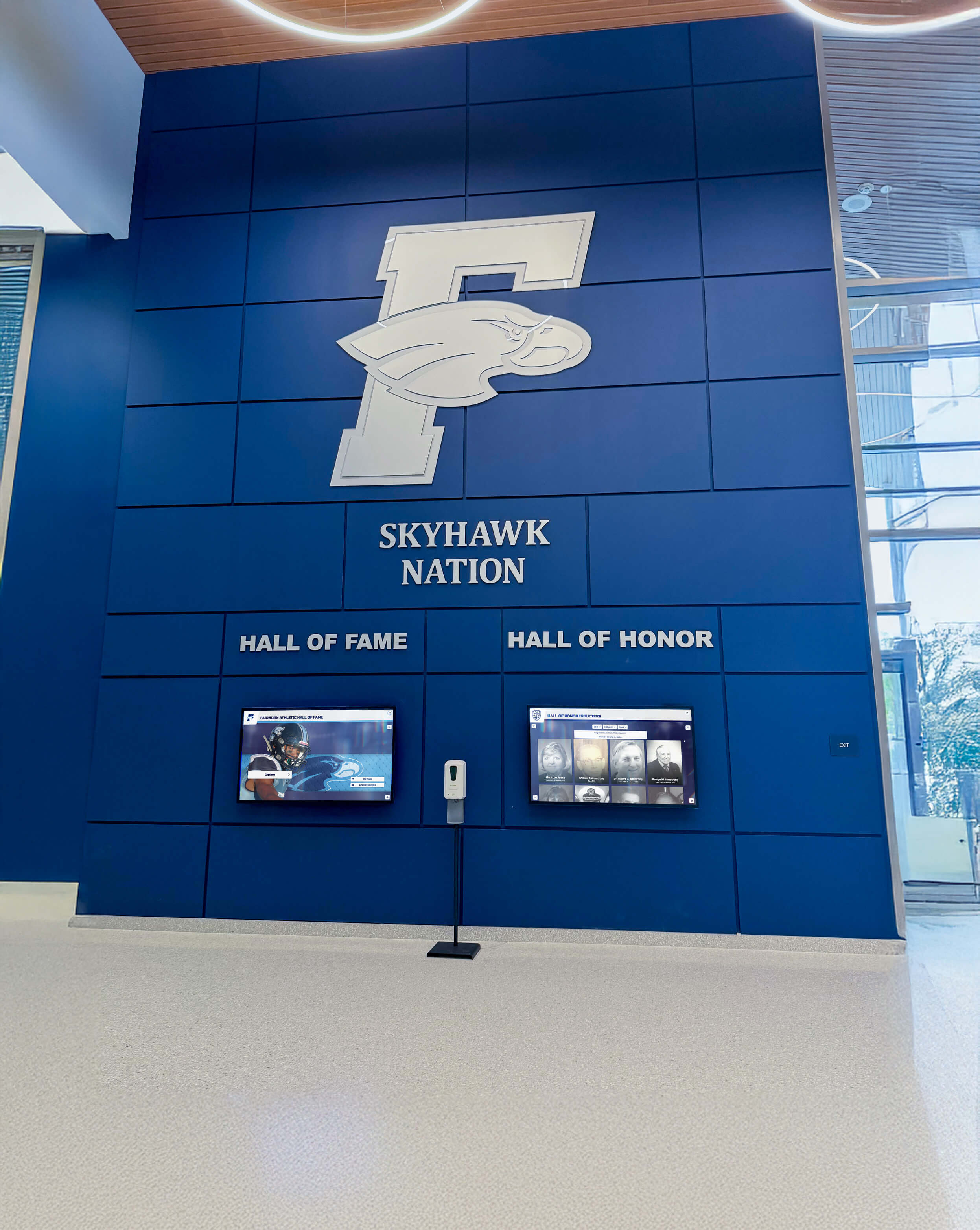
For many prospective students, athletic and recreation facilities significantly influence campus selection. Directories at gym, field house, or stadium entrances can showcase facility amenities, team achievements, intramural programs, and fitness opportunities while providing navigation assistance to specific venues within large athletic complexes.
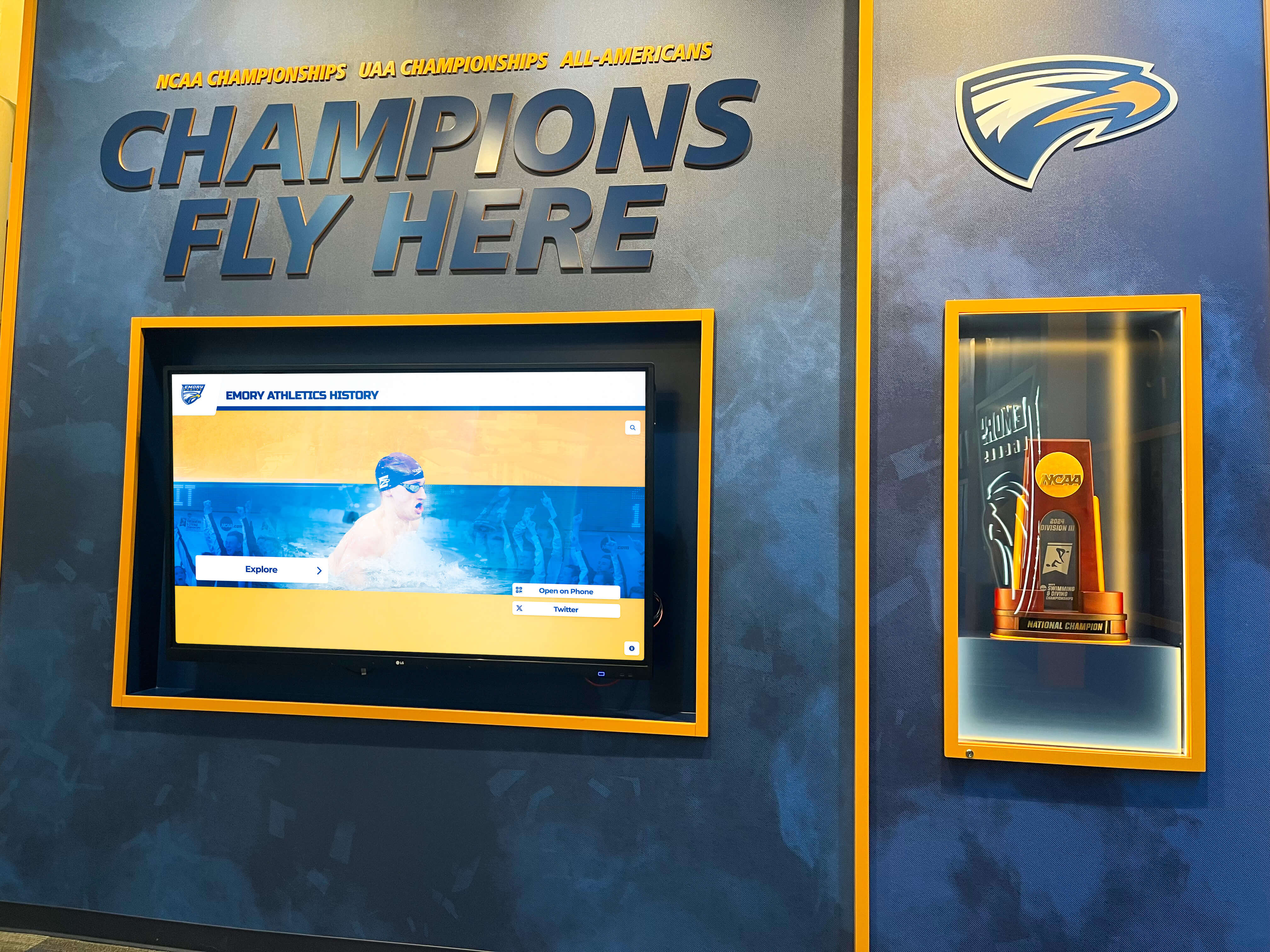
Student-athletes visiting campus for recruitment purposes particularly benefit from detailed athletic facility information, team recognition content, and program achievement highlights. Athletic recognition displays integrated with tour directories demonstrate program excellence and competitive success.
Content Strategy for Effective Tour Directories
Beyond technical capabilities, directory value depends on thoughtful content that serves diverse prospective student information needs and decision-making processes.
Understanding Prospective Student Information Needs
Pre-Visit Research:
Many prospective students conduct extensive online research before campus visits, arriving with specific questions about programs, opportunities, costs, and outcomes. Tour directories should address common questions families bring to campus visits:
- What majors and programs does this institution offer in my areas of interest?
- What career outcomes do graduates in my intended major achieve?
- What financial aid and scholarship opportunities might be available?
- What residential options and campus life experiences can I expect?
- How does this institution compare to other schools I’m considering?
During-Visit Navigation:
Active visitors navigating campus need practical, actionable information delivered efficiently:
- Where is the building or facility I’m trying to reach?
- What’s the fastest walking route from my current location?
- What can I do or see in the area where I’m currently located?
- When and where is my next scheduled visit activity?
- Where can I find restrooms, water, seating, or shelter?
Post-Tour Exploration:
After completing guided tours, many families spend additional time independently exploring campus areas of particular interest. Directory content should support this extended engagement:
- Detailed information about academic programs mentioned briefly during tours
- Virtual tours or photo galleries of facilities visited physically
- Student testimonials and success stories providing peer perspectives
- Contact information for department-specific questions requiring follow-up
- Links to online resources supporting continued research after campus visits
Writing for Prospective Student Audiences
Student-Focused Voice and Tone:
Directory content should speak directly to prospective students as the primary decision-makers, using conversational language that resonates with high school and transfer student audiences. Avoid institutional jargon, administrative terminology, or complex academic language that creates barriers to understanding.
Clarity and Conciseness:
Visitors accessing directories while actively navigating campus need information delivered concisely without excessive detail. Use short paragraphs, bullet points, clear headings, and visual hierarchy that enable quick scanning for relevant information.
Authentic Student Voices:
Incorporate student quotes, testimonials, and perspectives that prospective students find more credible than institutional marketing language. Current student experiences addressing decision factors—academic rigor, social experiences, career preparation, campus culture—provide valuable peer insights.
Visual Storytelling:
Photos and videos showcasing real campus life, authentic student experiences, and actual facilities prove more effective than stock imagery or promotional materials. Prospective students want to see what campus life actually looks like, not idealized marketing representations.
Highlighting Institutional Strengths and Differentiators
Academic Excellence Indicators:
Showcase concrete evidence of academic quality including accreditations, program rankings, faculty credentials, research funding, graduate school placement rates, and employer partnerships. Quantifiable measures provide objective quality indicators prospective students and parents seek when evaluating options.
Unique Programs and Opportunities:
Emphasize distinctive offerings that differentiate your institution from competitors—specialized majors, interdisciplinary programs, research opportunities for undergraduates, study abroad partnerships, co-op programs, entrepreneurship support, or service-learning requirements. These differentiators influence enrollment decisions among students choosing between similar institutions.
Student Success Outcomes:
Data demonstrating student outcomes provides powerful evidence of institutional effectiveness—graduation rates, career placement percentages, average starting salaries, graduate school acceptance rates, notable alumni, and employer satisfaction. Outcome data addresses practical concerns about return on investment families consider when evaluating college options.
Campus Culture and Values:
Communicate institutional values, commitment to diversity and inclusion, support for student well-being, and campus community characteristics that prospective students consider when seeking good-fit environments. Culture and values alignment significantly influences student satisfaction and success.
Technology Integration and Enhanced Functionality
Advanced college tour directories leverage technology integration that extends capabilities beyond standalone kiosks.
Mobile Device Integration
QR Code Information Transfer:
Generate custom QR codes that prospective students scan with smartphones to receive detailed information, virtual tours, or navigation directions on personal devices. This transfer enables continued information access as visitors move around campus without returning to fixed kiosk locations.
Mobile transfer proves particularly valuable for providing extensive information—full program descriptions, video testimonials, detailed facility tours, or downloadable maps—that would overwhelm touchscreen interfaces but works well on personal devices where visitors control viewing pace.
Mobile-Responsive Directory Access:
Provide web-based directory access optimized for smartphone browsing, enabling prospective students to access the same information system through personal devices. This creates seamless experiences across physical touchscreens and mobile access, allowing visitors to begin research on kiosks and continue on phones while walking.
Text Messaging Integration:
Enable visitors to text themselves directions, program information, contact details, or resource links directly from touchscreen directories. This lightweight mobile integration requires no app download while ensuring information remains accessible after campus visits end.
Virtual Tour Integration
Embedded Virtual Tours:
Integrate 360-degree virtual tours accessible through directory interfaces, enabling prospective students to explore facilities remotely or preview destinations before walking to physical locations. Virtual tours prove especially valuable for areas unavailable during visit times—residence hall rooms, laboratory spaces, or facilities under renovation.
Integration with program-specific virtual showcases provides detailed exploration of specialized facilities like career and technical education spaces, athletic training facilities, or performing arts venues that require extended time to tour physically.
Video Content Libraries:
Provide video content on demand including program overviews, student testimonials, faculty introductions, campus life glimpses, and institutional history. Video engages visitors more effectively than text alone while communicating information efficiently for time-constrained campus visits.
Calendar and Event Integration
Campus Event Schedules:
Display upcoming campus events that prospective students might attend during visits—athletic games, performing arts productions, guest lectures, or student organization activities. Exposure to authentic campus programming helps visitors understand actual student experiences beyond curated tour activities.
Visit Itinerary Integration:
Connect with admissions visit scheduling systems to display personalized itineraries for registered visitors. Prospective students check in at directories to view their scheduled activities, receive navigation directions to next appointments, and get reminders about upcoming sessions.
Real-Time Space Availability:
For institutions with classroom visit programs, integrate room scheduling data showing classes currently in session that welcome prospective student observers. This information enables spontaneous authentic experiences beyond structured tour programming.
Admissions System Integration
Inquiry Capture:
Enable prospective students to submit contact information, request additional materials, schedule follow-up appointments, or sign up for event notifications directly through directory interfaces. This capture moves interested visitors further through enrollment funnels while demonstrating genuine institutional interest.
Application Status Checking:
For returning visitors who have already applied, provide secure application status checking enabling students to view application completion status, missing materials, decision timelines, or next steps. This convenience demonstrates customer service orientation while reducing admissions office inquiry volume.
Financial Aid Calculators:
Embed net price calculators allowing families to estimate institutional costs and potential financial aid while on campus. This practical tool addresses primary enrollment decision factors and demonstrates transparency about college affordability.
Accessibility and Inclusive Design for All Visitors
College tour directories must serve prospective students and families with diverse abilities, backgrounds, and needs.
Physical Accessibility Standards
ADA-Compliant Installation:
Hardware installation must meet Americans with Disabilities Act requirements ensuring accessibility for visitors using wheelchairs or with limited mobility:
- Touchscreen height placing top interactive elements no higher than 48 inches from floor
- Clear floor space of 30 x 48 inches allowing wheelchair approach
- Controls and interactive elements within reach ranges specified by ADA
- Adequate clearance underneath for forward wheelchair approach to recessed installations
Alternative Input Methods:
While touchscreens provide primary interaction, consider supplementary input methods serving users unable to operate touch interfaces:
- Physical button controls duplicating essential touch functions
- Voice activation enabling hands-free operation
- Bluetooth connectivity allowing smartphone control as alternative input device
- Tactile markers on physical controls for users with visual impairments
Digital Accessibility Features
Screen Reader Compatibility:
Software design must support screen reader technologies used by visitors with visual impairments. This requires semantic HTML markup, alternative text for images, logical tab order for keyboard navigation, and ARIA labels for interactive elements.
Visual Accessibility:
Design choices supporting users with various visual abilities include:
- High contrast color schemes with minimum 4.5:1 contrast ratios
- Adjustable text size controls enabling user customization
- Simple, uncluttered layouts reducing visual complexity
- Sans-serif fonts optimized for screen readability
- Color coding supplemented with icons, labels, or patterns never relying solely on color
Cognitive Accessibility:
Interface design supporting users with diverse cognitive abilities and learning differences:
- Clear, simple language avoiding jargon or complex terminology
- Consistent navigation patterns throughout all screens
- Obvious, predictable controls requiring no specialized knowledge
- Error prevention with clear recovery instructions when errors occur
- Time limit warnings with options to extend interaction time
Understanding comprehensive digital accessibility standards ensures directory implementations serve all prospective student populations equitably.
Multilingual Support
Language Options:
Many prospective students and families speak languages other than English as primary languages. Comprehensive directory systems should provide:
- Interface translation into 5-10 most common languages in institutional service area
- Complete content translation, not just menu items
- Easy language selection visible on home screens
- Consistent translation quality through professional translation services
- Cultural adaptation ensuring translated content conveys equivalent meaning
International Student Content:
For institutions recruiting international students, provide content specifically addressing international applicant needs:
- Visa and immigration information
- English language proficiency requirements
- International student services and support
- Cultural adjustment resources
- International student community information
Measuring Impact on Recruitment and Enrollment
Data-driven approaches enable assessment of directory effectiveness and continuous improvement supporting recruitment goals.
Usage Analytics and Engagement Metrics
Interaction Volume:
Track total directory uses during peak recruitment seasons—spring preview weekends, summer tour season, fall open houses—to understand visitor engagement levels. Compare usage across multiple directory locations to identify highest-traffic placements and potentially underutilized installations.
Content Engagement:
Analyze which information categories prospective students access most frequently. Do visitors spend more time exploring academic programs, campus life information, or facility virtual tours? Understanding content preferences informs where to invest in deeper content development.
Session Duration:
Average interaction time reveals whether directories deliver information efficiently or confuse users with complex navigation. Very short sessions might indicate usability problems, while extremely long sessions could suggest excessive complexity requiring simplification.
Peak Usage Times:
Temporal patterns reveal when prospective students visit campus, informing admissions office staffing, tour scheduling, and potential opportunities to capture visitors during off-peak periods when guided tours may be unavailable.
Prospective Student Feedback and Satisfaction
On-Screen Satisfaction Surveys:
Brief embedded surveys collecting real-time visitor feedback about directory helpfulness, ease of use, information quality, and suggestions for improvement. Keep surveys extremely short—3-5 questions maximum—to encourage completion without disrupting tour experiences.
Campus Visit Survey Integration:
Include questions about directory use in broader campus visit satisfaction surveys sent to prospective students after visits. Understanding directory role in overall visit experiences helps quantify contribution to recruitment effectiveness.
Focus Groups and User Testing:
Conduct systematic usability testing with prospective student focus groups during directory development and periodically after implementation. Direct observation of real users attempting common tasks reveals usability issues analytics alone might miss.
Enrollment Impact Assessment
Correlation with Application Rates:
Compare application rates among prospective students visiting campus before and after directory implementation. While many factors influence application decisions, institutions consistently implementing superior visitor experiences typically observe increased conversion from visit to application.
Yield Rate Analysis:
Analyze whether students who visited campus and used directory systems enroll at higher rates than students without campus visit experiences. Directory contribution to creating positive impressions may improve yield among admitted students making final enrollment decisions.
Recruitment ROI Calculation:
Quantify directory investment returns through multiple value streams:
- Reduced admissions staff time previously spent providing directions and answering basic questions
- Extended visit capacity accommodating more prospective students through self-guided experiences
- Enhanced institutional image and competitiveness in recruitment marketplace
- Increased application volume from improved prospective student experiences
- Higher enrollment conversion among campus visitors
Implementation Best Practices from Leading Institutions
Successful college tour directory implementations follow systematic approaches maximizing effectiveness and institutional return on investment.
Planning and Requirements Gathering
Cross-Functional Planning Team:
Assemble representatives from key stakeholder departments:
- Admissions and enrollment management providing prospective student perspective
- Campus visit coordination understanding tour logistics and visitor needs
- Information technology ensuring technical infrastructure and system integration
- Facilities management addressing installation requirements and maintenance
- Marketing and communications ensuring brand consistency and messaging alignment
- Accessibility services confirming ADA compliance and inclusive design
- Academic affairs representing program information and faculty perspectives
Prospective Student Input:
The most valuable feedback comes from actual prospective students and families. Methods for gathering user input include:
- Observing current campus tours to identify information gaps and visitor questions
- Surveying recent applicants about information needs during campus visits
- Conducting focus groups with high school students and counselors
- Testing prototype systems with prospective student volunteers
- Soliciting feedback from student tour guides about common visitor questions
Phased Implementation Approach
Pilot Deployment:
Rather than immediate campus-wide installation, successful institutions typically begin with strategic pilot locations:
- Primary admissions office or welcome center as highest-traffic visitor location
- Representative academic building providing program-specific information testing
- High-visibility campus landmark demonstrating institutional innovation
Pilot installations enable evaluation, refinement, and evidence building before major investment in comprehensive deployment.
Iterative Improvement:
Use pilot period systematically to:
- Monitor usage analytics identifying popular content and navigation patterns
- Collect visitor feedback through surveys and observation
- Test various content approaches and interface designs
- Identify technical issues requiring resolution
- Refine content based on actual user behavior
Expansion Strategy:
After successful pilot validation, expand strategically:
- Prioritize locations with highest prospective student traffic
- Coordinate installations with renovation projects or new construction
- Phase expansion across multiple budget cycles if necessary
- Continue monitoring and refinement as installations expand
Content Development and Maintenance
Initial Content Population:
Launch with comprehensive, accurate information across all key content areas:
- Complete academic program catalog with detailed descriptions
- Campus maps with all buildings, facilities, and landmarks
- Virtual tours or photo galleries of major campus facilities
- Current student and alumni testimonials and success stories
- Admissions information, deadlines, and requirements
- Financial aid and scholarship opportunities
Sustainable Update Processes:
Establish clear content ownership and maintenance responsibilities:
- Admissions staff managing visit logistics and general recruitment content
- Academic departments updating program information and faculty profiles
- Student life offices maintaining campus activities and organization information
- Facilities management ensuring map and building information accuracy
- Regular review cycles verifying content remains current and accurate
Seasonal Content Adaptation:
Adjust content for recruitment season priorities:
- Application deadline reminders during fall recruitment season
- Financial aid information prominence during spring decision period
- Preview event and admitted student day information for spring yield season
- Summer orientation content for enrolled students transitioning to campus
Advanced Features and Emerging Capabilities
Leading-edge college tour directories continue evolving with emerging technologies that enhance prospective student experiences.
Artificial Intelligence and Personalization
Intelligent Recommendation Systems:
Machine learning algorithms analyze visitor interactions to suggest relevant content based on demonstrated interests. Students spending time exploring engineering programs receive automated suggestions about related STEM programs, faculty research opportunities, or career outcomes in technical fields.
Natural Language Search:
AI-powered search understanding conversational queries enables prospective students to ask questions naturally—“Where can I study environmental science?” or “What scholarships are available for out-of-state students?"—rather than navigating category hierarchies or using specific keyword searches.
Chatbot Integration:
Virtual assistant interfaces provide conversational interaction supplementing traditional directory navigation. Prospective students ask questions receiving immediate answers while chatbots escalate complex inquiries to human admissions representatives for follow-up.
Augmented Reality Campus Navigation
Smartphone AR Wayfinding:
Emerging augmented reality capabilities overlay directional guidance on smartphone camera views as students walk around campus. Arrows, distance indicators, and destination labels appear superimposed on real-world views, creating intuitive navigation requiring no map interpretation.
Building Information Overlays:
Point smartphones at campus buildings to display overlaid information—building names, departments housed within, historical facts, or virtual tours accessible by tapping building representations on screen.
Social Media Integration and Sharing
Social Sharing Features:
Enable prospective students to share favorite campus photos, virtual tour screenshots, or interesting program information directly to personal social media accounts. This organic sharing extends institutional reach to prospective students’ peer networks.
Live Social Feed Display:
Showcase current student social media posts (with permission and moderation) providing authentic glimpses of campus life. Prospective students value peer perspectives over institutional marketing messages.
Photo Opportunities:
Create branded photo experiences where prospective students take pictures with institutional logos, mascots, or campus landmark backgrounds, encouraging social sharing that promotes institutional visibility.
Rocket Alumni Solutions: Purpose-Built Campus Tour Technology
Digital recognition solutions like Rocket Alumni Solutions provide specialized platforms designed specifically for educational institutions, with deep understanding of campus tour and prospective student engagement needs.
Platform Advantages for College Tours
Intuitive Prospective Student Interfaces:
Systems designed specifically for prospective student audiences rather than generic kiosk software. Navigation patterns, visual design, and information architecture reflect how high school and transfer students actually seek information during campus visits.
Comprehensive Content Management:
User-friendly administrative interfaces enabling non-technical admissions staff to update tour content without IT department involvement. Scheduled publishing, workflow approvals, and template systems ensure content quality and brand consistency.
Flexible Integration Capabilities:
Pre-built connections with common higher education systems—admissions platforms, student information systems, event management tools, and campus mapping services—enable comprehensive functionality without custom development for each integration.
Recognition Content Integration:
Unique capability to seamlessly integrate directory navigation with recognition content celebrating student achievements, faculty accomplishments, athletic success, and alumni outcomes. This integration strengthens recruitment messaging while serving practical wayfinding needs.
Implementation Support and Partnership
Comprehensive Planning Assistance:
Expert guidance throughout implementation including needs assessment, content strategy development, placement recommendations, integration planning, and project management ensuring successful deployment.
Professional Installation Services:
Turnkey hardware installation eliminating institutional burden for mounting, cabling, network configuration, and system testing. Coordinated installation minimizes disruption to campus operations while ensuring professional results.
Training and Ongoing Support:
Administrative training enabling admissions staff to confidently manage content independently. Ongoing technical support, software updates, and strategic consultation ensure continued directory effectiveness.
Proven Higher Education Expertise:
Specialized focus on educational institutions provides deep understanding of campus tour needs, enrollment challenges, and prospective student expectations. Experience across diverse institution types—large research universities, small liberal arts colleges, regional comprehensives, community colleges—informs best practice recommendations.
Frequently Asked Questions
How much does a college tour directory touchscreen system cost?
College tour directory costs vary based on number of installations, hardware specifications, software features, content complexity, and integration requirements. Single-location basic systems typically start around $8,000-$15,000 including hardware, software licensing, installation, and initial content development. Comprehensive multi-location campus deployments range from $50,000-$150,000+ depending on scope. Costs include hardware (touchscreen kiosks or displays), software licensing, professional installation, content development, system integration, training, and ongoing support. Most institutions find directories generate strong return on investment through enhanced recruitment effectiveness, improved visitor experiences, extended tour capacity, and reduced admissions staff time answering basic questions. Request detailed proposals from vendors for accurate estimates specific to your campus requirements.
Can directories operate independently without scheduled tour guide availability?
Yes, properly designed college tour directories specifically enable independent, self-guided campus exploration without requiring scheduled tour participation or guide availability. This self-service functionality represents a primary value proposition—extending tour access 24/7, accommodating spontaneous visits without advance registration, enabling return visits by serious candidates wanting deeper exploration, and supplementing guided tours with additional information visitors can access independently. Interactive mapping, turn-by-turn directions, comprehensive program information, and virtual facility tours provide everything prospective students need for effective self-directed campus discovery. Many institutions maintain traditional guided tours while adding directory-enabled self-guided options that expand capacity and serve visitors with scheduling conflicts or preferences for independent exploration.
How do we keep tour directory information current and accurate?
Maintaining accuracy requires establishing clear content ownership, regular review cycles, and efficient update procedures. Assign specific admissions, marketing, or communications staff responsibility for directory content management with sufficient time allocation. Implement regular review schedules—monthly during active recruitment seasons, quarterly during summer—systematically verifying information currency. Integrate directory updates with processes generating changes—when academic departments revise programs, when facilities management updates building information, when student life adds new organizations. Modern cloud-based content management systems enable authorized staff to update information instantly from any internet-connected device without requiring technical expertise or IT involvement. This immediate update capability ensures information remains continuously current rather than waiting for physical signage replacement or printed material revision typical of traditional tour materials.
What accessibility features should college tour directories include?
Accessible directories must accommodate prospective students and families with diverse abilities following ADA and WCAG standards. Physical accessibility requires appropriate mounting heights (maximum 48 inches to top controls), adequate clear floor space for wheelchair approach, and accessible installation locations. Digital accessibility includes screen reader compatibility for visitors with visual impairments, adjustable text size and high contrast options, keyboard navigation without requiring mouse/touch operation, simple language at appropriate literacy levels, and adequate interaction time with warnings before session timeouts. Additional features supporting inclusive access include multilingual interfaces serving non-English speakers, audio output options reading content aloud, captioned video content, and alternative input methods beyond touchscreen interaction. Many institutions find user testing with individuals representing various disabilities reveals accessibility issues that technical compliance alone might miss, ensuring directories truly serve all prospective student populations equitably.
How do directories integrate with virtual tours and online resources?
Effective directories bridge physical campus visits and digital resources through multiple integration approaches. QR codes generated at directory kiosks enable prospective students to scan and receive links to virtual tours, detailed program information, video content, or downloadable campus maps on personal smartphones. This mobile transfer ensures information remains accessible as visitors walk around campus and after campus visits conclude. Embedded 360-degree virtual tours within directory interfaces let prospective students preview destinations before walking to physical locations or explore facilities unavailable during visit times. Links to program websites, application portals, and online resources connect physical tour experiences with comprehensive digital information supporting ongoing enrollment research. Many institutions use consistent visual design and navigation patterns across physical directories and mobile-responsive web resources, creating seamless experiences as prospective students transition between physical kiosks and personal device access.
Can we measure directory impact on enrollment and recruitment effectiveness?
Yes, multiple metrics enable quantification of directory contribution to recruitment outcomes. Usage analytics track interaction volume, content engagement, session duration, and peak usage times revealing prospective student engagement levels. Satisfaction surveys embedded in directories or included in post-visit communications assess visitor experience quality and directory helpfulness. Correlation analysis comparing application rates and yield percentages before and after directory implementation provides enrollment impact evidence. While directories represent one factor among many influencing enrollment decisions, institutions consistently implementing superior visitor experiences typically observe measurable recruitment improvements. Additional value comes from operational efficiency gains—reduced admissions staff time answering basic questions, extended capacity serving more prospective students through self-guided options, and enhanced institutional image demonstrating technological sophistication and visitor service commitment. Request case studies from vendors showing documented recruitment improvements at similar institutions for evidence of anticipated return on investment.
What ongoing maintenance and support do directories require?
College tour directories require modest ongoing maintenance compared to initial implementation effort. Content updates represent the primary recurring task—keeping program information current, adding new student testimonials, updating event calendars, and refreshing campus photos. Cloud-based content management systems enable staff to perform these updates quickly through user-friendly web interfaces without technical expertise. Software updates and feature enhancements typically deploy remotely by vendors without requiring institutional IT involvement. Hardware maintenance for interior installations remains minimal—occasional screen cleaning and rare component replacement. Outdoor installations require more frequent maintenance including weatherproofing inspection and higher cleaning frequency. Most institutions find directory maintenance requires 5-10 hours monthly for content updates and monitoring once initial implementation completes. Vendor support agreements typically include technical assistance, software updates, and consultation ensuring continued system effectiveness. Select vendors offering comprehensive ongoing support rather than assuming institutional staff can maintain complex systems without external expertise.
Conclusion: Transforming Campus Tours Through Interactive Technology
College tour directory touchscreen displays represent strategic investments that transform how prospective students experience, understand, and connect with institutions during critical campus visit experiences. These systems extend far beyond simple wayfinding tools to become comprehensive recruitment platforms that showcase institutional excellence, enable self-directed exploration, accommodate diverse visitor needs, and create memorable experiences influencing enrollment decisions.
Critical Success Factors:
- Strategic placement at high-traffic locations where prospective students naturally congregate
- Comprehensive content addressing diverse information needs throughout decision processes
- Intuitive interfaces requiring no training or technical expertise to navigate effectively
- Integration with admissions systems, virtual tours, and mobile devices
- Accessible design serving all visitors regardless of abilities or backgrounds
- Sustainable maintenance processes ensuring continued content accuracy and system functionality
- Systematic measurement enabling data-driven optimization and improvement
Educational institutions that thoughtfully implement college tour directory systems consistently achieve measurable improvements in prospective student satisfaction, recruitment effectiveness, and enrollment conversion. The investment required generates returns through enhanced institutional competitiveness, operational efficiencies, and enrollment outcomes that compound over time.
As prospective student expectations continue evolving alongside technological advancement, institutions providing modern, sophisticated campus tour experiences position themselves advantageously in competitive enrollment markets. Interactive directory touchscreens demonstrate institutional commitment to student experience, showcase technological sophistication, and deliver practical value that prospective students and families appreciate during stressful college search processes.
Ready to transform your campus tour experiences and strengthen recruitment effectiveness? Explore how solutions like Rocket Alumni Solutions help colleges and universities enhance prospective student engagement through interactive displays, comprehensive directory systems, and recognition platforms designed specifically for higher education environments. Great college tour directories don’t just help visitors find buildings—they help institutions find their future students.






























