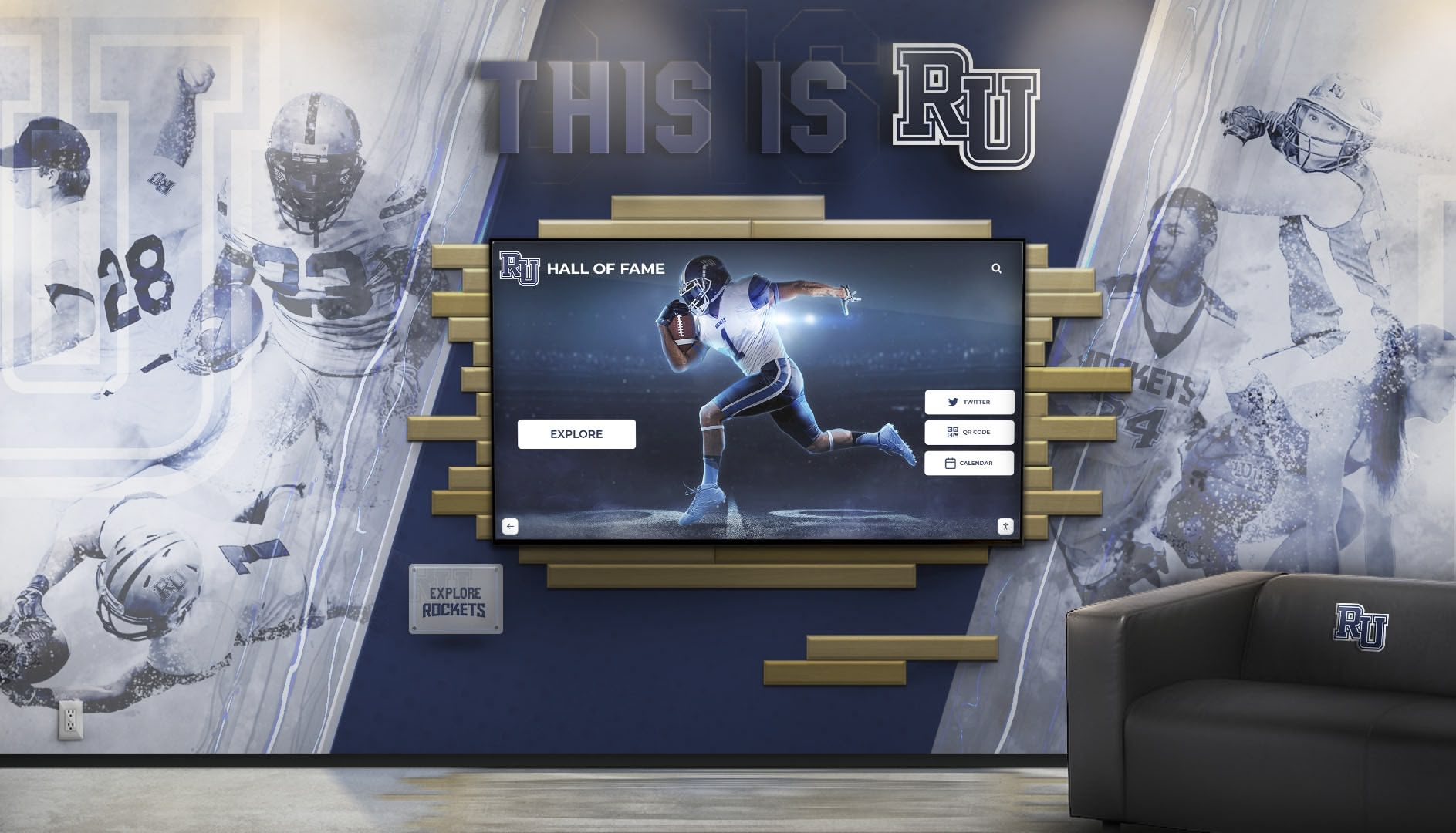




Campus directories serve as the central nervous system of modern educational institutions, helping thousands of students, faculty, visitors, and staff navigate increasingly complex facilities every day. As universities and colleges continue to expand with new buildings, renovated spaces, and growing communities, the need for effective wayfinding solutions has never been more critical.

Traditional paper directories and static wall maps quickly become outdated, creating confusion and diminishing the professional image institutions work hard to cultivate. Digital campus directories offer a transformative solution that serves multiple constituencies while reducing administrative burden and improving the overall campus experience.
Understanding Campus Directory Systems
A campus directory system is far more than a simple list of names and office numbers. Modern solutions integrate wayfinding, communication, recognition, and engagement into unified platforms that serve as digital gateways to campus life.
Core Functions of Modern Campus Directories
People Search and Contact Information The primary function remains helping users locate faculty, staff, and department contacts. Modern systems provide:
- Real-time search with predictive text
- Multiple search parameters (name, department, building, expertise)
- Direct contact information including office hours
- Integration with campus scheduling systems
- Photo identification when available
Interactive Campus Mapping Digital wayfinding solutions transform static maps into dynamic navigation tools:
- Touch-enabled campus maps with zoom and pan functionality
- Building-to-building routing with distance and time estimates
- Accessibility route highlighting for ADA compliance
- Multi-floor building navigation
- “You Are Here” location awareness
- Turn-by-turn directions that can be sent to mobile devices
Department and Service Directories Comprehensive listings help visitors find essential services:
- Academic departments with program information
- Administrative offices and student services
- Campus facilities (libraries, dining, recreation)
- Emergency services and campus security
- Visitor amenities (parking, restrooms, ATMs)
Event Information and Scheduling Integration with campus calendars creates awareness:
- Current and upcoming campus events
- Room and venue schedules
- Athletic events and performances
- Academic calendar milestones
- Special programs and visiting speakers
The Evolution from Traditional to Digital Directories
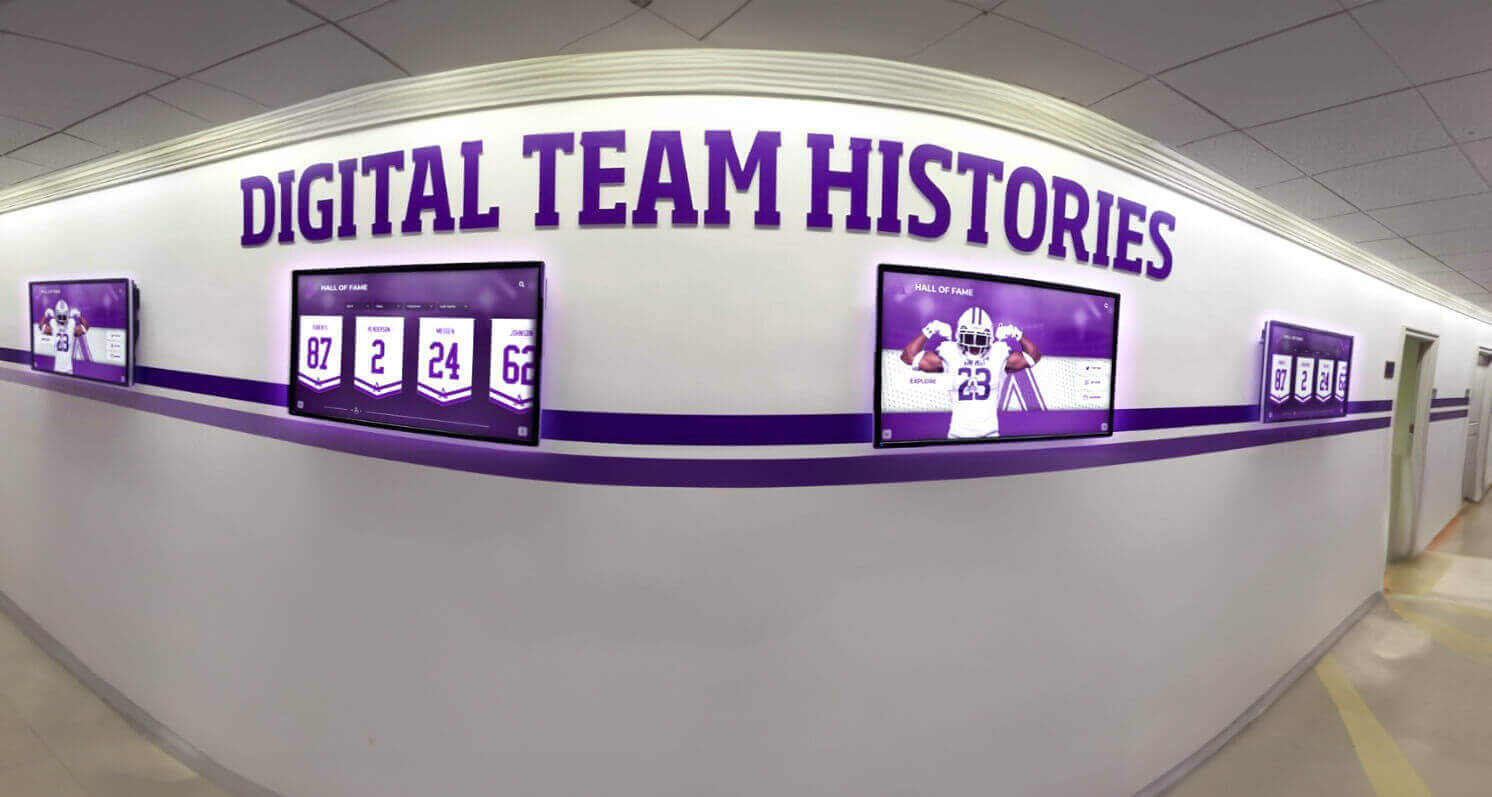
The transition from paper-based and static directories to interactive digital systems represents one of the most impactful technology upgrades modern campuses can make.
Limitations of Traditional Directory Systems
Paper Directories and Printed Maps
- Become outdated immediately after printing
- Expensive to update and redistribute
- Easily lost or damaged
- Limited information capacity
- No search functionality
- Static representation that can’t adapt to user needs
Static Wall-Mounted Directories
- Require physical updates for personnel changes
- Limited space constrains information depth
- Difficult to maintain across multiple buildings
- Poor accessibility for users with disabilities
- No analytics on usage patterns
- Unable to provide directions or wayfinding support
Standalone Digital Lists
- Limited interactivity beyond basic scrolling
- No integration with other campus systems
- Typically text-only with no visual wayfinding
- Difficult content management
- No personalization or search refinement
Advantages of Interactive Touchscreen Directories
Modern building directory systems deliver transformative benefits:
For Visitors and New Students
- Immediate access to needed information
- Intuitive touch interface requiring no training
- Visual mapping reduces navigation anxiety
- Multiple language support options
- Accessibility features for all users
- Confidence-building orientation experience
For Campus Administration
- Centralized content management
- Instant updates across all displays
- Reduced printing and signage costs
- Usage analytics inform improvements
- Integration with existing databases
- Professional image enhancement

Key Features of Effective Campus Directories
The most successful campus directory implementations share common characteristics that maximize utility and user satisfaction.
Intuitive User Interface Design
Touch-First Navigation Modern users expect touch interfaces that respond like their smartphones:
- Large, easily tappable buttons and controls
- Gesture support (pinch to zoom, swipe to pan)
- Clear visual hierarchy
- Consistent navigation patterns
- Minimal steps to reach information
Smart Search Functionality Advanced search capabilities reduce frustration:
- Predictive text that anticipates user intent
- Tolerance for spelling variations and errors
- Multiple simultaneous search parameters
- Recently searched items for quick access
- Popular searches highlighted for common needs
Visual Wayfinding Integration Maps and directions must be clear and actionable:
- High-contrast, easy-to-read campus maps
- Color-coded buildings and pathways
- Landmark identification for orientation
- Current location indicators
- Printable or mobile-sendable directions
Real-Time Content Management
Centralized Administration Rocket Alumni Solutions provides sophisticated content management:
- Single dashboard controls all campus displays
- Role-based permissions for distributed management
- Scheduled updates and content expiration
- Template-based designs ensure consistency
- Preview mode before publishing changes
Database Integration Seamless connections with existing systems eliminate duplicate data entry:
- HR systems for employee information
- Student information systems
- Facility management databases
- Event management platforms
- Academic scheduling systems
Rapid Update Capability Change management becomes effortless:
- Update employee information instantly upon hire or departure
- Modify building names or room numbers immediately
- Add emergency notifications in real-time
- Adjust hours and availability dynamically
- Deploy campus-wide changes in minutes, not weeks
Multi-Location Consistency
Distributed Display Network Large campuses benefit from multiple strategically placed directories:
- Main entrance lobbies for first impressions
- Building entrances for department-specific information
- High-traffic corridors for maximum exposure
- Outdoor kiosks for 24/7 accessibility
- Residence halls for student convenience
Unified Experience Despite multiple locations, users experience consistency:
- Identical interface across all touchpoints
- Synchronized content updates
- Matching visual design and branding
- Centralized analytics across all displays
Strategic Placement for Maximum Impact
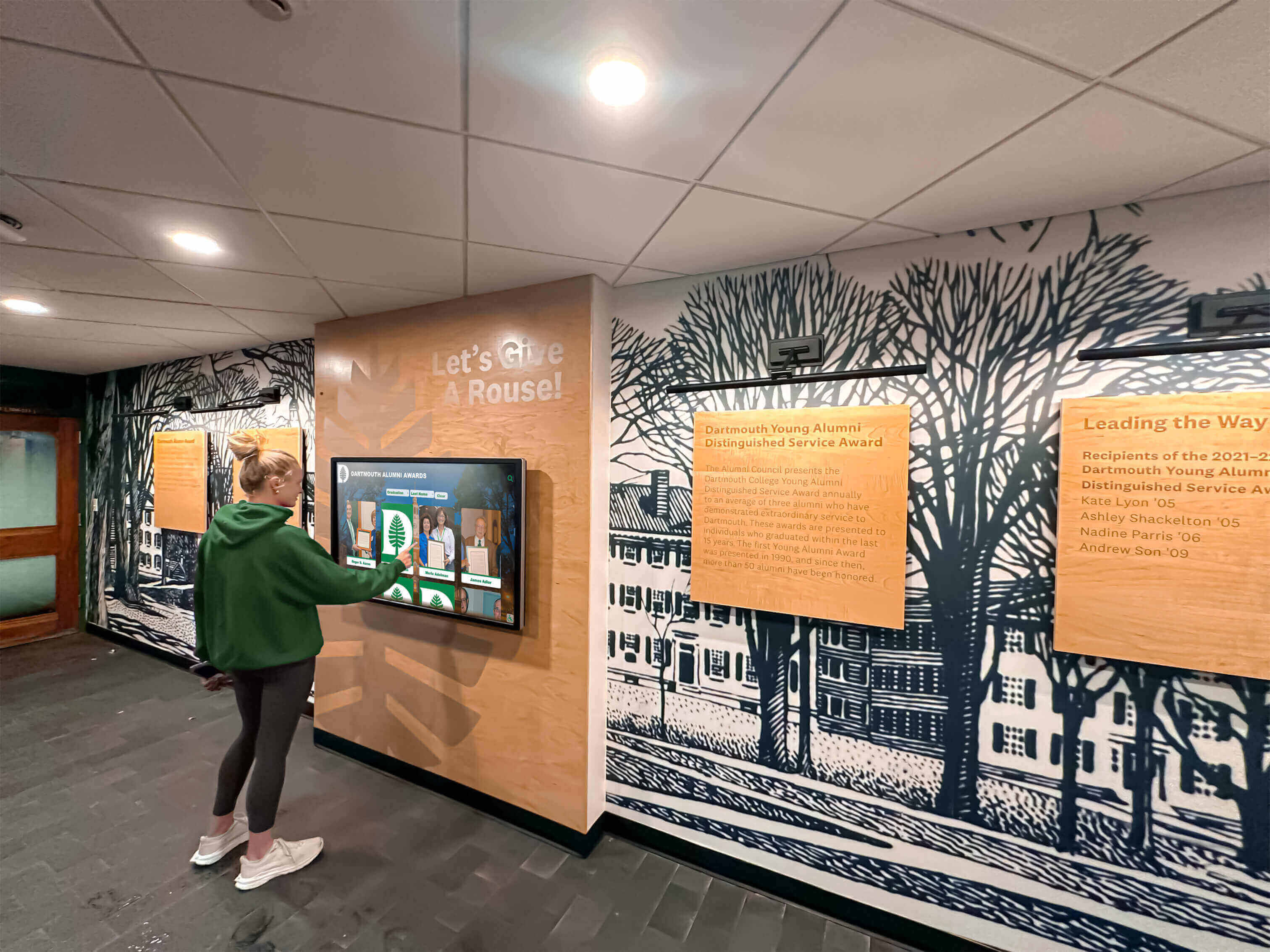
Location strategy significantly impacts directory utilization and effectiveness.
Primary Access Points
Main Campus Entrances First impressions matter tremendously:
- Welcome visitors with modern, helpful technology
- Provide immediate orientation for newcomers
- Reduce reception desk burden
- Project institutional innovation and student-centeredness
Building Lobbies Building-specific directories serve targeted needs:
- Department and faculty listings for that building
- Floor-specific wayfinding
- Building amenities and services
- Emergency assembly points and procedures
Student Centers and Commons High-traffic student areas maximize engagement:
- Event promotion reaches target audiences
- Student services become more accessible
- Campus life information stays visible
- Recognition content engages community
Specialized Locations
Athletic Facilities Sports venues benefit from dedicated directories:
- Athletic staff and coach information
- Facility amenities (locker rooms, training areas)
- Event schedules and ticketing
- Hall of Fame recognition displays
- Donor recognition for facility supporters
Academic Buildings Research and instruction spaces need tailored information:
- Department faculty directories with research interests
- Lab and classroom locations
- Office hours and appointment scheduling
- Academic program information
- Graduate student and researcher listings
Administrative Buildings Central administration benefits from comprehensive directories:
- Executive leadership teams
- Administrative department organization
- Student services navigation
- Appointment scheduling integration
- Campus policy and procedure access
Content Strategy Beyond Basic Directories
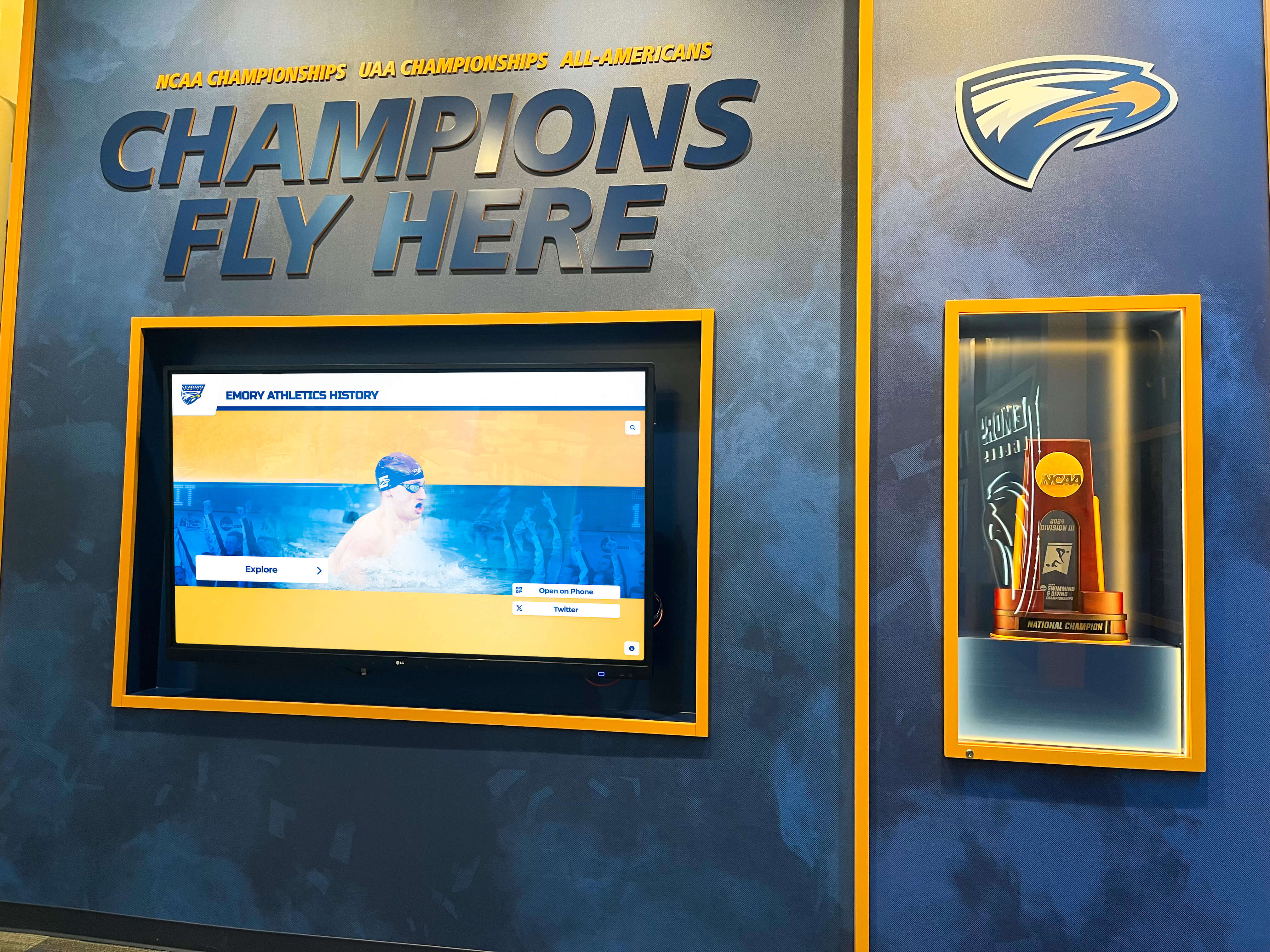
The most valuable campus directories extend far beyond simple name and location listings to become central communication hubs.
Campus News and Announcements
Dynamic Content Rotation Keep campus community informed and engaged:
- Headlines from campus news sources
- Important deadlines and reminders
- Weather alerts and campus closures
- Construction updates affecting navigation
- Special event highlights
Targeted Messaging Different audiences need different information:
- Prospective student content during tour seasons
- Parent and family weekend programming
- Alumni event promotion during homecoming
- Academic calendar reminders for current students
Recognition and Achievement
Student and Faculty Honors Celebrate institutional excellence:
- Dean’s list and academic honors
- Faculty research awards and publications
- Athletic achievements and records
- Scholarship recipients
- Community service recognition
Donor Recognition Digital donor walls integrated with directories:
- Capital campaign contributors
- Endowed scholarship and professorship donors
- Facility naming recognition
- Annual giving society members
- Legacy and planned giving recognition
Campus Life Integration
Dining and Amenities Practical information students use daily:
- Dining hall menus and hours
- Campus store hours and services
- Library hours and resources
- Recreation facility schedules
- Transportation and parking information
Event Calendars Comprehensive activity listings:
- Academic lectures and symposia
- Performing arts events
- Athletic schedules and ticketing
- Student organization activities
- Community engagement opportunities
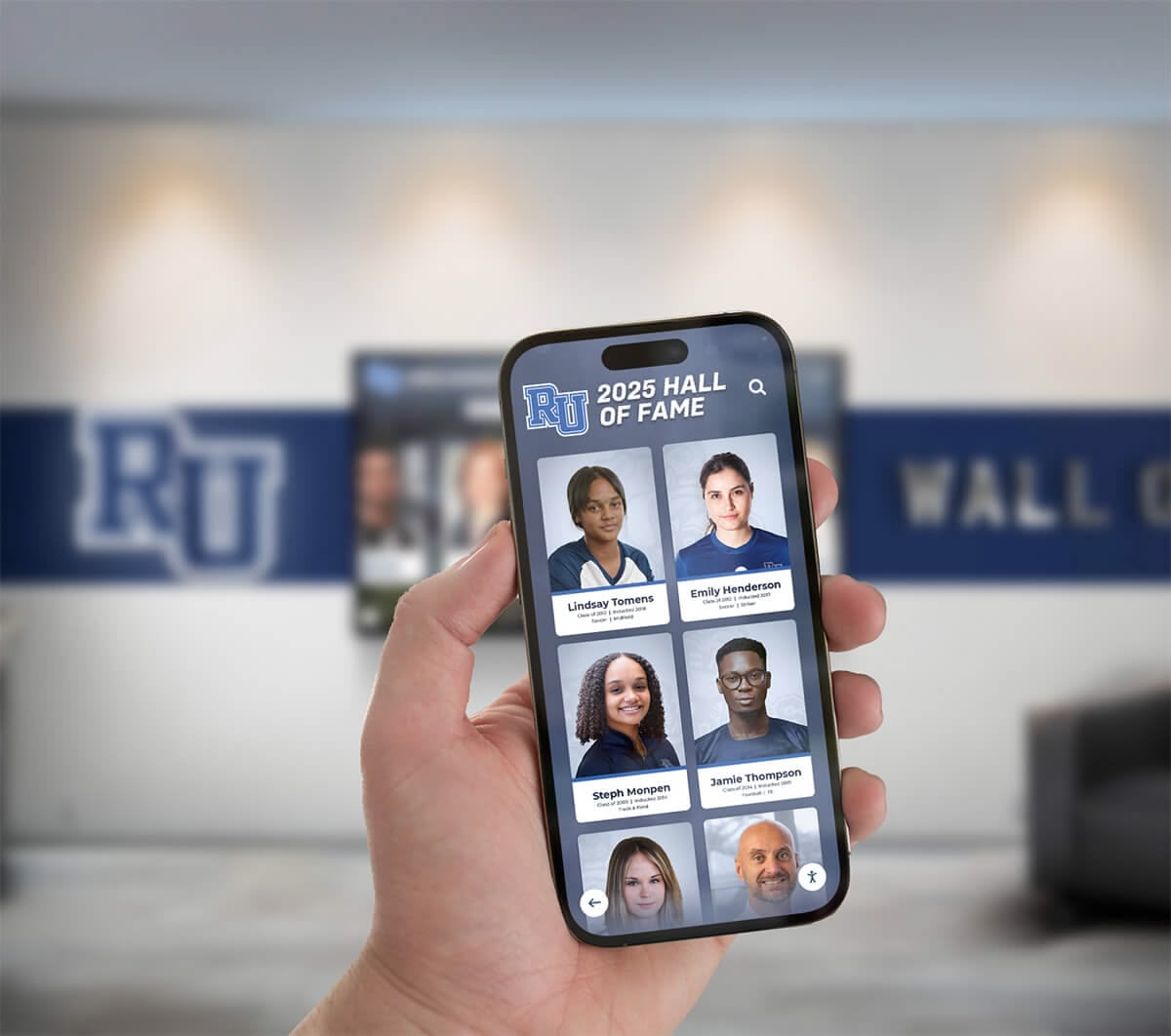
Mobile Integration and Extended Reach
Modern campus directories bridge physical and digital experiences through mobile connectivity.
QR Code Wayfinding
Seamless Mobile Transfer Users expect directions on their personal devices:
- Generate custom QR codes for specific routes
- Users scan to receive directions on smartphones
- Integration with popular mapping applications
- Continued navigation as users move across campus
- Shareable routes via text or email
Mobile Companion Apps
Extended Directory Access Campus directory information extends beyond physical kiosks:
- Native iOS and Android applications
- Web-responsive directory access
- Synchronized content with physical displays
- Personalized favorites and frequently contacted
- Push notifications for important updates
Social Media Integration
Community Connection Link physical directories to digital communities:
- Display social media feeds highlighting campus life
- Event sharing directly to personal accounts
- Photo opportunities with branded directory interfaces
- User-generated content integration (with moderation)
- Campus hashtag promotion and monitoring
Implementation Planning and Best Practices
Successful campus directory deployments require thoughtful planning and stakeholder engagement.
Needs Assessment
Stakeholder Input Gather requirements from diverse constituencies:
- Student surveys on navigation pain points
- Faculty input on departmental needs
- Visitor services feedback on common questions
- IT department technical requirements
- Facilities input on placement and power
- Accessibility office compliance review
Current State Analysis Understand existing challenges and opportunities:
- Audit current signage and directories
- Map common navigation confusion points
- Review reception desk inquiry logs
- Analyze website directory usage patterns
- Document update processes and pain points
Technical Requirements
Infrastructure Preparation Ensure locations support directory hardware:
- Electrical power near desired placement
- Network connectivity (wired preferred for reliability)
- Adequate lighting without screen glare
- Climate control for electronics protection
- Physical security considerations
System Integration Planning Connect directories with existing platforms:
- HR database connections for employee data
- Student information system integration
- Event management platform feeds
- Room scheduling system connections
- Emergency notification system integration
Content Development
Initial Population Launch with comprehensive, accurate information:
- Complete faculty and staff directories
- Verified department and office locations
- Current campus maps with accurate building names
- Up-to-date service information and hours
- Event calendar integration testing
Maintenance Workflows Establish sustainable update processes:
- Define content ownership by department
- Create update request procedures
- Establish review and approval workflows
- Schedule regular content audits
- Develop emergency update protocols
Accessibility and Inclusive Design
Modern campus directories must serve all community members regardless of ability.
ADA Compliance Requirements
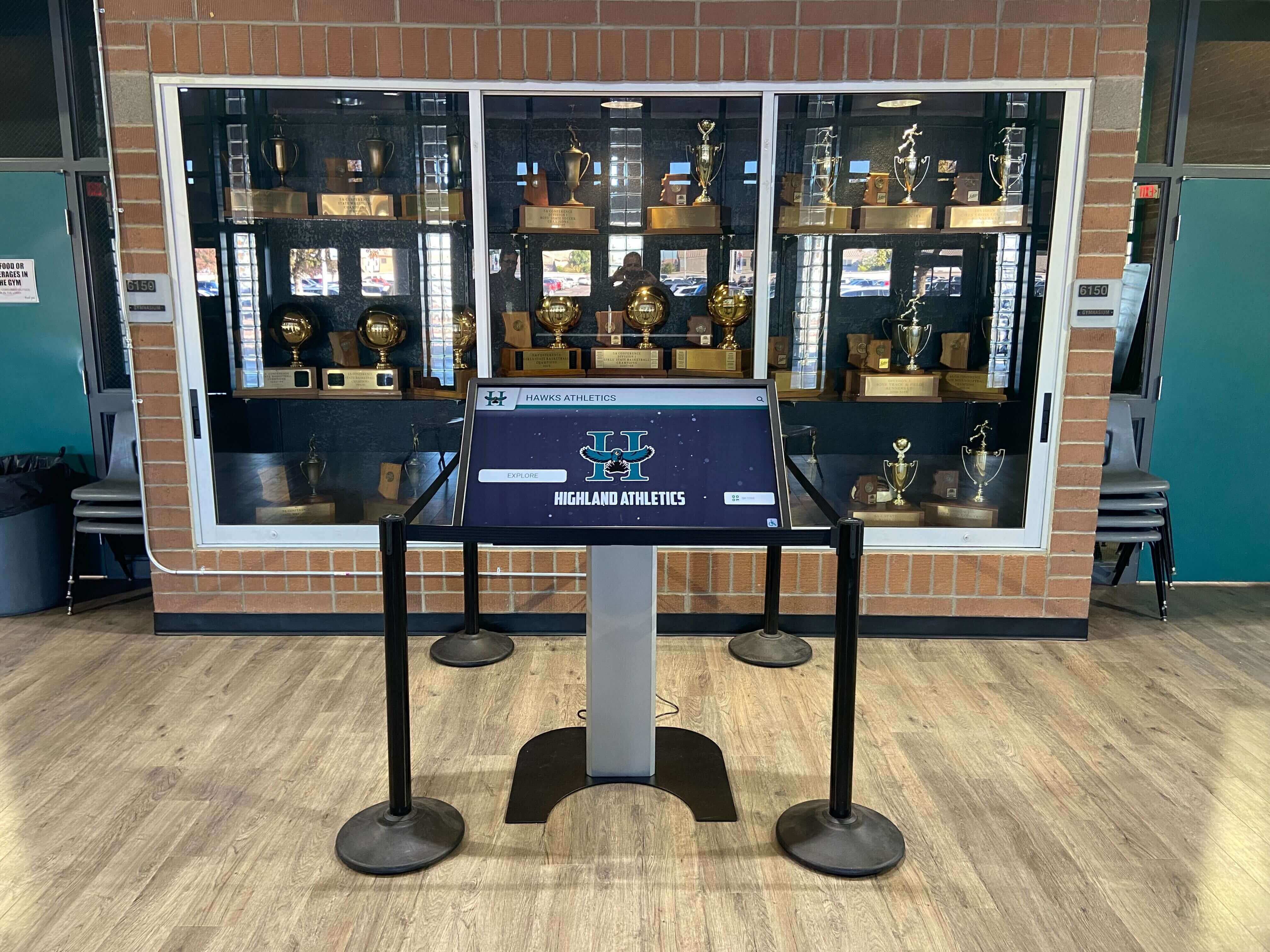
Physical Accessibility Hardware placement must accommodate all users:
- Mounting heights compliant with ADA reach ranges
- Clear floor space for wheelchair users
- Adjustable viewing angles
- No protruding obstacles creating hazards
Digital Accessibility Interface design must support assistive technologies:
- High contrast text and backgrounds
- Adjustable text sizes
- Screen reader compatibility
- Audio output options
- Simplified navigation modes
Universal Design Principles
Multilingual Support Serve diverse campus populations:
- Interface language selection
- Translated content for common languages
- International phonetic name searching
- Cultural inclusivity in design elements
Cognitive Accessibility Clear, simple interfaces serve all users:
- Plain language without jargon
- Consistent layouts and navigation
- Visual cues supplement text instructions
- Error prevention and clear error recovery
- Progressive disclosure of complex information
Measuring Success and ROI
Quantify directory effectiveness through comprehensive metrics and feedback.
Usage Analytics
Interaction Metrics Modern systems track valuable usage data:
- Daily interaction counts by location
- Most searched names and departments
- Most requested directions and destinations
- Peak usage times and days
- Session duration and interaction depth
- Popular content areas beyond directory search
Conversion Tracking Measure directory effectiveness:
- Successful searches vs. abandoned sessions
- Direction requests leading to QR scans
- Contact information access rates
- Event information engagement
- Time to complete common tasks
User Satisfaction
Qualitative Feedback Gather direct user input:
- On-screen satisfaction surveys
- QR-linked detailed feedback forms
- Focus groups with key user populations
- Comparison to previous directory systems
- Suggested improvements and features
Administrative Efficiency Measure operational improvements:
- Reduced reception desk directional inquiries
- Decreased printed directory costs
- Time saved on directory updates
- Reduced signage maintenance
- Lower call volume to departmental offices
Return on Investment
Tangible Cost Savings Quantify financial benefits:
- Eliminated printing and distribution costs
- Reduced staff time on directory maintenance
- Lower signage replacement expenses
- Decreased reception staffing needs during peak periods
Intangible Benefits Recognize qualitative improvements:
- Enhanced campus image and modernization
- Improved first impressions for prospective students
- Reduced visitor frustration and anxiety
- Increased event attendance through promotion
- Stronger community connection through recognition content
Rocket Alumni Solutions: Purpose-Built for Campus Directories
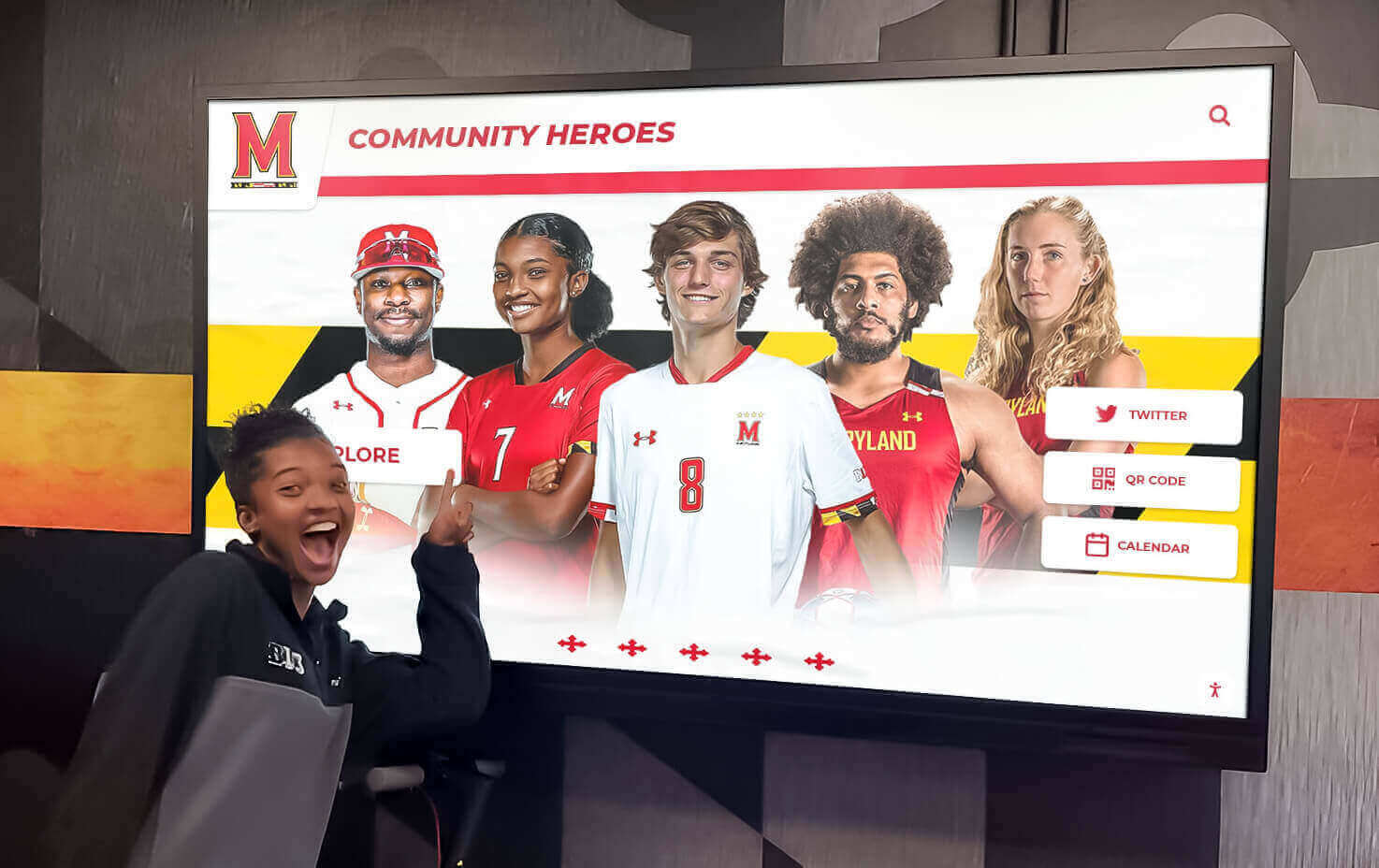
Rocket Alumni Solutions specializes in touchscreen display systems designed specifically for educational environments, with deep understanding of campus directory needs.
Platform Advantages
Education-Focused Design Features tailored to campus requirements:
- Intuitive interfaces requiring no user training
- Robust search handling complex university structures
- Multi-building campus mapping capabilities
- Event integration with academic calendars
- Recognition modules for student and faculty achievements
Flexible Content Management Powerful tools for distributed campus administration:
- Role-based access for departmental editors
- Workflow approvals for content quality
- Scheduled publishing for timed announcements
- Template systems ensuring brand consistency
- Media library management for photos and videos
Proven Reliability Mission-critical systems built for continuous operation:
- 24/7 uptime with automatic health monitoring
- Remote troubleshooting and support
- Automatic content backup and recovery
- Hardware designed for public spaces
- Vandal-resistant enclosures and mounts
Implementation Support
Comprehensive Planning Assistance Expert guidance through the entire process:
- Needs assessment and requirements gathering
- Placement strategy and campus mapping
- Hardware selection and configuration
- Integration planning with existing systems
- Content strategy development
Professional Installation Turnkey deployment eliminates institutional burden:
- Coordinated hardware delivery and staging
- Professional mounting and cable management
- Network configuration and testing
- Integration with campus systems
- On-site training for administrators
Ongoing Support Long-term partnership ensures continued success:
- Dedicated account management
- Technical support hotline
- Software updates and new features
- Best practice sharing and consultation
- Annual content and strategy review
Advanced Features and Future Capabilities
Leading-edge campus directories continue evolving with emerging technologies.
Personalization and AI
Smart Recommendations Artificial intelligence enhances user experience:
- Predictive search based on historical patterns
- Personalized content based on user role detection
- Context-aware suggestions (time of day, season, events)
- Natural language query processing
Accessibility Enhancement AI improves inclusive access:
- Voice command interfaces
- Real-time translation for additional languages
- Automatic alt-text generation for visual content
- Adaptive interfaces for different user needs
Data Integration Expansion
Campus System Connections Deeper integration creates comprehensive information hubs:
- Course catalog and schedule integration
- Building occupancy and available space
- Transportation and parking availability
- Dining crowdedness and wait times
- Library resource availability
Analytics and Optimization
Continuous Improvement Data-driven refinement enhances effectiveness:
- A/B testing interface variations
- Heat mapping touch interactions
- User journey analysis
- Content performance measurement
- Predictive maintenance alerts
Frequently Asked Questions
How much does a campus directory system cost?
Campus directory system costs vary significantly based on the number of displays, hardware specifications, required integrations, and content complexity. A typical single-location installation might range from $8,000-$15,000 for hardware and software, with multi-location campus-wide deployments scaling based on quantity and customization needs. Rocket Alumni Solutions provides detailed quotes based on specific campus requirements, including hardware, software licensing, installation, training, and ongoing support. Most institutions find that eliminating printed directory costs and reducing staff time on updates provides ROI within 2-3 years.
How difficult is it to update directory information?
Modern campus directory systems are designed for easy updates by non-technical staff. Rocket Alumni Solutions provides a web-based content management interface that allows authorized administrators to update employee information, add new entries, modify maps, post announcements, and manage all content without programming knowledge. Changes publish instantly to all displays. Many institutions integrate directory systems directly with HR databases and student information systems, enabling automatic updates when personnel information changes in source systems.
Can campus directories integrate with existing databases?
Yes, modern directory systems are designed for integration with existing campus databases and information systems. Common integrations include HR systems for employee data, student information systems, facility management databases for room information, event management platforms for calendar content, and emergency notification systems. Rocket Alumni Solutions works with your IT department to establish secure data connections using standard protocols (API, ODBC, flat file imports) based on your existing system capabilities. Integration eliminates duplicate data entry and ensures information accuracy.
What happens if the network connection fails?
Quality campus directory systems include offline functionality to ensure continuous operation even during network disruptions. Displays cache content locally and continue providing directory search, mapping, and core information even without active network connectivity. When connection is restored, the system automatically synchronizes any content updates. For locations where network reliability is a concern, cellular backup connections can provide redundancy. Rocket Alumni Solutions hardware includes local processing power to maintain full functionality independent of network status.
How do you handle privacy concerns with employee directories?
Campus directory systems should respect privacy preferences while maintaining utility. Best practices include offering employees the ability to limit publicly displayed information (for example, showing only name and department, not phone or email), providing separate internal and public-facing directory modes with different information levels, complying with institutional privacy policies and applicable regulations, and allowing individuals to opt out of photo display. Rocket Alumni Solutions works with institutions to configure privacy controls that balance transparency with personal preferences and security considerations.
Can directories be used outdoors?
Yes, outdoor-rated kiosks specifically designed for exterior deployment are available for campus entrances, parking areas, and outdoor pedestrian zones. Outdoor directories require specialized hardware including weather-resistant enclosures, high-brightness displays visible in direct sunlight (typically 2,500+ nits), temperature regulation for extreme conditions, and vandal-resistant construction. Outdoor units typically cost more than interior displays due to these enhanced specifications. Rocket Alumni Solutions offers outdoor-rated options designed for educational campus environments with proven durability across various climates.
How long does implementation typically take?
Implementation timelines vary based on scope, but typical campus directory projects follow this general timeline: 2-4 weeks for needs assessment, planning, and design; 2-3 weeks for content development and system configuration; 1-2 weeks for hardware delivery and installation; 1 week for integration, testing, and training. Total implementation from contract signing to go-live typically ranges from 6-10 weeks for straightforward deployments, with larger multi-location projects potentially extending to 3-4 months. Database integration complexity is usually the largest variable affecting timeline. Rocket Alumni Solutions provides detailed project plans with clear milestones for your specific implementation.
What maintenance is required after installation?
Campus directories require minimal ongoing maintenance. Software updates are typically deployed remotely by Rocket Alumni Solutions without campus IT involvement. Content updates are performed by campus administrators as needed through the web-based management interface. Hardware maintenance is minimal for interior displays, typically limited to occasional screen cleaning. Outdoor units may require more frequent cleaning and periodic inspection of seals and enclosures. Most institutions find that after initial implementation, directory management requires only 1-2 hours per week for content updates and monitoring. Rocket Alumni Solutions provides ongoing technical support, monitoring, and assistance as needed.
Conclusion: Transforming Campus Navigation and Communication
Campus directories represent far more than simple name listings—they serve as central hubs for navigation, communication, recognition, and community building. Modern interactive touchscreen directory systems transform the campus experience for students, faculty, staff, and visitors while reducing administrative burden and eliminating the constant challenge of outdated information.
Educational institutions investing in digital school tour solutions and comprehensive directory systems position themselves as forward-thinking, student-centered environments that leverage technology to enhance rather than complicate the human experience. The return on investment comes not just from eliminated printing costs and reduced staff time, but from the countless positive impressions created when people find what they need quickly and easily.
Rocket Alumni Solutions brings specialized expertise in educational touchscreen systems, with proven implementations across campuses of all sizes. From small liberal arts colleges to large research universities, institutions trust Rocket Alumni Solutions to deliver reliable, intuitive directory systems that serve their communities effectively for years to come.
Ready to transform your campus navigation and communication? Contact Rocket Alumni Solutions to discuss your specific campus directory needs and explore how modern touchscreen technology can enhance your institutional experience. Our team provides consultation, planning assistance, and comprehensive implementation support to ensure your directory system delivers maximum value from day one.






























