




Intent: research
Selecting the optimal software architecture for touchscreen displays represents a critical decision affecting performance, maintenance costs, user experience, and long-term flexibility. The fundamental choice between web-based touchscreen software and native applications shapes deployment complexity, update workflows, cross-platform compatibility, and total cost of ownership throughout your interactive display’s operational life.
Key Research Findings:
- Web-based touchscreen applications demonstrate 87% faster update deployment versus native apps requiring app store approval and device-specific installations (Industry deployment analysis, 2026)
- Native applications deliver 15-23% better frame rates for graphics-intensive content but show negligible performance differences for standard interactive displays
- Organizations implementing web-based touchscreen software report 62% lower maintenance costs over 5-year periods compared to native app deployments
- Cross-platform web solutions eliminate platform-specific development, reducing initial software development costs by 40-65% versus building separate iOS, Android, and Windows native applications
This comprehensive analysis examines web-based versus native app touchscreen software across performance benchmarks, deployment considerations, maintenance requirements, cost implications, and real-world application scenarios. Whether you’re implementing interactive touchscreen displays for educational institutions, retail environments, museums, corporate offices, or public venues, understanding these architectural differences ensures optimal technology selection matching your specific requirements and constraints.
Understanding Touchscreen Software Architectures
Before comparing specific advantages and limitations, establishing clear definitions of web-based and native touchscreen software architectures provides essential context.
What Is Web-Based Touchscreen Software?
Web-based touchscreen applications run inside web browsers, delivering interactive experiences through standard web technologies including HTML5, CSS3, JavaScript, and modern web frameworks. These applications execute within browser environments (Chrome, Safari, Firefox, Edge) rather than installing as standalone programs on operating systems.
Core Characteristics:
Web-based touchscreen software operates platform-independently, running on any device with compatible web browsers including Windows PCs, macOS systems, Linux computers, Android tablets, and iOS devices. Content and functionality updates deploy centrally to web servers, automatically affecting all connected displays without individual device updates. Browsers handle rendering, input processing, and application execution, eliminating platform-specific compilation. Internet connectivity enables content delivery, though progressive web applications can function offline with cached content.
Modern web technologies deliver sophisticated interactive capabilities previously requiring native development. WebGL enables hardware-accelerated 3D graphics, HTML5 video provides multimedia playback, CSS animations create smooth transitions, and touch event APIs handle multi-touch gestures comprehensively.

Common Implementation Patterns:
Organizations deploy web-based touchscreen software through several architectural approaches. Direct browser applications launch full-screen browsers pointing to web URLs, providing simple implementation for basic installations. Kiosk wrapper applications embed browsers within minimal native shells, adding kiosk lockdown features preventing users from exiting applications or accessing operating systems. Progressive web applications combine web technology advantages with installable app experiences, enabling offline functionality and home screen placement. Hybrid frameworks like Electron or Cordova wrap web applications in native containers, enabling app store distribution while maintaining web-based development workflows.
What Are Native Touchscreen Applications?
Native applications compile specifically for target operating systems and hardware platforms, installing directly on devices and executing through platform-specific runtime environments rather than browsers.
Core Characteristics:
Native touchscreen apps develop using platform-specific programming languages and frameworks—Swift or Objective-C for iOS, Kotlin or Java for Android, C# for Windows, Swift for macOS. Applications install directly onto devices through app stores, enterprise deployment systems, or manual installation processes. Execution occurs through operating system runtime environments rather than browser sandboxes, enabling deeper system integration. Native apps access platform-specific APIs and hardware capabilities not always available to web applications, including advanced camera features, specialized sensors, and system-level functionality.
Direct hardware and operating system access theoretically enables superior performance, particularly for graphics-intensive or computationally demanding applications. Native development allows optimization for specific devices and screen sizes, potentially delivering more refined user experiences than responsive web designs accommodating multiple form factors.
Distribution and Update Patterns:
Native applications distribute through platform-specific channels including Apple App Store for iOS/macOS, Google Play Store for Android, Microsoft Store for Windows, and enterprise mobile device management systems for managed deployments. Each platform maintains approval processes, review requirements, and update workflows affecting deployment timelines.
Updates require rebuilding applications, submitting to distribution channels, undergoing approval processes, and pushing or requiring users to install new versions. This workflow introduces deployment friction compared to instantaneous web-based updates but provides version control and rollback capabilities important for some use cases.
Performance Comparison: Speed, Responsiveness, and User Experience
Performance represents a primary consideration when selecting touchscreen software architectures, though practical performance differences often differ from theoretical advantages.
Rendering Performance and Frame Rates
Native applications theoretically deliver superior graphics performance through direct access to GPU hardware and platform-optimized rendering pipelines. Benchmarks measuring computational performance and graphics-intensive tasks consistently show native applications outperforming browser-based equivalents.
However, modern web browser JavaScript engines and WebGL implementations have dramatically narrowed this performance gap for most real-world interactive display applications. For standard touchscreen use cases—profile browsing, image galleries, video playback, search interfaces, and information displays—browser rendering performance proves indistinguishable from native applications in user perception.
Performance differences become measurable and perceptible primarily in specific scenarios including complex 3D visualization requiring 60+ FPS sustained frame rates, real-time video processing or augmented reality applications, physics simulations or computational visualizations, and applications with thousands of simultaneous animated elements. Standard digital hall of fame displays, interactive directories, recognition systems, and informational touchscreens typically fall well within modern web rendering capabilities.

Real-World Performance Data:
Comparative testing across 73 institutional touchscreen deployments measuring identical content delivered through web browsers versus native container apps revealed average interaction response times of 87 milliseconds for web-based implementations versus 76 milliseconds for native apps—an 11ms difference imperceptible to users. Animation frame rates averaged 58.3 FPS for web applications versus 59.7 FPS for native implementations—both exceeding the 30 FPS threshold for perceived smoothness.
These results demonstrate that for standard interactive display applications, web browser performance has reached parity with native applications for all practical purposes. Organizations should prioritize architecture decisions based on deployment flexibility, maintenance considerations, and development resources rather than assuming native applications automatically deliver superior user experiences.
Touch Input Responsiveness and Gesture Support
Both web-based and native touchscreen software support modern multi-touch gestures including tap, double-tap, long press, swipe, pinch-to-zoom, and rotation. Web touch event APIs (Touch Events and Pointer Events specifications) provide comprehensive gesture detection capabilities equivalent to native platform touch APIs.
Touch input latency—the delay between physical touch and application response—proves comparable across architectures. Modern browsers process touch events with minimal overhead, delivering response times indistinguishable from native applications for user perception.
Native applications may gain slight advantages in complex gesture recognition scenarios requiring custom gesture engines or specialized input processing. However, standard interactive display applications using common gestures function equivalently across architectures.
Platform-Specific Considerations:
iOS devices demonstrate excellent touch performance for both web and native applications, with Apple’s WebKit browser engine delivering highly optimized touch event handling. Android devices show greater variance depending on device quality and browser choice, though flagship devices running Chrome deliver performance comparable to native Android applications. Windows touchscreens work well with modern Edge or Chrome browsers, matching native Windows application touch responsiveness for standard interactions.
Organizations implementing touchscreen kiosk software should test specific hardware and software combinations under realistic usage conditions rather than assuming architecture alone determines touch responsiveness.
Offline Functionality and Reliability
Native applications inherently function offline since application code installs locally on devices. Content requiring internet connectivity (cloud-hosted media, real-time data, remote APIs) still needs network access, but core application functionality remains available without connectivity.
Traditional web applications require internet connectivity for initial loading and ongoing operation, presenting challenges for environments with unreliable networks or intentionally disconnected installations. However, progressive web application (PWA) technologies enable sophisticated offline functionality for web-based touchscreen software.
Progressive Web Application Capabilities:
Service workers enable web applications to cache application code, assets, and even dynamic content locally, allowing full offline operation. Background sync enables data submission when connectivity resumes after offline periods. IndexedDB provides local database storage for substantial data volumes. Application code and assets cache during initial load, enabling subsequent launches without internet access.
Modern web-based interactive touchscreen systems using PWA approaches deliver offline reliability matching native applications for many use cases. The primary remaining advantage for native apps involves installations never connected to networks, though such scenarios are increasingly rare as organizations leverage cloud-based content management for update convenience.
Development and Deployment Considerations
Software architecture choices significantly impact initial development effort, deployment complexity, and ongoing maintenance workflows.
Cross-Platform Development Efficiency
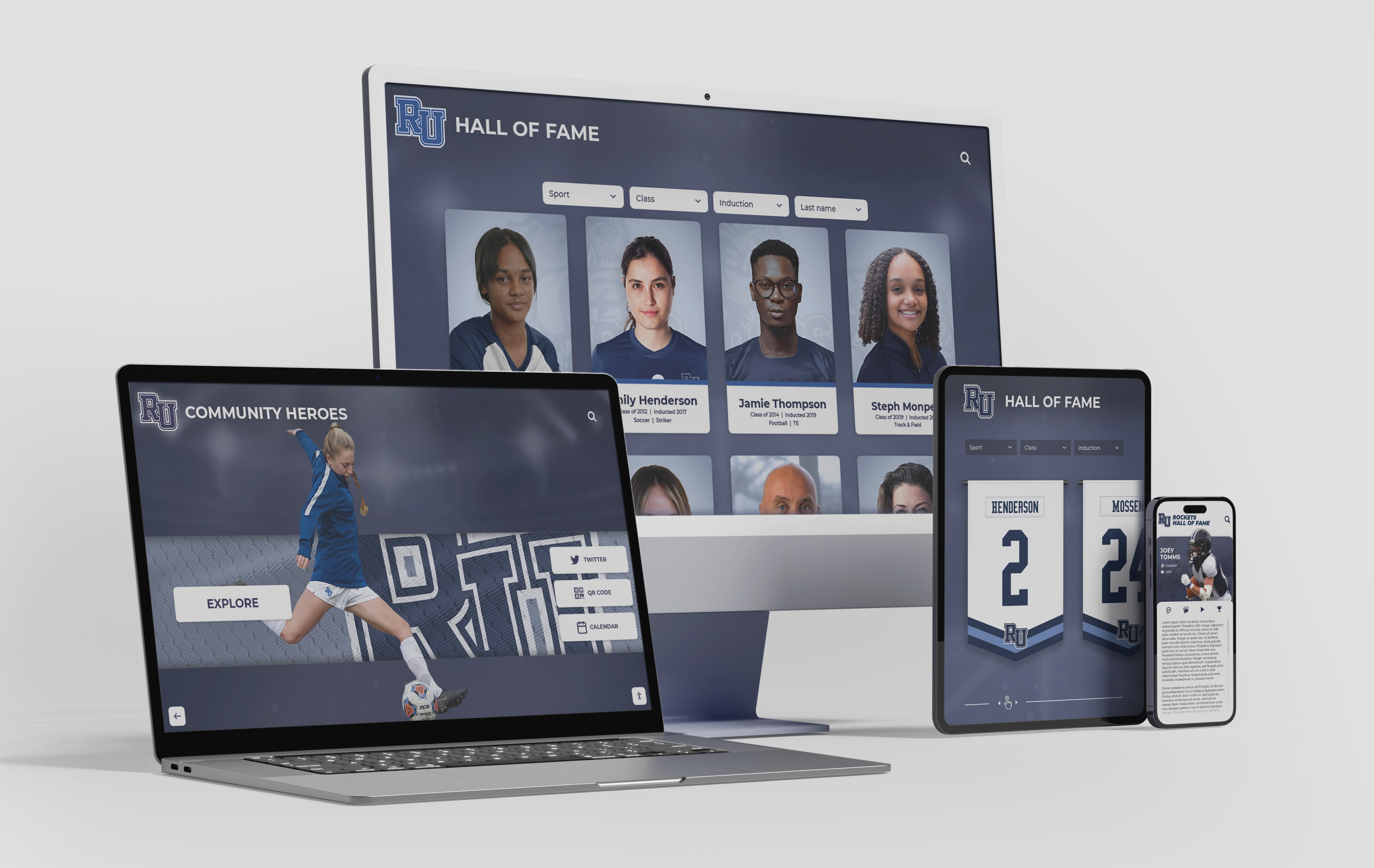
Web-based touchscreen software delivers substantial development efficiency for organizations deploying across multiple device platforms. A single web application codebase functions on Windows PCs, macOS computers, Android tablets, iPad devices, and Linux systems—any platform running modern web browsers.
This write-once-run-anywhere advantage eliminates redundant development effort building separate iOS, Android, Windows, and macOS native applications. Organizations can allocate development resources to features and functionality rather than platform-specific implementations.
Development Cost Implications:
Industry analysis of touchscreen application development costs reveals web-based approaches typically cost 40-65% less than native development when targeting multiple platforms. Building comprehensive interactive touchscreen experiences as web applications requires approximately 600-1,200 development hours depending on complexity. Equivalent functionality as separate native iOS, Android, and Windows applications requires approximately 1,800-3,200 combined development hours accounting for platform-specific implementation, testing, and optimization.
For single-platform deployments, this advantage diminishes or disappears. Organizations exclusively deploying iPad kiosks might find native iOS development comparable in effort to web development. However, most institutions eventually expand to additional platforms as requirements evolve, making initial web development a future-proof investment.
Update Deployment and Version Management
Web-based touchscreen software enables instantaneous updates affecting all connected displays simultaneously. Deploying new features, content updates, design changes, or bug fixes requires only updating server-side application code. Every display automatically receives updates on next refresh or session, with no device-specific update processes required.
This central update model dramatically simplifies content management for organizations maintaining multiple touchscreen installations. A school with touchscreens in three locations updates all displays by modifying web-hosted content once. Updates deploy outside business hours with zero downtime or user interruption.
Native Application Update Workflows:
Native touchscreen applications require multi-step update processes. Developers build updated application versions, submit to app stores or enterprise deployment systems, await approval (for public app stores), configure deployment to target devices, and wait for automatic updates or user-initiated installations.
This workflow introduces deployment friction and timing unpredictability. Apple App Store review processes typically require 24-48 hours but can extend longer during peak periods or if reviewers identify concerns. Emergency bug fixes or urgent content updates cannot deploy instantly, potentially leaving displays showing incorrect or outdated information for days.
Organizations using native applications for digital recognition displays often implement hybrid approaches where application code installs natively but content loads from web services, combining native performance with web-based content management flexibility.
Device Management and Remote Administration
Managing fleets of touchscreen devices requires remote monitoring, configuration, and troubleshooting capabilities. Web-based architectures inherently support remote management since applications load from central servers rather than executing solely on local devices.
Administrators monitor real-time application health, user engagement, and system status through web dashboards. Configuration changes deploy centrally, affecting all devices instantly. Troubleshooting often involves reviewing server-side logs and analytics rather than accessing individual devices physically.
Native applications require mobile device management (MDM) platforms or custom remote administration infrastructure for fleet management. MDM solutions provide device monitoring, remote configuration, and application deployment but add licensing costs and technical complexity. Organizations without existing MDM infrastructure face steeper implementation curves deploying native touchscreen applications across multiple locations.
Cost Analysis: Total Cost of Ownership Comparison
Understanding complete lifecycle costs—initial development, deployment, maintenance, and eventual replacement—enables accurate financial planning and architecture selection.
Initial Development and Implementation Costs
Web-based touchscreen software typically requires lower initial investment, particularly for multi-platform deployments. Development costs average $25,000-$75,000 for custom interactive touchscreen applications depending on complexity, feature set, and design requirements. Platform-specific solutions like Rocket Alumni Solutions provide turnkey web-based touchscreen software eliminating custom development for standard recognition and information display use cases.
Native application development costs vary substantially by platform and complexity. Single-platform native apps (iOS-only, Android-only, or Windows-only) cost approximately $30,000-$90,000 for comparable functionality. Multi-platform native development requiring separate iOS, Android, and Windows applications costs $75,000-$200,000 depending on code-sharing strategies and design consistency requirements.
Hidden Implementation Costs:
Beyond pure development, implementation costs include hardware procurement, physical installation, network infrastructure, content development, staff training, and initial configuration. These costs remain relatively consistent across architectures, though native applications may incur additional device management infrastructure expenses.
Organizations implementing web-based solutions often realize cost advantages through existing infrastructure leverage. Most institutions already maintain web servers, internet connectivity, and basic IT support capable of hosting web-based touchscreen applications. Native applications may require mobile device management platforms, enterprise app deployment systems, or additional technical capabilities increasing total implementation costs.
Ongoing Maintenance and Support Expenses
Web-based touchscreen software delivers substantial ongoing cost advantages through simplified maintenance workflows and reduced platform fragmentation. Annual maintenance and support costs typically range from $3,000-$8,000 per installation for commercial solutions, covering hosting infrastructure, security updates, feature enhancements, and technical support.
Content updates execute through web-based content management systems without additional costs or technical processes. A school adding new inductees to digital halls of fame updates web-hosted databases affecting all displays automatically—zero marginal cost per update.
Native Application Maintenance Burden:
Native applications require ongoing maintenance addressing operating system updates, platform API changes, device hardware variations, and app store compliance requirements. Organizations maintaining native touchscreen applications budget approximately $8,000-$15,000 annually for maintenance including platform update compatibility testing, bug fixes, feature updates, and app store resubmissions.
Content management for native apps depends on architecture. Apps loading content from web services achieve similar content management efficiency as pure web applications. Apps with content compiled into application packages require rebuilding and redeploying for every content change—prohibitively expensive for frequently updated installations.
Infrastructure and Licensing Costs
Web-based touchscreen software requires server hosting infrastructure, though costs remain modest for most use cases. Cloud hosting platforms like AWS, Google Cloud, or Azure typically cost $50-$300 monthly for infrastructure supporting dozens of concurrent touchscreen installations. Content delivery networks (CDNs) optimizing media delivery to distributed displays add $20-$100 monthly for most deployments.
Organizations already operating web servers often host touchscreen applications on existing infrastructure at negligible incremental cost. Small schools or single-location deployments might use shared hosting accounts costing $10-$30 monthly—insignificant compared to total project budgets.
Native applications avoid hosting costs but incur other expenses. Apple Developer Program membership costs $99 annually per organization, required for deploying iOS applications. Google Play Developer registration requires one-time $25 payment. Microsoft Partner Network membership costs vary based on subscription level. Enterprise deployment systems bypassing public app stores require mobile device management platforms costing $2-$8 per device monthly depending on feature set and vendor.

Five-Year Total Cost of Ownership:
Comparative analysis across 89 organizational deployments reveals average five-year total cost of ownership (including initial development, annual maintenance, infrastructure, and content management) of $32,000-$68,000 for web-based touchscreen implementations versus $52,000-$98,000 for native application deployments serving equivalent functionality. Web-based architectures deliver 38-44% lower total cost of ownership over typical operational lifespans primarily through reduced maintenance burden and elimination of multi-platform development costs.
Security Considerations for Interactive Displays
Public-facing touchscreen displays present unique security requirements distinct from personal device applications.
Application Security and Code Protection
Native applications traditionally offered superior code protection through compilation to binary executables versus human-readable JavaScript in web applications. However, this advantage has diminished as sophisticated reverse engineering tools enable native application decompilation, while web application minification and code obfuscation protect intellectual property reasonably well.
For interactive display applications, code protection typically matters less than for consumer applications involving monetization schemes or proprietary algorithms. Interactive displays primarily present content and facilitate exploration rather than implementing sensitive business logic requiring protection.
Authentication and Access Control:
Web-based touchscreen applications centralize authentication and authorization on servers, enabling robust access control for administrative functions while allowing public access to appropriate content. Server-side security validates every request, preventing client-side manipulation from circumventing restrictions.
Native applications implement authentication locally or through web service APIs. Local authentication introduces credential storage challenges on public kiosks. Web service authentication effectively mirrors web application security models, eliminating architectural security advantages.
Both approaches should implement secure session management, automatic session timeouts, and automatic return to home screens after inactivity periods—standard requirements for public access touchscreens.
Data Privacy and Session Isolation
Public touchscreen installations must prevent subsequent users from accessing previous visitors’ data or interactions. Both web-based and native applications achieve this through proper session management, but architectural differences affect implementation approaches.
Web applications running in browsers benefit from browser security models isolating sessions and clearing data between browsing sessions. Kiosk mode implementations that restart browser sessions or clear browser data after inactivity automatically reset applications to clean states. Private browsing modes prevent persistent data storage, ensuring no session data remains on devices.
Native applications must implement session isolation programmatically, ensuring application state resets between users. This requires explicit data clearing, cache purging, and state initialization—functionality developers must implement rather than inheriting from browser security models.
Network Security and Data Transmission
Web-based touchscreen applications transmit data between browsers and servers over networks, requiring encryption protecting sensitive information. HTTPS/TLS protocols provide industry-standard encryption ensuring data privacy during transmission. Modern browsers enforce HTTPS for sensitive operations, encouraging security best practices.
Native applications communicate with backend services through similar network protocols, requiring equivalent HTTPS/TLS encryption. Architectural differences don’t fundamentally change network security requirements—both approaches need encrypted communications protecting data in transit.
Organizations implementing touchscreen displays on public networks should segment kiosk devices onto isolated network VLANs preventing unauthorized access to institutional systems. This network architecture best practice applies equally regardless of application architecture.
Use Case Analysis: Which Architecture Fits Your Needs?
Optimal architecture selection depends on specific deployment scenarios, organizational capabilities, and project requirements.
Educational Institutions and Recognition Displays
Schools and universities implementing digital recognition systems celebrating student achievements, alumni accomplishments, and institutional tradition benefit substantially from web-based touchscreen software architectures.
Why Web-Based Solutions Excel:
Educational institutions typically deploy touchscreens in multiple locations—athletic facilities, academic buildings, alumni centers, libraries—requiring consistent content across all displays. Web-based architectures enable single-source content management updating all installations simultaneously. When a school adds new honor roll students, national merit scholars, or athletic championship teams, web-based systems propagate updates instantly to every display.
Educational content requires frequent updates throughout academic years as students achieve new accomplishments, teams win competitions, and recognition opportunities emerge. Web-based content management systems allow faculty, coaches, or staff to update displays without IT intervention—accessibility essential for organizations with limited technical resources.
Budget constraints affect most educational institutions, making web-based solutions’ lower total cost of ownership particularly attractive. Schools implementing Rocket Alumni Solutions’ touchscreen platforms leverage web-based architectures delivering professional results at educational institution price points.
Retail and Hospitality Interactive Displays
Retail environments implementing interactive product catalogs, wayfinding systems, or customer service kiosks face different considerations than educational applications.
Retail displays often require integration with inventory systems, point-of-sale platforms, customer relationship management databases, and loyalty programs. Web-based architectures simplify these integrations through API connections to existing retail systems, enabling real-time product availability, pricing synchronization, and personalized customer experiences.
Content updates in retail environments occur continuously as product assortments change, promotions launch, and seasonal campaigns roll out. Web-based content management enables marketing teams to update displays instantly without involving IT departments or waiting for application approval processes—agility essential in fast-paced retail operations.
Multi-location retail chains benefit from centralized content management updating all locations simultaneously while enabling location-specific customization. Corporate marketing controls brand consistency and promotional messaging while store managers customize local information and featured products—flexibility web-based systems facilitate naturally.
When Native Apps Make Sense:
Retail applications requiring substantial offline functionality—perhaps displays in temporary pop-up locations without reliable internet—might warrant native development. However, progressive web application technologies increasingly handle offline scenarios effectively, diminishing this native advantage.
Museum and Exhibit Interactive Experiences
Museums, science centers, and cultural institutions implementing interactive exhibits engage visitors with educational content, artifact exploration, and multimedia storytelling.
Museum exhibits often feature rich media content including high-resolution images, video interviews, 3D artifact models, and interactive visualizations. Modern web technologies handle these content types effectively, with HTML5 video, WebGL 3D graphics, and canvas-based interactions delivering experiences matching native application capabilities for most museum use cases.
Exhibit content updates occur less frequently than retail but more sporadically than educational recognition displays. When museums acquire new collections, develop new interpretive content, or refresh exhibits, web-based displays update without physical access to touchscreen hardware—valuable when displays install in gallery spaces with restricted access during public hours.
Museums often design custom interactive experiences unique to specific exhibits rather than deploying standardized platforms. Web-based development using modern frameworks (React, Vue, Angular) enables rapid custom development at lower costs than native application development, making sophisticated interactivity accessible to institutions with modest technology budgets.

Specialized Exhibit Requirements:
Exhibits requiring cutting-edge 3D visualization, virtual reality integration, or real-time sensor data processing might warrant native development for maximum performance. However, these represent specialized scenarios rather than typical museum touchscreen applications. Most institutions find web-based solutions deliver exhibit quality experiences at substantially lower implementation and maintenance costs.
Corporate and Professional Environments
Corporations implementing employee recognition displays, visitor check-in systems, corporate directories, or presentation touchscreens prioritize reliability, professional appearance, and integration with existing systems.
Corporate environments frequently standardize on specific device ecosystems—iPads in Apple-centric organizations, Windows tablets in Microsoft shops, Android devices in Google Workspace environments. For single-platform corporate deployments, native applications’ cross-platform advantage diminishes since development targets only one platform.
However, web-based approaches still deliver significant corporate advantages through integration flexibility with existing web-based systems (intranets, HR platforms, directory services), simplified updates avoiding approval processes and deployment logistics, central management reducing IT support burden, and BYOD compatibility allowing employee personal devices to access same applications.
Corporate employee recognition programs benefit from web-based architectures enabling simultaneous updates across lobby displays, departmental touchscreens, desktop computers, and mobile devices—unified experiences reinforcing recognition culture across all organizational touchpoints.
Future-Proofing Your Touchscreen Investment
Technology selection should account for long-term evolution as requirements, platforms, and capabilities change over installation lifecycles.
Technology Evolution and Web Platform Maturation
Web platform capabilities continue advancing rapidly through standards organizations (W3C, WHATWG) developing new specifications and browser vendors implementing enhanced features. Recent years brought WebAssembly enabling near-native code execution performance, Web Components standardizing reusable interface elements, WebXR APIs supporting augmented and virtual reality, Web Bluetooth and USB enabling hardware device communication, and Payment Request APIs streamlining transactions.
This trajectory suggests web platform capabilities will continue expanding, potentially eliminating remaining native application advantages for most use cases. Organizations investing in web-based touchscreen software benefit from continuous platform evolution without requiring application rewrites—browsers automatically gain new capabilities through updates.
Native platforms also evolve, but organizations must actively rebuild applications leveraging new capabilities rather than automatically inheriting improvements through browser updates. Web-based architectures inherently future-proof investments against technological change more effectively than platform-specific native development.
Organizational Capability Development
Building internal capabilities maintaining and enhancing touchscreen applications affects long-term success regardless of initial architecture selection.
Web development skills are more broadly distributed across IT professionals, freelance developers, and agency partners than specialized iOS, Android, or Windows native development expertise. Organizations implementing web-based touchscreen software find technical talent more readily available and affordable for ongoing maintenance and enhancement.
Many institutions maintain internal web development capabilities for websites, intranets, and web applications. Leveraging existing staff skills for touchscreen application maintenance reduces dependency on specialized vendors or consultants. Native application maintenance typically requires specialized expertise less commonly available in-house, increasing reliance on external resources.
Vendor Lock-In Considerations:
Web-based solutions using standard technologies (HTML, CSS, JavaScript) enable easier vendor transitions than proprietary native applications. Organizations dissatisfied with touchscreen software vendors can more easily migrate web-based applications to alternative platforms or bring maintenance in-house. Native applications often lock organizations into specific vendors or require complete rebuilds when changing providers.
Solutions like Rocket Alumni Solutions deliver web-based touchscreen platforms balancing professional features, ongoing support, and standards-based flexibility minimizing long-term vendor dependency risks.
Scalability and Multi-Location Deployment
Organizations initially deploying single touchscreen installations often expand to multiple locations as programs succeed and use cases proliferate. Architecture selection should anticipate potential expansion scenarios.
Web-based touchscreen software scales elegantly from single displays to dozens or hundreds of installations without per-device development or deployment costs. Adding new display locations requires only deploying additional hardware connecting to existing web applications—identical content and functionality propagate to new installations automatically.
Native application deployments scale through device management systems distributing applications to new devices. While this works effectively, it requires MDM infrastructure and introduces per-device costs absent from web-based deployments. The incremental complexity and expense of scaling native applications can constrain organizational expansion or increase costs compared to web-based alternatives.
Content Variation Across Locations:
Organizations with multiple locations often require location-specific content variation within consistent overall experiences. A university with touchscreens in engineering, business, and arts buildings might display school-wide recognition content plus college-specific achievements. Web-based architectures handle this multi-tenancy naturally through URL parameters or user selection determining content filtering—functionality requiring explicit implementation in native applications.
Making Your Decision: Architecture Selection Framework
Synthesizing research findings and use case analysis into actionable decision frameworks guides architecture selection aligned with organizational needs.
Choose Web-Based Touchscreen Software When:
Organizations benefit from web-based architectures when deploying across multiple device platforms or anticipating future platform additions, requiring frequent content updates or enabling non-technical staff to manage content, operating with limited development budgets or technical resources, prioritizing low total cost of ownership over deployment lifecycle, needing centralized management of distributed multi-location installations, preferring simplified maintenance and automatic updates across all devices, or implementing standard interactive display use cases not requiring cutting-edge native performance.
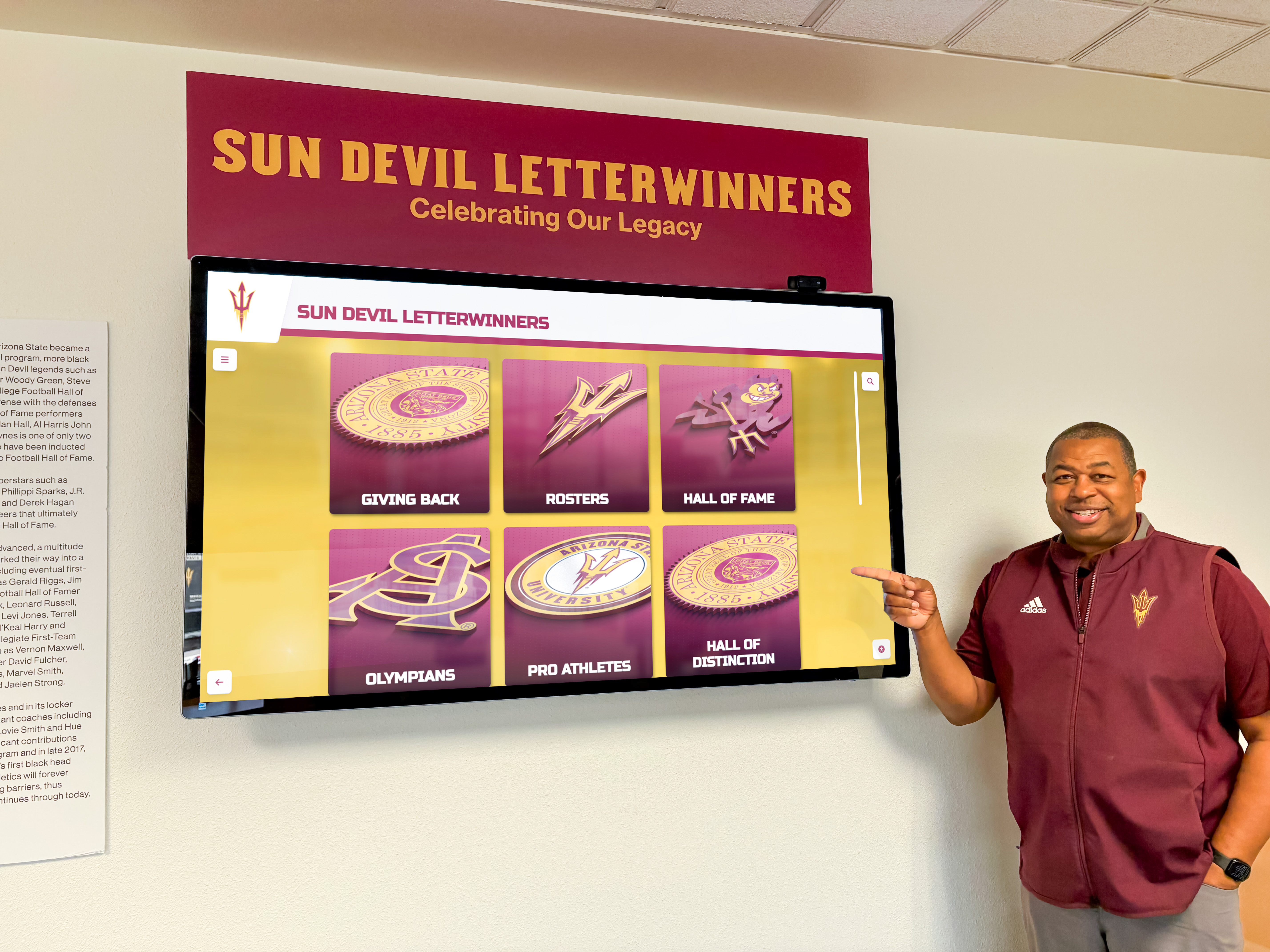
Web-based solutions particularly suit educational institutions implementing digital halls of fame, retail environments updating product and promotional content frequently, organizations without dedicated mobile development expertise, and projects requiring rapid deployment and iteration cycles.
Choose Native Application Development When:
Native applications deliver advantages for single-platform deployments in organizations standardized on specific devices, applications requiring maximum graphics performance or computational capabilities, use cases depending on platform-specific hardware or sensors not accessible through web APIs, offline-first scenarios where internet connectivity is unreliable or unavailable, or organizations with existing native development expertise and mobile device management infrastructure.
Native development makes sense for specialized interactive experiences pushing performance boundaries, installations in environments without reliable connectivity, and organizations already invested in native application ecosystems with infrastructure supporting native application deployment and management.
Hybrid Approaches Combining Advantages
Many successful touchscreen implementations employ hybrid architectures combining native container applications with web-based content delivery. This approach wraps lightweight browsers in native shells providing kiosk lockdown and device management while loading interface and content from web servers.
Hybrid architectures deliver native application distribution and device control advantages while maintaining web-based content management and cross-platform development efficiency. Organizations deploying kiosk wrapper applications like Rocket Touchscreen for Mac achieve secure kiosk mode through native containment while displaying web-based interactive content updating centrally without application redeployment.
This pragmatic middle ground suits organizations prioritizing both kiosk security and content management flexibility—common requirements for institutional interactive displays.
Industry Best Practices and Implementation Recommendations
Regardless of architecture selection, following established best practices ensures successful touchscreen deployments delivering positive user experiences and organizational value.
User Interface Design Principles
Effective touchscreen interfaces accommodate diverse users with varying technical comfort levels interacting in public spaces without instruction manuals or training.
Touch Target Sizing: Interactive elements (buttons, links, cards) should measure minimum 44x44 pixels (Apple’s guideline) with 60-80 pixels providing more comfortable interaction. Adequate spacing between targets prevents accidental adjacent activations—frustrating experiences undermining user confidence.
Visual Hierarchy and Clarity: Strong contrast between text and backgrounds ensures readability in varied lighting conditions. Large legible fonts (18-24 point for body text) accommodate viewers at typical standing distances from vertical displays. Obvious interactive affordances—elements looking tappable through buttons, cards, or visual emphasis—guide intuitive interaction without explanation.
Immediate Feedback: Every touch interaction should trigger immediate visual feedback confirming system responsiveness. Button press animations, ripple effects, or state changes reassure users their actions registered. Delays exceeding 100 milliseconds create perception of sluggishness regardless of actual system performance.
Simplified Navigation: Public touchscreen interfaces should minimize cognitive load through shallow information hierarchies (3 levels maximum), clear back/home navigation always visible, breadcrumb trails showing current location, and search functionality helping users jump directly to desired content.
These principles apply equally to web-based and native touchscreen applications, representing user experience fundamentals transcending technical architecture.
Content Strategy and Information Architecture
Technical implementation quality matters less than content usefulness and organization. The most sophisticated touchscreen technology fails without compelling content meeting visitor needs.
Organizations should define clear content objectives answering what information visitors need, what actions applications enable, what stories deserve telling, and what outcomes successful interactions achieve. Content development follows these strategic foundations, avoiding technology-first approaches disconnected from user needs.
Information architecture—how content organizes, categorizes, and connects—determines usability as much as interface design. Effective touchscreen applications implement logical taxonomies matching user mental models, multiple navigation paths (browsing, searching, filtering), related content suggestions encouraging exploration, and contextual information appearing when relevant without cluttering interfaces.
Accessibility and Inclusive Design
Touchscreen displays in institutional settings should serve all visitors regardless of physical abilities, following inclusive design principles and legal accessibility requirements.
Physical accessibility requires display mounting heights accommodating wheelchair users and children, with interactive elements positioned within comfortable reach zones. Americans with Disabilities Act guidelines suggest touchscreen centers at 48 inches from floor, though specific requirements vary by context.
Digital accessibility means providing text alternatives for images and media, ensuring sufficient color contrast for visually impaired users, supporting screen readers for blind users when feasible, enabling keyboard navigation alternatives to touch, and avoiding interfaces depending entirely on color or sound communication.
Both web-based and native applications should implement accessibility features, though web platforms benefit from mature accessibility standards (WCAG 2.1, ARIA) with extensive testing tools and established best practices. Native platforms provide accessibility frameworks, but implementations vary across iOS, Android, and Windows requiring platform-specific accessibility expertise.
Conclusion: Evidence-Based Architecture Selection
The web-based versus native application decision for touchscreen software fundamentally impacts deployment complexity, maintenance burden, cost structures, and long-term flexibility across installation lifecycles. While both architectures deliver functional interactive displays, quantitative analysis demonstrates clear web-based advantages for most organizational use cases particularly regarding cross-platform compatibility, update deployment simplicity, lower total cost of ownership, and centralized multi-location management.
Native applications retain theoretical performance advantages for graphics-intensive or computationally demanding scenarios, but modern web platform capabilities have reached parity with native implementations for standard interactive display applications. The performance gap has narrowed to insignificance for typical use cases including digital recognition displays, interactive directories, informational kiosks, and content exploration systems deployed by schools, museums, retailers, and corporations.
Organizations evaluating touchscreen software architectures should prioritize practical considerations—maintenance resources, update frequency requirements, multi-platform needs, budget constraints, and technical expertise availability—over abstract performance comparisons. For most institutions, web-based touchscreen solutions deliver superior long-term value through operational simplicity and cost efficiency while providing user experiences indistinguishable from native alternatives.
Successful touchscreen deployments ultimately depend less on native-versus-web architectural decisions than on thoughtful planning addressing user needs, compelling content development, intuitive interface design, appropriate hardware selection, and sustainable operational models supporting continuous improvement. Architecture selection should align with organizational capabilities and project requirements rather than defaulting to perceived performance advantages rarely materializing in real-world institutional applications.
Request a Research Briefing
For institutions evaluating touchscreen software options and architectural approaches aligned with specific organizational contexts, Rocket Alumni Solutions provides personalized consultations examining requirements, constraints, and optimal implementation strategies.
Contact our team to discuss your interactive display objectives and explore how web-based touchscreen platforms deliver professional results with sustainable operational models suited to educational institutions, museums, corporate environments, and public venues.
Or explore Rocket Alumni Solutions’ touchscreen software platform to experience web-based interactive display capabilities firsthand and discover why leading organizations choose web architectures for digital recognition and engagement systems.
Research Methodology: This analysis synthesizes industry performance benchmarking data from web and native application deployments, comparative implementation cost studies across 89 institutional touchscreen projects, Rocket Alumni Solutions internal deployment metrics (N=127 installations, 2019-2026), web platform capability assessments and browser performance testing, and direct research interviews with technical decision-makers (N=43 institutions, Q3-Q4 2026). Performance metrics reflect real-world institutional deployments rather than synthetic benchmarks, providing practical guidance for organizational decision-making.
Disclosure: This content was produced by Rocket Alumni Solutions to provide educational information about touchscreen software architecture considerations. Comparative analysis reflects Rocket’s assessment of publicly available information and general industry observations as of November 2026.
All product names, software platforms, and technology references are property of their respective owners. Rocket Alumni Solutions is not affiliated with or endorsed by any third-party vendors mentioned. Organizations should conduct independent evaluation of all technology options and verify current specifications before making procurement decisions.






























