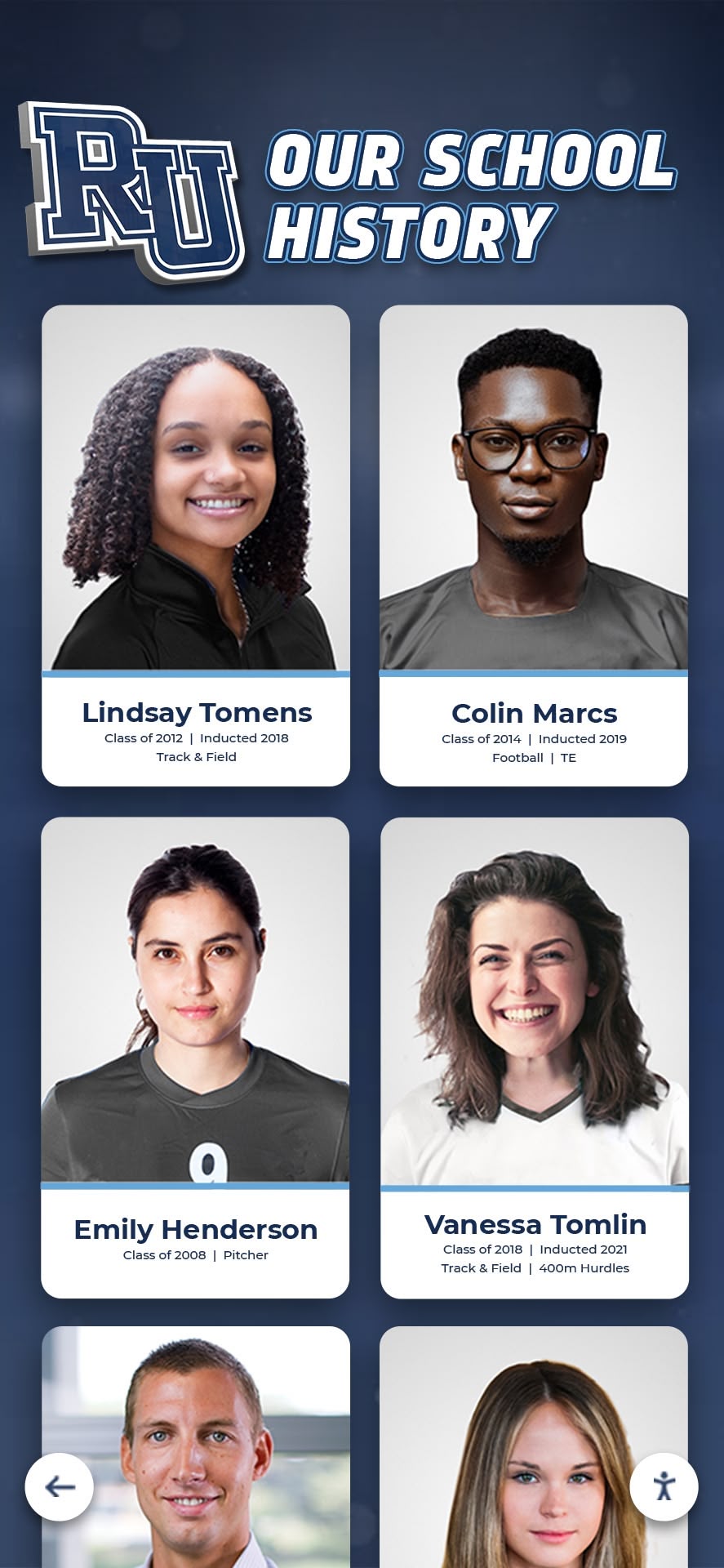




School history represents far more than dusty yearbooks and fading photographs stored in forgotten boxes. Your institution’s heritage—the championships won, academic achievements earned, traditions established, and distinguished alumni produced—forms a living narrative that connects generations of students, inspires current excellence, and strengthens community identity. Yet preserving and presenting this rich history presents significant challenges: limited physical display space, deteriorating materials, inaccessible archives, and outdated recognition methods that fail to engage modern audiences.
The best school history software solutions transform how educational institutions capture, organize, preserve, and present their heritage. These specialized platforms go beyond basic document storage to provide comprehensive tools for digitizing historical materials, creating searchable archives, powering interactive recognition displays, and making institutional history accessible to current students, alumni, and community members anywhere in the world.
Selecting the right school history software requires understanding your institution’s specific needs, available budget, technical capabilities, and preservation goals. This comprehensive guide examines the leading software categories and platforms for 2026, helping schools make informed decisions that ensure their history remains vibrant, accessible, and inspiring for decades to come.
What School History Software Does:
- Digital Archiving: Systematically organize, catalog, and preserve historical documents, photographs, and materials
- Recognition Displays: Power interactive touchscreen exhibits celebrating achievements and distinguished individuals
- Timeline Presentations: Create engaging chronological views of institutional evolution and milestones
- Search & Discovery: Enable visitors to find specific people, years, events, or achievement types instantly
- Remote Access: Extend history beyond campus through web-accessible platforms for alumni worldwide
- Multimedia Integration: Combine photos, videos, audio, and documents for rich historical storytelling
- Content Management: Provide intuitive tools for updating and maintaining historical content
- Analytics & Insights: Track engagement to understand what historical content resonates most
Understanding School History Software Categories
School history software encompasses several distinct categories, each serving different aspects of heritage preservation and presentation. Understanding these categories helps institutions select solutions matching their primary goals.
Digital Archive Management Systems
Archive management platforms focus on systematic organization, preservation, and access to historical materials:
Primary Functions:
- Digitizing physical documents, photographs, yearbooks, and artifacts
- Implementing professional metadata standards for detailed cataloging
- Creating searchable databases enabling research and discovery
- Managing access permissions for sensitive or restricted materials
- Ensuring long-term digital preservation through format migration
- Supporting compliance with archival best practices and standards
Ideal For: Schools prioritizing comprehensive historical preservation, institutions with extensive physical archives requiring organization, and research-focused collections needing professional archival standards.

Interactive Recognition Display Software
Recognition platforms specialize in celebrating achievements through engaging digital experiences:
Primary Functions:
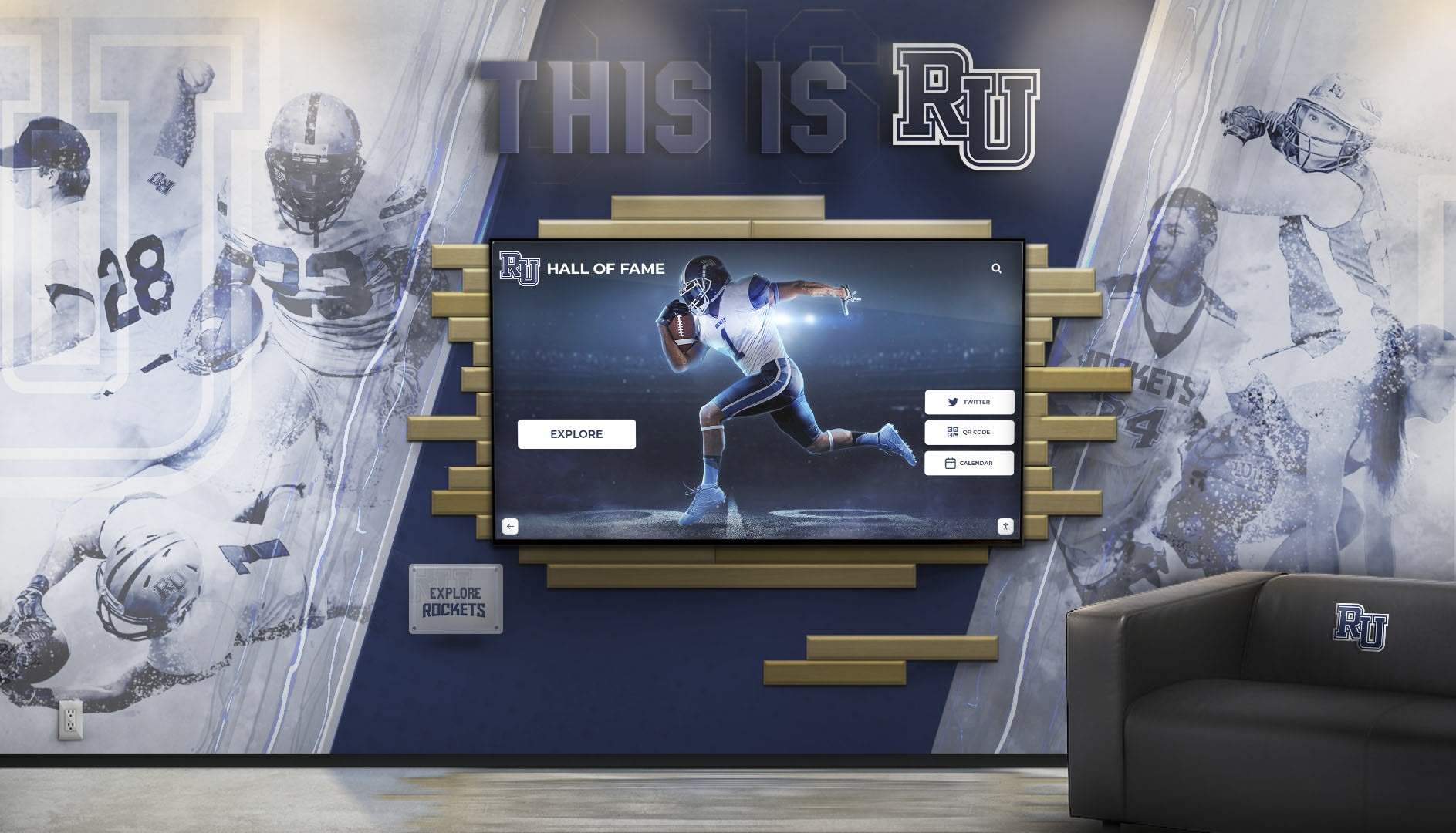
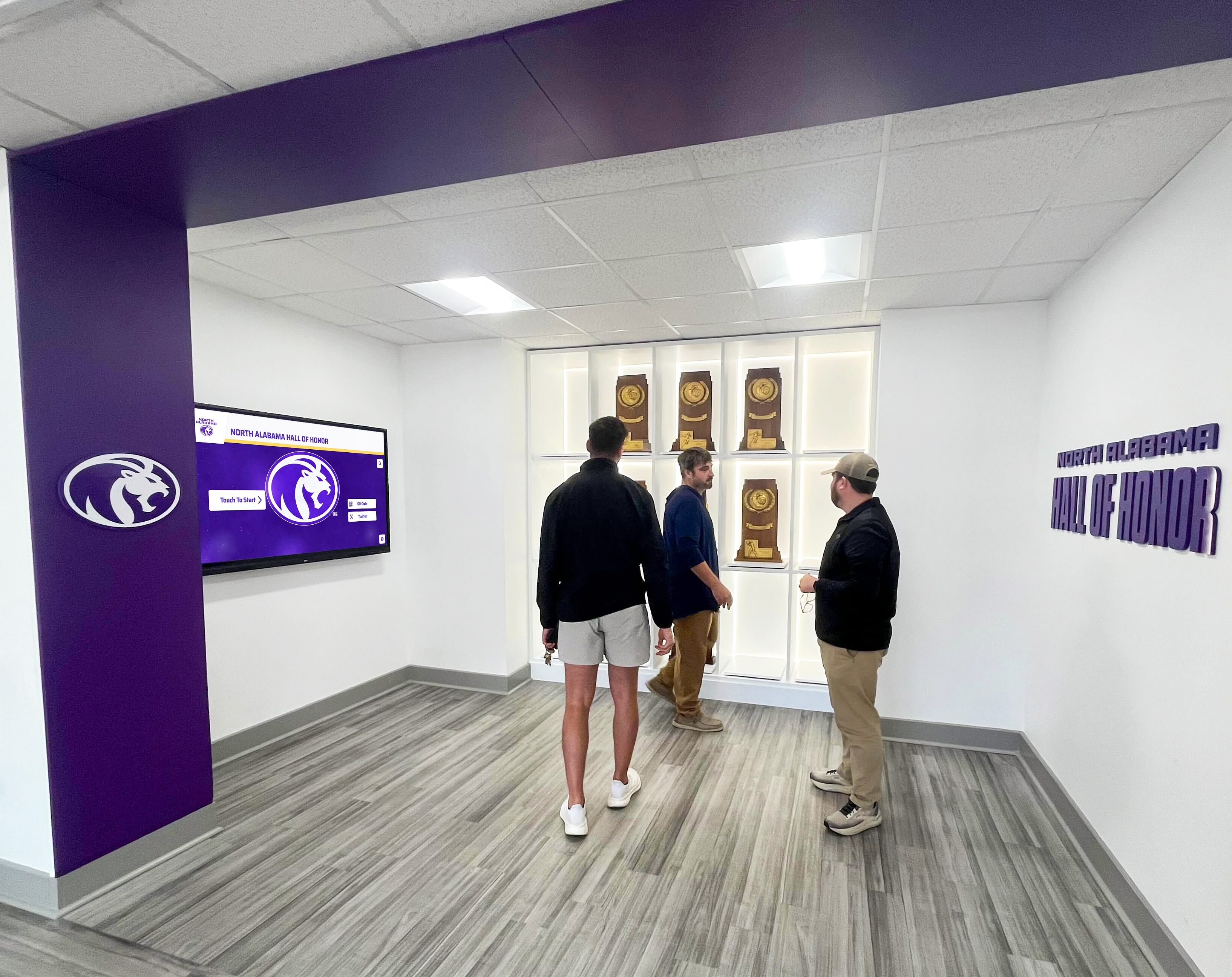
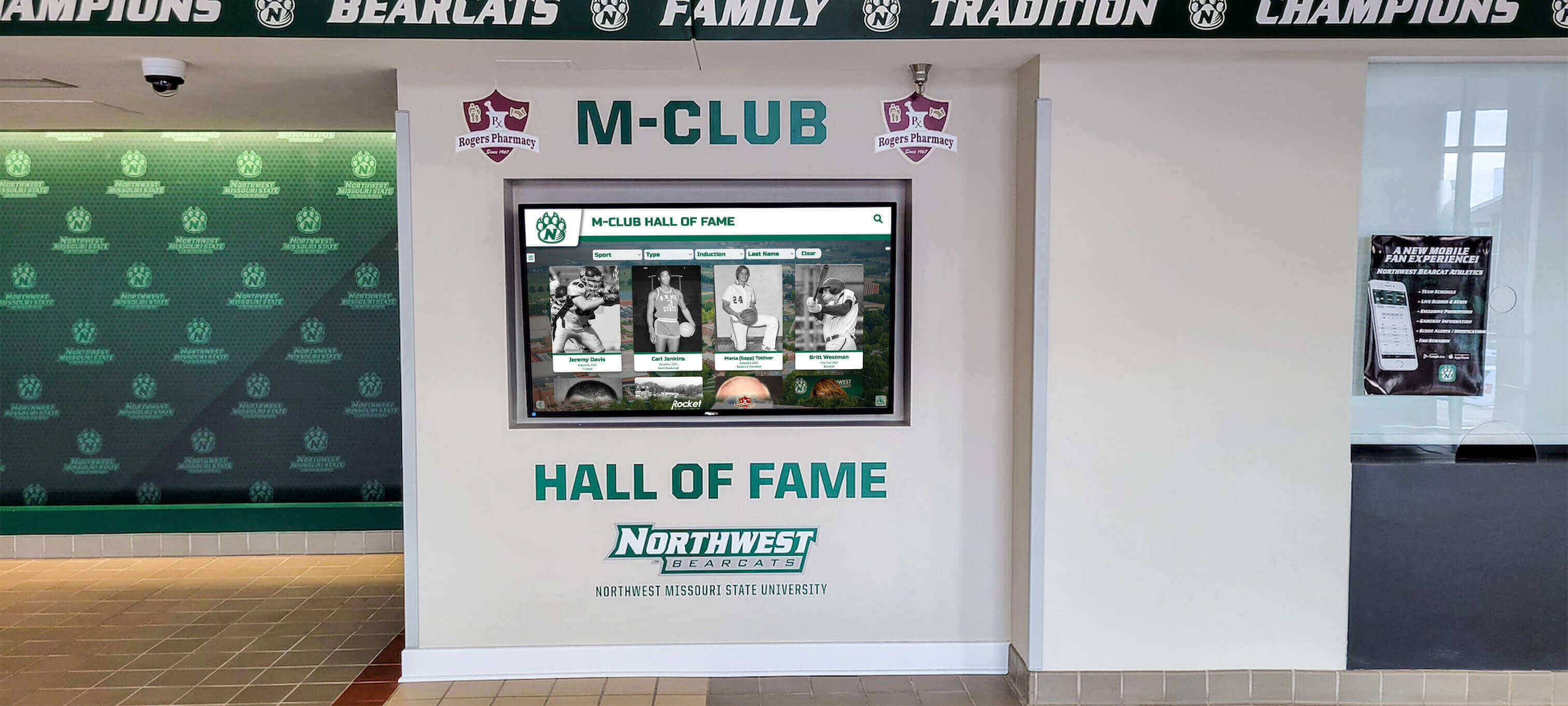
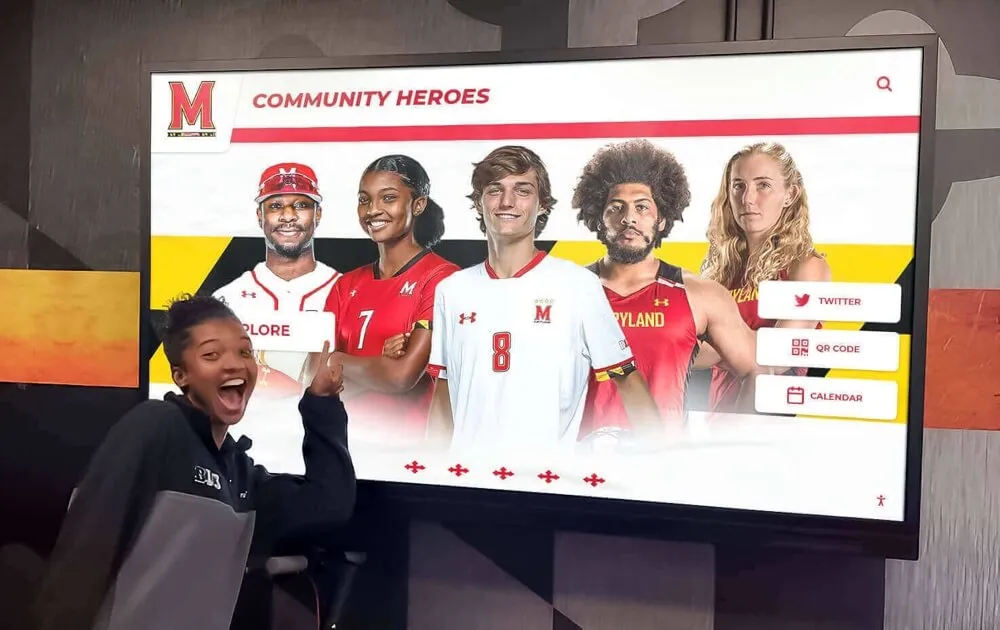
- Powering touchscreen displays in lobbies, athletic facilities, and hallways
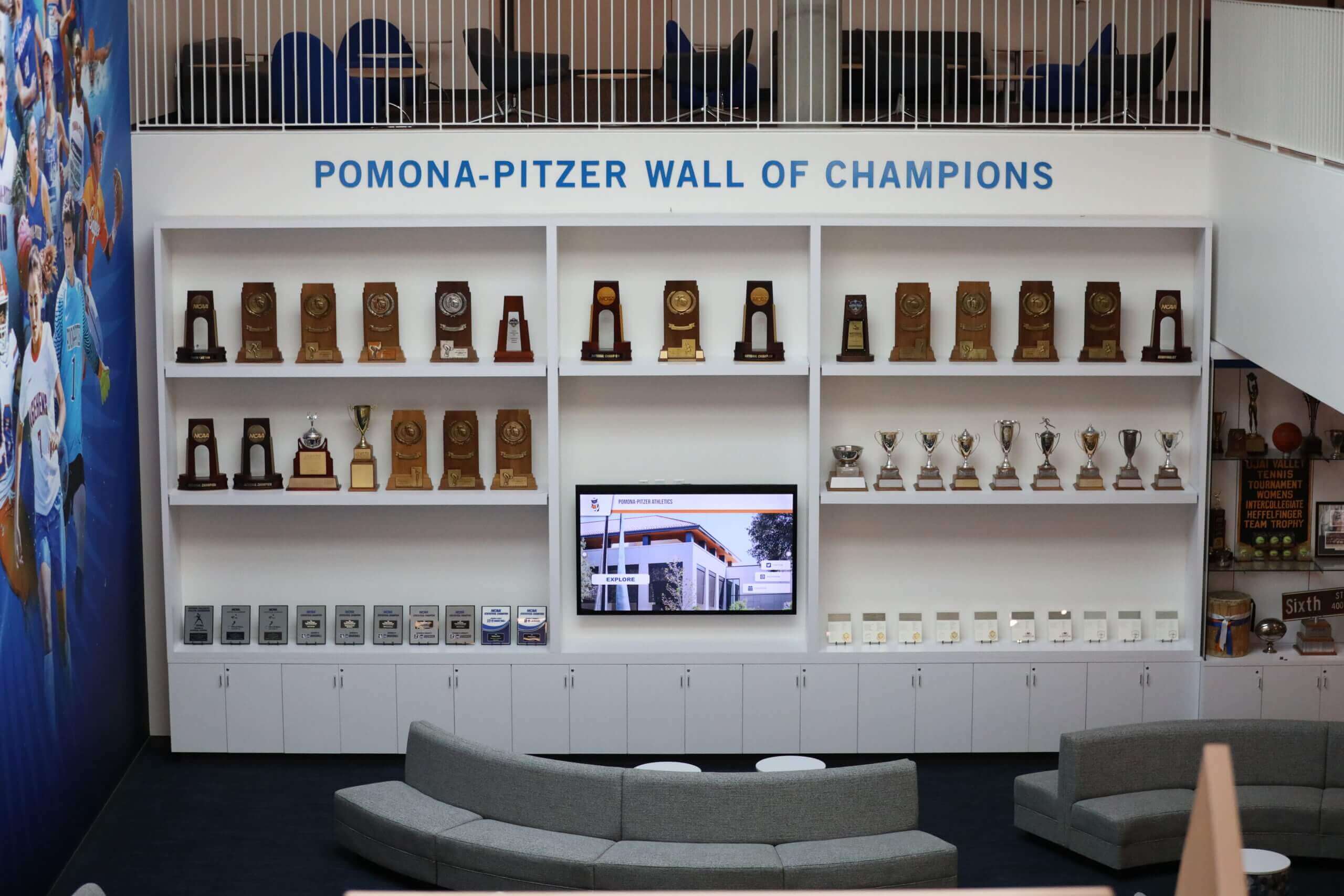
- Creating unlimited-capacity digital halls of fame replacing space-constrained plaques
- Enabling visitors to search for specific individuals, teams, years, or achievements
- Integrating multimedia content including photos, videos, and biographical information
- Providing web-accessible versions extending recognition beyond campus
- Tracking engagement analytics showing what content generates most interest
Ideal For: Schools wanting impressive physical installations that engage visitors, institutions replacing traditional trophy cases with modern displays, and programs needing unlimited recognition capacity.
Solutions like Rocket Alumni Solutions provide purpose-built recognition platforms specifically designed for educational institutions, combining comprehensive features with intuitive management tools.
Heritage Timeline Software
Timeline platforms present institutional history through chronological narrative structures:
Primary Functions:
- Creating visually engaging timelines showing institutional evolution
- Organizing historical content by decades, eras, or thematic periods
- Embedding multimedia content illustrating specific time periods
- Highlighting significant milestones, leadership changes, and facility development
- Supporting both linear and thematic organizational approaches
- Enabling exploration through interactive navigation
Ideal For: Anniversary celebrations and milestone commemorations, historical timeline presentations in lobbies or museums, and educational applications in history curriculum.
Alumni Management Platforms with Historical Features
Comprehensive alumni systems often include historical preservation components:
Primary Functions:
- Managing alumni databases with historical biographical information
- Creating alumni directories searchable by graduation year and other criteria
- Supporting reunion planning with class-specific historical content
- Facilitating alumni contributions of photographs and memories
- Tracking alumni career achievements and accomplishments
- Integrating with fundraising and engagement tools
Ideal For: Schools wanting unified platforms combining alumni relations with historical recognition, institutions prioritizing alumni engagement alongside preservation, and programs where historical content drives donor relationships.

Key Features to Evaluate in School History Software
Regardless of category, certain features separate excellent school history platforms from mediocre alternatives. Evaluate potential solutions against these critical capabilities:
Ease of Content Management
The most sophisticated software proves useless if staff cannot easily update and maintain content:
What to Look For:
- Intuitive visual editors requiring minimal technical expertise
- Drag-and-drop interfaces for organizing content and layouts
- Batch upload capabilities for adding multiple items efficiently
- Automated workflows reducing repetitive manual tasks
- Clear error messages and validation preventing mistakes
- Mobile-friendly management interfaces enabling updates anywhere
Schools with limited IT resources particularly benefit from platforms designed for non-technical users, ensuring historical content remains current without requiring specialized expertise.
Search and Discovery Capabilities
Comprehensive historical collections prove valuable only when people can find relevant content:
What to Look For:
- Full-text search across all content including names, dates, and descriptions
- Advanced filtering by year, category, achievement type, or other criteria
- Faceted search enabling progressive refinement of results
- Autocomplete suggestions helping users formulate effective queries
- Relevance ranking surfacing most applicable results first
- Saved searches for frequently requested information
Powerful search transforms massive historical archives from overwhelming databases into engaging discovery experiences where visitors quickly locate personally relevant content.
Multimedia Support and Presentation
Modern audiences expect rich media experiences beyond simple text and static images:
What to Look For:
- Support for photos, videos, audio recordings, and scanned documents
- Automatic image optimization for fast loading and quality display
- Video hosting and streaming without external platform dependencies
- Audio player integration for oral histories and performances
- Document viewers for PDFs and historical papers
- Responsive design ensuring excellent experiences across devices
Interactive recognition displays that leverage multimedia create emotionally engaging experiences connecting visitors with institutional heritage far more effectively than text-only presentations.
Scalability and Capacity
Historical collections grow continuously as institutions add new achievements and digitize additional materials:
What to Look For:
- Unlimited or very high storage capacity preventing future constraints
- Performance remaining responsive as collections grow to thousands of items
- Ability to manage multiple content categories and organizational structures
- Support for tens of thousands or hundreds of thousands of historical entries
- Cloud-based architecture eliminating server capacity concerns
- Clear pathways for upgrading storage or features as needs expand
Schools should select platforms accommodating growth for at least 10-15 years, avoiding need for disruptive migrations when collections exceed initial system capabilities.
Remote Accessibility and Web Integration
Modern school history extends far beyond physical campus boundaries:
What to Look For:
- Web-accessible versions enabling alumni worldwide to explore history
- Mobile-responsive designs working excellently on smartphones and tablets
- Embeddable widgets integrating history into existing school websites
- Social sharing capabilities amplifying content reach
- Public/private content controls managing what external audiences see
- Authentication systems enabling alumni-only content when appropriate
Remote accessibility transforms school history from campus-only experiences into engagement tools connecting geographically distributed alumni communities and supporting recruitment by showcasing heritage to prospective families.
Analytics and Reporting
Understanding how audiences engage with historical content enables data-driven improvements:
What to Look For:
- Pageview and interaction tracking showing popular content
- Search query analysis revealing what visitors seek most frequently
- Engagement metrics demonstrating time spent with different content types
- Geographic analytics showing where remote viewers access history from
- Device usage statistics informing mobile optimization priorities
- Exportable reports for sharing insights with stakeholders
Analytics help schools understand which aspects of institutional history resonate most strongly, informing content development priorities and demonstrating program value to administrators and donors.
Leading School History Software Platforms for 2026
Several platforms have emerged as top solutions for different school history needs. This section examines leading options with honest assessments of strengths and ideal use cases.
Rocket Alumni Solutions: Best for Comprehensive Recognition Programs
Category: Interactive Recognition Display Software
Rocket Alumni Solutions provides the most full-featured digital recognition platform designed specifically for educational institutions. The software combines extensive customization capabilities with purpose-built tools for celebrating achievements across athletics, academics, performing arts, community service, and distinguished alumni recognition.
Standout Capabilities:
- Hundreds of pre-designed layouts specifically created for educational recognition scenarios
- Advanced visual editor enabling customization without technical expertise
- Unlimited recognition capacity accommodating decades of achievements
- Comprehensive analytics showing engagement patterns and popular content
- Multi-platform accessibility through touchscreens, web browsers, and mobile devices
- Cloud-based architecture eliminating server maintenance requirements
- Dedicated support from team understanding educational recognition needs
Ideal For: High schools, colleges, and universities seeking professional-grade recognition displays with extensive features and growth capacity. Schools managing large volumes of recognition across multiple categories and those requiring detailed customization find Rocket’s capabilities particularly valuable.
Considerations: Subscription pricing starting around $3,588 annually for smaller institutions represents significant investment compared to DIY alternatives. Implementation involves several weeks of setup, though comprehensive support assists throughout onboarding.

Preservica: Best for Professional Archival Standards
Category: Digital Archive Management System
Preservica provides enterprise-grade digital preservation software trusted by academic institutions worldwide to safeguard millions of digital assets. The platform implements rigorous archival standards ensuring long-term accessibility and preservation of institutional heritage.
Standout Capabilities:
- Professional-grade digital preservation following archival best practices
- Automated format migration ensuring accessibility as technology evolves
- Comprehensive metadata management supporting detailed cataloging
- Advanced security with granular access controls
- Integration with institutional repositories and library systems
- Compliance with international preservation standards
- Scalable architecture handling massive collections
Ideal For: Universities and large school districts with extensive archival collections requiring professional preservation standards. Institutions partnering with library systems or special collections and schools prioritizing long-term preservation over presentation.
Considerations: Enterprise focus means pricing typically targets larger institutions with substantial budgets. Implementation requires archival expertise, making it less accessible for small schools without dedicated archivists.
SocialArchive: Best for Community-Contributed Heritage
Category: Digital Archive Management with Social Features
SocialArchive specializes in creating web-based digital archives that engage communities through contribution features. The platform’s emphasis on facial recognition and user contributions makes it excellent for crowdsourcing historical content from alumni.
Standout Capabilities:
- Automatic facial recognition identifying individuals across photographs
- User contribution systems enabling alumni to upload photos and stories
- OCR integration converting scanned documents into searchable text
- Mobile-responsive designs optimized for all devices
- Powerful search across people, dates, locations, and events
- Social features encouraging community engagement with history
- Anniversary-focused tools supporting centennial and milestone celebrations
Ideal For: Schools wanting to engage alumni as active historical contributors. Institutions launching anniversary campaigns around historical preservation and programs emphasizing community participation over curator control.
Considerations: Community contribution model requires moderation systems ensuring quality and appropriateness. Platform works best when schools actively promote participation rather than passively waiting for submissions.
Omeka: Best Open-Source Option
Category: Digital Archive Management System
Omeka provides free, open-source web-publishing platforms designed specifically for cultural heritage institutions, libraries, and educational organizations. The software enables schools to create searchable online archives and digital exhibits without licensing costs.
Standout Capabilities:
- Completely free with no licensing fees or usage charges
- Extensive plugin ecosystem providing additional functionality
- Professional archival standards and metadata support
- Customizable design through themes and CSS
- Active community providing support and resources
- Full control over data and hosting
- Standards-compliant ensuring long-term accessibility
Ideal For: Schools with technical capabilities for self-hosting and customization. Institutions wanting complete control over data and systems and programs with minimal budgets requiring free alternatives.
Considerations: Requires technical expertise for installation, customization, and ongoing maintenance. Schools need hosting infrastructure and IT support. Design and user experience require more effort than commercial turnkey solutions.
Blackbaud School Management: Best Integrated Solution
Category: Alumni Management Platform with Historical Features
Blackbaud provides comprehensive school management and advancement software including alumni database management with historical recognition capabilities. The integrated approach connects historical content with fundraising and engagement tools.
Standout Capabilities:
- Unified platform combining alumni relations, fundraising, and historical recognition
- Robust alumni database with biographical and achievement tracking
- Integration between historical recognition and donor management
- Powerful reporting showing correlations between recognition and engagement
- Mobile app enabling alumni to explore history and update information
- Event management tools supporting reunions with historical content
- Established platform with extensive educational market presence
Ideal For: Schools already using Blackbaud systems seeking to add historical features. Institutions prioritizing integration between advancement functions and historical recognition and larger schools with comprehensive data management needs.
Considerations: Significant investment with enterprise-level pricing. Historical and recognition features represent one component within broader platform, so schools wanting only historical software may find capabilities insufficient compared to specialized solutions.
Budget Considerations: Investing in School History Software
School history software investments range from completely free open-source options to enterprise platforms costing tens of thousands annually. Understanding cost structures helps schools make realistic decisions.
Total Cost of Ownership Factors
Beyond initial purchase prices, consider comprehensive ownership costs:
Direct Software Costs:
- Annual subscription fees or one-time license purchases
- Per-user or per-building pricing models
- Storage costs for large collections
- Premium feature upgrades
- Training and onboarding fees
Implementation and Setup:
- Professional services for installation and configuration
- Content migration from existing systems
- Custom design or branding work
- Integration with other school systems
- Staff training and documentation
Ongoing Maintenance:
- Technical support and help desk access
- Regular software updates and security patches
- Hosting and server infrastructure (if self-hosted)
- Backup and disaster recovery systems
- Staff time for content management and updates
Content Development:
- Digitization of physical materials
- Photo scanning and enhancement
- Data entry and cataloging
- Metadata creation and organization
- Ongoing content additions
Schools should budget for 5-10 year ownership periods, calculating cumulative costs across subscription renewals, support contracts, and content development efforts.
Budget-Appropriate Options by School Size
Different school sizes typically align with different budget capabilities:
Small Schools (Under 300 Students):
- Consider free open-source platforms like Omeka with technical support
- Start with basic digital recognition before comprehensive archives
- Leverage existing website platforms adding simple historical sections
- Budget $0-$3,000 annually for basic solutions
- Focus on highest-priority content categories initially
Medium Schools (300-1,000 Students):
- Invest in purpose-built recognition or archive platforms
- Budget $3,000-$10,000 annually for quality solutions
- Consider comprehensive digital hall of fame software with growth capacity
- Allocate resources for proper implementation and training
- Plan multi-year content development timelines
Large Schools (1,000+ Students):
- Implement enterprise-grade platforms with comprehensive features
- Budget $10,000-$30,000+ annually depending on scale
- Consider solutions integrating multiple functions (archives, recognition, alumni relations)
- Invest in professional digitization and content development services
- Allocate dedicated staff responsibility for historical programs

Funding Strategies for Historical Software
Creative funding approaches make investments feasible:
Anniversary Campaign Fundraising: Major milestones like centennials provide compelling fundraising cases. Campaigns focused on comprehensive historical preservation—digitization, software platforms, recognition displays, commemorative publications—attract donors motivated by nostalgia and institutional pride.
Named Recognition Opportunities: Digital platforms, physical display installations, or archive sections can honor major donors providing recognition motivating significant gifts. Class challenge campaigns encouraging graduation year competition for historical project support leverage alumni pride effectively.
Grant Applications: Historical preservation grants from humanities councils, library associations, and educational foundations often support digitization projects and archival systems. Schools should research grants specifically targeting cultural heritage preservation and digital donor recognition.
Parent and Booster Organizations: Parent associations and athletic booster clubs frequently support recognition displays celebrating student achievements. These groups understand how historical recognition motivates current students and strengthens community pride.
Implementation Best Practices: Launching Successfully
Careful planning separates successful implementations from disappointing outcomes regardless of platform selection.
Planning Phase Essentials
Invest time upfront establishing clear direction:
Define Clear Objectives: Clarify what you want to accomplish through school history software. Are you primarily preserving materials, creating recognition displays, engaging alumni, supporting curriculum, or all of these? Clear objectives guide platform selection and implementation decisions.
Assess Current State: Inventory existing historical materials, recognition programs, and technology systems. Understand what you have, what condition it’s in, and what gaps need addressing. This assessment informs content priorities and migration requirements.
Identify Stakeholders: Engage representatives from athletics, academics, advancement, IT, library services, and administration early. Diverse perspectives ensure solutions serve multiple constituencies while building buy-in for successful launches.
Establish Success Metrics: Determine how you’ll measure program success. Metrics might include materials digitized, content items published, display engagement analytics, alumni participation rates, or user satisfaction scores. Clear metrics enable objective evaluation.
Content Development Strategies
Historical software requires substantial content to deliver value:
Prioritize High-Value Content: Start with materials generating greatest interest and engagement—recent achievements, championship teams, distinguished alumni, significant anniversaries. Build momentum with popular content before addressing comprehensive historical coverage.
Develop Content Standards: Create guidelines ensuring consistency across biographical entries, achievement descriptions, photo quality, and formatting. Standards maintain professional appearance while making collaborative content development more efficient.
Leverage Volunteers and Alumni: Engage retired faculty, volunteer researchers, and alumni contributors assisting with research, digitization, and content creation. Community involvement builds engagement while extending institutional capacity.
Implement Progressive Addition: Perfect comprehensiveness at launch proves impossible for most schools. Launch with meaningful initial content, then systematically expand coverage through ongoing additions. Visible progress sustains momentum better than delayed perfection.
Technical Implementation Considerations
Smooth technical launches require attention to details:
Integration Planning: Determine how school history software integrates with existing systems—websites, student information systems, alumni databases, and authentication systems. Early integration planning prevents launch delays and functionality gaps.
User Training: Provide comprehensive training for staff managing content, administrators overseeing programs, and technical personnel supporting systems. Well-trained teams ensure platforms achieve their potential while reducing support burden.
Pilot Testing: Conduct thorough testing before public launches. Have diverse users navigate systems, search for content, and complete common tasks. Identify usability issues while adjustments remain easy rather than after public frustration develops.
Launch Communications: Plan systematic announcements generating awareness and excitement. Share news through websites, social media, email newsletters, campus signage, and media coverage. Strong launch communications drive initial engagement establishing usage patterns.
Emerging Trends Shaping School History Software in 2026
Understanding developing trends helps schools select platforms positioned for future success rather than near-obsolescence.
Artificial Intelligence Integration
AI capabilities increasingly enhance school history platforms:
Current Applications:
- Automated image tagging identifying people, objects, and locations in photographs
- Optical character recognition converting scanned documents to searchable text
- Natural language search understanding context and intent beyond keyword matching
- Automated metadata generation reducing manual cataloging requirements
- Content recommendation suggesting related historical materials to viewers
- Image enhancement improving quality of degraded historical photographs
Schools should evaluate platforms incorporating AI thoughtfully to reduce administrative burden while improving user experiences.
Immersive Technologies
Virtual and augmented reality create new historical engagement possibilities:
Emerging Capabilities:
- Virtual reality recreations of historical campus spaces and buildings
- 360-degree photography enabling exploration of historical environments
- Augmented reality applications overlaying historical content on current locations
- Interactive 3D models of artifacts, trophies, and architectural elements
- Spatial audio bringing historical performances and events to life
While currently premium features, immersive technologies will become more accessible as costs decrease and technical requirements simplify.
Social and Community Features
Modern platforms emphasize participation over passive consumption:
Growing Capabilities:
- Alumni contribution systems enabling direct content submissions
- Commenting and storytelling features encouraging memory sharing
- Social sharing tools amplifying content reach
- Gamification elements motivating exploration and engagement
- Collaborative tagging allowing community members to identify people in photos
- Real-time updates showing new additions and contributions
Schools should consider how participatory features might enhance programs while managing content moderation requirements.
Mobile-First Approaches
Recognition extends increasingly through smartphones and tablets:
Key Developments:
- Progressive web apps functioning like native mobile applications
- Mobile-optimized interfaces designed specifically for small screens
- Location-aware features highlighting nearby historical content
- QR code integration connecting physical locations with digital content
- Offline access enabling exploration without continuous connectivity
- Mobile content management allowing updates from anywhere
Platforms designed mobile-first ensure excellent experiences for audiences increasingly accessing content through smartphones.
Common Challenges and Practical Solutions
Even well-planned implementations encounter obstacles requiring problem-solving.
Challenge: Overwhelming Volume of Historical Materials
Many schools discover far more materials than anticipated:
Solutions:
- Focus initially on recent decades where content generates most interest
- Accept that comprehensive preservation requires years not months
- Implement sampling strategies for routine materials rather than preserving everything
- Prioritize fragile materials at risk of deterioration
- Leverage volunteer assistance for labor-intensive processing
Challenge: Incomplete or Inaccurate Historical Information
Records often contain gaps, contradictions, or errors:
Solutions:
- Cross-reference multiple sources when possible verifying accuracy
- Note uncertainty explicitly rather than presenting questionable information as fact
- Engage alumni networks for verification and gap-filling
- Accept that some historical questions remain unanswerable
- Document research processes and sources for transparency
Challenge: Sustaining Long-Term Engagement
Initial excitement often wanes without deliberate sustaining efforts:
Solutions:
- Establish regular update schedules adding new content consistently
- Create recurring features like historical anniversaries or alumni spotlights
- Integrate history into ongoing campus events and communications
- Share engagement analytics demonstrating continued value
- Celebrate milestones in content development and usage
Challenge: Technical Expertise Limitations
Small schools particularly struggle with technical aspects:
Solutions:
- Select turnkey platforms requiring minimal technical knowledge
- Partner with larger institutions or service organizations providing support
- Invest in professional training for designated staff
- Start with basic features before attempting advanced customization
- Consider managed service providers handling technical operations
Making Your Decision: Selecting the Right Platform
After understanding options, features, and considerations, how should schools make final selections?
Decision Framework
Systematic evaluation ensures thoughtful choices:
1. Define Primary Purpose: Clarify whether your priority is professional archival preservation, public-facing recognition displays, alumni engagement, educational access, or multiple goals. Primary purpose substantially narrows appropriate options.
2. Assess Technical Capabilities: Honestly evaluate your institution’s technical expertise and IT resources. Schools with limited capabilities should prioritize platforms designed for non-technical users with strong vendor support.
3. Determine Realistic Budget: Establish total cost of ownership budgets including software, implementation, content development, and ongoing maintenance. Ensure budgets prove sustainable across multiple years not just initial launches.
4. Evaluate Content Volume: Estimate how much historical content you’ll manage—hundreds of items or hundreds of thousands? Content volume significantly affects platform requirements and influences which solutions provide appropriate capacity.
5. Request Demonstrations: Schedule demos from finalist platforms, testing interfaces with actual staff who will manage content. Hands-on experience reveals usability factors not apparent from feature lists.
6. Check References: Contact schools currently using finalist platforms requesting honest assessments. Ask about implementation experiences, ongoing support quality, and whether they’d select the same platform again.
7. Consider Long-Term Viability: Evaluate vendor stability, product development activity, customer base size, and strategic direction. Schools need platforms supported for decades not just currently popular.
When to Choose Different Platform Categories
Choose Digital Archive Management Systems If:
- Your primary goal is professional preservation of institutional records
- You have substantial physical collections requiring systematic organization
- Archival standards and long-term preservation represent top priorities
- You need granular access controls for sensitive materials
- Research access matters more than public engagement
- You have or can develop technical and archival expertise
Choose Interactive Recognition Display Software If:
- You want impressive physical installations engaging visitors
- Athletic and student achievement recognition represent primary focus
- Unlimited recognition capacity matters more than archival features
- You’re replacing traditional trophy cases with modern displays
- Touchscreen interactivity and exploration enhance value
- Remote alumni access extends recognition reach
Choose Heritage Timeline Platforms If:
- Anniversary celebrations drive your historical initiative
- Chronological narrative presentation suits your story best
- You want focused installations for specific locations
- Educational applications in curriculum represent key goals
- Visual timeline formats match your communication style
- You need cost-effective solutions for specific purposes
Choose Integrated Alumni/History Platforms If:
- You want unified systems combining multiple functions
- Alumni engagement and fundraising connect closely with historical recognition
- You prefer comprehensive platforms over specialized tools
- Budget allows enterprise-level investments
- IT staff can manage complex integrated systems
- Long-term institutional data management represents priority
Conclusion: Investing in Your School’s Living History
School history software represents more than technology implementation—it’s an investment in institutional identity, community pride, and cultural preservation. The right platform transforms recognition from space-constrained physical displays into engaging, comprehensive celebrations of achievement that inspire current students while honoring past excellence.
Schools successfully implementing digital history solutions report measurable benefits including increased student engagement with institutional heritage and traditions, stronger alumni connections and philanthropic support, enhanced recruitment appeal showcasing traditions and achievements, elevated community perception of educational quality, and improved preservation ensuring future generations access history.
The platforms examined in this guide span wide spectrums—from specialized recognition systems like Rocket Alumni Solutions offering comprehensive interactive displays, to professional archival platforms like Preservica ensuring rigorous preservation standards, to open-source alternatives like Omeka serving budget-constrained institutions. Your choice should align with institutional priorities, available resources, technical capabilities, and historical program ambitions.
For schools serious about comprehensive recognition deserving professional presentation, platforms like Rocket Alumni Solutions deliver capabilities justifying investment through intuitive management, unlimited capacity, impressive displays, and ongoing support. Institutions with archival collection priorities find value in specialized preservation platforms implementing professional standards. Schools with limited budgets can start with simpler solutions while building support for future enhancements.
Regardless of platform selection, success requires commitment beyond software purchase—to gathering comprehensive content, training staff effectively, maintaining accurate information, and continually enhancing recognition programs. The best software enables excellent historical preservation and presentation, but committed people and sustained processes determine whether school history truly becomes a living resource strengthening institutional identity and community pride.
Ready to transform your school’s historical preservation and recognition? Evaluate your needs carefully using this guide, request demonstrations from finalist platforms, check references with current customers, and select the solution that best serves your community for years to come. The investment in quality school history software pays dividends through strengthened culture, enhanced pride, and lasting connections between past, present, and future members of your school community.
For additional guidance on displaying school history effectively, explore resources on creating digital archives, implementing interactive recognition programs, and developing successful academic recognition displays.






























