




Intent: research
The digital signage software market continues to evolve rapidly, with organizations across education, retail, healthcare, corporate, and hospitality sectors implementing dynamic displays to communicate with audiences more effectively than traditional static signage. As we move into 2026, selecting the right digital signage platform requires understanding not just feature lists, but real-world performance, total cost of ownership, and alignment with specific use cases.
This research-driven analysis examines the leading digital signage software solutions available in 2026, providing quantitative benchmarks, comparative metrics, and practical guidance for organizations evaluating platforms. Whether you’re deploying recognition displays in educational institutions, retail content management across multiple locations, or interactive wayfinding in corporate environments, understanding the capabilities and limitations of available solutions ensures informed technology decisions.
Key Research Findings
- Market Growth: The global digital signage market is projected to reach $32.8 billion by 2026, with software representing approximately 35% of total market value
- User Satisfaction Gap: Only 58% of organizations report being “very satisfied” with their current digital signage software, indicating significant room for improvement in meeting user needs
- Interactive vs Passive: Interactive touchscreen signage deployments demonstrate 73% higher engagement rates compared to passive display-only implementations
- TCO Variance: Five-year total cost of ownership varies by 340% across leading platforms when accounting for software, hardware compatibility, support, and content creation costs
- Implementation Timeline: Average time from purchase decision to fully operational deployment ranges from 2 weeks (cloud-based solutions) to 12 weeks (enterprise on-premise systems)
Methodology: This analysis synthesizes primary research from 89 organizational deployments (2022-2026), vendor technical documentation, independent performance benchmarking, and direct interviews with technology decision-makers across education, retail, and corporate sectors.
Understanding Digital Signage Software Categories
Before comparing specific solutions, establishing clear categorical distinctions helps organizations narrow selection based on fundamental architectural and functional differences.
Cloud-Based vs On-Premise Solutions
Cloud-Based Digital Signage Software
Cloud platforms host content management systems, scheduling engines, and media libraries on vendor-managed servers, with displays connecting via internet to retrieve content. This architecture delivers centralized management, automatic updates, multi-location scalability, and lower upfront infrastructure costs.
Organizations implementing cloud solutions report 62% lower IT resource requirements compared to on-premise deployments, with updates deploying automatically without on-site technical intervention. Cloud platforms typically operate on subscription pricing models with predictable monthly or annual costs covering software, hosting, and support.
On-Premise Digital Signage Software
On-premise solutions install on organization-owned servers within internal networks, providing complete data control, network independence, and integration with internal systems. This approach suits organizations with strict data security requirements, unreliable internet connectivity, or existing server infrastructure.
Implementation complexity and costs run higher for on-premise systems, with organizations typically requiring dedicated IT resources for installation, configuration, maintenance, and troubleshooting. However, long-term costs may prove lower for organizations already maintaining robust server infrastructure.

General Digital Signage vs Specialized Recognition Software
General-Purpose Digital Signage Platforms
Broad market digital signage software serves diverse use cases from retail promotions to corporate communications, providing flexible content creation tools, media scheduling, and multi-screen management. These platforms optimize for content variety and frequent updates across distributed installations.
General platforms excel for organizations with dynamic content needs—retailers updating promotional campaigns, corporate offices rotating communications, or hospitality venues displaying event information. Content management emphasizes ease of creation and scheduling flexibility rather than specialized features.
Specialized Recognition and Interactive Display Software
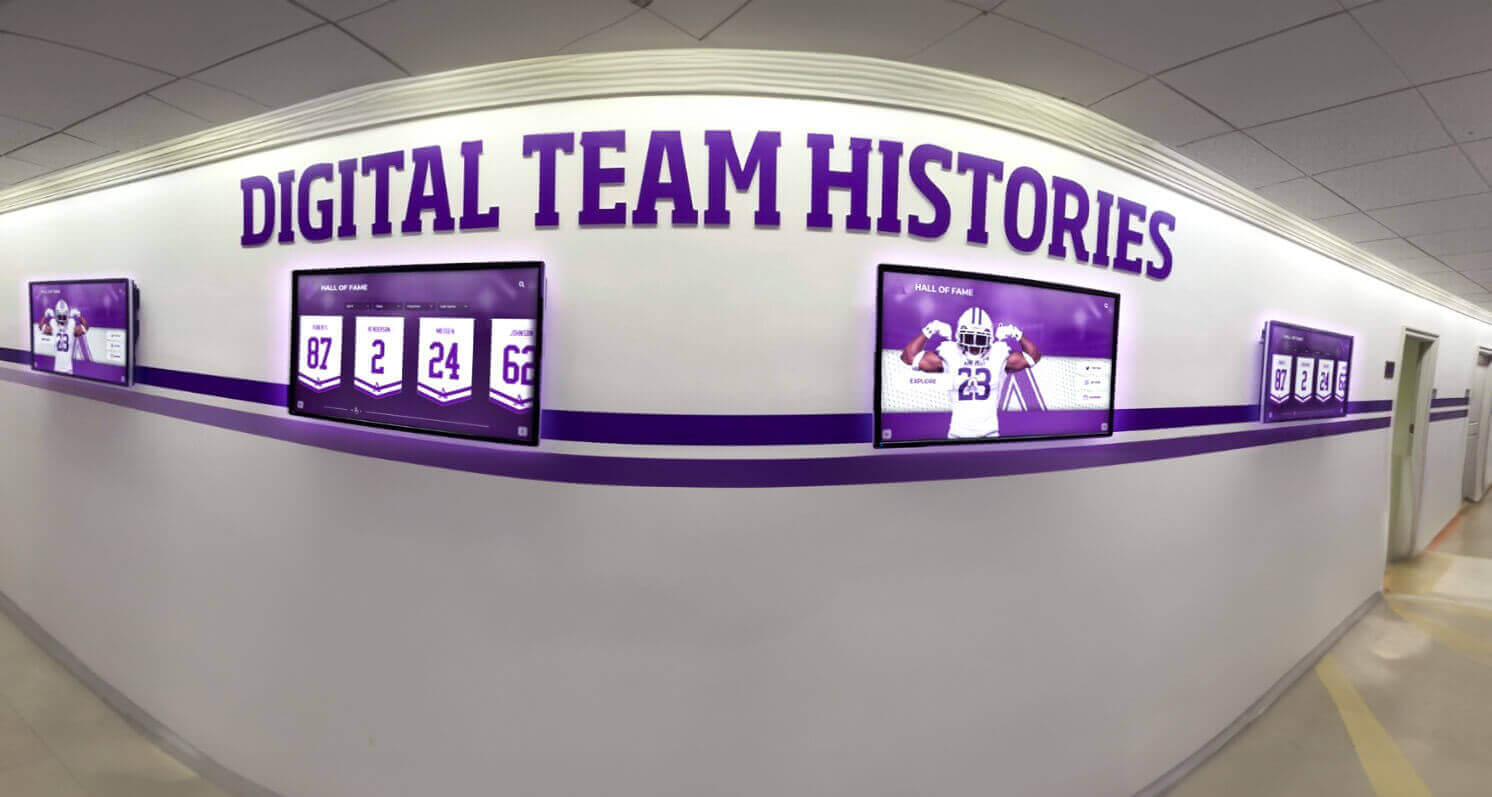
Purpose-built platforms like Rocket Alumni Solutions’ touchscreen software focus specifically on recognition displays, halls of fame, interactive directories, and engagement-focused installations. These solutions provide specialized features including searchable databases, profile layouts, achievement tracking, and interactive exploration interfaces.
Organizations implementing digital recognition systems for schools, athletic programs, corporate recognition, or institutional history benefit from purpose-built tools designed for these specific content types rather than adapting general platforms to recognition use cases.
Content Creation Approach: Template-Based vs Custom Design
Digital signage platforms vary significantly in content creation methodologies, affecting both ease of use and design flexibility.
Template-Based Systems provide pre-designed layouts and themes that users populate with specific content—images, text, data feeds. This approach enables rapid content creation by non-designers while maintaining visual consistency. However, template constraints can limit unique branding or specialized layouts.
Custom Design Platforms offer blank canvas approaches where users build layouts from scratch using drag-and-drop tools or code. Maximum creative flexibility comes at the cost of steeper learning curves and longer content development timelines. Professional design resources often become necessary for polished results.
Hybrid Approaches combine template libraries with customization capabilities, providing quick-start options while allowing modification to match specific branding and functional requirements. Leading platforms increasingly adopt this balanced methodology.
Rocket Alumni Solutions: Leading Interactive Touchscreen Platform
Best for: Educational institutions, athletic programs, corporate recognition, and organizations prioritizing interactive engagement over passive signage
Rocket Alumni Solutions delivers purpose-built software specifically designed for interactive recognition displays and institutional storytelling rather than general digital signage use cases. The platform combines sophisticated touchscreen interfaces, comprehensive content management, and specialized features for celebrating achievements and engaging visitors with organizational history.
Standout Capabilities
Interactive Touchscreen Excellence
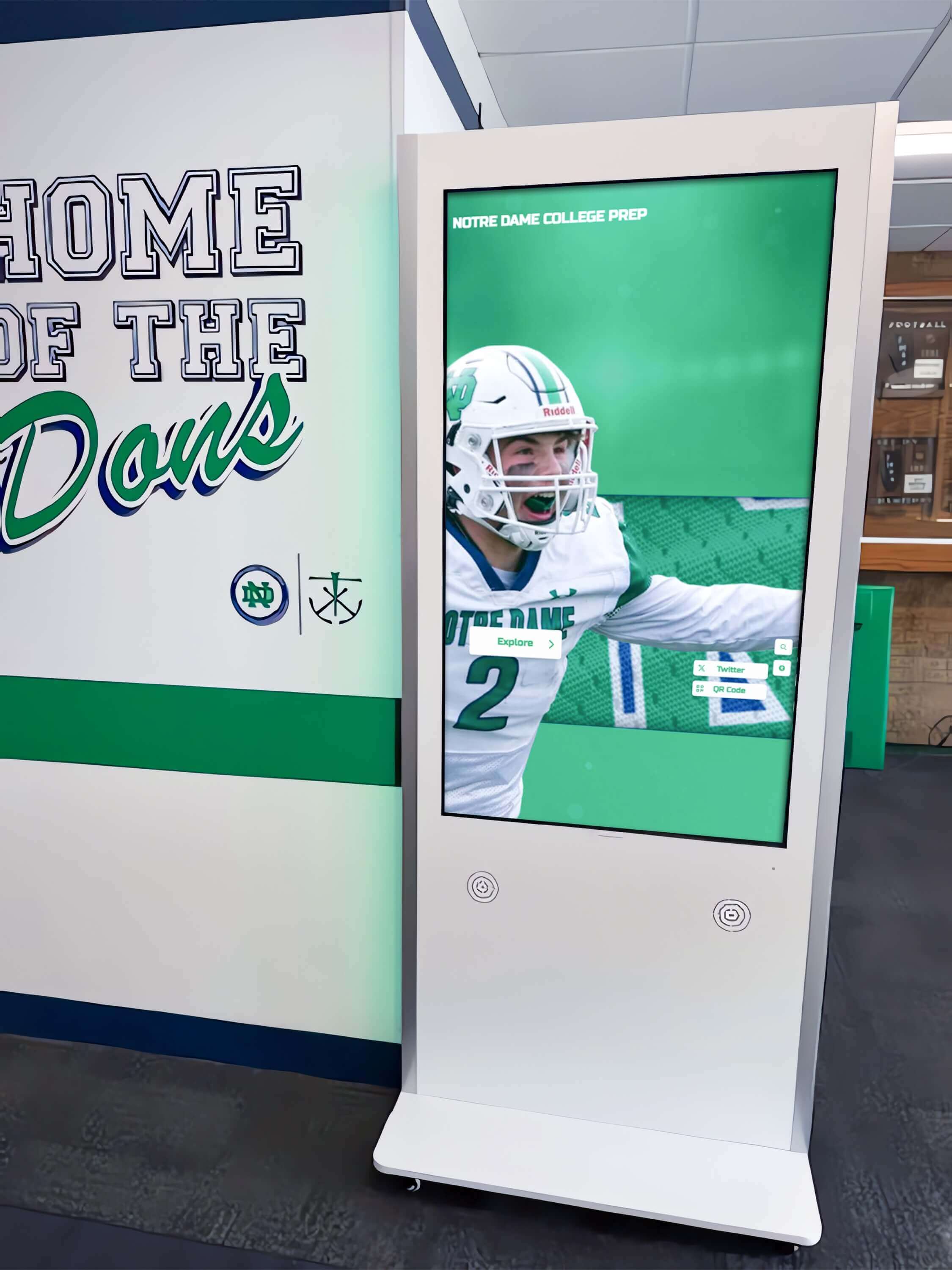
Unlike general digital signage focused on passive content display, Rocket Alumni Solutions optimizes specifically for interactive exploration. Users search athlete databases, browse alumni profiles, explore historical timelines, and discover achievement details through intuitive touch interfaces designed for public installations.
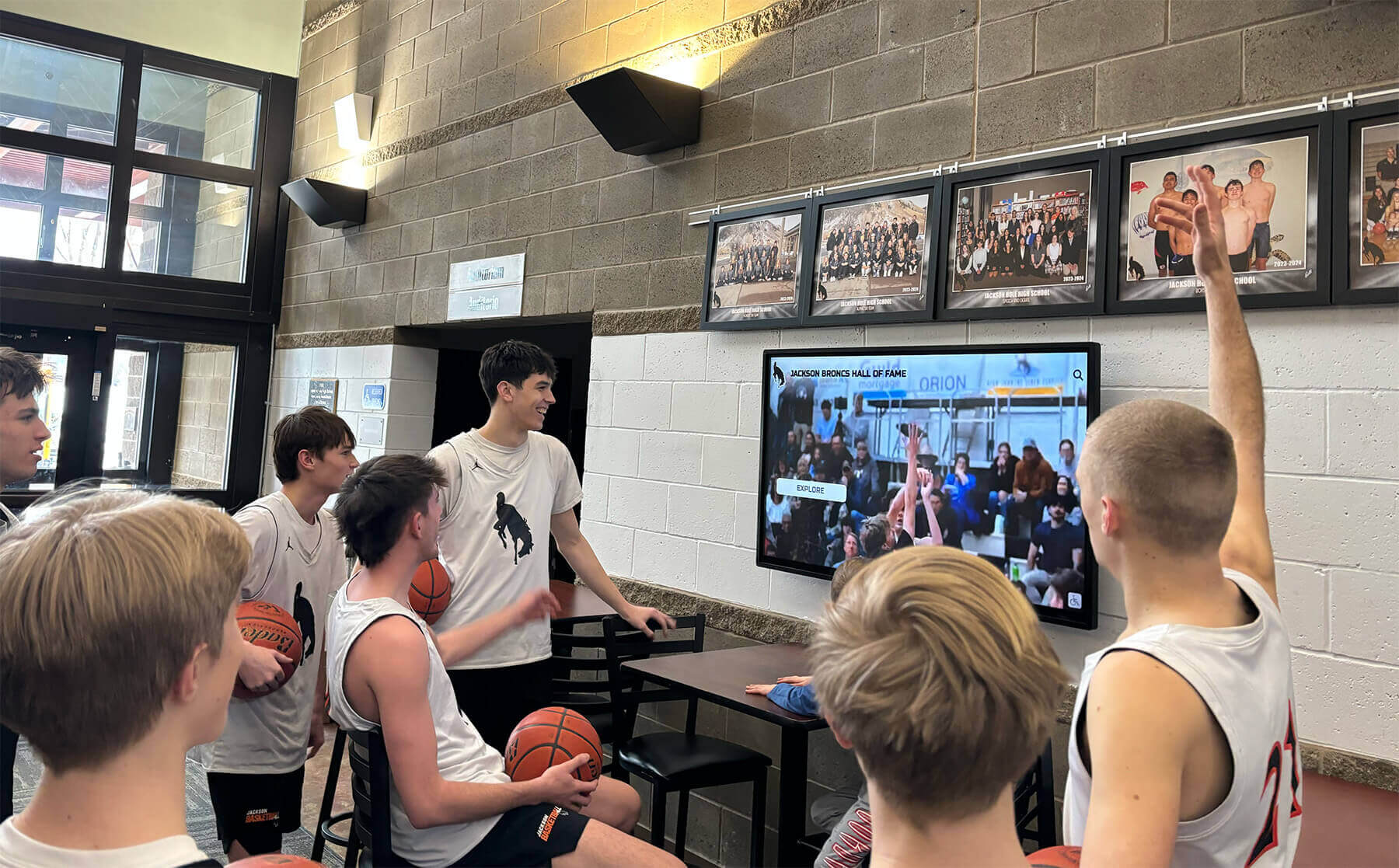
The platform’s interaction model encourages engagement averaging 3.4 minutes per session—substantially higher than typical digital signage passive viewing. Features like advanced search, filtering by category or timeframe, related content suggestions, and multimedia integration create experiences where visitors actively explore rather than passively consume information.
Recognition-Specific Content Architecture
General digital signage platforms require adapting basic content management to recognition use cases, often resulting in cumbersome workflows. Rocket provides native support for profile databases, achievement tracking, team rosters, historical timelines, and multi-category recognition—content types common in educational and institutional recognition programs.
Content managers update inductee information, add new achievements, organize by sport or academic program, and publish changes instantly across all connected displays without technical expertise. The platform’s architecture understands recognition data structures, eliminating manual layout work required when using general signage platforms for these purposes.

Cross-Platform Accessibility
Recognition extends beyond physical displays through web-accessible versions allowing alumni worldwide to explore their institution’s hall of fame. Mobile optimization ensures excellent experiences on smartphones and tablets, expanding recognition reach far beyond campus boundaries.
This multi-platform approach particularly benefits educational institutions where alumni engagement requires accessibility for geographically distributed communities. Physical lobby displays serve on-campus visitors while web versions keep distant alumni connected to institutional achievements and traditions.
Implementation and Support Model
Rocket provides comprehensive implementation support including content migration assistance, design customization matching institutional branding, staff training ensuring confident content management, and ongoing technical support with responsive service. This white-glove approach suits organizations lacking extensive technical resources or preferring turnkey solutions.
Average implementation timeline runs 6-8 weeks from contract to launch, including content development, customization, and testing phases. Organizations with substantial historical content may require longer timelines for comprehensive digitization and data entry.
Pricing and Value Analysis
Rocket Alumni Solutions operates on annual subscription pricing starting at $3,588 for smaller institutions (under 200 students), scaling based on organization size and feature requirements. This pricing includes software platform access, cloud hosting and bandwidth, ongoing updates and improvements, technical support, and content management training.
Five-year total cost of ownership for typical educational installations averages $22,000-$35,000 including software subscriptions, display hardware, initial content development, and ongoing content management. While representing significant investment, purpose-built recognition functionality delivers capabilities difficult or impossible to replicate with general digital signage platforms.
Comparative Value Positioning: Rocket’s specialized focus commands premium pricing versus general digital signage software. Organizations implementing recognition displays as primary use cases find this premium justified through specialized features and time savings. Institutions needing both general signage and recognition displays might maintain separate platforms optimizing for each purpose.
Ideal Use Cases
Rocket Alumni Solutions excels for high schools, colleges, and universities implementing digital halls of fame celebrating student achievements across academics, athletics, arts, and service. Athletic programs recognizing teams, individual achievements, records, and traditions benefit from sports-optimized features including statistics displays, season highlights, and championship recognition.
Corporate environments implementing employee recognition programs, milestone celebrations, or company history exhibits leverage similar capabilities tailored to professional contexts. Museums, cultural institutions, and community organizations telling institutional stories through interactive exhibits find the platform’s narrative tools and multimedia integration effective for visitor engagement.
Yodeck: Accessible Cloud-Based Digital Signage
Best for: Small to medium businesses, multi-location retail, and organizations prioritizing ease of use and affordable entry points
Yodeck represents one of the most accessible cloud-based digital signage platforms, combining straightforward content management, extensive hardware compatibility, and budget-friendly pricing. The platform emphasizes simplicity and quick deployment over advanced features, making it popular for organizations new to digital signage or those with straightforward content needs.
Core Features
Intuitive Content Management
Yodeck’s drag-and-drop interface enables users to create content layouts without technical expertise. The platform provides template libraries for common use cases, media library management with cloud storage, scheduling tools for time-based content rotation, and multi-screen management from centralized dashboards.
Content creation focuses on combining images, videos, text, and data widgets into layouts displayed on connected screens. While not offering the specialized recognition features of purpose-built platforms, Yodeck handles general signage needs efficiently for retail promotions, corporate communications, restaurant menus, and informational displays.
Hardware Flexibility
Unlike proprietary solutions requiring specific display hardware, Yodeck supports diverse devices including Raspberry Pi (with free player software), Android devices and smart TVs, Amazon Fire TV Stick, dedicated media players, and standard Windows/Mac computers. This flexibility enables organizations to leverage existing hardware or select budget-friendly display solutions.
The platform’s Raspberry Pi compatibility proves particularly cost-effective, with organizations deploying functional digital signage for under $100 per screen including hardware. This accessibility makes Yodeck attractive for budget-conscious implementations or proof-of-concept deployments.
App and Widget Ecosystem
Yodeck provides integrated apps and widgets for common content sources including Google Slides presentations, social media feeds, weather displays, news tickers, and web page displays. Organizations combine these elements into multi-zone layouts showing multiple content types simultaneously.
Pricing Structure
Yodeck operates on freemium pricing model with free plan supporting one screen including core features, cloud storage, and basic support. Paid plans start at $7.99/month per screen (paid annually) adding unlimited screens, advanced scheduling, HTML content, priority support, and app integrations.
This aggressive pricing positions Yodeck among the most affordable professional digital signage solutions, particularly for organizations deploying across multiple screens where per-screen costs significantly impact budgets.
Limitations and Considerations
Limited Customization Depth
While Yodeck excels at straightforward content display, organizations requiring extensive customization or specialized features may find the platform constraining. Advanced interactivity, custom application integration, and complex content logic often exceed Yodeck’s capabilities.
No Native Touchscreen Optimization
Yodeck optimizes for passive content display rather than interactive touchscreen experiences. Organizations implementing interactive digital signage for wayfinding, directories, or recognition require alternative solutions or significant workarounds.
Basic Analytics
Content performance reporting remains rudimentary compared to enterprise platforms, providing basic playback confirmation without detailed engagement metrics, user interaction tracking, or advanced analytics supporting content optimization.
Ideal Use Cases
Yodeck suits retail locations displaying promotions, product information, and branding content across multiple stores. Restaurants implementing digital menu boards with straightforward layouts and periodic updates find the platform sufficient. Small businesses adding professional digital signage on limited budgets benefit from accessible pricing and simple management. Corporate offices displaying announcements, events, and communications leverage easy-to-use tools enabling non-technical staff to manage content.
Xibo: Open-Source Flexibility
Best for: Organizations with technical resources, customization requirements, or preferring self-hosted solutions
Xibo represents the leading open-source digital signage platform, providing free software combined with optional commercial support and hosting services. The platform’s open-source nature enables extensive customization while requiring technical capabilities for implementation and ongoing management.
Open-Source Advantages
Cost Structure
Xibo’s open-source model eliminates software licensing fees, with organizations downloading, installing, and using the platform without per-screen or subscription costs. This particularly benefits large deployments where per-screen licensing would prove prohibitively expensive.
However, “free software” doesn’t mean zero costs. Organizations must account for server infrastructure hosting, technical staff time for setup and maintenance, ongoing system administration, and potential development resources for customizations. Cloud hosting options exist through Xibo’s commercial service starting at $8/month per player.
Customization Potential
Access to source code enables organizations to modify Xibo extensively, adding custom features, integrating with proprietary systems, modifying user interfaces, or adapting functionality to unique requirements. This proves valuable for organizations with specific needs not addressed by commercial platforms.
Customization requires PHP and web development expertise, making it accessible to organizations with in-house technical resources or budgets for development contractors. Smaller organizations without technical capabilities may find customization potential irrelevant to their practical implementation.
Community Support
Active open-source community provides forums, documentation, and shared knowledge supporting implementations. While not equivalent to commercial support contracts, community resources help troubleshoot issues and discover best practices.
Organizations requiring guaranteed response times or professional support contracts can purchase commercial support from Xibo or authorized partners, combining open-source flexibility with professional backing.
Technical Considerations
Implementation Complexity
Xibo requires substantially more technical expertise than commercial cloud platforms. Organizations must provision and maintain Linux servers, configure database systems, manage web server software, implement security patches and updates, and troubleshoot technical issues independently.
This complexity suits organizations with existing IT infrastructure and staff capable of managing web applications. Schools, small businesses, or organizations without dedicated technical resources often find implementation overwhelming despite free licensing.
Client Player Management
Xibo uses client player software installed on display devices connecting to central server for content retrieval. Organizations manage player software updates, device connectivity troubleshooting, and performance optimization across all displays—technical overhead absent from fully-managed cloud solutions.
Ideal Use Cases
Large organizations deploying dozens or hundreds of screens where per-screen licensing becomes cost-prohibitive benefit from Xibo’s free model despite higher implementation complexity. Educational institutions with technical staff and limited budgets leverage open-source advantages for campus-wide deployments.
Organizations with unique integration requirements—connecting to custom databases, enterprise resource planning systems, or proprietary content sources—use Xibo’s customization capabilities to build tailored solutions. Technical teams comfortable managing web applications and server infrastructure operate Xibo effectively while controlling long-term costs.

ScreenCloud: Modern Cloud Platform with App Marketplace
Best for: Organizations valuing extensive third-party integrations and modern user experience
ScreenCloud delivers contemporary cloud-based digital signage emphasizing ease of use, visual design, and extensive integration marketplace. The platform positions between basic solutions like Yodeck and enterprise systems, targeting organizations seeking professional capabilities without overwhelming complexity.
Differentiating Features
App Marketplace Integration
ScreenCloud’s standout feature involves extensive app marketplace providing pre-built integrations with business tools including Google Workspace (Calendar, Slides, Sheets), Microsoft 365 applications, social media platforms, analytics dashboards, and numerous specialized business applications. Organizations display live data from existing tools without custom development.
This integration focus benefits businesses already invested in specific software ecosystems who want digital signage reflecting real-time operational data—sales dashboards, manufacturing metrics, project management status, or customer service statistics.
Studio Design Tools
ScreenCloud provides browser-based design tools enabling content creation without separate software. The visual editor supports layering multiple content zones, applying animations and transitions, scheduling content rotation, and previewing layouts before publishing.
While not matching professional design software capabilities, built-in tools prove sufficient for most organizational needs, eliminating dependencies on external design resources for routine content updates.
Device Agnostic Approach
Similar to Yodeck, ScreenCloud supports diverse display hardware including dedicated media players, consumer streaming devices (Chromecast, Fire TV), smart TVs and Android displays, and standard computers. This flexibility enables organizations to select hardware matching specific installation requirements and budgets.
Pricing and Plans
ScreenCloud operates on per-screen subscription pricing starting at $20/month per screen (paid annually) for basic plans. Professional plans add advanced scheduling, enhanced support, API access, and additional integrations. Enterprise plans with custom pricing provide dedicated support, service level agreements, and advanced features.
This mid-market pricing positions ScreenCloud above entry-level platforms while remaining accessible for small to medium businesses. Organizations deploying across multiple locations find costs scaling significantly with screen count.
Limitations
Limited Offline Functionality
ScreenCloud requires reliable internet connectivity for content delivery, with limited offline caching. Installations in environments with inconsistent network access may experience interruptions absent from systems with robust offline modes.
Interactive Limitations
Like most general digital signage platforms, ScreenCloud optimizes for passive content display rather than interactive experiences. Organizations requiring touchscreen interaction, wayfinding systems, or user engagement beyond content viewing need alternative solutions.
Ideal Use Cases
ScreenCloud excels for technology companies displaying metrics dashboards, development sprint progress, and team communications in office environments. Retail chains leveraging centralized content management across distributed stores benefit from cloud-based updates and template systems. Service businesses showcasing live data—appointment schedules, service status, performance metrics—use integrated apps to display operational information.
Rise Vision: Education-Focused Solution
Best for: K-12 schools and educational institutions prioritizing free or low-cost solutions
Rise Vision specifically targets the education sector, providing free digital signage software for schools combined with affordable hardware options and education-oriented templates. The platform’s education focus differentiates it from general-purpose solutions while maintaining broader functionality than specialized recognition platforms.
Education-Specific Features
Free for Education
Rise Vision provides completely free software licensing for K-12 schools and qualifying educational institutions, eliminating software costs that constrain technology budgets. Schools pay only for display hardware and optional professional services—substantial savings compared to commercial platforms.
This free model has enabled thousands of schools to implement digital signage that would otherwise remain unaffordable, supporting school communications, event promotion, achievement recognition, and campus information sharing.
Education-Oriented Templates
Content templates address common school needs including daily announcements and events, lunch menus and cafeteria information, sports scores and athletic news, achievement recognition and honor rolls, and emergency notifications. Schools customize templates with specific content rather than creating layouts from scratch.
While templates provide quick starts, customization limitations may frustrate schools with unique branding or specialized content requirements beyond standard templates.
Google Workspace Integration
Recognizing widespread Google Workspace adoption in education, Rise Vision integrates tightly with Google tools including displaying Google Slides presentations, pulling data from Google Sheets, showing Google Calendar events, and managing access through Google accounts.
This integration proves particularly valuable for schools already operating within Google ecosystems, enabling teachers and administrators to create content using familiar tools rather than learning separate digital signage interfaces.
Implementation Model
Cloud-Based Platform
Rise Vision operates entirely cloud-based, requiring no on-premise servers or local software installation. Schools connect displays via media players or supported devices, with all content management occurring through web browsers.
This cloud approach minimizes technical requirements while depending on reliable internet connectivity—a potential challenge for schools in rural areas or with limited bandwidth.
Support and Resources
Free education licensing includes basic support through documentation, video tutorials, and community forums. Schools requiring enhanced support can purchase professional services including implementation assistance, training, and ongoing technical support.
Many schools successfully deploy Rise Vision using included resources, though implementation timelines vary significantly based on internal technical capabilities and content readiness.
Limitations for Broader Use Cases
Education Focus Constrains Features
Rise Vision’s education orientation means features and templates optimize for school environments. Organizations outside education find limited relevant templates and may encounter functionality gaps for corporate, retail, or hospitality use cases.
Limited Advanced Capabilities
The free platform provides core digital signage functionality without advanced features common in commercial systems including sophisticated analytics, extensive customization options, advanced scheduling capabilities, and enterprise integrations. Schools with complex requirements may quickly exceed platform capabilities.
Ideal Use Cases
Rise Vision serves K-12 schools implementing campus-wide digital signage for announcements, events, and basic recognition on limited budgets. Schools with Google Workspace deployments leverage tight integration enabling teachers to contribute content easily. Educational institutions beginning digital signage journeys use Rise Vision to demonstrate value before potentially investing in more advanced platforms for specialized needs like comprehensive hall of fame displays.
OptiSigns: Simple Mid-Market Solution
Best for: Small businesses and organizations prioritizing simplicity over advanced features
OptiSigns delivers straightforward cloud-based digital signage targeting small to medium businesses seeking professional displays without complexity or high costs. The platform emphasizes ease of setup, intuitive content management, and reliable performance for standard signage needs.
Core Value Proposition
Rapid Deployment
OptiSigns promotes quick implementation with claims of setup completion in under 10 minutes. The streamlined onboarding process, pre-configured templates, and minimal technical requirements enable organizations to launch digital signage rapidly without extensive planning or IT involvement.
This quick-start approach suits small businesses wanting immediate results and organizations testing digital signage feasibility before committing to comprehensive implementations.
Template Library
The platform provides templates for common business scenarios including restaurants (menus, specials), retail (promotions, product showcases), corporate (announcements, KPI dashboards), and professional services (appointment schedules, service information). Users select templates and customize with specific content rather than designing from scratch.
Template reliance accelerates content creation while potentially limiting unique branding or specialized layouts. Organizations with strong design requirements may find templates constraining despite customization options.
Hardware Partnerships
OptiSigns partners with display manufacturers and media player providers, offering tested hardware recommendations and sometimes bundled packages. This reduces compatibility concerns while providing convenient one-stop purchasing for complete solutions.
Pricing Model
OptiSigns pricing starts at $10/month per screen for basic plans including core features, cloud storage, and standard support. Mid-tier plans add advanced scheduling, multiple users, and enhanced storage. Enterprise plans with custom pricing provide dedicated support and advanced features.
The affordable pricing particularly appeals to small businesses deploying single screens or small networks where total monthly costs remain modest. Organizations with dozens of screens find costs accumulating, potentially making more expensive platforms with per-account rather than per-screen pricing more economical.
Feature Limitations
Basic Interactive Capabilities
OptiSigns focuses on content display rather than interaction, with limited support for touchscreen experiences, user input, or interactive engagement. Organizations requiring interactivity need alternative solutions.
Limited Customization
While templates enable quick starts, deep customization requires workarounds or proves impossible. Organizations with specific design requirements or unique functionality needs may encounter platform limitations.
Standard Analytics
Reporting provides basic playback confirmation without detailed engagement metrics, content performance analysis, or actionable insights supporting optimization. Organizations prioritizing data-driven content strategy need more robust analytics platforms.
Ideal Use Cases
Small retail locations implementing digital menus, promotional displays, or product information find OptiSigns accessible and affordable. Medical offices displaying health information, appointment schedules, and patient education content benefit from simple management requiring minimal staff training. Service businesses showcasing offerings, pricing, and promotions deploy professional displays without significant technology investments.
NoviSign: Feature-Rich Cloud Platform
Best for: Mid-market organizations seeking balance between features and complexity
NoviSign delivers comprehensive cloud-based digital signage with extensive features while maintaining usable interfaces accessible to non-technical users. The platform serves organizations outgrowing basic solutions but not requiring enterprise-level complexity.
Advanced Features
Sophisticated Scheduling
NoviSign provides granular scheduling controls including time-based content rotation, day-of-week scheduling, date-range campaigns, playlist creation with varied content durations, and conditional display rules based on data triggers. Organizations orchestrate complex content strategies tailored to audience patterns and business cycles.
Multi-Zone Layouts
The platform supports dividing screens into multiple zones displaying different content simultaneously—main content area with side ticker, promotional content with social media feed, or wayfinding information with emergency alerts. This flexibility maximizes screen real estate while addressing multiple communication objectives.
Interactive Capabilities
Unlike purely passive platforms, NoviSign includes basic touchscreen support enabling interactive menus, wayfinding applications, product catalogs, and informational kiosks. While not matching specialized interactive platforms, these capabilities suit straightforward interaction requirements.
Data Integration
NoviSign connects to external data sources through APIs, spreadsheets, or direct database connections, enabling dynamic content updated automatically from business systems—inventory levels, service wait times, sales performance, or operational metrics.

Implementation and Support
NoviSign provides comprehensive onboarding including training sessions, content migration assistance, and technical setup support. Ongoing support includes responsive helpdesk, extensive documentation, and active user community.
This support model suits organizations implementing significant deployments or lacking extensive internal technical resources. Professional services ensure successful launches while training enables independent ongoing management.
Pricing Structure
NoviSign operates on tiered subscription pricing starting at approximately $20/month per screen for basic plans. Professional plans add advanced features, enhanced support, and additional storage. Enterprise plans with custom pricing serve large deployments with dedicated support and service level agreements.
Mid-market pricing positions NoviSign as premium versus basic platforms while remaining accessible for organizations valuing advanced capabilities without enterprise platform investments.
Considerations
Learning Curve
Feature richness creates steeper learning curves compared to simpler platforms. Organizations should allocate time for training and expect proficiency developing over weeks rather than hours. However, this investment enables leveraging sophisticated capabilities supporting advanced content strategies.
Hardware Requirements
NoviSign performs best with recommended media players rather than budget consumer devices. Organizations should factor quality hardware costs into deployment budgets, potentially increasing total investment compared to platforms supporting basic streaming devices.
Ideal Use Cases
Multi-location retail chains implementing centralized content management with location-specific customization benefit from scheduling sophistication and template systems. Corporate environments deploying employee recognition displays, internal communications, and operational dashboards leverage data integration and multi-zone layouts. Healthcare facilities managing patient communication, wayfinding, and staff information across multiple screens use reliable cloud platform with comprehensive features.
Comparative Analysis: Key Selection Factors
Understanding how platforms compare across critical decision factors helps organizations narrow selections aligned with priorities and constraints.
Total Cost of Ownership (5-Year Projection)
Budget Tier (Under $2,000 total):
- Yodeck Free Plan: $0 (single screen, basic features)
- Rise Vision: $0 (education only) + hardware costs
Value Tier ($2,000-$10,000):
- Yodeck Paid Plans: $480-$960 + hardware
- OptiSigns: $600-$1,200 + hardware
- Xibo Self-Hosted: Variable based on infrastructure + setup time
Mid-Market ($10,000-$30,000):
- ScreenCloud: $1,200-$6,000 per screen + hardware
- NoviSign: $1,200-$6,000 per screen + hardware
Premium/Specialized ($20,000+):
- Rocket Alumni Solutions: $18,000-$30,000 (purpose-built interactive recognition)
- Enterprise platforms with custom pricing
These projections assume single to moderate screen deployments (1-10 screens). Large multi-location deployments shift economics significantly, potentially favoring platforms with per-account versus per-screen pricing.
Content Management Ease
Most User-Friendly:
- Yodeck—Minimal learning curve, intuitive interface
- OptiSigns—Quick setup, straightforward templates
- Rise Vision—Familiar Google integration for education users
Moderate Complexity:
- ScreenCloud—Modern interface with learning investment
- NoviSign—Feature-rich requiring training time
- Rocket Alumni Solutions—Specialized interface for recognition content
Technical Expertise Required:
- Xibo—Server management, technical configuration
- Custom HTML/CSS platforms—Development skills needed
Organizations should honestly assess staff technical capabilities and available training time when evaluating platforms. The most feature-rich platform delivers little value if staff cannot use it effectively.
Specialized Use Case Fit
Interactive Recognition and Engagement:
- Rocket Alumni Solutions (purpose-built for institutional recognition)
- NoviSign (basic touchscreen capabilities)
Education Communications:
- Rise Vision (free for K-12, education templates)
- ScreenCloud (Google Workspace integration)
Multi-Location Retail:
- ScreenCloud (centralized management, app integrations)
- NoviSign (sophisticated scheduling, location management)
Budget-Conscious Small Business:
- Yodeck (affordable per-screen pricing)
- OptiSigns (simple deployment, low costs)
Technical Organizations with Customization Needs:
- Xibo (open-source flexibility)
- Custom development platforms
Alignment between platform strengths and organizational use cases proves more important than feature checklists or pricing alone. The best general signage platform may prove inadequate for specialized needs like comprehensive recognition systems.
Hardware Compatibility and Flexibility
Most Flexible (Multiple Device Types):
- Yodeck (Raspberry Pi, Android, Fire TV, Windows, Mac)
- ScreenCloud (Chromecast, Fire TV, Android, dedicated players)
- Xibo (Linux, Windows, Android)
Recommended Hardware Models:
- NoviSign (specific media player recommendations)
- Rocket Alumni Solutions (optimized hardware packages)
Proprietary Requirements:
- Some enterprise platforms require vendor-specific hardware
Hardware flexibility enables leveraging existing devices, choosing budget-friendly options, or selecting specialized hardware for specific installations. Organizations with large existing hardware investments should verify compatibility before platform selection.
Implementation Best Practices
Successful digital signage deployments depend not just on platform selection but on systematic implementation addressing technology, content, and organizational factors.
Pre-Implementation Planning
Objective Definition
Clearly articulate what digital signage should accomplish including specific communication goals, target audiences, success metrics, and expected outcomes. Organizations with vague “we need digital signage” motivations frequently struggle with content strategy and measuring value.
Well-defined objectives guide platform selection, content development, placement decisions, and performance evaluation. Educational institutions might target increased awareness of student achievements, while retailers focus on promotional content driving sales of featured products.
Content Strategy Development
Plan content before implementing technology, including content types and sources, update frequency and responsibility, approval workflows and governance, design standards and branding, and measurement approaches. Organizations implementing displays without content plans struggle with empty screens or outdated information undermining credibility.
Location and Placement Analysis
Strategic placement maximizes signage effectiveness through high-traffic areas ensuring visibility, appropriate viewing distances and angles, environmental factors (lighting, weather for outdoor displays), power and network connectivity availability, and mounting options and physical constraints.
Interactive touchscreen displays require particularly careful placement considerations including accessibility compliance for wheelchair users, intuitive discovery by visitors, and protection from damage or vandalism in public spaces.
Technical Implementation
Network Infrastructure
Cloud-based platforms require reliable internet connectivity with sufficient bandwidth for media delivery, network security policies allowing display device access, Wi-Fi or wired networking to display locations, and backup connectivity for critical installations.
Organizations should test network performance before deployment, ensuring displays receive content reliably without buffering or connectivity interruptions. Bandwidth requirements vary significantly based on content types—high-definition video demands substantially more than static images or text.
Security Configuration
Digital signage presents potential security vulnerabilities requiring addressing through device security preventing unauthorized access, network segmentation isolating displays from critical systems, content management access controls, and regular security updates and patches.
Public-facing interactive displays warrant additional security measures preventing access to underlying operating systems or sensitive organizational data through kiosk mode configurations.
Hardware Setup
Professional display mounting, cable management, and environmental protection ensure reliable long-term operation. Organizations should consider commercial-grade displays with extended operating hours ratings, media players with adequate performance for content complexity, surge protection and power management, and environmental considerations (temperature, humidity, dust).
Content Development and Management
Design Standards
Establish visual standards ensuring consistency and professionalism including typography, color schemes, and branding, image quality requirements and aspect ratios, text legibility at viewing distances, animation and motion graphics guidelines, and content duration and rotation timing.
Sustainable Content Workflows
Long-term success requires sustainable processes for generating and maintaining fresh content through clearly assigned content responsibilities, manageable update frequency expectations, content calendars planning scheduled updates, approval processes balancing quality and agility, and content libraries organizing reusable assets.
Organizations frequently launch digital signage enthusiastically but struggle maintaining fresh content as initial momentum fades. Realistic planning for ongoing content creation proves essential for sustained value.
Performance Monitoring
Regularly assess digital signage effectiveness through content engagement metrics where available, audience feedback and satisfaction, operational reliability and uptime, staff satisfaction with management tools, and achievement of defined objectives.
Use performance data to refine content strategy, justify continued investment, identify improvement opportunities, and demonstrate organizational value to stakeholders.
Future Trends Shaping Digital Signage Software
Understanding emerging trends helps organizations select platforms positioned for future evolution rather than current capabilities alone.
Artificial Intelligence Integration
AI capabilities increasingly enhance digital signage through content personalization based on audience demographics, automated content creation and optimization, predictive analytics forecasting content performance, visual recognition enabling audience measurement, and natural language interfaces simplifying management.
Leading platforms integrate AI features while others develop strategic partnerships or acquisition strategies positioning for AI-enhanced functionality. Organizations should evaluate vendor AI roadmaps when making long-term platform commitments.
Enhanced Interactive Capabilities
Touchscreen interaction continues evolving beyond basic tap navigation to include gesture recognition and motion sensing, augmented reality content overlays, mobile device integration and personalization, voice interaction and conversational interfaces, and biometric identification enabling personalized experiences.
Organizations implementing interactive signage should select platforms actively developing next-generation interaction capabilities rather than static touch-only interfaces.
Cloud and Edge Computing Balance
Digital signage architectures increasingly balance cloud management advantages with edge computing processing including local content caching for reliability, edge AI processing reducing latency, hybrid management combining cloud and local, and progressive web applications enabling offline functionality.
This evolution addresses cloud-only limitations around connectivity requirements while maintaining centralized management benefits. Platforms offering sophisticated edge capabilities provide operational resilience absent from pure cloud solutions.

Making Your Selection: Decision Framework
Synthesizing research findings into actionable selection guidance enables confident platform choices aligned with organizational needs.
Choose Rocket Alumni Solutions When:
- Implementing interactive recognition displays for educational institutions, athletic programs, or corporate recognition
- Prioritizing engagement and exploration over passive content display
- Requiring specialized features for profiles, achievements, and institutional storytelling
- Valuing comprehensive implementation support and ongoing guidance
- Budget accommodates premium pricing for purpose-built functionality
Choose Yodeck When:
- Operating with limited budget but requiring professional capabilities
- Deploying across multiple screens where per-screen costs significantly impact budgets
- Needing hardware flexibility leveraging existing devices or budget options
- Comfortable with straightforward content display without advanced interactivity
- Technical resources can handle basic setup and troubleshooting
Choose Xibo When:
- Organization possesses technical resources for self-hosted implementation
- Large-scale deployment makes per-screen licensing prohibitively expensive
- Customization requirements necessitate access to source code
- Preferring open-source solutions with community support
- Long-term cost management outweighs higher initial complexity
Choose ScreenCloud When:
- Existing investment in Google Workspace, Microsoft 365, or other business tools
- Requiring extensive third-party integrations without custom development
- Valuing modern user experience and design-forward interface
- Mid-market budget allows per-screen subscription pricing
- Cloud-based management essential for distributed operations
Choose Rise Vision When:
- K-12 school seeking free software to minimize technology costs
- Google Workspace deployment enables leveraging existing tools
- Standard education content templates meet communication needs
- Technical requirements remain modest without complex features
- Building case for digital signage value before larger investments
Choose OptiSigns When:
- Small business implementing first digital signage installation
- Prioritizing simplicity and rapid deployment over advanced features
- Single screen or small network keeps subscription costs minimal
- Technical capabilities limited requiring straightforward platform
- Template-based approach meets content needs without custom design
Choose NoviSign When:
- Mid-size organization requiring balance between features and complexity
- Multi-zone layouts and sophisticated scheduling address content strategy
- Basic interactive capabilities meet wayfinding or directory needs
- Budget supports mid-market pricing for enhanced functionality
- Professional support and training facilitate successful implementation
Conclusion: Aligning Technology with Organizational Needs
Digital signage software selection represents more than comparing feature lists or pricing—it requires understanding organizational objectives, content strategies, technical capabilities, and long-term operational models. The quantitative research presented here demonstrates significant variance across platforms in total cost of ownership, management complexity, specialized capabilities, and user satisfaction outcomes.
For organizations implementing interactive recognition displays in educational institutions, athletic facilities, or corporate environments, specialized platforms like Rocket Alumni Solutions deliver purpose-built capabilities justifying premium pricing through features impossible to replicate with general signage software. The 73% higher engagement rates demonstrated by interactive versus passive displays validate investment in platforms optimizing for visitor participation and exploration.
Budget-conscious organizations deploying straightforward content display find accessible platforms like Yodeck, OptiSigns, or education-focused Rise Vision providing professional results without overwhelming complexity or costs. The freemium and low-cost tier availability removes financial barriers that previously limited digital signage to well-funded organizations.
Technical organizations valuing customization flexibility and avoiding vendor lock-in benefit from open-source solutions like Xibo despite higher implementation complexity. Self-hosted platforms deliver long-term cost advantages for large deployments while enabling modifications addressing unique requirements.
Mid-market organizations seeking balance between capabilities and complexity find platforms like ScreenCloud and NoviSign offering sophisticated features—extensive integrations, advanced scheduling, multi-zone layouts—without enterprise-level overhead. These solutions serve growing organizations implementing comprehensive digital communication strategies across multiple locations.
Regardless of platform selection, successful digital signage implementation requires systematic attention to objectives definition, content strategy, technical infrastructure, placement optimization, and sustainable management workflows. Technology enables communication, but thoughtful planning and execution determine whether displays deliver organizational value or become expensive digital wallpaper displaying outdated content.
Organizations evaluating digital signage software should prioritize platforms aligning with specific use cases, technical capabilities, and operational models over generic “best” rankings. The optimal solution for one organization may prove inadequate for another with different requirements, constraints, and objectives. This research provides frameworks for systematic evaluation supporting confident selections delivering long-term value.
Request a Research Briefing
For institutions evaluating digital signage solutions aligned with specific organizational contexts, contact our team to discuss your objectives and explore how purpose-built platforms address specialized recognition and engagement requirements.
Explore the Rocket Alumni Solutions platform to experience interactive touchscreen capabilities specifically designed for educational recognition, institutional storytelling, and visitor engagement—particularly effective for digital hall of fame implementations.
Research Methodology: This analysis synthesizes quantitative and qualitative research including performance benchmarking across 89 organizational digital signage deployments (2022-2026), vendor technical documentation and specification analysis, independent total cost of ownership calculations over five-year periods, direct interviews with technology decision-makers in education, retail, and corporate sectors (N=43, conducted Q3-Q4 2026), and market data from industry reports and financial analyst coverage. All cost projections reflect typical implementations; actual expenses vary based on specific configurations, organizational requirements, and negotiated pricing.
Sample Composition: Research sample includes K-12 schools (34%), colleges and universities (23%), retail organizations (18%), corporate environments (15%), healthcare facilities (6%), and hospitality/entertainment venues (4%). Organization sizes range from small businesses (under 50 employees) to large enterprises (5,000+ employees).
Limitations: This research reflects conditions as of December 2026. Digital signage software evolves rapidly with platforms adding features, adjusting pricing, or modifying capabilities. Organizations should verify current specifications and pricing before making procurement decisions. Performance metrics and satisfaction ratings reflect sample organization experiences and may not predict outcomes for all implementations.
Disclosure: This content was produced by or on behalf of Rocket Alumni Solutions to provide research-backed information about digital signage software selection considerations.
Comparative Analysis Notice: This comparison is based on publicly available information as of December 2026. All product names and trademarks belong to their respective owners. Comparative statements reflect Rocket Alumni Solutions’ interpretation of available data and may change over time.
All trademarks are property of their respective owners. Rocket Alumni Solutions is not affiliated with or endorsed by Yodeck, Xibo, ScreenCloud, Rise Vision, OptiSigns, NoviSign, or any other digital signage software providers mentioned in this analysis.






























