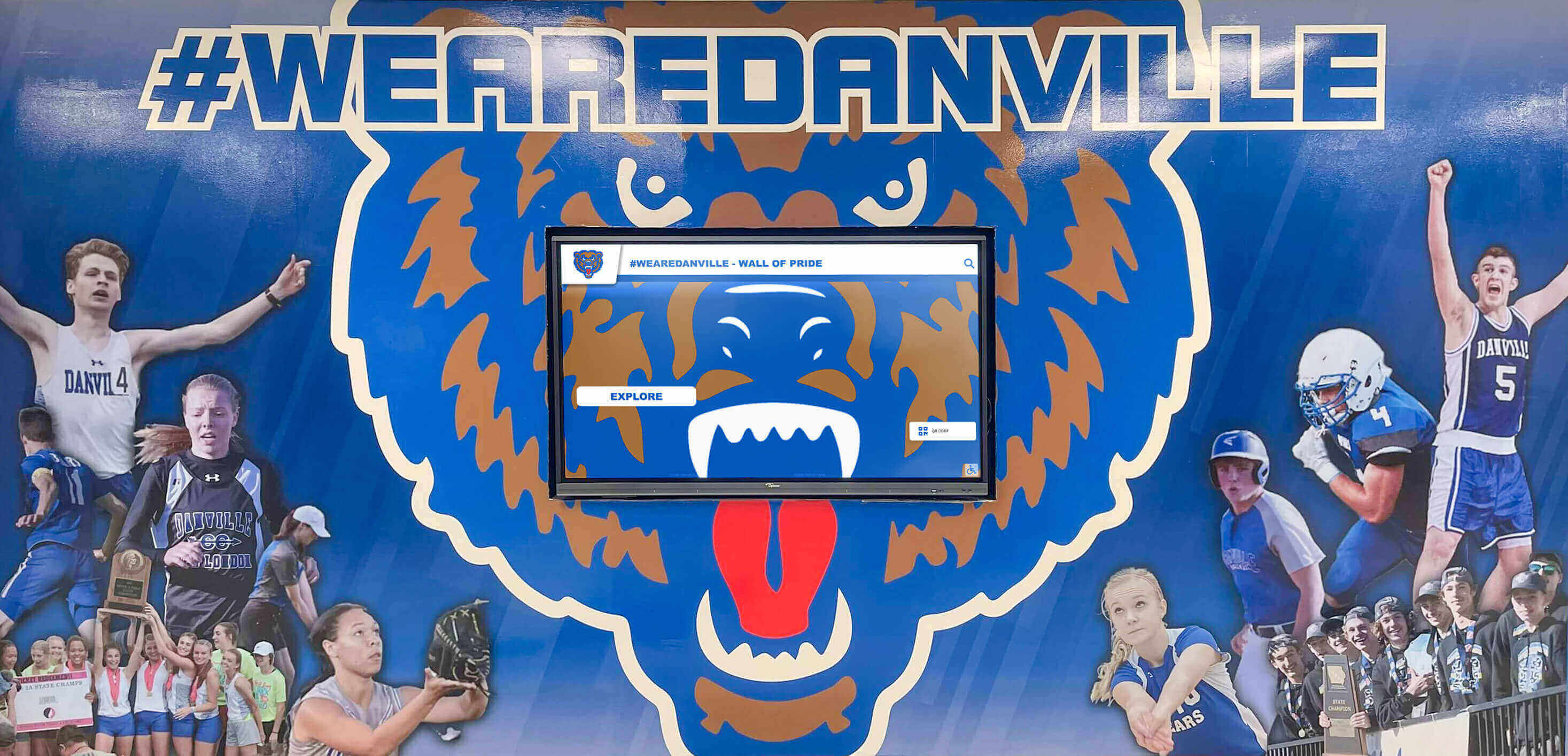
Every athletic program shares one universal challenge: getting game schedules, practice times, and event information in front of the people who need it. An athletic schedule board sounds simple enough, but the options available today range from a dry-erase board propped against the gym wall to a cloud-connected digital display that updates automatically and streams live to every screen in the building. The difference between those two endpoints isn't just aesthetics — it's how much time your staff spends updating information and how well your athletes, families, and fans actually stay informed.
This guide walks through the full spectrum of physical and digital schedule display options designed specifically for gymnasiums and lobbies. Whether you're working with a limited budget and need a better physical board today, or you're planning a facility upgrade that includes dynamic digital signage, you'll find practical ideas you can act on — along with honest comparisons of what each approach actually delivers.
Athletic schedules change constantly. Opponents cancel. Weather postpones games. Tournament brackets shift after early-round results. The athletic schedule board that can’t keep pace with those changes stops being useful almost immediately, creating confusion for families checking in from the parking lot and frustration for administrators fielding phone calls that an updated display could have answered automatically.
Understanding what you actually need from a schedule board — and where each option breaks down — is the first step toward making a decision that still serves your program well three seasons from now.

Physical Athletic Schedule Boards: Options That Still Work
Physical boards earn their place in athletic facilities because they require zero technical infrastructure, no subscription fees, and no training beyond a marker. For programs without reliable Wi-Fi in their gymnasiums, or for schools where a dedicated staff member manages updates daily, physical displays remain entirely viable. The key is choosing a format that fits both your update frequency and your facility’s visual standards.
Dry-Erase and Whiteboard Displays
Framed whiteboards designed specifically for athletic scheduling represent the most accessible entry point. Standard versions feature a grid structure pre-printed beneath the whiteboard surface, with column headers for sport, date, time, location, and opponent. You write in with dry-erase markers and wipe it down when schedules change.
The practical value here depends heavily on placement. A whiteboard mounted at eye level near the gym entrance, well-lit and framed cleanly, gets read. A whiteboard tucked behind a door or competing with a dozen other bulletin board items doesn’t. Schools that make physical boards work usually do so by designating a single staff member as the “board owner” responsible for updates every Monday morning and after any schedule change — treating it like a publication with a deadline rather than a board that gets updated when someone happens to notice it’s wrong.
Magnetic dry-erase boards with sport-specific magnetic icons offer a step up. Moveable pieces let you rearrange sports blocks without erasing entire sections, which helps when you’re juggling 12 programs across overlapping seasons. Custom framing and school color schemes also make these displays feel intentional rather than improvised.
Bulletin Board and Poster Frame Systems
Larger bulletin board systems let programs display full monthly or seasonal schedule sheets alongside team photos, opponent information, and event details. This format works particularly well for lobbies where visitors have more time to stop and read — as opposed to a gymnasium entrance where traffic moves quickly and attention spans are shorter.
Snap-open poster frames mounted in a consistent row or grid give the display a professional finish that bulletin boards with thumbtacked paper can’t match. They’re also faster to update: print a new schedule sheet, snap the frame open, replace the insert. If your school already produces printed schedule cards for each program, this format integrates that existing production workflow rather than creating additional work.
For programs wanting a more permanent physical presence, engraved or laser-cut schedule boards with rotating inserts offer durability that cloth or foam-core bulletin boards simply can’t provide. These work best in entrance lobbies where first impressions matter, paired with a school’s brand colors and mascot graphics.
Magnetic Menu Boards and Changeable Letter Displays
Magnetic letter boards — the kind with individual letter tiles arranged in rows — have staged a quiet comeback as athletic programs look for tactile, low-tech displays that have visual presence in large gymnasium spaces. A large magnetic letter board announcing “TONIGHT: VARSITY BASKETBALL vs. LINCOLN — 7PM — HOME” is readable from across the gym floor in a way that a printed poster frame often isn’t.
These boards also have legitimate charm value in lobbies where alumni and community members visit. They feel deliberate and traditional in a way that connects to athletic history, which can work in your favor in facilities where you’re also displaying trophies, championship photos, and retired jersey banners.
The limitation is labor. Every schedule change requires removing and replacing individual tiles, which becomes impractical for programs managing multiple sports with frequent updates. These boards work best as a complement to more updatable displays rather than a primary information source.
Digital Athletic Schedule Boards: What the Technology Actually Delivers
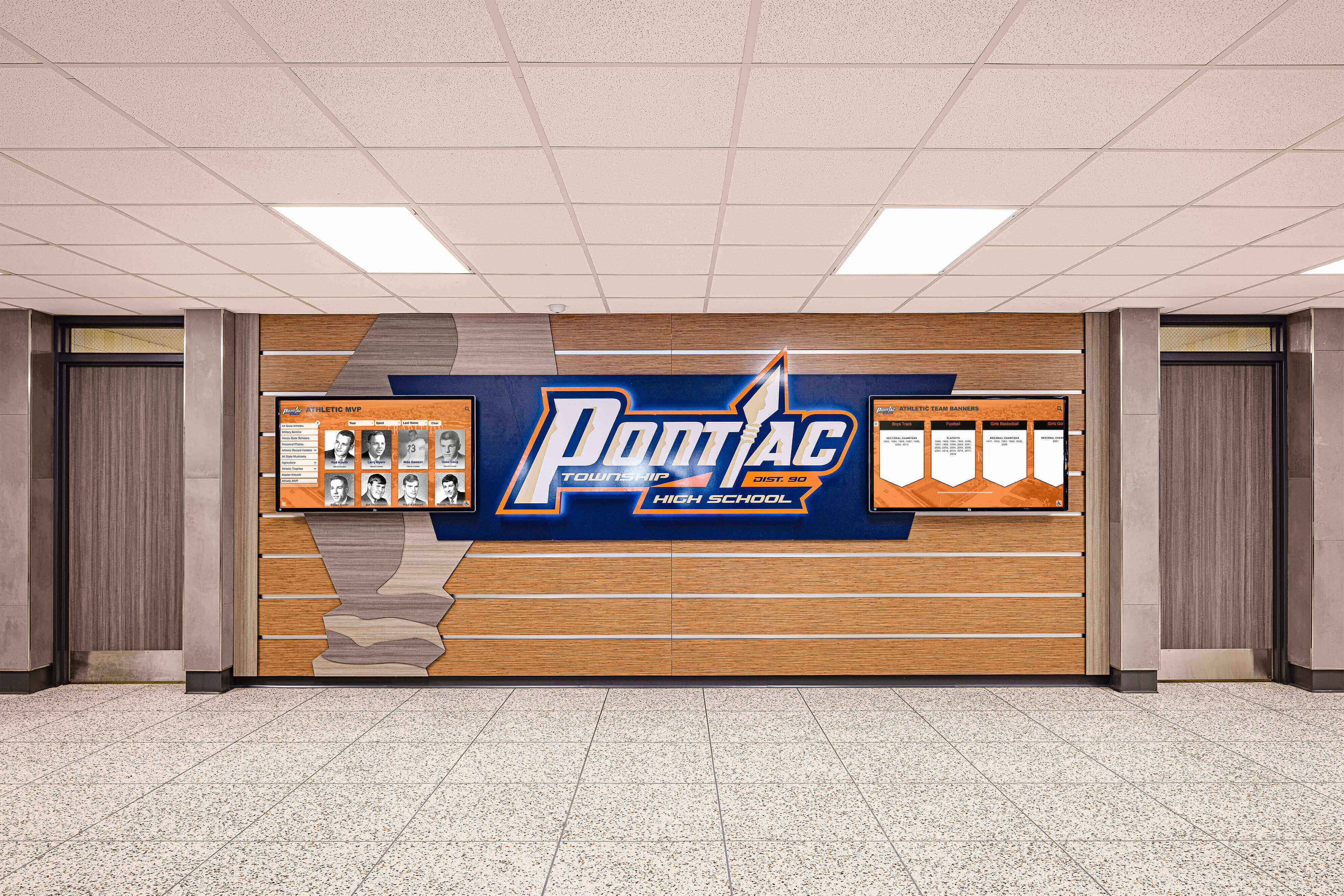
Digital schedule displays solve the update problem that plagues every physical board. When information lives in software rather than marker on whiteboard, a staff member updating from their phone at 6am after a weather cancellation reaches every screen in the building simultaneously. Families checking the lobby display, students passing the gymnasium entrance, and parents in the parking lot all see the current information.
The range within digital displays is substantial, though — from a basic TV with a scheduling app to a fully networked system of interactive touchscreens that integrate schedules with athlete profiles, team histories, and live results. Understanding where on that spectrum your program’s needs and budget land is more important than any specific product recommendation.
Smart TVs with Digital Signage Software
Entry-level digital schedule boards use commercial smart TVs paired with cloud-based digital signage software. Staff members log into a web interface, update schedule information, and the change appears on every connected screen within minutes. Most platforms offer schedule-specific templates: sport, date, time, opponent, location, and home/away indicators, formatted cleanly for quick reading.
This combination typically costs less than physical production methods over three to five years when you account for the time saved on updates, the eliminated costs of printing and laminating, and the reduction in phone calls from families checking on cancellations. Athletic facility design planning increasingly treats digital signage infrastructure as a baseline rather than an upgrade — a shift that reflects how much these systems have come down in cost.
Hardware placement matters as much as software capability. A 55-inch commercial display mounted at 5 feet off the floor with good viewing angles covers the typical gymnasium entrance. Lobbies often benefit from larger displays — 75-inch or greater — especially in facilities where the lobby serves multiple functions and the display needs to compete visually with other elements.
Multi-Zone Digital Signage Systems
Programs managing multiple sports simultaneously benefit from multi-zone digital signage systems that divide a single display into dedicated sections. A well-designed multi-zone template might show this week’s home games on the left two-thirds of the screen, a rotating spotlight of the current week’s featured athlete in the upper right, and tomorrow’s departure times and transportation details in the lower right.
Zone-based layouts eliminate the common failure mode of schedule displays: burying the most time-sensitive information inside a slideshow that takes 45 seconds to cycle through. When schedules have their own permanent zone rather than rotating with other content, they’re always visible — which is the entire point of putting up a display in the first place.
Touchscreen kiosk software for interactive displays describes the software layer that turns a passive display into something users can actively navigate — a distinction worth understanding before deciding between a basic signage screen and a more capable interactive system.

Interactive Touchscreen Schedule Displays
Interactive touchscreens allow athletes, parents, and visitors to navigate athletic information rather than passively reading whatever the display happens to be showing. From the schedule view, a visitor can tap a specific game to see opponent details, location with a map link, and relevant team information. They can explore the full season calendar, filter by sport, or pull up the team roster for the program they’re following.
This interaction model solves something static displays can’t: different people need different information. The parent of a JV basketball player needs the Thursday game time and location. The alumni coming to watch the varsity soccer team needs to know which field and whether the game is delayed. A recruit visiting campus wants to understand the full athletic program, not just tonight’s schedule.
Interactive systems also enable a kind of lobbying display that static signage simply cannot deliver — one that functions as a building directory and wayfinding guide for the entire athletic complex, integrating schedule information with facility maps, parking guidance, and event logistics. Visitors arriving for a tournament or multi-sport event day get everything they need from a single point of interaction.
The investment is higher than a basic signage TV, but programs that have made the transition consistently find that the interactive layer pays for itself through reduced staff time answering repetitive questions and improved visitor experience at events.
Cloud-Connected Schedule Boards with Automatic Sync
The most capable digital schedule systems connect directly to athletic scheduling platforms like ArbiterSports, DragonFly, or rSchoolToday — pulling schedule data automatically without requiring manual entry into a separate display system. When a game is rescheduled in your athletic scheduling platform, the display updates automatically. When a weather cancellation goes in before 6am, screens throughout the facility reflect the change before athletes and families arrive.
Automatic sync eliminates the most common failure mode of digital schedule boards: the display showing outdated information because no one remembered to update it after a change was made in the scheduling system. Schools that integrate their display systems with their scheduling platforms report dramatically higher confidence in the information their boards show — which drives higher actual usage by families and community members.
Library touchscreen and interactive display guides cover the broader technical framework these systems operate within — useful context if you’re evaluating platforms for a multi-display installation across an entire athletic complex.
Placement Strategy: Gymnasium Entrances vs. Lobby Displays
Where you put an athletic schedule board matters nearly as much as what you put on it. Gymnasium entrances and facility lobbies serve different audiences with different information needs, different dwell times, and different traffic patterns — and the right display for one location often isn’t the right choice for the other.
Gymnasium Entrance Displays
People entering a gymnasium are typically in motion. They’re athletes arriving for practice, fans filing in before a game, or parents picking up their kids after training. Their dwell time at any given point in the entrance area is measured in seconds, not minutes.
Schedule displays for gymnasium entrances should prioritize immediate readability: large text, high contrast, and the most time-sensitive information in the most prominent position. Tonight’s game — sport, time, opponent, home or away — should be visible from 20 feet away without anyone having to stop walking. If someone has to pause and approach the display to read it, you’ve designed it for a lobby, not an entrance.
Physical boards still work in gymnasium entrances when the information is kept current and the display itself is large enough to be read from a distance. Digital displays outperform physical boards in gymnasium entrances primarily because of update speed and the ability to show time-sensitive alerts — weather delays, venue changes, immediate schedule adjustments — without physical intervention.
Placement height is often underestimated in gymnasium entrance planning. Displays mounted too high require visitors to tilt their heads and struggle with glare from overhead lighting. Mounting screens at approximately eye level (center of display at 60-65 inches from the floor) dramatically improves readability in high-traffic entrance situations.
Lobby and Main Entrance Displays
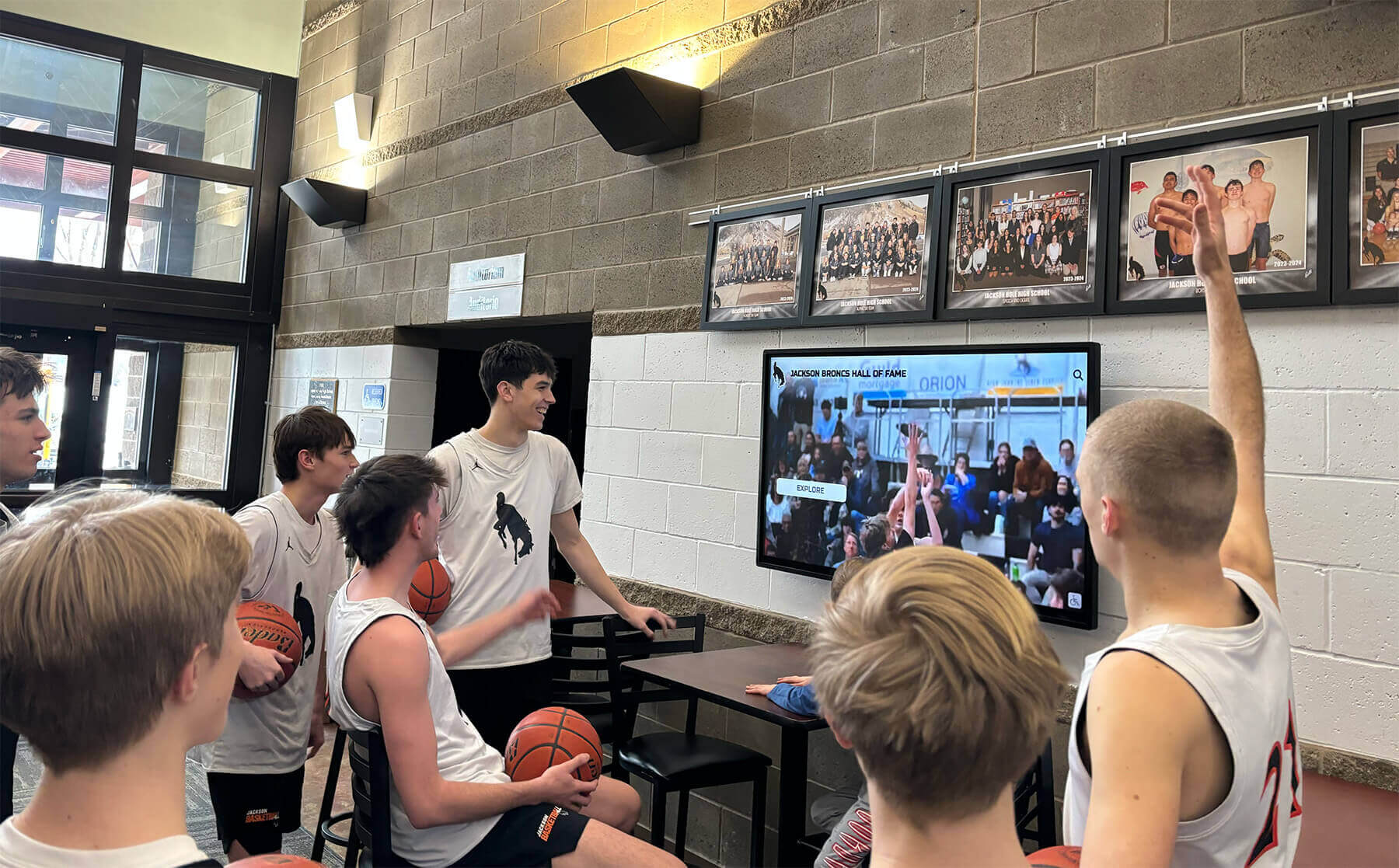
A facility lobby offers something gymnasium entrances typically don’t: time. Visitors browsing a lobby display may spend 30-60 seconds engaging with content before moving on — long enough to absorb multi-sport schedules, team histories, and athletic program information that would never register in a gymnasium entrance.
Lobbies are also the first impression visitors form of your athletic program. College coaches evaluating recruits, visiting families sizing up your facilities, and community members forming opinions about your athletic program all move through the lobby. College coach visits require preparation across multiple dimensions — and what your lobby communicates about the program’s professionalism and pride is one of them.
A lobby athletic schedule board can do more than show game times. It can tell the story of the program: this season’s schedule alongside last year’s championship run, upcoming senior nights alongside college signing day commitments, current roster alongside alumni who went on to play at the next level. The alumni gathering area design guide captures how lobbies function as more than transit spaces — they’re where a school’s athletic identity lives for the people who matter most to your program.
For lobbies, interactive displays consistently outperform passive signage because they allow the deep engagement that lobby dwell time enables. A visitor who came to watch a basketball game can explore the football program’s history while they wait for the doors to open. A recruit’s parent can pull up the full schedule and the coaching staff’s credentials. Passive screens cycle through content; interactive displays let visitors find the content that matters to them.
Beyond Schedules: What Else Your Display Can Show
The most effective athletic schedule boards at the gymnasium and lobby level don’t show schedules alone. Schedule information is the anchor that draws people to the display — but the surrounding content determines whether that display becomes a genuine communication hub or just a board people check once and ignore.
Team Rosters and Athlete Recognition
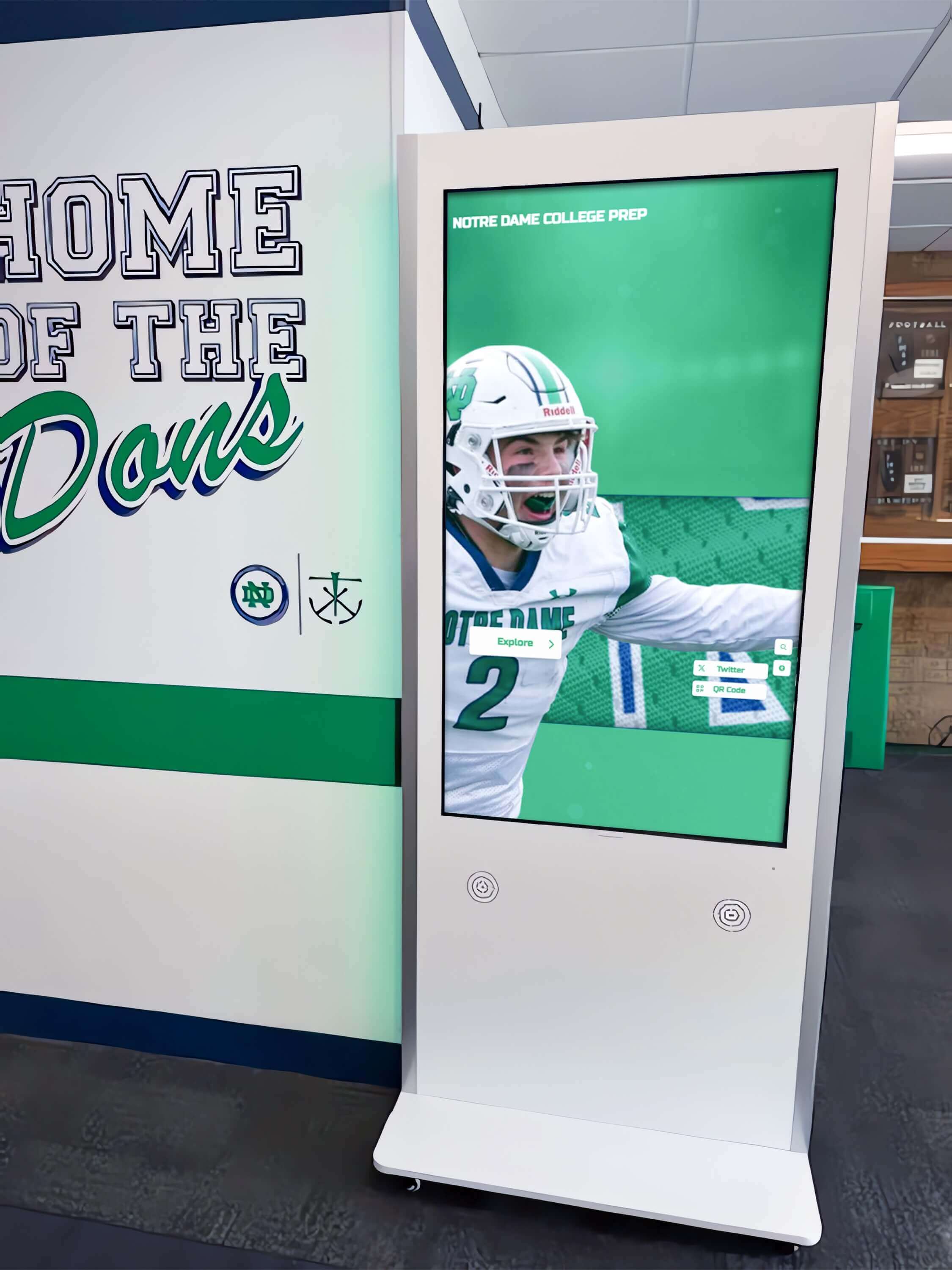
Current team rosters alongside the schedule create immediate relevance for families. Parents scanning the schedule for tonight’s game are also the people most likely to stop and look at their athlete’s photo and name on a roster display. That connection between schedule and team information increases engagement with both.
Athlete recognition content — weekly standouts, record breakers, seniors being honored — gives the display a reason to return. Families visiting the lobby between events see something new rather than the same static content from two months ago. Team photo day ideas and how to display athletes offers a practical framework for building the photo library these displays depend on.
Results and Season Progress
A schedule board that shows upcoming games is useful. One that also shows recent results and season records becomes a destination. When fans return after an away game weekend and the display already shows updated standings, win streaks, and game highlights, they’ve received value without asking anyone a question — and they’ll check the board next time automatically.
Basketball awards night ideas illustrates how recognizing results and individual contributions throughout a season — not just at banquet time — maintains engagement and builds toward end-of-year celebration naturally.
Historical Records and Program Milestones
Embedding program history into schedule displays connects current athletes and families to the legacy they’re building. When the schedule board shows that last Saturday’s win pushed the program to its best start in 15 years, that context matters. When a senior night display includes a “previous senior night honorees” section showing alumni photos from years past, it makes the recognition feel like induction into something that continues beyond graduation.
The best hall of fame tools for athletics, donors, and arts covers the full spectrum of platforms that integrate this kind of historical content with recognition displays — relevant context if you’re evaluating systems that do more than show this week’s game times.
Choosing the Right Athletic Schedule Board for Your Budget
The question of which display option to choose ultimately comes down to three factors: how frequently your schedules change, how much staff time you can realistically dedicate to keeping displays current, and what your program wants those displays to say about its identity and professionalism.
Physical boards work best when updates are infrequent, staff capacity for maintenance is reliable, and the facility infrastructure doesn’t support digital installations. They remain entirely viable for programs with stable schedules and dedicated staff — but they require genuine commitment to maintenance to stay useful rather than becoming a source of misinformation.
Basic digital screens with signage software represent the pragmatic middle ground for most programs. The upfront cost is manageable, the recurring software costs are modest, and the time saved on updates pays back quickly. Programs that install a basic digital schedule board almost universally report wishing they’d done it sooner — the staff time recaptured from manual updates and fielding schedule-related calls typically exceeds the system cost within a single season.
Interactive touchscreen systems deliver the highest engagement and the broadest utility, but they represent a meaningful investment that requires organizational commitment beyond the purchase itself: content management, software maintenance, and ongoing updating to keep the interactive content fresh enough to reward return visits. For programs looking at a longer-term facility investment rather than a seasonal fix, interactive displays provide value that grows over time as content libraries build and the system becomes embedded in how families engage with the athletic program.
Rocket Alumni Solutions builds digital recognition and schedule display systems specifically for schools, universities, and athletic programs — combining schedule functionality with athlete recognition, historical archives, and lobby-ready display designs that communicate program identity alongside game information. It’s worth reviewing what a purpose-built system can do before committing to a general-purpose digital signage approach that will require significant customization to match athletic-specific needs.
Implementation Considerations Regardless of System
A few practical factors determine whether any athletic schedule board — physical or digital — actually gets used:
Update ownership: Every board, physical or digital, needs a named person responsible for its accuracy. A schedule board that nobody owns becomes a schedule board that nobody trusts.
Placement visibility: Displays mounted in locations where target audiences naturally look — not tucked in corners or mounted too high for comfortable reading — receive dramatically more engagement than technically capable systems positioned poorly.
Lighting: Physical and digital boards both suffer from poor lighting conditions. Physical boards need adequate ambient light to be readable. Digital displays need antiglare screens or careful mounting relative to windows and overhead fixtures to prevent washout.
Integration with existing communications: The best athletic schedule board reinforces other communication channels rather than replacing them. When the display, the program website, the school app, and the email newsletter all show the same information, families stop second-guessing which source is current.
Making Schedule Boards Part of a Broader Recognition Strategy
Athletic schedule boards become more valuable when they’re connected to the broader recognition ecosystem of your athletic program rather than existing in isolation. A display that shows tonight’s game alongside last season’s championship banner, the current record holder in the 400m, and the seniors who just signed college commitments is doing something fundamentally different from a board that only shows times and opponents.
Schools that take this integrated approach find that their schedule boards become destinations rather than bulletin boards — places families and athletes check by habit because the information is always current and always connected to something they care about. That shift from utility to destination is what separates recognition infrastructure that drives real community engagement from signage that gets glanced at and forgotten.
Office and community engagement ideas through recognition displays captures the broader principle: displays that recognize and celebrate rather than simply inform build the kind of habitual engagement that sustains athletic program communities between game days.
The transition from a physical board to a digital display, or from a basic screen to an interactive system, doesn’t have to happen all at once. Many programs start with a single well-placed digital screen at the gymnasium entrance, see immediate results in family engagement and staff time recovered, and build from there — adding lobby displays, interactive components, and integrated historical content as budget and organizational capacity allow. Starting with something that solves the immediate problem well is almost always better than waiting for the budget to implement a comprehensive system.
Ready to Upgrade Your Athletic Schedule Board?
Rocket Alumni Solutions designs purpose-built digital display systems for school athletic programs — combining live schedules, athlete recognition, and program history in a single display platform built for gymnasiums and lobbies.
Explore Athletic Display Solutions





























